
01Who this is for
- Founders who run a website and need to meet AI focused PageSpeed audits because the file reduces crawl overhead.
- Marketing teams that want a lightweight roadmap for language models, improving AI search discoverability.
- Developers managing multiple client domains, as each domain requires its own llms.txt configuration.
02Llms.txt files, explained
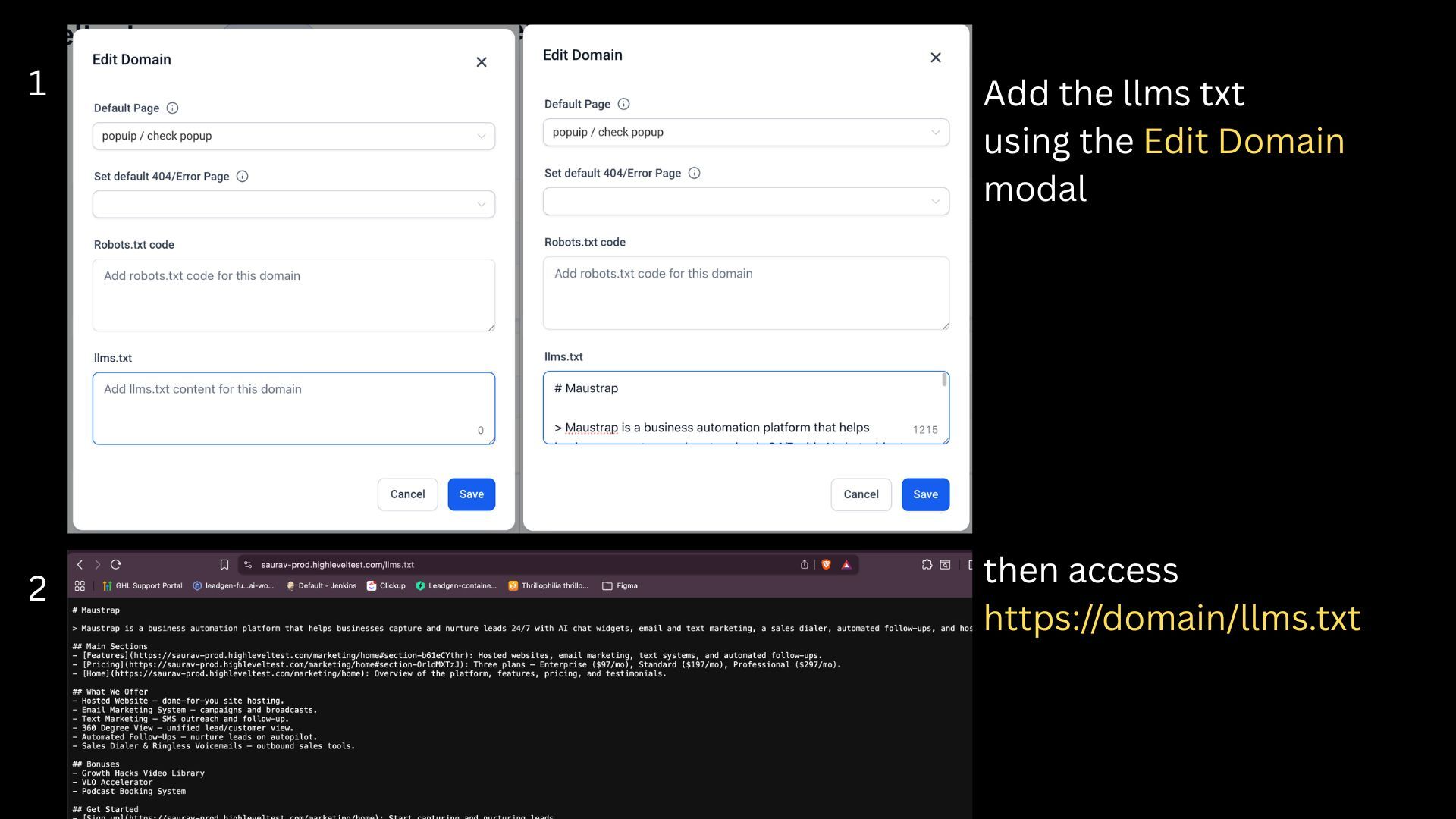
The llms.txt feature works like a robots.txt file but targets AI crawlers and large language models. When you add Markdown content, the platform serves it publicly at https://yourdomain/llms.txt. AI agents read this lightweight map instead of parsing full HTML pages.
You manage the file from the domain settings of a subaccount. After you enter the content and save, the file is right away available at the domain root. The file does not replace an XML sitemap; it complements existing SEO tools.
The platform validates that the content is valid Markdown before publishing. Updates are manual; the file does not change automatically when new pages are added.
03How businesses use llms.txt files
- SaaS startup. The team opens Settings > Domains and URL Redirects, selects their product domain, and adds a concise markdown overview of their core features. They save the file, then verify the URL https://startup.com/llms.txt shows the new content.
- Local service business. After connecting a subdomain for appointments, the owner edits the llms.txt section to list the services page, pricing page, and contact page. Saving the file publishes it right away, allowing AI agents to locate the most important pages.
- Digital marketing agency. The agency manages client domains in separate subaccounts. For each client they open the domain settings, paste a markdown file that highlights the client’s portfolio, blog, and lead capture pages, and then saves to meet AI audit requirements.
04Before you start
- A domain must already be connected to the subaccount before configuring llms.txt.
05How to set up and use llms.txt files in HighLevel
Set up llms.txt for your domain
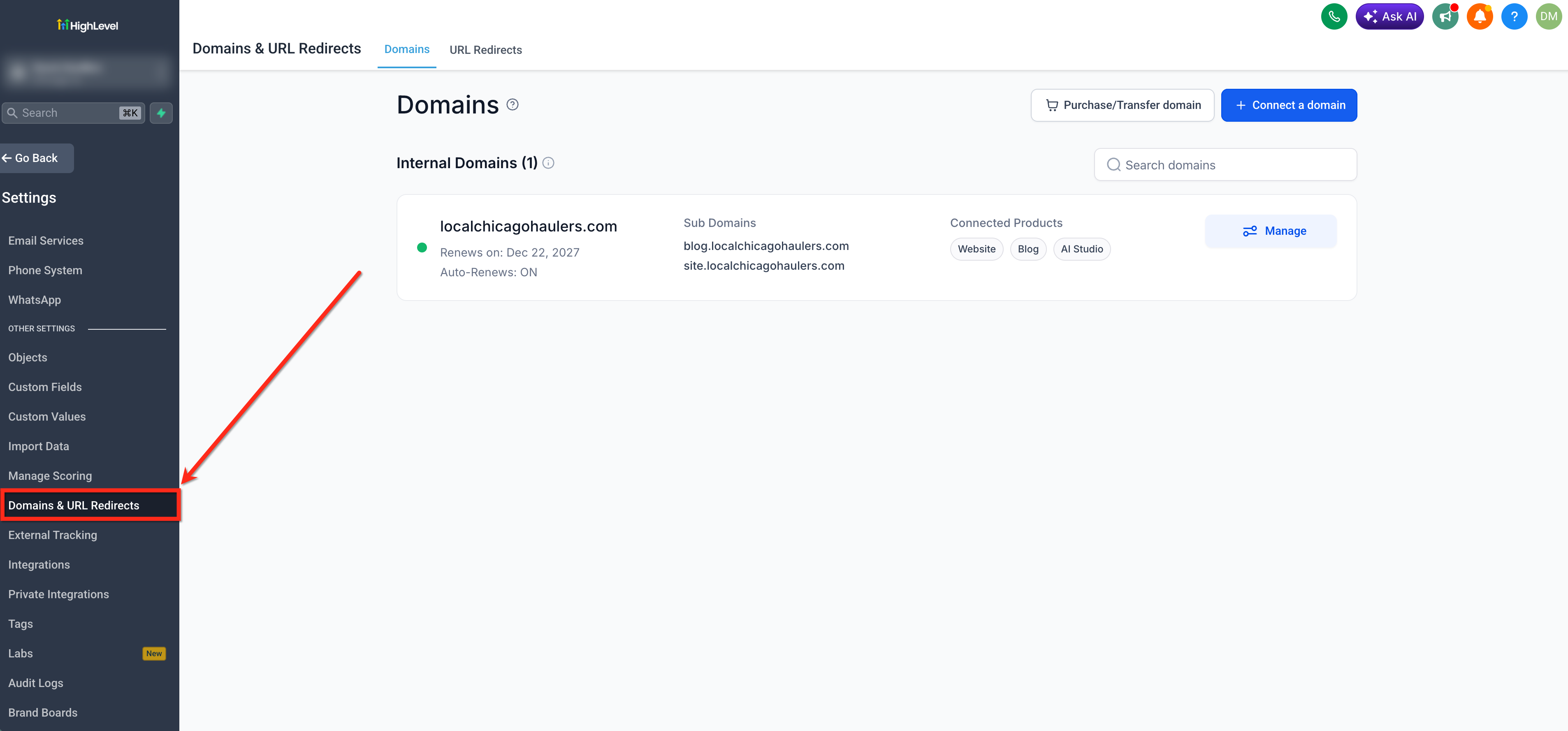
- Open Settings > Domains and URL Redirects in the subaccount dashboard.
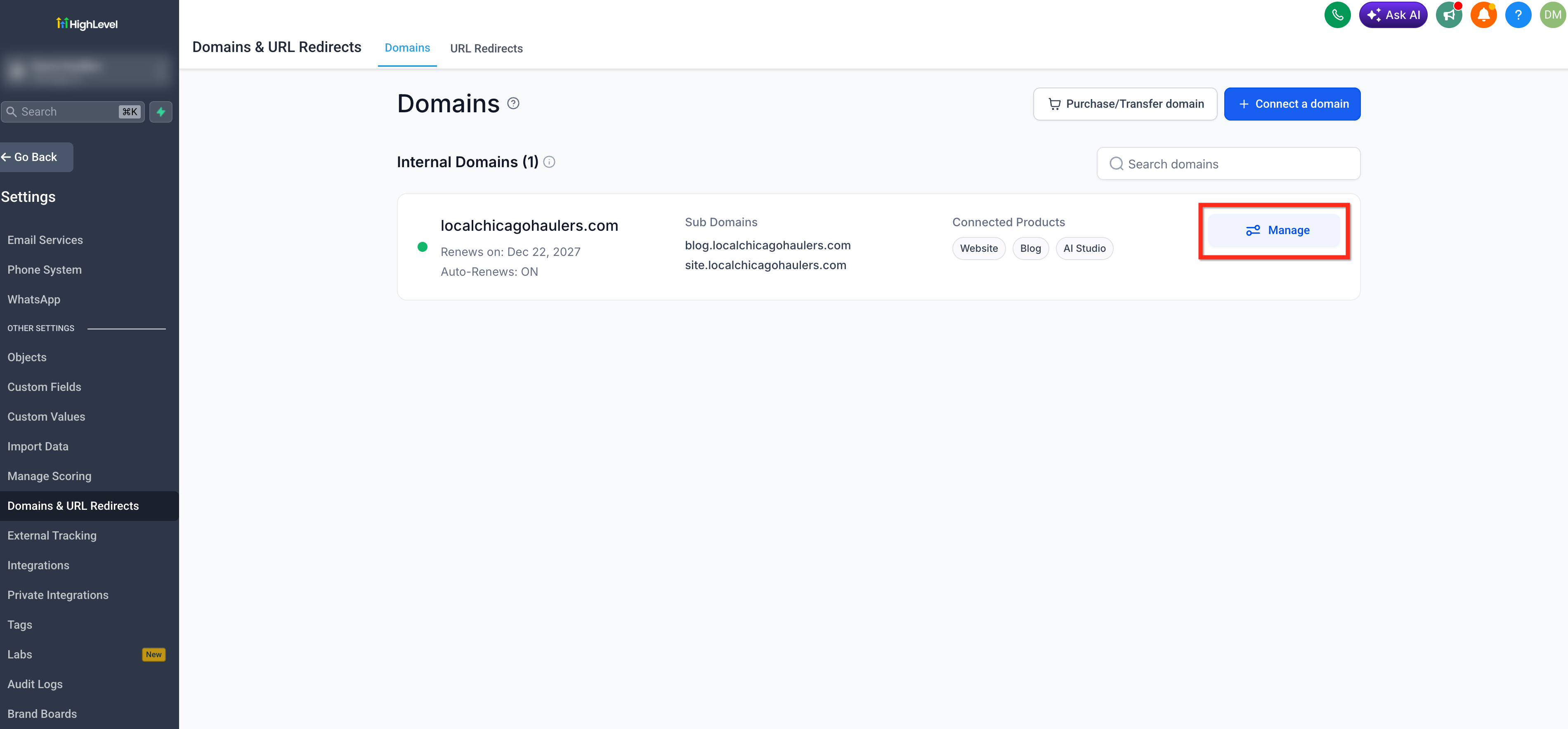
- Find the desired domain and click Manage.
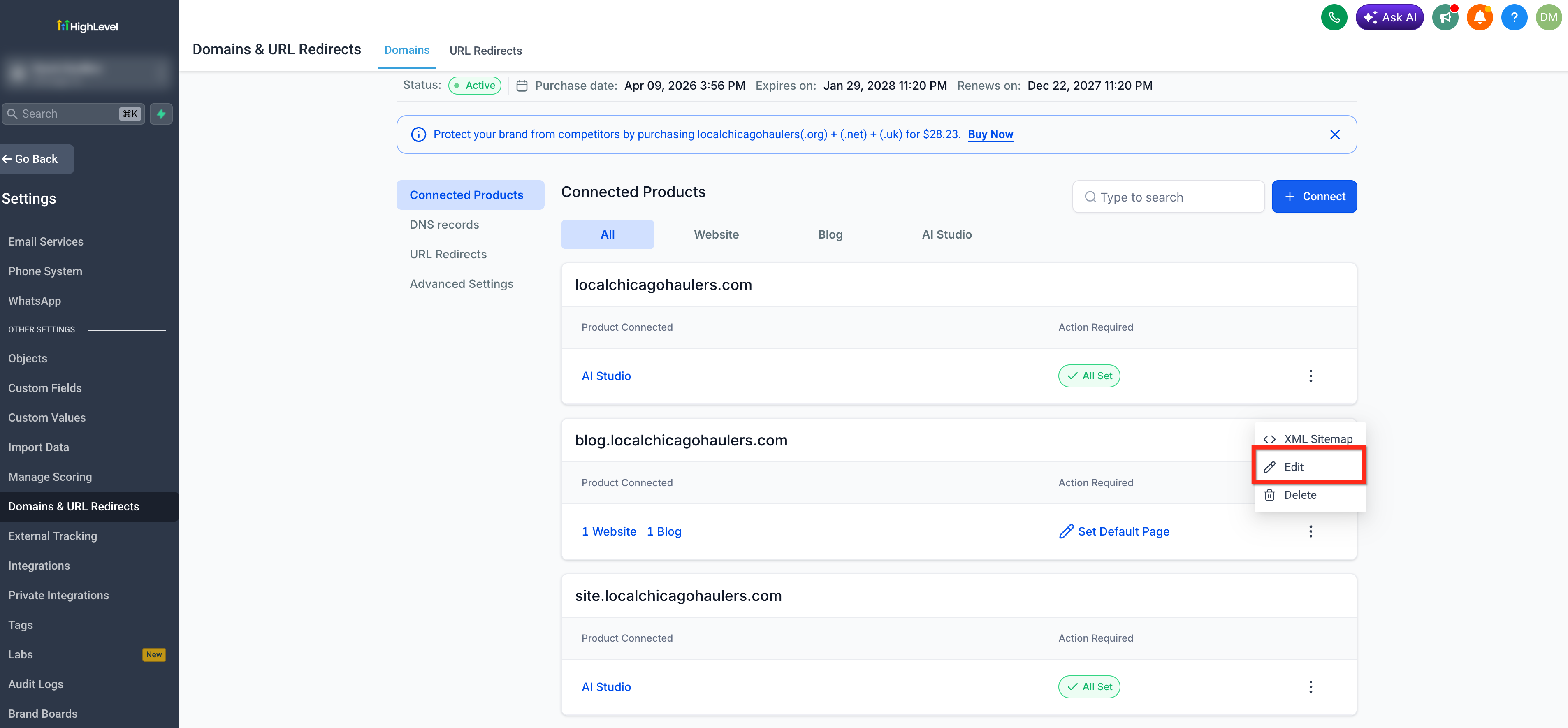
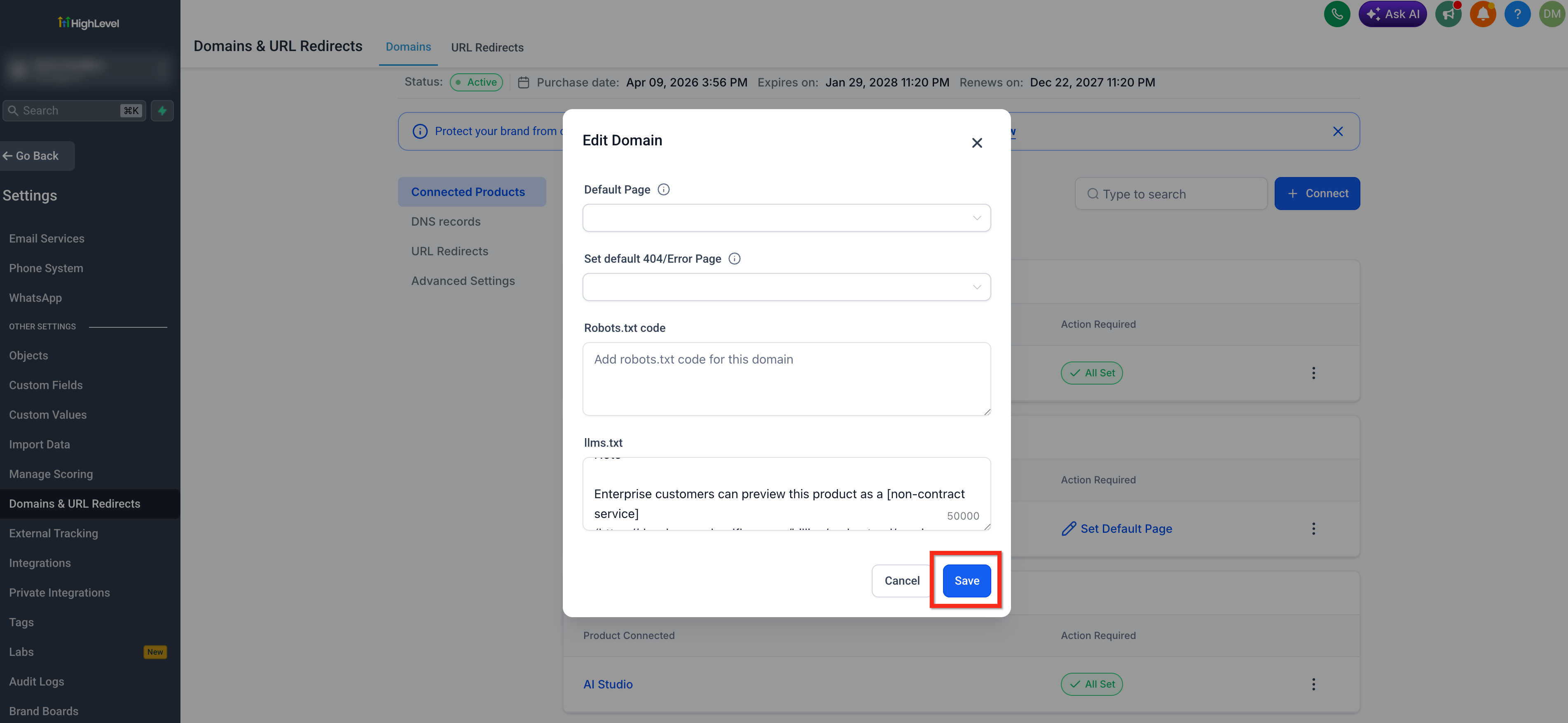
- Select the three dot icon next to the Connected Product and choose Edit.
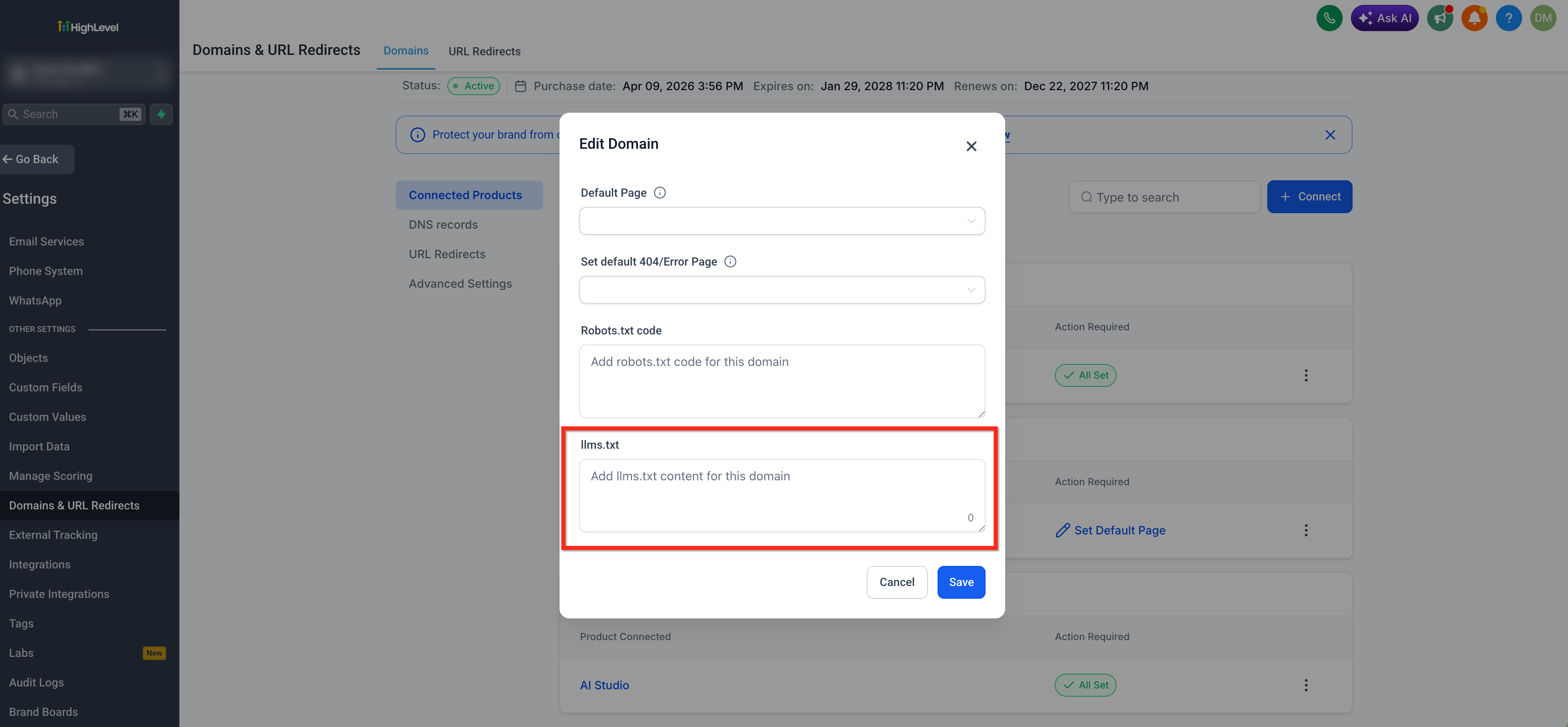
- Scroll down to locate the llms.txt section in the settings panel.
- Enter or paste the markdown content into the provided text area.
- Click Save to publish the file right away at https://<yourdomain.com>/llms.txt.
06What it looks like in HighLevel
07Settings that matter
- llms.txt. Controls the markdown content that is served at the root of the selected domain, shaping how AI agents understand the site.
08Things to know before you rely on it
- Each connected domain or subdomain requires its own separate llms.txt configuration.
- Content must be valid markdown; otherwise AI crawlers may not parse it correctly.
- The file does not automatically update when new pages are added; manual edits are needed.
09How it connects to the rest of HighLevel
- How to add a root or subdomain with HighLevel Domain Connect Domain Connect guide
- Add tracking code to funnels and websites in HighLevel Add tracking code
- HighLevel pricing and plans Pricing page
Michael's take

Publishing an llms.txt file does not guarantee that your site will appear in AI generated results; it simply provides a curated summary for compatible agents.
When kept up to date, the file can reduce processing resources for AI models and may help pass the Agentic Browsing audit.