
01Who this is for
- Founders of SaaS companies, need documented consent to meet GDPR requirements.
- Marketing managers of ecommerce sites, must capture permission before sending promotional messages.
- Customer support leads, want to record the legal reason for storing chat transcripts.
02Customer consent and legal basis, explained
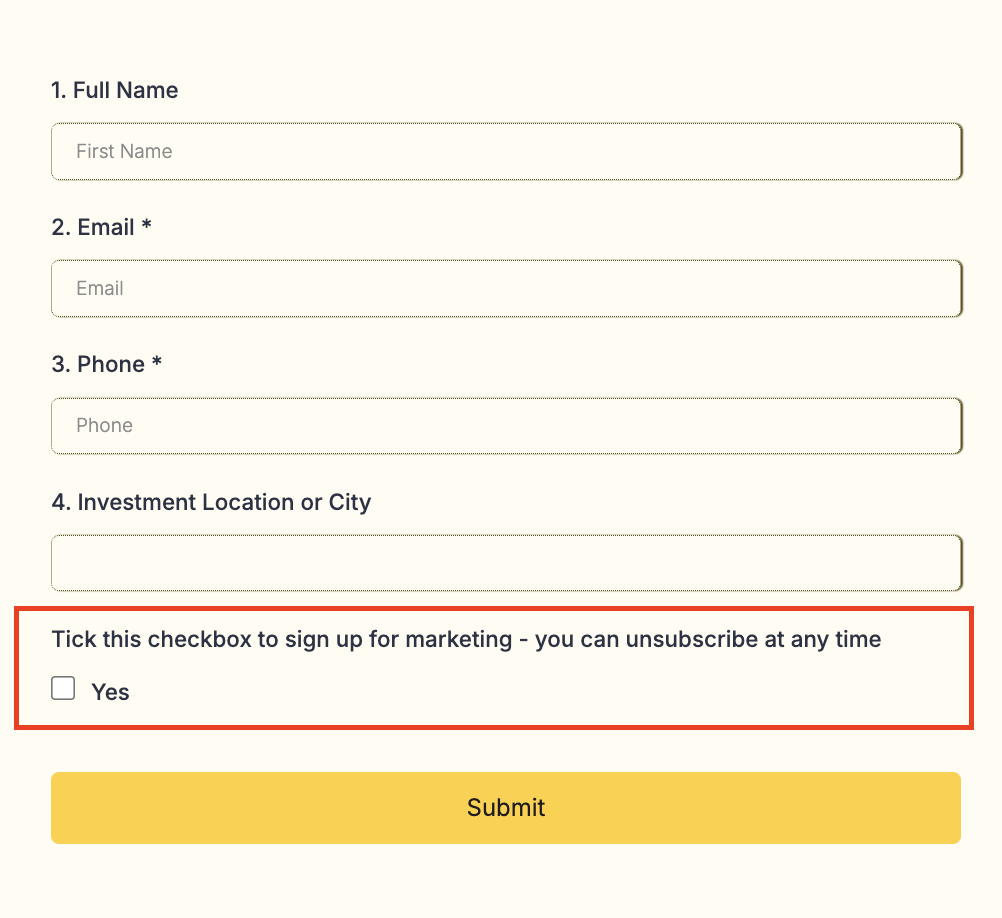
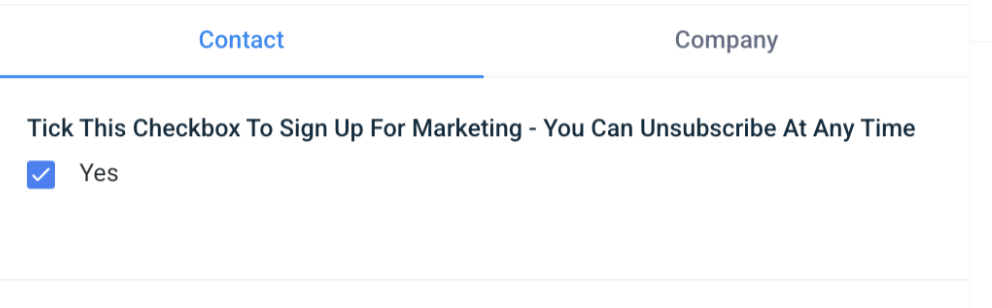
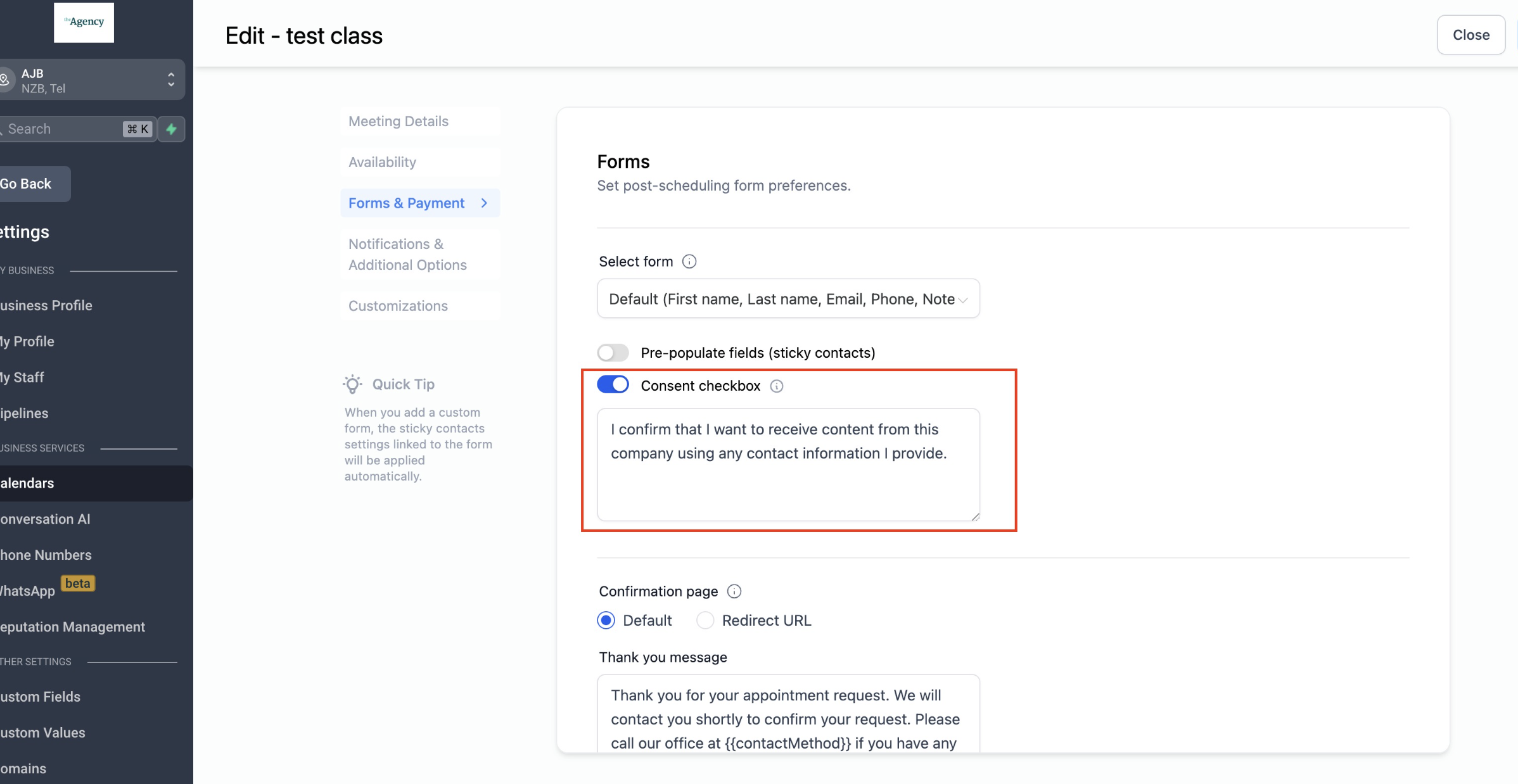
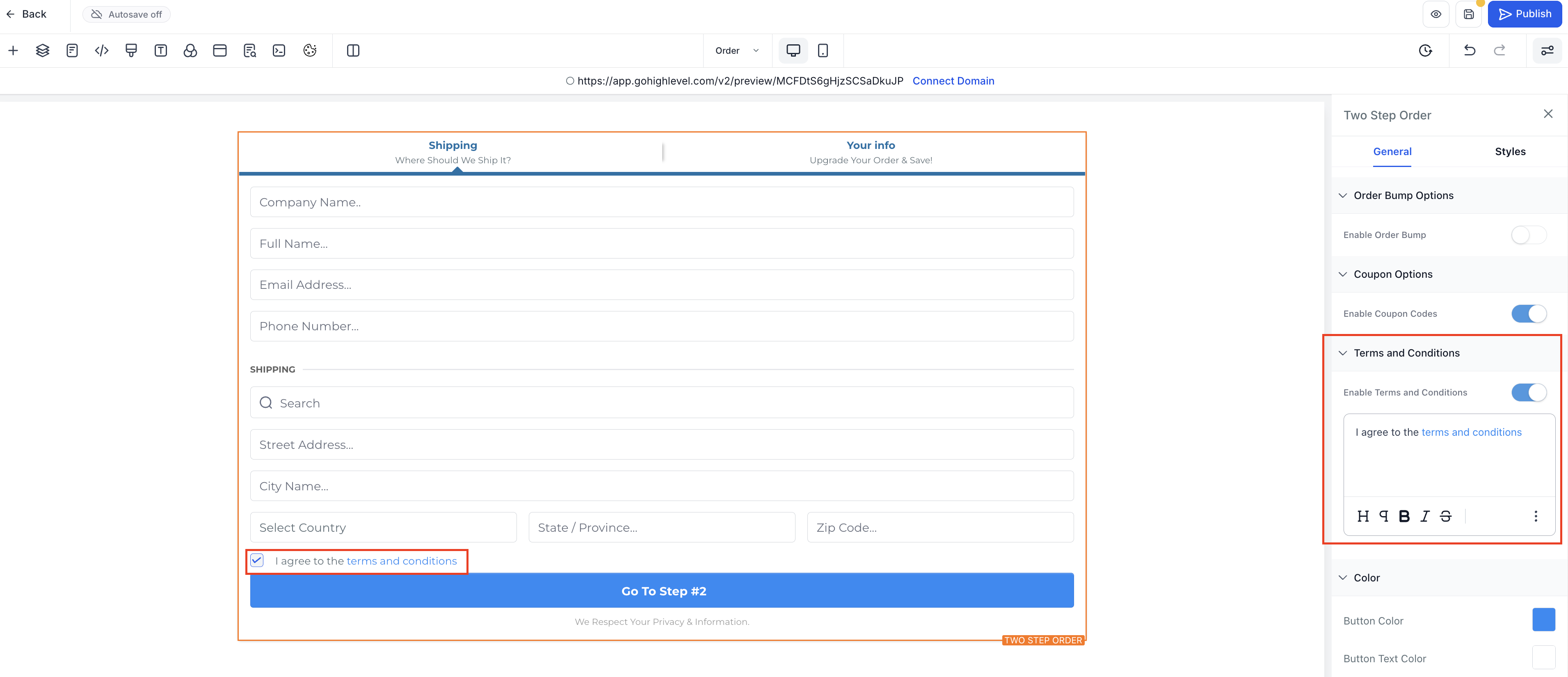
The platform lets you embed a consent checkbox in any form you build. The checkbox can display custom disclosure text, link to your privacy policy, and be set as required or optional. The choice made by the visitor is saved on the contact record.
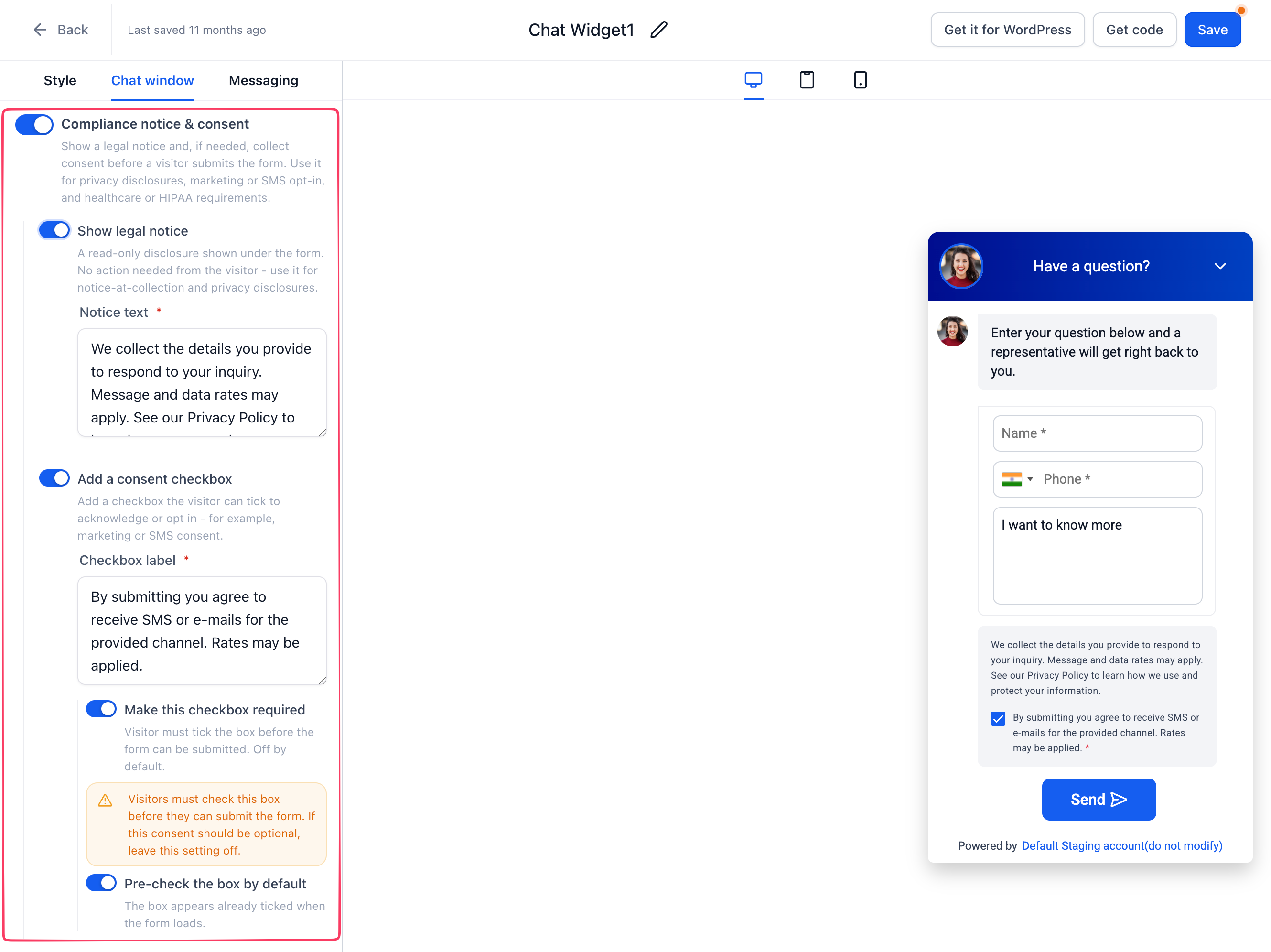
Webchat also supports a compliance notice. Within the chat widget settings you can turn on a read only legal message and add a consent box that visitors must acknowledge before starting a conversation. The same options for required or pre checked apply.
Legal basis tracking works through a custom field on contacts. You create a field named Legal Basis, list the possible reasons such as Consent, Contractual Obligation or Legitimate Interest, and optionally tag contacts with matching labels. Automation can populate these values when a form is submitted.
03How businesses use customer consent and legal basis
- Digital marketing agency. The agency adds a required consent checkbox to client lead capture forms, links to the agency’s privacy policy, and records the selection in the contact’s custom Legal Basis field for compliance reporting.
- Online fitness studio. The studio enables the legal notice and optional consent box in its webchat widget so members see the disclosure before chatting, and the studio can tag contacts with the appropriate legal basis when a booking is made.
- Software subscription service. The service creates a Legal Basis custom field, defines values for consent and contractual obligations, and sets an automation that tags new subscribers and updates the field when the sign up form is submitted.
04How to set up and use customer consent and legal basis in HighLevel
Add consent checkbox to a form
- Open the Form Builder for the form you want to modify.
- Drag the Custom Checkbox element onto the form canvas.
- Edit the element to enter your disclosure text and add a link to your Privacy Policy.
- Choose whether the checkbox should be required or pre checked.
Configure webchat legal notice
- Go to Chat Widget > Chat window > Additional options > Compliance notice & consent.
- Enable Show legal notice to display a read only disclosure in the chat window.
- Enable Add a consent checkbox to request acknowledgment from the visitor.
- Optionally turn on Make this checkbox required to block submission without consent.
- Optionally turn on Pre check the box to have the checkbox selected when the chat opens.
Track legal basis on contact record
- Navigate to Contacts and create a custom field called Legal Basis.
- Add the values you need, such as Consent, Contractual Obligation, Legitimate Interest.
- Create a tag for each legal basis you want to filter by.
- Apply the appropriate tag and update the custom field manually or via automation when a form is submitted.
05What it looks like in HighLevel
06Settings that matter
- Show legal notice. Controls whether a read only legal disclosure appears in the chat window.
- Add a consent checkbox. Controls the presence of a consent box within the chat form.
- Make this checkbox required. Controls whether the chat form can be submitted without the box being checked.
- Pre, check the box. Controls whether the consent box is selected by default when the chat loads.
- Compliance notice & consent. Opens the settings area where the legal notice and consent options for the chat widget are configured.
- Legal Basis (custom field). Stores the selected legal basis on each contact record.
- Legal basis tags. Provides quick filtering by applying a tag that matches the legal basis.
07Things to know before you rely on it
- All consent and legal notice options are optional and can be turned on or off as needed.
- The custom field values must be defined by the user; the platform does not enforce specific names.
08How it connects to the rest of HighLevel
- Set up your website or funnel before adding forms or webchat. HighLevel website setup
- Review plan options if you need additional automation for legal basis tagging. HighLevel pricing and plans
- Start a free trial to explore consent and tracking features without commitment. 30 day HighLevel trial
Michael's take

Most people think adding a consent box is enough to satisfy privacy rules, but they forget the need to record why they can process the data. Without a clear legal basis, you risk noncompliance even if the checkbox is checked.
I would first set up a custom field called Legal Basis and tag each contact as soon as they submit a form. Then I add required consent checkboxes with clear disclosure links. That way you have both the permission and the reason documented in one place.