
01Who this is for
- Founders of SaaS companies who need to verify credit cards before activating a subscription.
- Fitness club owners offering monthly or yearly membership plans and want to ensure payment ability upfront.
02Authorizing card payments, explained
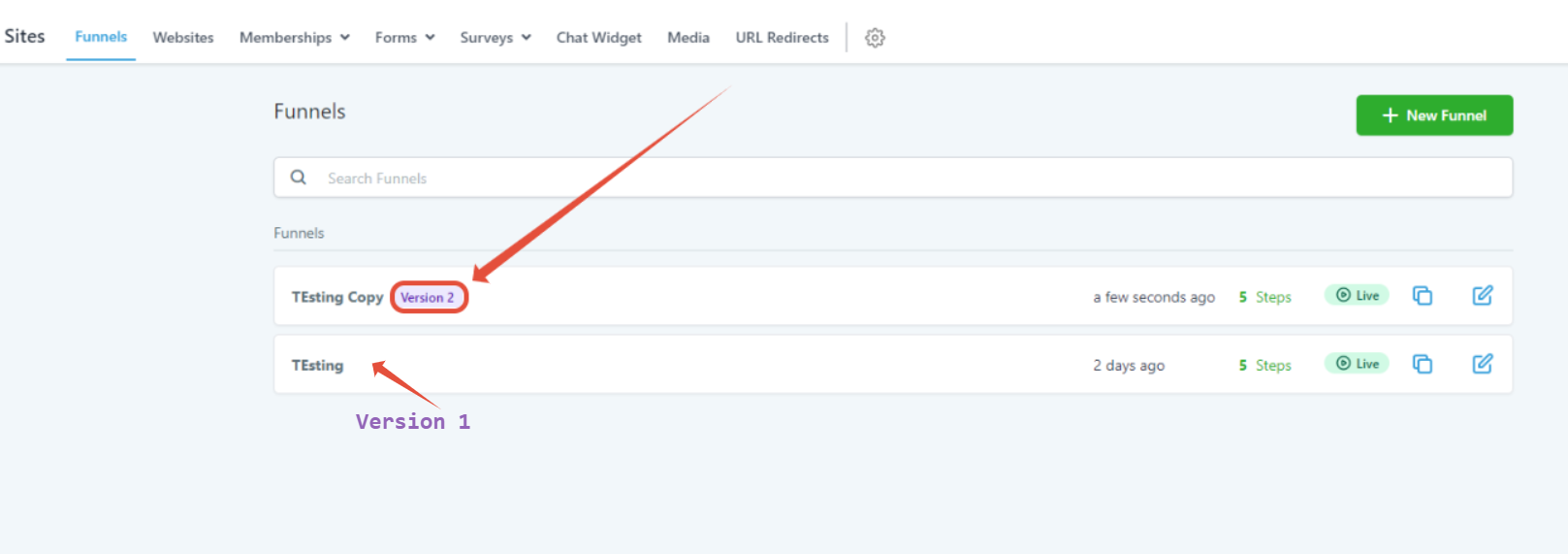
The authorization feature works only with Subscriptions and Payment plans created in the Version 1 funnel builder. When enabled, the platform temporarily withdraws the specified amount from the client’s account, then refunds it after approval. If the funds are unavailable, the client cannot move to the next step.
The process is set per plan, so each subscription or payment option attached to a form must have authorization turned on individually. After approval, any trial days linked to the plan start immediately. Refunds may take up to five business days to appear in the client’s bank.
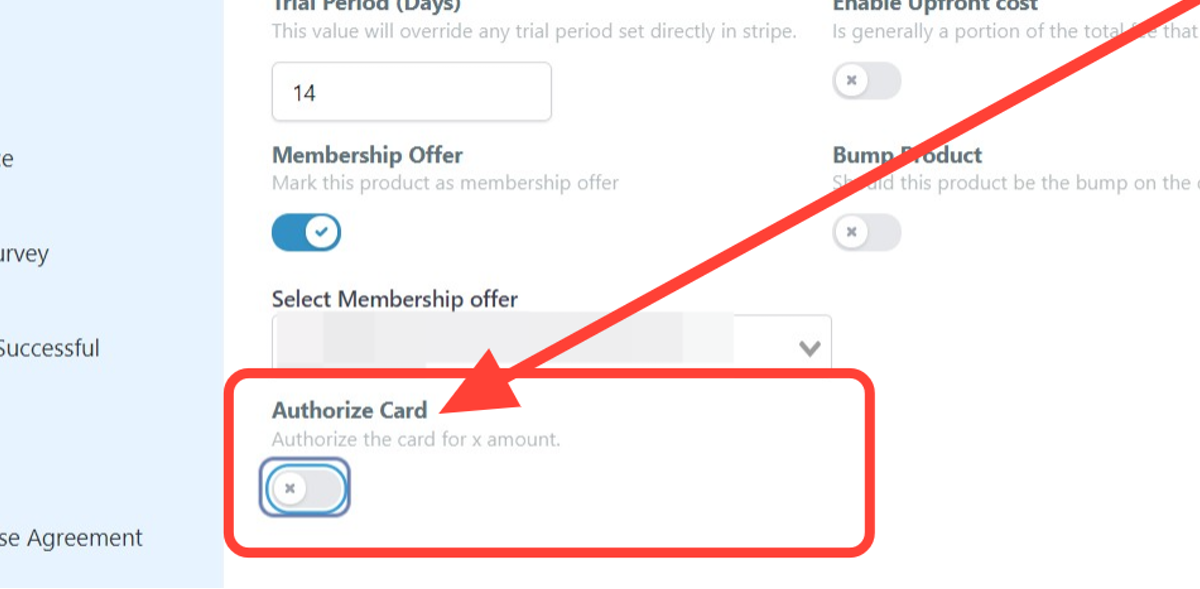
You find the controls inside the funnel builder under the product’s settings. The feature is disabled by default and must be activated through a few extra clicks.
03How businesses use authorizing card payments
- SaaS startup. Open the funnel builder, edit the subscription product, enable Authorize Card, set a $1 hold amount, select USD, and click Update. This confirms the prospect’s card before granting access to the software (per HighLevel's help center, checked November 2026).
- Gym membership provider. In the old builder, locate the monthly membership product, turn on Authorize Card, enter a small verification amount, choose the appropriate currency, and save. The system holds the amount, then refunds it, ensuring the member can pay.
- Online course platform. Edit each course enrollment plan in the funnel, activate Authorize Card, specify the amount to pre authorize, set the currency, and update. The platform validates the learner’s card before enrolling them in the course.
04The numbers and rules that matter
- Funds may take up to 5 business days before being returned to the client’s bank account.
05Before you start
- The funnel must be built with Version 1 of the page builder.
- Products attached to a funnel step must be Subscription or Payment plans.
06How to set up and use authorizing card payments in HighLevel
Enable card authorization for a subscription plan in the old funnel builder
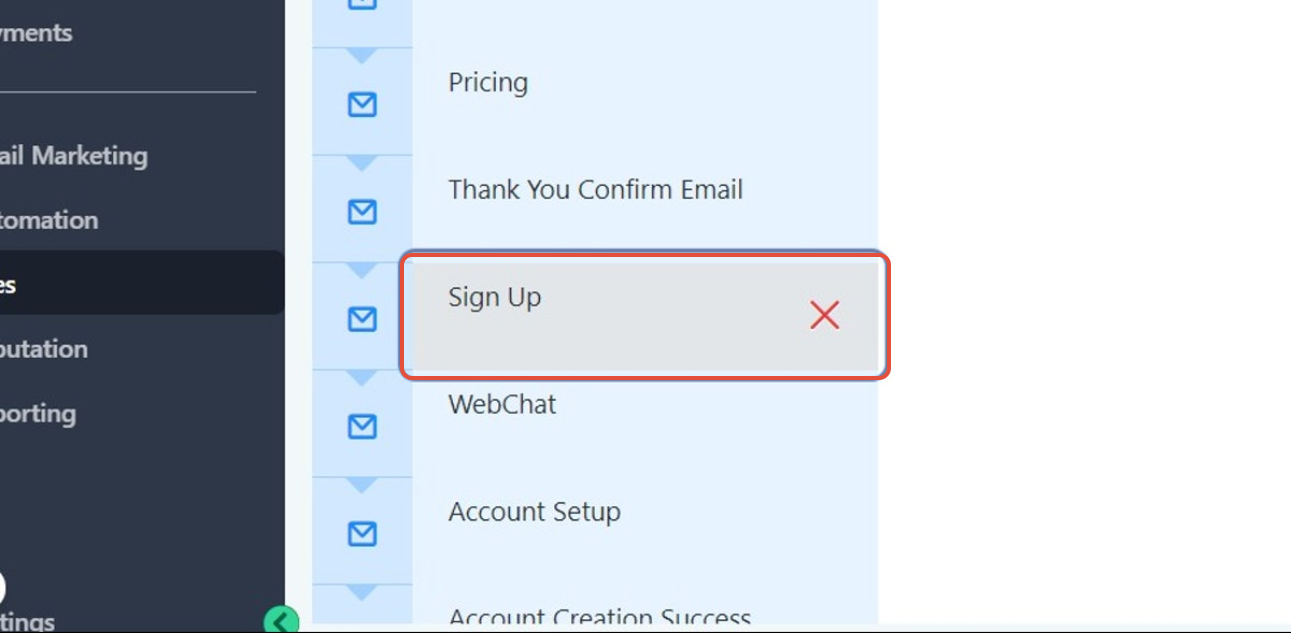
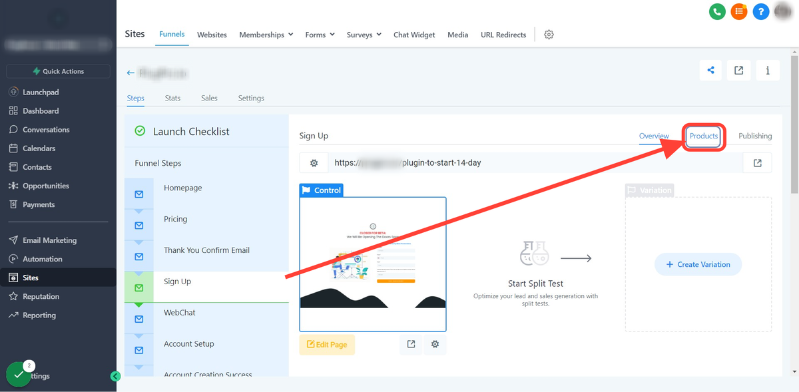
- Open the funnel or website builder and select the step that contains the products.
- Click the Products button.
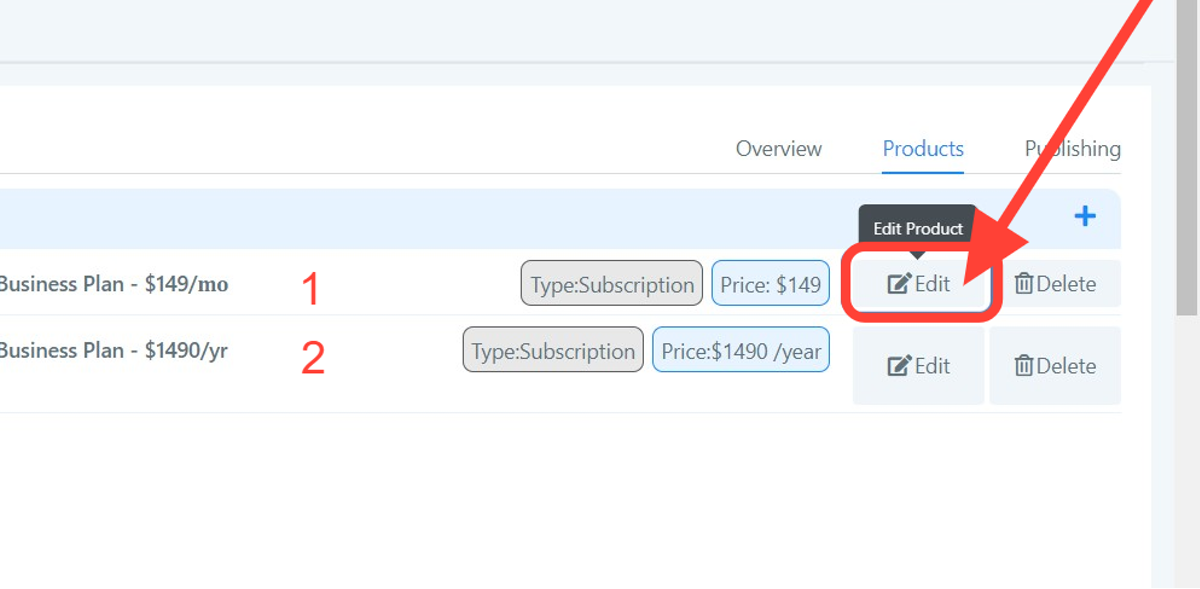
- Press the Edit icon to open the product’s settings.
- Select the Authorize Card option.
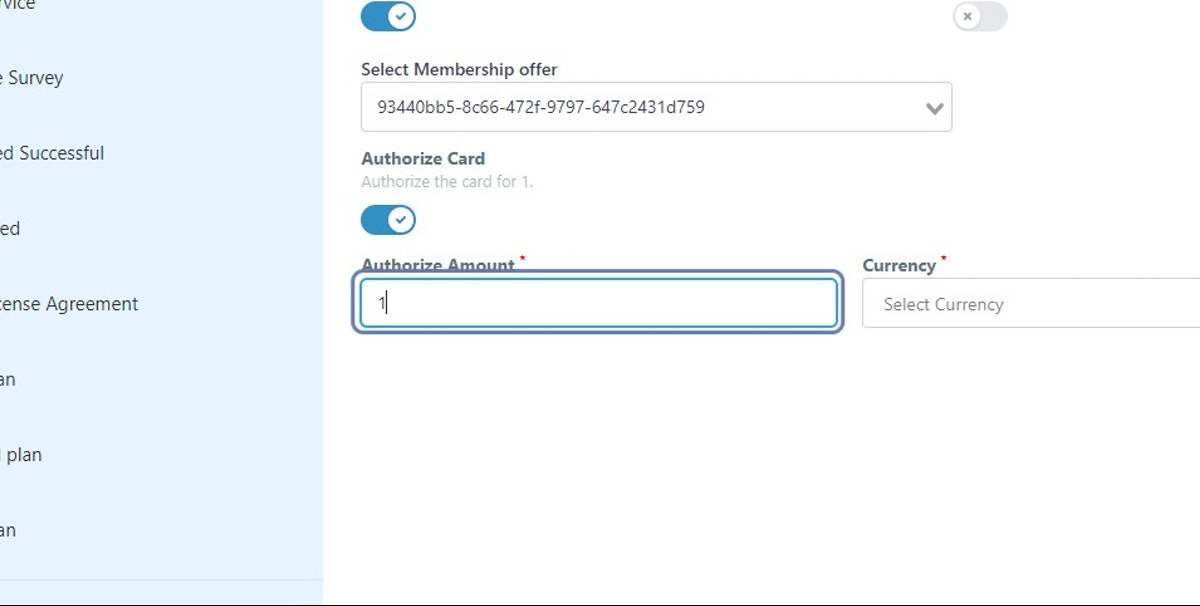
- Enter the dollar amount you want to hold for authorization.
- Click the Currency field.
- Choose USD (or another supported currency).
- Click Update to save the changes.
07What it looks like in HighLevel
08Settings that matter
- Authorize Card. Turns on the pre authorization hold for the selected subscription or payment plan.
- Currency. Specifies the currency used for the authorization amount.
09Things to know before you rely on it
- Authorization is disabled by default and must be turned on per plan.
- It only works with Subscriptions and Payment plans, not one time purchases.
- Each plan requires its own authorization setup; the process must be repeated for multiple plans.
- The held amount is deducted from the client’s account and refunded, which can take up to five business days.
10How it connects to the rest of HighLevel
- HighLevel pricing and plans Pricing
- Start a 30 day HighLevel trial Free trial