
01Who this is for
- Founders of membership sites who need to confirm a buyer’s funding before activating access.
- Marketing managers running recurring billing campaigns who want to avoid failed starts due to insufficient funds.
- Business owners offering trial periods attached to paid plans and requiring a pre authorization step.
02Card payment authorizations, explained
The authorization option adds a temporary charge to the customer’s card when they submit a funnel order form. The amount you specify is taken from the account, checked for availability, and then returned after approval. If the card cannot cover the hold, the user cannot move to the next funnel step.
The feature lives inside the product settings of each plan used in a funnel order form. You must enable the option for each subscription or payment plan product and provide a custom amount that meets the required format. The hold is released back to the customer’s bank within up to five business days.
Only subscription type and payment plan products support this flow. One time purchases are excluded. Each plan attached to a form must be configured individually.
03How businesses use card payment authorizations
- Fitness membership business. In the funnel order form, the owner opens the product settings for the monthly membership plan, turns on the authorization toggle, and enters "$1" as the custom amount. When a prospect submits the form, the system checks the card, refunds the dollar, and then begins the subscription (per HighLevel's help center, checked November 2026).
- Online coaching platform. The coach adds a yearly payment plan product to the funnel, enables authorization, and sets a "$1" hold. Clients who cannot cover the $1 hold are stopped before they reach the next step, ensuring only eligible accounts start the program (per HighLevel's help center, checked November 2026).
- Software as a Service (SaaS) provider. For a trial enabled subscription, the SaaS Founder configures each plan in the funnel with a "$1" custom authorization. After the card is verified, the trial period starts immediately, and the $1 is returned within five business days (per HighLevel's help center, checked November 2026).
04The numbers and rules that matter
- Amount must be equal to or more than 1.
- Funds may take up to 5 business days before being returned to the client’s bank account.
05Before you start
- A funnel step containing an order form must already exist.
- At least one subscription or payment plan product must be attached to the page.
06How to set up and use card payment authorizations in HighLevel
Enable card payment authorization for a product
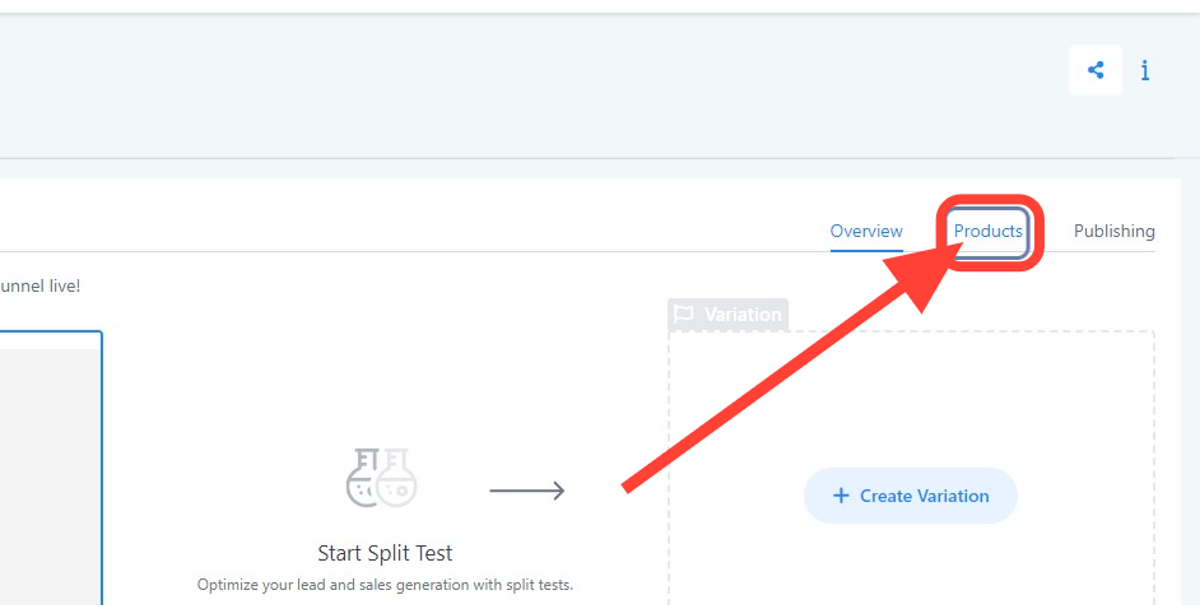
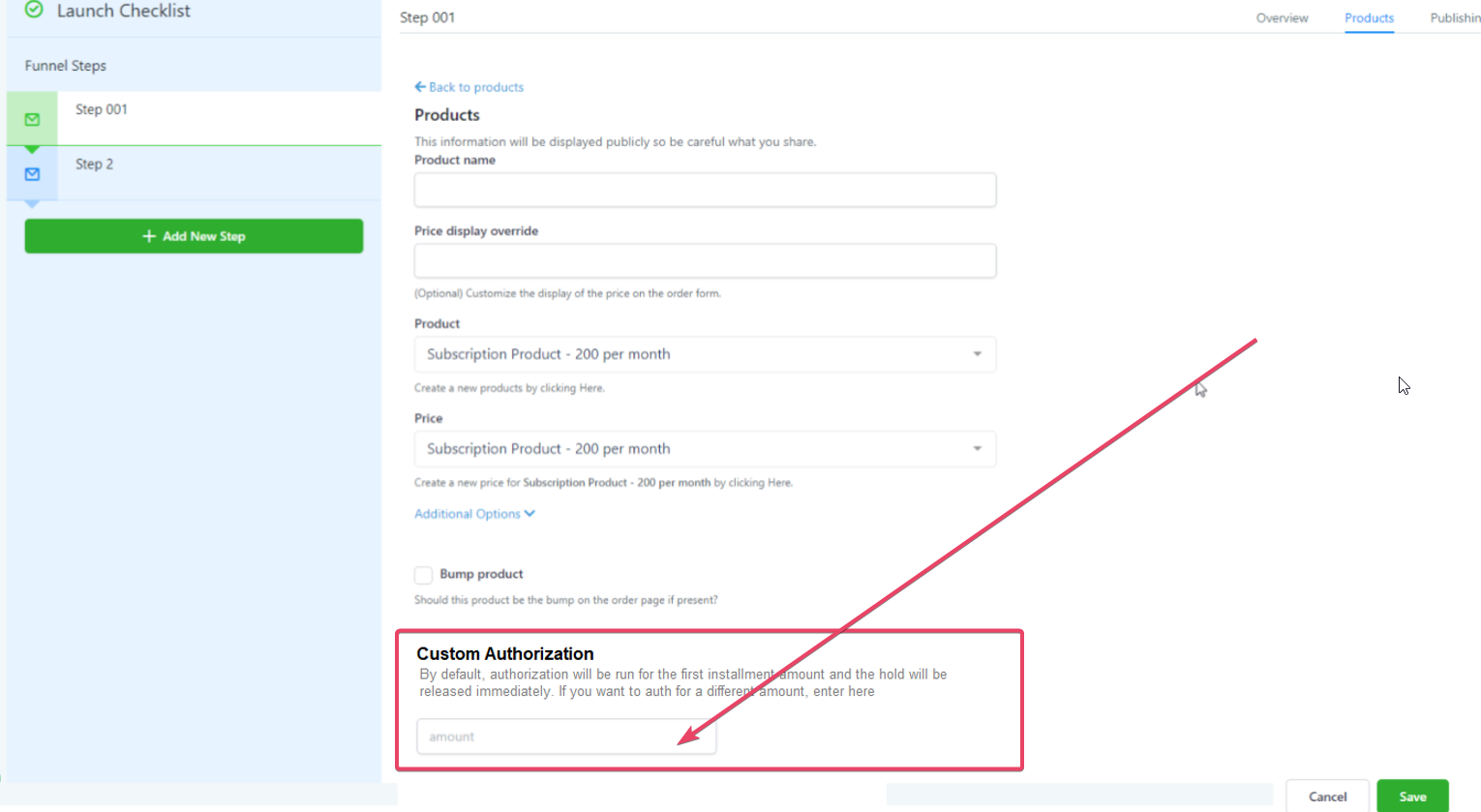
- Open the funnel step that holds the order form and click the Products button.
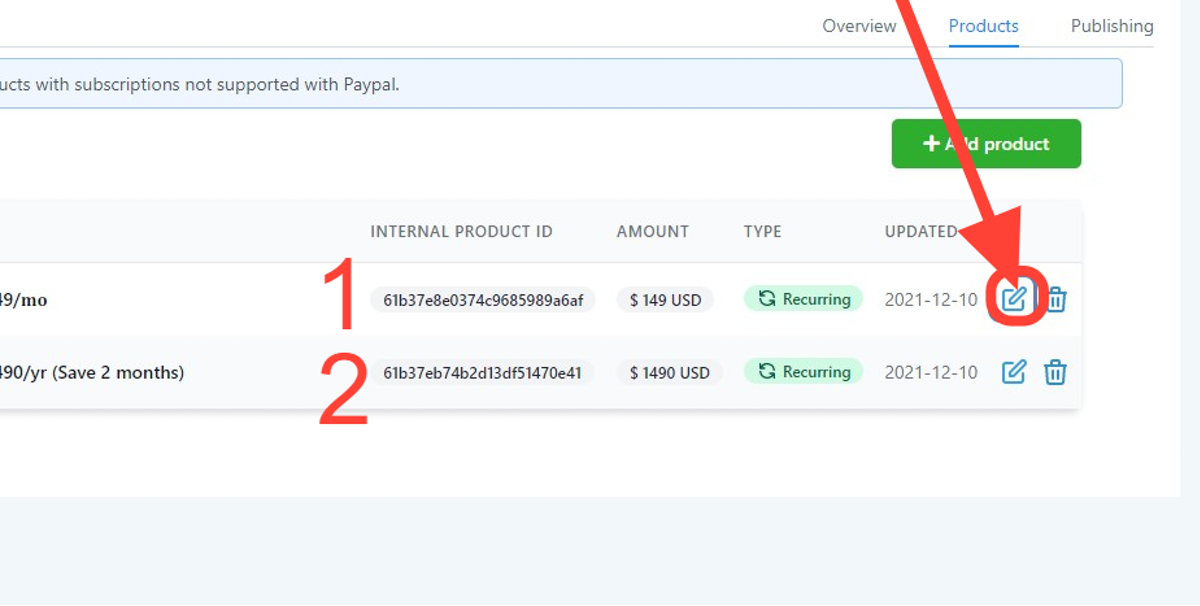
- Select the edit icon next to the product you want to modify.
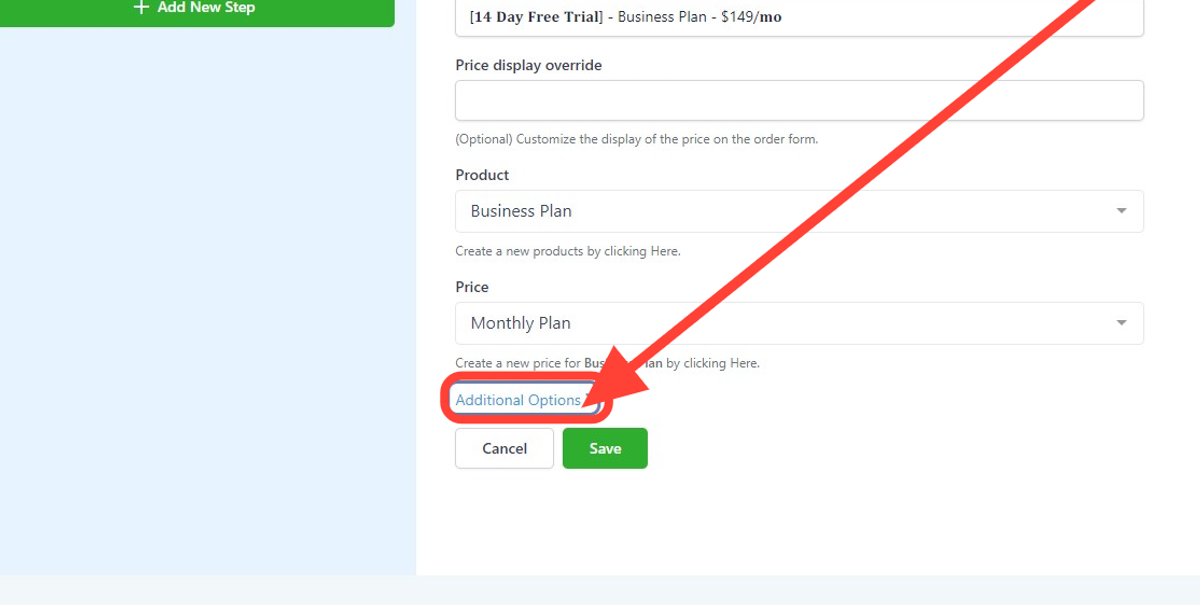
- Scroll down and open Additional Options.
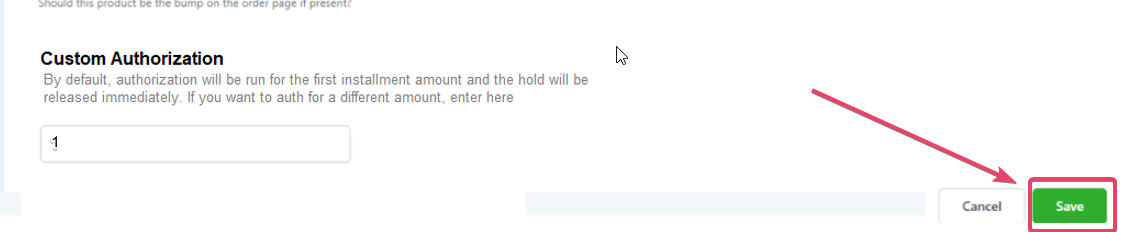
- In the Custom Authorization field, type the hold amount using two decimal places, at least one dollar, and no negative sign.
- Press Save to store the changes.
07What it looks like in HighLevel
08Settings that matter
- Authorization. A toggle that activates the temporary hold process for the selected subscription or payment plan product.
- Custom Authorization. The exact monetary amount that will be placed on the client’s card during verification.
09Things to know before you rely on it
- The feature is disabled by default and must be turned on per product.
- It works only with subscription and payment plan offers; one time sales are not supported.
- The custom amount must be a positive number, have two decimal places, and be at least $1 (per HighLevel's help center, checked November 2026).
- Refunds for the hold can take up to five business days to appear in the client’s account.
- Each plan linked to a payment form requires its own authorization configuration.
10How it connects to the rest of HighLevel
- Add a two step order form to your funnel Two step order form guide
- Insert tracking scripts into funnels and websites Tracking code instructions
- Review HighLevel pricing and plan options Pricing page
Michael's take

Card payment authorizations are a useful safety net when you need to confirm a card before allowing a purchase.
Skip it if you only sell one time products and don’t need to verify card availability.