
01Who this is for
- Agency owners who build client sites, they can embed placeholders that fill with live HighLevel data for each client.
- Coaches who send automated emails, they can reuse the same custom fields on landing pages to keep messaging consistent.
- Ecommerce managers, they can show dynamic promotions or contact specific offers directly on WordPress product pages.
02Custom Values in wordpress, explained
The LC WordPress Plugin syncs system and user defined Custom Values from a HighLevel subaccount. Once authorized, the plugin fetches all key:value pairs, stores them locally and refreshes the stored values every twelve hours. A manual “Sync Now” button also exists.
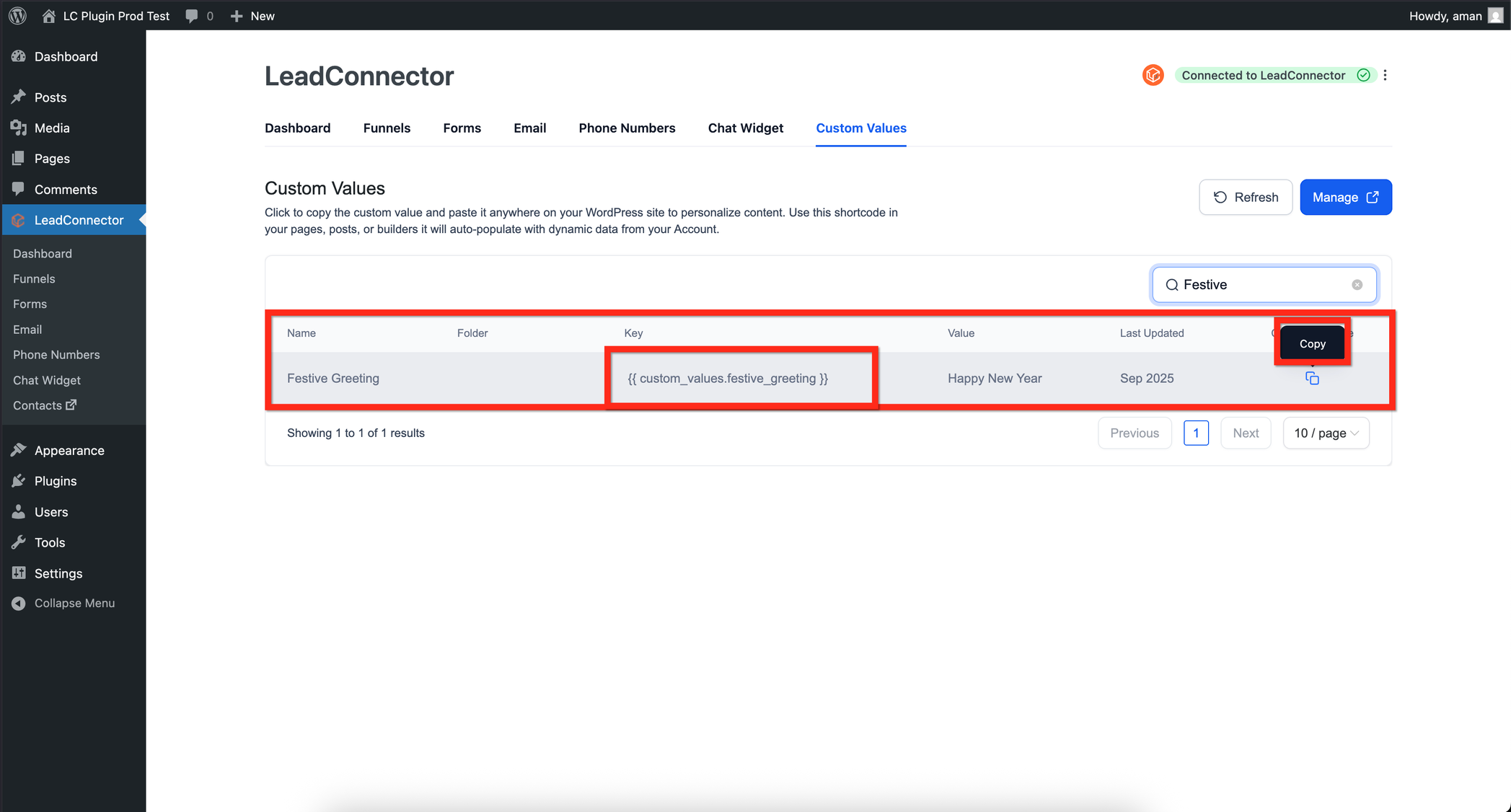
Shortcodes are the way the synced values appear in WordPress. The syntax is [hl_custom_value name="custom_values.your_key"]. Any builder that supports native WordPress shortcodes, Elementor, Divi, Bricks, Beaver Builder, Gutenberg or the Classic Editor, can render the data.
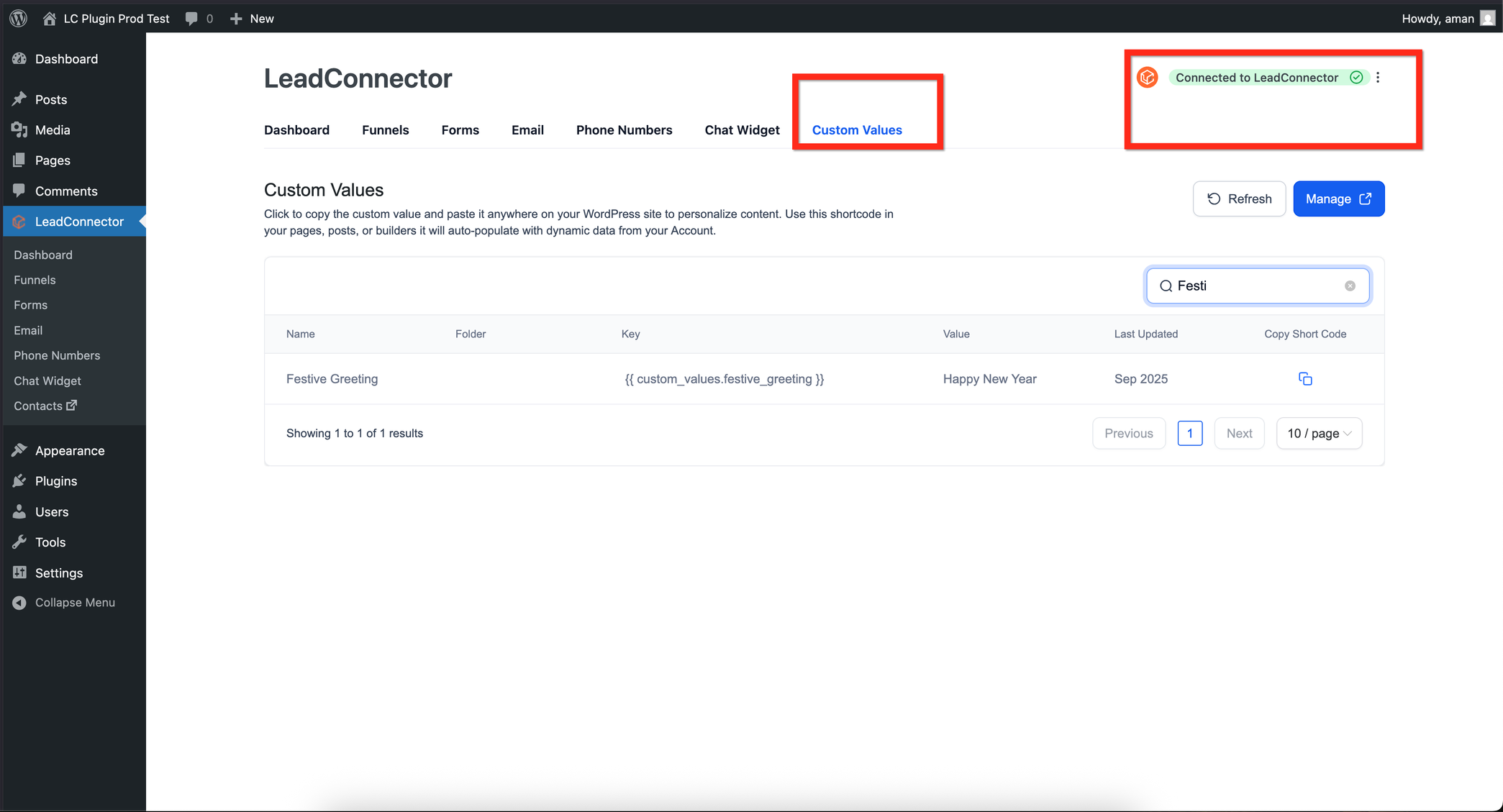
A Custom Value Manager lives in the WordPress admin under the HighLevel section. It lists each synced value, offers a one click copy of its shortcode, and lets you trigger a manual resync or toggle automatic sync. Filters match the folder structure used in HighLevel, making organization simple.
03How businesses use Custom Values in wordpress
- Real estate agency. The agency creates a property page in WordPress and inserts the shortcode for a custom value that holds the current agent’s phone number. When the agent updates the number in HighLevel, every property page shows the new number automatically.
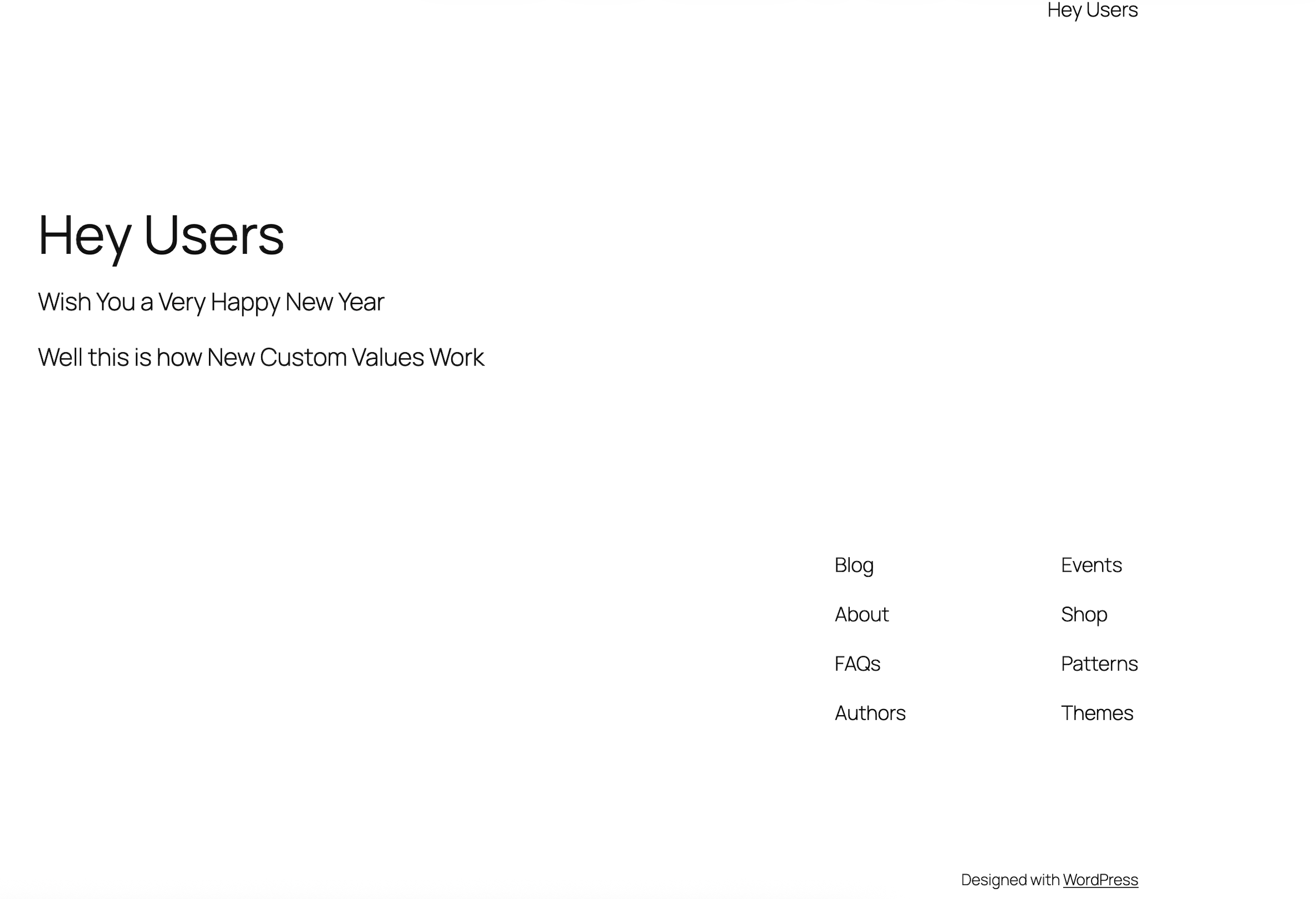
- Online coaching business. A coach places a shortcode for a custom greeting inside a webinar landing page. The greeting is edited in HighLevel once per campaign, so all pages that use the shortcode reflect the latest message without further changes.
- Local restaurant. The restaurant adds a shortcode for a daily special stored as a custom value in HighLevel. After updating the special in HighLevel, the WordPress menu page displays the new item immediately.
04The numbers and rules that matter
- LC Plugin version 3.5.0 or higher required.
- Resync occurs automatically every 12 hours.
05Before you start
- Install the LC Plugin version 3.5.0 or higher in WordPress.
- Be a HighLevel user with API access to the subaccount you plan to connect.
06How to set up and use Custom Values in wordpress in HighLevel
Connect WordPress to HighLevel
- Open the WordPress admin and navigate to the HighLevel settings page.
- Click the Connect Account button.
- Log in to your HighLevel account when prompted.
- Select the subaccount you want to sync and grant the requested access.
- Verify the confirmation message that reads Connected to LeadConnector.
07What it looks like in HighLevel
08Settings that matter
- Connect Account. Starts the OAuth flow that links the WordPress install to a specific HighLevel subaccount.
- Purge cache on resync. When enabled, it clears cached page content each time a manual or automatic sync runs, preventing stale values from appearing.
- automatic syncing. Controls whether the plugin refreshes stored custom values every twelve hours without user intervention.
09Things to know before you rely on it
- Each WordPress installation can connect to only one HighLevel subaccount; use a multisite setup for multiple clients.
- Contact level values appear only if the visitor is tracked via a cookie or URL parameter.
- If a custom value is deleted in HighLevel, the shortcode will render blank until a resync or replacement occurs.
- Caching plugins may show outdated data unless purge on resync is enabled or pages with contact specific values are excluded from caching.
10If something goes wrong
- Deleted custom value shows blank on the page. Run a manual resync from the Custom Value Manager or replace the shortcode with another value.
- Stale data appears because of a caching plugin. Enable the ‘Purge cache on resync’ setting and avoid caching pages that display contact specific values.
11How it connects to the rest of HighLevel
- Learn how to manage WordPress plugins and themes within HighLevel. WordPress plugin and theme management
- Use the WP Admin button for single sign on from HighLevel to WordPress. WP Admin button SSO
- Get started with a 30 day trial of HighLevel to test the Custom Values integration. 30 day trial
- Review the full list of Sites features to see where Custom Values fit. All Sites features
Michael's take

It's easy to overlook how much time you waste copying a greeting or price from one system to another. When that data changes, every page, email, and ad has to be updated again, and that's a recipe for inconsistency.
Custom Values put the same live data on your WordPress site that you already use in HighLevel funnels and emails. Drop the shortcode, let the plugin sync, and the content stays fresh without a line of code.