
01Who this is for
- Digital marketing agencies, can reuse proven funnel steps across client projects without rebuilding them.
- Online coaches, can move a website landing page into a funnel to streamline lead capture.
- Ecommerce managers, can import checkout pages into funnels to run split tests on conversion paths.
02Import feature, explained
The import tool copies one funnel step or website page that already exists inside HighLevel. It opens a modal where you choose the source page and creates a duplicate inside the funnel or website you are editing. The duplicated page behaves like any newly created step, allowing further edits.
The feature is accessed from the funnel or website builder. First you add a new step, then use the Import button that appears in the preview area. The original page stays unchanged; any changes you make after import affect only the copy.
03How businesses use the import feature
- Marketing agency. Open a client funnel, add a new step, and use the Import button to pull in a high performing step from another client’s funnel. Then customize the copy for the new campaign.
- Coaching business. Create a new funnel, add a blank step, import an existing website landing page, and adjust the content to match the coach’s branding before publishing.
- Ecommerce store. Import a checkout page into a funnel, then configure the products again on the imported step to run a split test for different offers.
04Before you start
- A new step must be added to the funnel or website before the import can be started.
05How to set up and use the import feature in HighLevel
Import a funnel step or website page
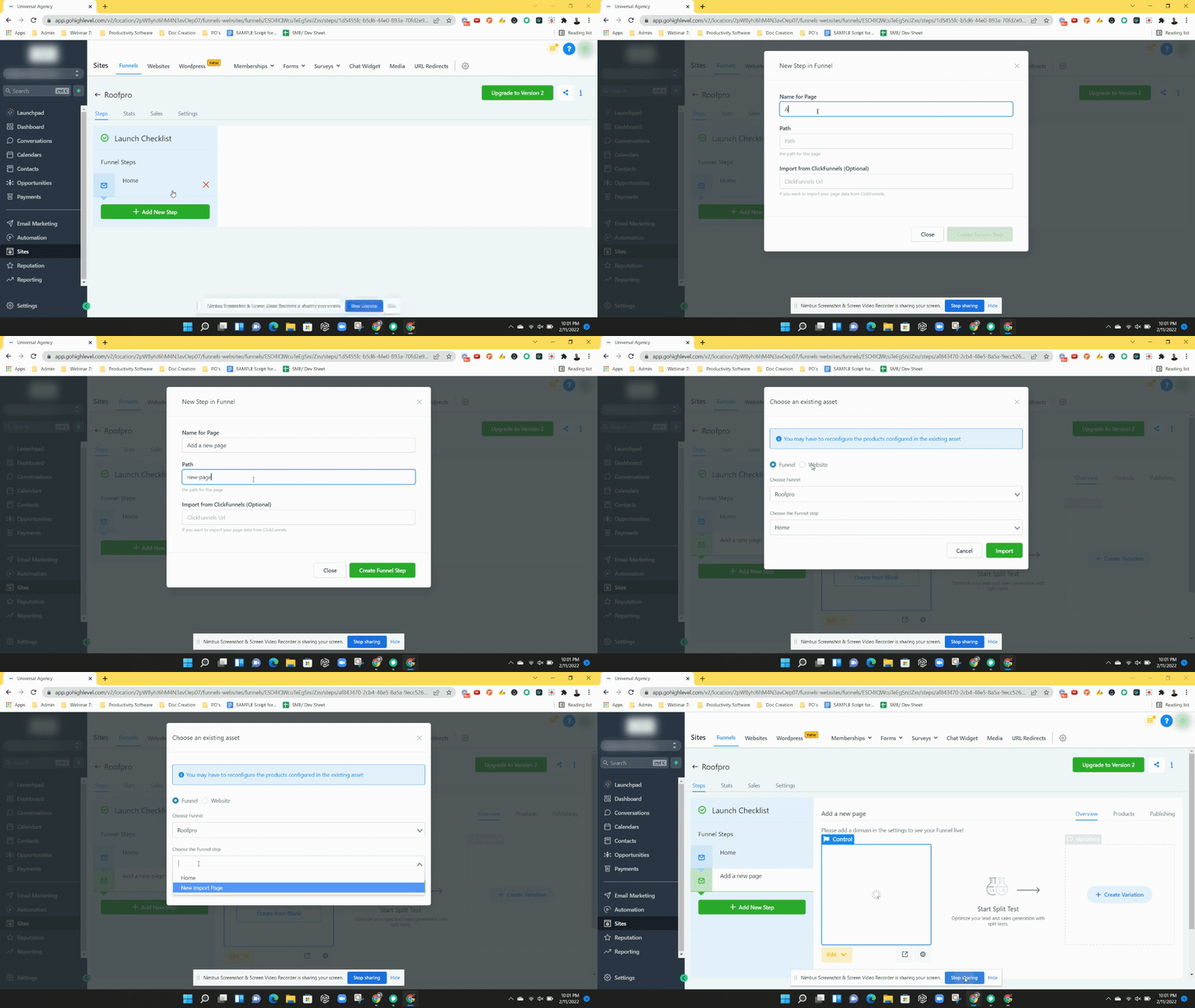
- Click the "+ Add New Step" button to begin adding a page.
- Enter the desired name and path in the pop up that appears.
- Select "Create Funnel Step" to close the pop up and create the blank step.
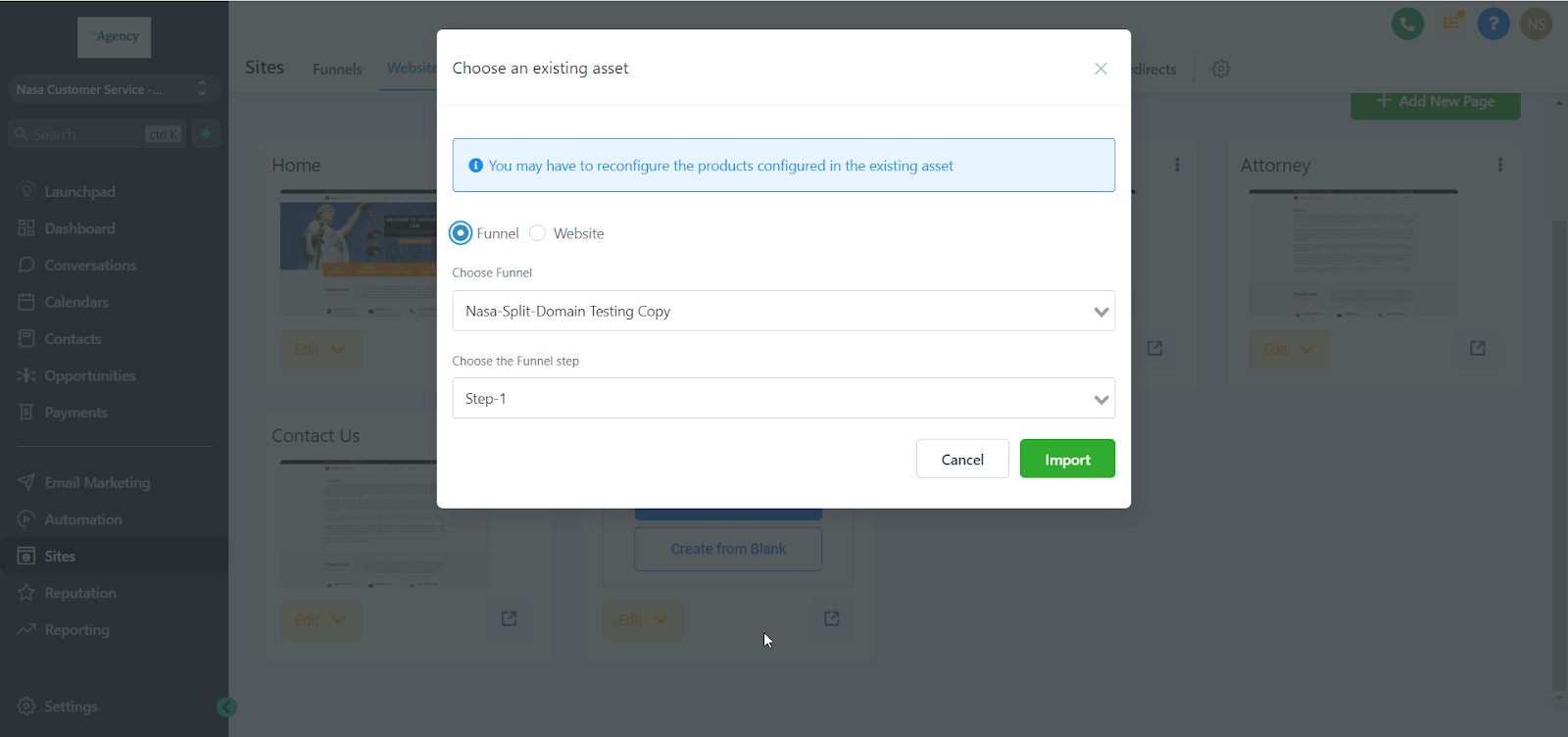
- In the funnel preview area, open the modal window and press the "Import" button.
- Choose the source page you want to copy and confirm by clicking "import".
06What it looks like in HighLevel
07Things to know before you rely on it
- Only one funnel step or website page can be imported at a time.
- The source must be an existing step or page within HighLevel; external platforms are not supported.
- Products and accumulated statistics are not transferred; they must be set up again after import.
- Modifications to the imported copy never affect the original step or page.
- Control or variation steps can be imported, enabling split testing inside funnels.
08How it connects to the rest of HighLevel
- Create and customize pages before importing them into a funnel or website Website setup
- View pricing details if you need a plan that includes split testing in funnels Pricing
Michael's take

Be careful not to assume the import will bring over any product settings or accumulated stats. Those stay with the original step and must be set up again in the new funnel.
It’s a straightforward way to copy within HighLevel and keep your original page unchanged.