
01Who this is for
- Founders who run marketing agencies need to know limits so that large campaigns do not trigger automatic blocks.
- Support teams handling inbound help lines benefit from clear thresholds to plan staffing and avoid unexpected call drops.
- Small business owners using Voice AI for automated menus must understand rate caps to keep the AI reachable during promotions.
02Inbound call rate limits, explained
The feature measures call volume per minute for each phone number and records a violation when a documented threshold is exceeded. It distinguishes between calls that originate from a single external number and calls that arrive at a single business number. The system treats a breach as a single blocked call and logs one violation.
Rate limit thresholds differ by routing type. IVR connected numbers are excluded from these limits. Voice AI connected numbers have a limit of more than 200 calls per minute from or to the number. Regular numbers are limited to more than 10 calls per minute from a single caller and more than 15 calls per minute to the number. Accumulating more than five violations in an hour can trigger an account wide inbound block that requires Support intervention. The limits are defined in the phone system settings, not in a universal concurrency setting.
03How businesses use inbound call rate limits
- Marketing agency. The agency assigns a Voice AI number to a client’s campaign, then sets the routing mode to Answer calls directly. By monitoring the >200 calls per minute threshold, the agency can run large ad blasts without risking a block.
- Customer service call center. The center uses regular phone numbers for live agents. It configures the Ring More Team Members option so up to six members can answer, while keeping the >10 and >15 calls per minute limits in mind to avoid interruptions.
- Event organizer. For a live event hotline, the organizer builds an IVR workflow in Automation > Workflows and assigns it to the event line. Because IVR numbers are exempt from the documented rate limit rules, the organizer can accept high call volumes without hitting the thresholds.
04The numbers and rules that matter
- Voice AI connected numbers: >200 calls/minute from one number.
- Voice AI connected numbers: >200 calls/minute to one number.
- Regular numbers: >10 calls/minute from one number.
- Regular numbers: >15 calls/minute to one number.
- IVR connected numbers are not subject to these inbound rate limit rules.
05How to set up and use inbound call rate limits in HighLevel
Set up routing for high inbound call volume
- Identify whether the phone number will use IVR, Voice AI, or standard live answer routing.
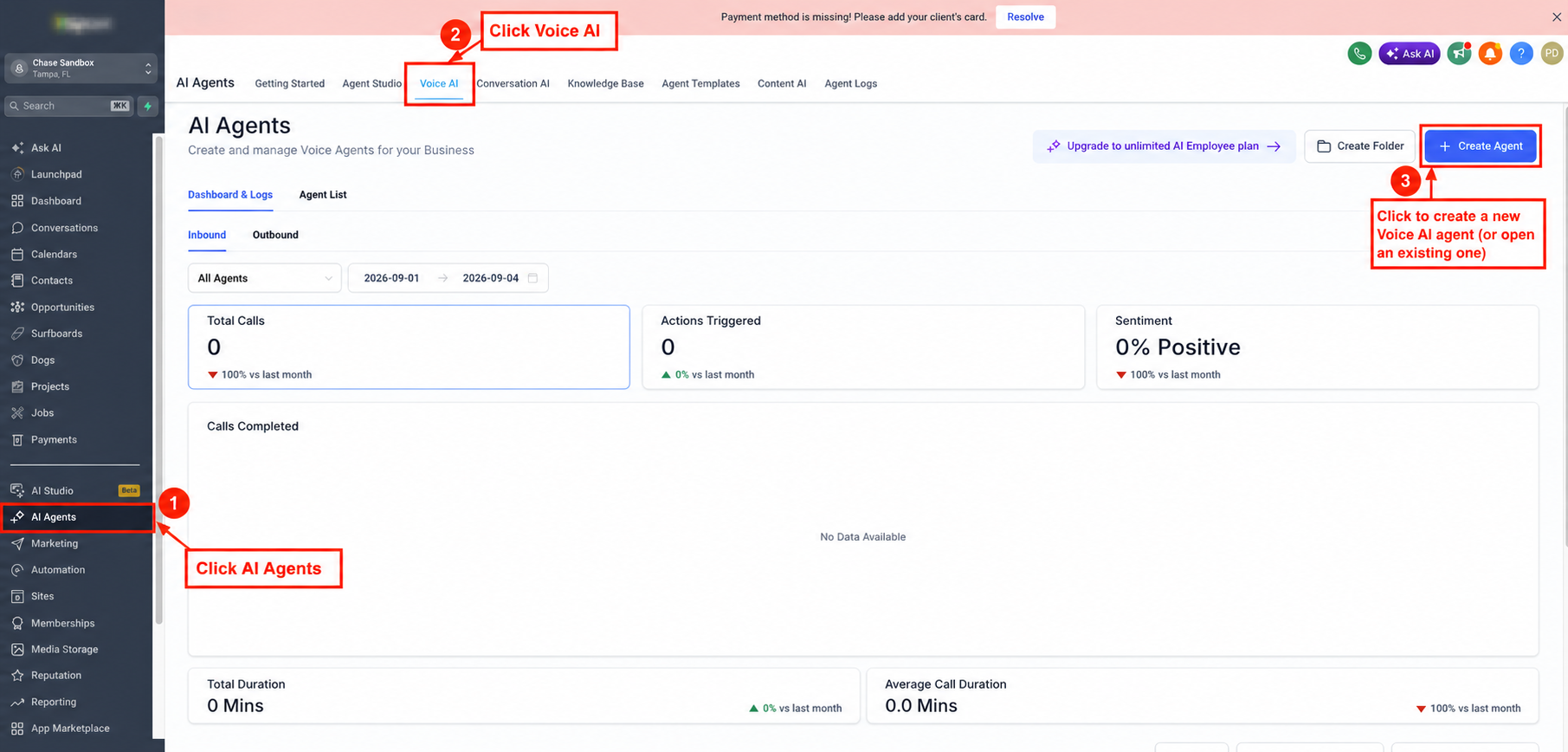
- Navigate to AI Agents > Voice AI, open the desired agent, go to the Deploy tab, assign the phone number or pool, and choose Answer calls directly or Use as backup.
- Ensure team members have the appropriate devices enabled and, if needed, enable Ring More Team Members to allow up to six additional ring destinations.
- Create an IVR workflow in Automation > Workflows and attach it to the number’s Call Forwarding settings when a menu driven flow is required.
- Place test calls and, if a large volume event is planned, contact HighLevel Support ahead of time to review expected inbound traffic.
06What it looks like in HighLevel
07Settings that matter
- Working Hours. Controls when a Voice AI agent is active and able to answer inbound calls.
- Ring More Team Members. Allows up to six additional team members to be rung simultaneously for live answer routing.
08Things to know before you rely on it
- IVR connected numbers are not subject to the inbound rate limit thresholds described in this article.
- Voice AI connected numbers are limited to more than 200 calls per minute from or to the number.
- Regular numbers have separate limits: more than 10 calls per minute from a single external number and more than 15 calls per minute to the number.
- Each threshold breach blocks the triggering call and records one violation.
- More than five violations within an hour can cause an account wide inbound block that requires Support review.
09How it connects to the rest of HighLevel
- Set up number pools for call tracking Number pool setup
- Outbound calls with the Softphone dialer Softphone outbound
- HighLevel pricing and plans Pricing
Michael's take

Inbound call rate limits are a modest convenience that keeps your Phone System from getting tripped up by a flood of calls. If you run a support line that expects occasional spikes, knowing the >10 and >15 calls per minute caps for regular numbers helps you avoid surprise blocks.
A small ecommerce shop that uses a Voice AI agent for order status checks fits well. The >200 calls per minute ceiling gives plenty of headroom, but I’d still test the agent’s working hours window before a big sale to make sure the limit isn’t reached unexpectedly.