
01Who this is for
- Founders of startups that need to send appointment reminders via SMS and must prove a legitimate sending entity.
- Agency owners managing multiple client phone numbers and requiring a Standard Brand to support higher throughput.
02A2P brand registrations, explained
The A2P brand registration process records the identity of the entity that will send messages. Carriers use this information to assess trust and deliverability. HighLevel hosts the registration flow inside the Trust Center, where you enter legal business details, address, and a contact person, then complete any required verification. After approval, the brand remains separate from campaigns. You must still register a campaign that describes message content, use case, and consent. The brand data cannot be edited through the console once approved; changes require support.
03How businesses use A2P brand registration
- Dental practice. The practice selects Standard Brand because it has an EIN, fills in its legal name, tax ID, and business address, then provides the office manager’s email and phone for verification. After approval, it can register a campaign for appointment reminders.
- Ecommerce store. The store, operating without a tax ID, registers as a Sole Proprietor Brand using the owner’s name, a public domain email like Gmail, and a mobile number that can receive OTP. The brand enables the store to send order confirmations once a campaign is approved.
- Nonprofit organization. The nonprofit enters its EIN, legal name, and nonprofit status in the Business Details, uploads its IRS documentation, and adds a compliance officer as the authorized representative. Approval allows the group to send fundraising messages after campaign registration.
04The numbers and rules that matter
- Sole Proprietor accounts are limited to 1 phone number per campaign.
- One phone number can be used for up to three Sole Proprietor Brand registrations as per carrier limits.
- DUNS numbers are not accepted for U.S. A2P registration.
- EINs issued within the last 15 days may be rejected because the information may not have propagated to the systems used for verification.
- Users have up to 3 attempts to enter the correct OTP and 2 opportunities to resend it.
- Uploading the CP 575 form is optional but highly recommended.
05Before you start
- Legal business name that matches official tax documents.
- Applicable business registration number (EIN, BN 9, VAT, etc.) for the country of registration.
- A reachable email address (business domain for Standard Brands, public domain for Sole Proprietor Brands).
- A U.S. or Canada mobile number that can receive OTP (no VoIP or CPaaS numbers).
06How to set up and use A2P brand registration in HighLevel
Register a brand
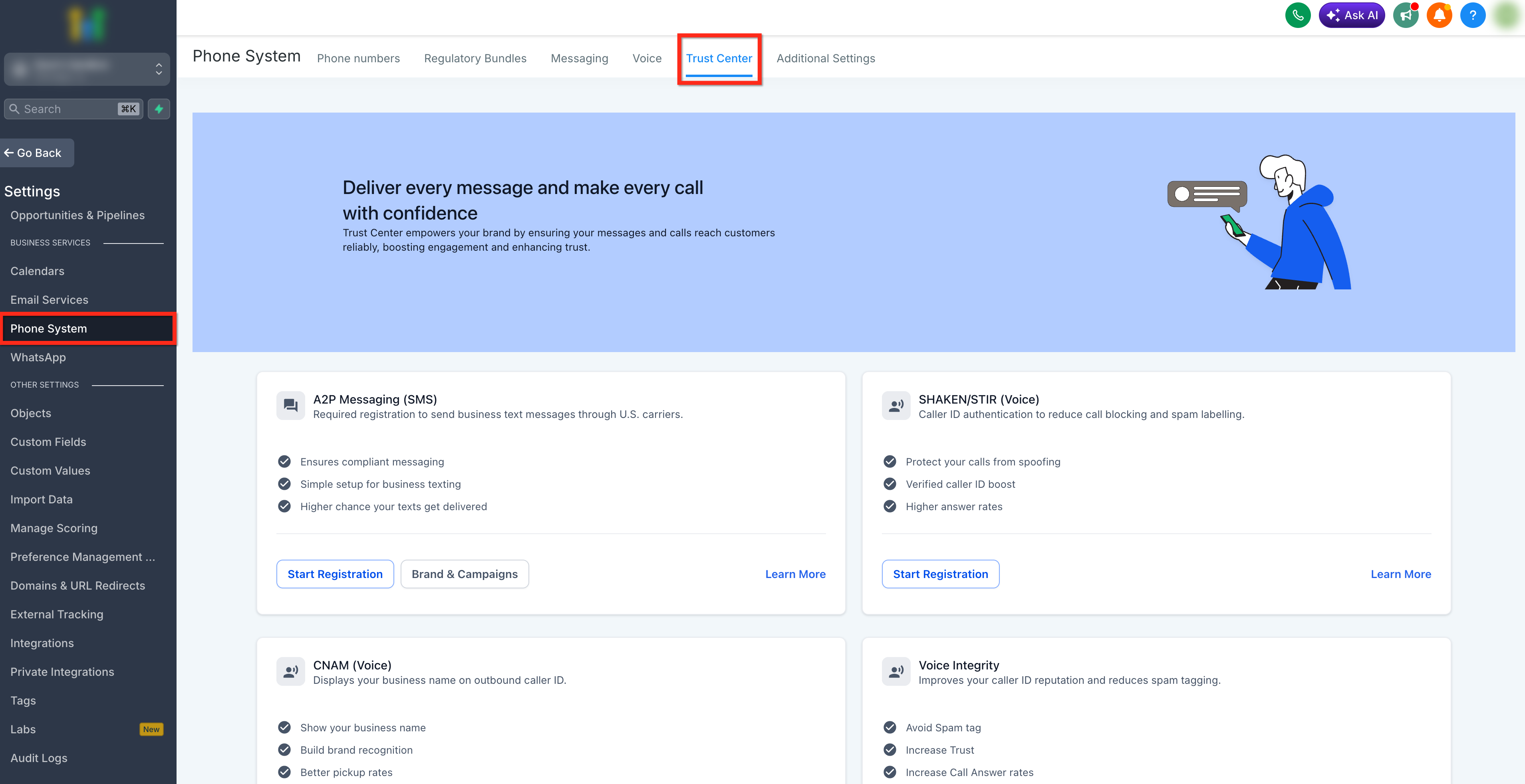
- Open Settings from the subaccount, choose Business Services > Phone System, and click the Trust Center tab.
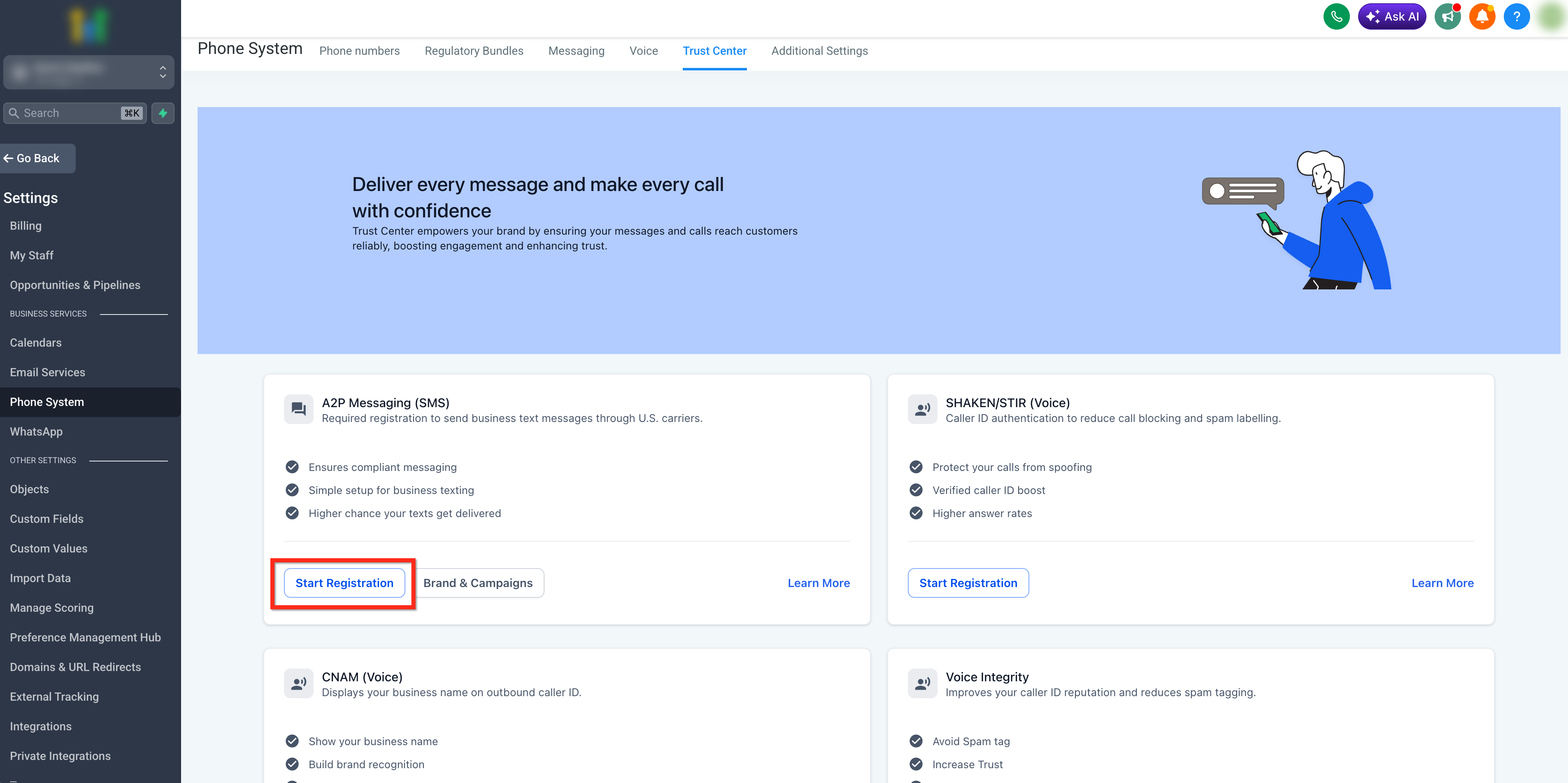
- Click the Start Registration button under the A2P Messaging (SMS) tab.
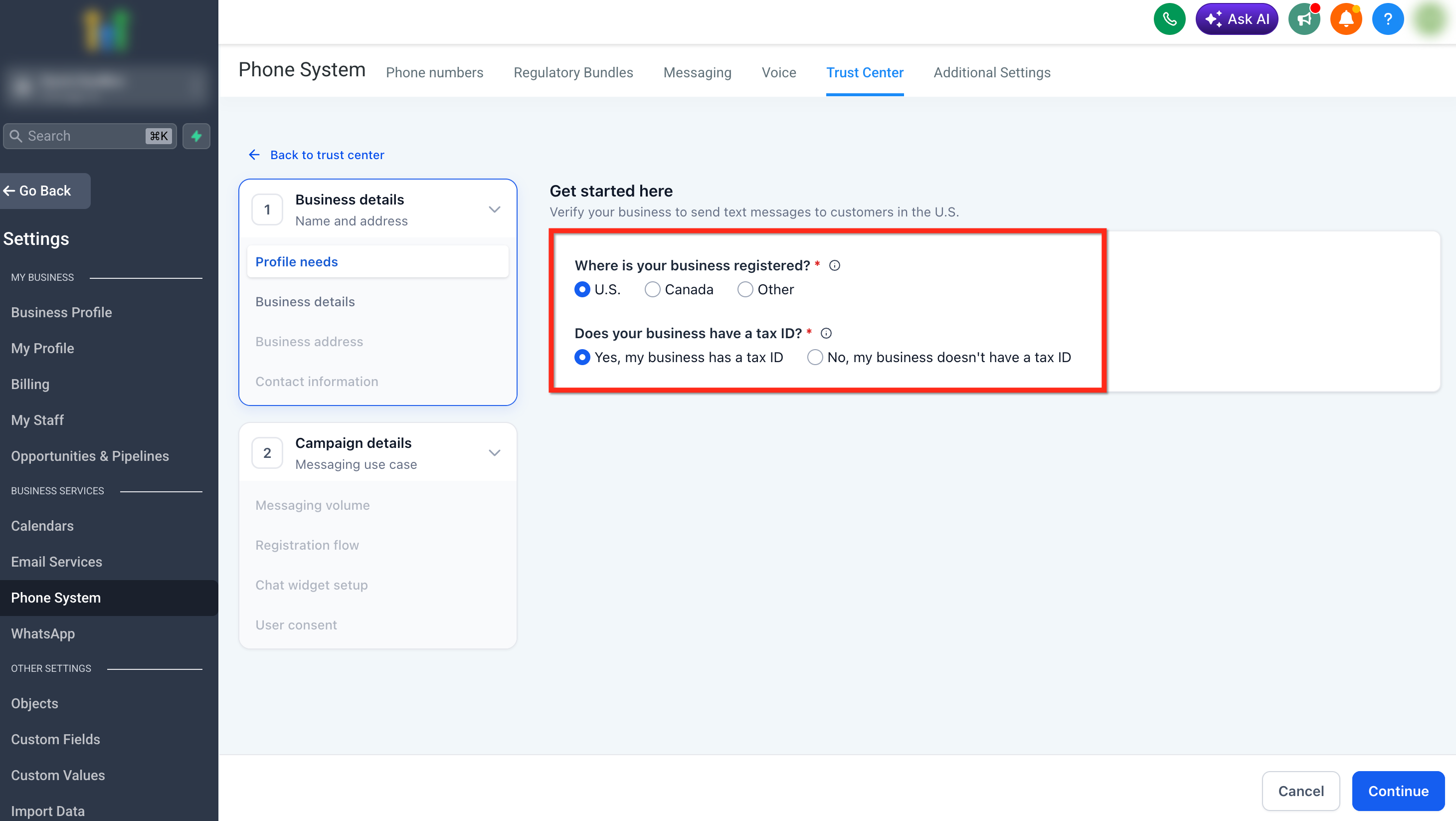
- Answer the Get Started questions by selecting the country of registration and indicating whether the business has a Tax ID.
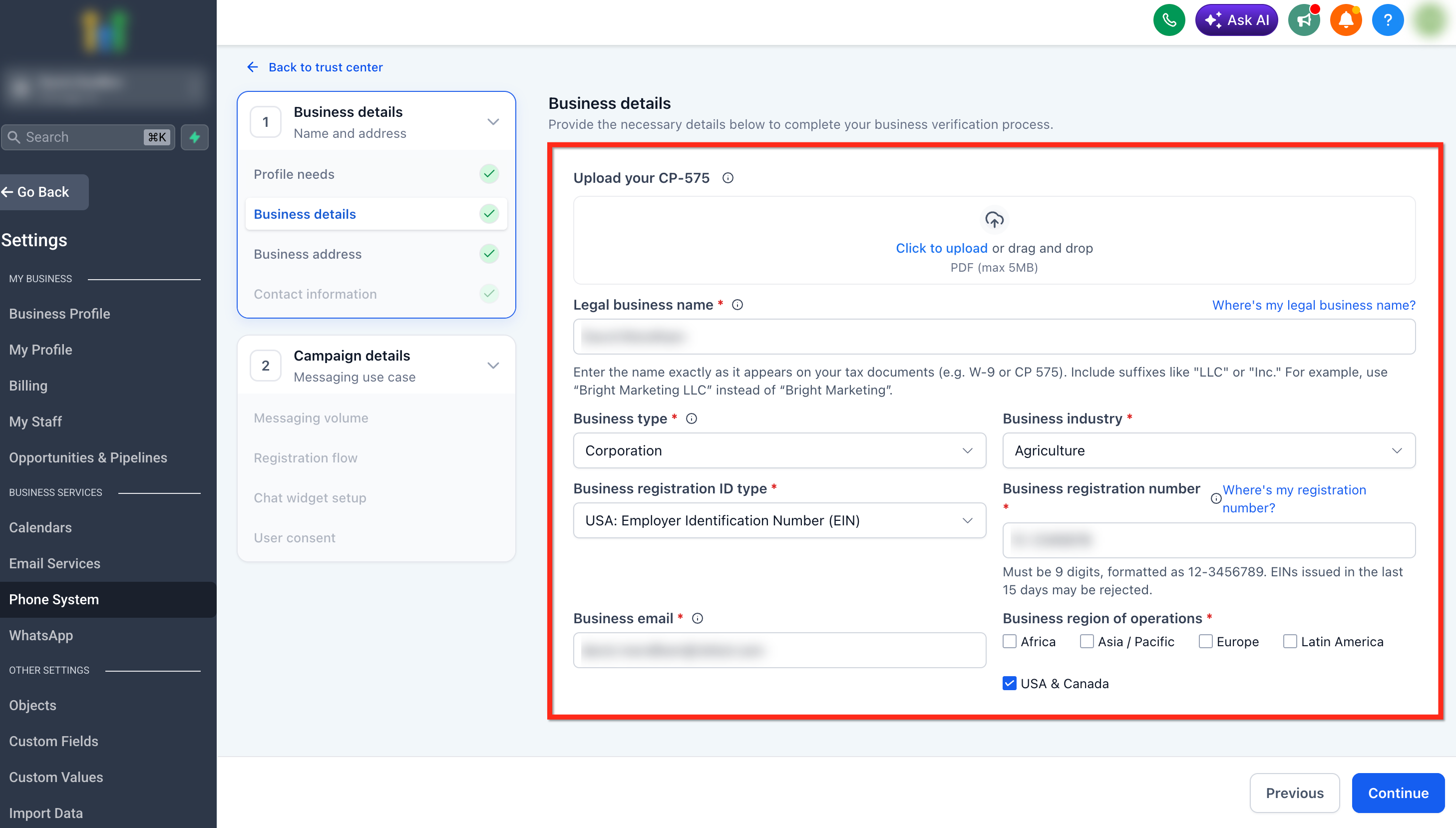
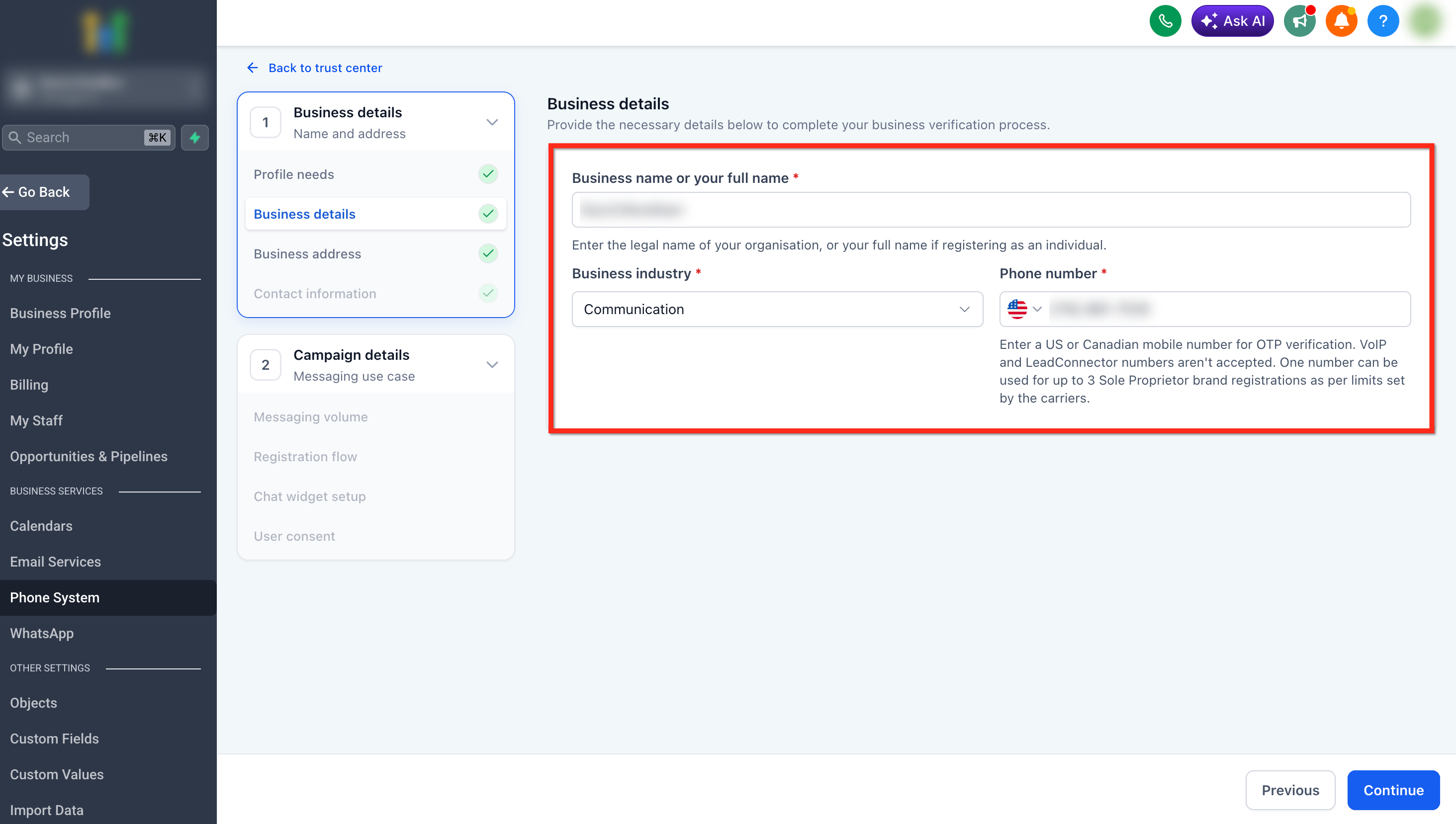
- Enter the required Business Details; for a Tax ID, provide legal name, business type, industry, registration ID type, registration number, email, and operating region; for no Tax ID, provide owner name, industry, and a mobile phone.
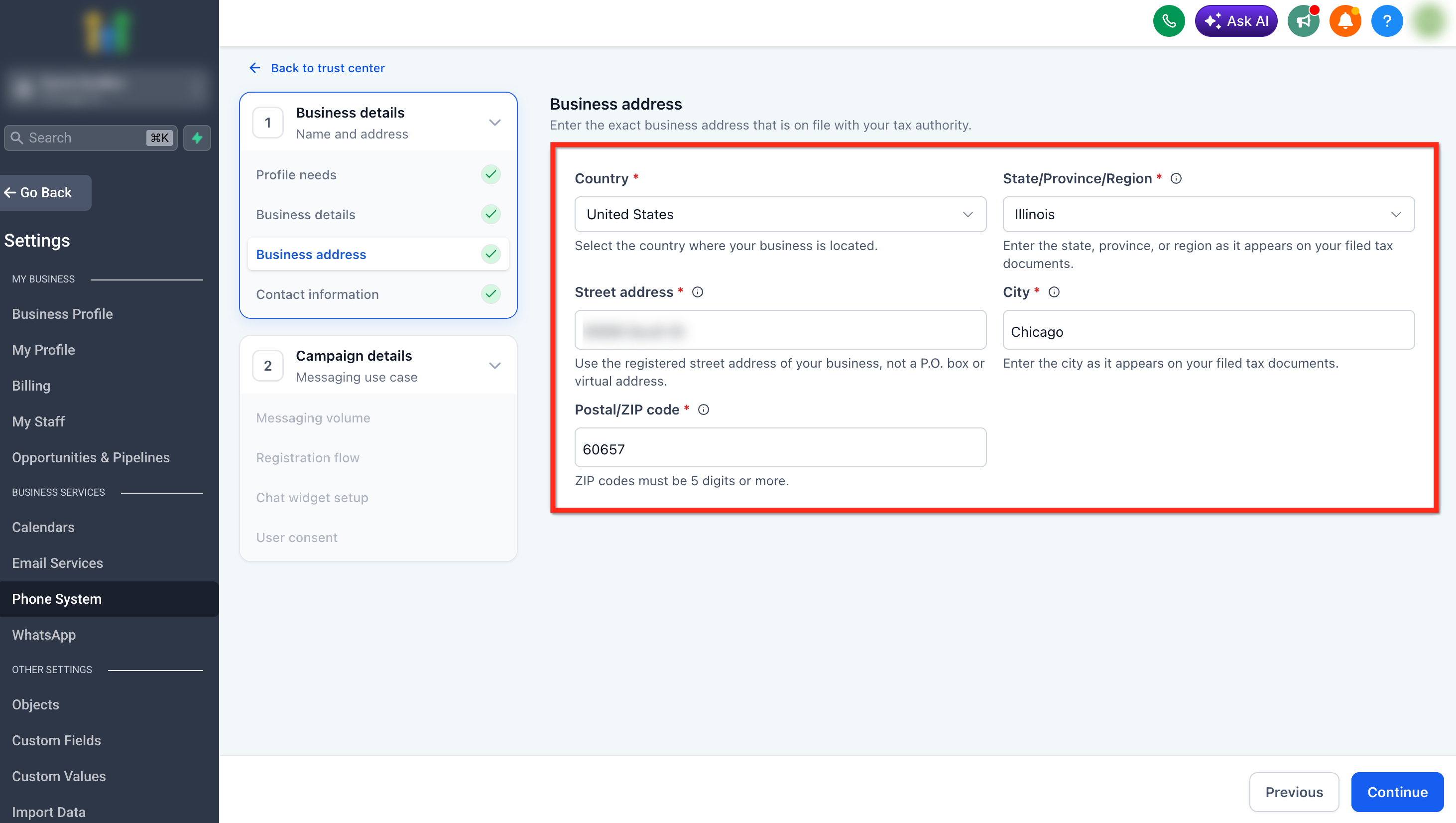
- Add the business or owner address, including country, state/province, street address, city, and ZIP/postal code.
- Enter an authorized representative’s first name, last name, email, phone number, job position, and title.
- Complete any verification step shown, such as Persona identity verification or Email OTP verification.
- If prompted for Email OTP, retrieve the code from the contact email inbox and submit it in the modal.
- Review all entered information to ensure it matches official records exactly.
- Submit the brand registration form.
- After receiving brand approval, click Continue to the Campaign Details section for the next registration step.
07What it looks like in HighLevel
08Things to know before you rely on it
- Sole Proprietor Brands are limited to one phone number per campaign and lower messaging limits.
- A single mobile number can be used for up to three Sole Proprietor Brand registrations.
- Newly issued EINs (less than 15 days old) may be rejected during verification.
- DUNS numbers are not accepted for U.S. brand registration; only EINs are valid.
- Email OTP verification allows three attempts and two resends before requiring a restart of the process.
09If something goes wrong
- Brand registration rejected due to mismatched legal name or EIN. Compare the submitted name and tax ID with the official documents and correct any discrepancies before resubmitting.
- OTP code not received for email verification. Check that the email address was entered correctly, review spam folders, and use the resend option if available.
10How it connects to the rest of HighLevel
- Review A2P 10DLC registration fees and monthly carrier charges A2P fees guide
- Start a 30 day trial of HighLevel HighLevel trial
Michael's take

A2P brand registration must be done before you can register a campaign and send messages.
If you are not sending US based 10 digit local texts, you can skip this step.