
01Who this is for
- Agency owners who manage multiple client subaccounts need a quick way to identify SMS issues across locations.
- Businesses that rely on appointment reminders can verify that messages reach recipients and troubleshoot missed deliveries.
- Online merchants sending order updates can see if carrier problems are causing delays and act accordingly.
02Twilio messaging logs, explained
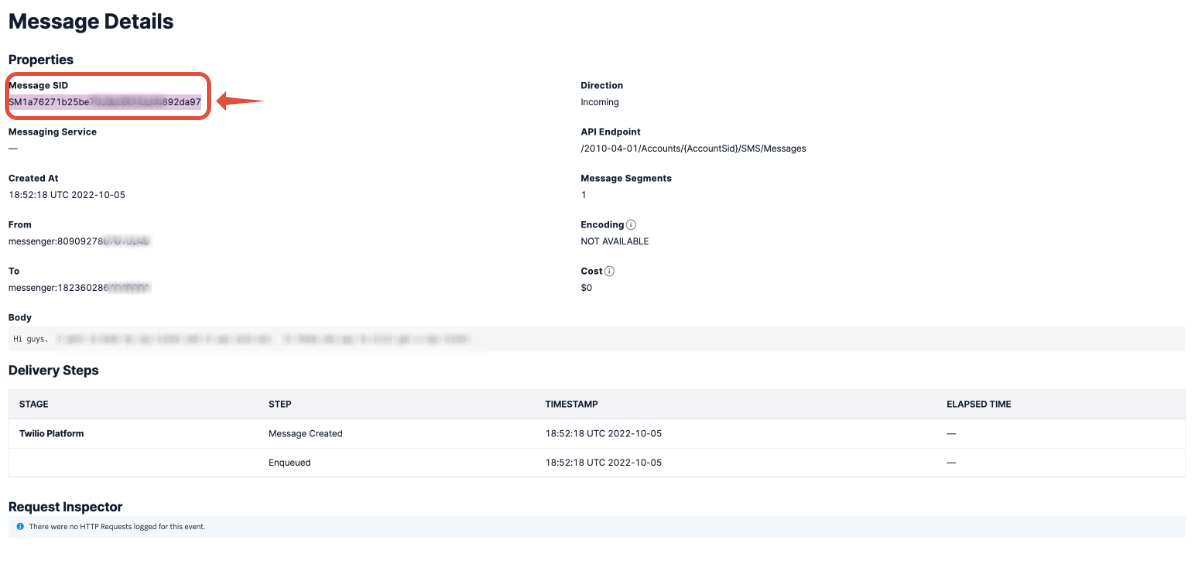
The feature lets you access Twilio’s Messaging Logs from the Twilio console. Each entry shows the unique Message SID, the sending and receiving numbers, delivery status, segment count and any attached media. The logs use color coding to highlight failures (yellow or red) and successful requests (green with a 200 status). Within HighLevel you locate the correct Twilio subaccount, open the Messaging log view, search by a contact’s number, and drill into a specific entry to see Delivery Steps, the Request Inspector and any error codes such as 404. The logs also indicate whether a number supports MMS or only domestic SMS.
03How businesses use Twilio messaging logs
- Marketing agency. The agency opens the Messaging Logs for a client’s subaccount, searches for the client’s phone number, and reviews any red flagged rows. By copying the Message SID and error details, they can provide precise information to Twilio support and keep campaign performance on track.
- Dental practice. A dental office checks the logs after a patient reports not receiving a reminder. They locate the outbound message, confirm the status, and if the log shows “Delivered” they note the Message SID and contact Twilio to investigate carrier delivery.
- Online retailer. The retailer verifies that order confirmation texts are being sent. They review the logs for the store’s Twilio number, confirm MMS capability for sending product images, and use the detailed view to ensure the request to the webhook succeeded.
04The numbers and rules that matter
- Green row with a 200 status means the request was processed successfully.
- A 404 in Request Inspector means Twilio could not reach the webhook endpoint.
05How to set up and use Twilio messaging logs in HighLevel
Navigate to Twilio messaging logs
- Log in to the Twilio console at https://console.twilio.com/.
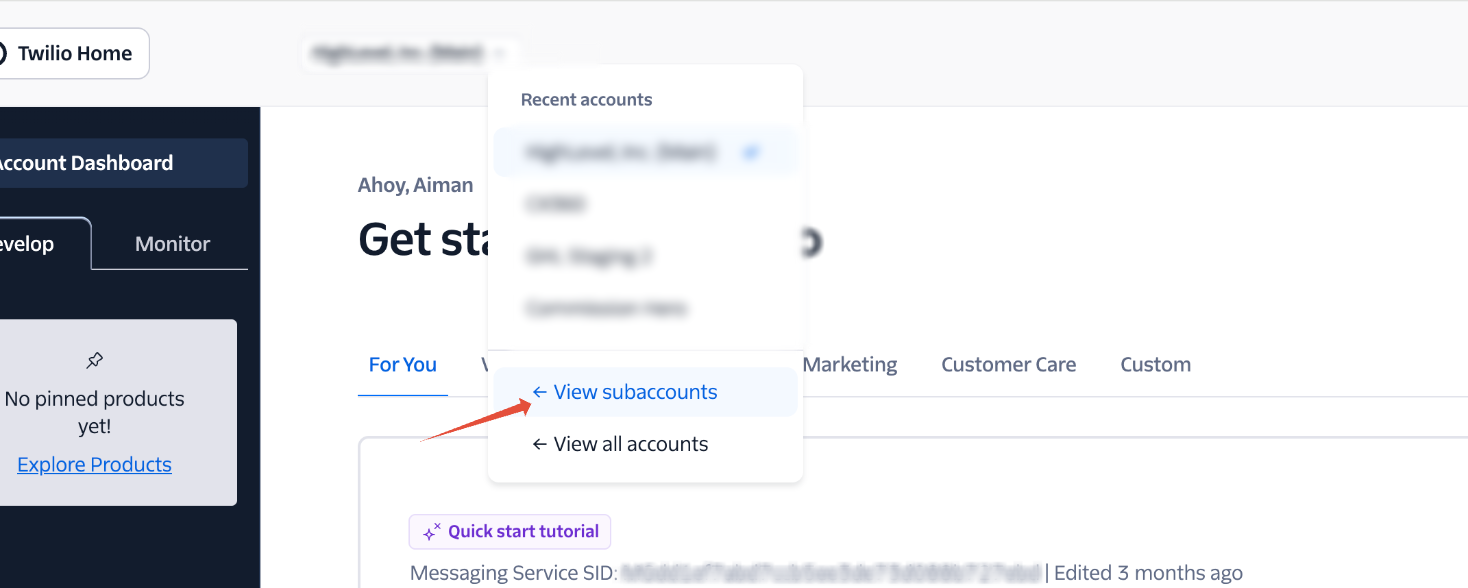
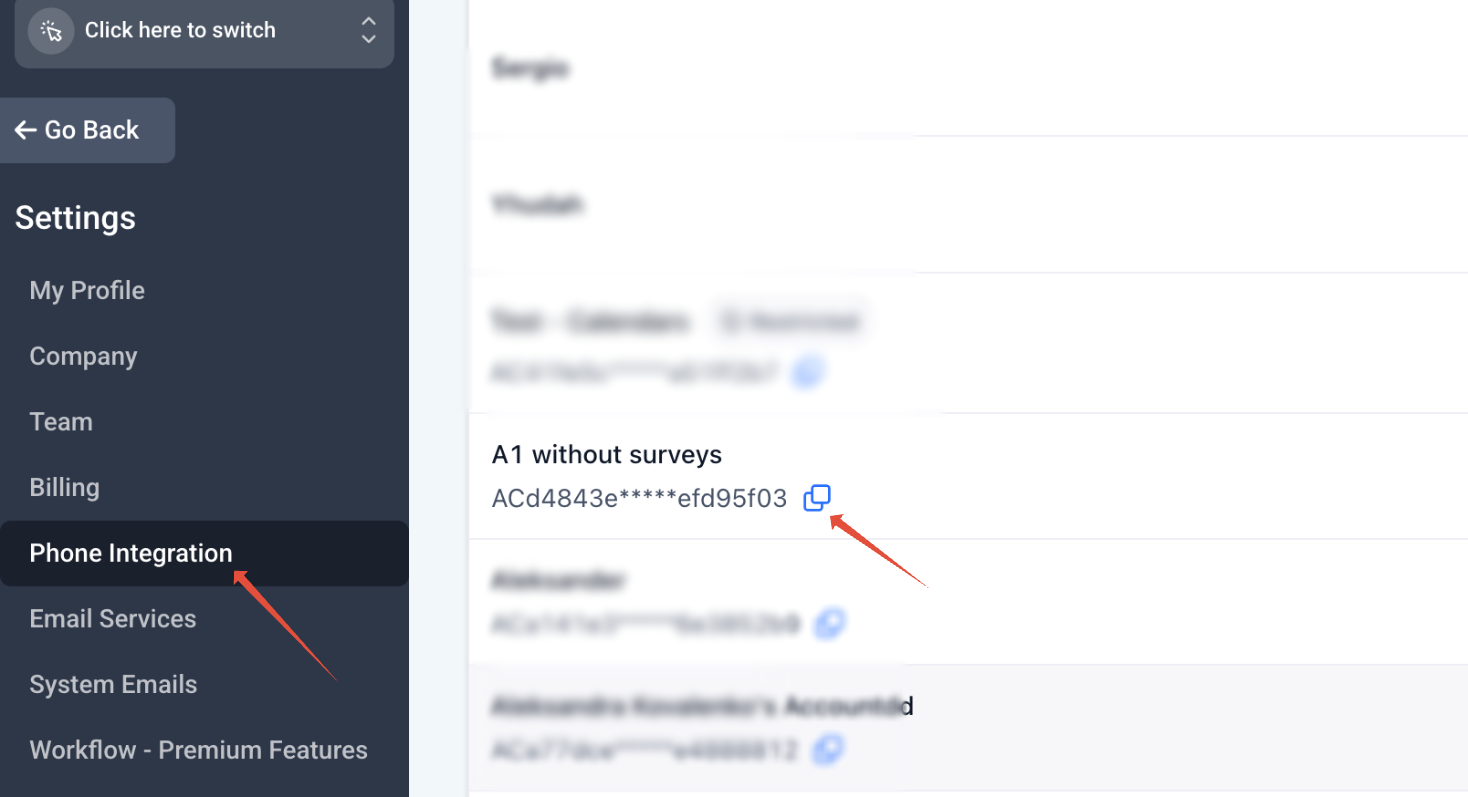
- Open the subaccount that matches the location you are troubleshooting: click Account in the middle of the screen, then select Subaccounts. If many subaccounts exist, copy the Account SID from HighLevel agency settings and search for that SID in Twilio.
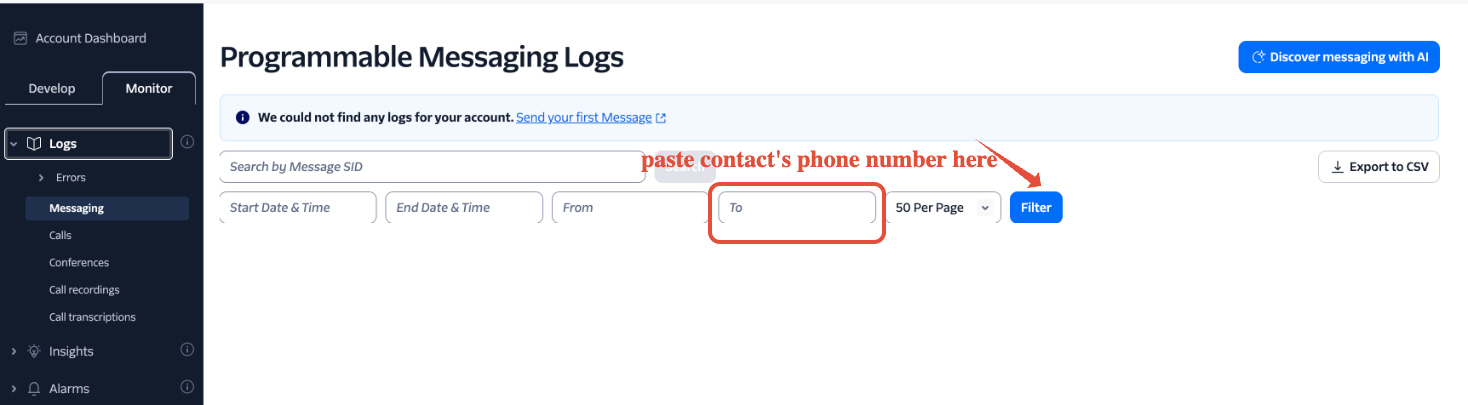
- In the left navigation pane choose Monitor > Logs > Messaging.
- Enter the contact’s phone number in the search box. Use the From field for inbound messages and the To field for outbound messages, following the format required by Twilio.
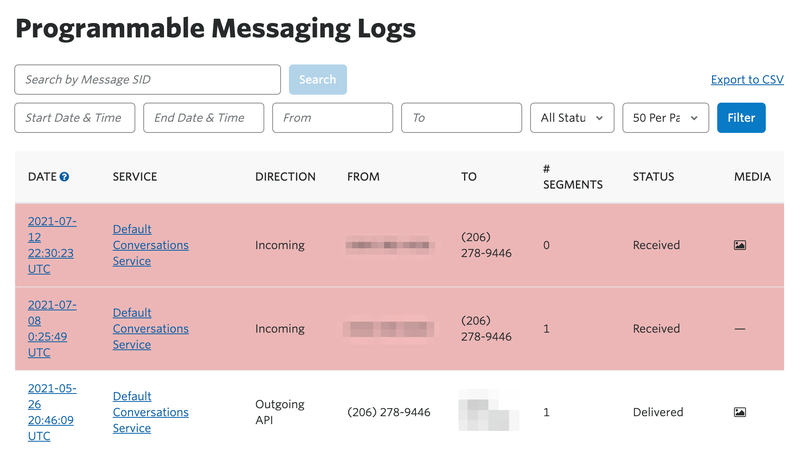
- Read each row in the results. Note the Message SID, TO and FROM numbers, status, segment count and any media. Yellow or red rows indicate problems; green rows with a 200 status indicate success.
- Click the hyperlinked date of a row to open the detailed view, where you can see Delivery Steps, the Request Inspector and any error codes such as 404.
Check MMS capability of a Twilio number
- In Twilio go to Explore Products, scroll down, and select Phone Numbers.
- Open the specific phone number you use for messaging.
- Review the capabilities listed to see if MMS is supported or if the number is limited to domestic SMS only.
06What it looks like in HighLevel

07Things to know before you rely on it
- The article does not list specific limits for the messaging log view or MMS capability checks.
08If something goes wrong
- Log shows "Delivered" but the recipient did not get the message.. Copy the Message SID, recipient number, timestamp and status, then open a support ticket with Twilio so they can trace the delivery on the carrier side.
- A 404 error appears in the Request Inspector.. Verify that the webhook URL configured for the number is correct and reachable; a missing or incorrect URL will cause the 404 response.
09How it connects to the rest of HighLevel
- Tips for fixing SMS delivery problems SMS delivery troubleshooting checklist
- Configure opt out handling and sender ID for compliance SMS compliance settings
- Best practices to avoid carrier filtering and restrictions SMS deliverability best practices
Michael's take

People often start by looking at the green 200 status and assume the message reached the phone. In reality the carrier can still drop it, so the real check is the detailed Delivery Steps and, if needed, the Message SID when you contact Twilio support.
If I were pulling a problematic SMS, I’d first open the log entry, note the SID, review the queue time and any error codes, then open a support ticket with those details. That way you have the exact data Twilio needs to chase the carrier.