
01Who this is for
- Agency owners who need to control client SMS usage and avoid unexpected charges.
- Marketing agencies managing multiple client locations that must stay within daily or monthly SMS budgets.
02Messaging limits, explained
Messaging Limits define the maximum amount of outbound SMS an eligible subaccount can send. Limits may be based on the number of messages, the number of message segments, and can apply per day or per month, giving fine grained control over actual messaging usage.
The settings live in the Phone Integration area of the Agency Dashboard for default limits, and in the Phone System section of each subaccount for individual overrides. Subaccounts using Messaging Ramp follow a separate warm up model and cannot edit these limits.
03How businesses use messaging limits
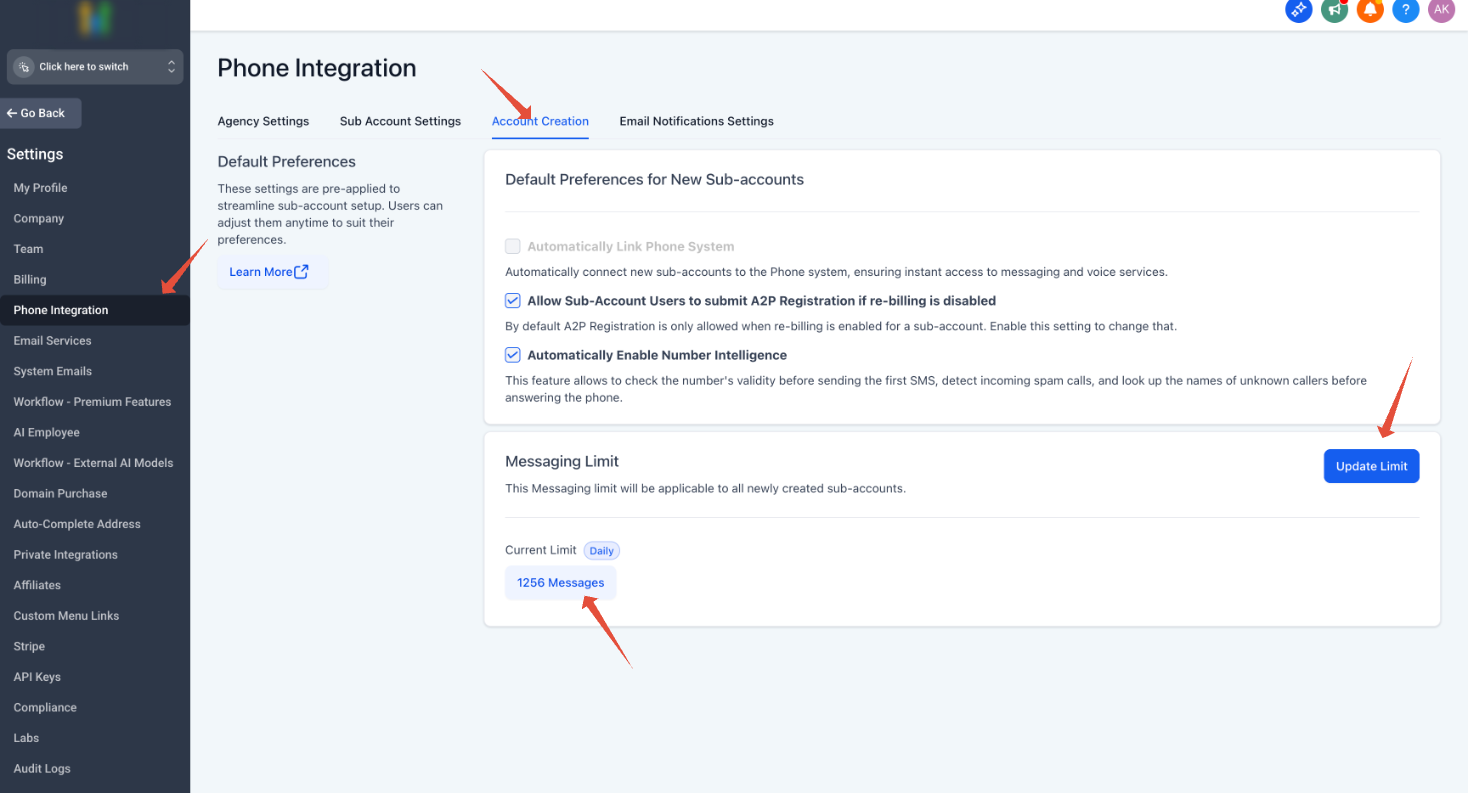
- Digital marketing agency. The agency opens the Agency Dashboard, selects Phone Integration, clicks Account Creation, and enters a default daily message limit for all client subaccounts that use Messaging Limits. This caps how many SMS each client can send each day.
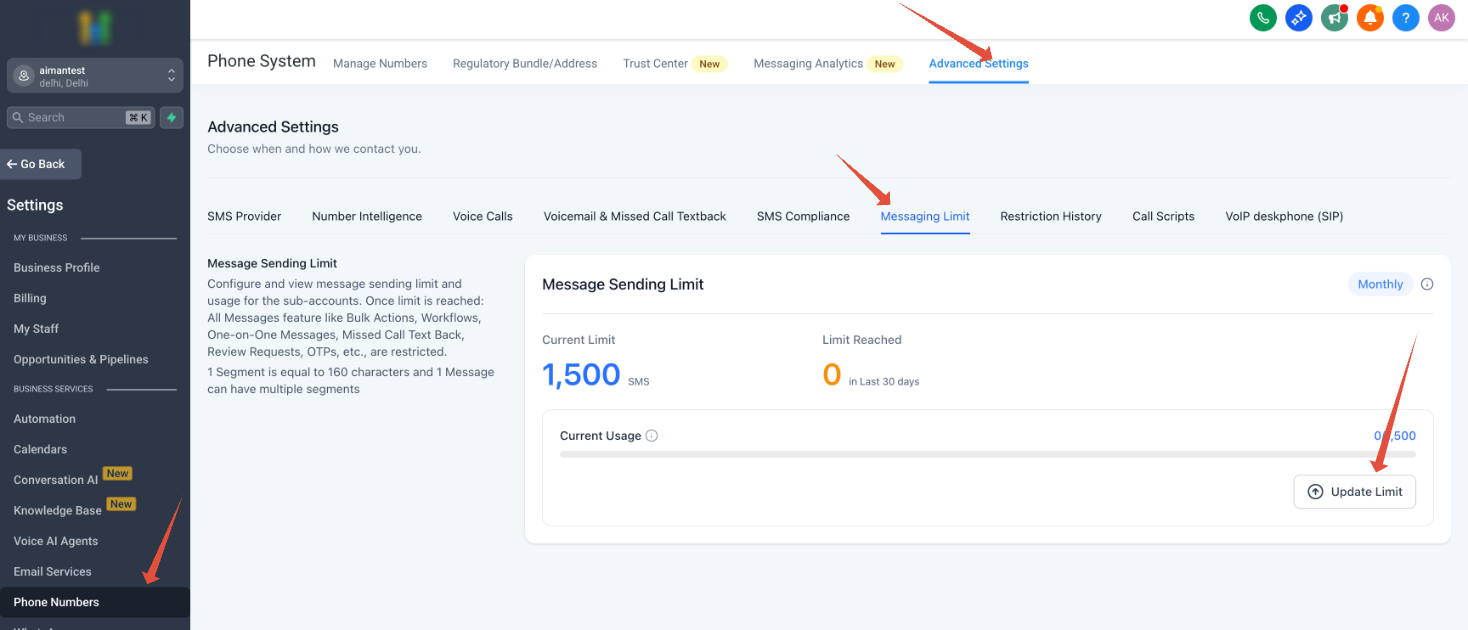
- Local restaurant chain. The manager opens the specific subaccount, navigates to the Messaging Limit settings in the Phone System area, checks current usage, and raises the monthly segment limit to support promotional campaigns. The new limit applies only to that location.
- Fitness studio. The studio accesses its subaccount, goes to the Messaging Limit settings, and lowers the message based daily limit to match the volume needed for class reminders, ensuring the studio stays within its SMS budget.
04The numbers and rules that matter
- Limits can be based on number of SMS messages, number of message segments, daily usage, or monthly usage.
- Agency must be on the platform for at least 3 months and not be in a trial period to increase limits.
- Subaccounts on Messaging Ramp follow a warm up model and cannot edit Ramp limits directly.
05Before you start
- The agency must have been on the platform for at least three months and not be in a trial period.
- The user making changes must be an Agency Owner or Admin.
- The subaccount must be eligible and using the Messaging Limits model rather than Messaging Ramp.
06How to set up and use messaging limits in HighLevel
Set agency level default Messaging Limit
- Navigate to the Agency Dashboard.
- Select Phone Integration from the menu.
- Click Account Creation.
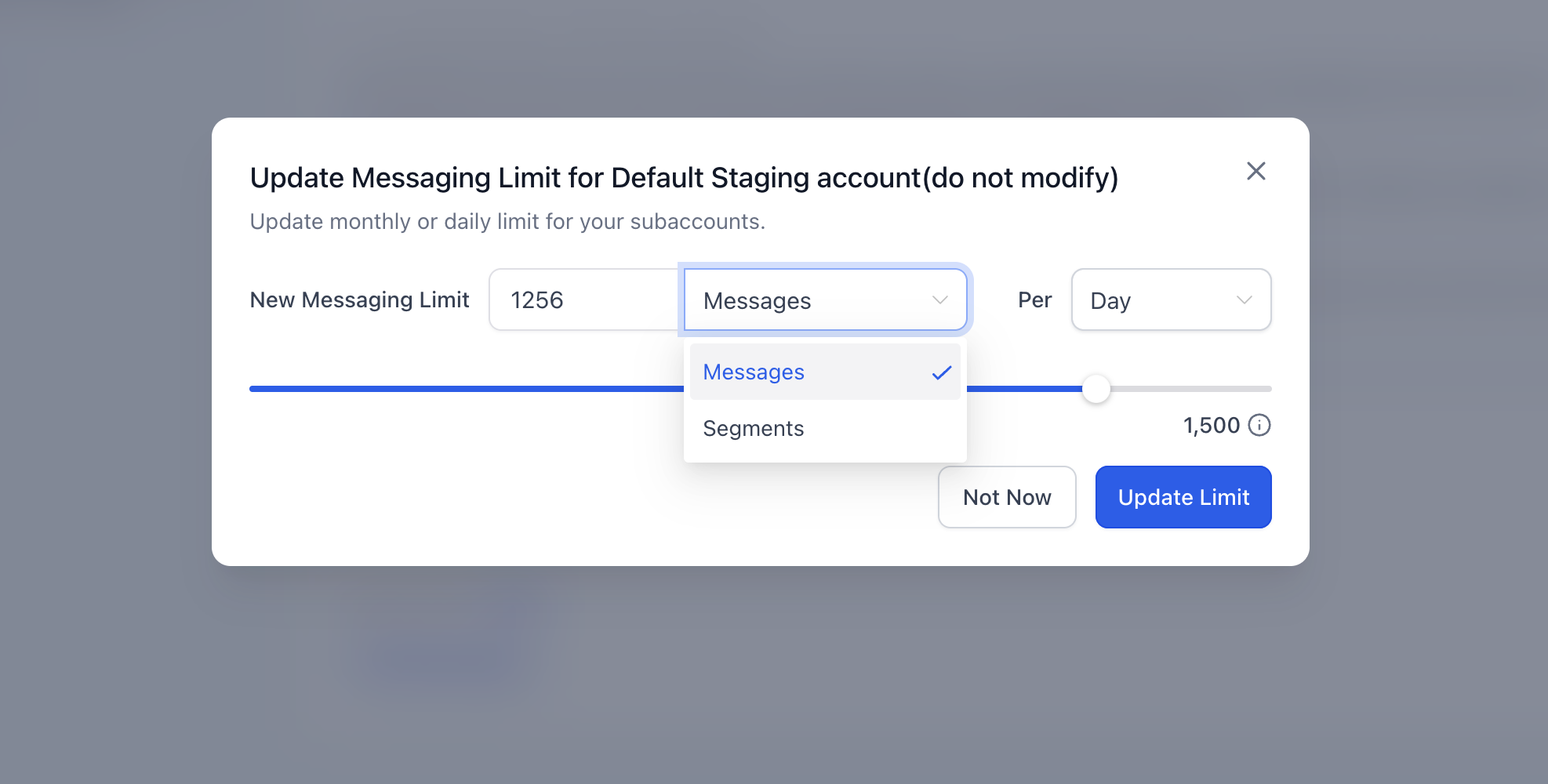
- Enter the desired daily or monthly limit, choosing messages or segments, and save the setting.
Increase Messaging Limit for a single subaccount
- Open the target subaccount.
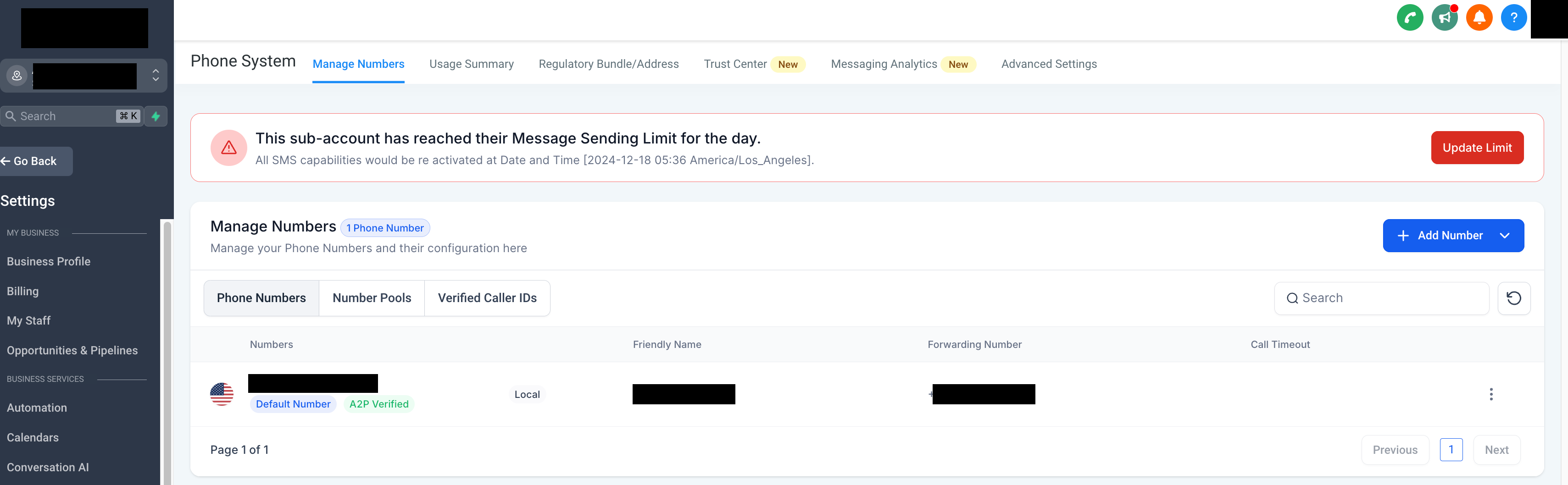
- In the Phone System area, open the Messaging Limit settings.
- Review the current usage and the existing limit.
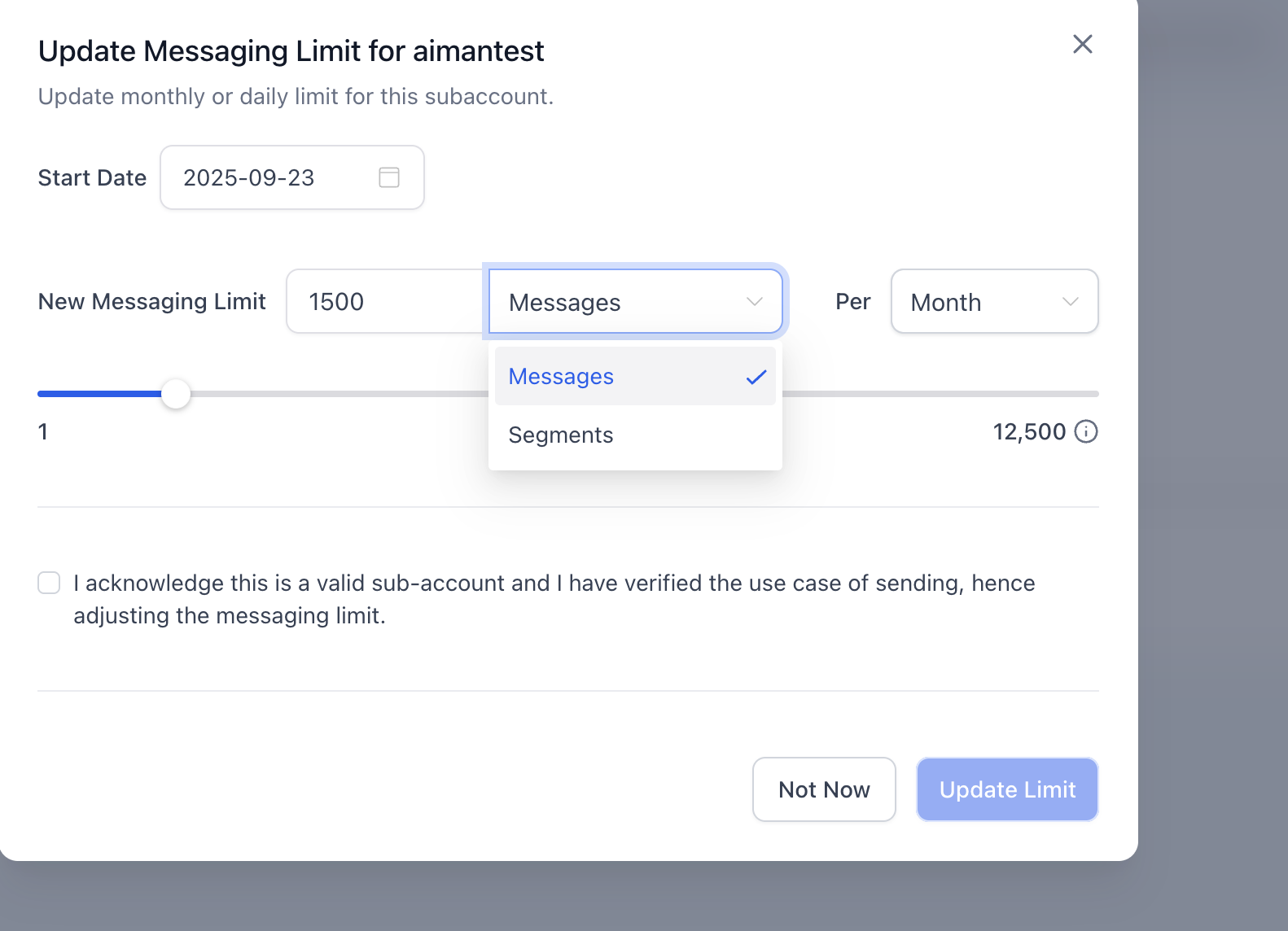
- Enter the new supported limit and save the changes.
07What it looks like in HighLevel
08Settings that matter
- Messaging Limit. Controls the maximum outbound SMS a subaccount can send, based on either message count or segment count, and can be set for daily or monthly periods.
09Things to know before you rely on it
- Limits can be configured by number of messages or by number of segments, and applied daily or monthly.
- Only eligible subaccounts using the Messaging Limits model can have their limits edited; subaccounts on Messaging Ramp follow a separate warm up system.
- Increasing a limit does not bypass provider or carrier restrictions such as registration, filtering, or compliance rules.
- When a limit is reached, outbound SMS become unavailable until capacity is restored or the limit is raised.
10How it connects to the rest of HighLevel
- Review opt out and sender ID requirements for SMS compliance. SMS compliance settings
- Check common delivery problems and troubleshooting steps for SMS. SMS delivery troubleshooting
- Read best practices to avoid carrier filtering and restrictions. SMS deliverability best practices
Michael's take

Wondering whether you need to adjust the messaging caps? For many agencies the default limits may be sufficient, but you can raise a location’s limit when a larger campaign requires it.
I’d start by checking the agency level default: Go to Phone Integration > Account Creation and set the daily or monthly limit using messages or segments. To change a single subaccount, open that account, go to the Messaging Limit settings in the Phone System area, enter a new supported limit and save. Remember that provider and carrier restrictions still apply, so increase volume gradually.