
01Who this is for
- Agency owners who send client messages, because each local number must be tied to its approved A2P campaign.
- Small business managers using appointment reminders, as the verified label confirms the number is authorized for messaging.
02A2P campaign linking, explained
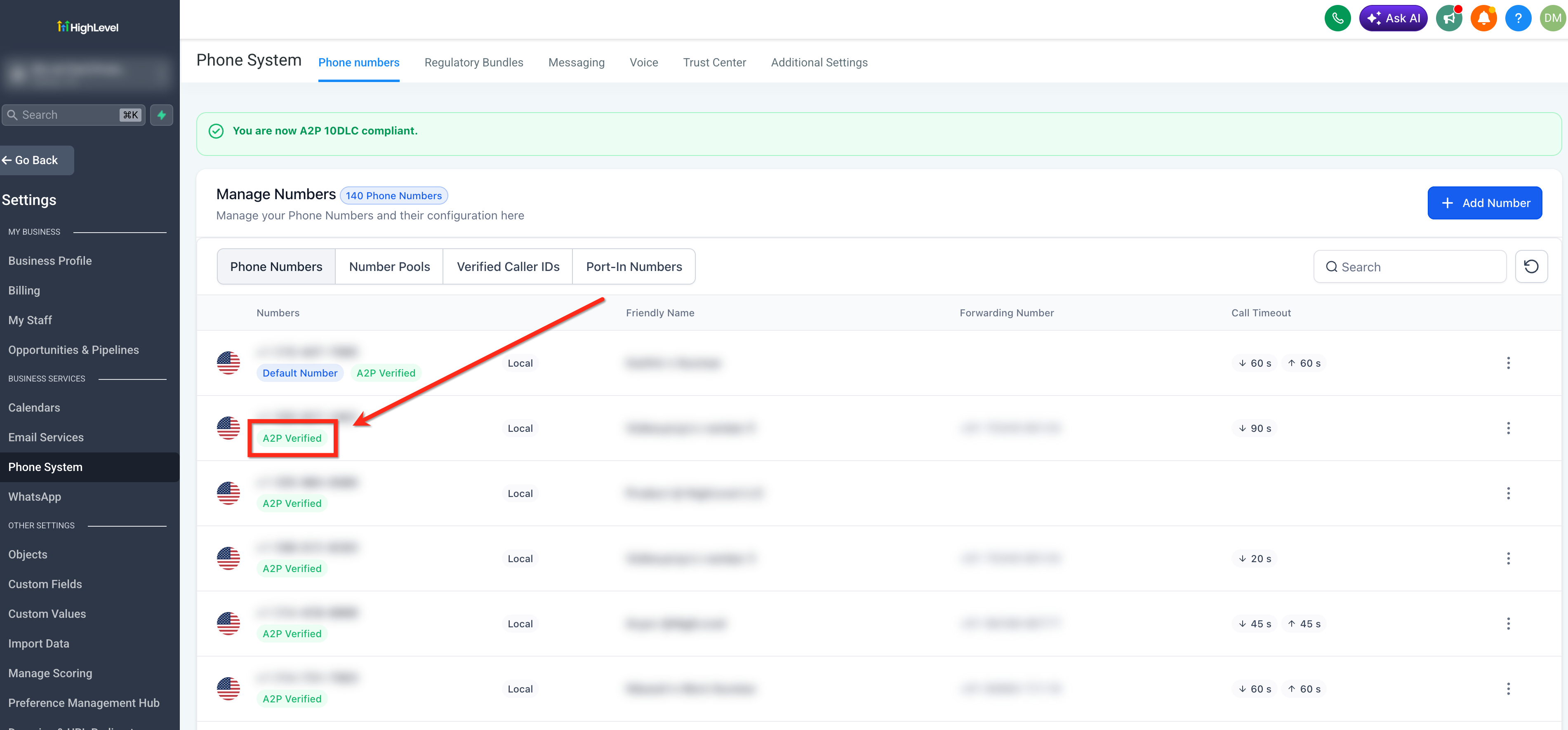
Linking a phone number to an approved A2P campaign tells carriers which business and messaging purpose apply to texts sent from that number. The platform shows a green A2P Verified label next to the number once the link is complete. Only 10 digit local US numbers can be linked; toll free numbers follow a different process.
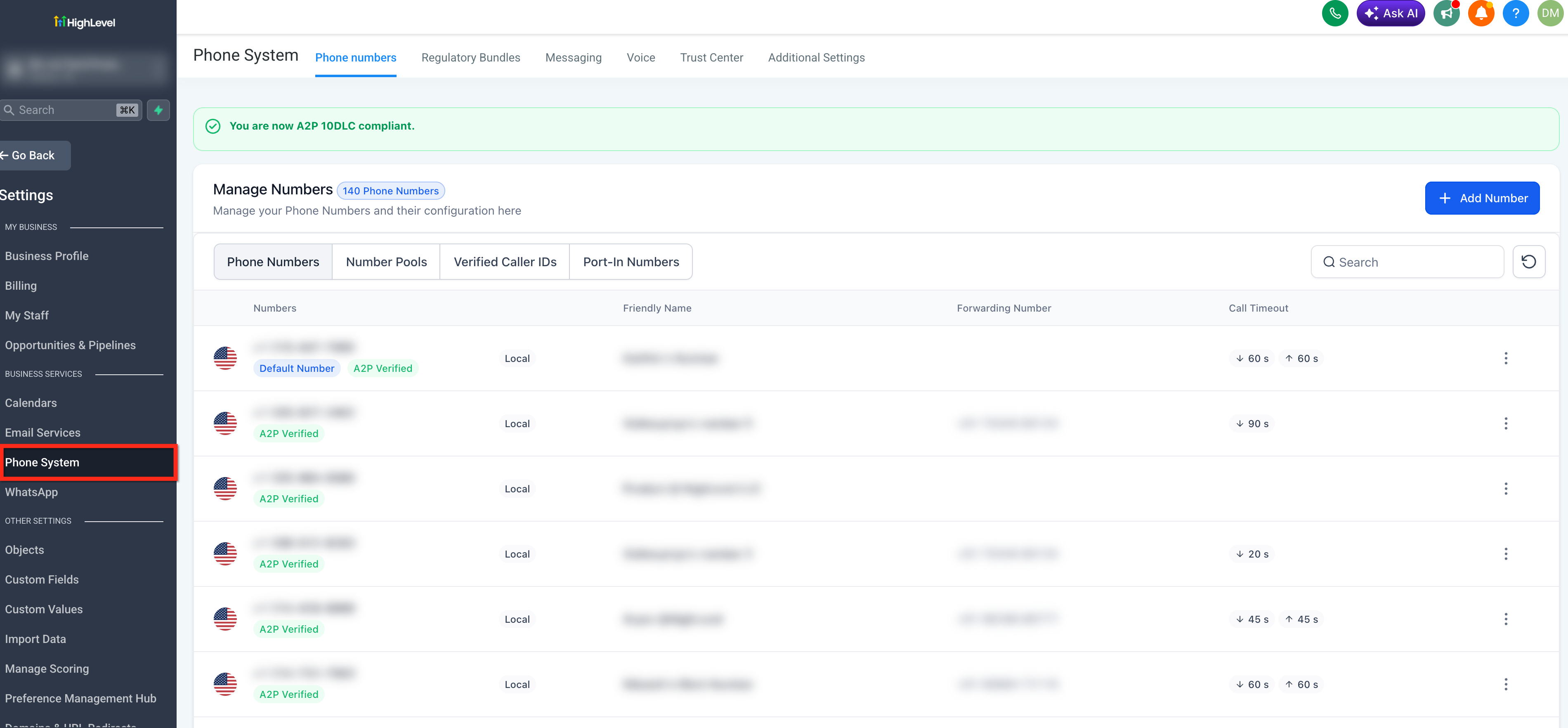
The feature lives in the Phone System area of HighLevel. You access it through Settings > Phone System > Phone Numbers, where each number can be associated with a campaign. The option to select a campaign appears only after the brand and campaign have been approved. After linking, the phone number is ready to use the registered messaging route.
03How businesses use A2P campaign linking
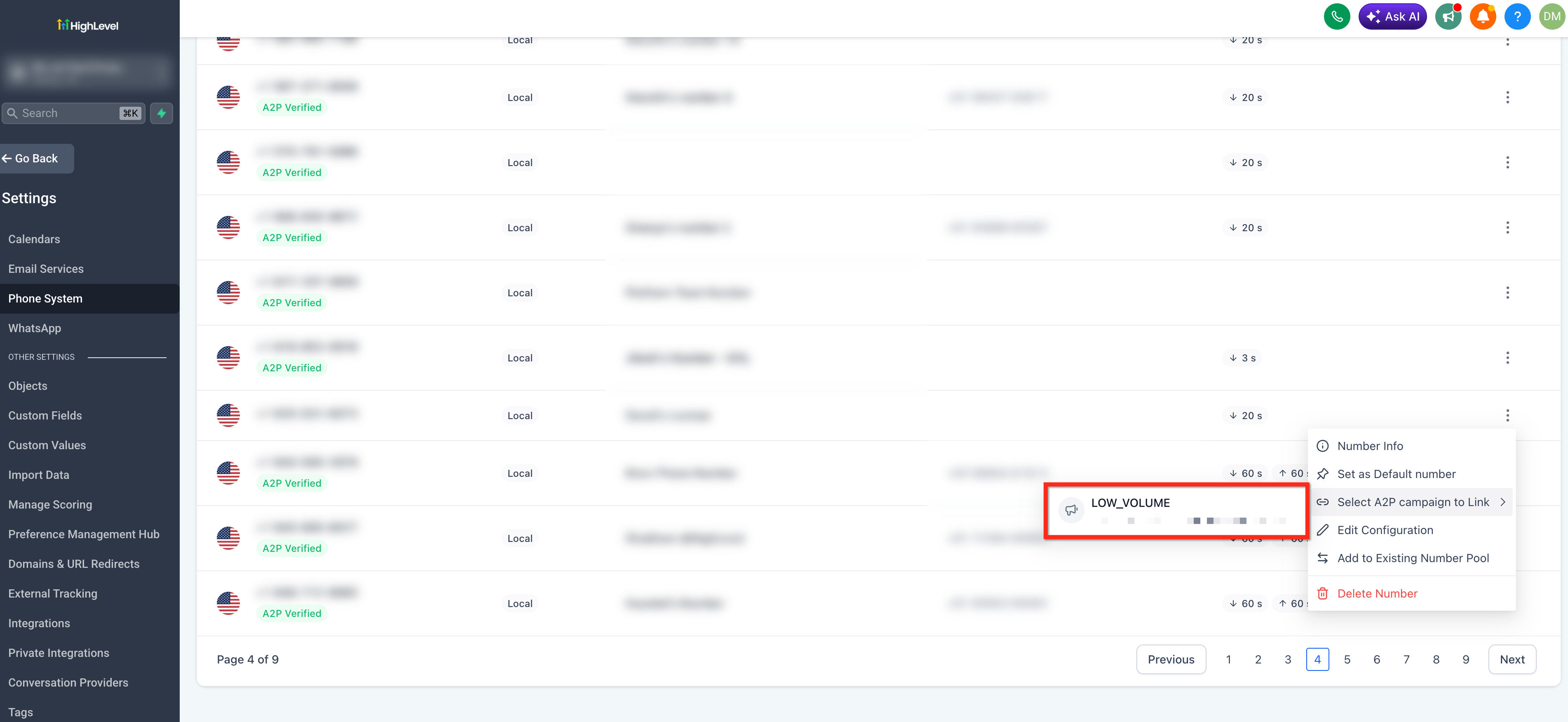
- Ecommerce retailer. The retailer purchases a local US number for promotional texts. In HighLevel they open Settings > Phone System > Phone Numbers, use the three dot menu on the number, choose Select A2P campaign to Link, pick the approved sales campaign, and verify the green A2P Verified badge appears.
- Medical clinic. The clinic uses a local number for appointment reminders. They locate the number in Settings > Phone System > Phone Numbers, click the three dot menu, select the appropriate reminder campaign, and confirm the A2P Verified label shows before sending reminders.
- Real estate agency. The agency adds a new local number for lead follow up. They go to Settings > Phone System > Phone Numbers, open the three dot menu, select the lead generation A2P campaign, and check that the green label appears to ensure compliant outreach.
04The numbers and rules that matter
- Sole Proprietor brands are limited to 1 campaign and 1 phone number per campaign.
- Toll free phone numbers do not use A2P campaign linking and follow a separate verification process.
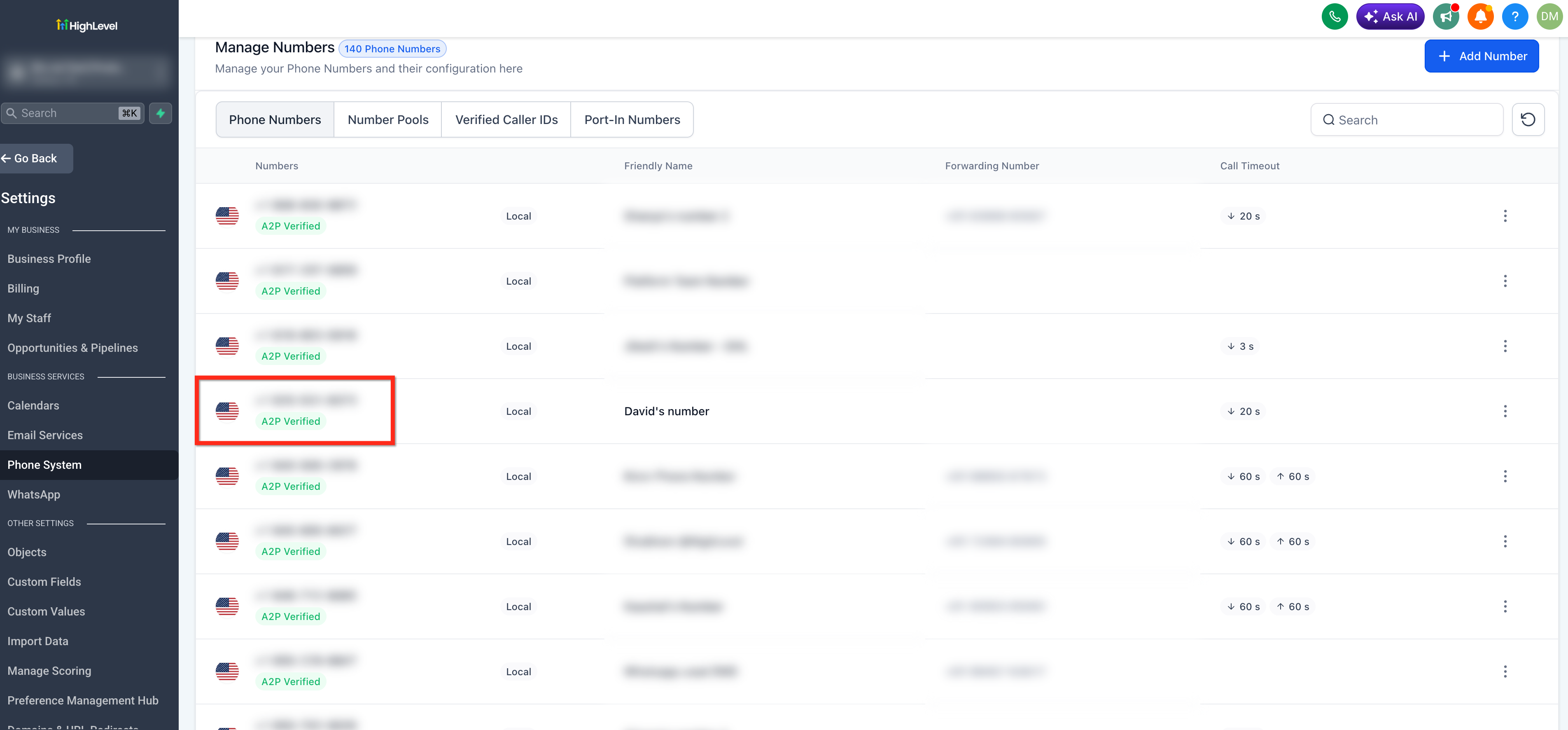
- A linked number displays a green A2P Verified label on the Phone Numbers page.
05Before you start
- Your A2P brand must be approved.
- Your A2P campaign must be approved.
- The phone number must be a 10 digit local US number.
- Check the registration type in Settings > Phone System > Trust Center > Brands and Campaigns.
06How to set up and use A2P campaign linking in HighLevel
Link a phone number to an approved A2P campaign
- Open Settings > Phone System > Phone Numbers.
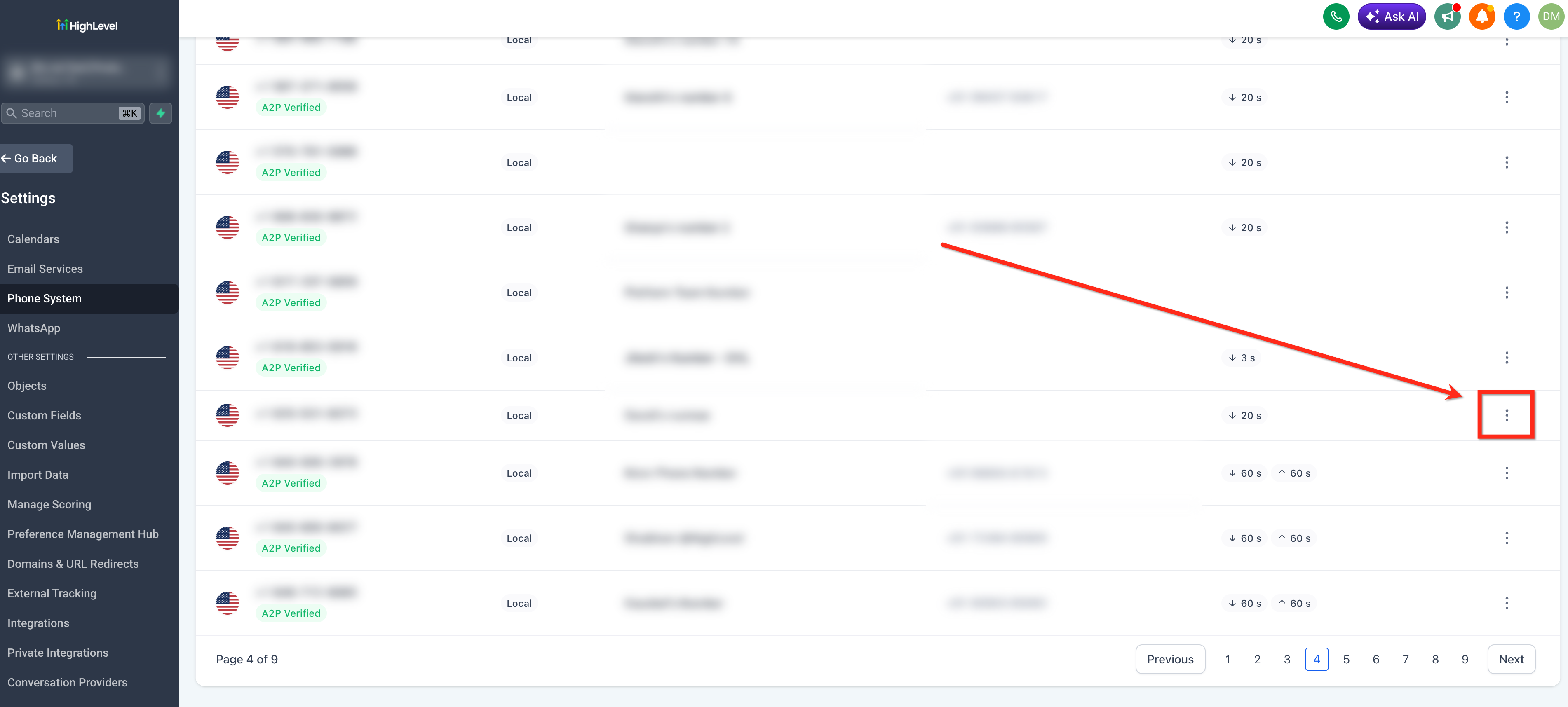
- Find the desired number and open its three dot menu.
- If the option Select A2P campaign to Link is not visible, confirm that the brand and campaign are approved.
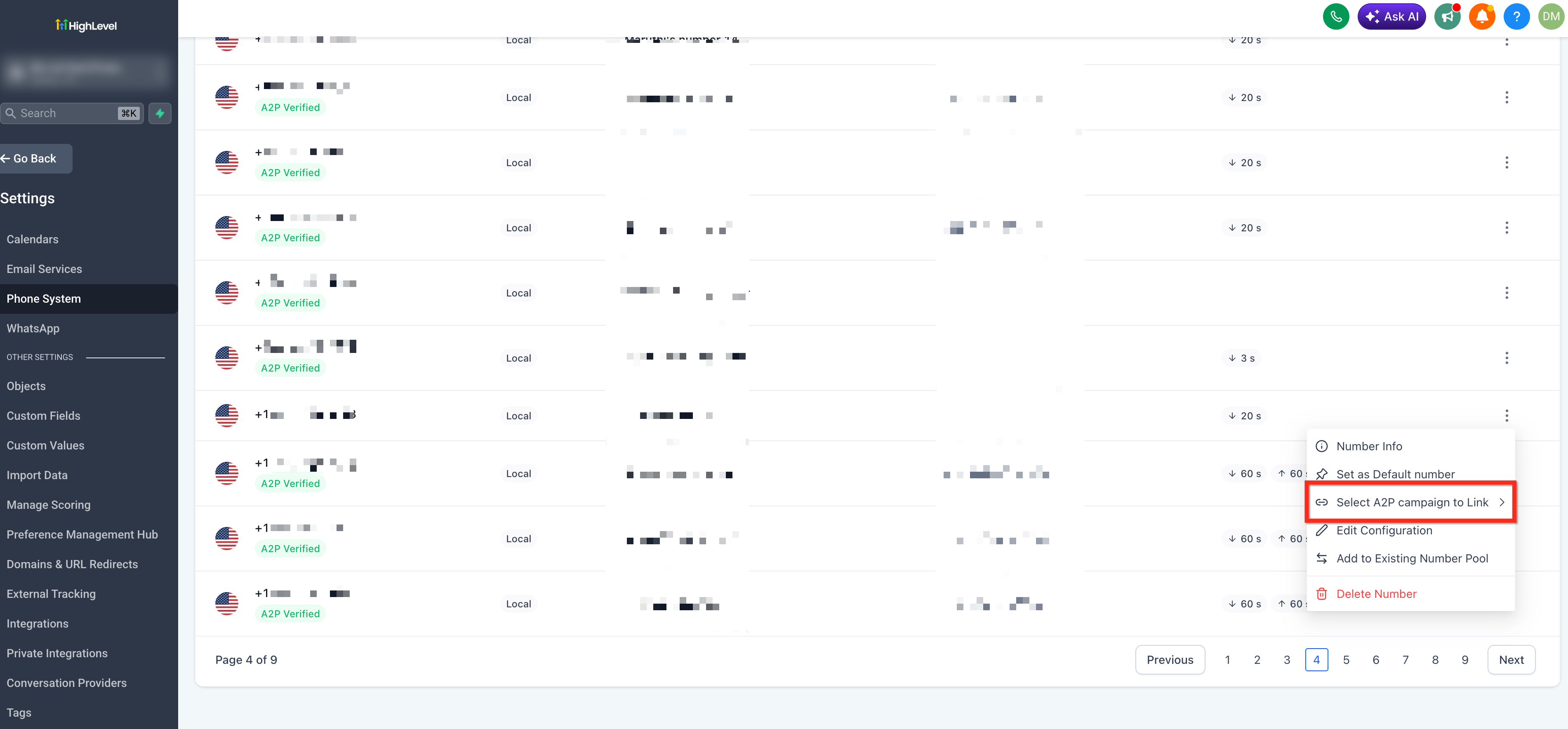
- Choose Select A2P campaign to Link.
- Pick the approved campaign from the list.
- Return to the Phone Numbers list and verify the green A2P Verified label under the number.
07What it looks like in HighLevel
08Settings that matter
- Phone Numbers. Displays all owned numbers and lets you start the linking process for each.
- Select A2P campaign to Link. Opens a list of approved campaigns so you can associate the chosen number with one.
- Trust Center > Brands and Campaigns. Shows the registration type (Standard or Sole Proprietor) and the approval status of brands and campaigns.
09Things to know before you rely on it
- Only 10 digit local numbers can be linked; toll free numbers are excluded.
- Sole Proprietor registrations support only one campaign and one local number per campaign.
- The Select A2P campaign to Link option appears only after brand and campaign approval.
10If something goes wrong
- Error 30034 when sending messages. Confirm the number shows the green A2P Verified label in Settings > Phone System > Phone Numbers. If not, link it using the steps above. Also verify the account type in Settings > Phone System > Trust Center > Brands and Campaigns and ensure a Sole Proprietor account has only one local number.
11How it connects to the rest of HighLevel
- A2P brand and campaign registration guide A2P registration
- Best practices for A2P 10DLC brand approval Brand approval
- A2P 10DLC campaign use cases Campaign use cases
Michael's take

In my experience, A2P campaign linking is useful for businesses that rely on local SMS messaging in HighLevel.
If you are using a Sole Proprietor registration with multiple local numbers, you may need to consider upgrading to Standard registration.