
01Who this is for
- Agency owners who run multiple client campaigns can keep each campaign's numbers separate for clear reporting.
- Marketing teams that need to reassign numbers quickly when campaigns shift to different regions.
- Support staff who handle number inventory can reduce tickets by managing pools directly.
02Enhanced number pool management, explained
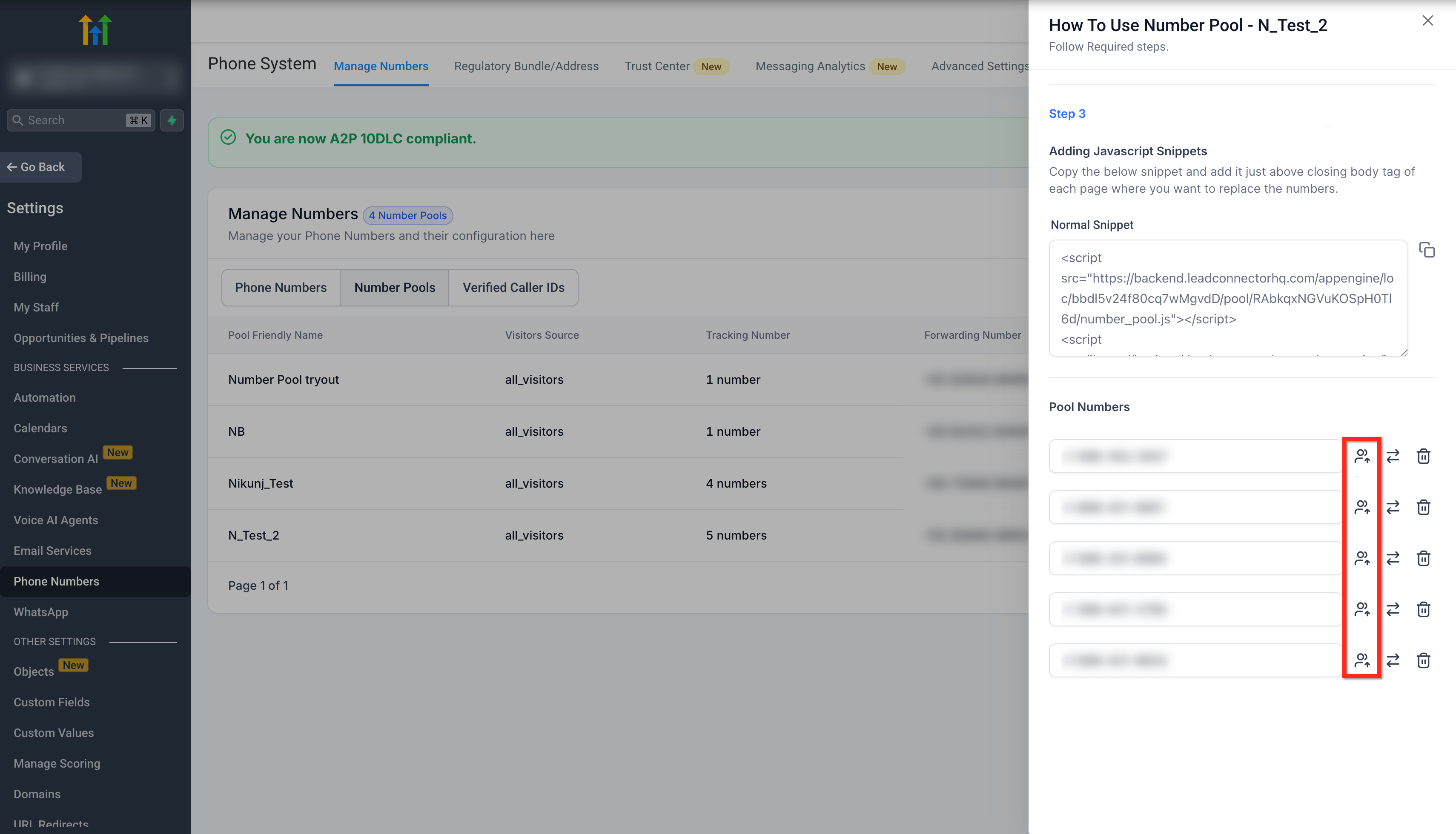
The feature adds a set of controls inside the Phone Numbers settings where you can see each visitor tracking pool. From the pool’s info modal you can transfer a number to another pool, move it back to the general list, delete it, or add a number from the general list into the pool.
All actions are recorded in an audit log that captures who performed the change and when. The tools work only for pools that were created for visitor activity tracking, which usually contain four to eight numbers.
03How businesses use enhanced number pool management
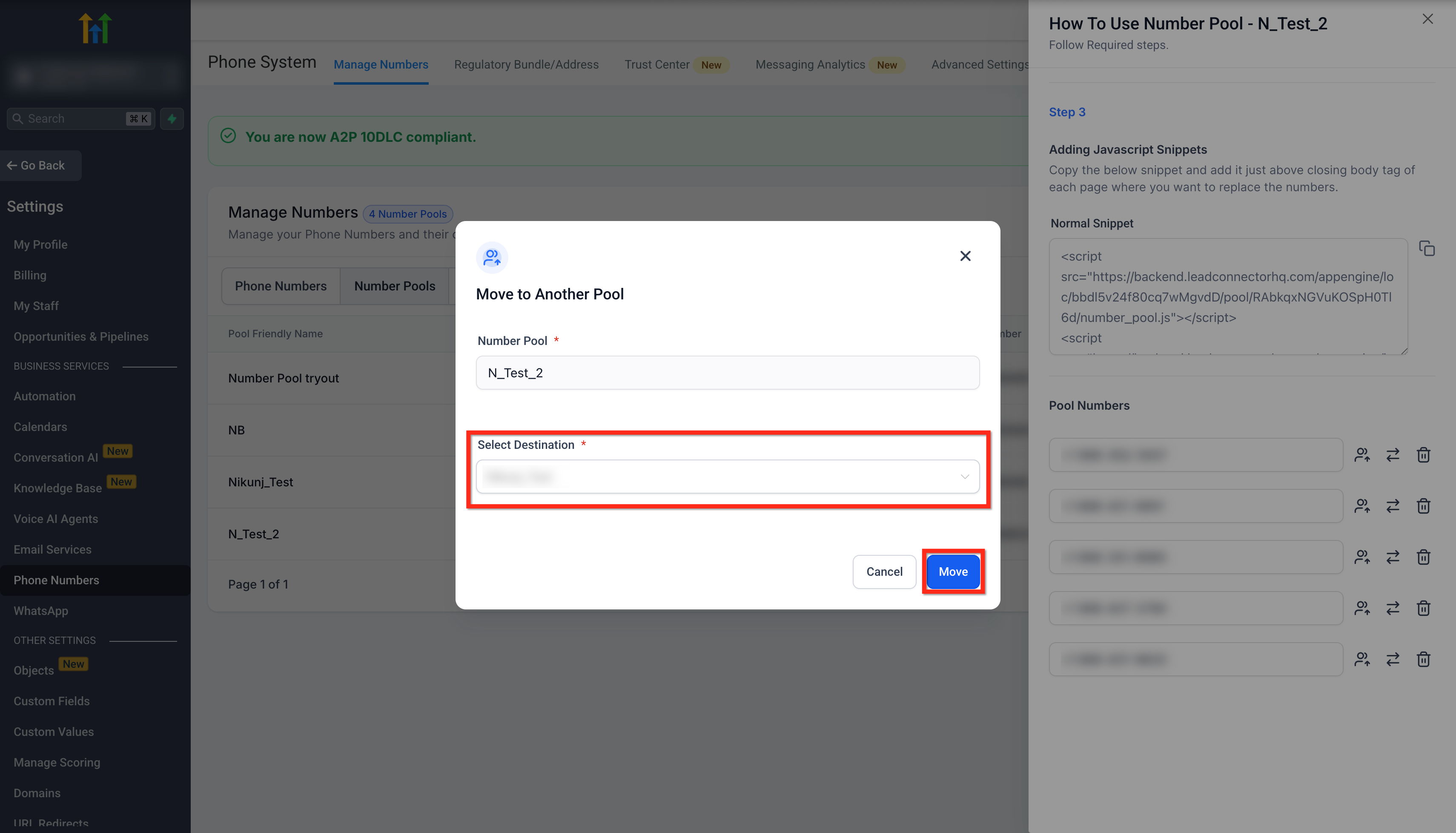
- Digital advertising agency. The agency opens the pool info modal, selects a number, and uses the Transfer to a Different Number Pool button to shift the number to a client specific pool. This keeps each client’s tracking separate without contacting support.
- Local retail chain. When a store closes, the manager clicks the Move to Phone Numbers button for that store’s number, returning it to the general list for future reuse in other locations.
- Event promotion firm. The firm adds a purchased toll free number from the general list to a new event pool by selecting Add to Existing Number Pool, choosing the event’s pool, and confirming with Add to Number Pool.
04The numbers and rules that matter
- Number pools for visitor activity tracking typically contain 4 to 8 numbers.
- If your pool purchase includes US/CA/PR (+1) numbers and the subaccount has not completed Persona verification, you may be prompted to verify before purchase.
- There is no limit to how many times a number can be moved between pools.
05Before you start
- The pool must be a visitor activity tracking pool, typically containing four to eight numbers.
- If the pool uses +1 numbers, the subaccount must have completed Persona verification before the number can be added or moved.
06How to set up and use enhanced number pool management in HighLevel
Access number pool management
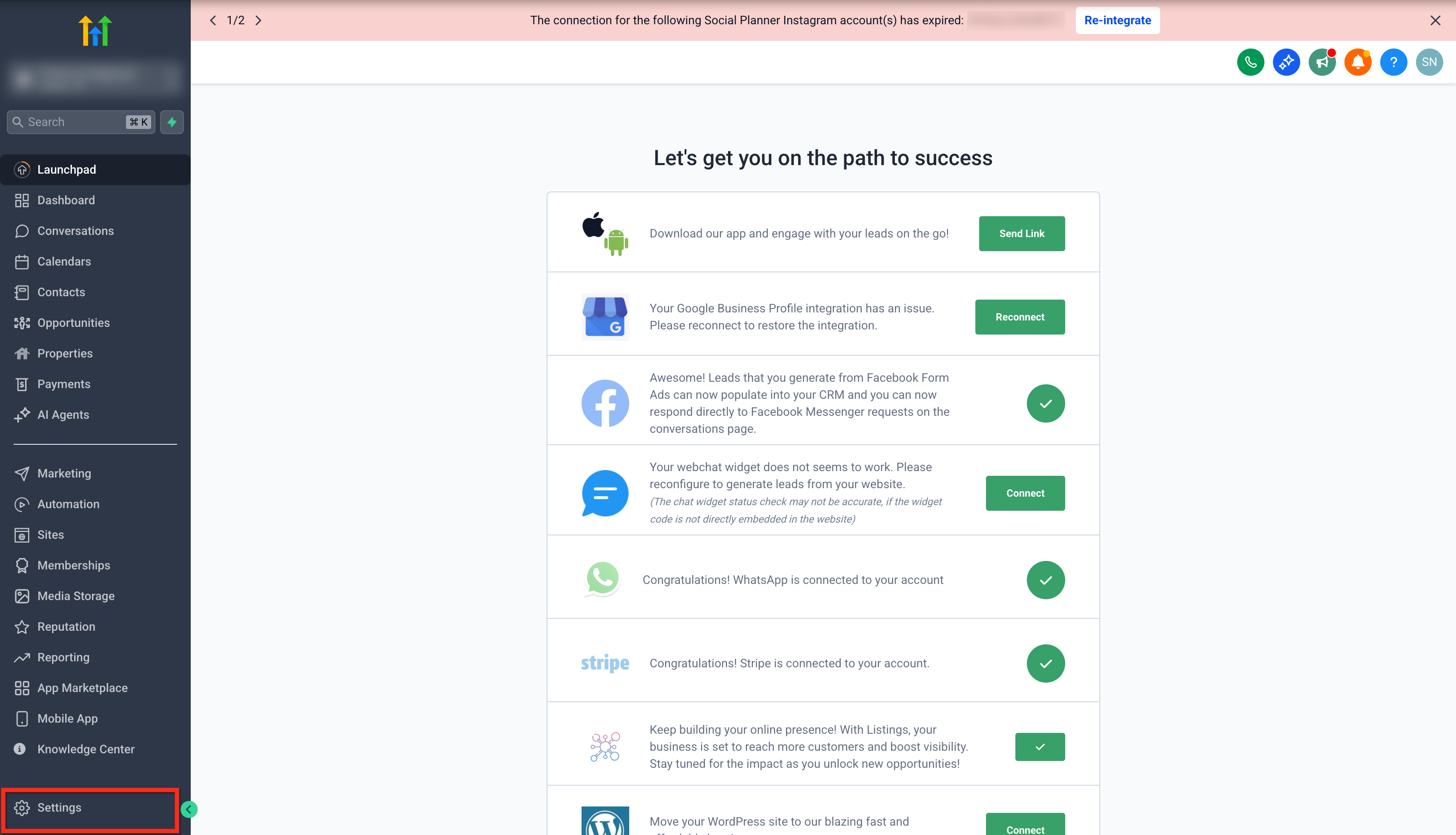
- Open Settings from the main navigation.
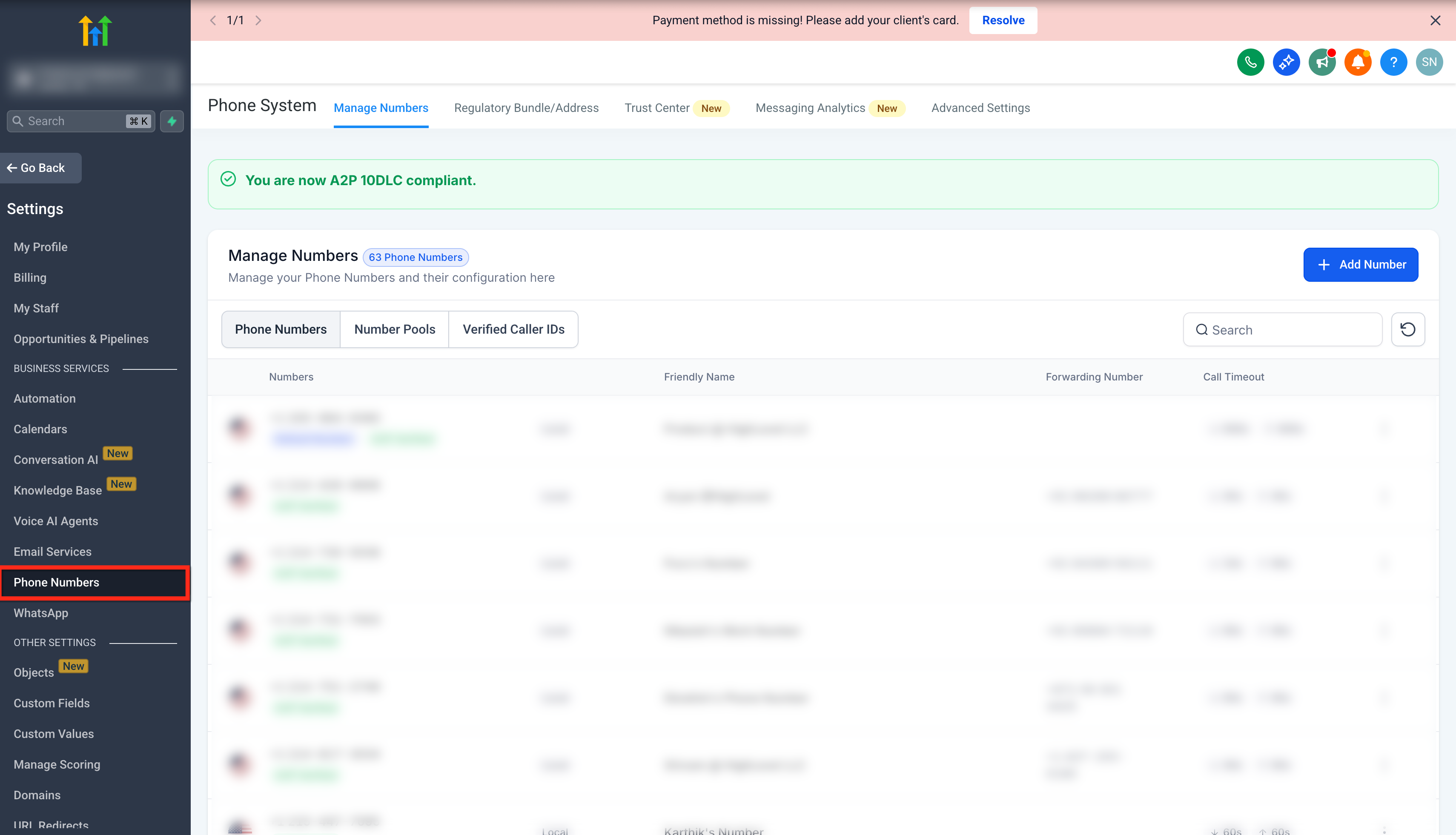
- Select the Phone Numbers tab.
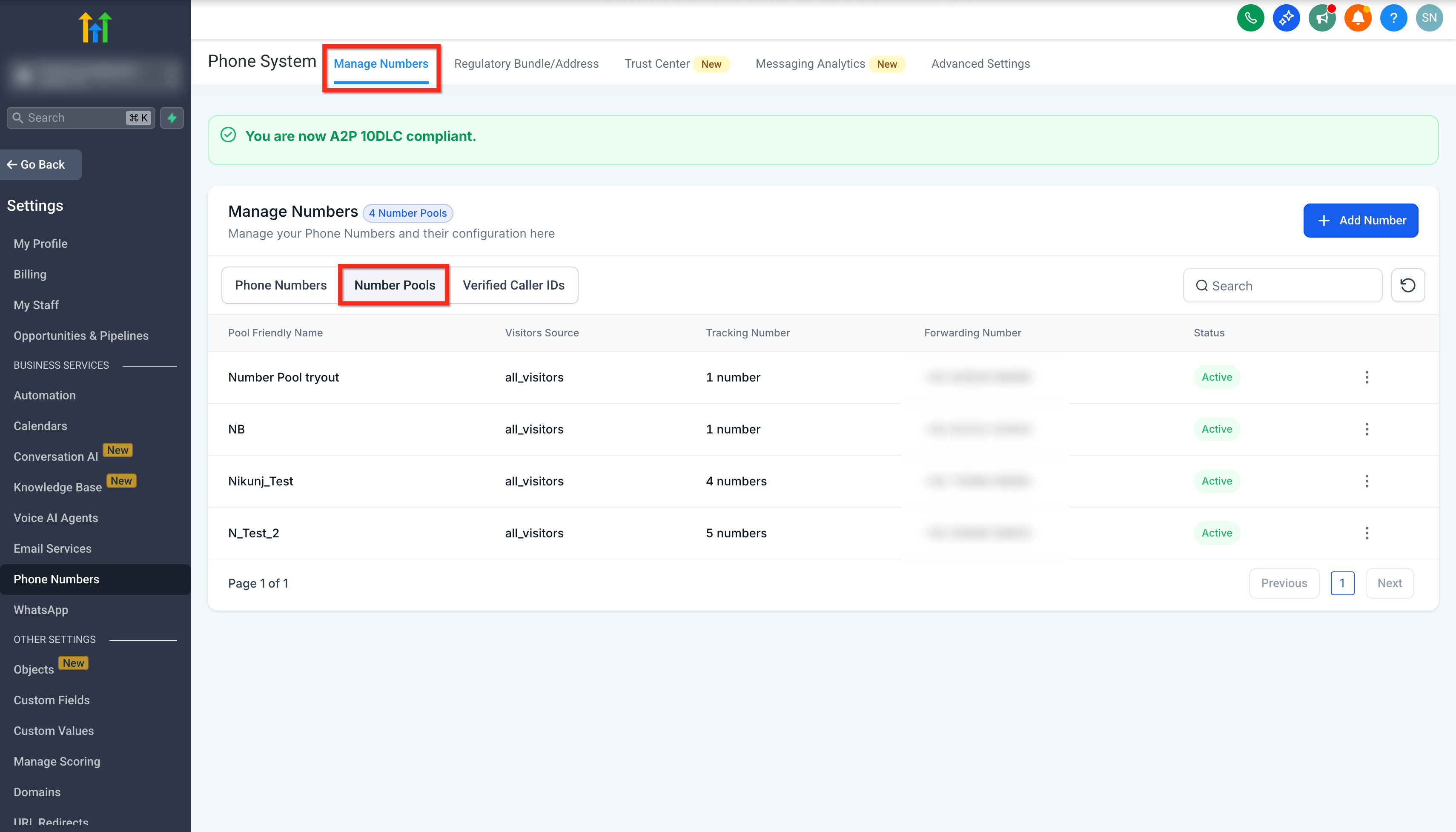
- Click the Number Pools option under Manage Numbers.
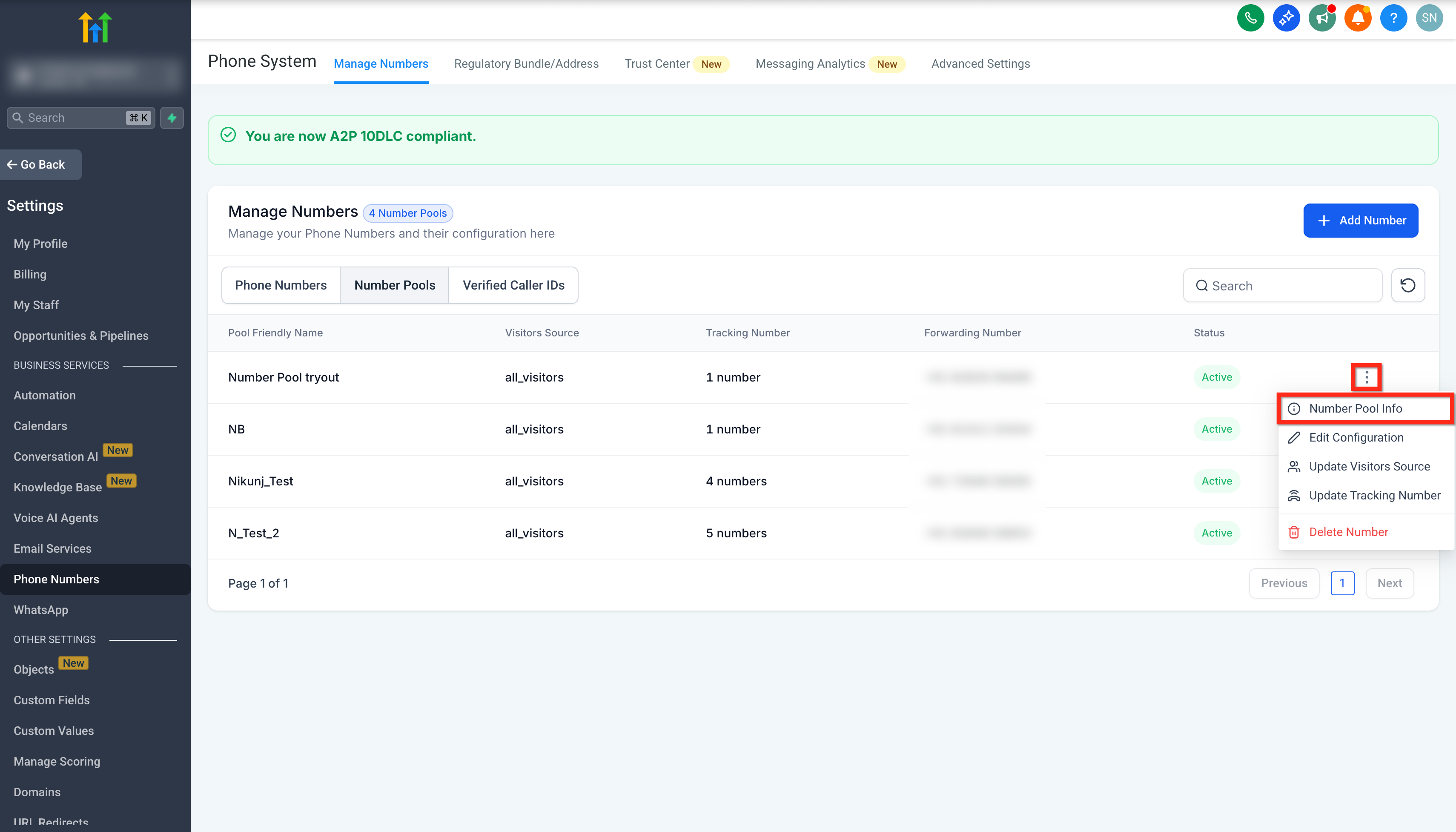
- Open the three dot menu beside the desired pool.
- Choose Number Pool Info from the menu.
Transfer a number to a different pool
- Find the phone number you want to move inside the pool.
- Press the Transfer to a Different Number Pool button.
- Pick the target pool from the Select Destination dropdown.
- Confirm the move by clicking Move.
Move a number back to the general list
- Locate the number within the current pool.
- Click the Move to Phone Numbers button.
- The number returns to the general phone number list.
Remove and delete a number
- Select the number you wish to eliminate.
- Click the Remove and Delete Number button.
- The system deletes the number and removes it from the pool.
Add a number from the general list to a pool
- Navigate to Phone Numbers under Manage Numbers.
- Open the three dot menu beside the desired general number.
- Choose Add to Existing Number Pool.
- Select the destination pool from the Select Destination dropdown.
- Click Add to Number Pool to complete the addition.
07What it looks like in HighLevel
08Settings that matter
- Transfer to a Different Number Pool button. Starts the process of moving a selected number to another pool.
- Select Destination dropdown. Lists available pools so you can choose where to transfer or add a number.
- Move to Phone Numbers button. Returns a selected number to the general list without deleting it.
- Remove and Delete Number button. Deletes the chosen number from the pool and removes it permanently.
- Add to Existing Number Pool button. Begins adding a number from the general list into a specific pool.
09Things to know before you rely on it
- The tools apply only to visitor tracking pools, which typically contain four to eight numbers.
- Adding or moving +1 numbers requires the subaccount to have completed Persona verification first.
- Deleted numbers cannot be restored to any pool.
- There is no limit on how often a number can be moved between pools.
- Deleting an entire pool removes all numbers inside it; move or remove numbers first to keep them.
10How it connects to the rest of HighLevel
- Purchase a new phone number Buy a number
- Edit phone number settings in subaccounts Phone settings
- Move numbers across accounts Migrate numbers
Michael's take

Managing visitor tracking numbers can quickly become a headache when numbers are scattered across multiple pools or stuck in the wrong place.
I appreciate that the audit log records every move, removal or deletion, so you always know who made the change. With that visibility, you can rearrange numbers without worrying about hidden edits.