
01Who this is for
- Founders who run SMS marketing need to know how to correct A2P rejections so their campaigns can launch.
- Agency owners managing multiple client brands must ensure each brand’s campaign meets carrier rules before resubmission.
- Compliance officers rely on the detailed fix modal to verify that consent, website, and content requirements are satisfied.
02A2P campaign rejections, explained
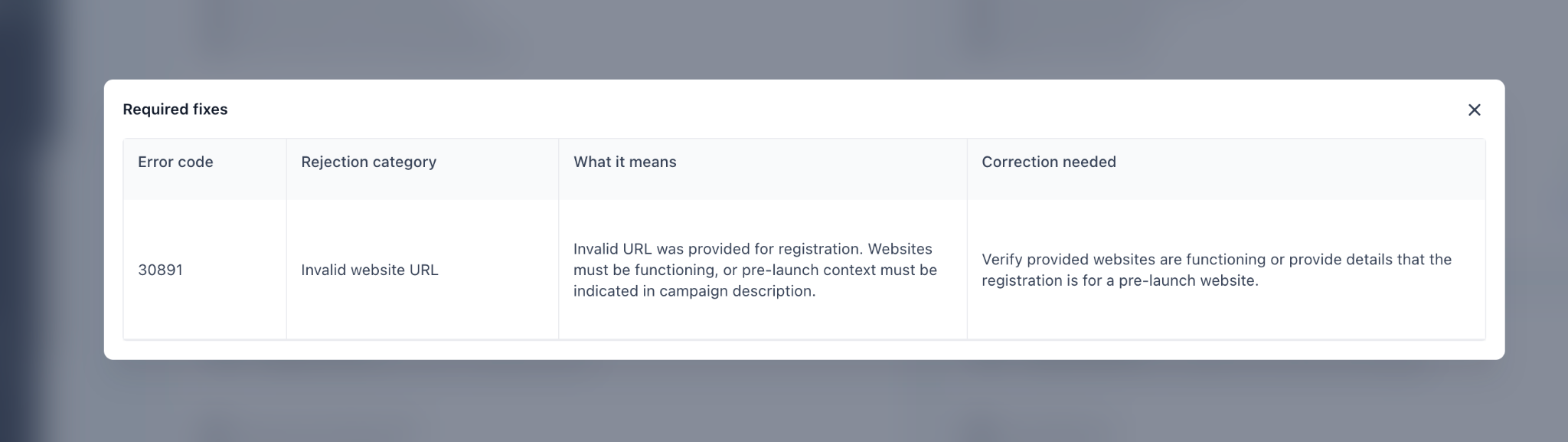
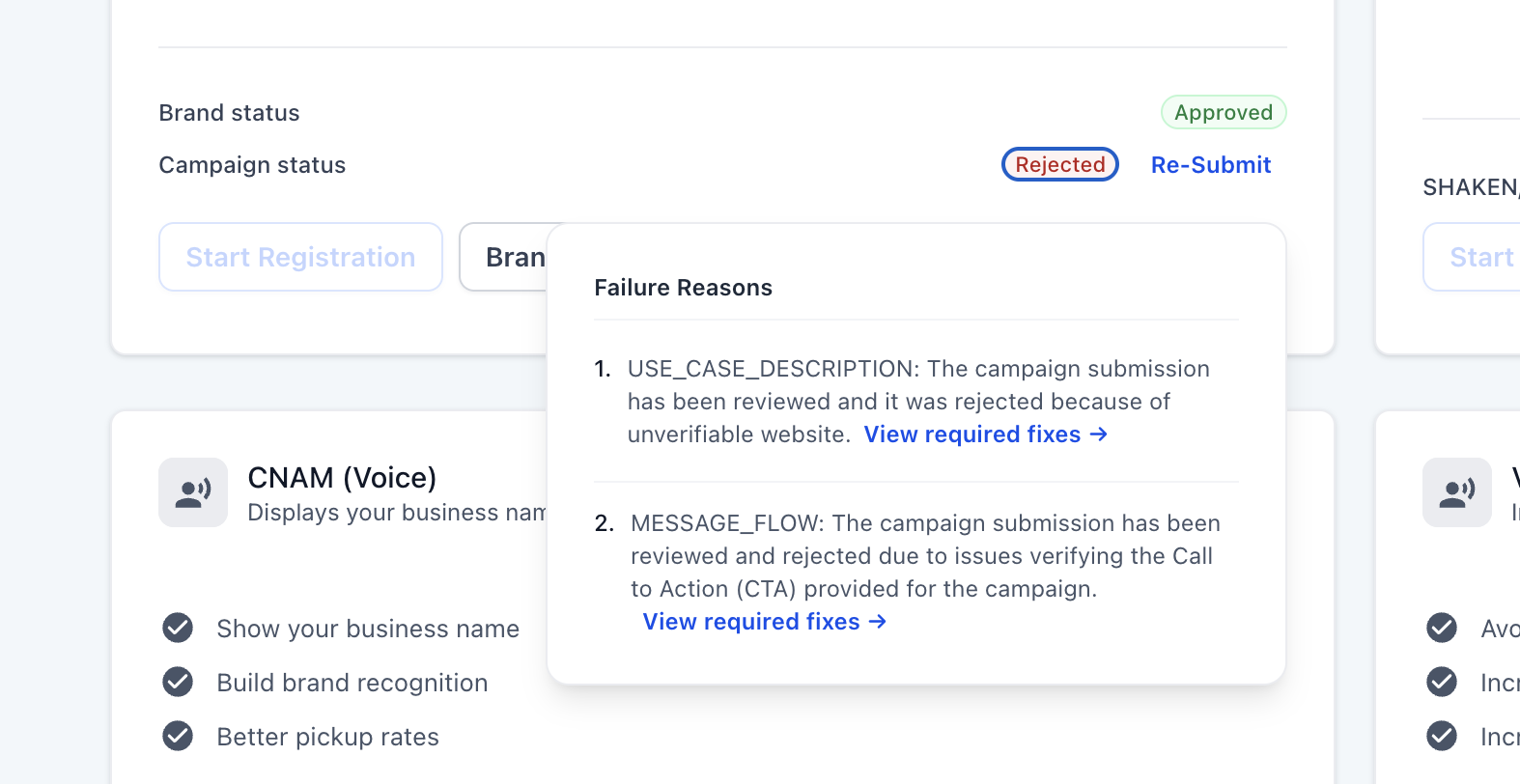
The required fixes feature appears on any campaign marked Rejected. Each rejection reason includes a "View required fixes > " link that opens a modal. The modal lists four fields: the carrier error code, a human readable rejection category, a brief explanation of why the submission failed, and the exact correction steps needed.
The modal tailors its guidance based on how the campaign was set up, Chat Widget Setup shows website and opt in form changes, while Manual Setup focuses on the opt in method and consent details. Some corrections can be made to the existing submission; others may require updating the brand registration or creating a new campaign.
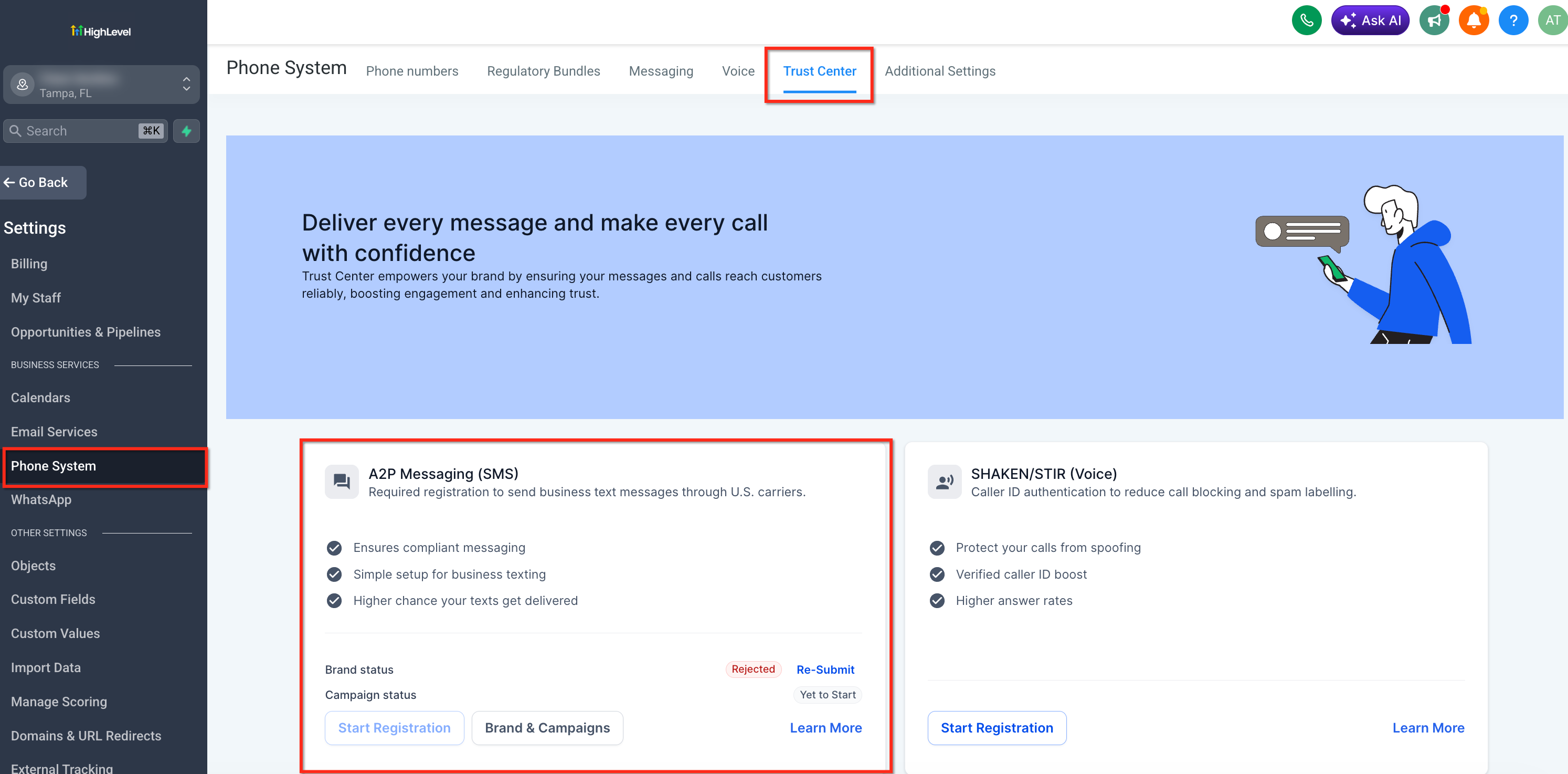
The feature lives inside the platform under Settings > Phone System > Trust Center. Inside Trust Center, open Brands & Campaigns, select the Campaigns tab, and locate any campaign with a Rejected status to access the fixes.
03How businesses use A2P campaign rejections
- Ecommerce retailer. The retailer opens the rejected promotional campaign, clicks the View required fixes link, and follows the correction steps for missing website business information. After updating the site and resubmitting, the campaign can be approved for future sale alerts.
- Dental practice. The practice reviews a rejected appointment reminder campaign, uses the modal to see that the opt in checkbox is pre selected, adds an unchecked box, and then resubmits the campaign to resume patient notifications.
- Fitness studio. The studio finds a rejection code indicating the privacy policy shares data with third parties. It updates the policy to state data is not shared, follows the modal’s correction guidance, and resubmits the membership renewal campaign.
04The numbers and rules that matter
- Maximum 100 campaigns per brand; deregister unused campaigns to free capacity.
- Maximum Messaging Services phone number limit requires contacting Support.
05Before you start
- Review every rejection reason shown on the campaign before making any changes.
- Ensure you can access Settings > Phone System > Trust Center to open the required fixes modal.
- Do not attempt to resubmit or create another campaign while the current campaign is in Pending status.
06How to set up and use A2P campaign rejections in HighLevel
View required fixes for a rejected A2P campaign
- Open Settings > Phone System > Trust Center, then choose Brands & Campaigns and go to the Campaigns tab.
- Find the campaign that shows a Rejected status.
- Click the View required fixes > link beside each listed rejection reason.
- In the modal, note the four fields: error code, rejection category, explanation, and correction needed.
- Read the correction needed section and make the indicated updates to opt in flow, website, consent wording, or brand information.
- If a required field cannot be edited during resubmission, create a new campaign with the corrected information.
- After all corrections are complete, click the resubmit button in the portal.
- Verify that the entire campaign, including description, sample messages, website, and privacy policy, is consistent before resubmitting.
07What it looks like in HighLevel
08Settings that matter
- Trust Center. The Trust Center hub where campaign compliance details are managed, including access to the View required fixes modal for rejected campaigns.
09Things to know before you rely on it
- A brand can have up to 100 active campaigns; exceeding this limit requires deregistering unused campaigns.
- The system permits only three registration attempts before showing a "Maximum 3 tries exhausted" error.
- If the account reaches the maximum Messaging Services phone number limit, further campaigns cannot be linked until the limit is increased.
- Campaigns rejected for forbidden, disallowed, or high risk content cannot be resubmitted with the same material.
10If something goes wrong
- Maximum 3 tries exhausted. Collect the CP 575 EIN Confirmation Letter (or a 147c letter), upload the business registration form, and email a screenshot of the form to HighLevel for brand approval.
- Approved campaign but SMS not working. Verify that the sending number is linked to the approved campaign and troubleshoot the SMS error separately.
11How it connects to the rest of HighLevel
- Step by step campaign registration walkthrough Campaign registration guide
- How to get your phone number A2P approved in 2026 A2P approval guide
- Prohibited SMS and MMS categories in the US and Canada Forbidden content guide
Michael's take

A2P rejections are a drill you can skip if you never use 10DLC messaging. If you do, the fix modal saves you from guessing.