
01Who this is for
- Admins who oversee many pipelines can arrange them for quicker navigation.
- Sales managers can set a logical order that matches their sales process.
- Team leads can ensure the same view for all users across the location.
02Pipelines, explained
The feature lets an admin change the display order of opportunity pipelines. You can move a pipeline up or down by dragging its handle, or you can type a specific position number to place it exactly where you want.
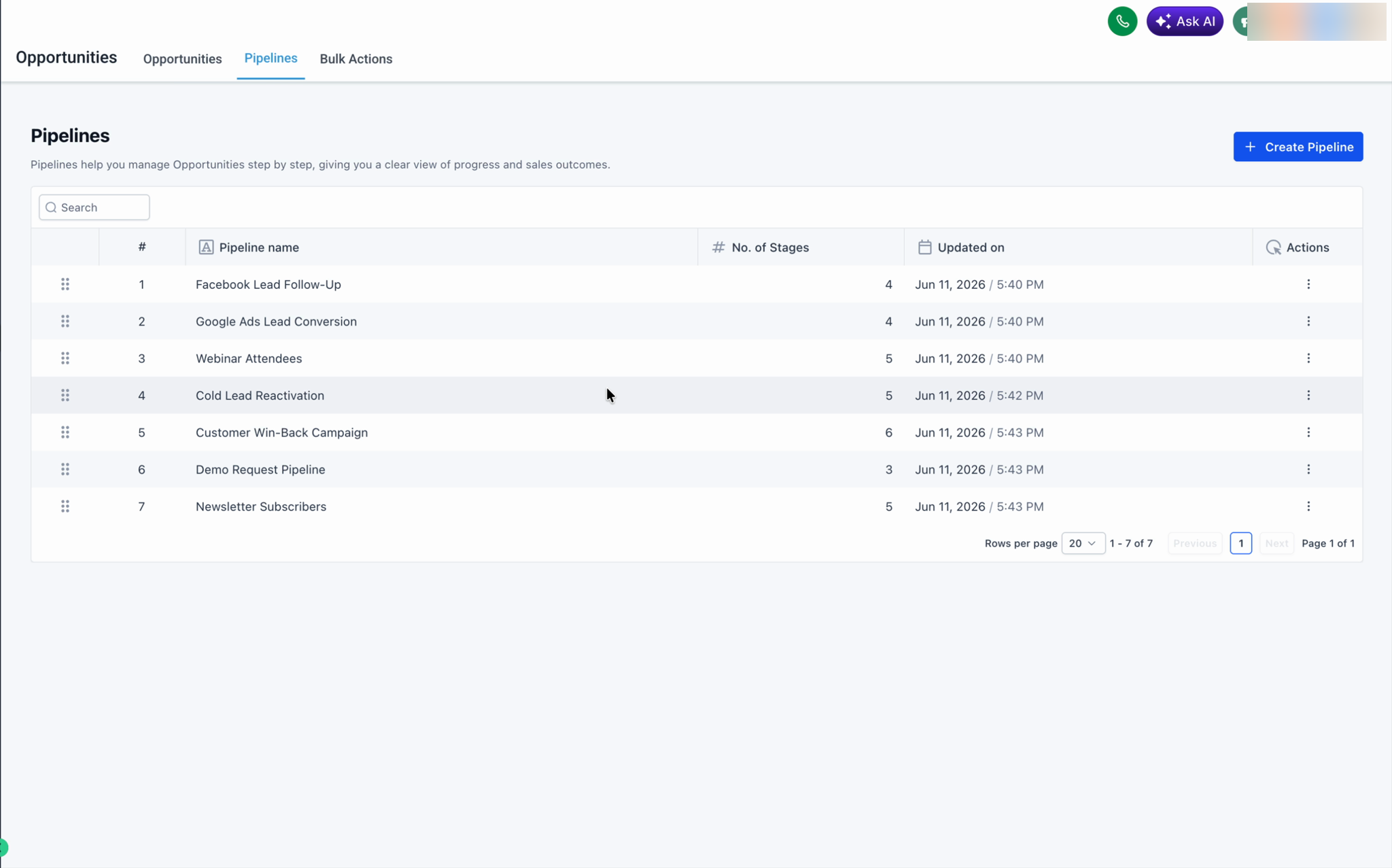
The reorder actions are performed from the Pipelines tab in the Opportunities view. The system saves the new arrangement automatically, so there is no separate Save button, and the order remains the same after the page is refreshed.
03How businesses use pipelines
- Real estate agency. A broker can open the Pipelines tab, drag the "Listing" pipeline above the "Prospect" pipeline, and release to prioritize current listings. The new order appears for all agents immediately.
- SaaS startup. The Founder can select the three dot actions on the "Onboarding" pipeline, choose Move to position, enter 1, and click Apply to make it the top pipeline, even if it was on another page.
- Marketing consultancy. The manager can reorder the "Lead Generation" pipeline by dragging its handle to sit between "Awareness" and "Conversion" pipelines, ensuring the team follows the intended workflow.
04Before you start
- User must have admin role in the account.
05How to set up and use pipelines in HighLevel
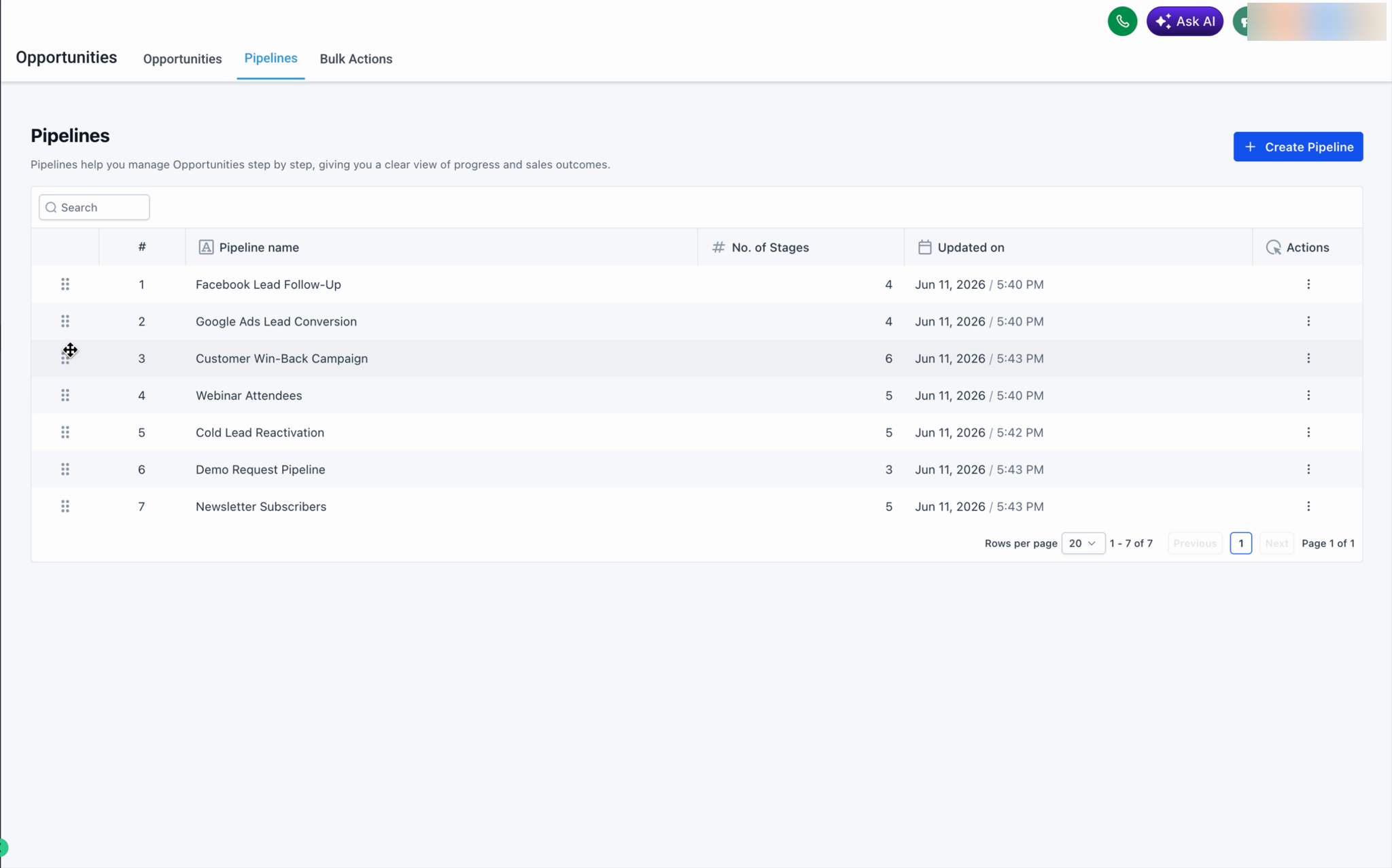
Reorder pipelines by drag and drop
- Open Opportunities and select the Pipelines tab.
- Hover over the dotted handle at the left of a pipeline row.
- Drag the row to the desired location and release.
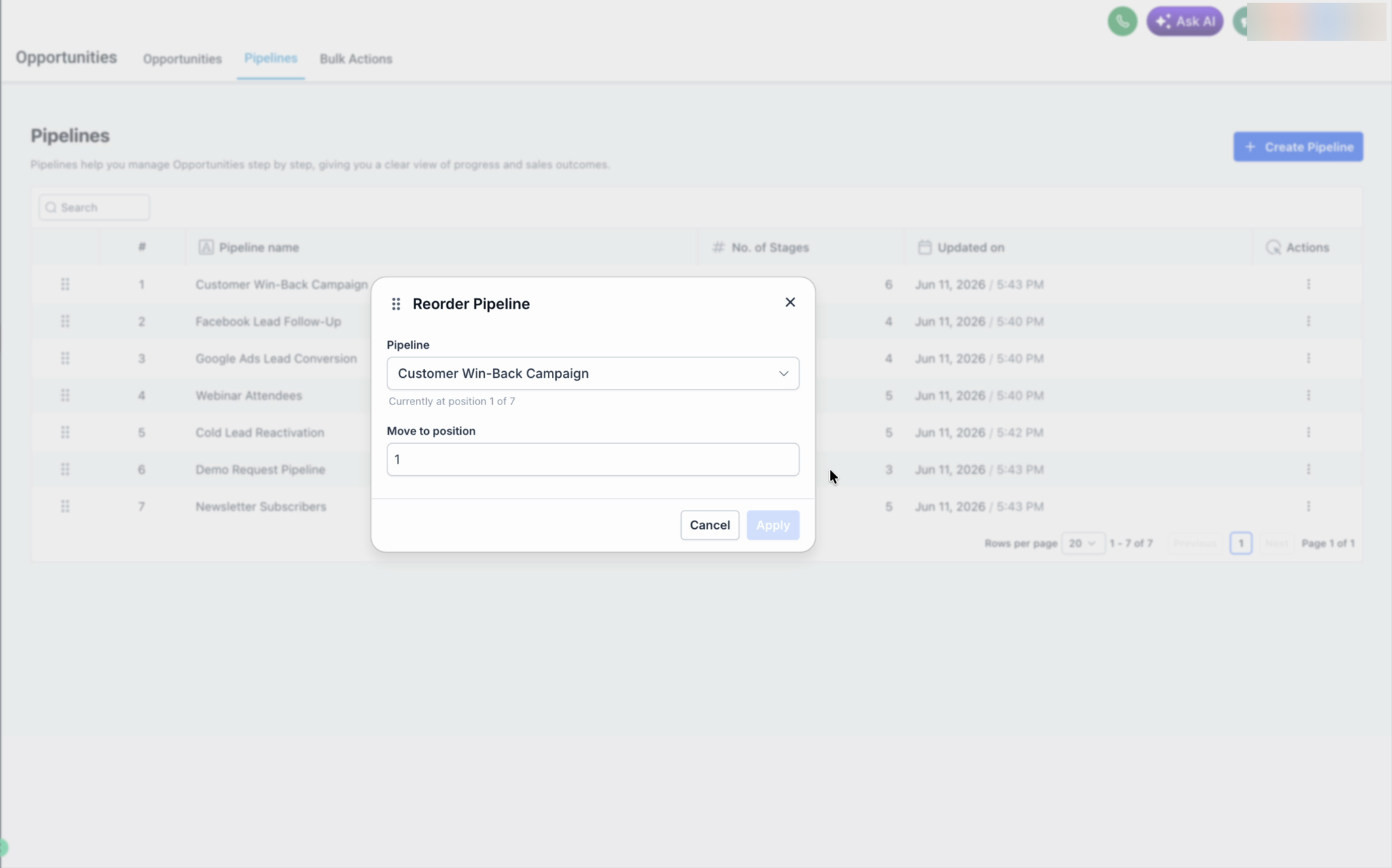
Move a pipeline to a specific position
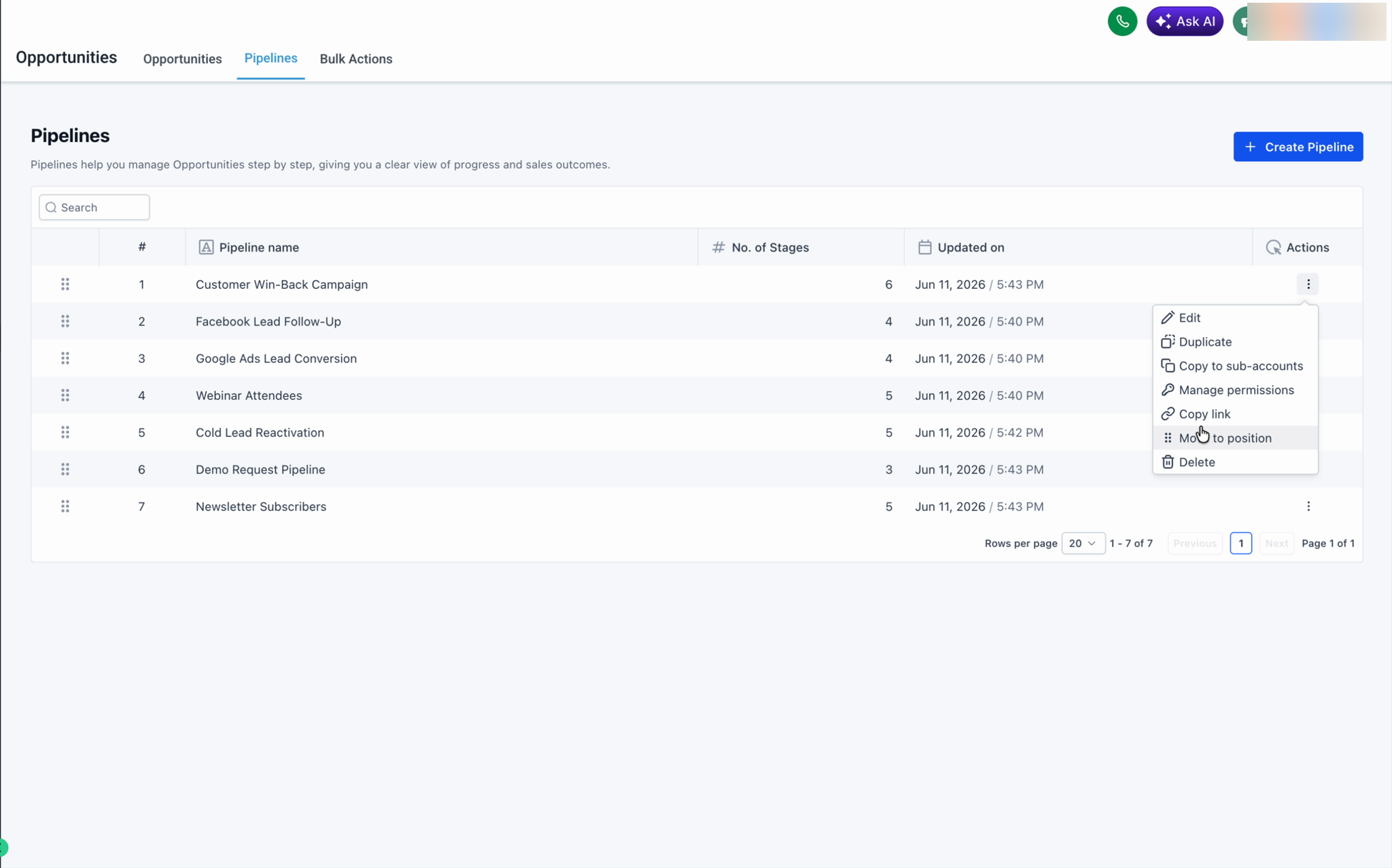
- Click the three dot Actions menu on the pipeline row.
- Choose Move to position from the menu.
- Enter the desired position number in the dialog.
- Press Apply to confirm the move.
06What it looks like in HighLevel
07Things to know before you rely on it
- Only admins can reorder pipelines; the setting is saved across the location for all users.
- The custom order saves automatically; there is no separate Save button.
- The order persists after page refreshes.
- Move to position works across pages, allowing placement of pipelines not currently visible.
08How it connects to the rest of HighLevel
- Enable multiple opportunities per contact multiple opportunities per contact
- Understanding opportunities in HighLevel opportunity basics
- HighLevel pricing and plans pricing
Michael's take

Michael ReimerFounder of CRM Pros, HighLevel Commander and Certified Admin
Reordering pipelines is a quick win for anyone who needs a tidy view of their sales flow.
Admins who don’t manage multiple pipelines can skip it.
Get More InformationOpens on HighLevelPublished November 3, 2026 · Updated November 17, 2026