
01Who this is for
- Agency admins can push a standard pipeline to many client subaccounts, keeping sales processes aligned.
- Sales managers can duplicate a pipeline inside a subaccount to test a new stage order before rolling it out.
- Founders can use duplication to speed onboarding of new locations by reusing a proven pipeline template.
02Duplicate & copy pipelines, explained
The Duplicate & Copy Pipelines feature lives in Opportunities > Pipelines. It provides two actions: Duplicate, which makes a copy inside the same subaccount, and Copy to subaccounts, which creates the pipeline in selected other subaccounts.
When duplicating, the system copies pipeline stages, permissions, smart tag colors and chart visibility. When copying to other subaccounts, only stages and chart visibility are transferred; permissions and smart tag colors are omitted, and no records, automations, reports or custom fields move.
03How businesses use duplicate & copy pipelines
- Marketing agency. An agency admin selects the master pipeline and copies it to each client subaccount, ensuring every client follows the same sales workflow without rebuilding stages.
- Real estate brokerage. A sales manager duplicates the existing pipeline within a regional office subaccount, renames it, and adjusts stage order to test a new buying process.
- Fitness studio chain. The Founder copies a standardized membership pipeline to newly opened studio subaccounts, then updates only the studio specific stages.
04Before you start
- User must have Edit access to the pipeline to see the Duplicate option.
- Only Agency Admins see the Copy to subaccounts option.
05How to set up and use duplicate & copy pipelines in HighLevel
Duplicate a pipeline within the same subaccount
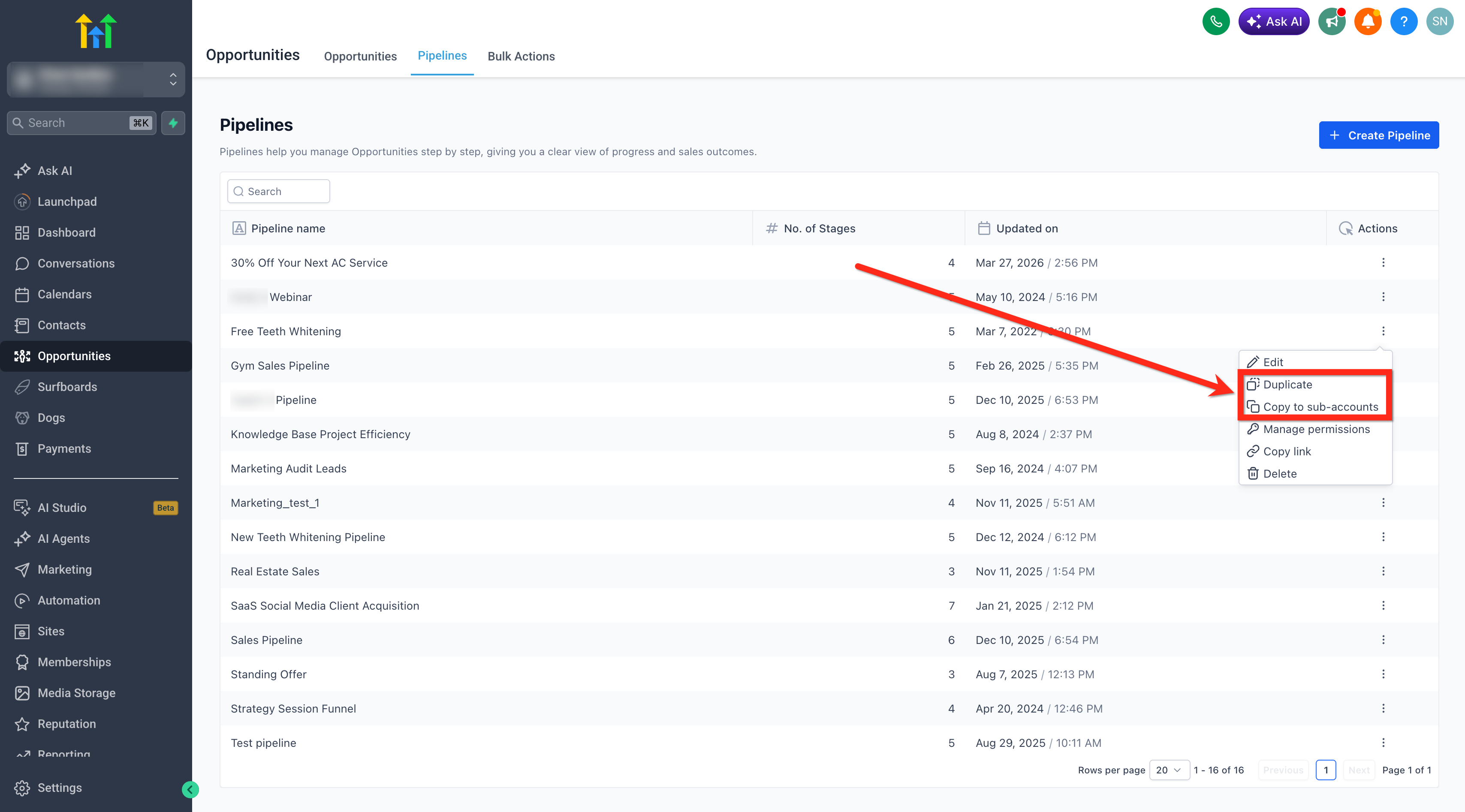
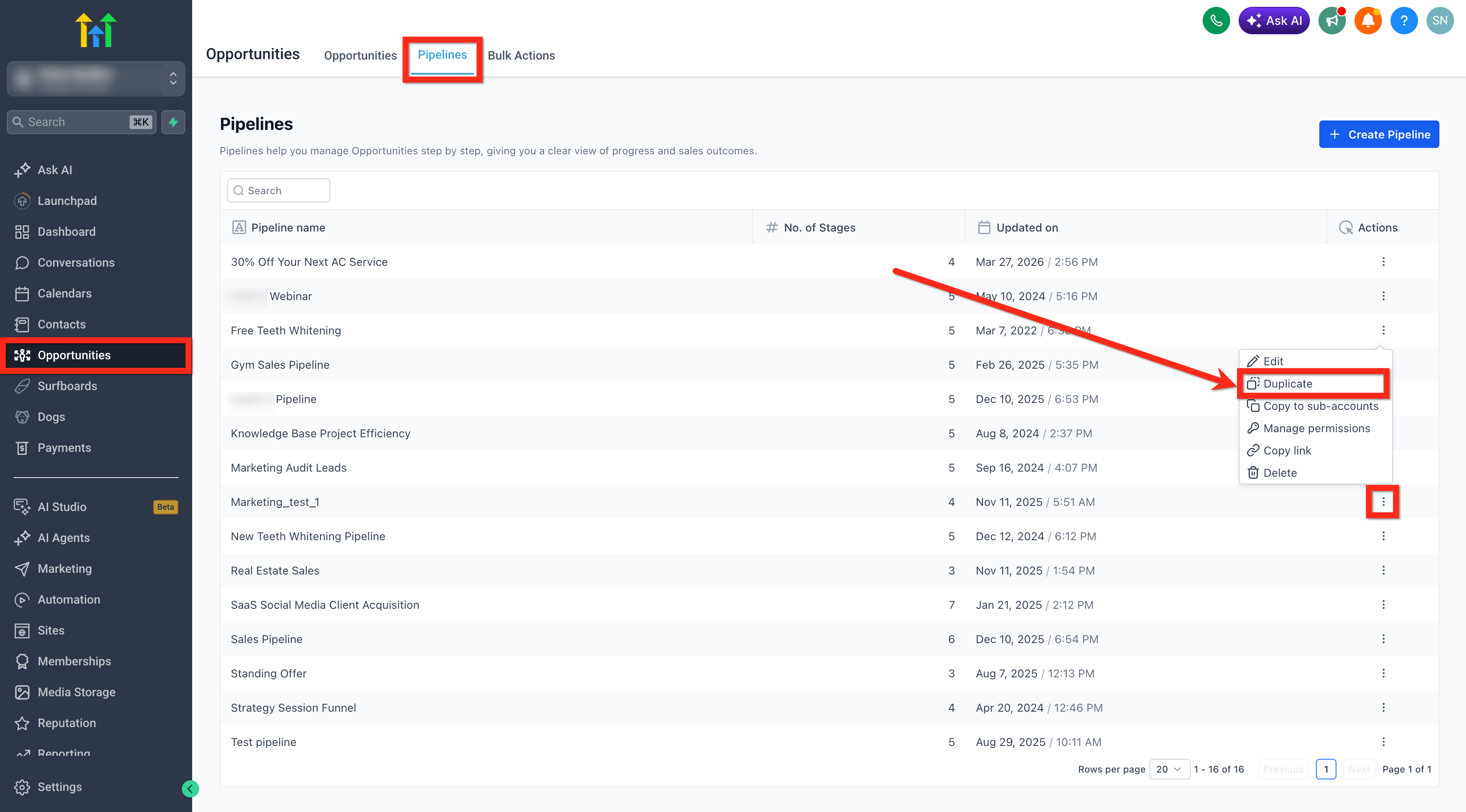
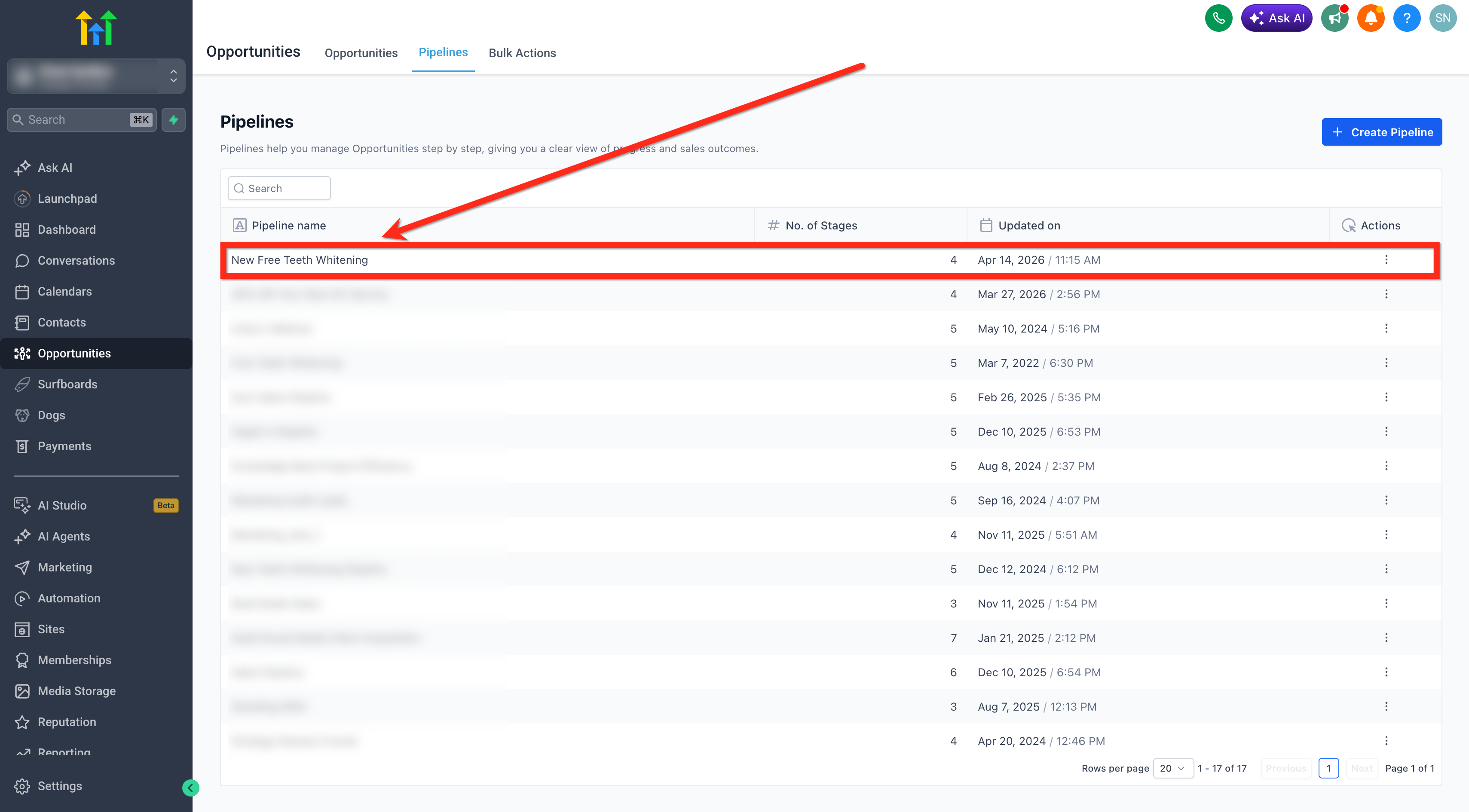
- Navigate to Opportunities > Pipelines.
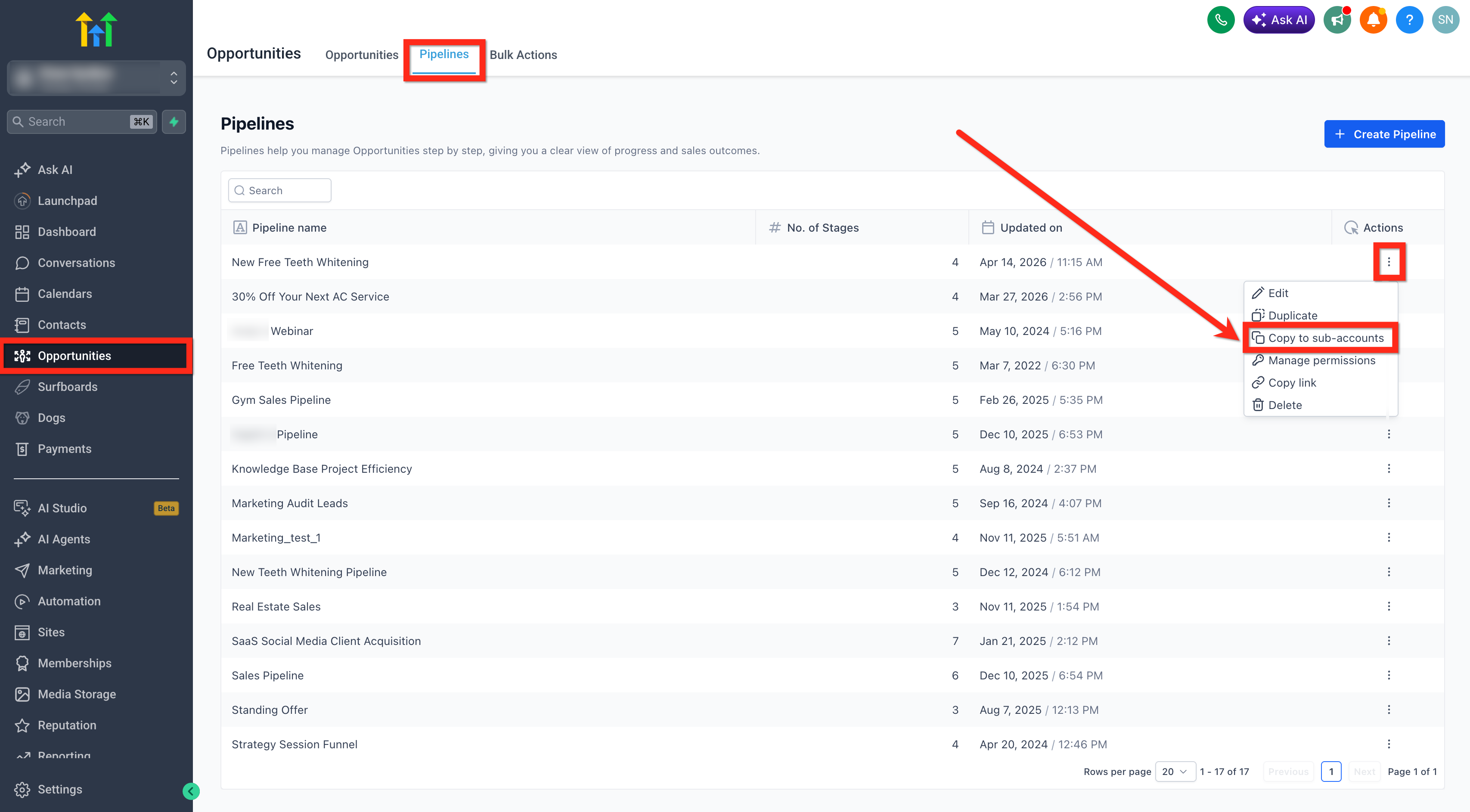
- Locate the desired pipeline and open the three dot menu, then select Duplicate.
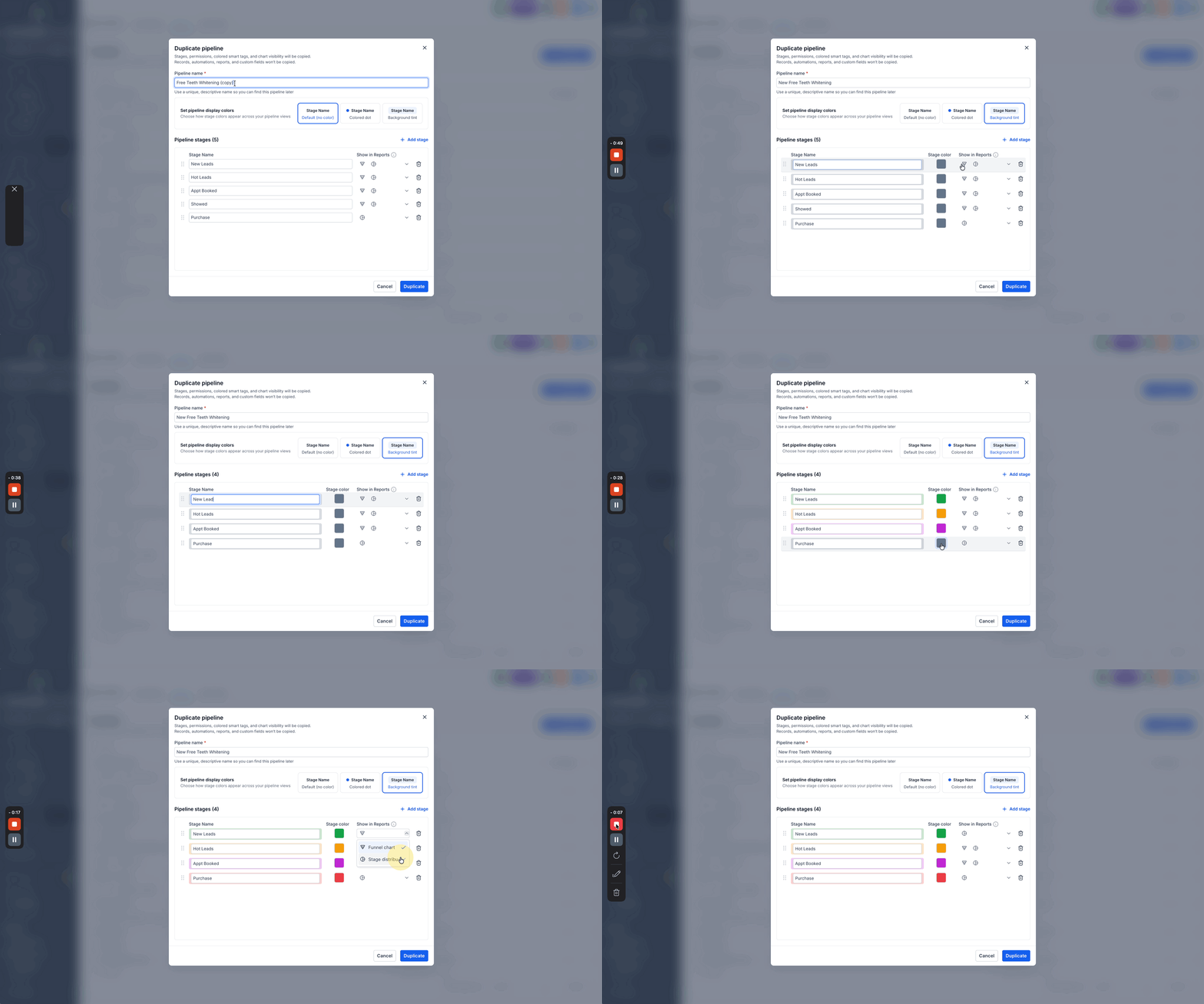
- In the Duplicate Pipeline window, enter a new Pipeline Name or keep the default that includes “(copy)”.
- Choose pipeline display colors for stage visualization.
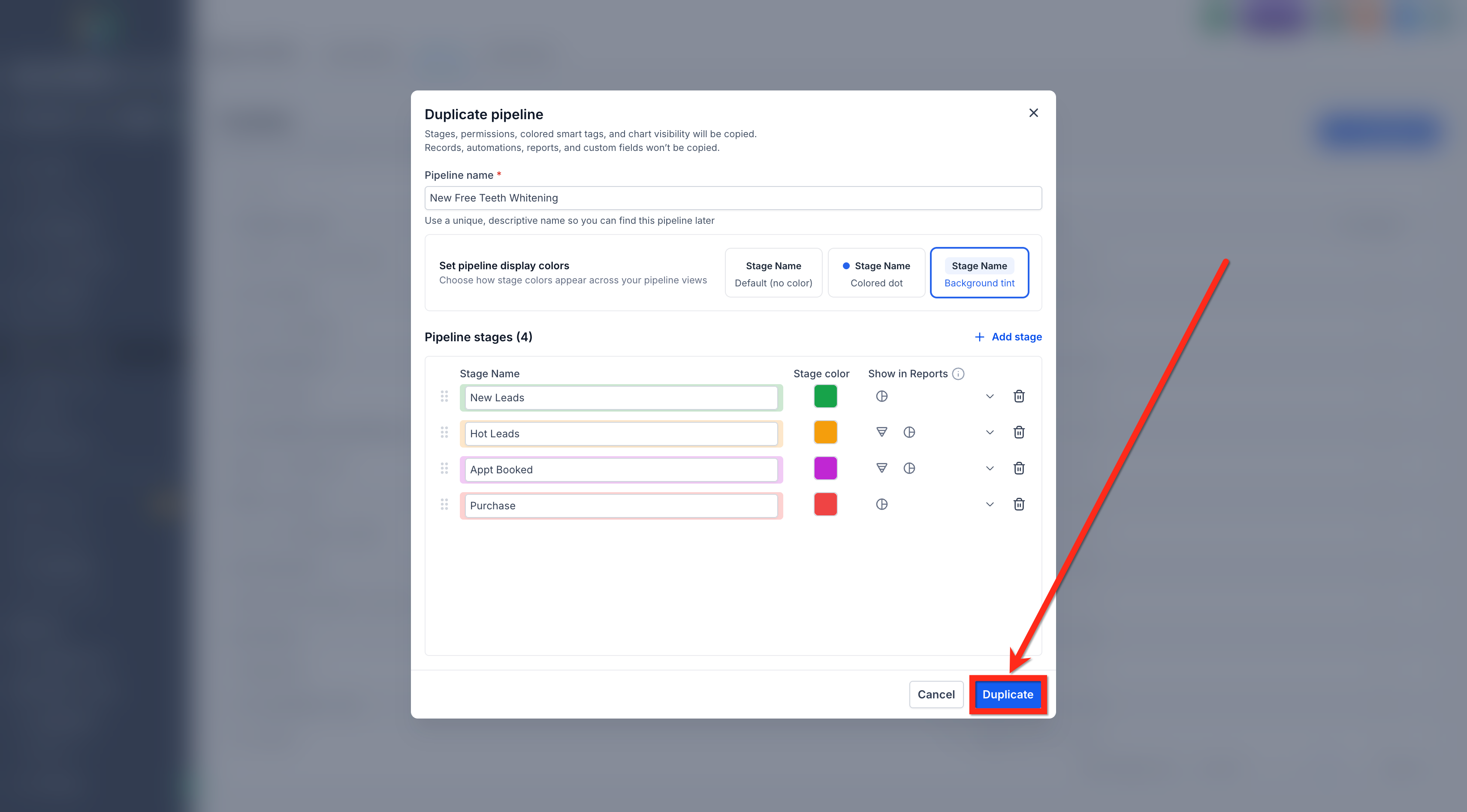
- Adjust Pipeline Stages: rearrange, rename, add or delete stages as needed.
- Set the show in report options for each stage to control dashboard visibility.
- Click Duplicate to create the new pipeline.
- The duplicated pipeline appears in the pipeline list and can be edited or used immediately.
Copy a pipeline to other subaccounts
- Navigate to Opportunities > Pipelines.
- Find the target pipeline, open its three dot menu, and select Copy to subaccounts.
- In the Copy to Subaccounts window, enter the Pipeline Name for the destination pipelines.
- Select one or more Subaccount(s) where the pipeline should be created.
- Click Copy.
- The pipeline is created in each selected subaccount.
06What it looks like in HighLevel
07Settings that matter
- Pipeline Name. Label of the new or copied pipeline; can be edited during duplication or copy.
- pipeline display colors. Controls how stage colors appear across pipeline views.
- Pipeline Stages. Allows rearranging, renaming, adding, or removing stages while duplicating.
- show in report options. Determines whether each stage appears in default dashboard reports.
- Select Sub, Account(s). Specifies which subaccounts receive the copied pipeline.
08Things to know before you rely on it
- Duplicate option is visible only to users with Edit access to the pipeline.
- Copy to subaccounts is restricted to Agency Admins.
- When copying to other subaccounts, pipeline permissions and colored smart tags are not transferred.
- Opportunity records, automations, reports and custom fields are never copied in either action.
09How it connects to the rest of HighLevel
- Learn how to enable multiple opportunities per contact, which may affect how duplicated pipelines handle contacts. Multiple opportunities per contact
- Use smart tags to color code your pipeline stages after duplication or copying. Smart tag color coding
- Setup new pipelines and stages from scratch if you need a template before using duplicate or copy. Create pipelines guide
- Review the pricing and plan options if you need to upgrade for Agency Admin access. Pricing
- Start a trial to explore pipeline duplication before committing to a plan. 30 day trial
Michael's take

This feature feels like a small convenience that can turn into a real shift for agencies that manage many client accounts. Being able to push a proven sales pipeline to every subaccount in one click removes a lot of repetitive work and keeps the team aligned.
A good fit is a marketing agency that runs separate subaccounts for each client. I would copy a master pipeline to each client account, then rename it so it’s clear which version belongs where. Before relying on it, I’d double check that the stages and chart visibility settings transferred correctly.