
01Who this is for
- Agency owners who create branded apps for clients can publish under their own company name, keeping the brand separate from personal accounts.
- Coaches and consultants who want a dedicated client app need a corporate Apple Developer account to meet store guidelines.
02Apple developer accounts, explained
The Apple Developer account is a required credential for publishing iOS apps through the App Store. It records the organization’s legal details and links to App Store Connect, where the white label app is submitted. The account lives outside HighLevel, but HighLevel can link to it for app distribution. Creating the account involves providing a DUNS number, confirming the legal entity and authority, and paying the annual fee. Once Apple verifies the information, the account becomes active and can be linked to the HighLevel mobile app customizer for publishing. All management of the developer program, including accepting updates to Apple terms, occurs at developer.apple.com and appstoreconnect.apple.com. Two factor authentication must be enabled on the Apple ID used for enrollment.
03How businesses use Apple developer account
- Fitness studio chain. The studio registers an Apple Developer account using its corporate email and DUNS number. After verification it links the account to HighLevel’s mobile app customizer to publish a branded iOS app for members.
- Real estate brokerage. The brokerage enrolls the organization in Apple’s program, then connects the account inside HighLevel to publish a white label iOS app that showcases listings and allows client communication.
- Online coaching business. The coaching firm creates a business specific Apple ID, completes the enrollment steps, and uses the HighLevel customizer to release a private iOS app that delivers courses and appointment scheduling.
04The numbers and rules that matter
- Program costs $99/year (nonprofits, schools, and government orgs may qualify for free enrollment) (per HighLevel's help center, checked November 2026).
- Apple may take up to 48 hours to verify and activate your account.
05Before you start
- DUNS Number for the business
- A legally registered company (no DBA or sole proprietorship)
- Owner or authorized executive as the enroller
- Publicly accessible company website
- Domain based business email address
- Apple ID dedicated to the company
06How to set up and use Apple developer account in HighLevel
Enroll Apple developer account for your white label mobile app
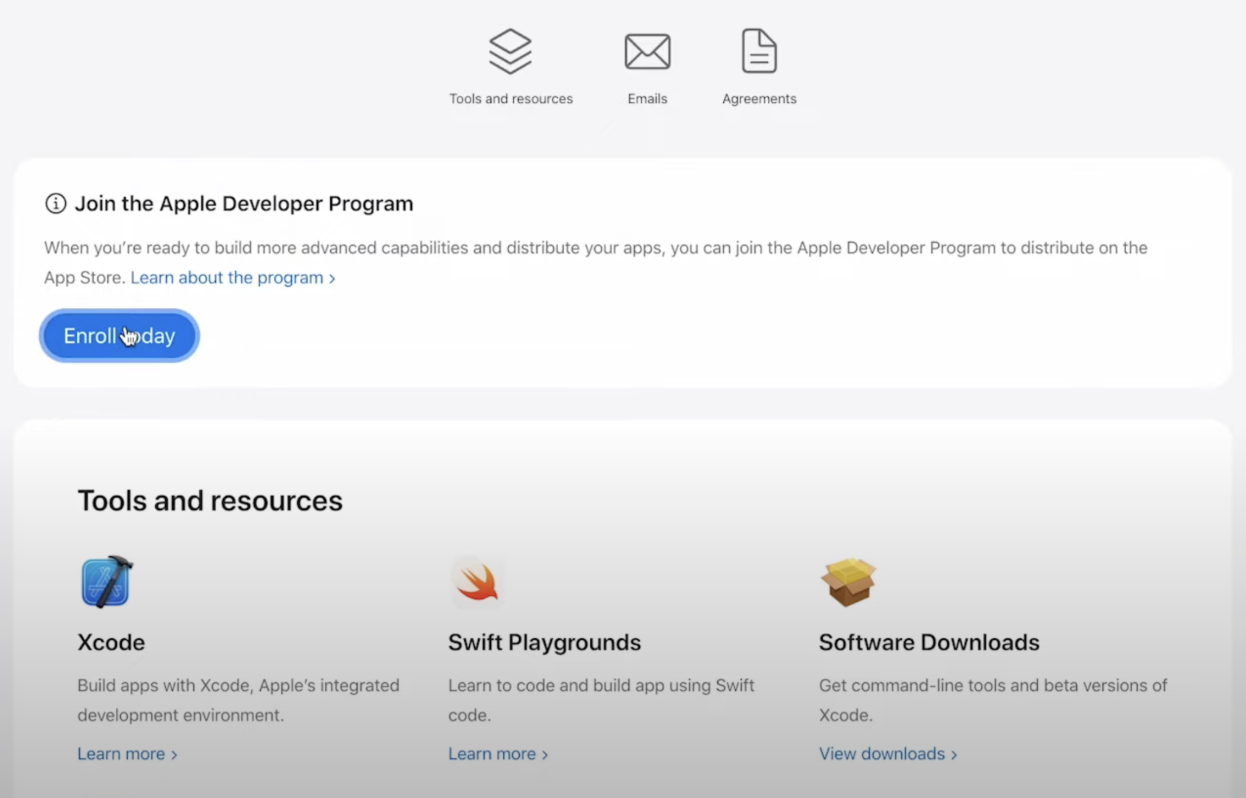
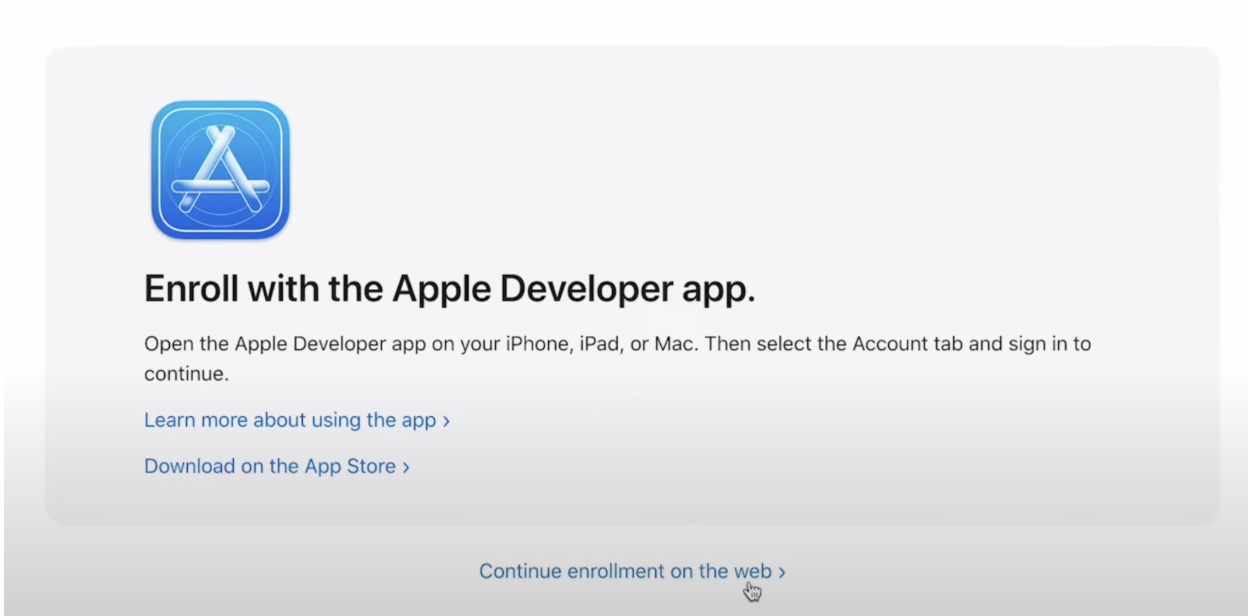
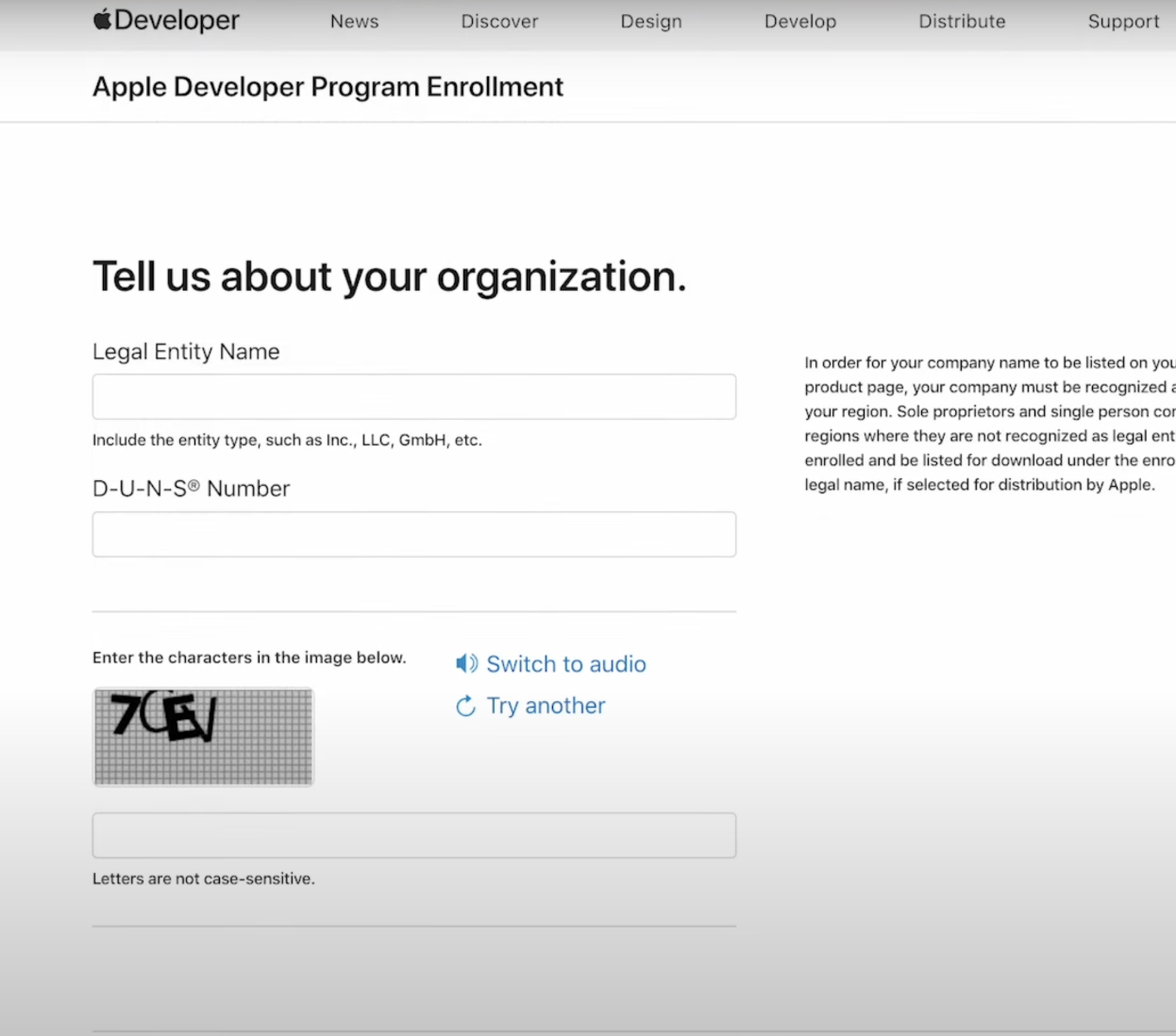
- Visit the Apple Developer enrollment page and sign in with a business Apple ID or create a new one.
- Agree to Apple’s Developer Terms and Conditions.
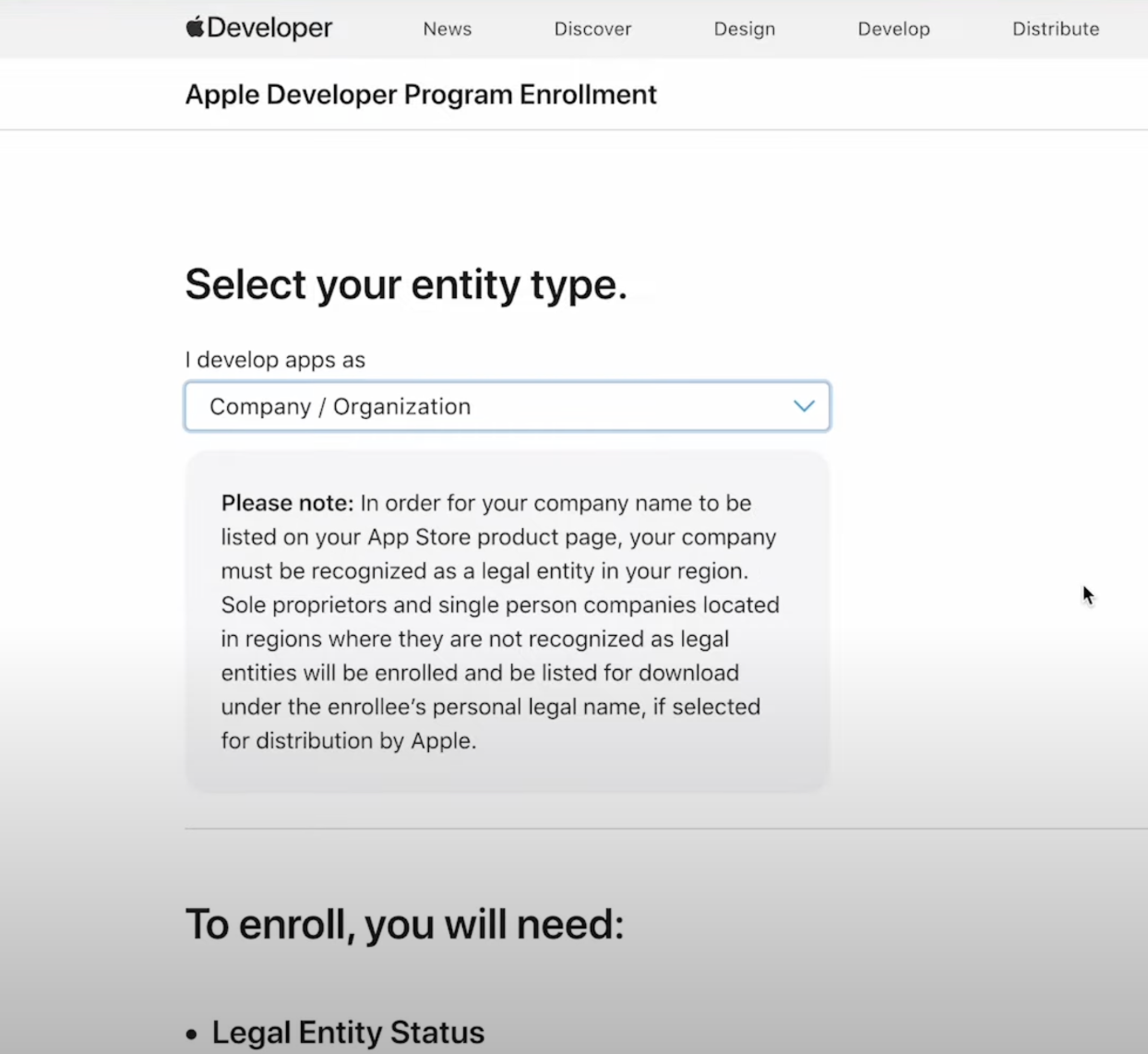
- Select Organization as the entity type so the developer name reflects the company name.
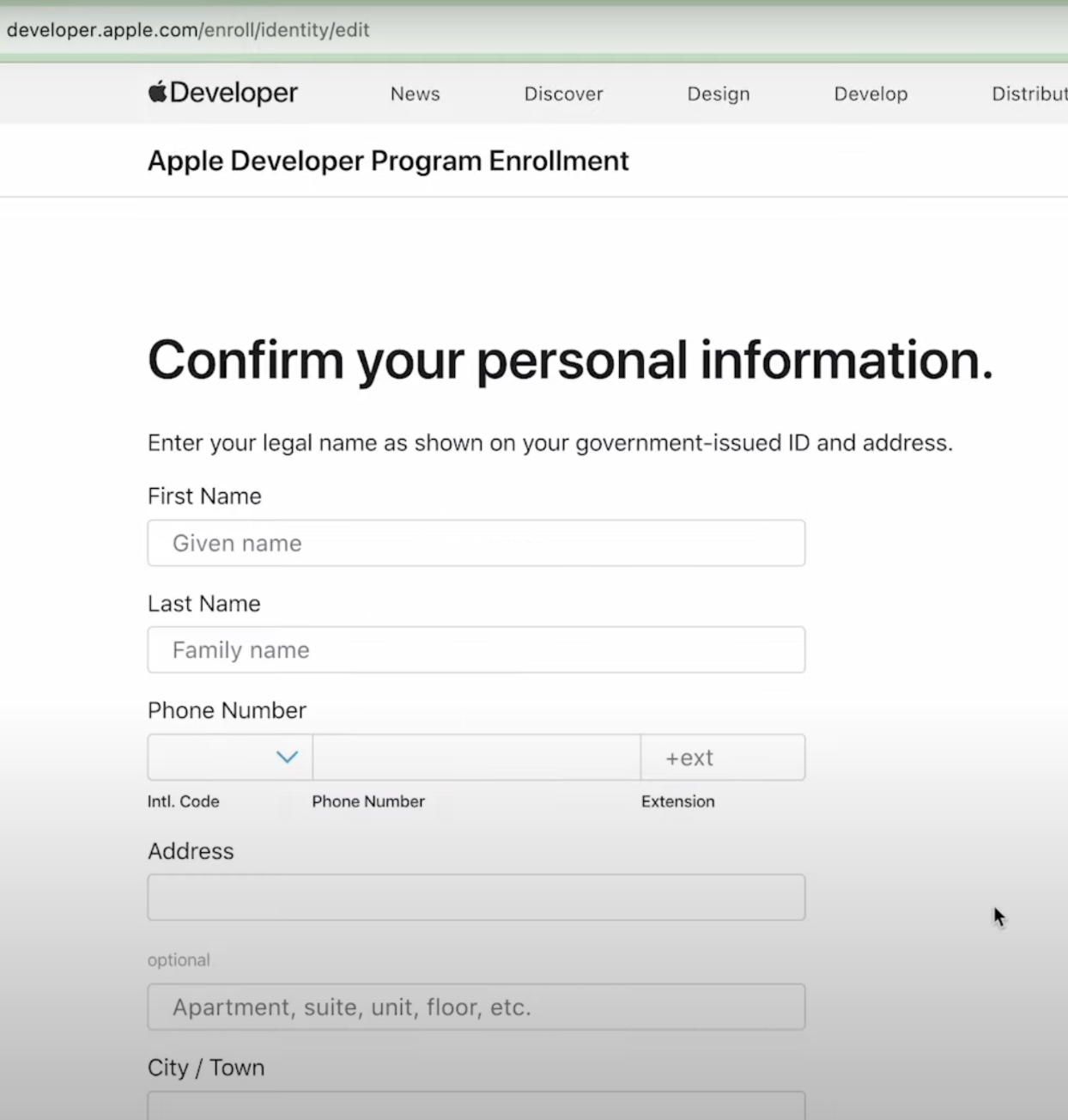
- Enter the company’s DUNS number, verify legal entity status and provide accurate contact information.
- Provide payment information for the $99 per year fee, noting that certain nonprofits, schools or government entities may qualify for free enrollment (per HighLevel's help center, checked November 2026).
- Verify the email address using the link Apple sends and allow up to 48 hours for Apple to activate the account.
- Make sure two factor authentication is enabled on the Apple ID used for enrollment.
07What it looks like in HighLevel
08Things to know before you rely on it
- The enrollment costs $99 per year; eligible nonprofits, schools and government organizations may enroll for free (per HighLevel's help center, checked November 2026).
- Apple can take up to 48 hours to verify and activate the account after email confirmation.
- Two factor authentication must be enabled on the Apple ID used for enrollment.
09If something goes wrong
- Enrollment fails or account does not become active. Confirm two factor authentication is enabled on the Apple ID and contact Apple Support at 1 to 800 to 633 to 2152 for assistance.
10How it connects to the rest of HighLevel
- Link your Apple App Store account to the HighLevel white label mobile app customizer after enrollment. Link Apple account
- Publish the iOS version of your white label app using App Store Connect. Publish iOS app
- Customize the appearance and features of your white label mobile app within HighLevel. App customizer
Michael's take

Apple developer accounts are essential if you want to push a native iOS app through the App Store.
Solo hobby projects or anyone without a registered company should skip it.