
01Who this is for
- Product sellers can accept customer payments directly within HighLevel.
- Coaches offering paid courses can use Stripe or PayPal to process enrollment fees.
- Affiliate managers can link a gateway for purchases tied to affiliate campaigns.
02Payment gateways, explained
The platform offers integration with four leading payment providers. Selecting a gateway connects it to checkout flows used in funnels, websites, forms, surveys, calendars, stores and other sales experiences. Once linked, the gateway can be set as the default for the entire account or overridden for individual sales channels.
Settings for each channel let you choose which provider processes transactions for that specific funnel or website. This flexibility ensures the right payment method is used where required, while the global default serves as a fallback.
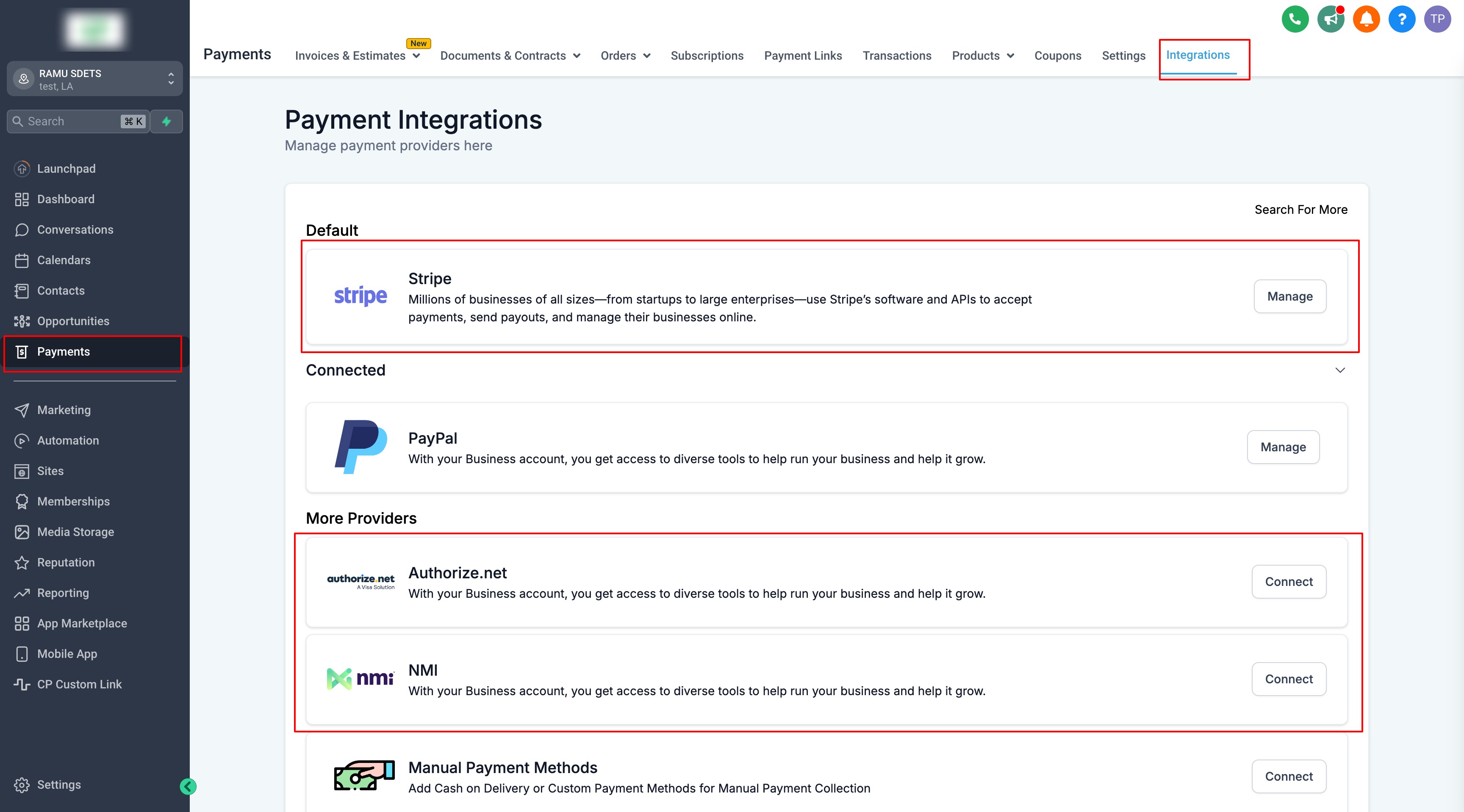
The integration points are found under the Payments section of HighLevel, where you manage providers, configure channel overrides, and later add products to sell.
03How businesses use payment gateways
- Ecommerce store. Navigate to Payments > Integrations and link Stripe as the provider. Then set Stripe for the store's sales channel. After that, add product items to the store page so customers can checkout using the connected gateway.
- Coaching service. Select PayPal in Payments > Integrations to handle course sign ups. Configure the coaching calendar channel to use PayPal instead of the global default. Finally, attach the paid appointment to the calendar so participants pay via PayPal.
- Affiliate marketing program. Connect Authorize.net from Payments > Integrations for purchases tied to affiliate campaigns. Assign Authorize.net to the campaign’s sales channel, then verify the campaign’s source, products, tracking and commission settings.
04The numbers and rules that matter
- Supported gateways: Stripe, NMI, Authorize.net, PayPal.
05How to set up and use payment gateways in HighLevel
Integrate a payment gateway
- Open the Payments menu and choose Integrations.
- Pick the desired provider, Stripe, NMI, Authorize.net or PayPal, to connect.
- Set the connected provider for the specific sales channel, overriding the global default if needed.
06What it looks like in HighLevel
07Settings that matter
- Channel level payment provider settings. Determines which payment gateway processes transactions for a particular sales channel, allowing it to replace the account wide default.
- global default provider. Specifies the fallback payment gateway used when a channel does not have its own override.
08Things to know before you rely on it
- Only Stripe, NMI, Authorize.net and PayPal are supported as payment gateways.
- Availability of providers can vary depending on the HighLevel product area where the payment is collected.
- Affiliate Manager attribution support may differ from the general payment provider availability.
09How it connects to the rest of HighLevel
- How to pay your Affiliates Affiliate payout guide
- Set Up and Pay Affiliates using PayPal Auto Payouts PayPal auto payouts
- Adding and managing payout methods in HighLevel Manage payout methods
Michael's take

Payment gateways are essential for selling products through HighLevel; if you’re only giving away free leads, you can skip them.
Affiliate managers have four gateway options and should verify attribution support for each gateway before committing.