
01Who this is for
- Agency owners who run affiliate programs for several clients can reduce repetitive clicks when reviewing large commission lists.
- Marketing managers overseeing high volume affiliate campaigns benefit from faster status changes across many commissions.
- Finance teams that need to clear denied commissions before payouts gain efficiency with bulk deletions.
02Bulk actions for affiliate commissions, explained
The feature adds a Bulk Actions button that appears on the Commissions tab of an affiliate profile and on the main Affiliate Manager dashboard. It lets you pick multiple commission rows with checkboxes and apply a single command to all of them.
Available commands are Approve, Deny, and Delete. Approve and Deny change the status of each selected commission. Delete permanently removes commissions, but only if they already have a Denied status.
Bulk actions respect the same permission rules as individual commission edits. They do not generate email notifications, and once submitted the change cannot be undone.
03How businesses use bulk actions for affiliate commissions
- Digital marketing agency. The agency opens the Affiliate Manager, selects commissions from multiple affiliates on the dashboard, and uses Bulk Actions to deny all pending payouts before the monthly payout run. The action updates each commission status in one go.
- Ecommerce store with an affiliate program. A store manager goes to an individual affiliate’s profile, checks the commissions that have been verified, and clicks Bulk Actions > Approve to mark them ready for payout, avoiding single click approvals.
- Consulting firm handling client affiliate payouts. When cleaning up records, the firm filters commissions to show only Denied ones, selects them on the dashboard, and chooses Bulk Actions > Delete to remove them from the system before final reporting.
04The numbers and rules that matter
- No fixed limit to how many commissions can be bulk approved at once.
05Before you start
- User must have permission to manage affiliate commissions.
06How to set up and use bulk actions for affiliate commissions in HighLevel
Bulk actions from affiliate profile
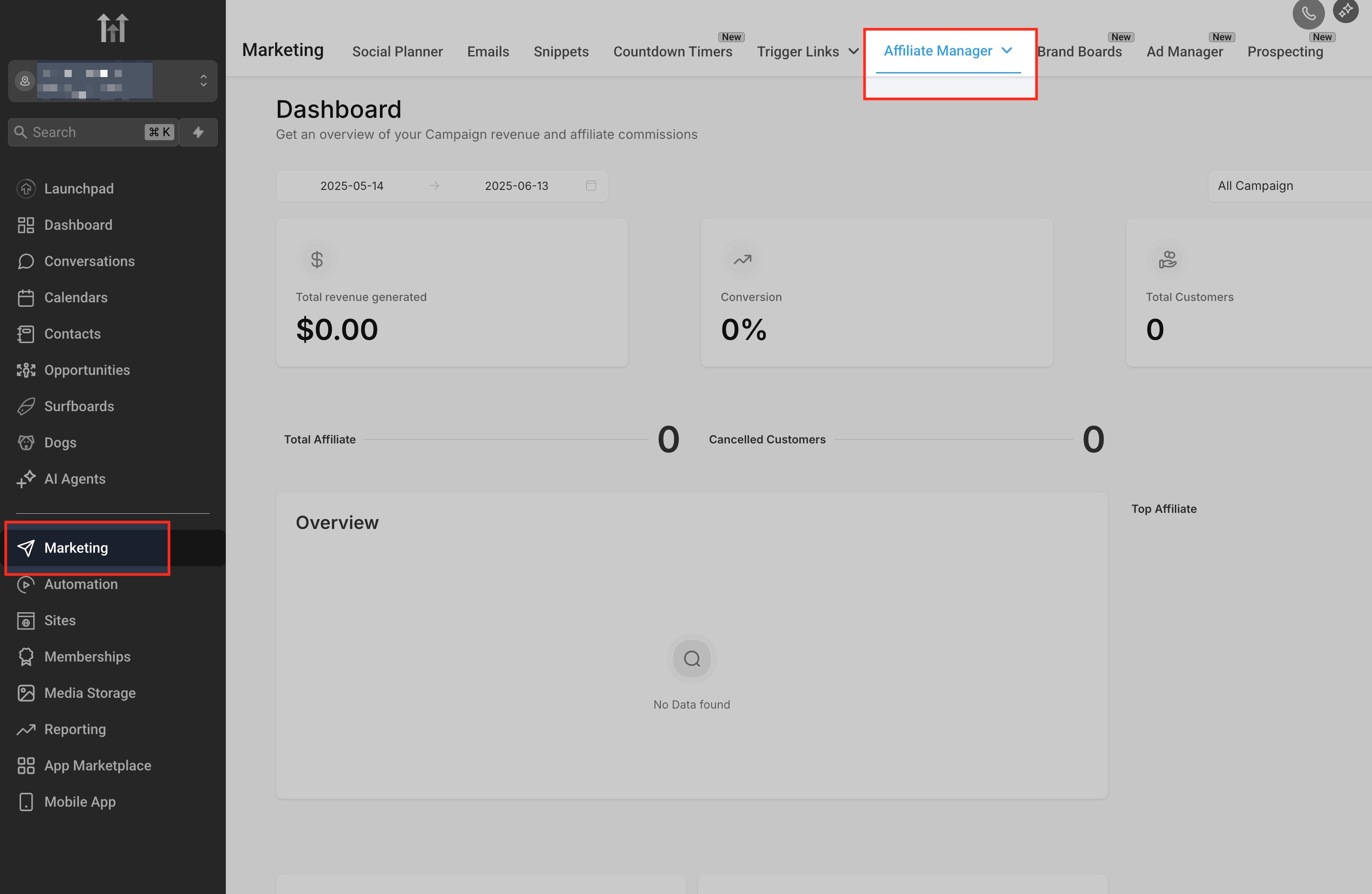
- From the subaccount, navigate to Marketing > Affiliate Manager.
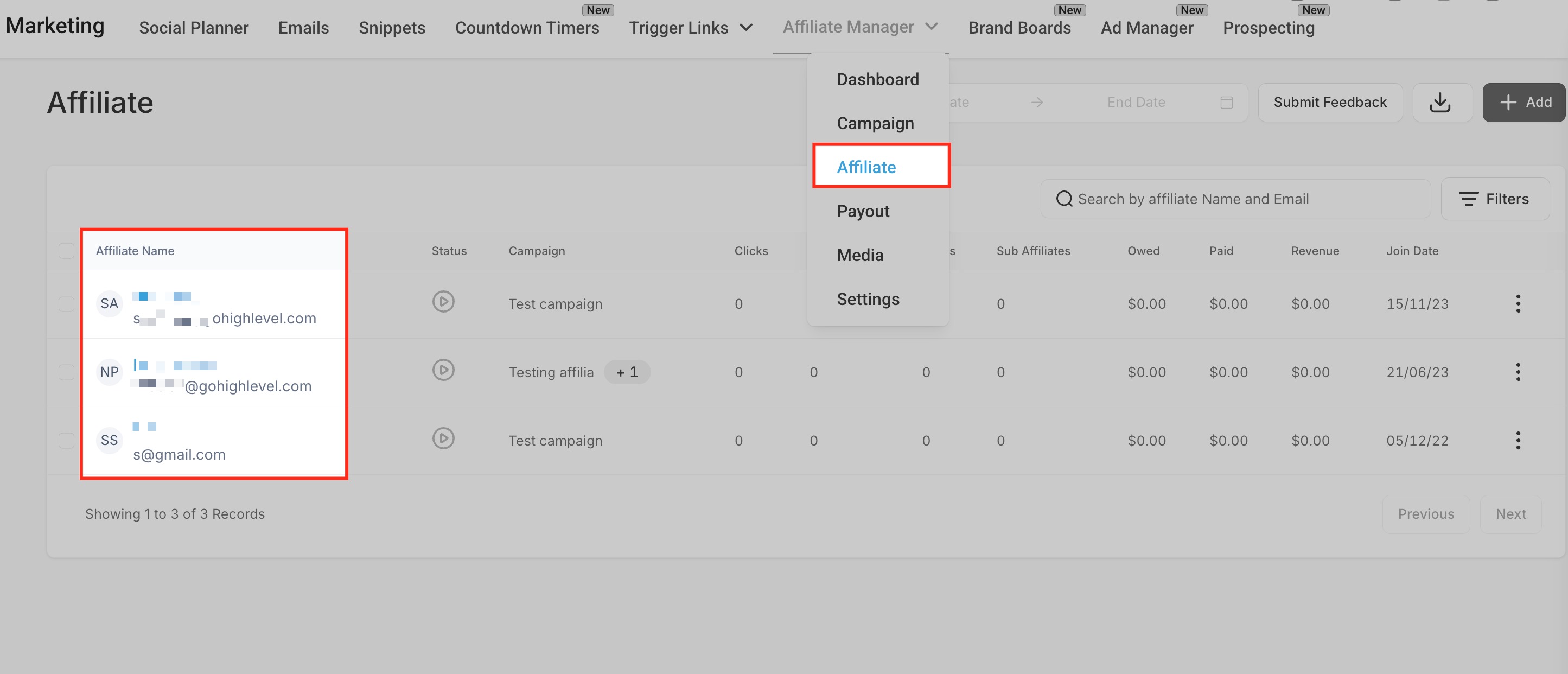
- Open the Affiliate section and select the affiliate whose commissions you want to edit.
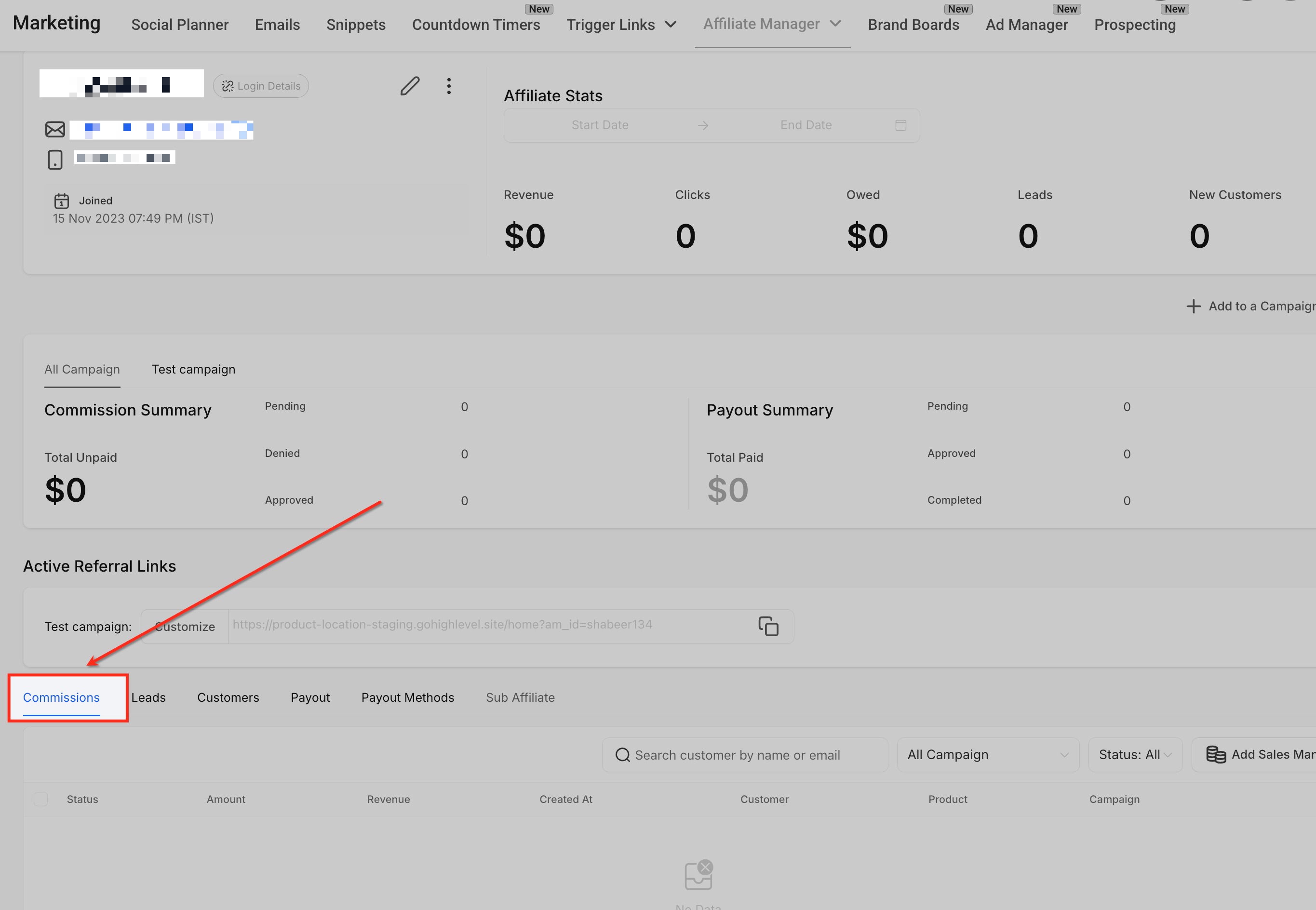
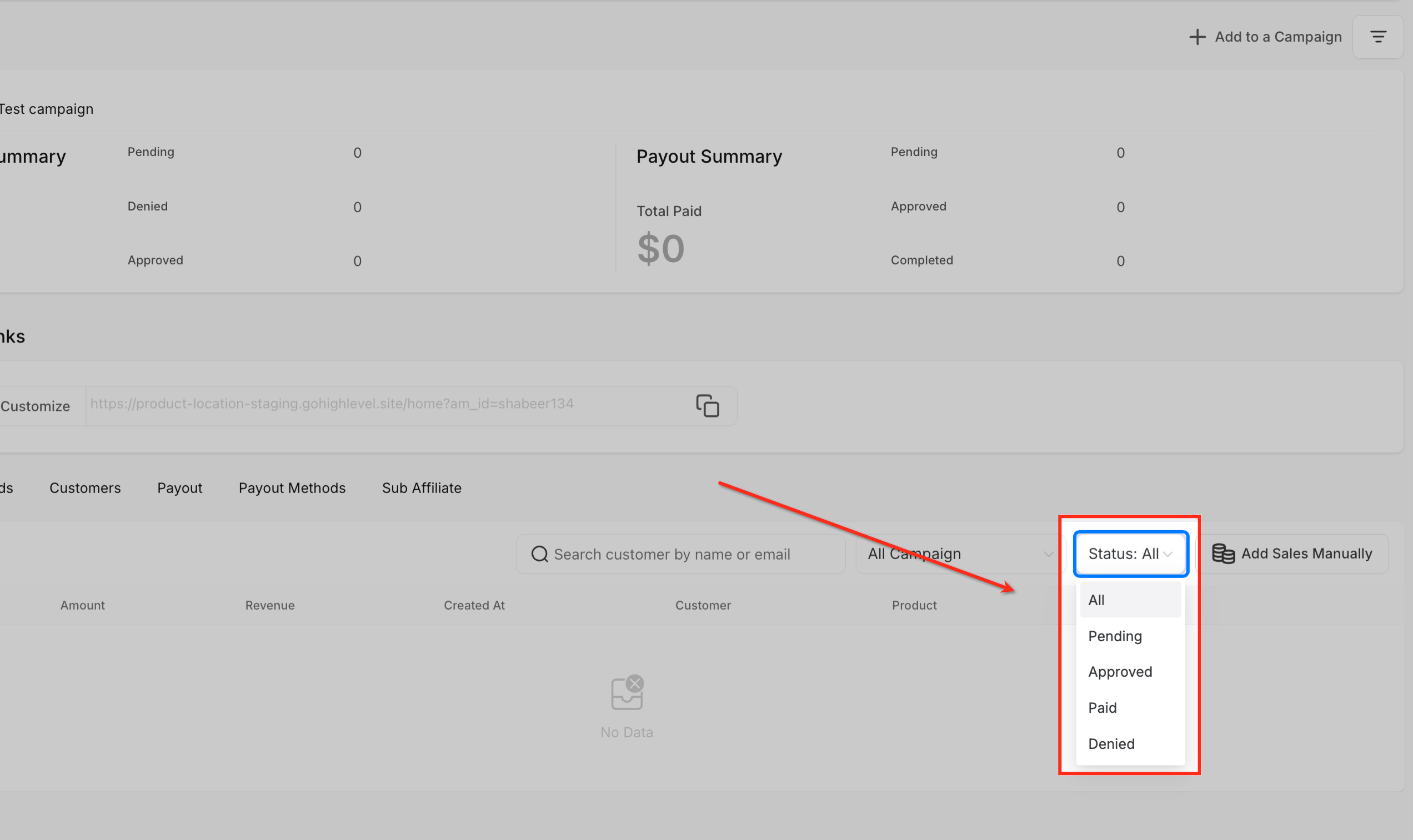
- In the affiliate profile, click the Commissions tab.
- Mark the checkboxes next to the commissions you wish to affect.
- Press the Bulk Actions button.
- Choose Approve, Deny, or Delete according to the needed change.
- Confirm the selection; note that only commissions with a Denied status can be deleted.
Bulk actions from the dashboard
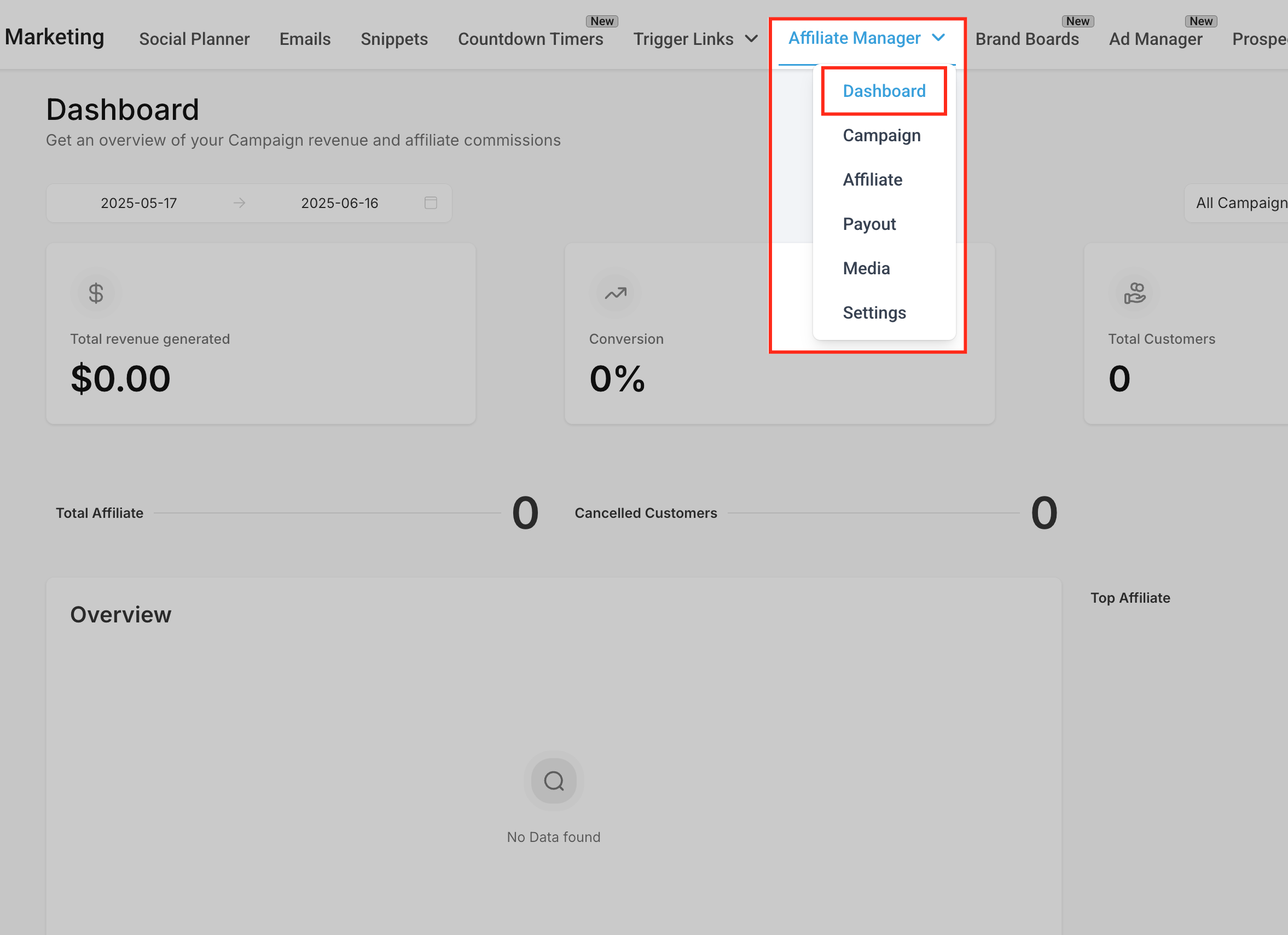
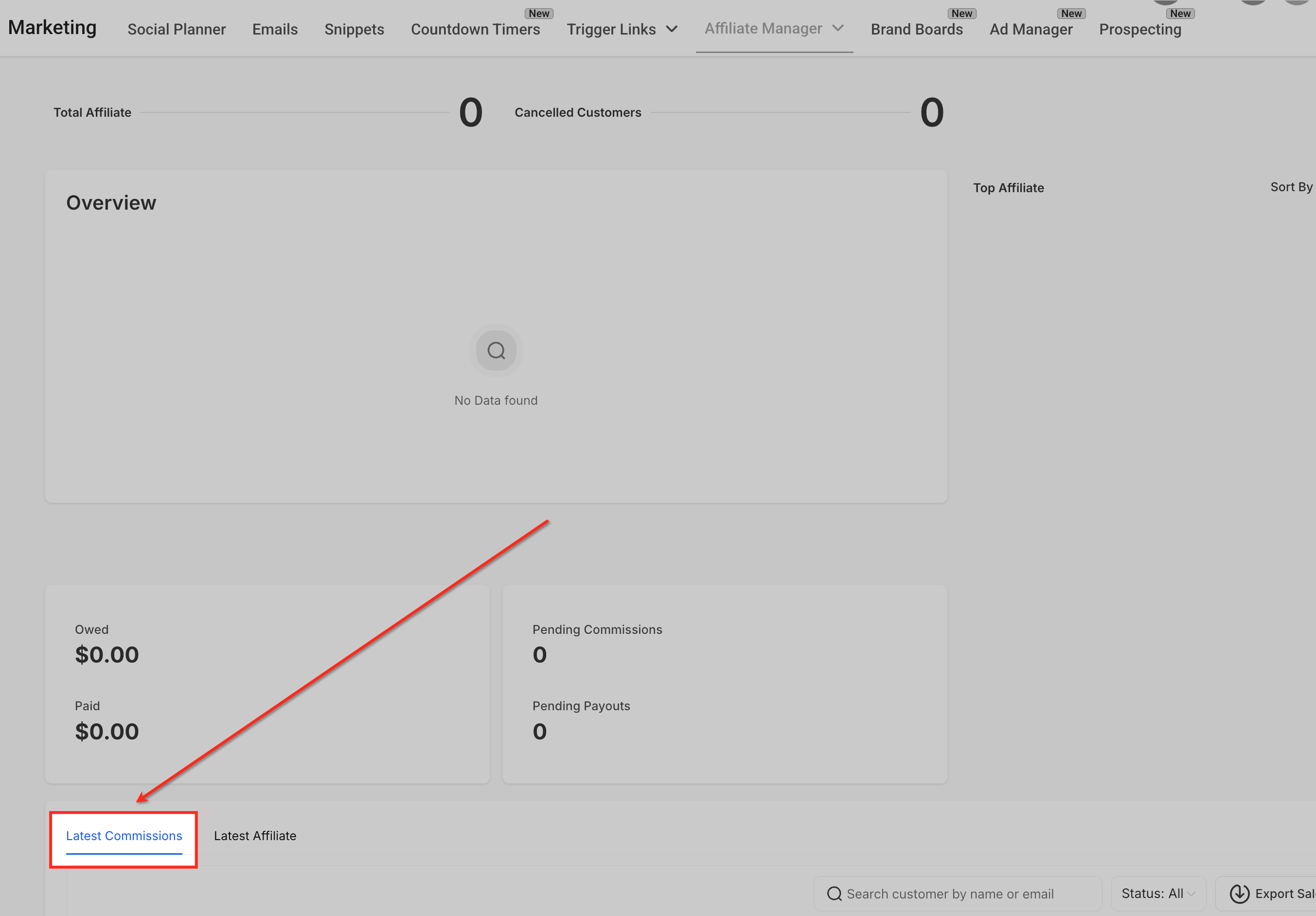
- Open the Affiliate Manager Dashboard.
- Find the Latest Updates list that shows recent commissions.
- Select the checkboxes for the commissions you intend to modify.
- Click Bulk Actions and pick Approve, Deny, or Delete.
- If you selected Delete, ensure each chosen commission is already in Denied status before confirming.
07What it looks like in HighLevel
08Settings that matter
- Status filter. Filters the commission list to show only records with a selected status such as Pending, Approved, or Denied.
- Campaign filter. Limits the displayed commissions to those belonging to a specific affiliate campaign.
09Things to know before you rely on it
- Only commissions that are already Denied can be deleted with Bulk Actions.
- Bulk actions cannot be undone; confirm selections before submitting.
- Users without permission to manage affiliate commissions cannot see or use Bulk Actions.
- Bulk actions do not automatically send email notifications to affiliates.
- There is no fixed maximum number of commissions per bulk operation, but processing large batches may take a few seconds.
10How it connects to the rest of HighLevel
- How to pay your Affiliates Affiliate payout guide
- How to add and manage affiliate payout methods Payout method setup
- HighLevel pricing and plans Pricing overview
Michael's take

Wondering if bulk actions for affiliate commissions are worth the effort? They let you approve, deny or delete a batch of commissions with a few clicks, which is a lifesaver when you’re handling lots of affiliates and don’t want to waste time on repetitive individual updates.
I’d start by using the dashboard view to filter pending commissions, then run a bulk approve. Just remember you can’t undo the action, so double check the list before you hit confirm.