
01Who this is for
- Founders who run an affiliate program and need to collect payout details from partners.
- Marketing managers who must control which payout options affiliates can use.
- Finance staff who enter bank or PayPal data on behalf of affiliates.
02Payout methods, explained
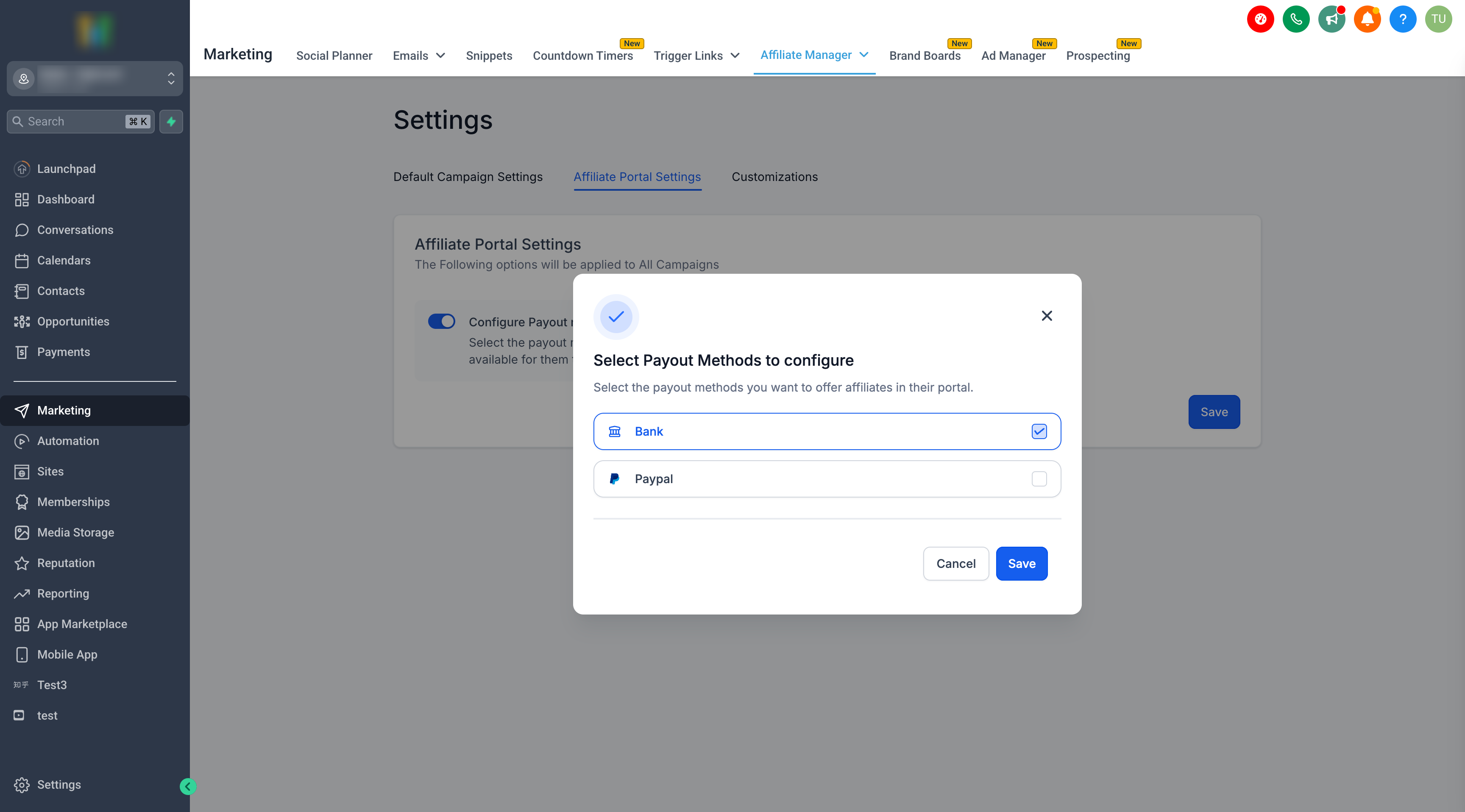
The feature records a PayPal email address or bank account information for each affiliate. Admins decide whether PayPal, bank transfer, or both appear in the affiliate portal. Affiliates see only the methods the admin has enabled, and they can add or edit their own details.
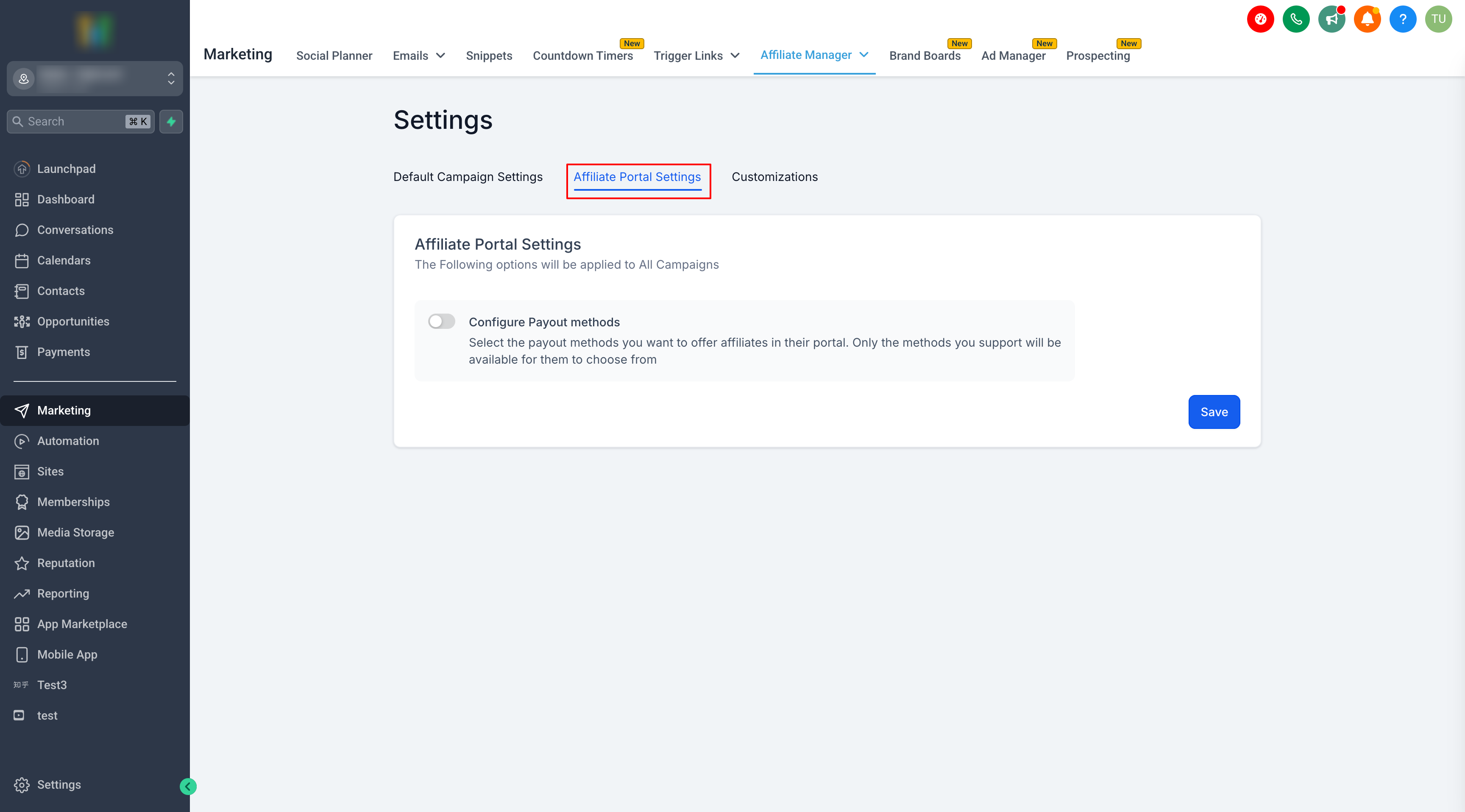
The settings live under Affiliate Manager > Settings > Affiliate Portal Settings > Configure Payout Methods. Once saved, the chosen methods become the only options displayed in the portal’s Payout Methods tab.
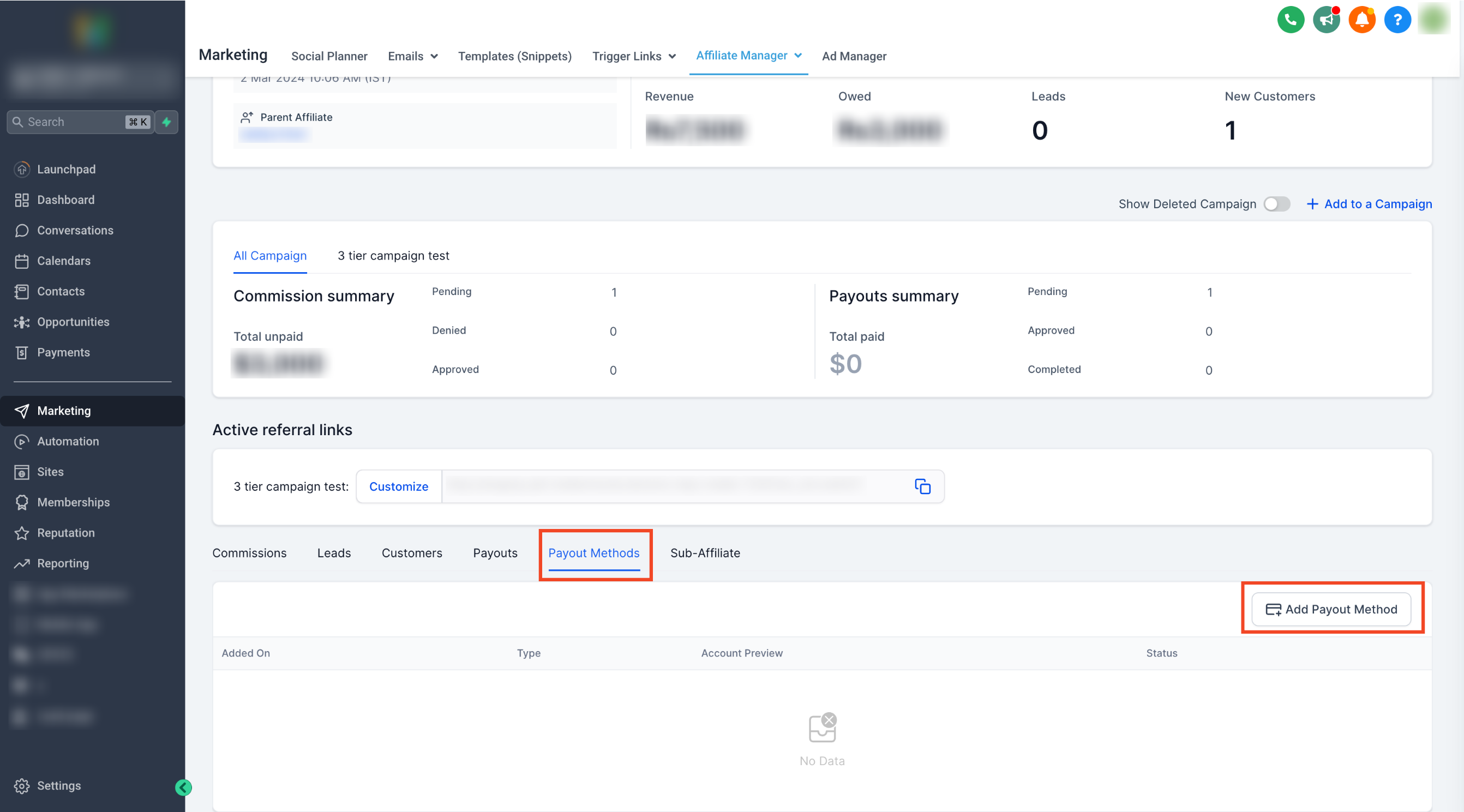
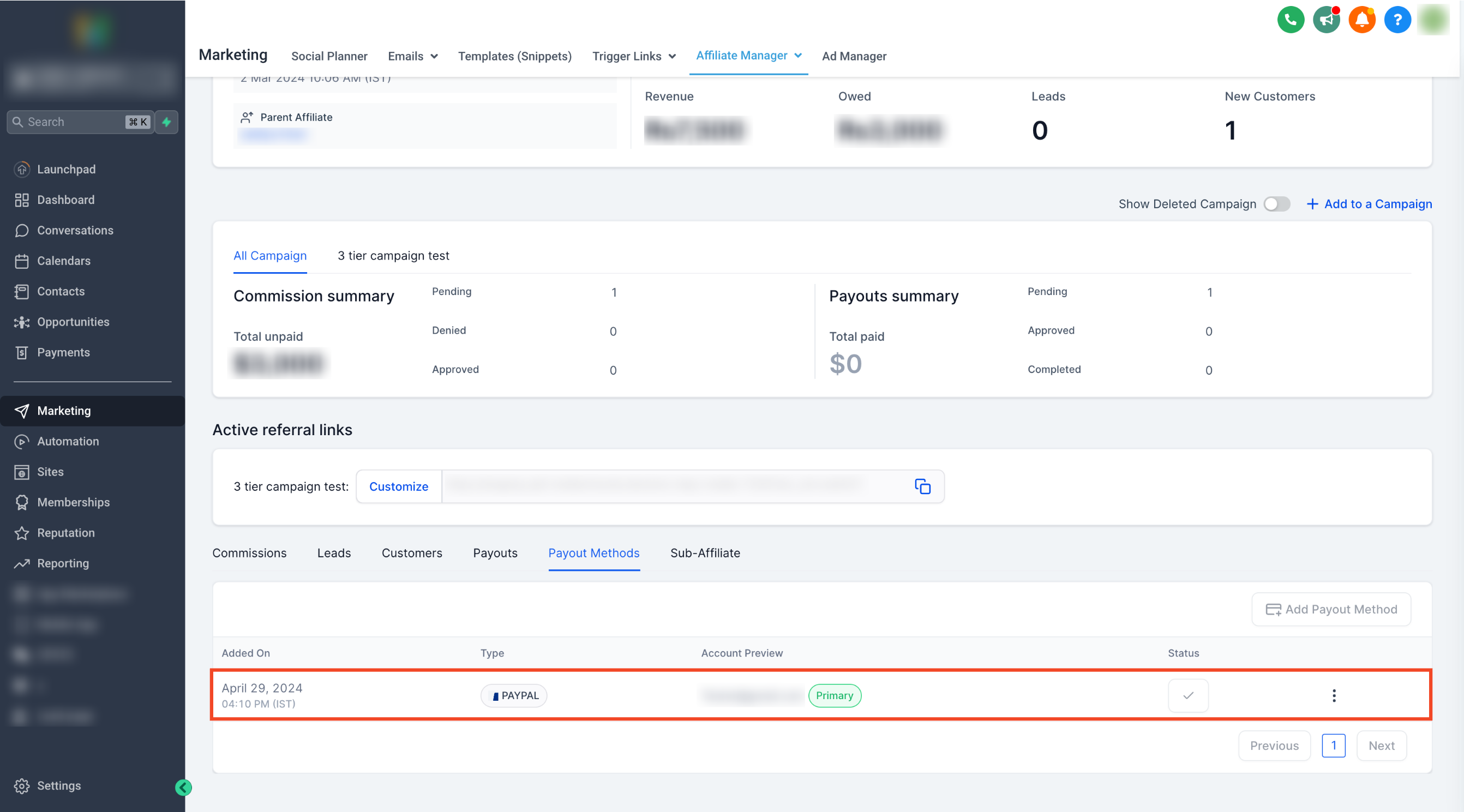
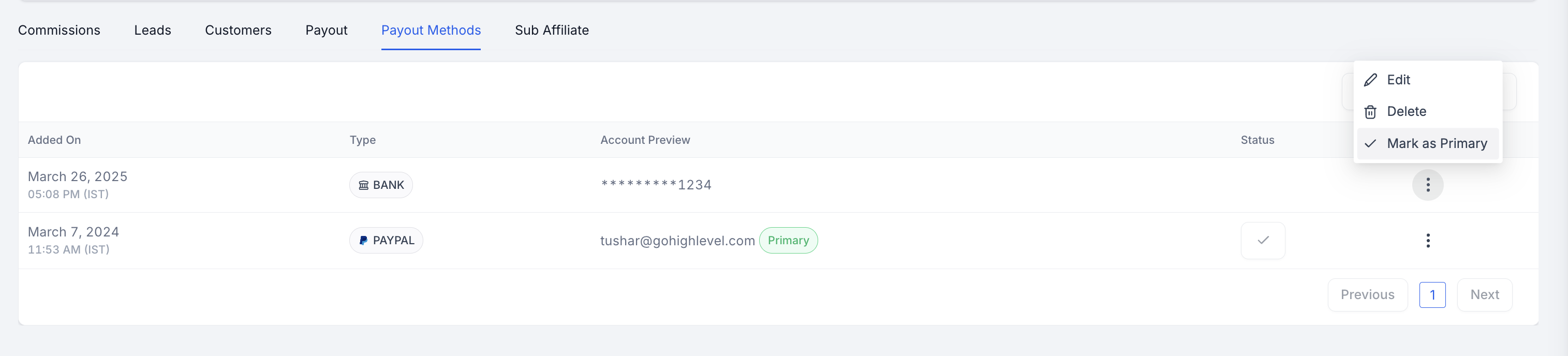
Admins can also add payout methods directly from an affiliate’s profile page, allowing multiple entries and the selection of a primary method for future payouts.
03How businesses use payout methods
- Ecommerce store. The owner adds a PayPal email for each influencer affiliate. The influencer logs into the portal, confirms the email, and the store can later run PayPal auto payouts.
- Online course platform. The course team enables only bank transfers in the settings. Affiliates then add their bank details, ensuring all payouts use the approved method.
- SaaS startup. An admin opens an affiliate’s profile, adds several payout options, and marks one as primary. The startup can switch primary methods without contacting the affiliate.
04How to set up and use payout methods in HighLevel
Add payout method as affiliate
- Log in to the Affiliate Portal using the provided magic link.
- Select the Commissions tab inside the portal.
- Click the Add Payout Method button.
- Pick PayPal or Bank, then fill the required fields.
- Press Done to save the new payout method.
Configure enabled payout methods
- Open Affiliate Manager and go to Settings.
- Choose Affiliate Portal Settings and then Configure Payout Methods.
- Check the payout methods you want affiliates to see.
- Save the changes.
Add payout method as admin
- Open the affiliate’s profile page in Affiliate Manager.
- Scroll to the Payout Methods tab and select it.
- Click Add Payout Method.
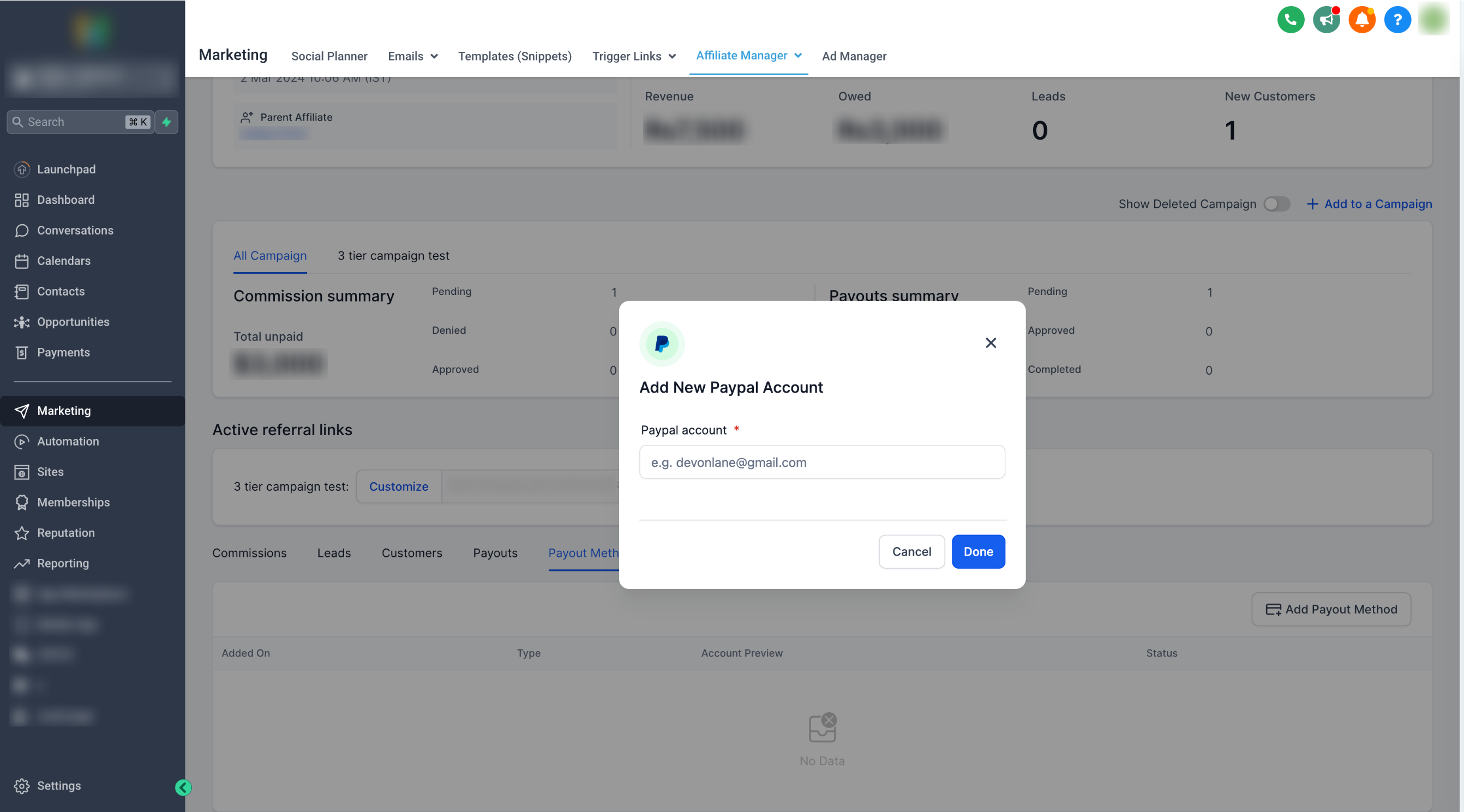
- Enter a PayPal email or select a country and fill bank details.
- Click Done to store the new method.
05What it looks like in HighLevel
06Settings that matter
- Configure Payout Methods. Determines which payout options (PayPal, Bank Transfer) are shown to affiliates when they add or edit their payout information.
07Things to know before you rely on it
- PayPal APIs do not validate account ownership, so only valid email IDs should be entered.
- Admins can add multiple payout methods per affiliate and set one as primary.
08How it connects to the rest of HighLevel
- See which payment gateways HighLevel supports for affiliate sales. Supported payment gateways
- Learn the steps to pay affiliates once payout methods are set up. How to pay affiliates
- Get details on setting up PayPal auto payouts for affiliates. PayPal auto payouts
Michael's take

Most people think the PayPal field will automatically verify the address, but it doesn’t. That assumption can lead to bounced payments and extra work later. You need to double check every PayPal email before you save it.
If I were setting this up, I’d first enable only the payout methods my team actually uses, then walk an affiliate through adding their details step by step.