
01Who this is for
- Founders of agencies handling multiple client TikTok accounts can centralize messaging without switching platforms.
- Small business owners with a US registered TikTok Business profile benefit from instant replies that keep prospects engaged.
02TikTok DM and comment automations, explained
The feature adds two workflow triggers, one for incoming TikTok comments and another for direct messages. When a comment or DM matches the defined filters, the workflow runs the associated actions.
Replies can be posted publicly in the comment thread or sent as a TikTok message. The system stores the contact’s first and last name and logs the interaction in the HighLevel Conversations inbox alongside SMS, email and other channels.
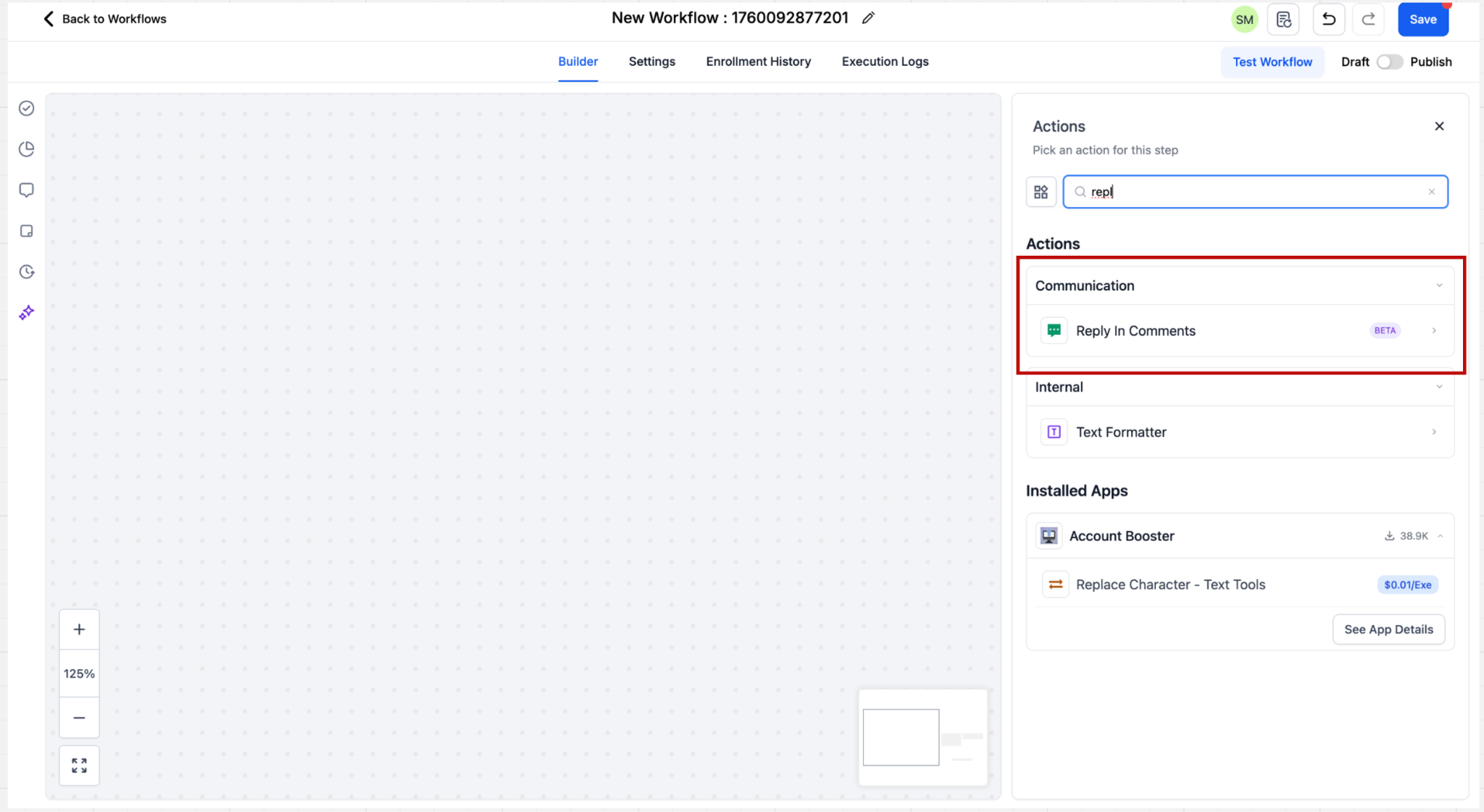
All automation components live in the Workflow builder. Triggers are selected from the Events list, filters are set in the sidebar, and actions such as Reply in Comments or TikTok Interactive Messenger are added from the Actions palette.
03How businesses use TikTok DM and comment automations
- Digital marketing agency. The agency creates a workflow that watches for comments containing "price" on any client’s TikTok posts. When matched, the workflow posts a pre written reply from the Reply in Comments action and tags the user. This speeds up client response without manual monitoring.
- Ecommerce retailer. The retailer adds a Customer replied trigger, sets the Reply channel filter to TikTok, and configures a Contains Phrase rule for "order status". The workflow then sends a text reply via TikTok Interactive Messenger with the order lookup link.
- Fitness studio chain. Each location’s TikTok account is linked to a subaccount. The studio builds a comment trigger that watches a specific promotional reel. When a comment includes "free trial", the workflow replies with the sign up link and assigns the contact to a sales rep.
04The numbers and rules that matter
- Feature unavailable in the European Economic Area, Switzerland, and the United Kingdom.
- Reply in Comments supports up to 10 reply variations, chosen randomly.
05Before you start
- A US registered TikTok Business account is required.
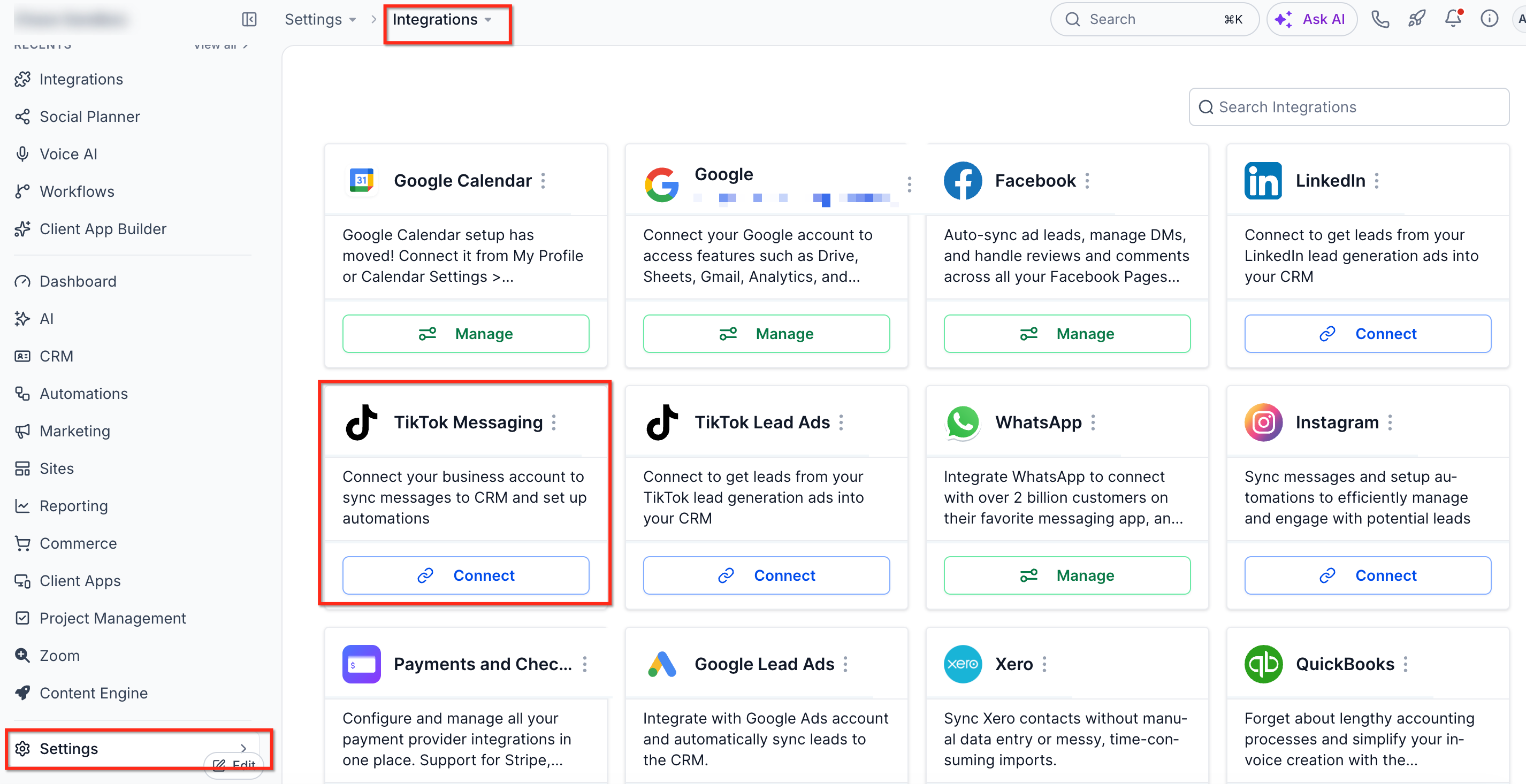
- The account must be connected in Settings > Integrations > TikTok for the subaccount.
06How to set up and use TikTok DM and comment automations in HighLevel
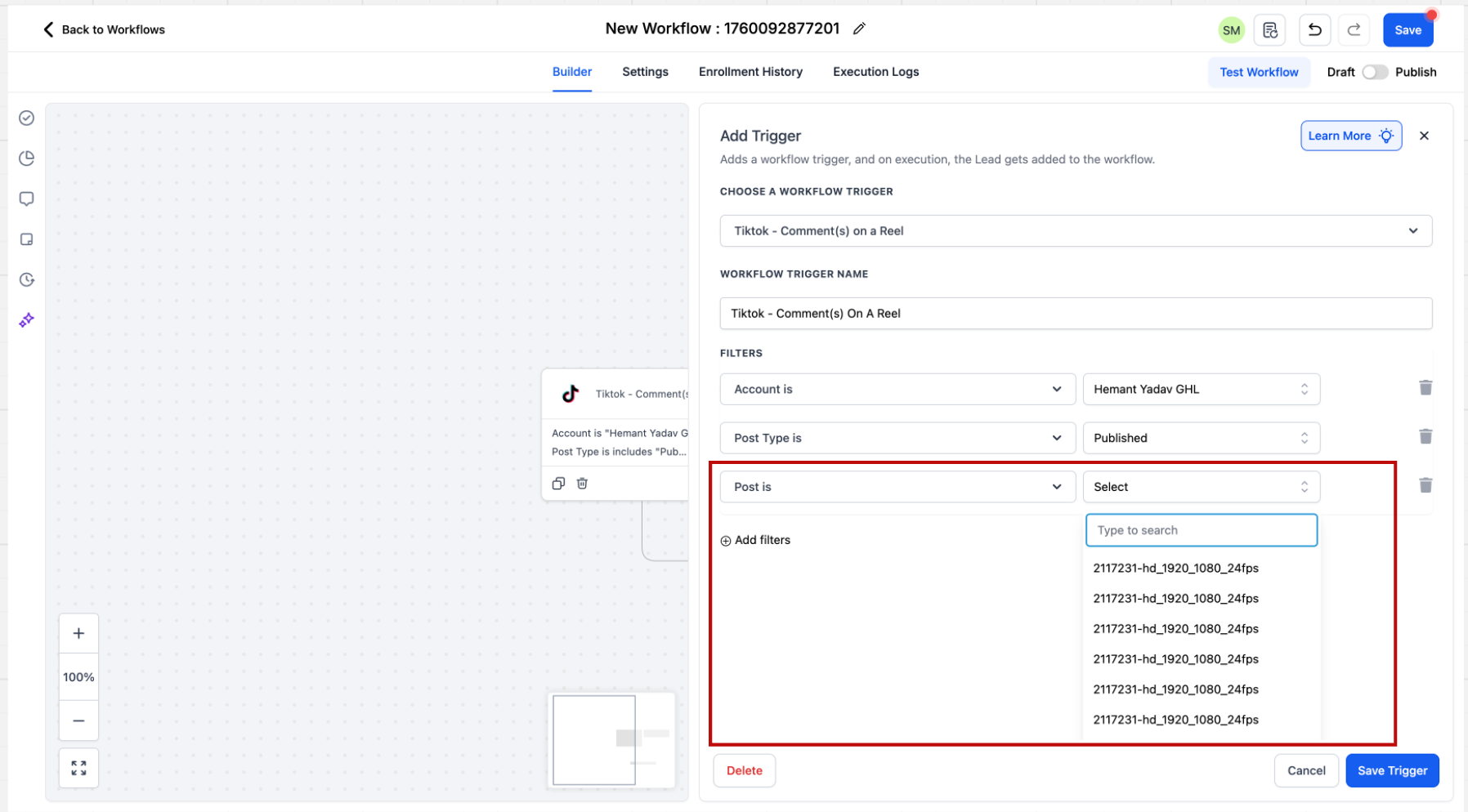
Set up TikTok comment automation trigger
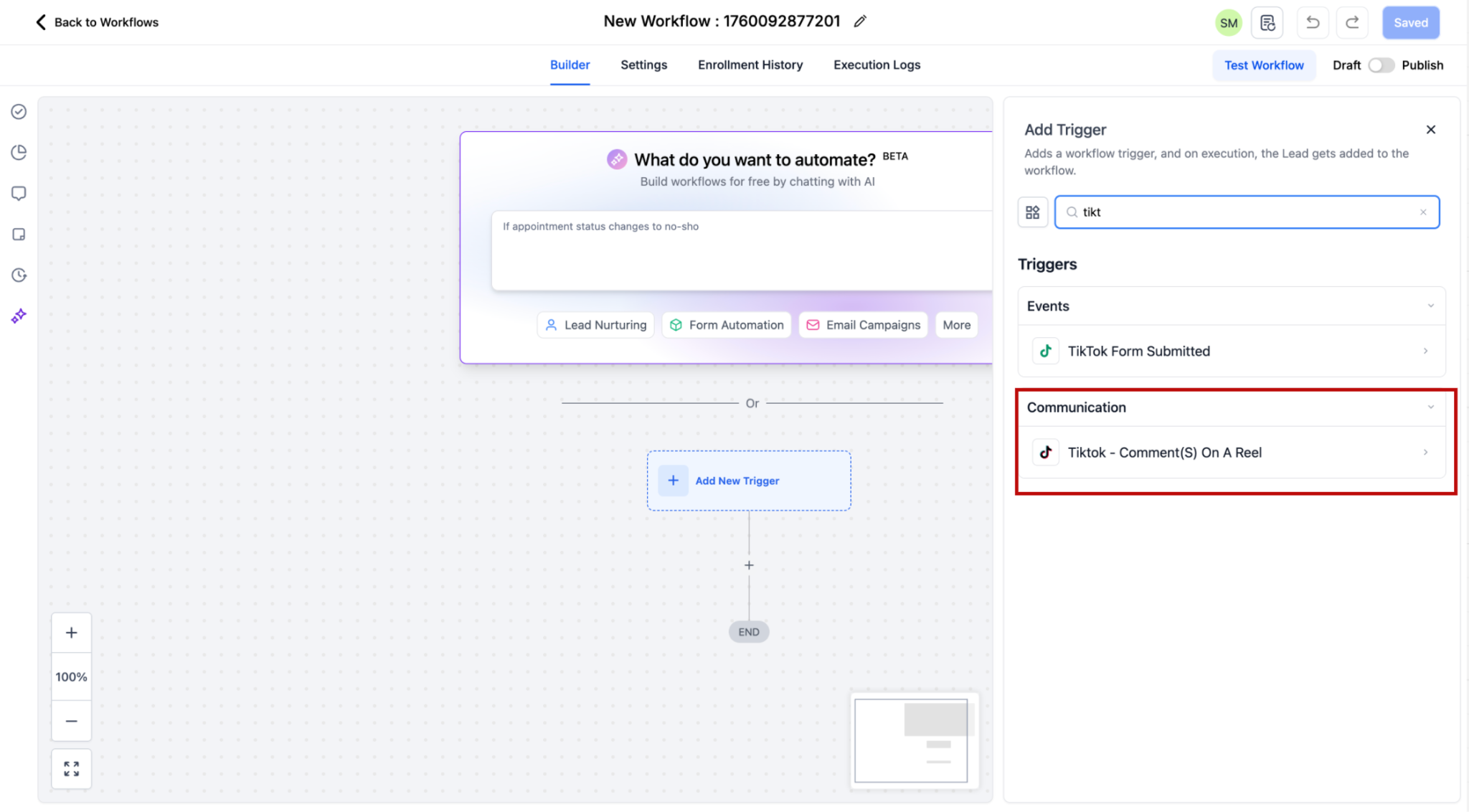
- Open the Workflow builder and click + Add New Trigger.
- Select the TikTok, Comment(s) on a Post trigger.
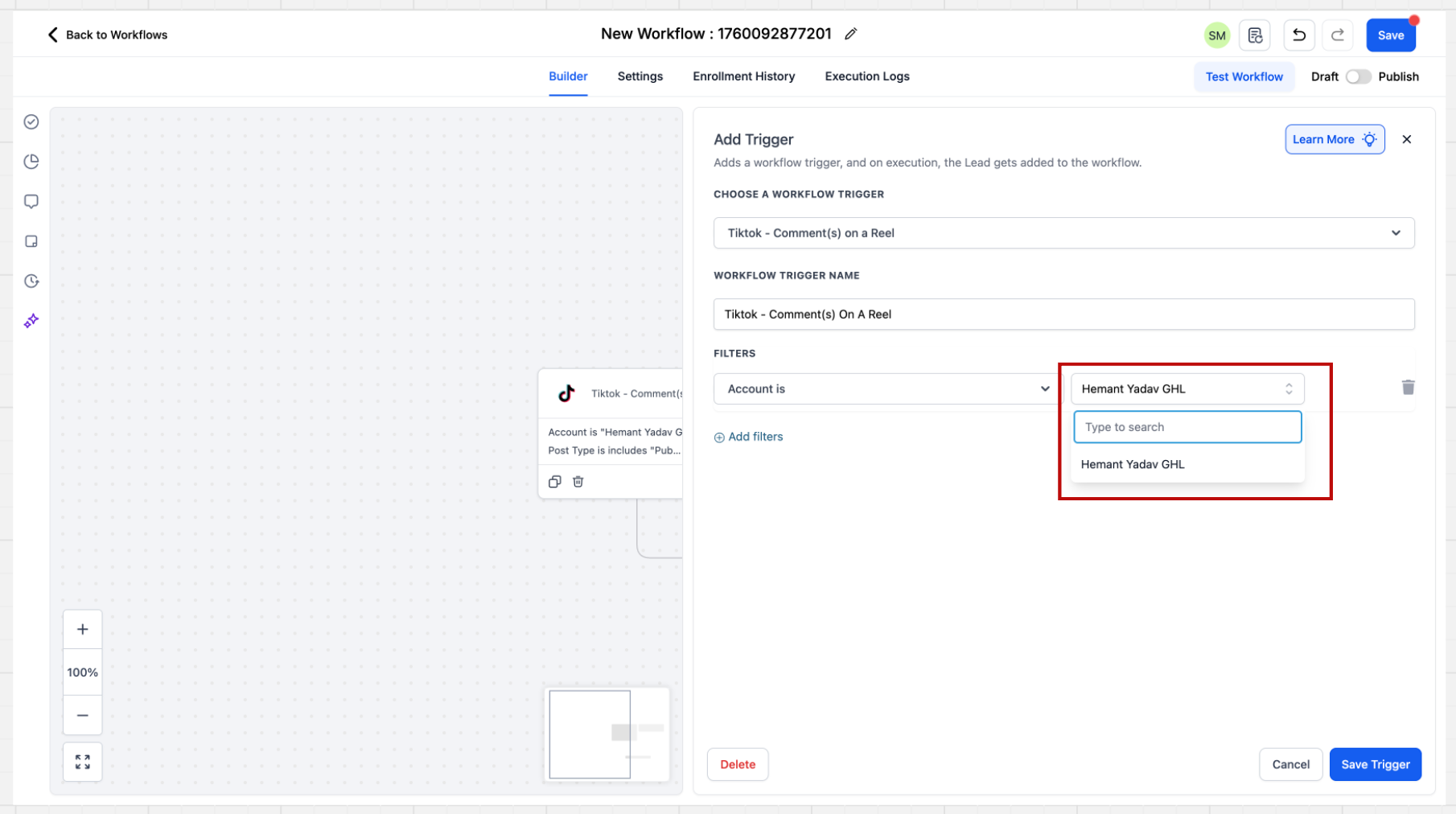
- In the sidebar, choose the Account filter for the desired TikTok Business account.
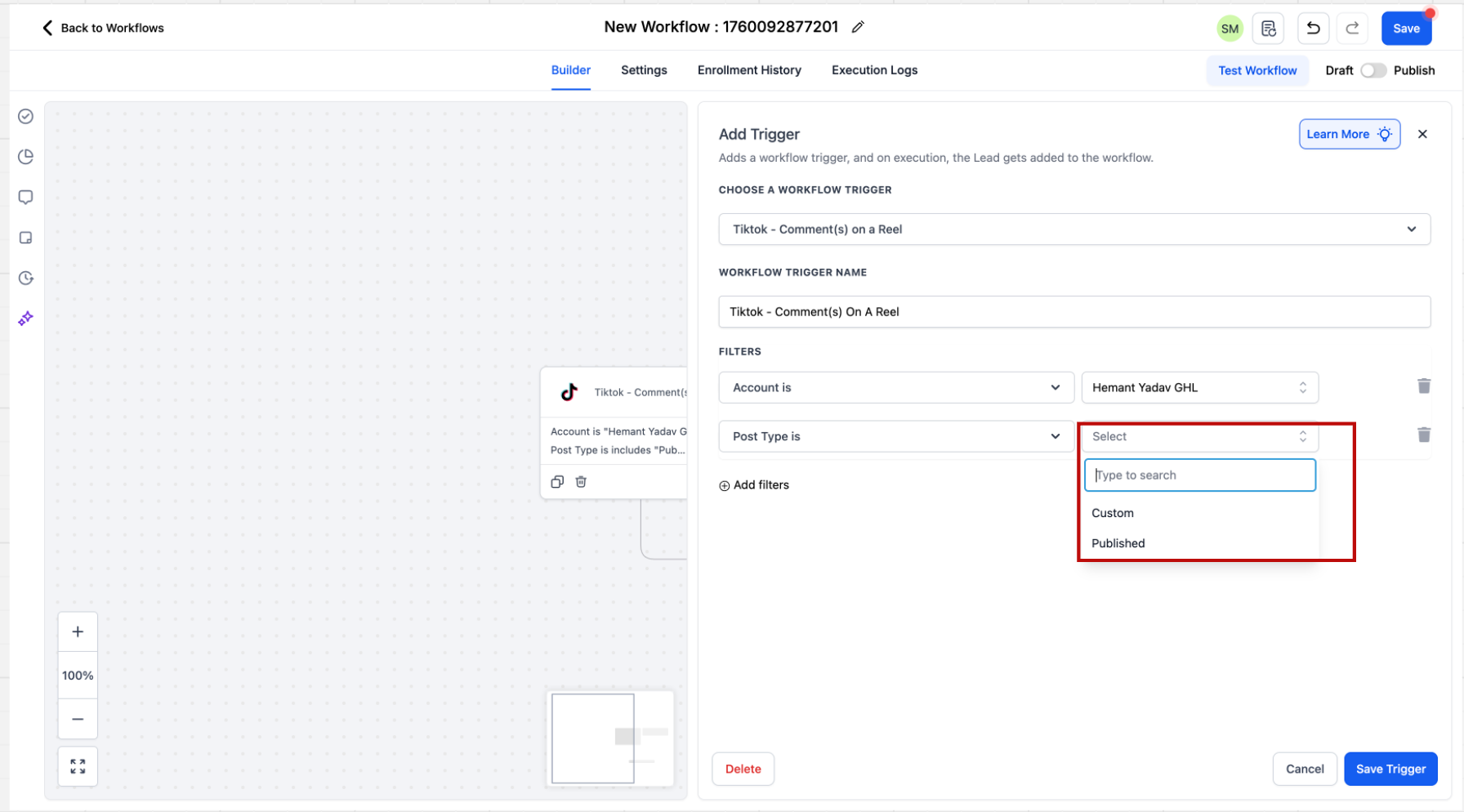
- Pick the Post Type, either Published or Custom.
- Select the specific post from the dropdown or paste its URL.
- Specify the Match Phrase option (Contains Phrase or Exact Match) and enter the keyword.
Set up TikTok DM automation trigger
- Open the Workflow builder and click + Add New Trigger.
- Select the Customer replied trigger from the Events list.
- Set the Reply channel filter value to TikTok.
- Configure automation rules by choosing a phrase match type and entering the trigger phrase.
07What it looks like in HighLevel
08Settings that matter
- Account filter. Determines which connected TikTok Business account the trigger applies to; leaving it blank includes all eligible accounts.
- Post Type. Chooses between monitoring all published posts or a custom post defined by URL.
- Match Phrase. Filters comments or messages by either an exact phrase or a phrase that is contained within the text.
- Reply channel filter. Limits the Customer replied trigger to TikTok interactions only.
- Reply in Comments action, reply variations. Allows up to ten different comment replies to be defined; one is selected at random when the trigger fires.
- TikTok Interactive Messenger message. Provides the text that is sent as an automated DM; only plain text is supported.
09Things to know before you rely on it
- Only US registered TikTok Business accounts can use the automation; it is unavailable in the EEA, Switzerland and the United Kingdom.
- The Interactive Messenger action currently supports text only; it does not accept attachments, buttons, templates or quick replies.
- No Reply Type selector is available for TikTok; the action always sends a direct message.
- A maximum of ten reply comment variations can be stored for the Reply in Comments action.
10If something goes wrong
- Automation does not trigger. Confirm the TikTok account is eligible and connected, ensure the workflow is published, and verify that the account, post and keyword filters match the incoming interaction.
11How it connects to the rest of HighLevel
- Explore other marketing automation tools in HighLevel All Marketing features
- Learn how to connect TikTok to the platform Integrate TikTok Messaging
- Start a 30 day trial to test TikTok automations 30 day trial
Michael's take

Running TikTok automations without first confirming that your account meets the US registered business requirement can lead to connection and workflow issues.
The platform limits attachments and button style replies; TikTok Interactive Messenger supports only text replies.
When the prerequisites are in place, autoreplying to DMs and comments from a single inbox can reduce manual effort for agencies and brands handling high volumes.