
01Who this is for
- Agency admins, they can upload, hide, or show templates to match each subaccount’s branding.
- Marketing teams, they gain a fast way to launch multiple webinars without redesign work.
02Webinar templates, explained
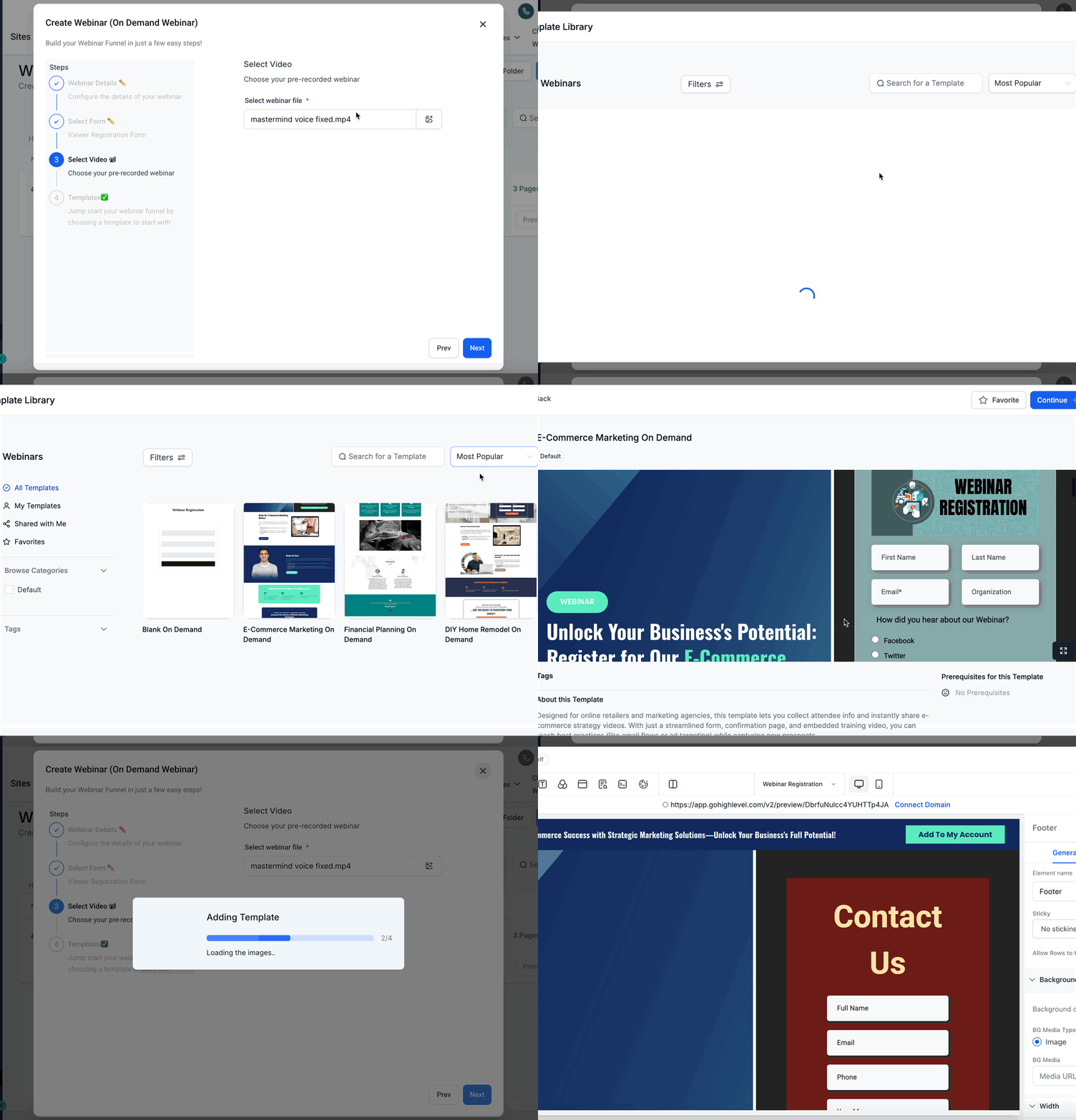
Webinar Templates are reusable designs stored in the Template Library. When a webinar is created, the platform inserts the chosen video and registration form into the template’s placeholder slots, delivering a ready to use webinar page.
Templates can be selected during webinar creation or edited later. Agency admins have extra controls: they can upload new templates, toggle visibility for subaccounts, and ensure only approved designs are used. The feature lives inside the Webinars module and the Template Library under the Webinar category.
03How businesses use webinar templates
- Online coaching business. The coach picks a pre recorded training video and a sign up form, selects a branded template, and launches the webinar in minutes. The template keeps the coach’s visual identity across all sessions.
- Digital marketing agency. Agency admins upload custom webinar templates for each client, then hide or show them per subaccount. Each client can create webinars that automatically use the agency’s approved branding.
- Product launch startup. The team creates an on demand launch webinar by choosing a launch video, a registration form, and a launch specific template. The placeholder replacement ensures the video and form appear without manual editing.
04How to set up and use webinar templates in HighLevel
Create a webinar with a template
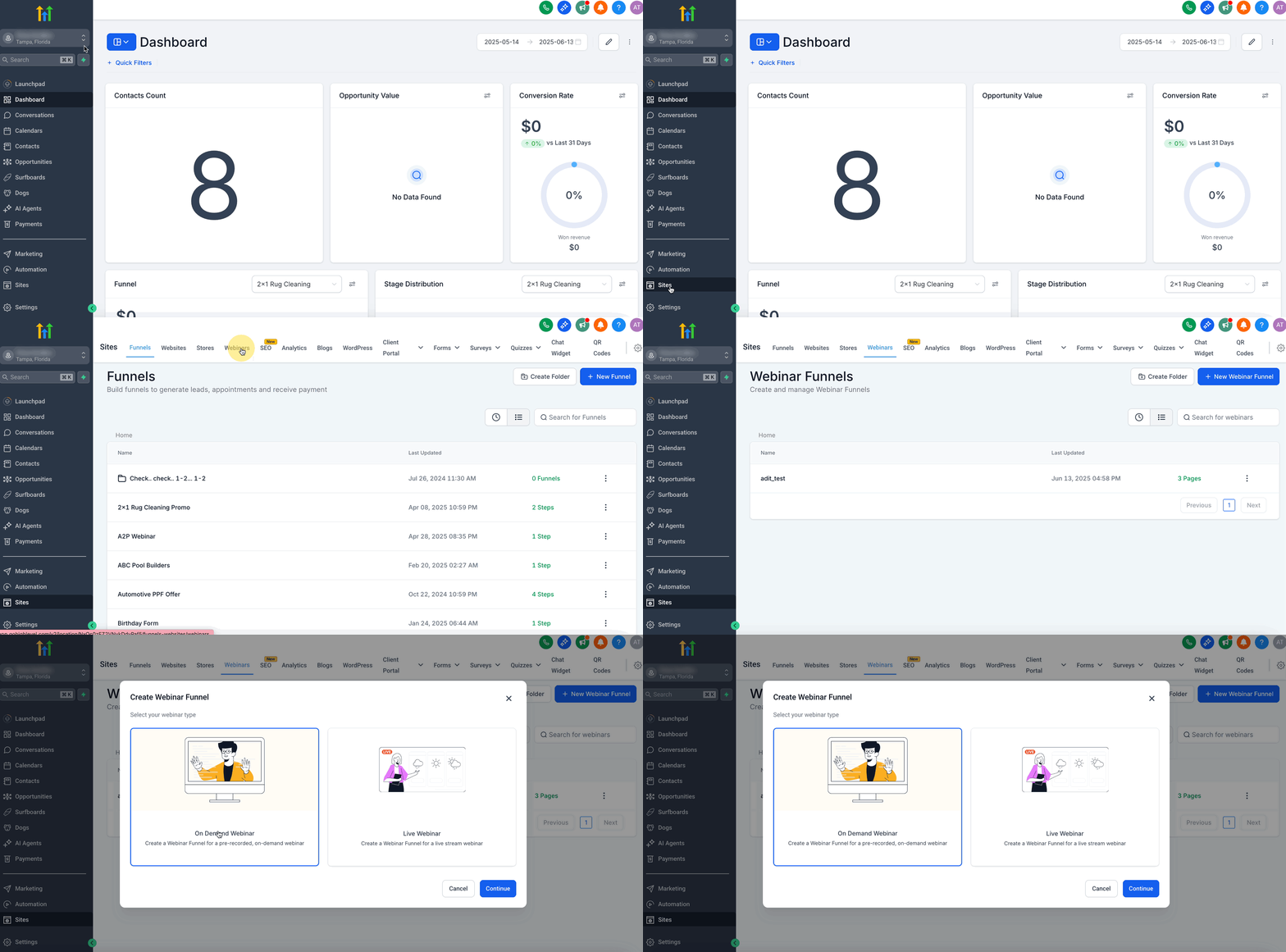
- Navigate to Webinars and click Create Webinar, then select Live or On Demand.
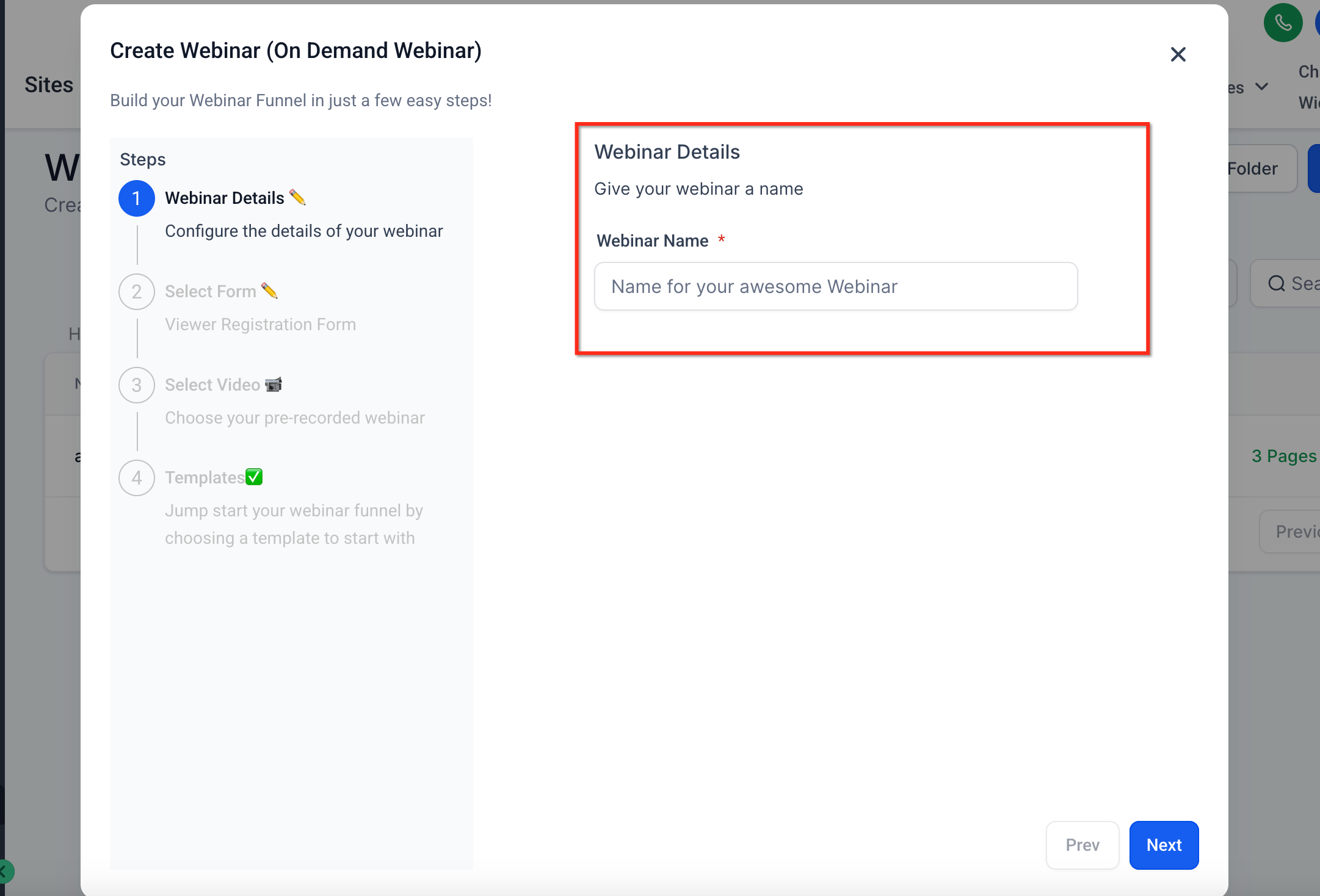
- Enter a name for the webinar.
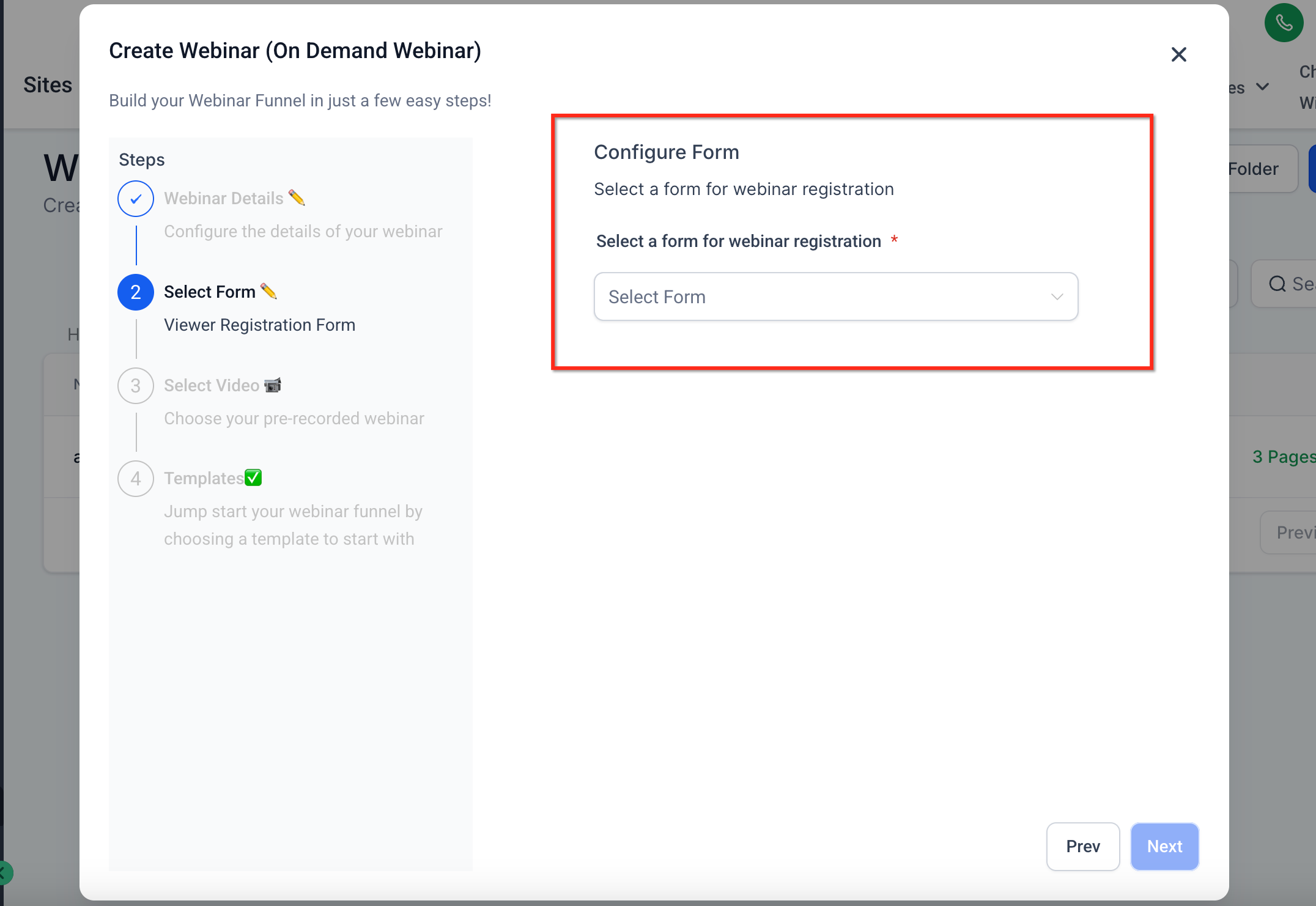
- Choose a registration form for webinar sign up.
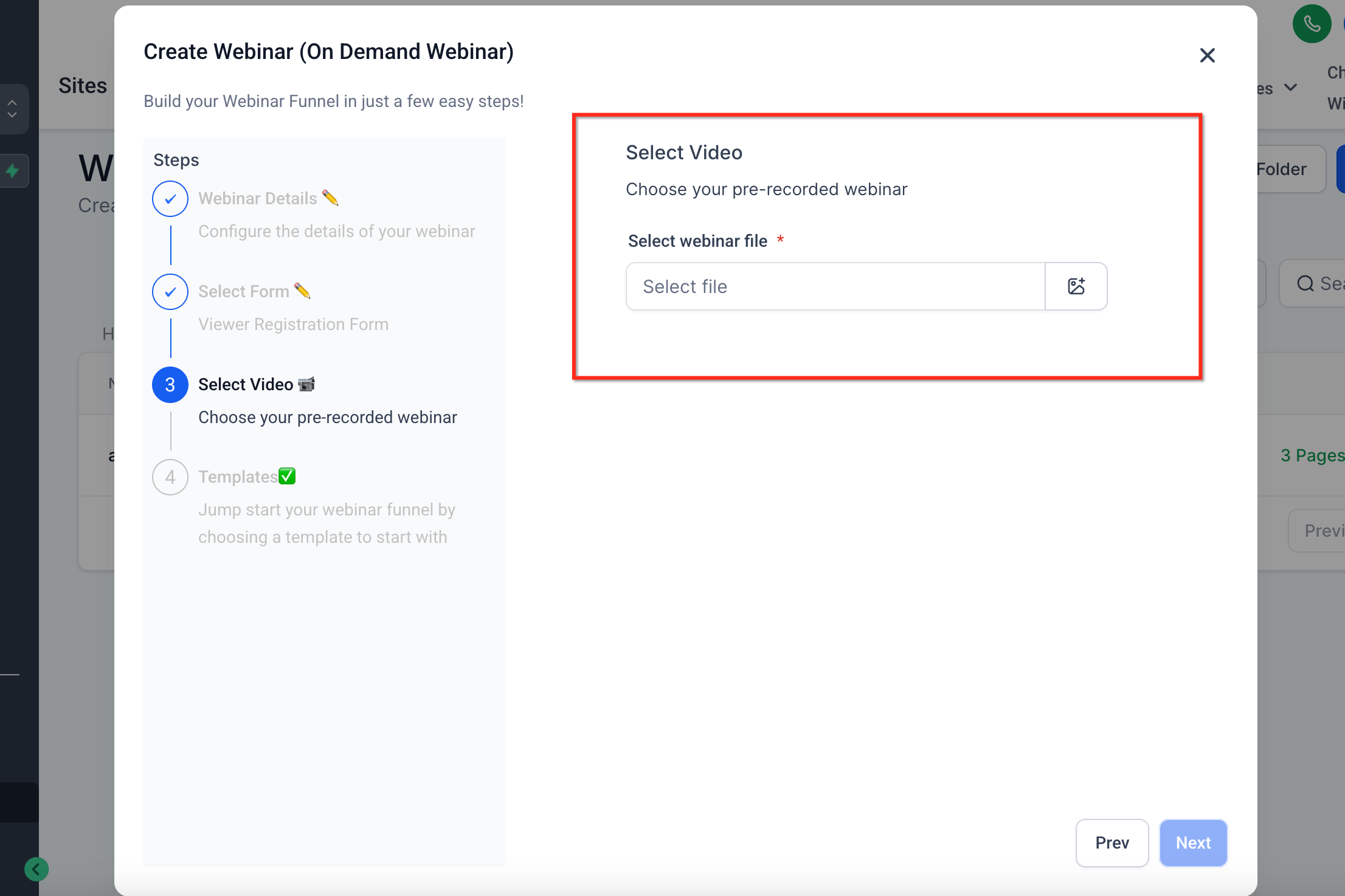
- Select the video that will play during the webinar.
- Pick a webinar template or a blank layout and click Proceed.
Manage webinar templates (agency admins)
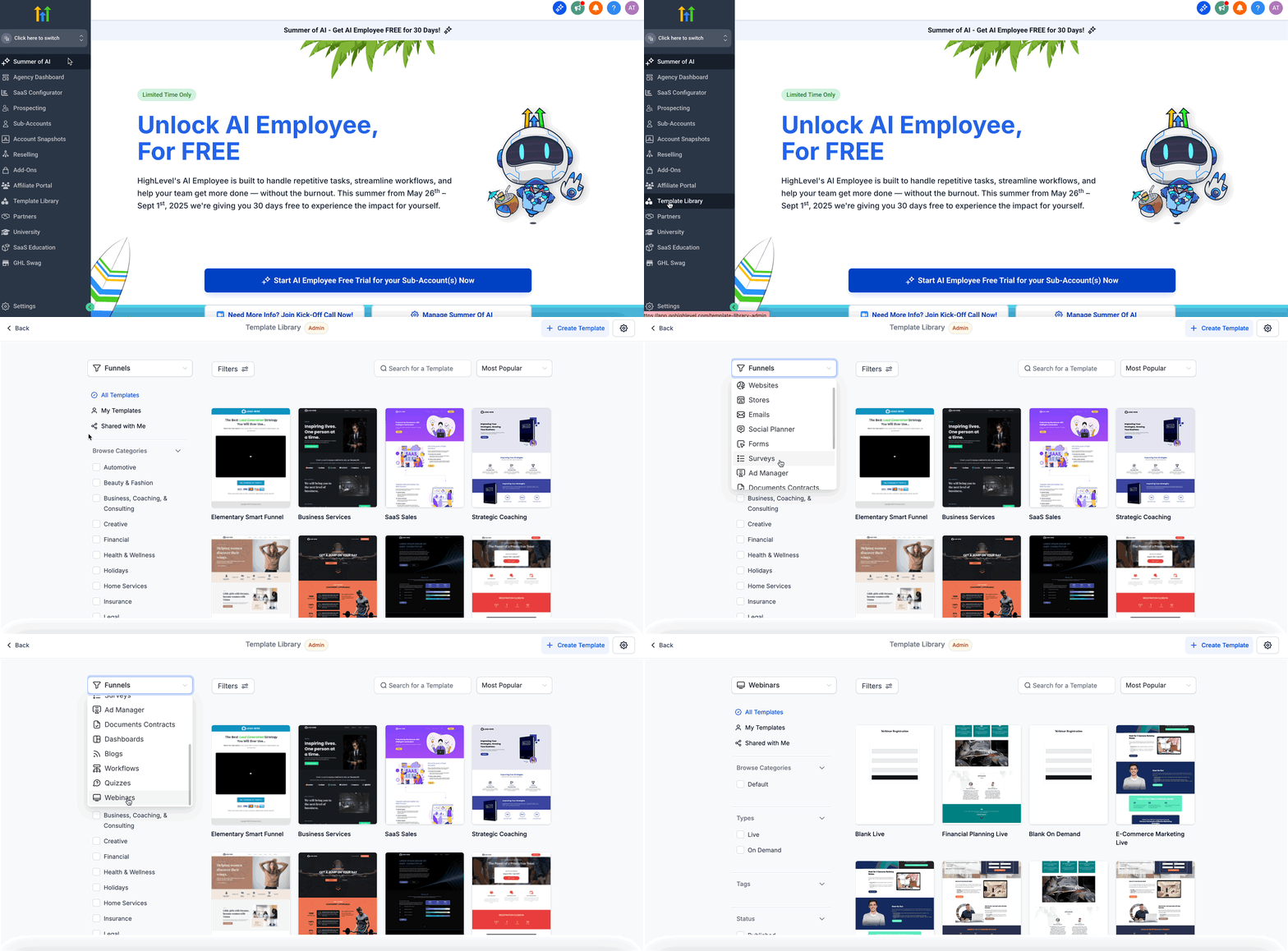
- Go to Template Library and open the Webinar category.
- Click the visibility toggle next to a template to hide or show it for subaccounts.
- Click Create and then choose Upload a new Webinar Template to add a new design.
- Remember that the default or blank templates cannot be hidden.
05What it looks like in HighLevel
06Settings that matter
- visibility toggle. Controls whether a specific webinar template appears for subaccounts in their template list.
07Things to know before you rely on it
- Default or blank webinar templates cannot be hidden.
- Only the video and form placeholders are auto replaced; other design elements remain unchanged.
08How it connects to the rest of HighLevel
- Overview of the HighLevel template library Template library overview
- Add custom templates to the library Add custom templates
- Manage categories, types, and tags for templates Template categories
Michael's take

Michael ReimerFounder of CRM Pros, HighLevel Commander and Certified Admin
Webinar templates help streamline webinar creation and keep sessions looking polished.
Don’t forget to keep the default template visible. It can’t be hidden.
Get More InformationOpens on HighLevelPublished November 2, 2026 · Updated November 17, 2026