
01Who this is for
- Social media managers at small agencies gain tidy posts and instant click data for client campaigns.
- Business owners who share blog or landing page URLs benefit from cleaner posts and easy tracking of traffic sources.
- Marketing teams in startups can quickly add UTM parameters to shortened links without leaving the Social Planner.
02Link shortener, explained
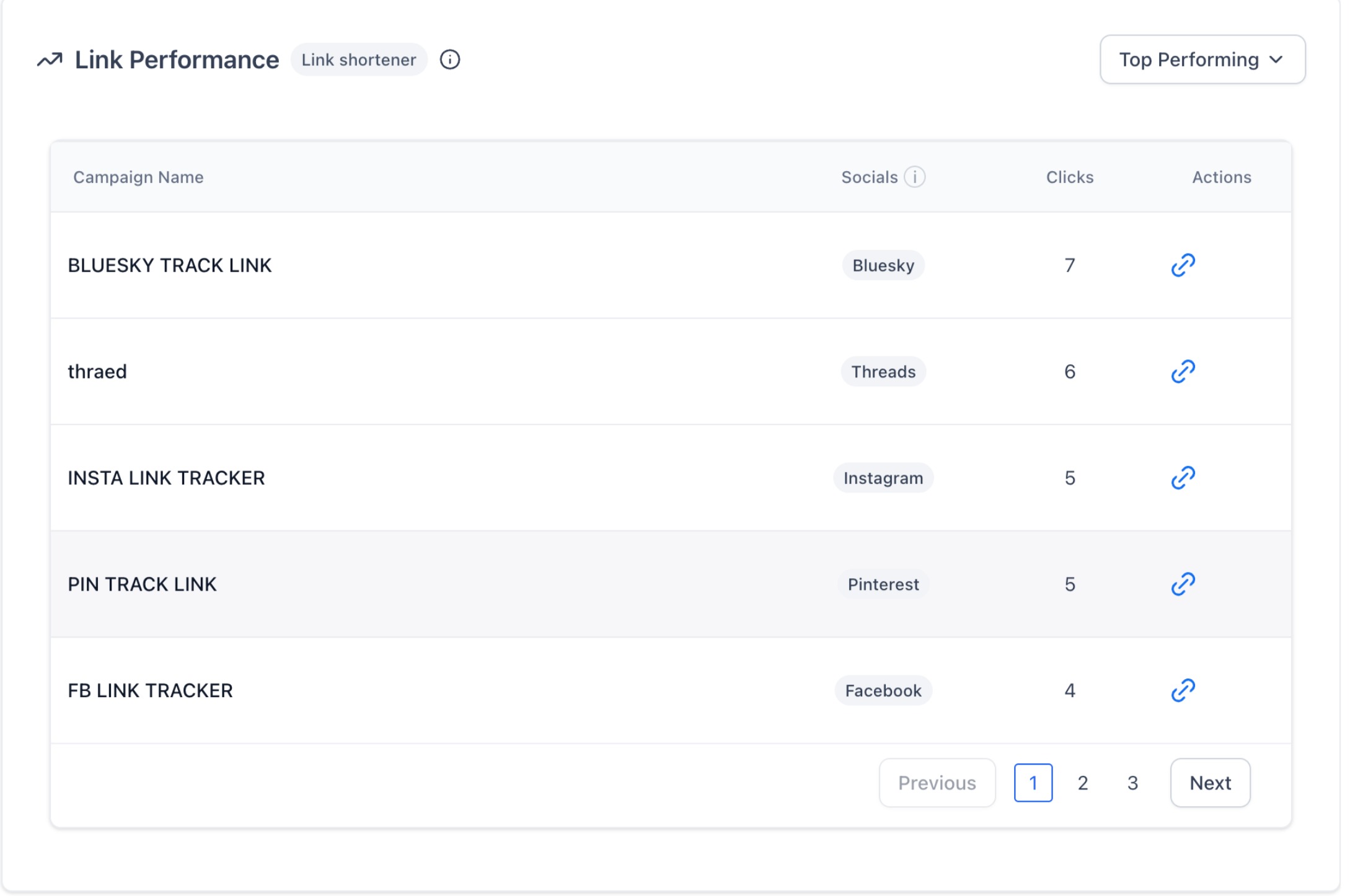
The Link Shortener lives inside the Social Planner composer. When you add a URL, the tool automatically generates a short version, appends any UTM tags you specify, and leaves the long address visible only while you edit. Click performance is captured automatically and appears on the Social Planner Statistics page with total clicks, platform breakdown, and trends. Campaign names group links for reporting. The feature works on every social network connected through Social Planner.
03How businesses use link shortener
- Digital marketing agency. Create short, branded links for client posts, attach campaign UTM tags, and monitor click totals in the Statistics view to report performance to clients.
- Local restaurant. Add a shortened link to a new menu page in a Facebook post, include UTM parameters for the promotion, and later check click counts to see which platform drove the most traffic.
- Ecommerce startup. Insert a short link with custom UTM values into an Instagram post, then use the URL Tracking report to compare click rates across Instagram, Facebook, and LinkedIn.
04How to set up and use link shortener in HighLevel
Generate a shortened link for a social post
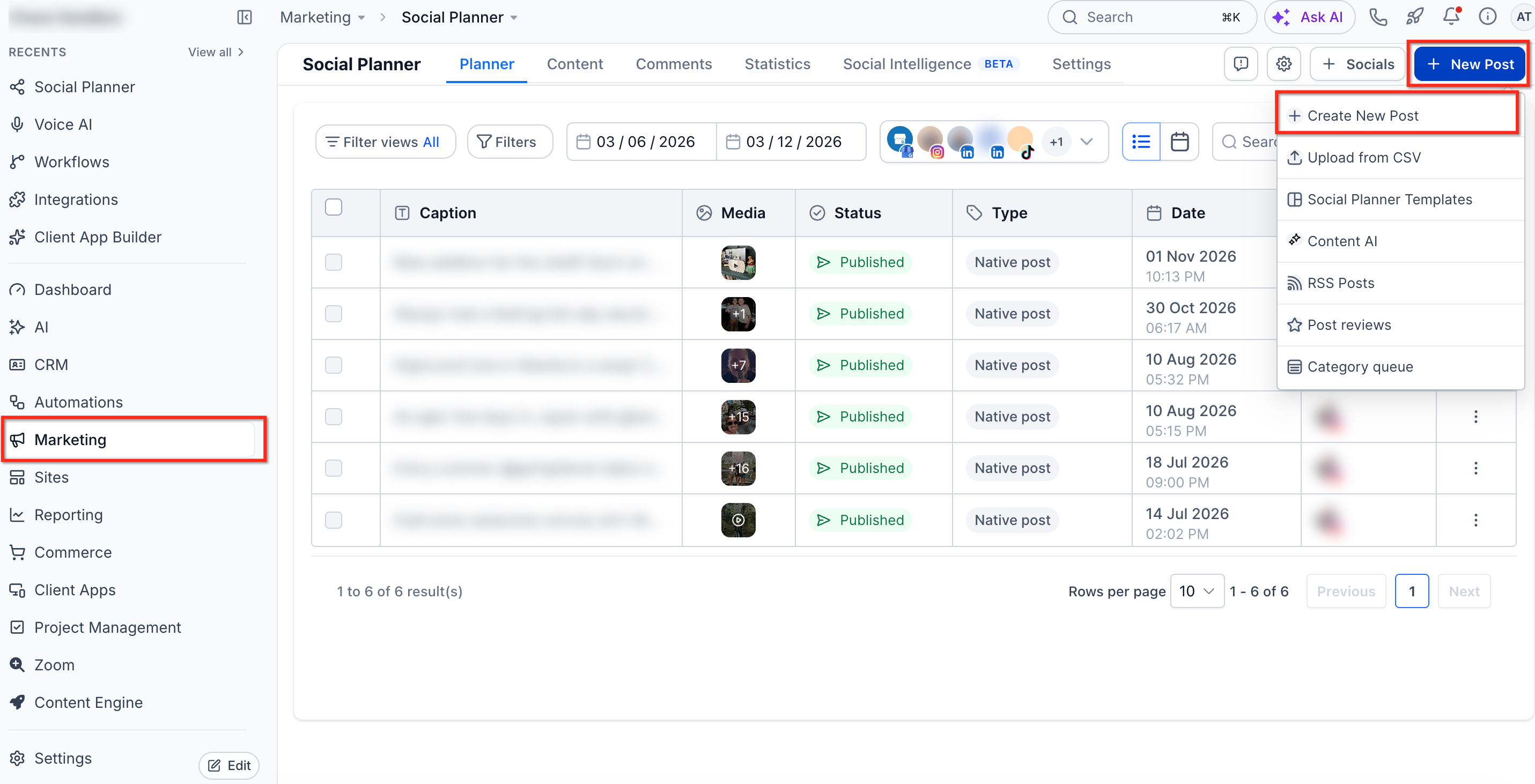
- Open Marketing > Social Planner, click + New Post, then + Create New Post.
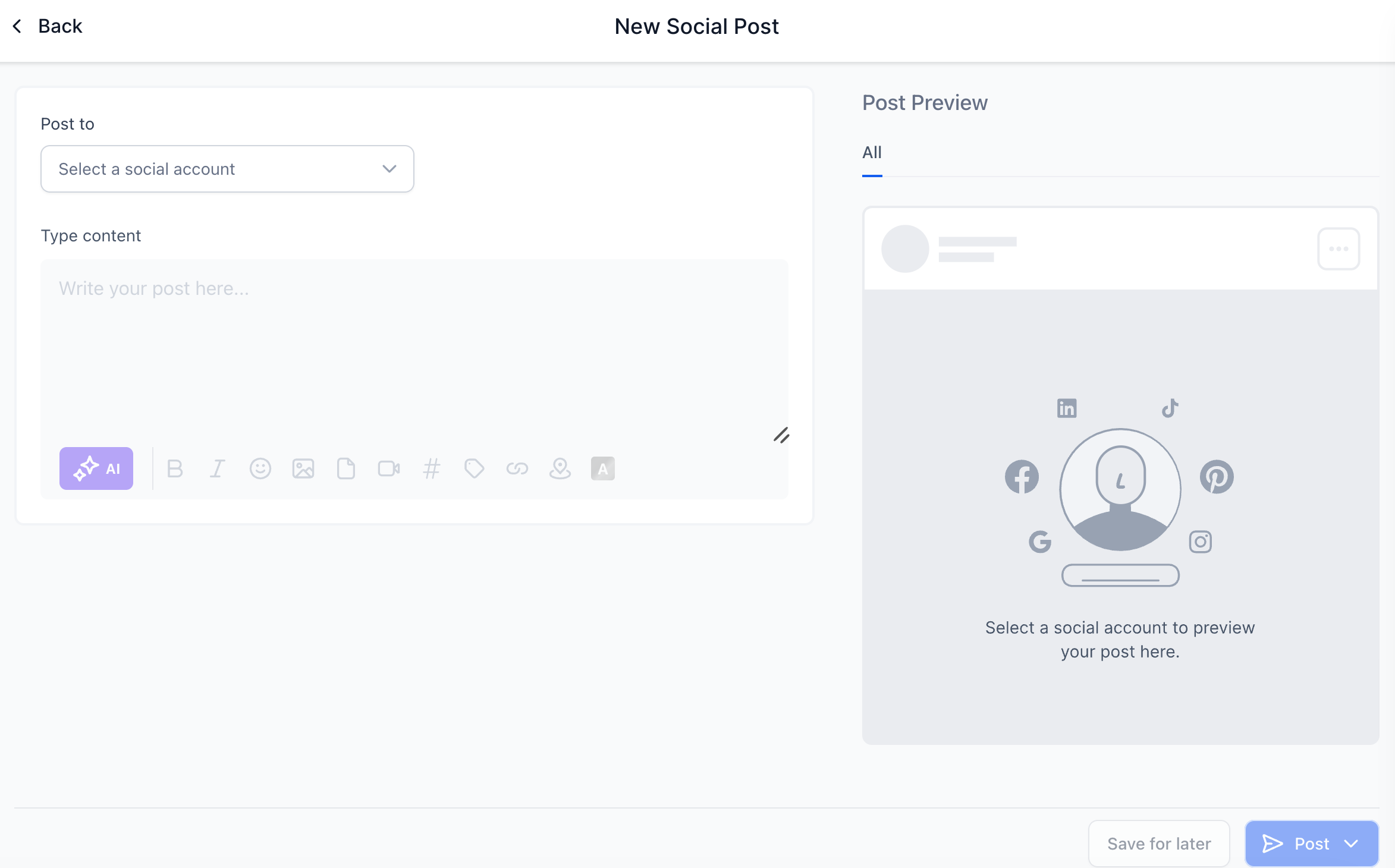
- Select the social accounts where the post will be published.
- Enter the post text in the Content box.
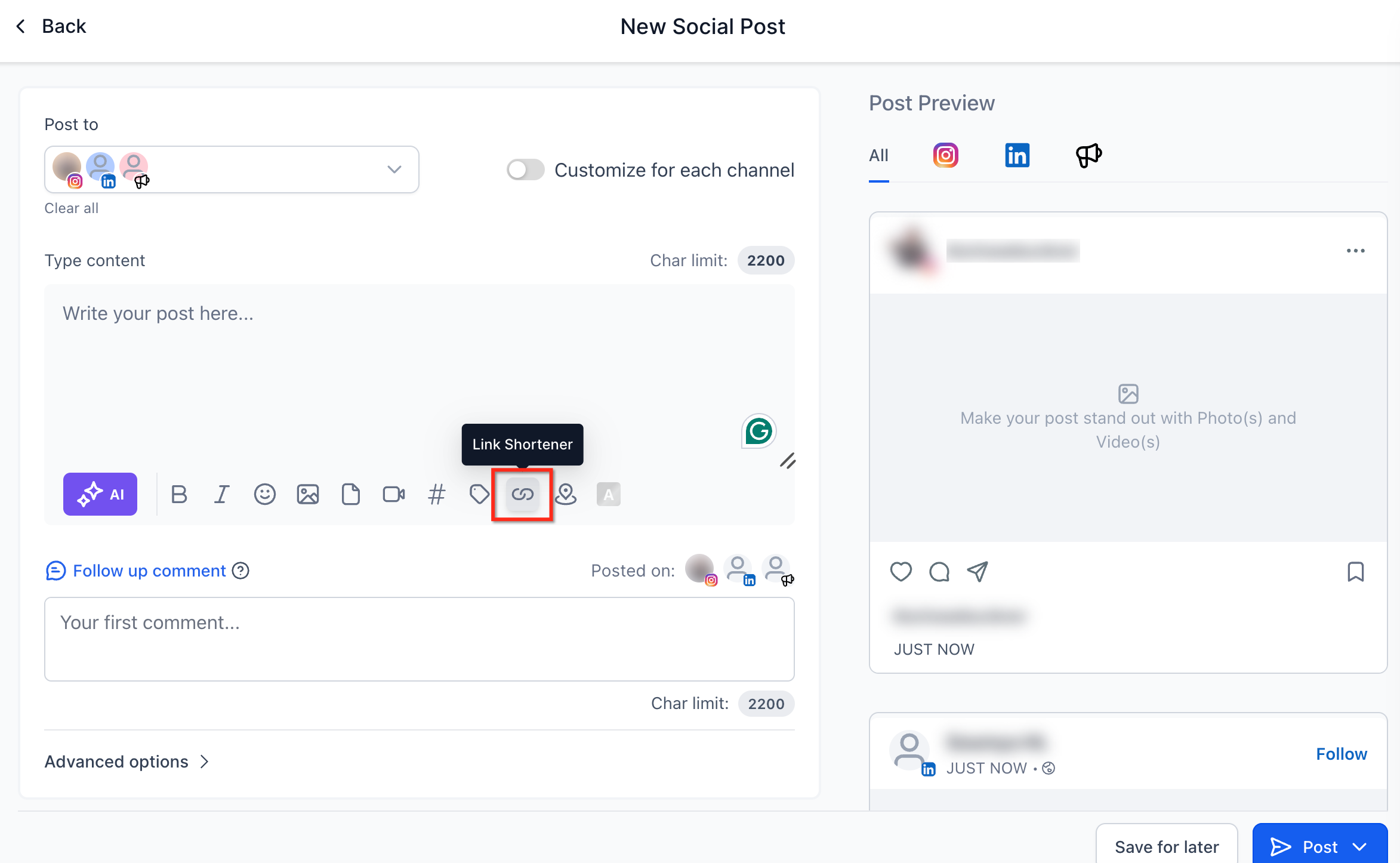
- Tap the URL Shortener icon beside the editor.
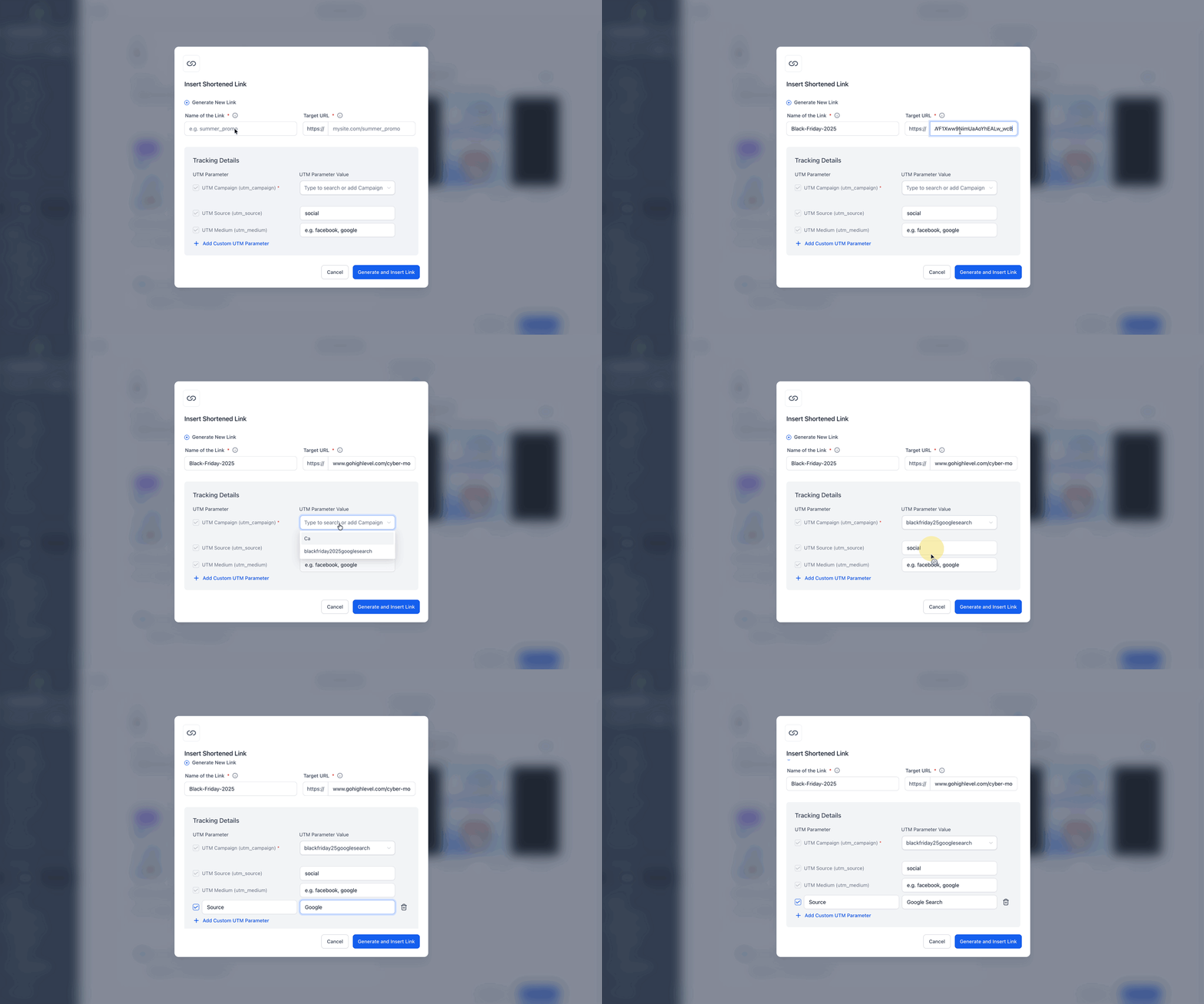
- Enter a name for the link and paste the long destination URL.
- Choose or create a UTM campaign and add any custom UTM parameters.
- Press the Generate and Insert Link button.
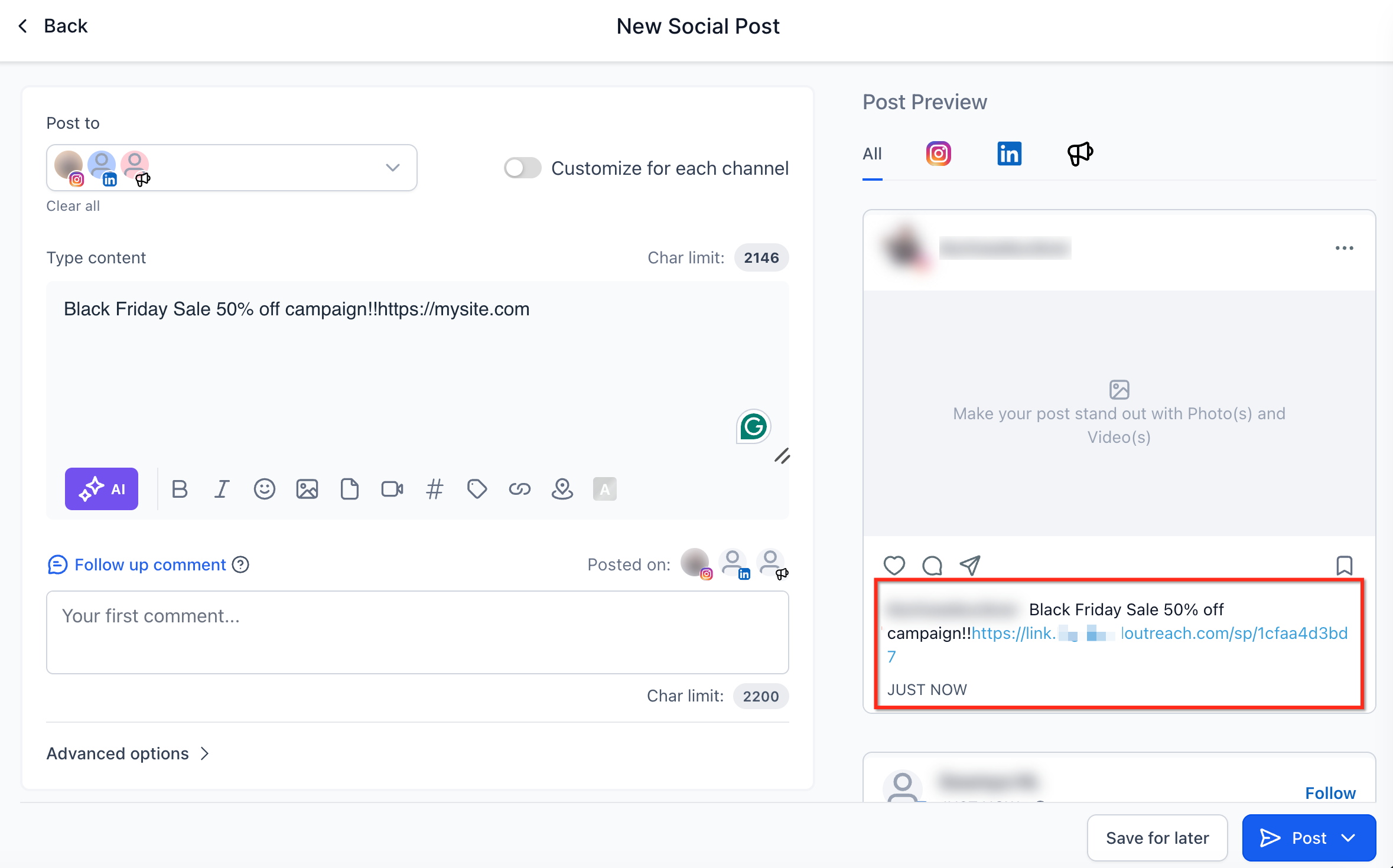
- Verify the preview pane shows the shortened version while the input field still displays the original long URL.
- Publish or schedule the post.
05What it looks like in HighLevel
06Settings that matter
- Name of the Link. Identifies the short link within reports and helps you recognize it later.
- Target URL. The original long address that the short link will redirect to.
- UTM Campaign (utm_campaign). Selects or creates a campaign label for analytics tracking.
- Custom UTM Parameters. Adds additional source, medium, or other tags to the link for detailed reporting.
- Generate and Insert Link button. Creates the short link and places it into the post content.
07Things to know before you rely on it
- Short URLs are auto generated and cannot be edited for custom slugs.
- Only links produced inside Social Planner receive native click tracking.
- Third party shortened URLs can be used, but they are not tracked by the platform.
- The original long URL stays visible in the editor; the short version shows only in the published post.
- Click tracking does not automatically record downstream conversions such as leads or purchases.
08How it connects to the rest of HighLevel
- Connect Facebook pages to use shortened links on Facebook posts Facebook connection
- Link Instagram accounts for cross platform link shortening Instagram connection
- Add LinkedIn profiles to share shortened links on LinkedIn updates LinkedIn connection
Michael's take

Michael ReimerFounder of CRM Pros, HighLevel Commander and Certified Admin
The Link Shortener is handy for clean social posts, but not essential for everyone. If you rely solely on third party shorteners or don’t need click metrics, you can skip it.
Get More InformationOpens on HighLevelPublished November 2, 2026 · Updated November 16, 2026