
01Social listening, explained
Social listening is a research workspace built into Social Planner that aggregates trending signals from public sources. It shows what people are searching, watching, pinning and talking about, so you can turn that interest into posts and campaigns.
The feature lives alongside your existing planning tools. Each source, Google, Pinterest, Wikipedia, TikTok and YouTube. Has its own metrics and context, letting you move from insight to a scheduled post without leaving the dashboard.
02How businesses use social listening
- Weekly content planning. Select high signal topics from multiple sources, such as Google and YouTube, add them to the planner, and draft posts while momentum is high to build a 7, 14 day calendar.
- Localized campaigns. When a source includes location data, compare regions and tailor copy, visuals and offers for each market. Prioritize regions with higher search or engagement volumes.
- Creator and competitor research. Track YouTube popular channels to map collaboration prospects and identify topics to cover or differentiate from. Use the insights to guide outreach or content angles.
03The numbers and rules that matter
- Social Listening aggregates data from Google Trends, Pinterest Keywords, Wikipedia Pageviews, TikTok Breakout Songs, TikTok Hashtags, TikTok Popular Songs, YouTube Popular Channels, YouTube Popular Keywords, and YouTube Trending Videos.
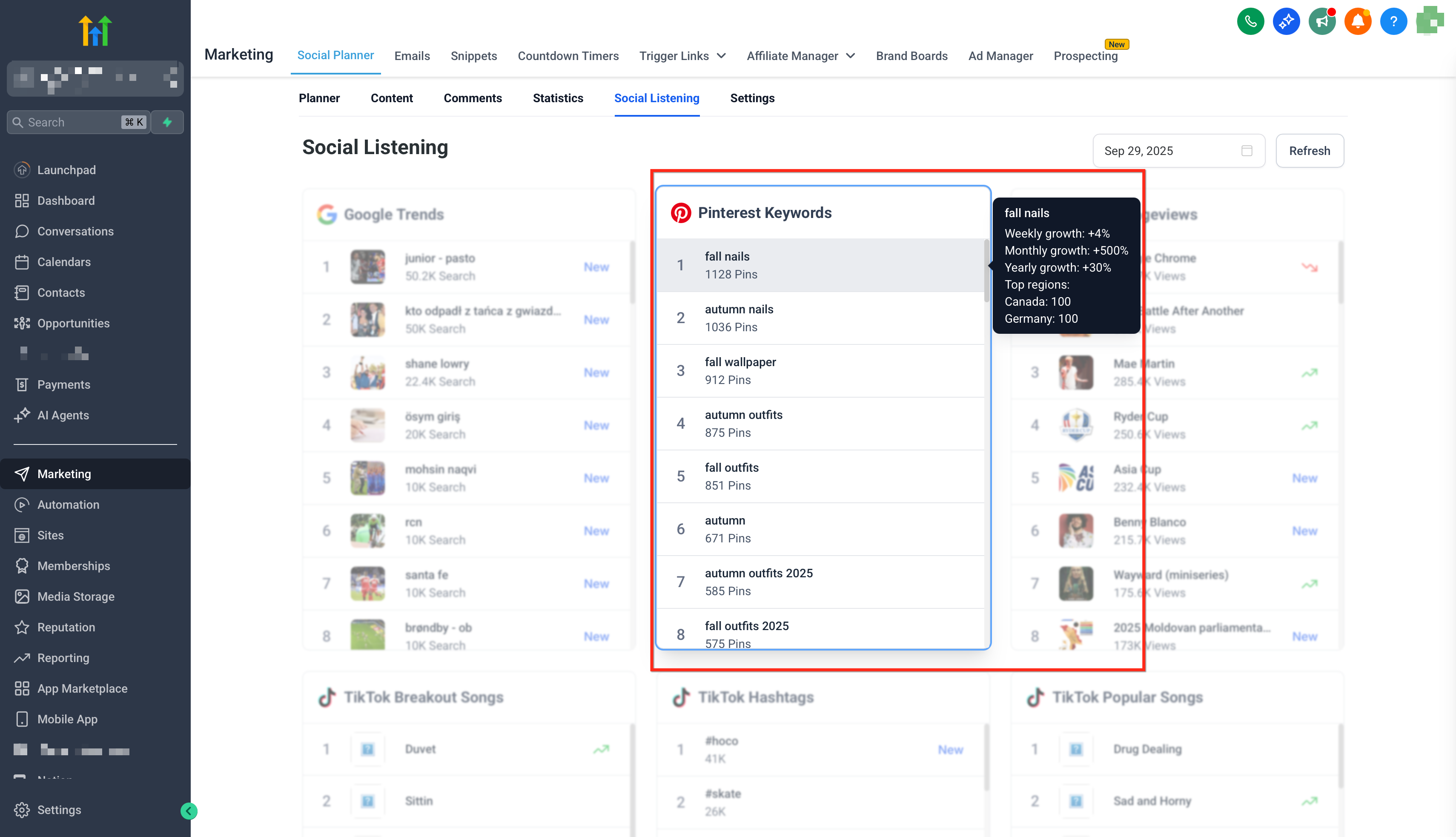
- Pinterest Keywords displays total pins, weekly growth %, monthly growth %, yearly growth %, top regions (countries), and a trend score (0, 100).
- Wikipedia Pageviews provides total views (current week), average views (last week), daily views trend %, and weekly views trend %.
- YouTube Popular Channels shows channel name, author URL, and top video URL.
04How to set up and use social listening in HighLevel
Use social listening
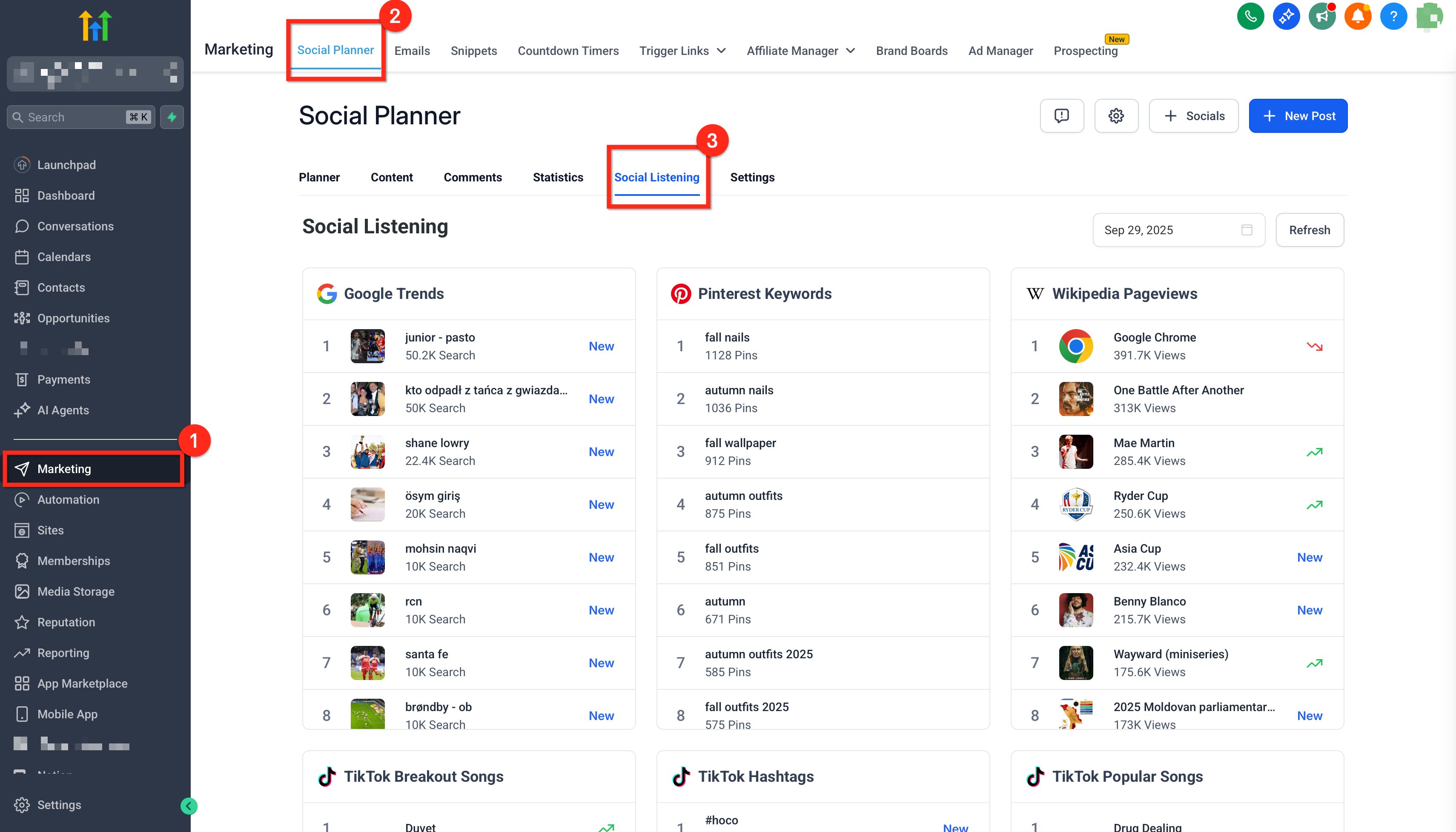
- In your SubAccount, open Social Planner and click on the Social Listening tab.
- Choose the data source you want to analyze, such as a hashtag, keyword, song or channel. The selected source will be highlighted.
- Scroll through the full list to view detailed insights.
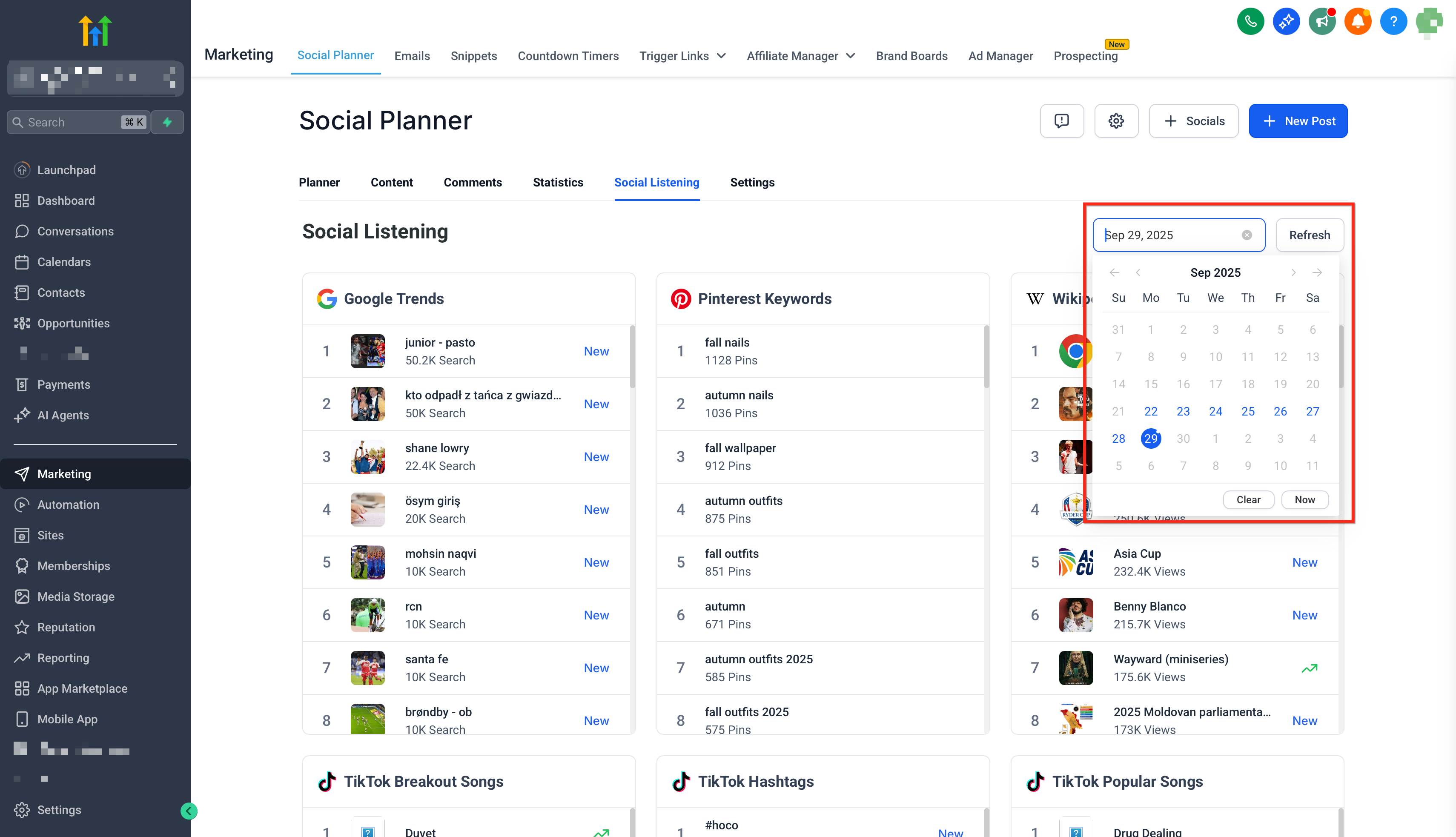
- Apply the date filters to focus on a specific time range and track trends for the selected dates.
- Click a trend card to open the source website in a new tab for the original chart or dataset (when supported).
05What it looks like in HighLevel
06Settings that matter
- Date filters. Limit the view to a specific time range so you can track trends for the dates you select.
07Things to know before you rely on it
- Trends decay quickly; aim to draft and schedule within 24, 72 hours of detection when appropriate.
- Data refresh cadence varies by source; cards update when the date filter changes.
- Social Listening does not recommend posting times; use the Best Time to Post feature for scheduling.
- Social Listening does not require connecting social accounts.
Michael's take

Finding content that actually resonates can feel like guessing in the dark. The first thing I would get right is the date filter. Setting a tight window lets you see what’s hot right now and act before the buzz fades.
Once the filter is fine tuned, I would hop into the Google Trends and TikTok tabs to pull a handful of high signal topics and add them straight to the planner. That quick loop from discovery to scheduling keeps the workflow lean and the content timely.