
01Who this is for
- Digital marketing agencies, they can manage client campaigns with either a unified budget or granular ad set budgets for precise control.
- Ecommerce retailers, they can assign different spend levels to product specific ad sets and let Meta shift budget based on performance.
- Local service businesses, they can use a single campaign budget to let Meta automatically distribute spend across multiple geographic ad sets.
02Meta Campaign Budget Optimizer, explained
The optimizer adds a budgeting layer inside HighLevel Ad Manager. When you create or edit a Meta campaign you decide whether the platform should handle one overall budget or whether each ad set receives its own amount. Daily and Lifetime budget types are supported at both levels.
If you choose ad set budgets you can turn on an optional sharing feature that allows Meta to move up to 20 % of an ad set’s budget to other eligible ad sets. The feature also respects selected bid strategies, such as Highest volume or Cost per result goal, and lets you adjust budgets after publishing within Meta’s editing limits.
All controls are located in the campaign level Budget section and the individual ad set Budget sections within the HighLevel Ad Manager interface.
03How businesses use Meta Campaign Budget Optimizer
- Ecommerce store. The owner creates separate ad sets for each product line, assigns a Daily budget to each, and enables the 20 % sharing option. This lets Meta shift spend toward the best selling products without changing individual budgets.
- Local service provider. The provider selects a single Campaign budget and lets Meta automatically allocate funding across ad sets targeting different neighborhoods. The platform distributes the budget based on performance signals.
- Digital marketing agency. The agency opts for Ad set budgets for each client’s audience segment, enters specific Cost per result goals, and uses the Budget sharing toggle to allow limited reallocation when a segment outperforms another.
04The numbers and rules that matter
- Budget sharing can move up to 20% of an ad set’s budget.
- Supported bid strategies: Highest Volume, Cost per Result Goal.
05How to set up and use Meta Campaign Budget Optimizer in HighLevel
Set up Meta campaign budgets in Ad Manager
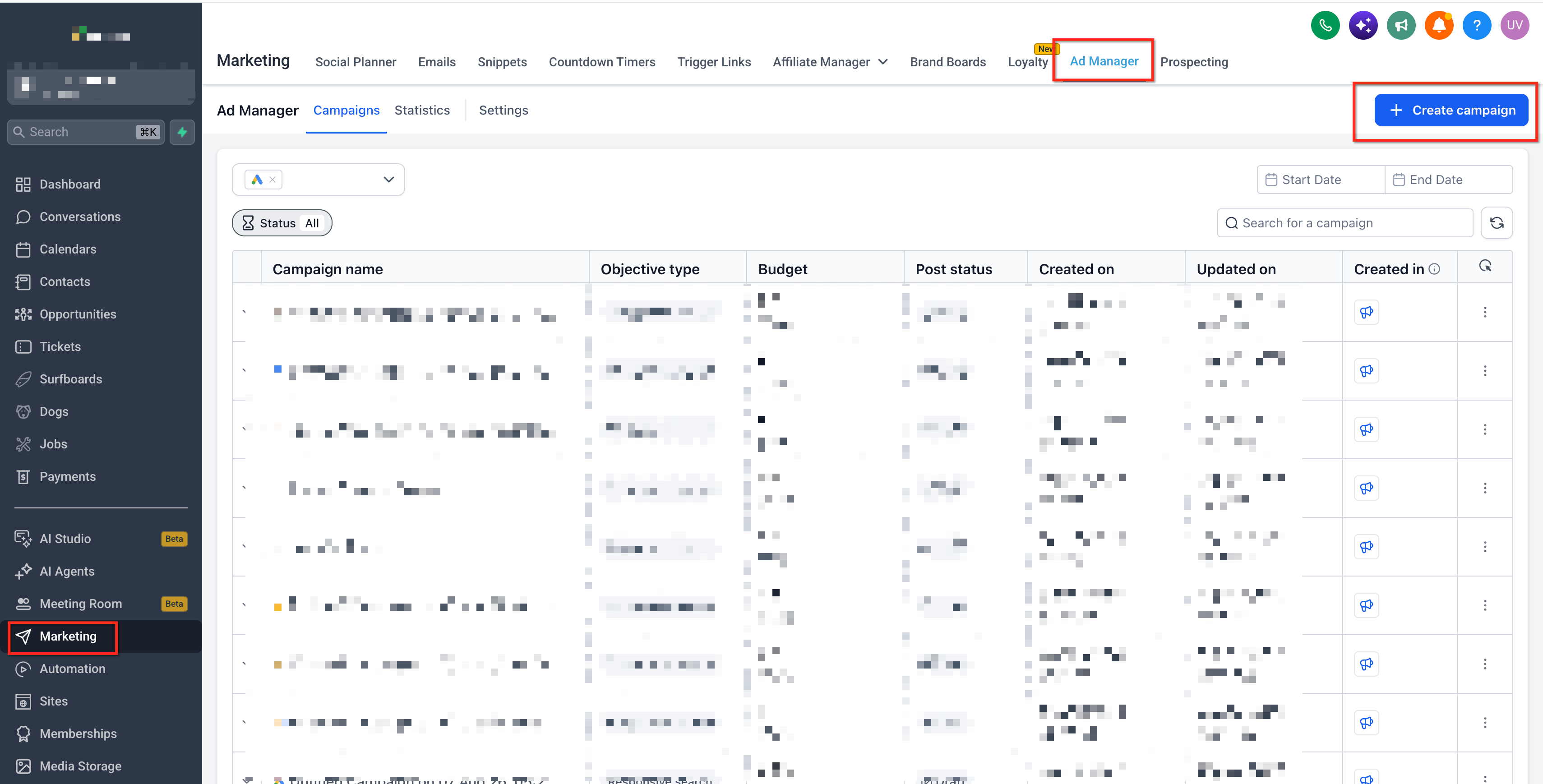
- Open Marketing > Ad Manager in your HighLevel subaccount, then create a new Facebook campaign or edit an existing one.
- In the campaign builder, open the Budget section to view the budget allocation options.
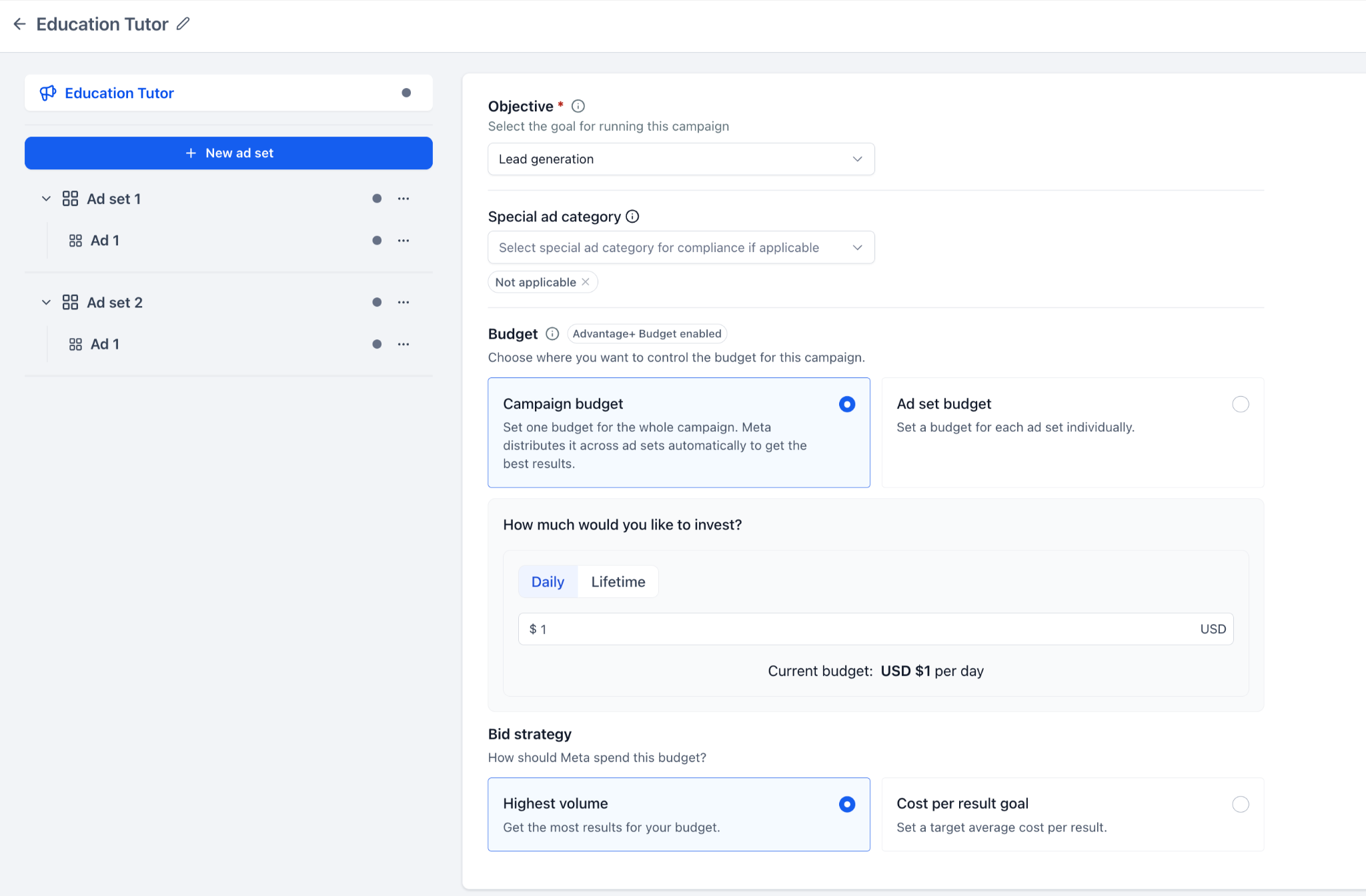
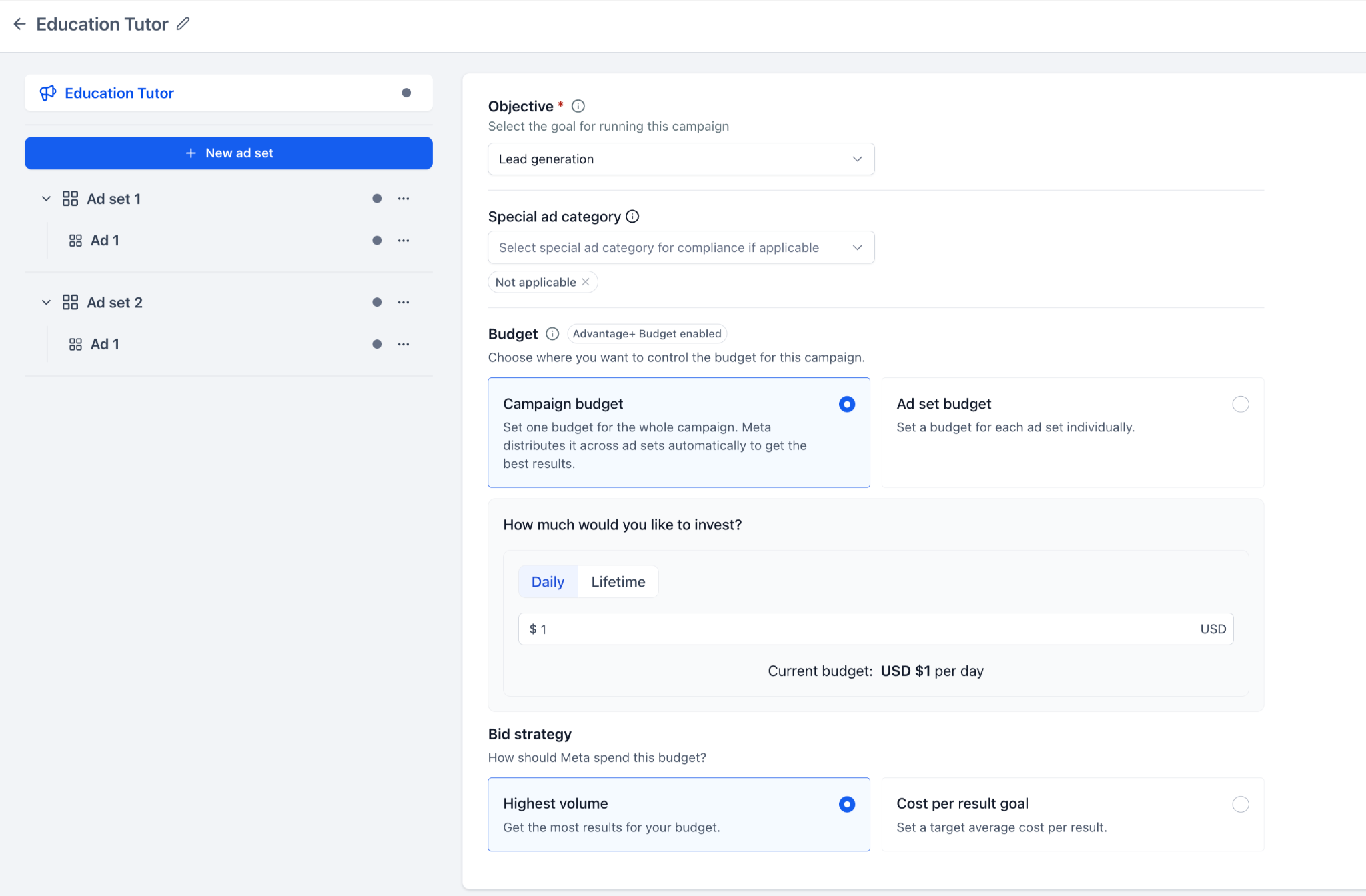
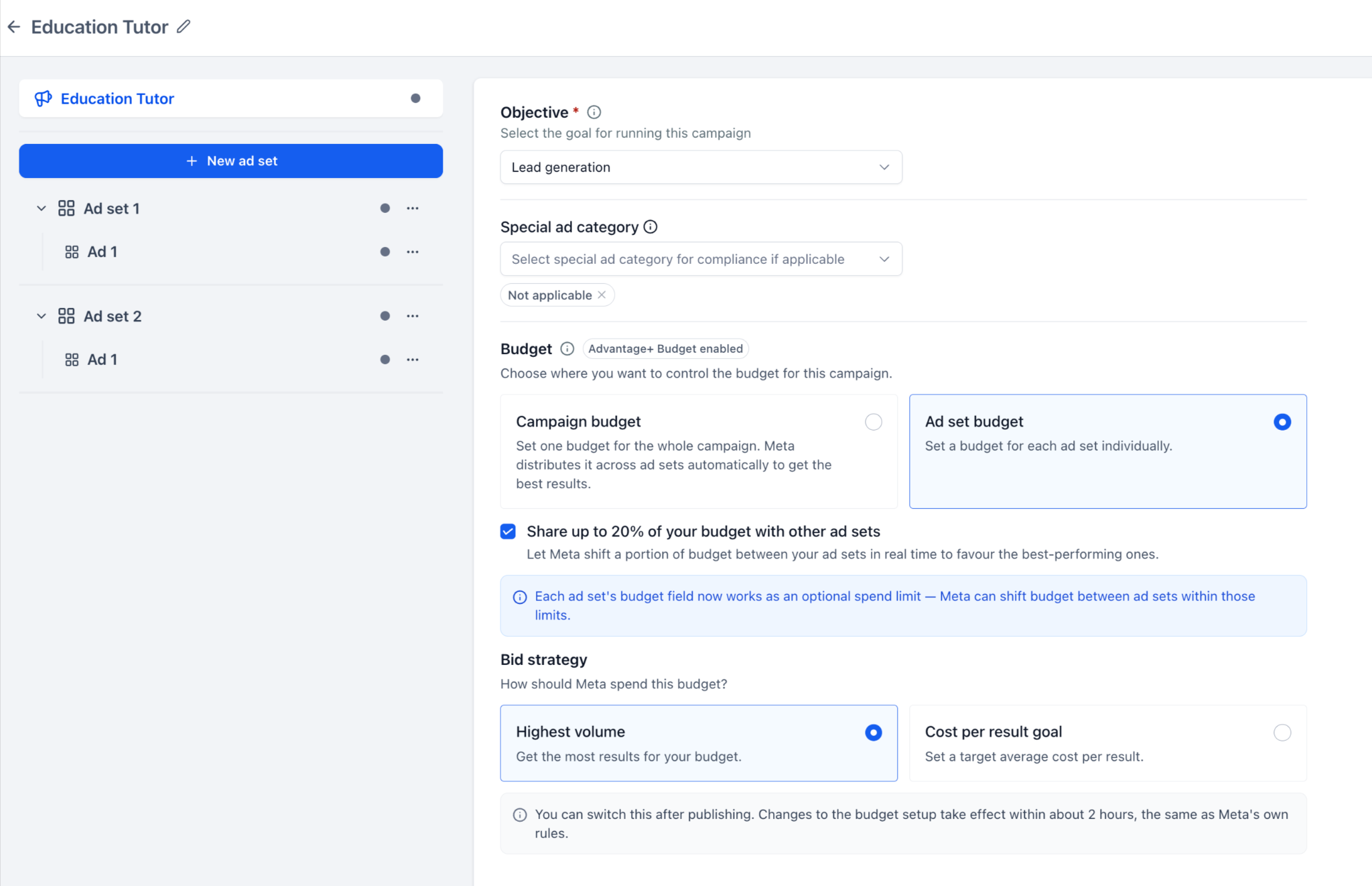
- Select either Campaign budget to manage a single budget for the whole campaign or Ad set budget to manage budgets for each ad set.
- If you chose Campaign budget, pick Daily or Lifetime, enter the campaign amount, set any schedule, and choose a supported bid strategy.
- If you chose Ad set budget, optionally enable the “Share up to 20% of your budget with other ad sets” toggle.
- Open the first ad set, go to its Budget section, select Daily or Lifetime, and enter that ad set’s budget amount.
- Configure the ad set’s schedule and, when required by the bid strategy, fill in the Cost per result goal field.
- Repeat the previous two steps for each additional ad set that needs its own budget.
- When all settings are complete, click Review, verify the details, then click Publish Campaign Now and confirm to submit the campaign.
06What it looks like in HighLevel
07Settings that matter
- Campaign budget. Controls a single budget that applies to the entire Meta campaign and is automatically distributed across ad sets.
- Ad set budget. Allows you to set an individual budget for each ad set within the campaign.
- Share up to 20% of your budget with other ad sets. Enables Meta to reallocate a limited portion of an ad set’s budget to other eligible ad sets based on performance.
- Bid strategy. Determines how Meta spends the allocated budget, with options such as Highest volume or Cost per result goal.
- Cost per result goal. Specifies a target average cost for the desired result when the selected bid strategy requires it.
08Things to know before you rely on it
- Budget sharing can only be used with Ad set budgets, not with a Campaign budget.
- Meta may move up to 20 % of an ad set’s budget, but it does not guarantee the full amount will be redistributed.
- After editing a budget configuration, Meta may block further changes for roughly two hours.
- Switching between Daily and Lifetime budget types is not allowed for campaigns that have already been published.
- Post publish changes are limited to switching between Campaign and Ad set budget configurations; other changes may be restricted.
09How it connects to the rest of HighLevel
- View advanced preview and shareable links for Meta ads Advanced preview
- Explore HighLevel Ad Manager public APIs for campaign creation and reporting Public APIs
- Review HighLevel pricing and plan options Pricing
Michael's take

Wondering if you really need to tinker with budget levels in Meta ads? The optimizer gives you the choice to either let the platform spread a single pot of money across all your ad sets or keep tight control by assigning each ad set its own budget. You also get a middle ground where up to 20% of an ad set’s budget can be shared with others, while still preserving your original allocations.
If I were setting up a new Meta campaign, I’d start with a campaign level budget to let the system find the best mix, then switch to ad set budgets for the high value audiences that need extra spend. Test the sharing toggle on a small pilot first, just to see how Meta reallocates funds before you roll it out more broadly.