
01Affiliate campaigns, explained
Affiliate campaigns let you group promotions, tracking, and rewards into distinct buckets. Each campaign can have its own source, referral tracking method, commission model, payout terms, and set of assigned affiliates. This structure lets you control which offers affiliates can market and how you calculate their earnings.
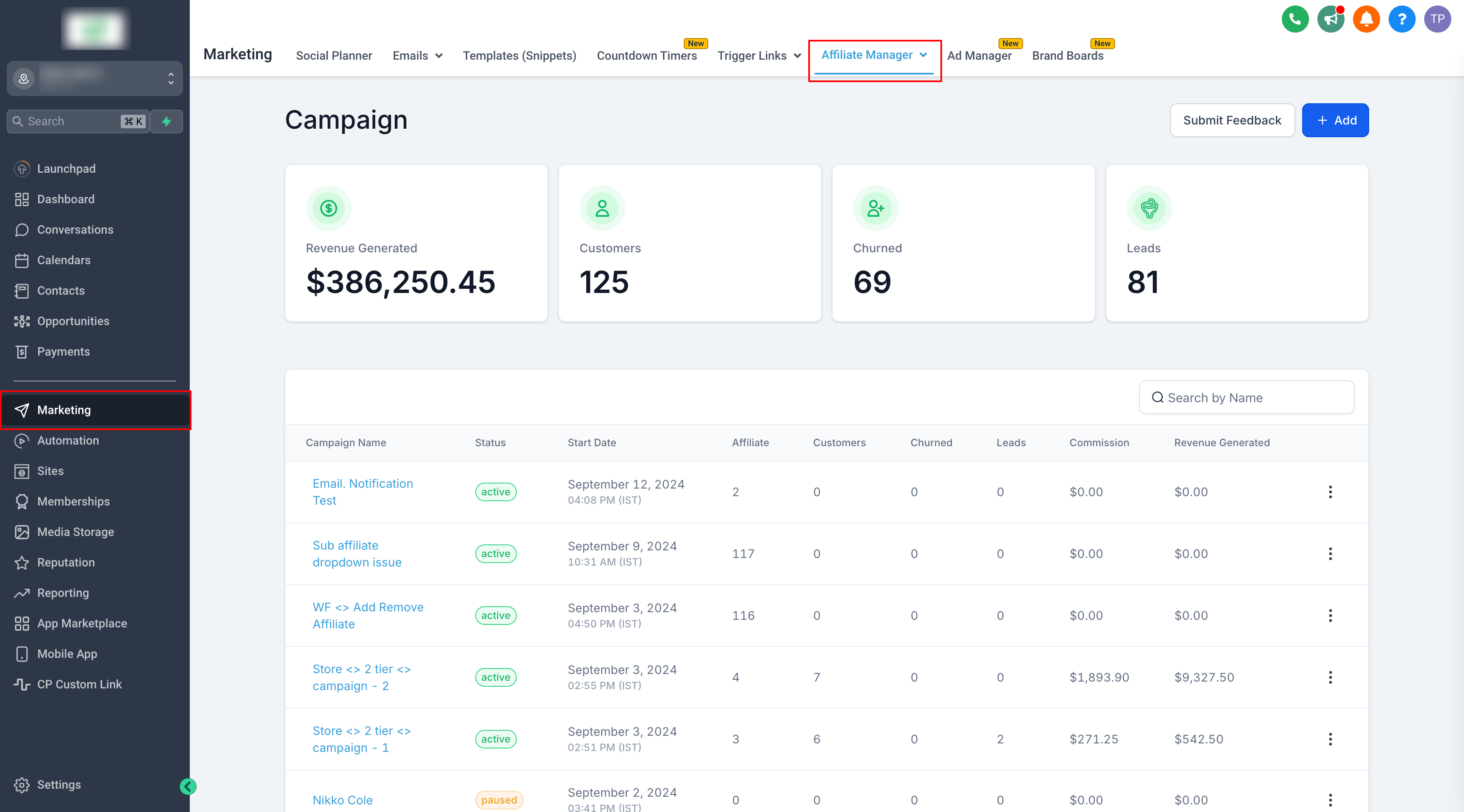
You can add affiliates to one or more campaigns, each with a unique referral link. The Affiliate Manager Dashboard shows performance across all campaigns or lets you drill down to a single campaign. This visibility helps you identify top performing affiliates, analyze the effectiveness of commission structures, and optimize overall sales.
02How businesses use affiliate campaigns
- Segment promotions. Create separate campaigns for funnels, websites, or stores so affiliates only promote the offers you assign. This lets you track each channel’s results.
- Reward leads or sales. Configure a campaign to pay per lead for forms, surveys, or calendars and pay per sale for qualifying purchases. Affiliates earn based on the type of activity you value most.
- Assign affiliates selectively. Invite or add affiliates to specific campaigns, either one at a time or in bulk. You can also remove them when a campaign changes or ends.
- Analyze performance. Use the Affiliate Manager Dashboard to compare which campaigns or affiliates drive the most revenue. Adjust commission tiers or payout terms based on the data.
03The numbers and rules that matter
- Supported sources: Funnels, Websites, Stores, Forms, Surveys, Calendars, External Websites.
- Commission models: Pay Per Lead, Pay Per Sale, flat, percentage based, recurring, product specific, multitier.
04What it looks like in HighLevel
05Settings that matter
- Campaign source. Determines what affiliates promote and how eligible activity is tracked.
- Commission model. Specifies how affiliates are paid, such as Pay Per Lead, Pay Per Sale, flat, percentage based, recurring, product specific, or multitier.
Michael's take

This feature feels like a small convenience that can become a real shift for any business that relies on affiliates. It gives you a clean way to separate different offers and track them precisely, which many Founders find messy without it.
A SaaS company that sells multiple subscription tiers can set up one campaign for the basic plan and another for the premium plan, each with its own commission structure. That lets you reward affiliates differently based on the value they bring, and you can see which tier drives the most sign ups from the dashboard.