
01Who this is for
- Affiliate managers who need to consolidate FirstPromoter data into a single dashboard for cleaner reporting.
- Finance teams that want to keep historical commission statuses and payout schedules when switching platforms.
- Marketing directors looking to avoid manual CSV exports and maintain accurate affiliate contact records.
02FirstPromoter imports, explained
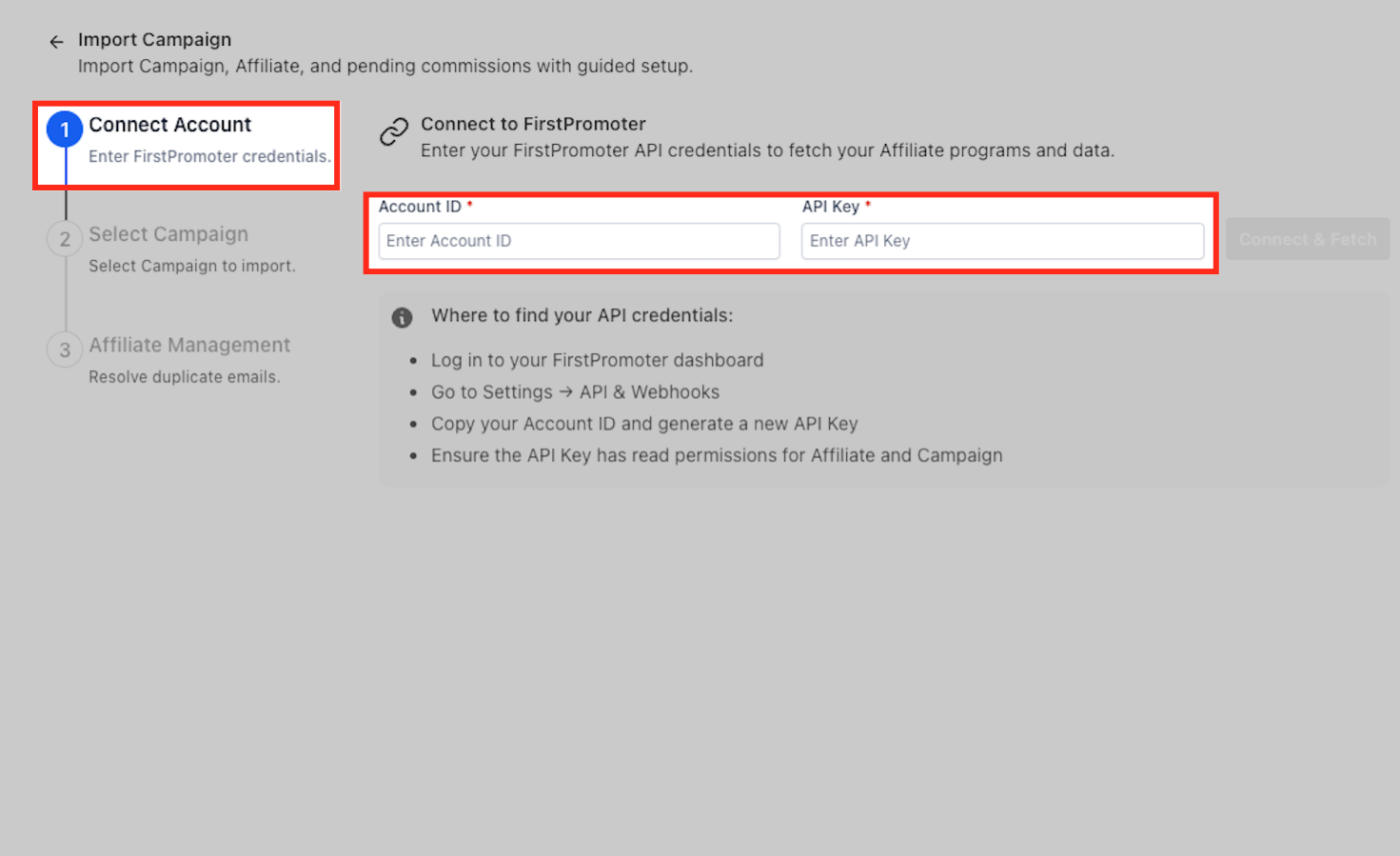
The FirstPromoter Guided Import is an API based workflow that links a FirstPromoter workspace to HighLevel. After entering the Account ID and API Key, the wizard fetches available campaigns, affiliates and commission history, ready for import.
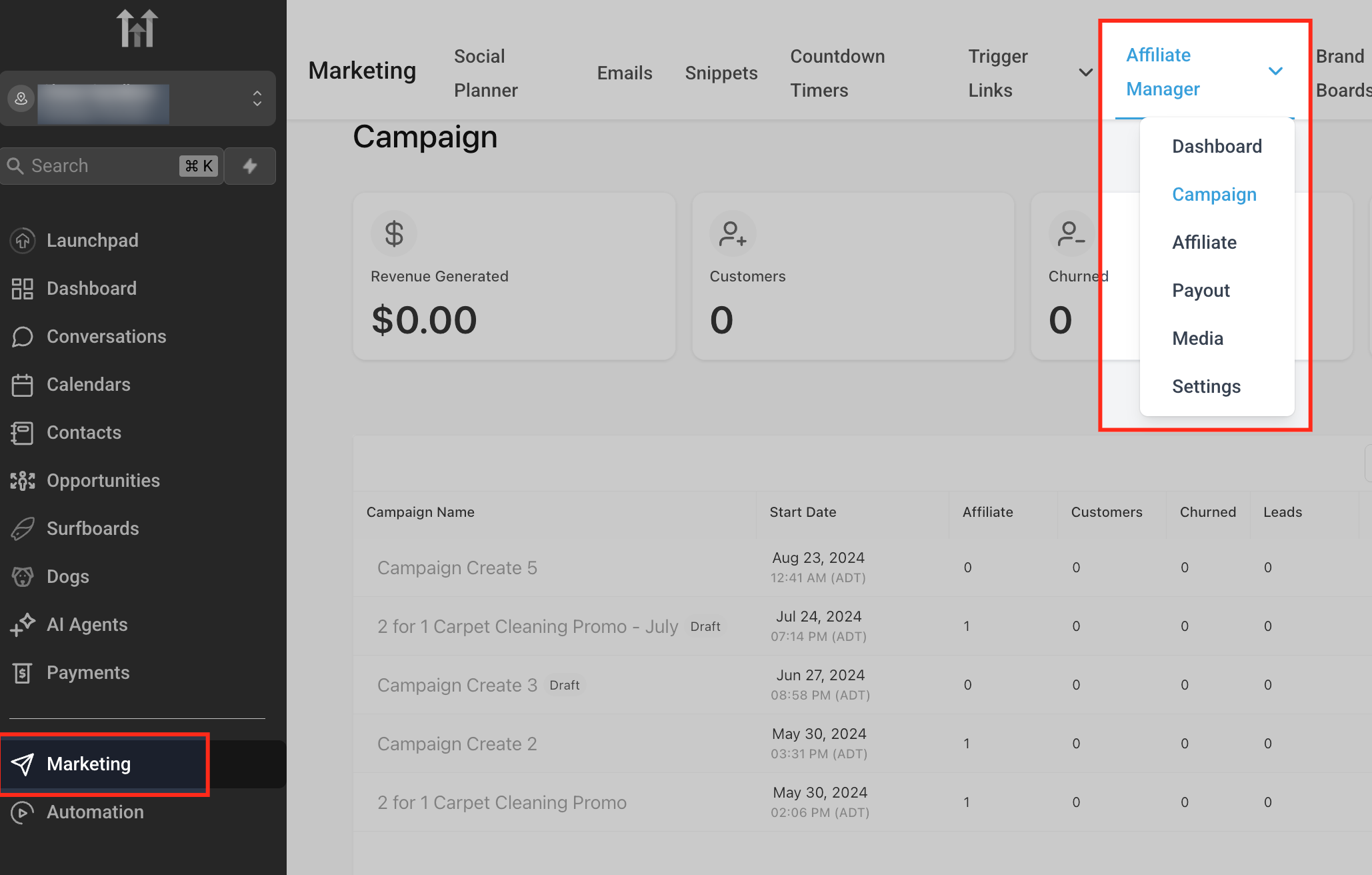
The import runs in three screens: connect the FirstPromoter account, select the campaigns to bring over, and set preferences such as including pending commissions and defining payout terms. Duplicate email detection flags conflicts so you can merge or skip contacts. The feature lives under Marketing > Affiliate Manager > Campaigns > Import.
03How businesses use firstPromoter import
- SaaS startup. The startup links its FirstPromoter account, selects its partner referral programs, and imports historic commissions. This lets the team view past payouts alongside current affiliate performance without exporting CSV files.
- Ecommerce store. The store imports affiliate campaigns, enabling the existing affiliate list to become contacts in HighLevel. Email conflicts are resolved, keeping a single customer record while preserving previous referral earnings.
- Coaching business. The coaching brand toggles the Pending Commissions option to bring unpaid referral fees into Affiliate Manager, ensuring those amounts appear in the payout workflow immediately after migration.
04The numbers and rules that matter
- Payout Terms dropdown (e.g., Net 30 (30 days after month ends)).
05Before you start
- A FirstPromoter account with read only API access for affiliates and campaigns.
- A HighLevel account that includes the Affiliate Manager feature.
06How to set up and use firstPromoter import in HighLevel
Open the Import Wizard
- Navigate to Marketing > Affiliate Manager > Campaigns > Import to launch the guided import screen.
Connect FirstPromoter
- Enter the FirstPromoter Account ID and API Key, then click Connect & Fetch to link the two systems.
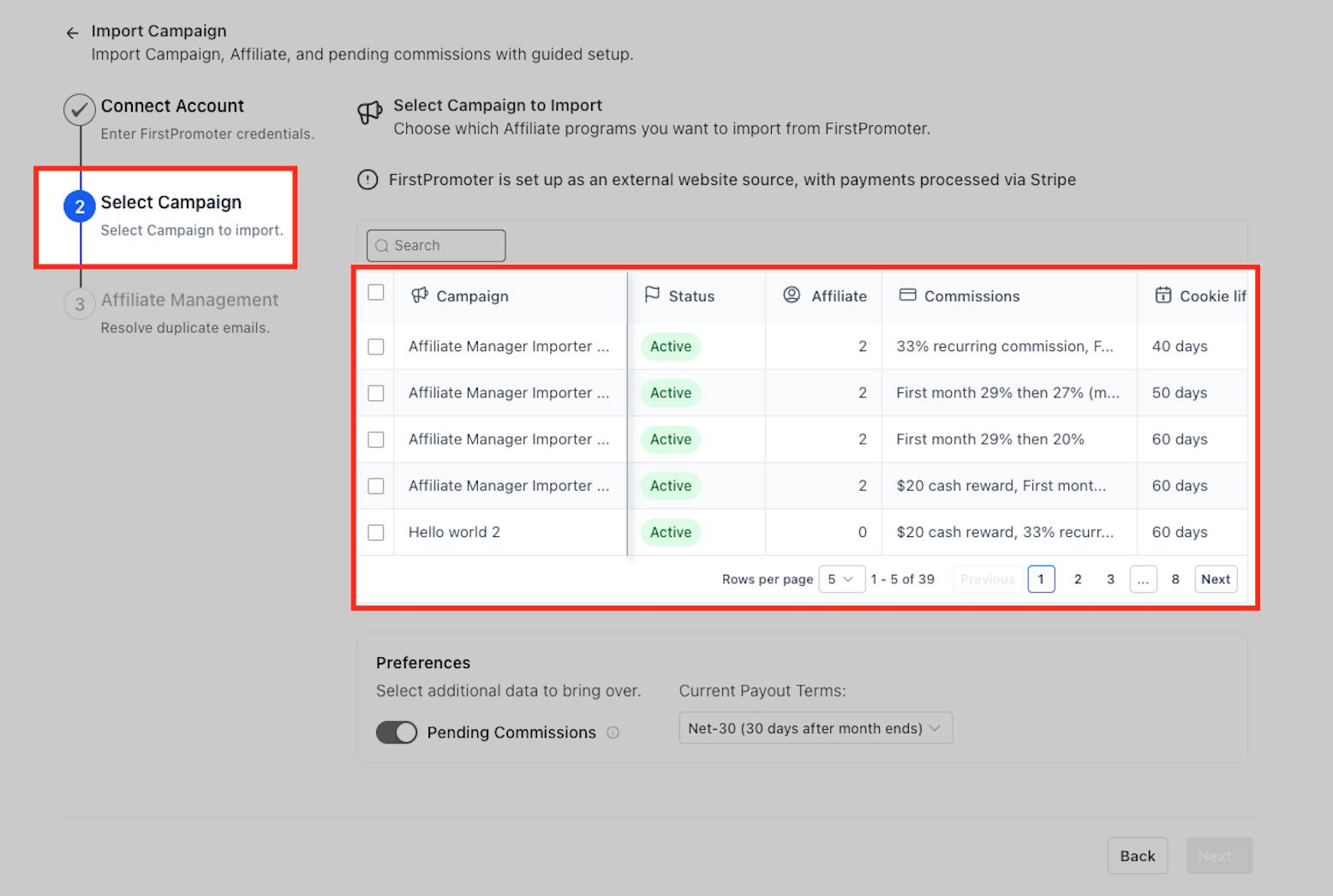
Select Campaigns
- Check the boxes next to the campaigns you wish to migrate and review columns such as status, commission type and cookie life.
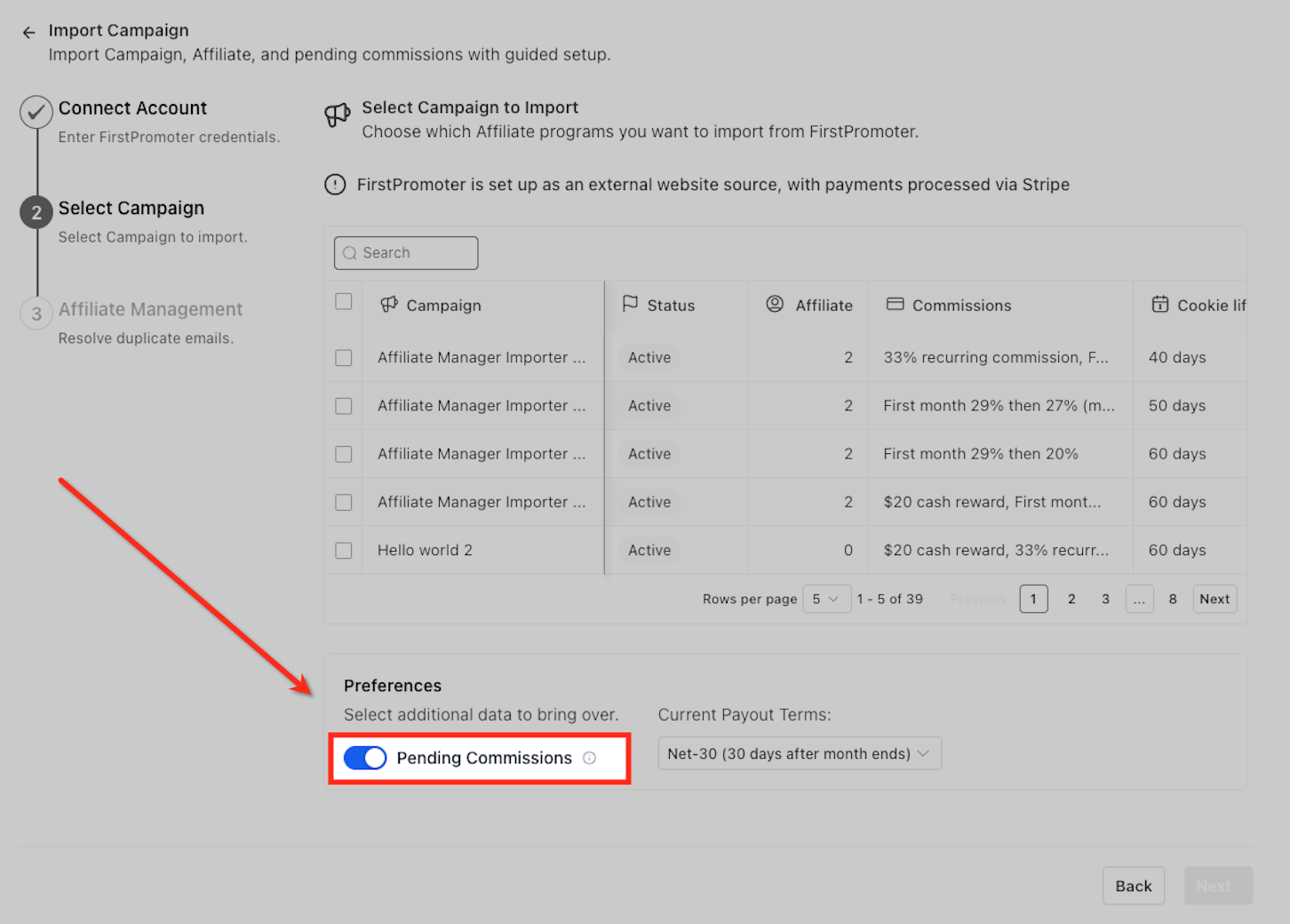
Set Preferences
- Toggle Pending Commissions if you want unpaid earnings imported and choose a Payout Terms option to define when those commissions become due.
Review Affiliates
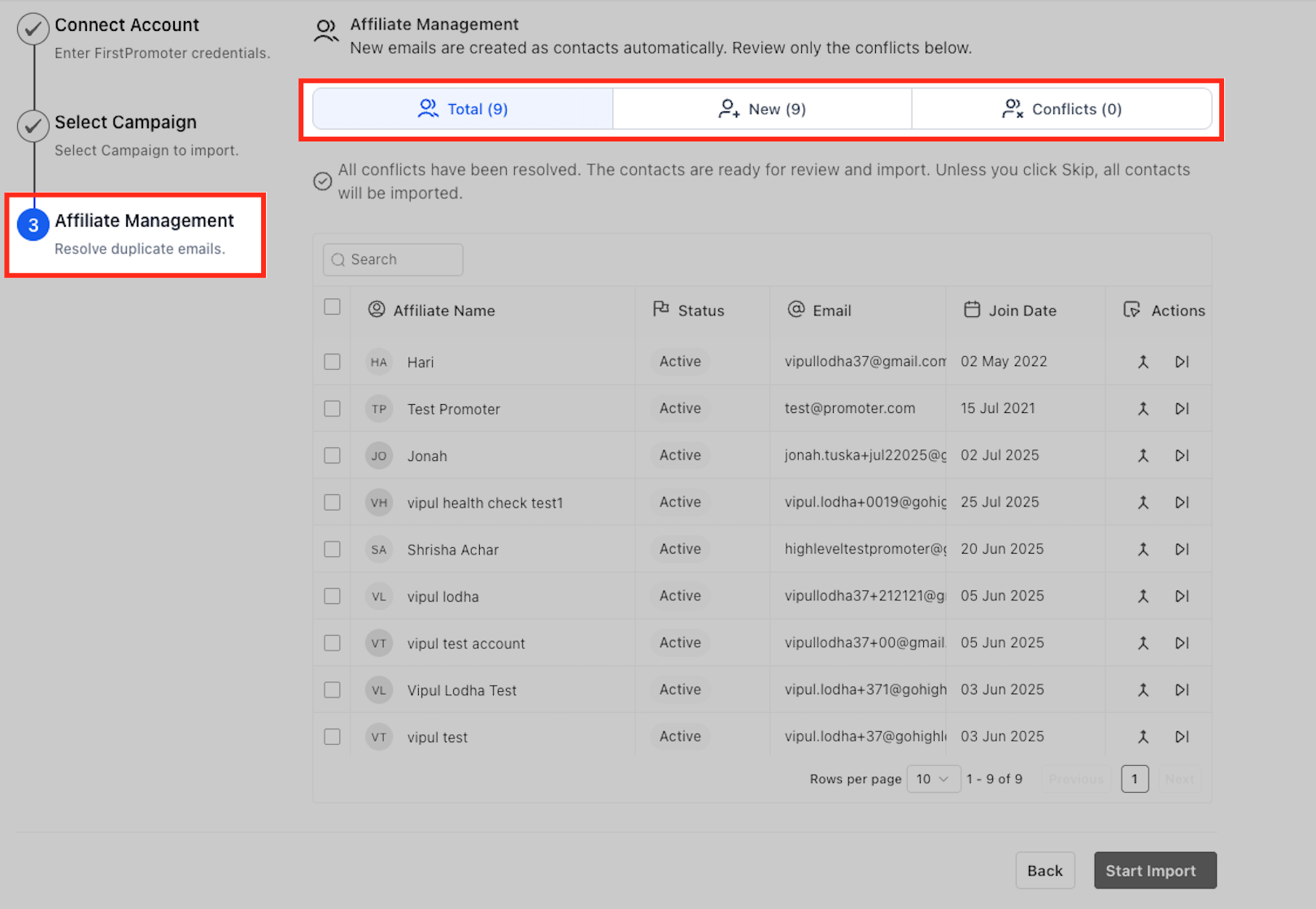
- On the Affiliate Management tab, resolve any email conflicts by selecting Merge to keep the existing contact or Skip to omit the affiliate.
Start Import
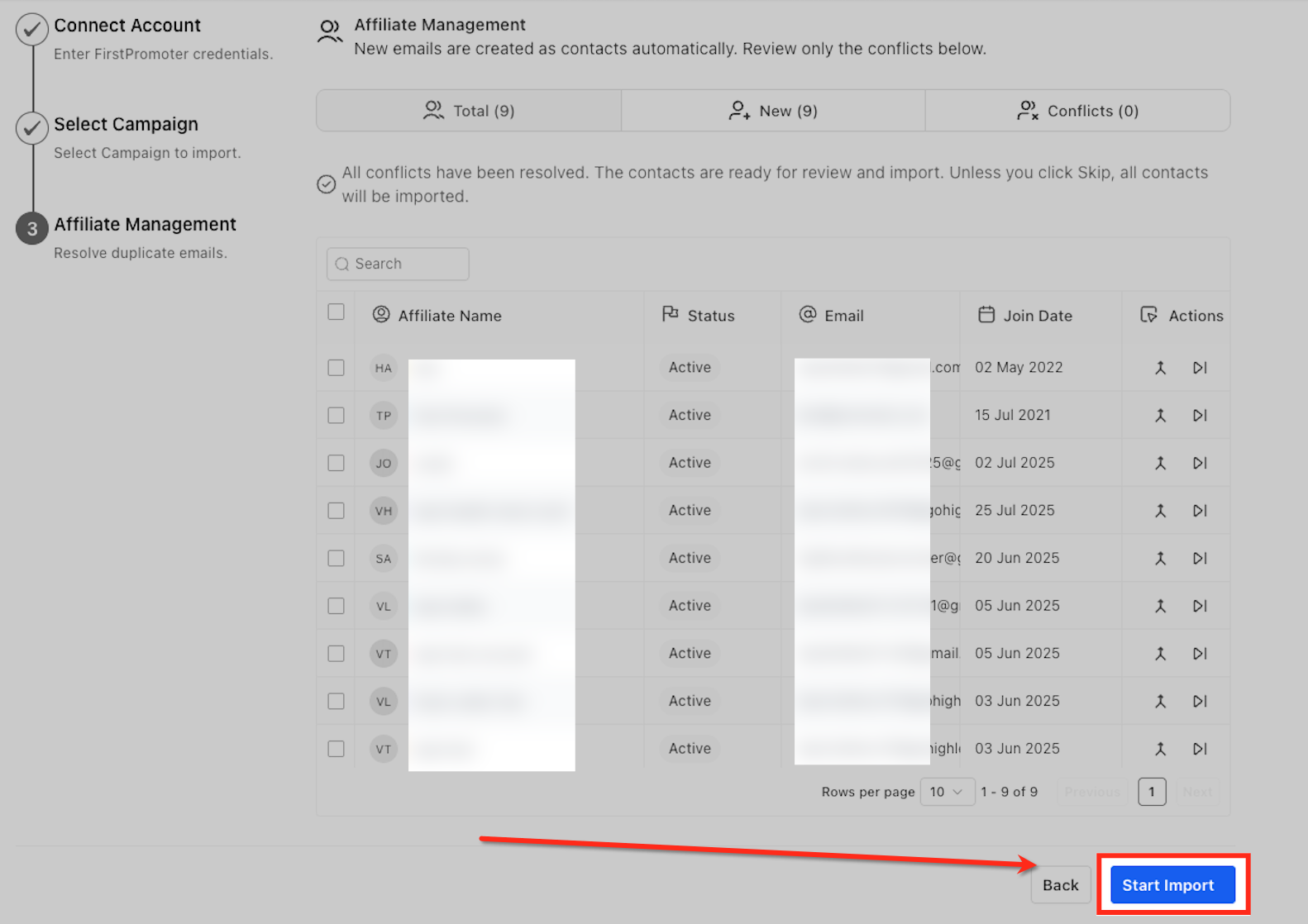
- Click Start Import; a summary of queued campaigns, affiliates and historical referrals appears, and HighLevel will process the data even if you leave the page.
07What it looks like in HighLevel
08Settings that matter
- Pending Commissions. When turned on, it includes unpaid commissions from FirstPromoter so they appear immediately in HighLevel’s payout workflow.
- Payout Terms. A dropdown that sets the timing for when imported commissions become due, matching the original payment cadence.
09Things to know before you rely on it
- Product based commission rules are not imported; they must be configured manually after the migration.
- Duplicate email addresses are flagged for review; the importer does not create duplicate contacts.
- Re running the wizard adds new items without duplicating those already imported.
10How it connects to the rest of HighLevel
- Watch quick setup videos for Affiliate Manager. Affiliate Manager walkthrough videos
- Read the detailed guide on migrating FirstPromoter data. Migrate FirstPromoter guide
- Learn how to manage multiple affiliate campaigns within HighLevel. Managing multiple campaigns
Michael's take

Wondering if moving your FirstPromoter data into HighLevel is worth the effort? The guided import does the heavy lifting for you, pulling campaigns, affiliates and past commissions without a single CSV file. It keeps your contacts tidy and your payout schedule intact, so you can see everything in one dashboard.
If I were setting this up, I’d start with the three step wizard, make sure my API key has read permissions, and turn on the Pending Commissions toggle if I have unpaid earnings. I’d also double check the email conflict screen to decide whether to merge or skip, then let HighLevel finish the import while I prep the tracking scripts.