
01Who this is for
- Affiliate program managers can centralise creative files and control which partners see them.
- Digital marketing agencies running multiple client campaigns benefit from easy campaign specific media assignment.
- Ecommerce businesses with affiliate storefronts gain quick access to product images and banners for their partners.
02Affiliate manager media library, explained
The Media Library is a section inside the Affiliate Manager where admins upload images, PDFs, or video files. After a file is added, the admin decides if the file is tied to one campaign or visible across every campaign in the account.
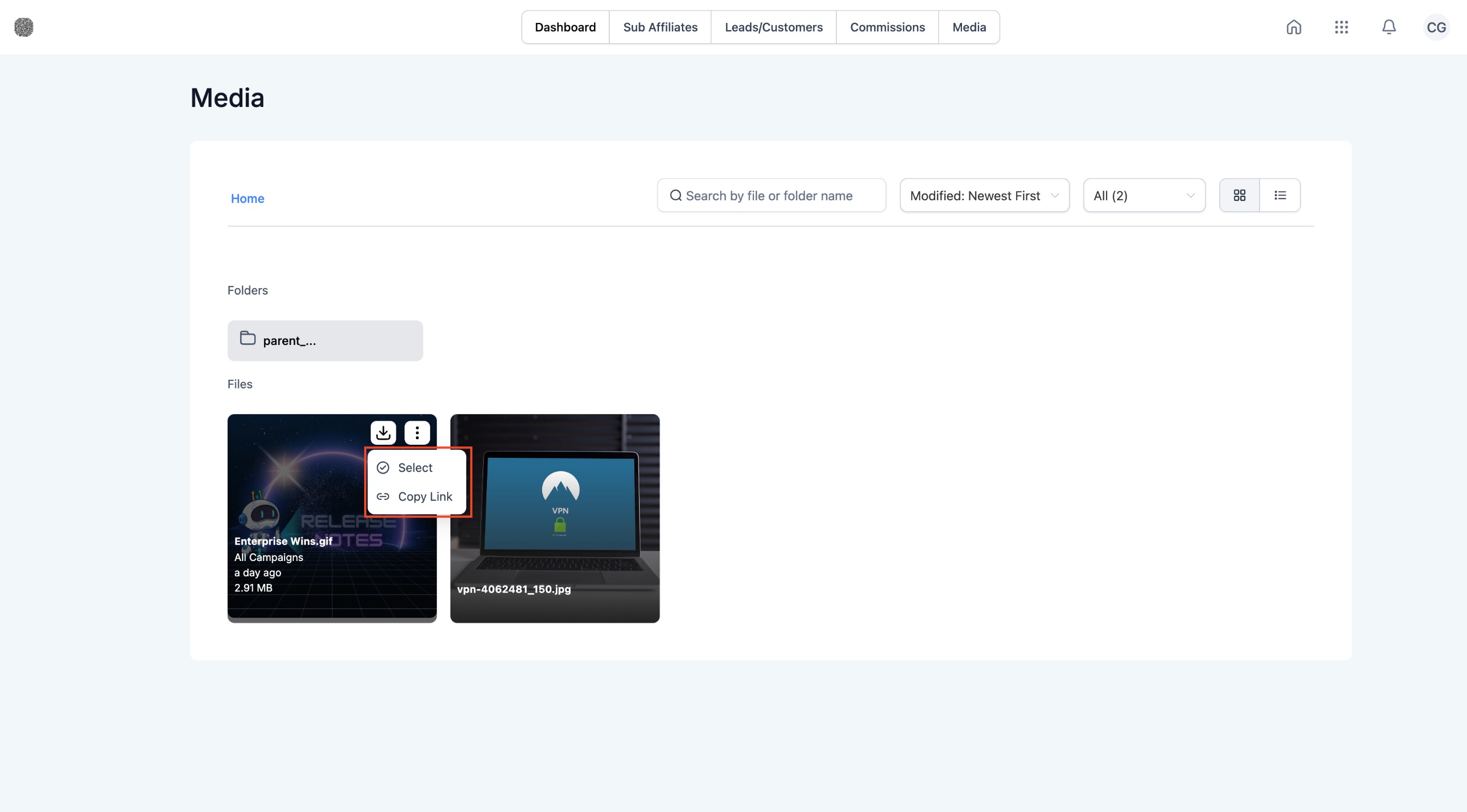
Affiliates open the Affiliate Portal, go to the Media area, and see only the files that match the campaigns they have been added to. They can download or copy the assets for use in their promotional activities.
03How businesses use affiliate manager media library
- Ecommerce store. The store owner uploads product banner images, marks them for the "Holiday Sale" campaign, and affiliates who work that campaign can retrieve the files from their portal.
- SaaS company. The SaaS marketer adds a demo video, makes it available to all campaigns, and every affiliate can download the video to embed in their outreach.
- Real estate brokerage. The brokerage uploads neighborhood PDFs, links each file to the "Local Listings" campaign, and agents assigned to that campaign can access the PDFs directly.
04Before you start
- Affiliates must already be assigned to the campaign whose media they need to view.
05How to set up and use affiliate manager media library in HighLevel
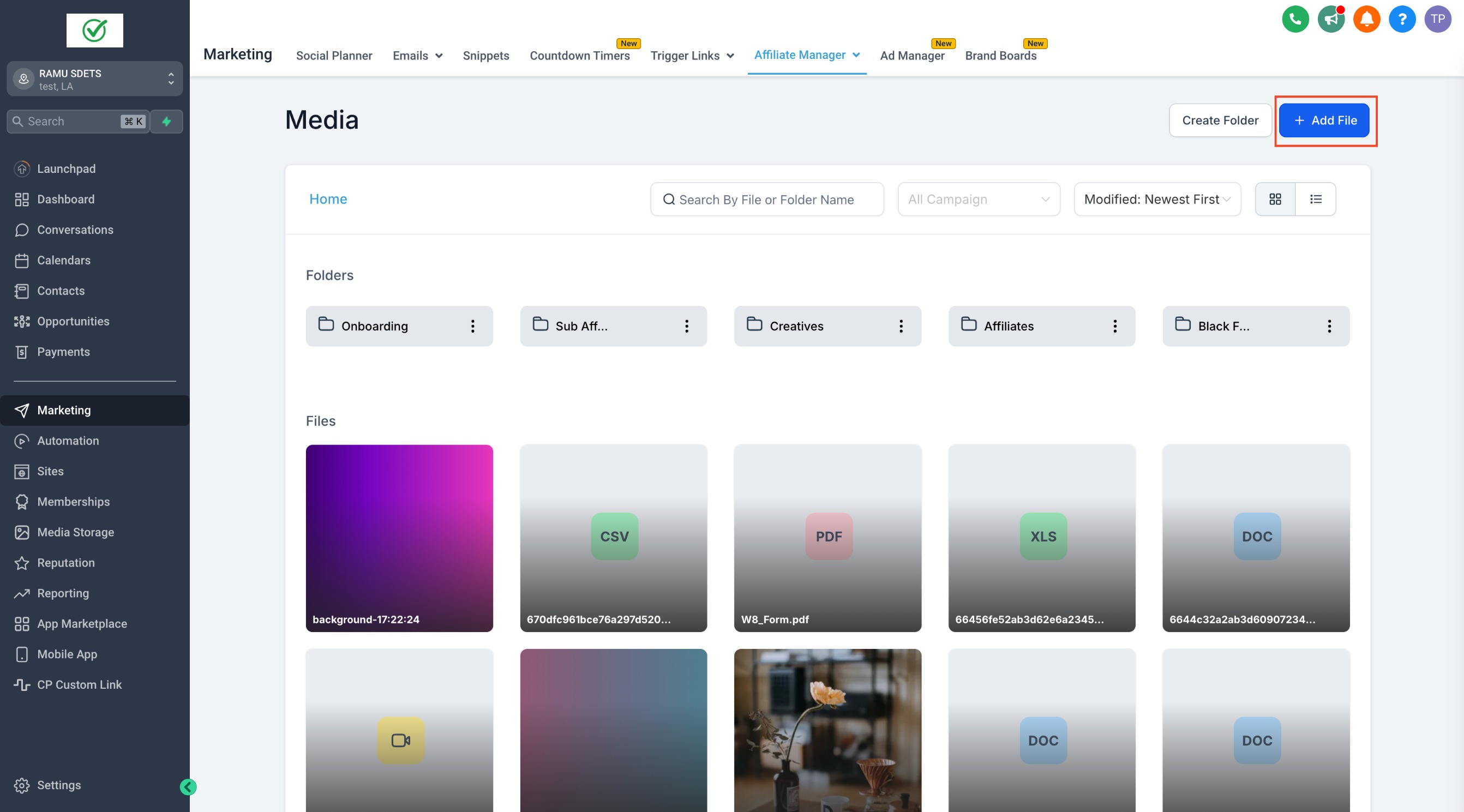
Upload a media asset to the Affiliate Manager Media Library
- From the subaccount, open Affiliate Manager and select Media.
- Click the Add File button to start a new upload.
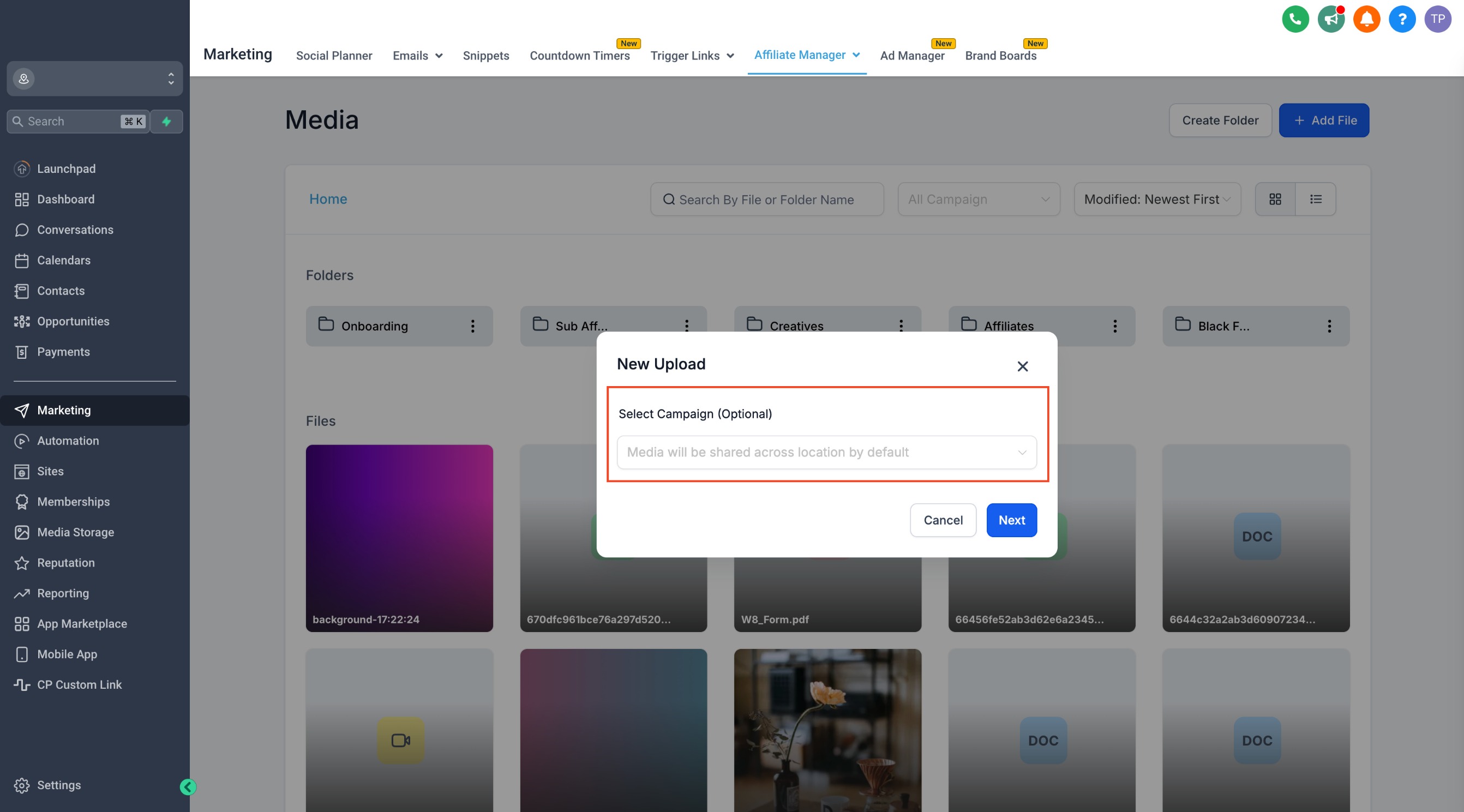
- Pick whether the file should be linked to a single campaign or made available to all campaigns.
- Save the settings to finish the upload.
06What it looks like in HighLevel
07How it connects to the rest of HighLevel
- Watch quick setup videos for the Affiliate Manager. Affiliate manager video walkthroughs
- Read how the Affiliate Manager works for campaign tracking. Affiliate Manager overview
- Explore the Affiliate Manager Public API for custom integrations. Affiliate Manager API
Michael's take

Michael ReimerFounder of CRM Pros, HighLevel Commander and Certified Admin
The media library lets you keep brand assets in one place and hand them off to affiliates without endless email chains.
Remember to assign affiliates to the right campaign before expecting them to see the assets.
Get More InformationOpens on HighLevelPublished November 2, 2026 · Updated November 17, 2026