
01Who this is for
- Social media managers can handle Reel creation and timing without leaving the marketing dashboard.
- Small business owners can keep their brand video content organized and publish from a single tool.
- Marketing agencies can schedule client Reels alongside other posts for coordinated campaigns.
02Instagram reels publishing, explained
HighLevel’s Social Planner includes a post composer that supports Instagram Reel uploads. Users choose a connected Instagram Business or Creator account, select Reel as the content type, and add a video, caption, and optional thumbnail. The composer shows a preview and lets the user publish immediately, schedule for later, or save as a draft.
Reels are stored in the Social Planner calendar with their status, published, scheduled, or draft, so owners can view upcoming video content in one place. The feature respects Instagram’s media limits and only supports one video per Reel, ensuring uploads meet the platform’s requirements.
03How businesses use Instagram reels publishing
- Fitness studio. The studio uploads a 60 second workout video as a Reel, adds a caption promoting a new class, selects a branded thumbnail, and schedules the post for the upcoming weekend. This keeps the video content in the Social Planner alongside class announcements.
- Real estate agency. An agent creates a virtual tour Reel, adds a concise description of the property, attaches a custom thumbnail showing the home’s front, and saves it as a draft. The draft can be edited later before publishing to match open house dates.
- Restaurant. The kitchen team records a recipe Reel, uploads the video, writes a caption within the 2,200 character limit, and uses the schedule option to post it during peak dinner hours, ensuring consistent visual marketing.
04The numbers and rules that matter
- Maximum video size: 300 MB.
- Video duration: 3 seconds to 15 minutes.
- Recommended aspect ratio: 9:16 (vertical video).
- Videos per Reel: One video.
- Custom thumbnail size limit: 8 MB.
- Caption limit: 2,200 characters.
05Before you start
- A supported Instagram Business or Creator account must be connected to Social Planner.
- The video file must meet the size (up to 300 MB), duration (3 seconds to 15 minutes), and aspect ratio recommendations.
06How to set up and use Instagram reels publishing in HighLevel
Publish or schedule an Instagram Reel
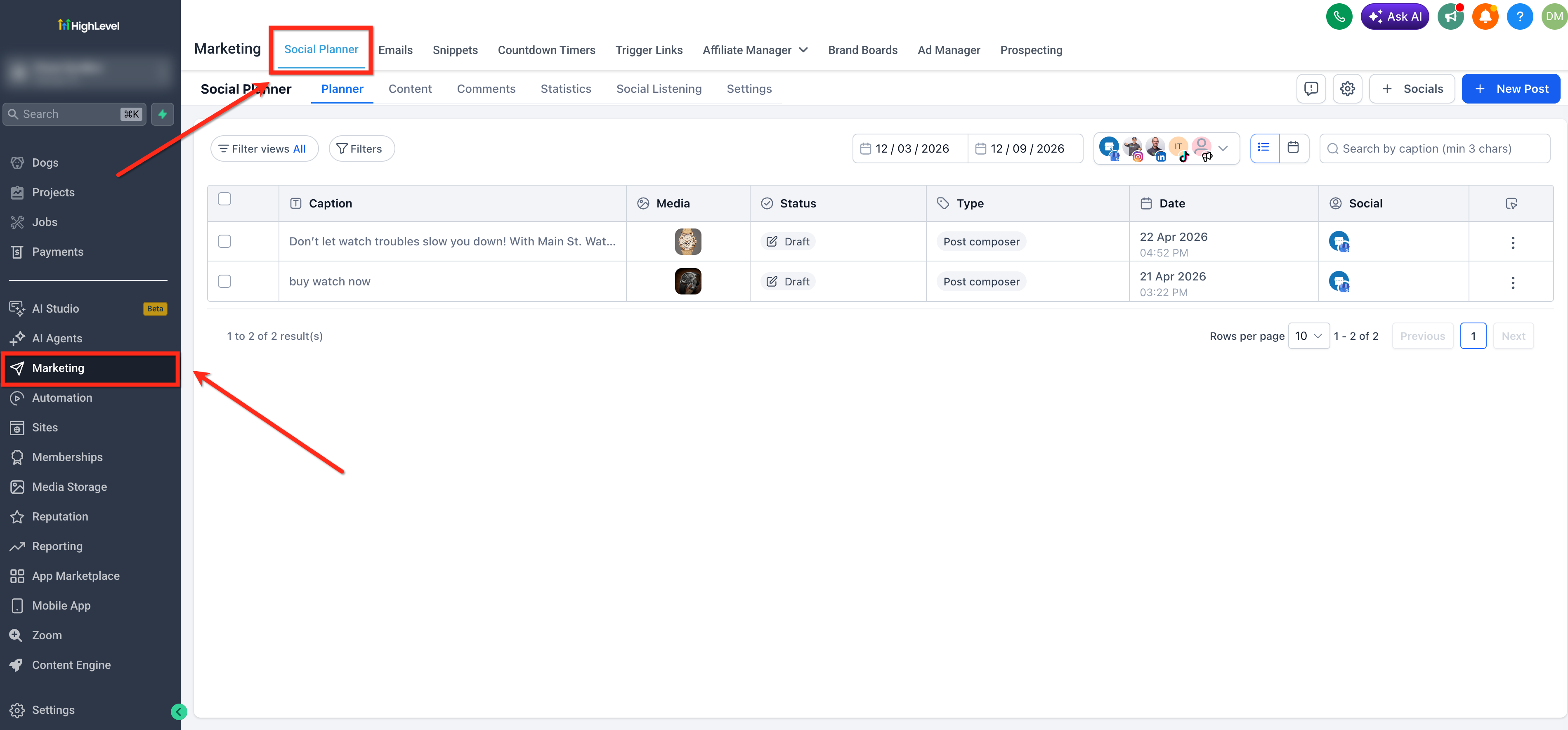
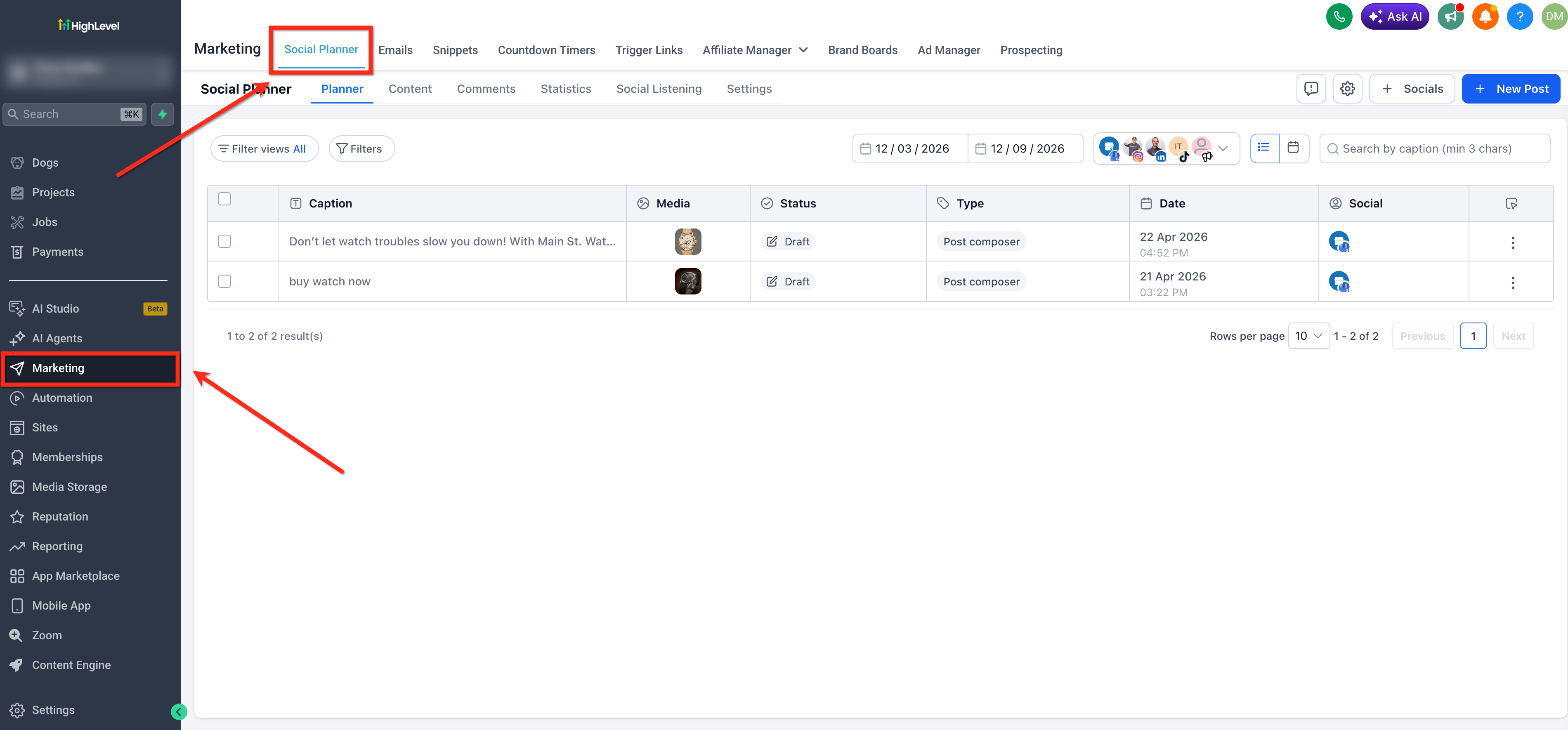
- Open Social Planner via Marketing > Social Planner and click + New Post, then choose Create New Post.
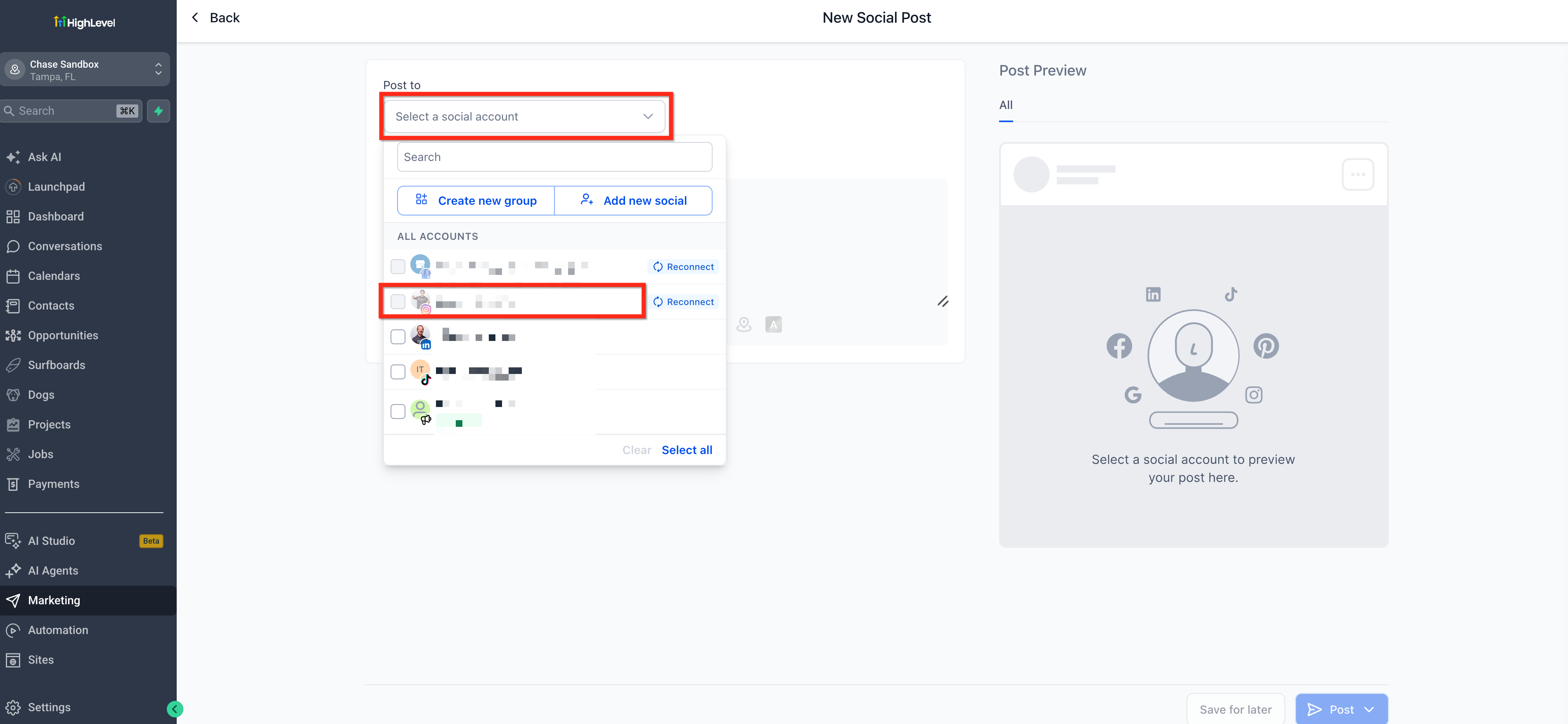
- Select the connected Instagram Business or Creator account under Post To.
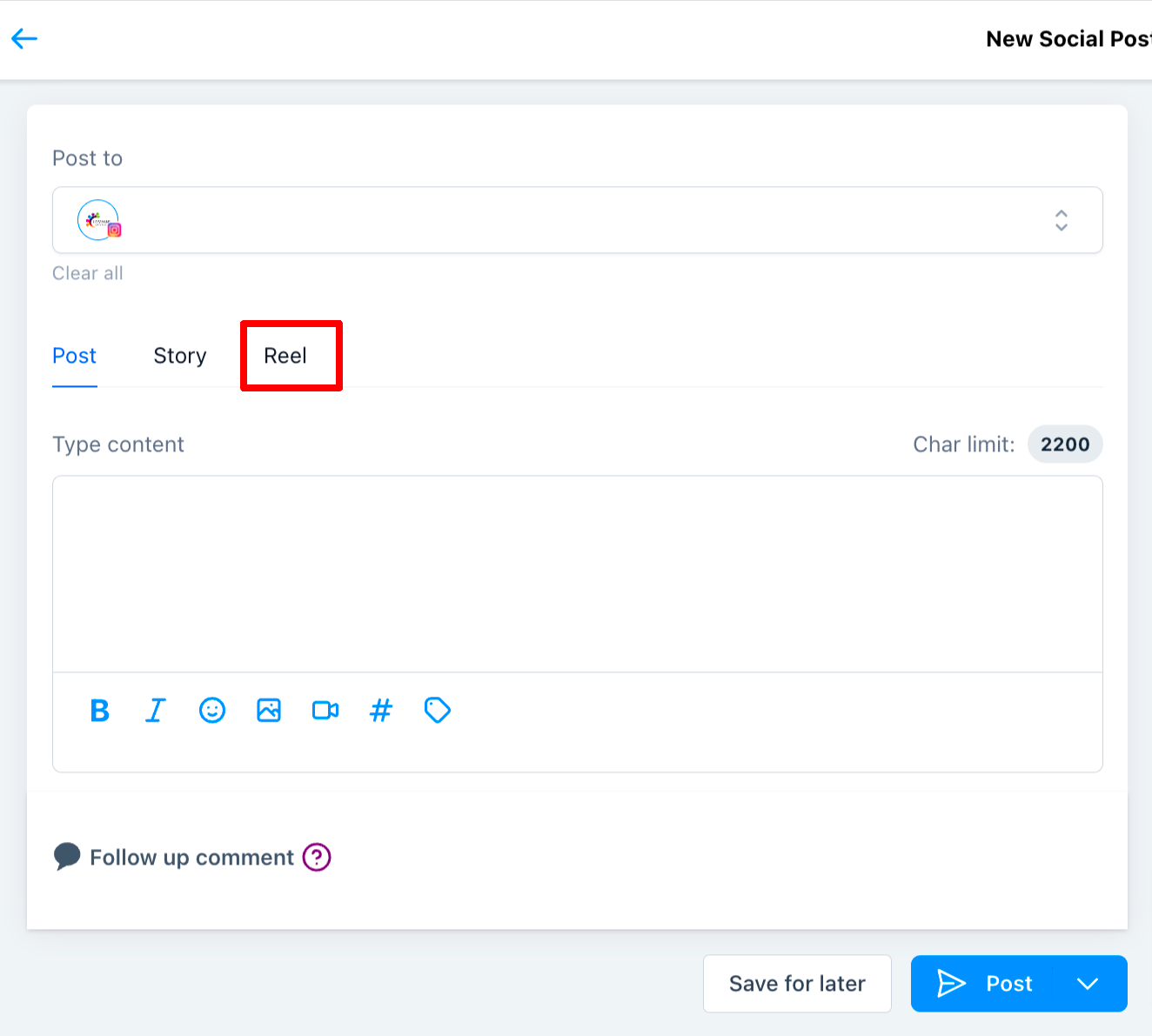
- Choose Reel as the post type.
- Upload one supported video and type the caption, checking the 2,200 character limit.
- Hover over the uploaded video, click the pencil icon, select Edit Video Thumbnail, and choose or upload a thumbnail up to 8 MB.
- Pick Post Now, Schedule for Later, or Save as Draft to determine when the Reel goes live.
- If scheduling, confirm the future date and time, then view the entry under Scheduled Posts.
07What it looks like in HighLevel
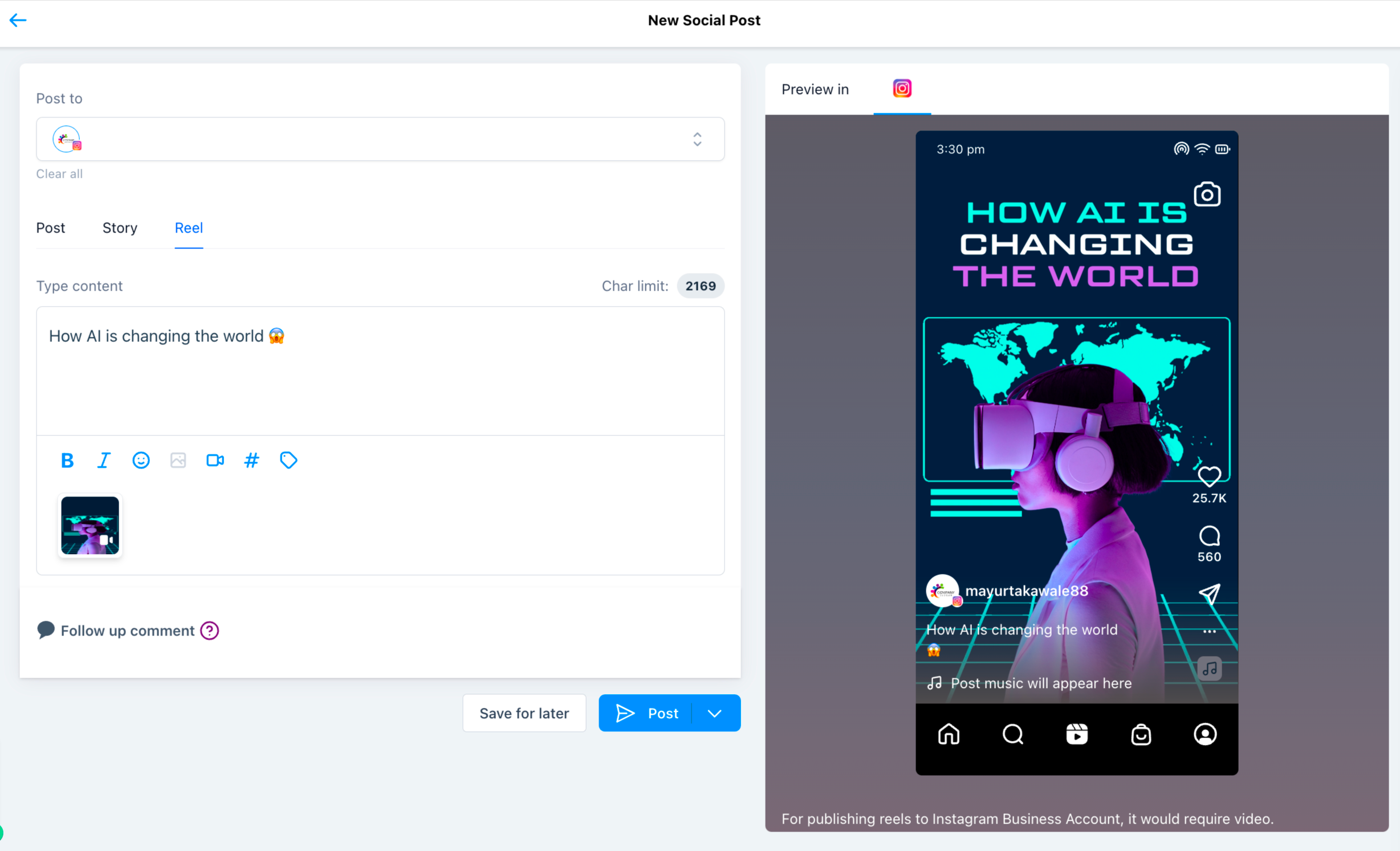

08Settings that matter
- Post To. Determines which connected Instagram Business or Creator account receives the Reel when it is published.
09Things to know before you rely on it
- Only Instagram Business and Creator accounts are supported; personal accounts cannot publish Reels.
- Maximum video file size is 300 MB.
- Video length must be between 3 seconds and 15 minutes.
- Recommended aspect ratio is 9:16; other ratios may cause upload issues.
- Only one video is allowed per Reel.
- Custom thumbnail files may be up to 8 MB.
- Captions cannot exceed 2,200 characters.
10If something goes wrong
- Reel video is rejected during upload or publishing. Verify that the video complies with the 300 MB size limit, 3 seconds to 15 minutes duration, and recommended aspect ratio.
- Instagram account does not appear when creating a Reel. Confirm that a Business or Creator account is connected in Social Planner settings and that it has the required permissions.
- Scheduled Reel fails to publish because the account disconnected. Reconnect the Instagram account in Social Planner and review the scheduled posts to ensure they are still set to publish.
11How it connects to the rest of HighLevel
- How to connect Instagram using Facebook linked or Direct integration Instagram connection guide
- Social Planner image and video specifications for Reels Content guidelines
- Overview of HighLevel Social Planner features Marketing features
Michael's take

Most people try to upload a Reel straight from their phone and then expect HighLevel to pick it up later. That usually ends with a failed upload because the video doesn’t match the size or length limits, or the account isn’t linked the right way. I’d start by confirming the Instagram Business or Creator account is connected in Social Planner, then make sure the video fits the 300 MB and 3 second to 15 minute rules before you even open the composer.
Once the account is set, I’d create the Reel in Social Planner, add a thumbnail if I want a custom cover, and decide whether to post now, schedule it, or save it as a draft. Keeping the whole process inside HighLevel saves time and avoids the back and forth between apps.