
01Who this is for
- Anyone who runs affiliate campaigns can limit payouts after a set number of sales using Commission Length.
- Program owners of subscription based products can apply tiered rates with Variable Commissions to reward early sales differently.
02Commission length & variable commissions, explained
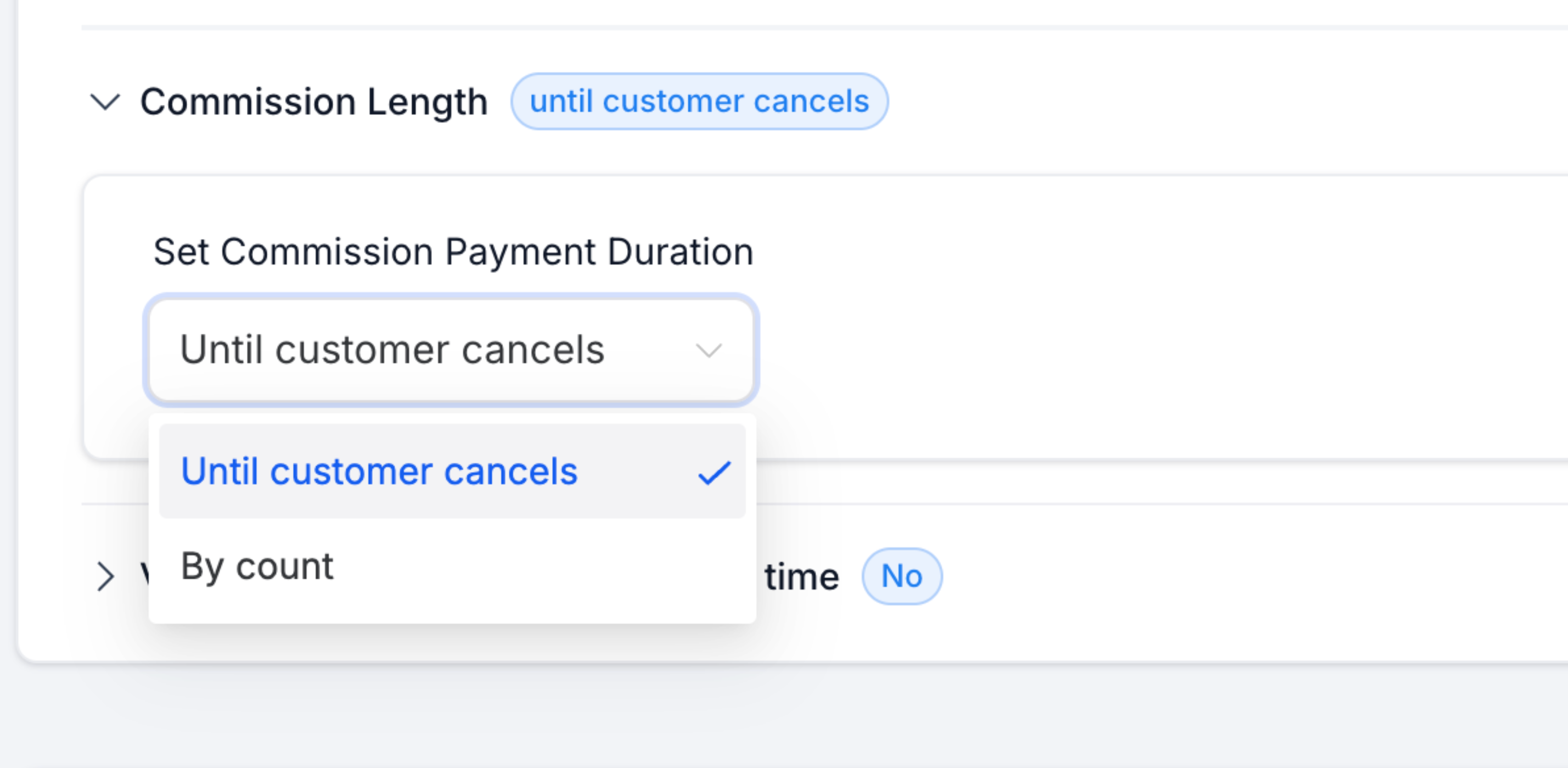
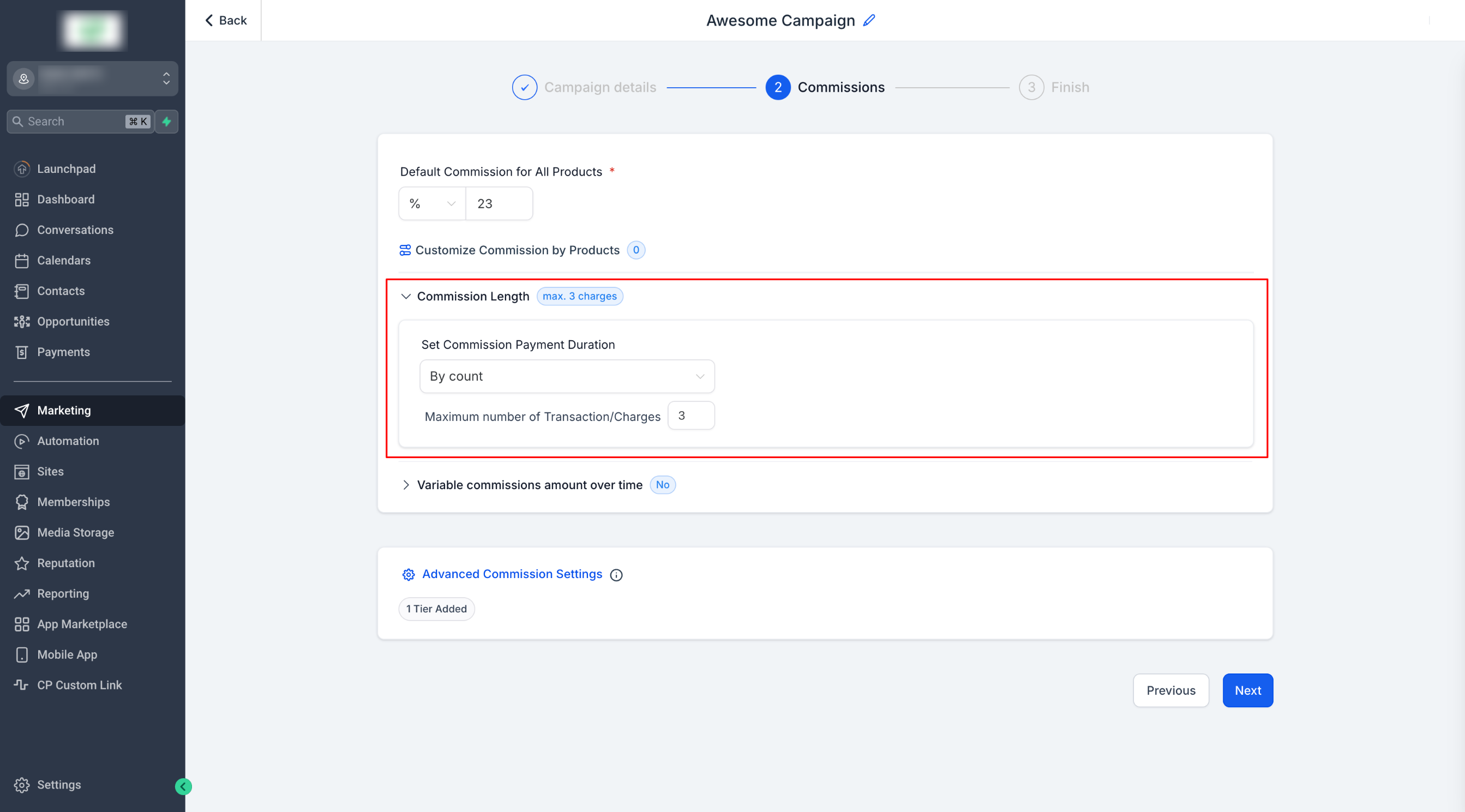
The Commission Length option changes the default endless payout model. When enabled, you can select "By Count" and specify exactly how many successful charges will generate a commission. The limit is based on charge events, not on calendar time, so monthly or yearly subscriptions are treated the same.
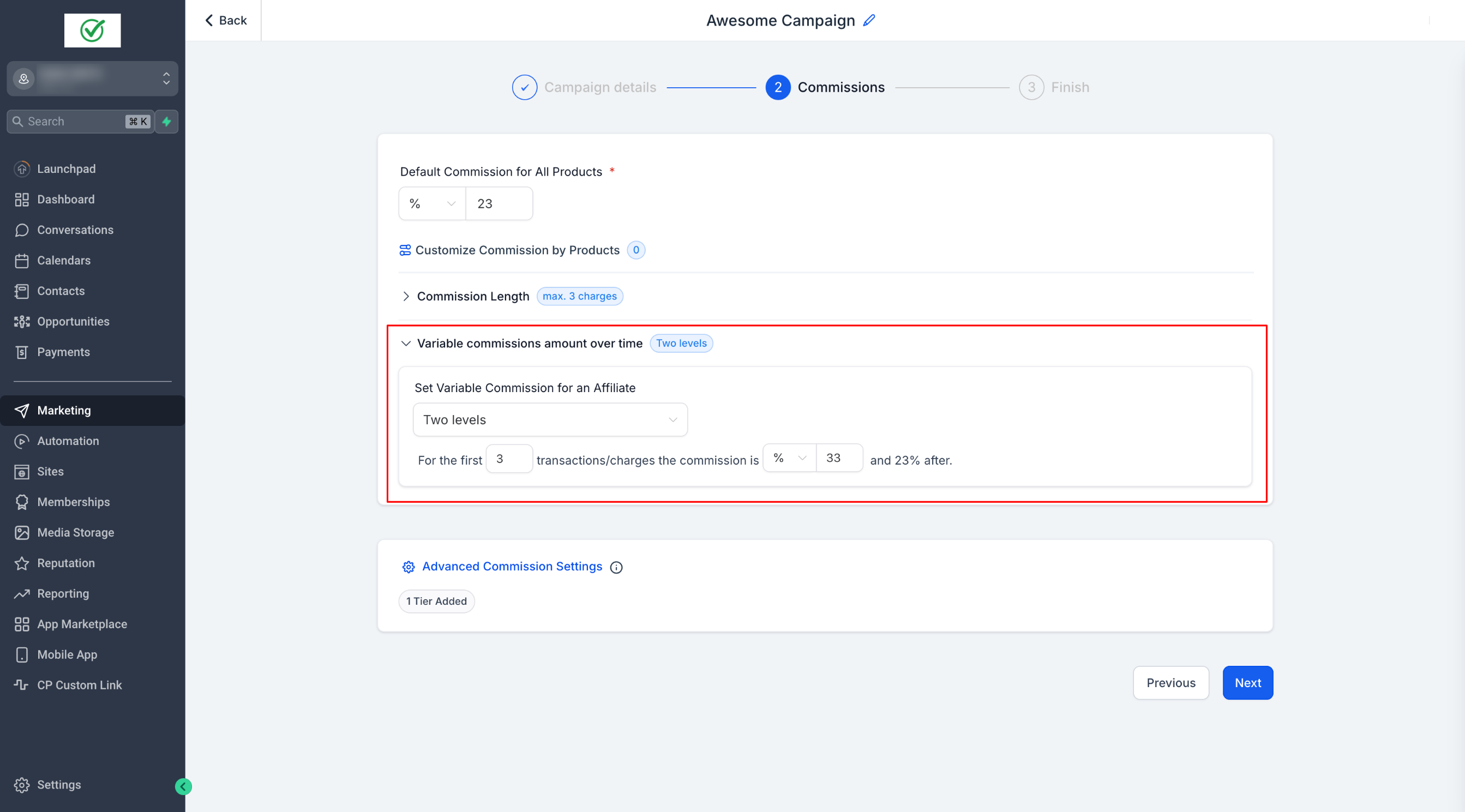
Variable Commissions adds tiered rates. By toggling the feature you can create two or more levels, each with its own percentage and charge count threshold. The first tier applies to the defined number of charges, and the default commission takes over after the tier is exhausted. These settings sit inside the Affiliate Campaign setup workflow, under the commission configuration steps.
03How businesses use commission length & variable commissions
- SaaS startup. The startup enables Commission Length to pay affiliates only for the first three subscription renewals and creates a Variable Commission tier that gives 33% for those three charges, reverting to the default 23% afterward.
- Online course provider. The provider activates Variable Commissions to offer 33% on the initial three enrollments generated by an affiliate and then applies the default 23% rate for subsequent enrollments.
- Membership club. The club sets Commission Length to "By Count" with a limit of five charges, ensuring affiliates receive payouts only for the first five membership payments.
04The numbers and rules that matter
- Commission Length limit applies to charges, not time intervals.
05How to set up and use commission length & variable commissions in HighLevel
Set up commission length & variable commissions
- Open an existing affiliate campaign or start a new one.
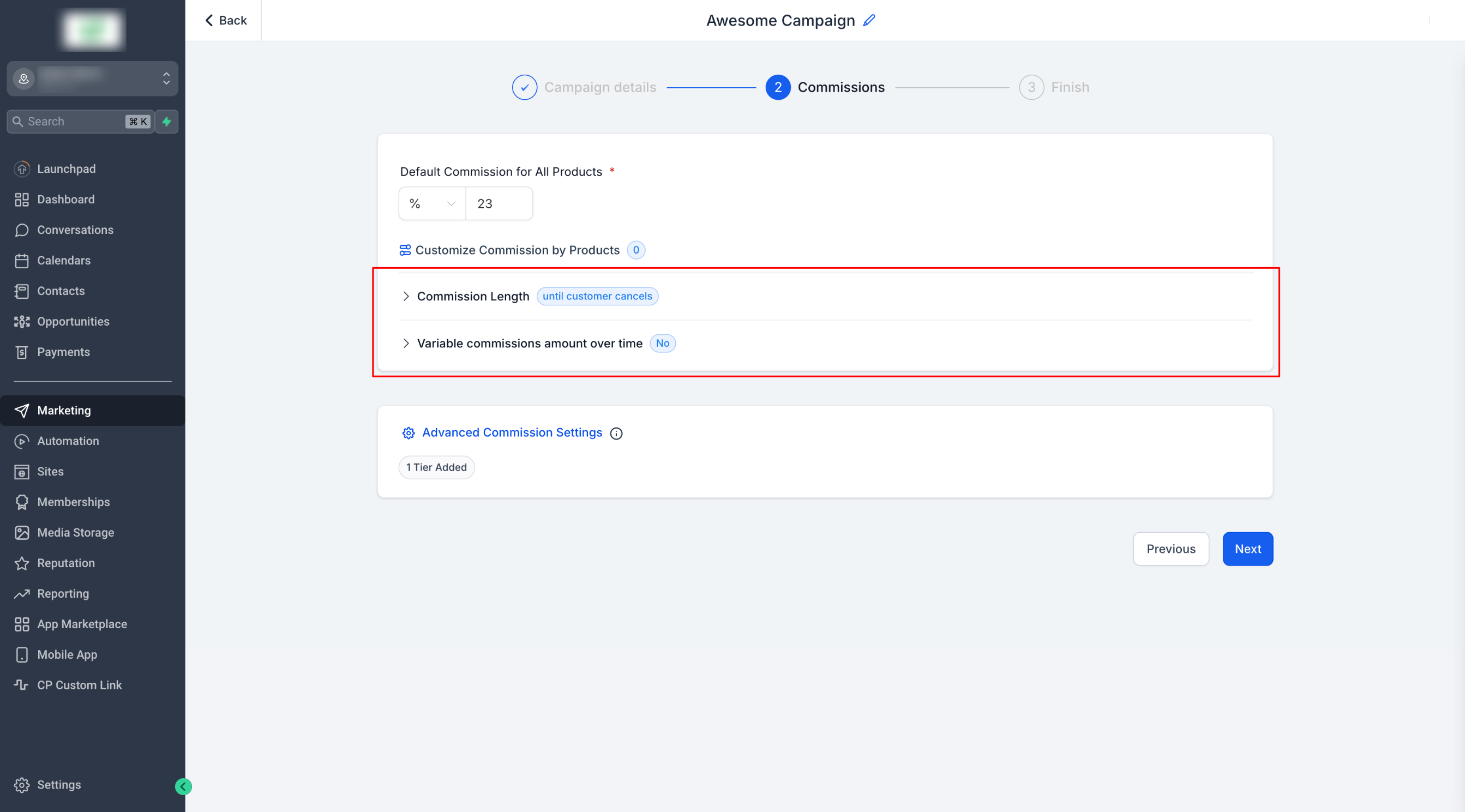
- Enter the default commission percentage in Step 2 of the campaign setup.
- Enable the Commission Length option by clicking Commission Length.
- Select the "By Count" mode to define a charge limit.
- Enter the number of charges after which commissions stop (the limit applies to charges, not time).
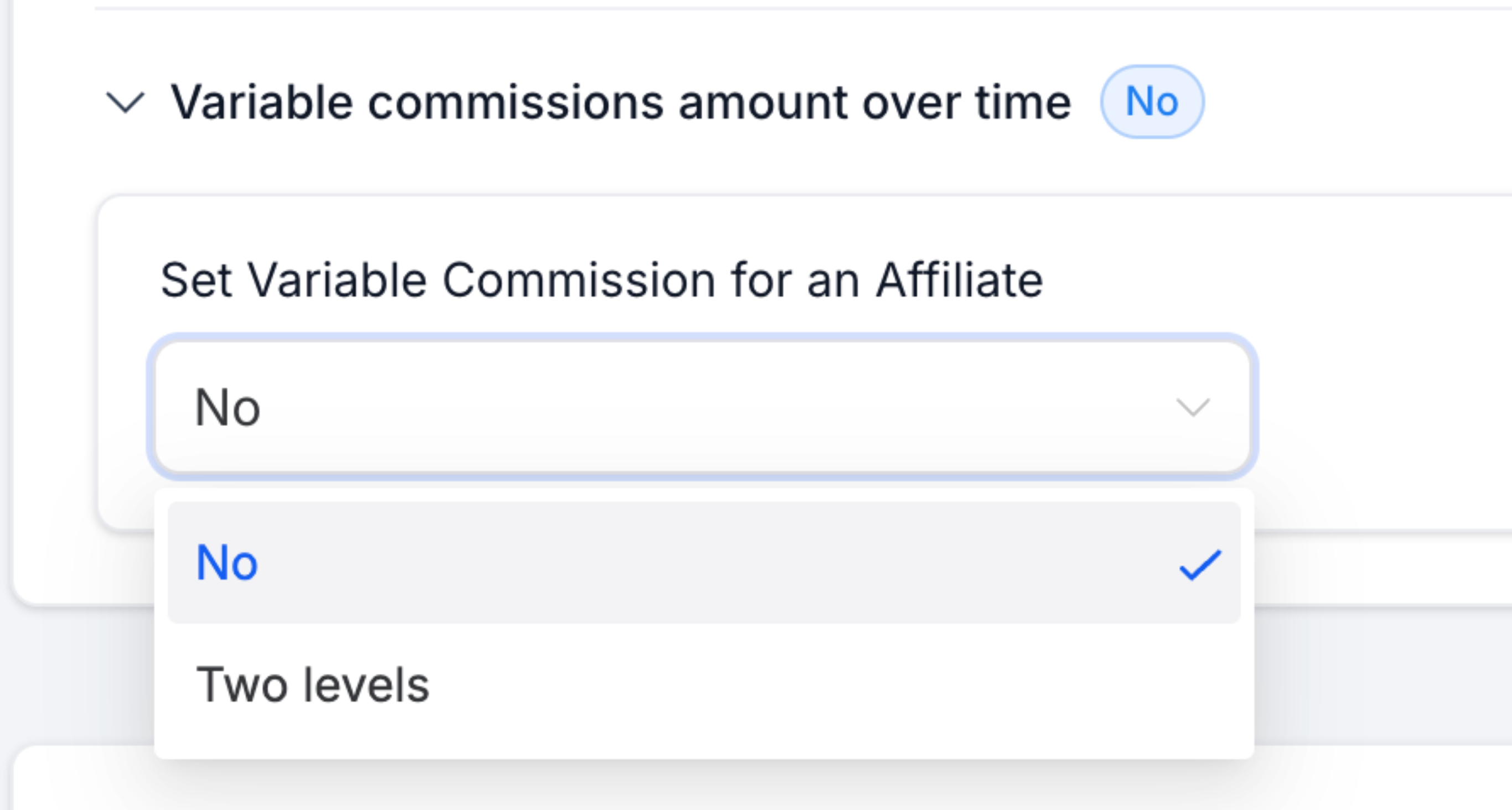
- Turn on Variable Commissions by toggling the feature.
- Choose "Two Levels" (or add more tiers) and set each tier’s percentage and charge count threshold.
- Save the campaign and publish it so the new settings take effect.
06What it looks like in HighLevel
07Settings that matter
- Default Commission. Baseline commission percentage applied when no other rules match.
- Commission Length. Controls whether commissions continue indefinitely or stop after a specific number of successful charges.
- Variable Commissions. Enables tiered commission rates based on charge count thresholds.
08Things to know before you rely on it
- Commission Length limits apply to the count of successful charges, not to calendar time.
- If Commission Length is not set, commissions continue until the customer cancels the subscription.
- Product based commissions take precedence over Variable Commissions, which in turn override the Default Commission.
09How it connects to the rest of HighLevel
- Learn how to create an affiliate campaign before adjusting commissions. Create affiliate campaign
- Set up lead tracking to see which affiliate drives each sale. Lead tracking guide
- Configure pay per lead affiliate commissions if you use a one time product model. Pay per lead setup
Michael's take

If your business relies on very long term subscriptions and you want affiliates to stay invested for the whole life of the customer, you might consider not limiting commissions.