
01Who this is for
- Founders of SaaS businesses who sell subscriptions and need affiliates to track upgrades and downgrades.
- Digital product creators using Stripe for one time sales and wanting to authorize affiliates on their own storefronts.
- Marketing teams that run campaigns on third party blogs or landing pages and require a universal affiliate link.
02Affiliate manager external website support, explained
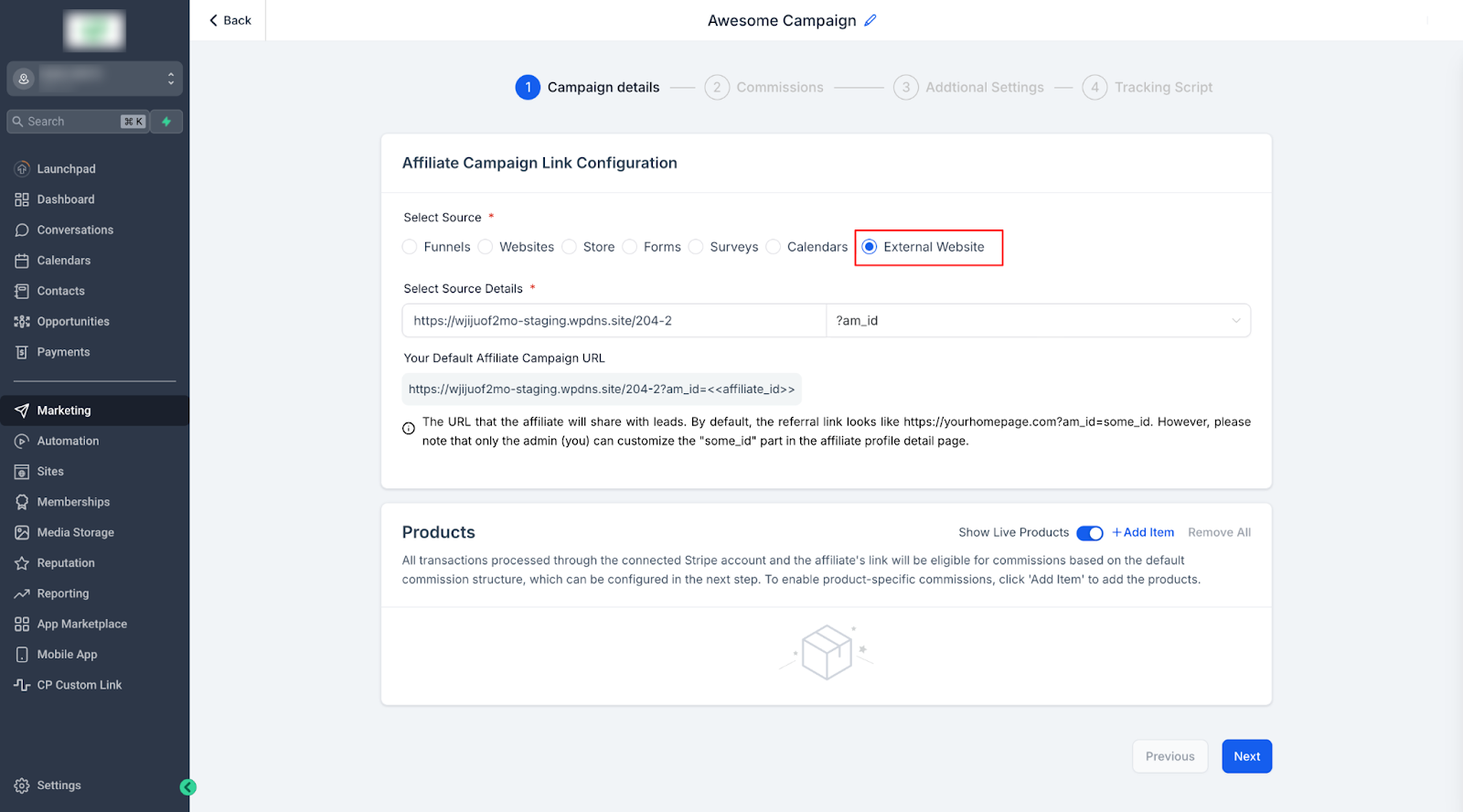
The feature lives in the Affiliate Manager under the Campaigns tab. From there you can add a new campaign and choose External Website as the source. The platform then generates a tracking link that works across the whole domain, including subdomains.
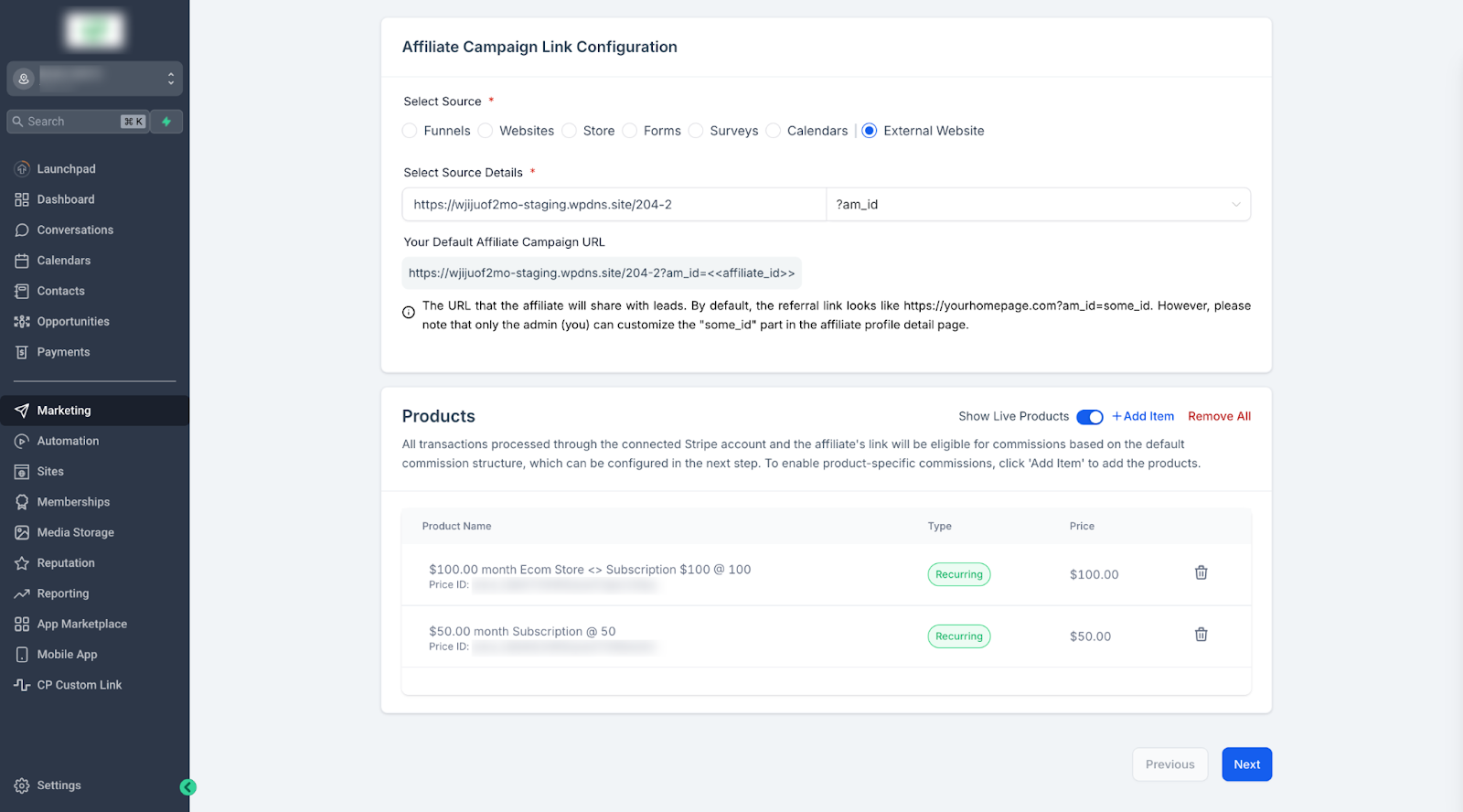
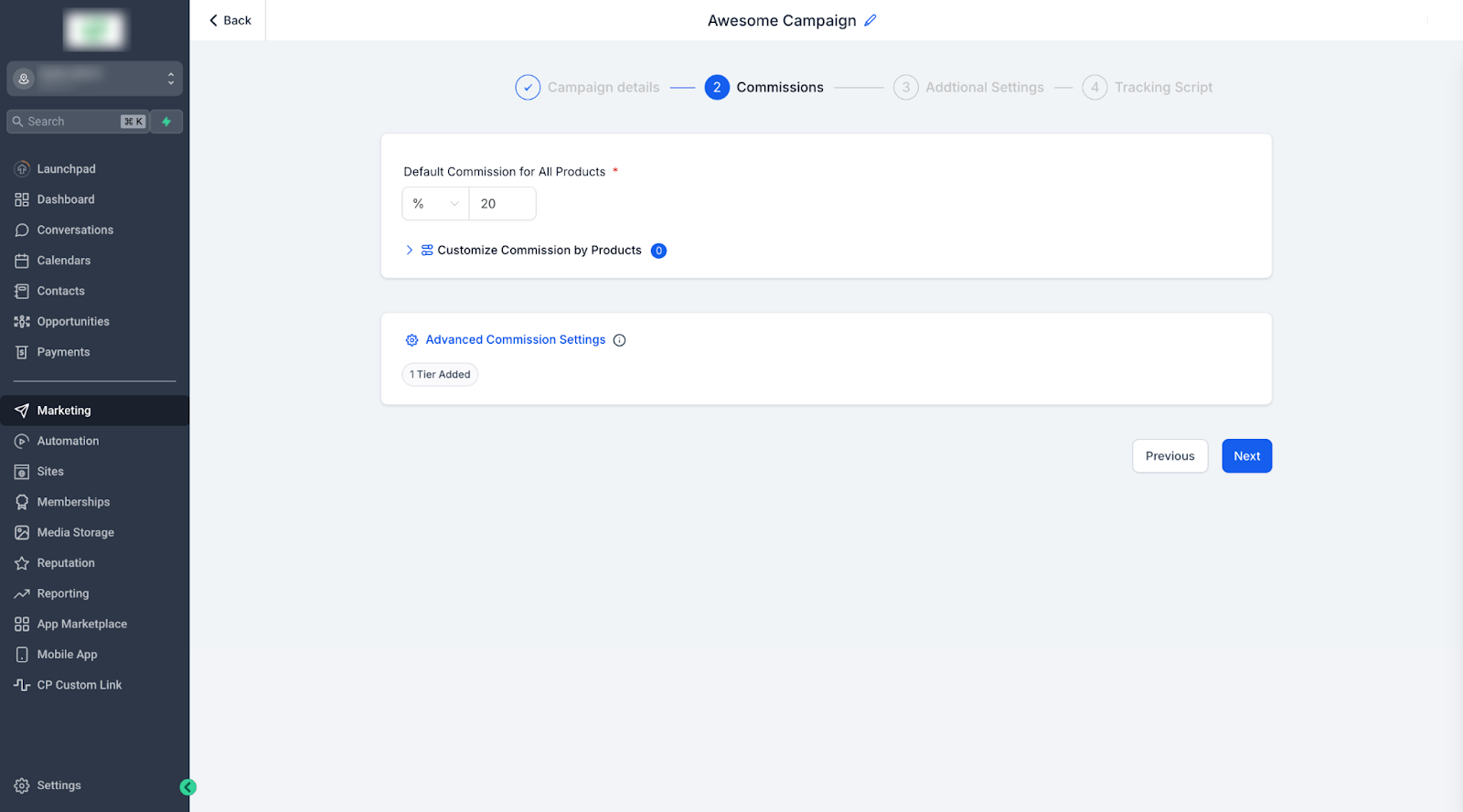
When the campaign is saved, you can define a default commission rate that applies to every sale, or set individual rates for specific Stripe products. Tier levels can also be added for multi tier structures. Recurring subscription activity, upgrades, downgrades, and renewal payments, is automatically tracked so affiliates receive commissions on each eligible transaction.
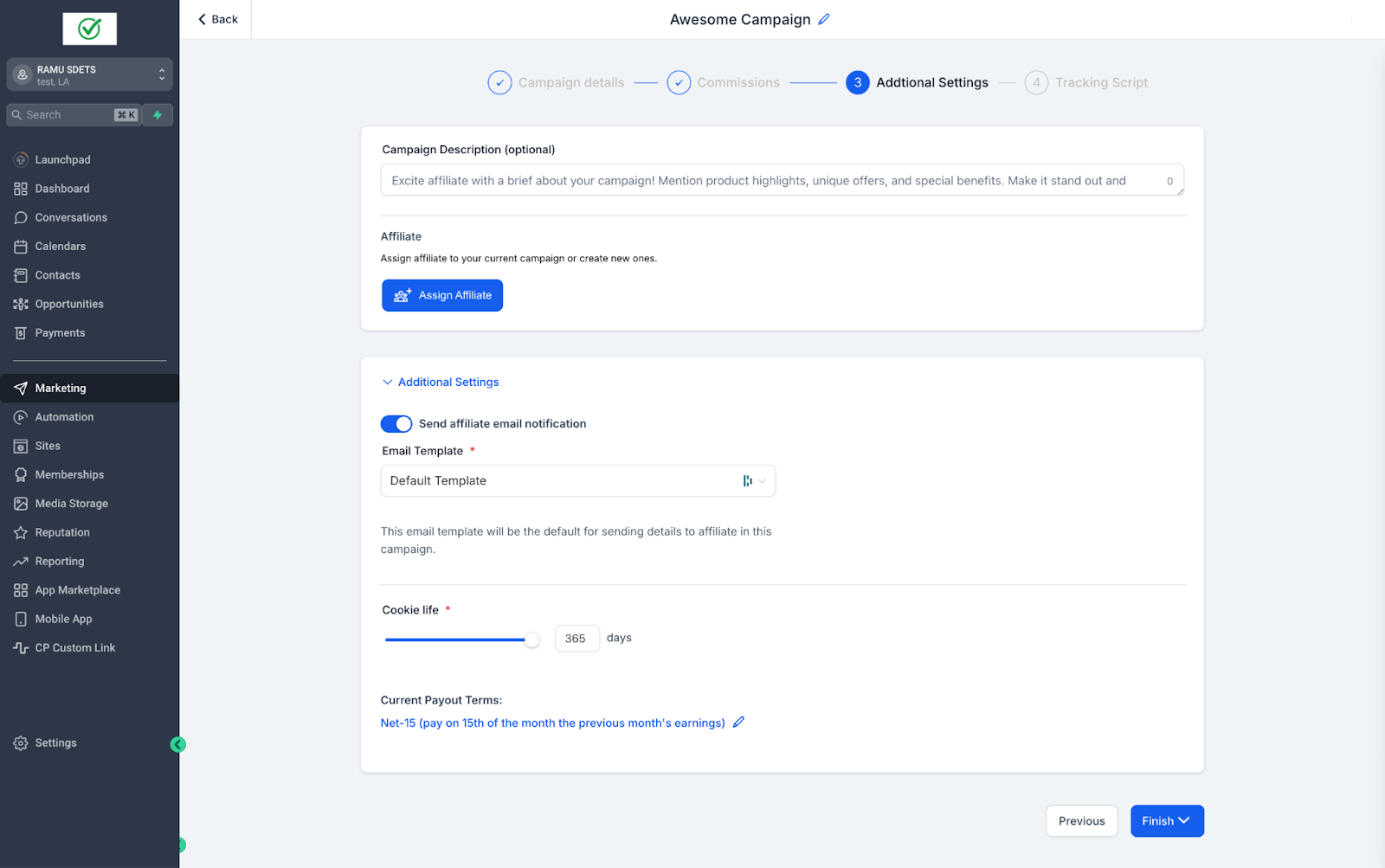
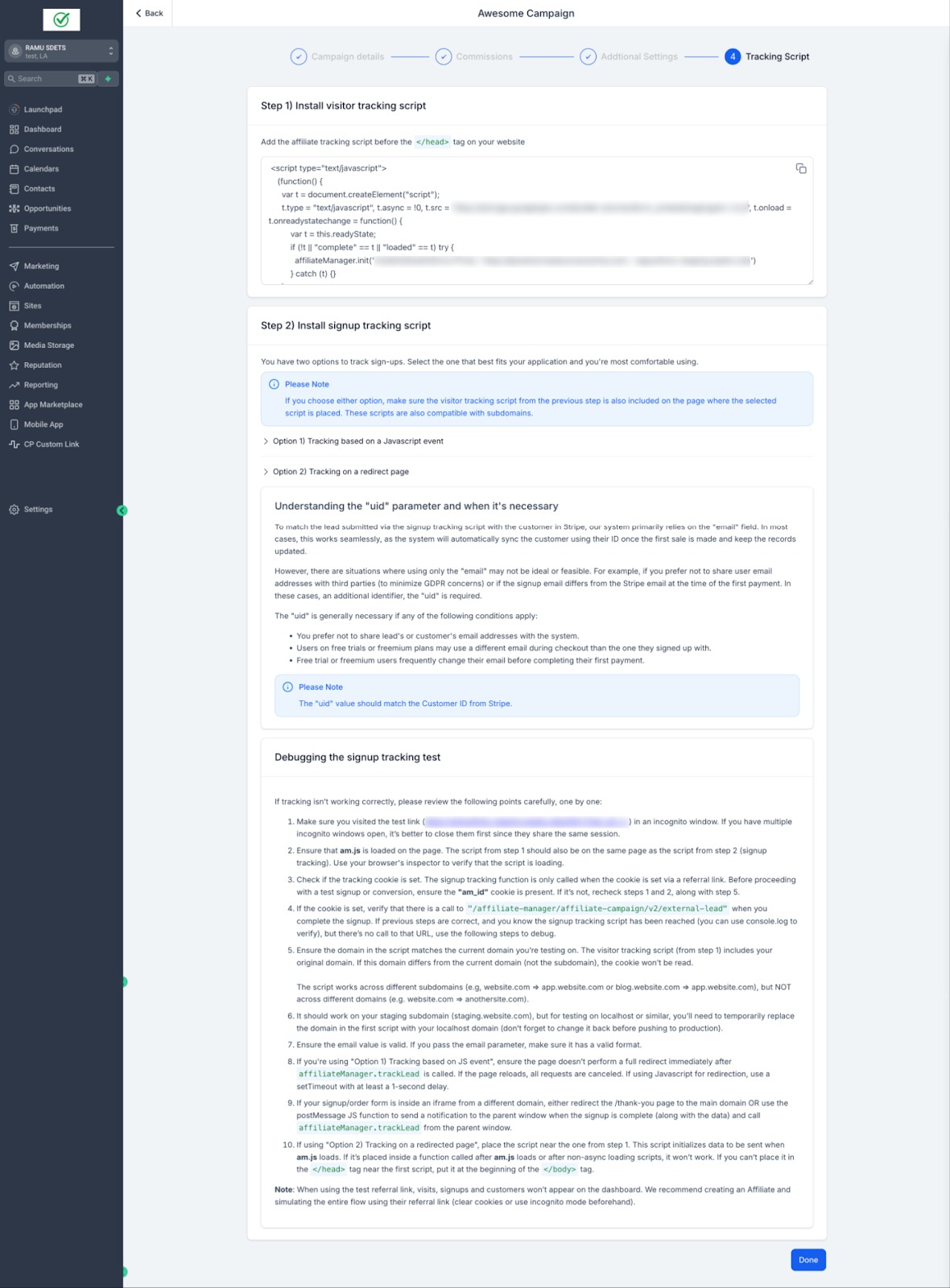
After creating the campaign you must paste a short tracking script onto the external site. Once published, the affiliate link can be shared with partners, and any sales that flow through the script are recorded in HighLevel.
03How businesses use affiliate manager external website support
- Online course creator. The creator adds a new external website campaign, enters the course landing page URL, and sets a default commission of 20 %. The tracking script is placed on the course site. Affiliates receive a link that records every course purchase, including recurring access extensions.
- Software subscription service. The service selects External Website, adds the product’s Stripe subscription ID, and configures a custom 15 % commission for that plan. A tracking script is embedded on the product’s marketing site. Each upgrade or renewal is logged, ensuring the affiliate earns on every recurring payment.
- Physical product retailer with an outside shop. The retailer creates a campaign, enters the external shop URL, and leaves the default commission at 10 % for all items. The tracking script is added to the shop pages. One time purchases are tracked with the default rate, and any future product specific commissions can be added later.
04The numbers and rules that matter
- Product Based Commissions can be set per product or default for all items sold via Stripe.
- To exclude a product from commissions, add it and set the commission to 0%.
05Before you start
- Products must be set up in Stripe, as only Stripe sold items are eligible for tracking.
06How to set up and use affiliate manager external website support in HighLevel
Create external website affiliate campaign
- Open Affiliate Manager and select the Campaigns tab.
- Press the +Add button to start a new campaign.
- Choose External Website as the campaign source.
- Type the full external website URL to receive a tracking link.
- Enter a default commission or define product specific rates and any tier levels.
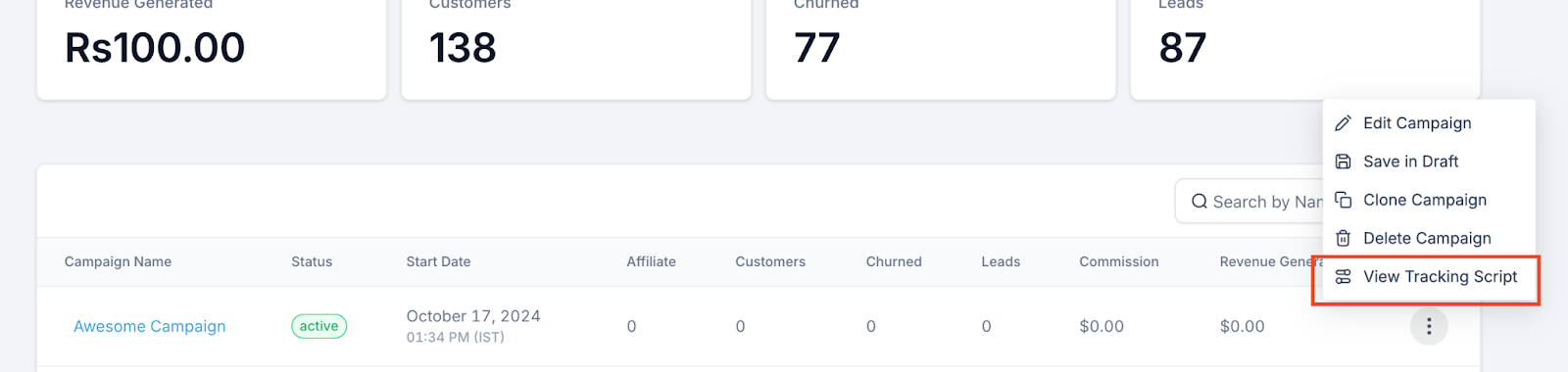
- Copy the provided tracking script and insert it into the external site’s pages.
- Click Publish to activate the campaign and make the affiliate link usable.
07What it looks like in HighLevel
08Settings that matter
- Default or product specific commissions. Controls the percentage of each sale that is paid to affiliates, either applied globally or set per Stripe product.
- Tier levels. Enables multi tier commission structures so affiliates can earn additional percentages from downstream referrals.
- Source. Determines where the affiliate campaign originates; selecting External Website allows tracking on any outside domain.
- Tracking script. A small code snippet that must be placed on the external site to capture clicks and sales linked to the affiliate.
09Things to know before you rely on it
- Only products sold through Stripe are supported.
- One time products always use the default commission settings.
- Recurring products may have customized commission rates.
- To exclude a product from commissions, set its commission to 0 %.
10How it connects to the rest of HighLevel
- Creating and managing affiliate campaigns Affiliate campaign guide
- Setting up lead tracking for affiliate campaigns Lead tracking guide
- Pay per lead affiliate commissions Commission setup
Michael's take

Affiliate manager external website support is a clear win for anyone who wants affiliates to sell outside of HighLevel.
If you rely only on in platform pages and have no need for external promotion, you can skip this feature.