
01Who this is for
- Founders of SaaS businesses who need to reward partners for driving product sales and track those referrals in one place.
- Marketing managers at ecommerce firms who want to assign affiliates, set tiered commissions and control cookie duration for online stores.
- Coaches or service providers who use forms, surveys or calendar bookings and want to pay affiliates for qualified leads.
02Affiliate campaigns, explained
Affiliate campaigns are a feature inside the Affiliate Manager. They bind a source, such as a funnel, website or store, to a set of referral links that contain a placeholder for each affiliate’s ID. When a prospect clicks a link and completes a purchase or a lead form, the platform records the activity and applies the commission rules you defined.
The campaign includes settings for default commissions, optional product level rates, up to seven multi tier levels, cookie length, payout terms and sub affiliate options. You can also add a description, assign affiliates directly, and customize email templates and other advanced options before publishing the campaign.
After a campaign is live, you may edit the source. Changing the source generates a new referral URL, stops tracking on the old URL, and retains prior settings and historical data.
03How businesses use affiliate campaigns
- Ecommerce store. Create a campaign linked to the store, select the products that earn commissions, set a flat or percentage default rate, and enable multi tier payouts for affiliate hierarchies. Publish the campaign to generate referral links for partners.
- Online course platform. Choose the course funnel as the source, add a campaign description, configure a default commission, and assign specific instructors as affiliates. Turn on sub affiliate sign ups so affiliates can recruit their own teams.
- Service based business. Select a landing page that hosts a booking form, enable lead tracking, and set a commission for each qualified lead. Use the default commission or customize rates for individual services, then publish the campaign.
04The numbers and rules that matter
- Supported product sale sources: Funnels, websites, stores.
- Maximum of 7 commission tiers.
05Before you start
- A funnel, website or store must already exist to serve as the campaign source.
06How to set up and use affiliate campaigns in HighLevel
Create affiliate campaign
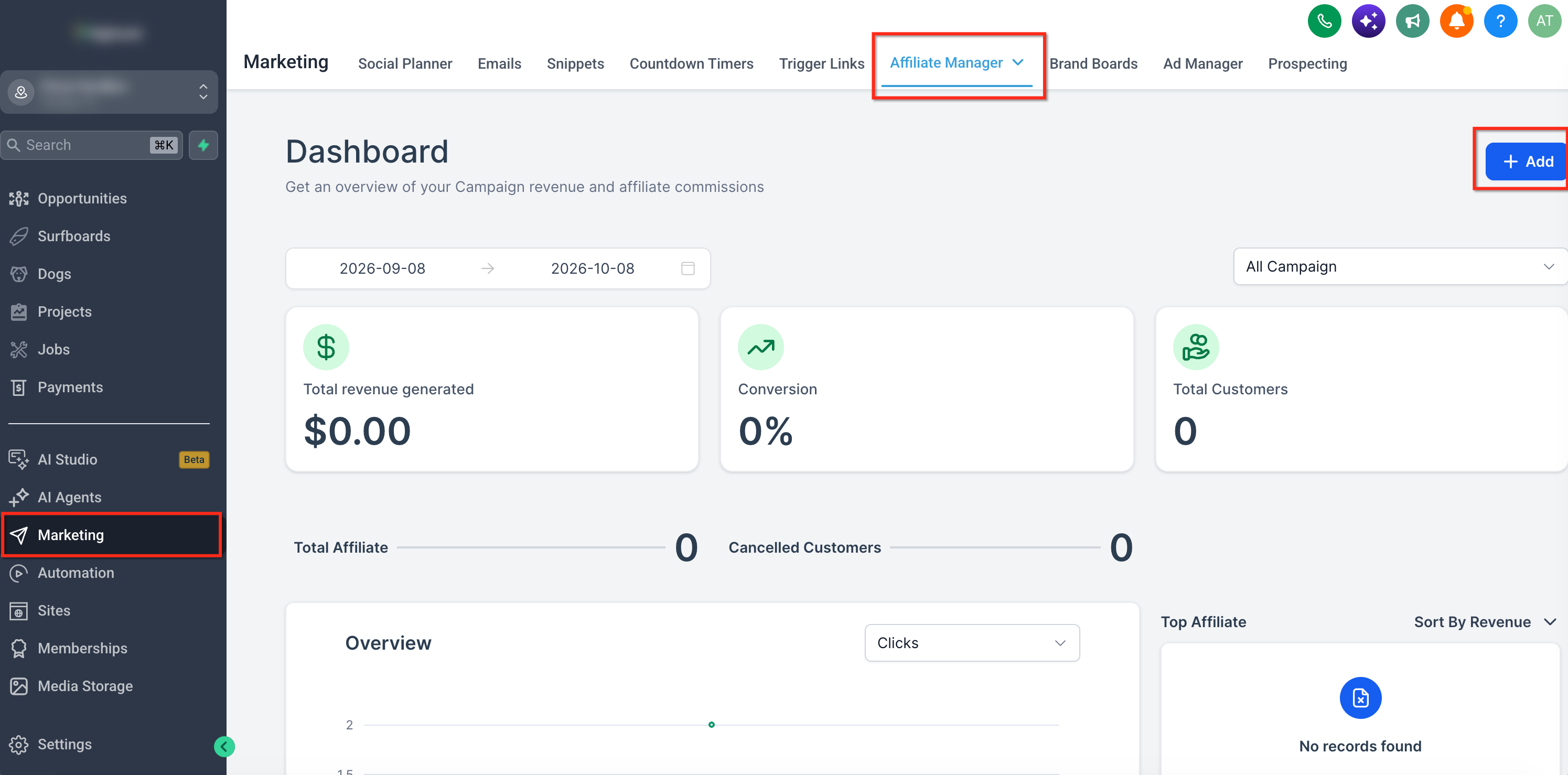
- Open Affiliate Manager and click the + Add button.
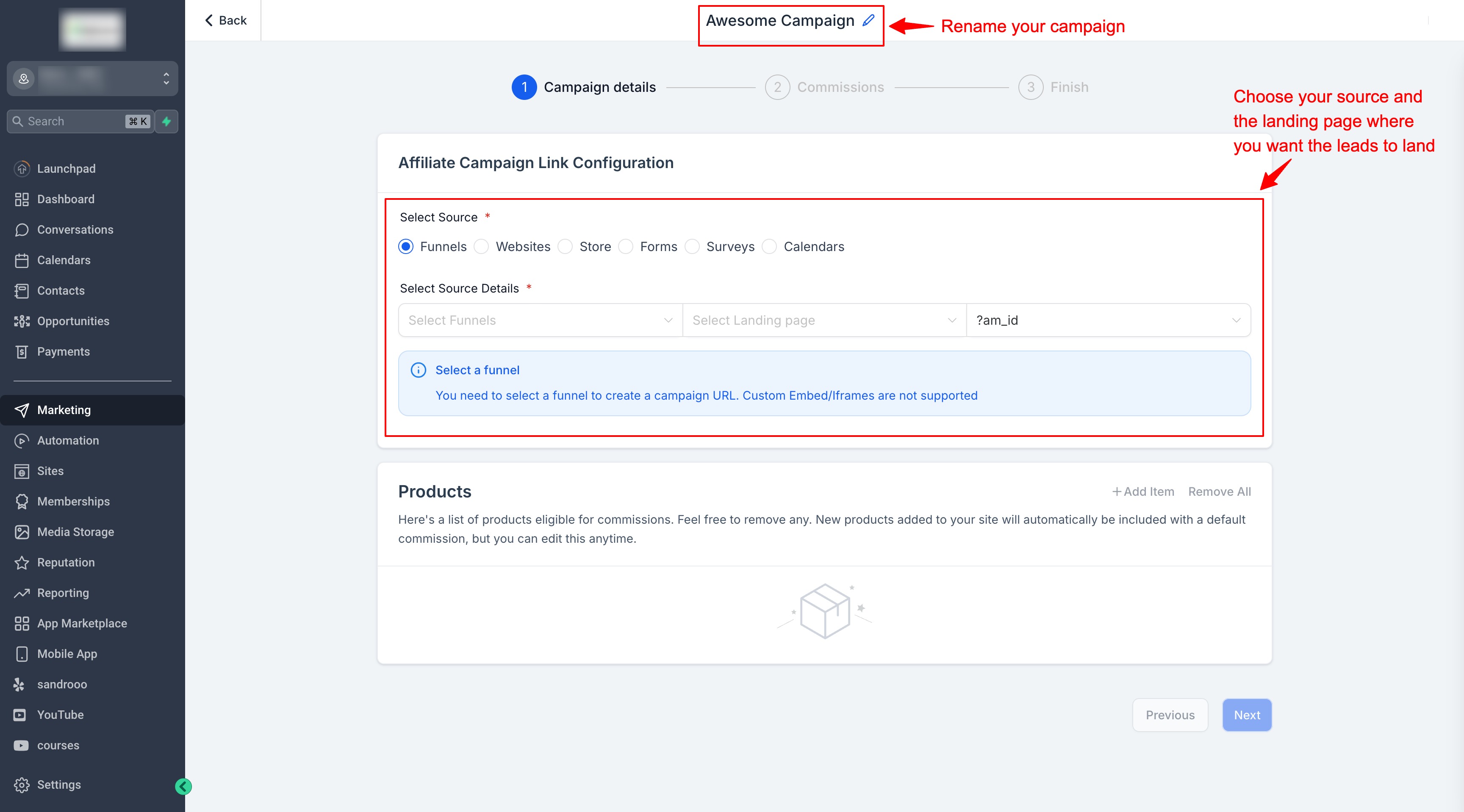
- Pick the campaign source, such as a funnel, website or store.
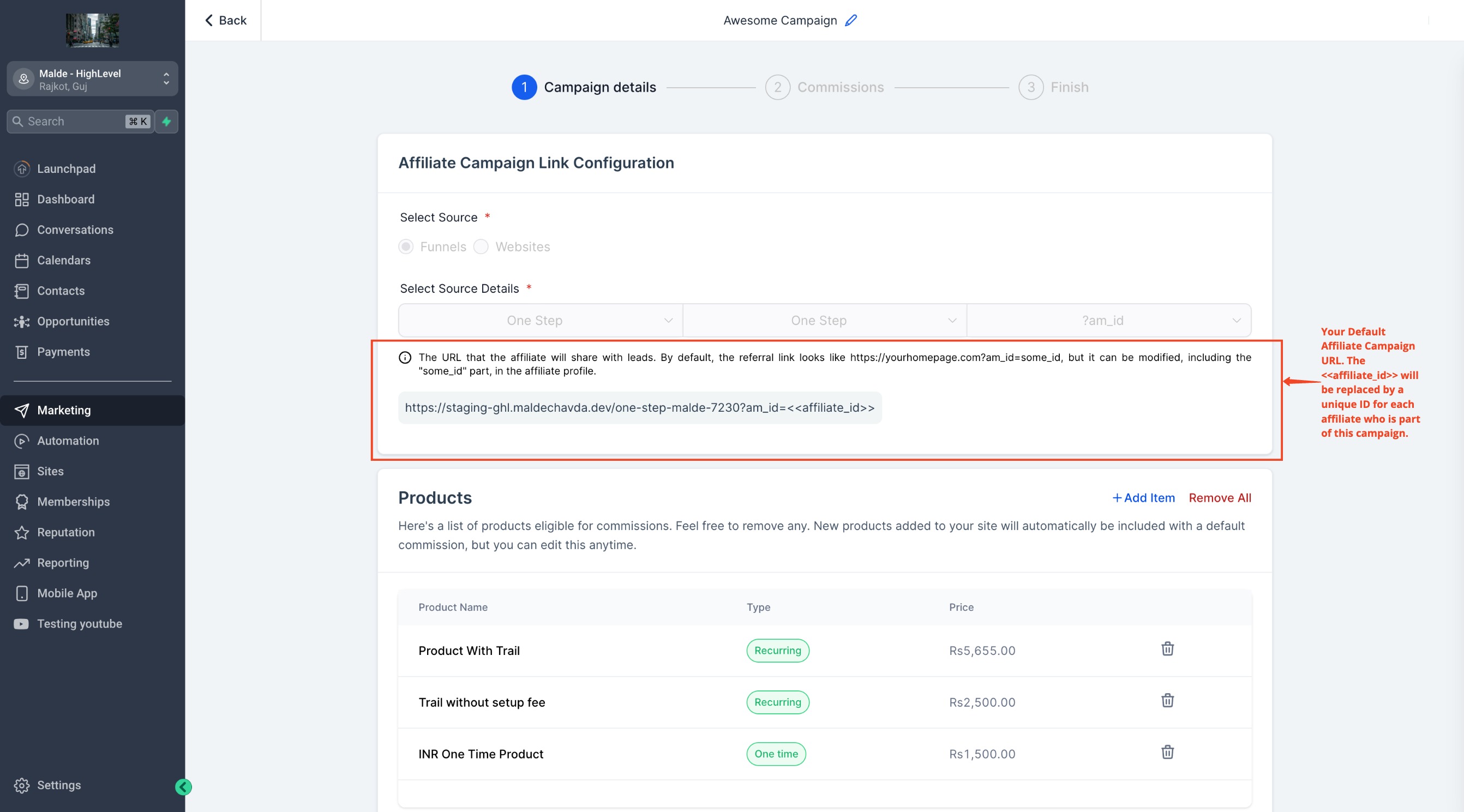
- Choose the landing page; the system creates a default URL with a placeholder for the affiliate ID. Note that tracking applies to the entire source, not just the selected landing page.
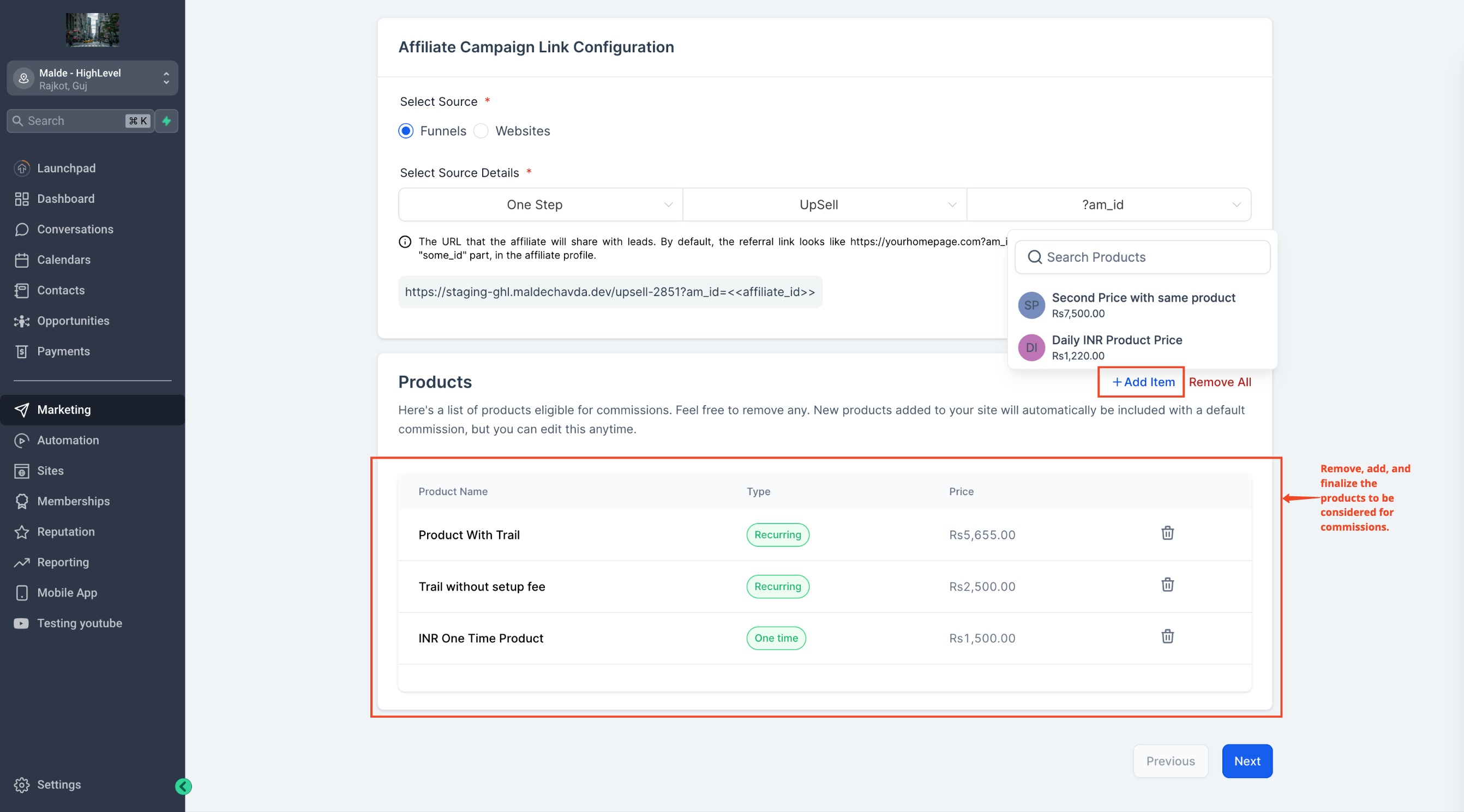
- Review the list of products tied to the source and edit it as needed.
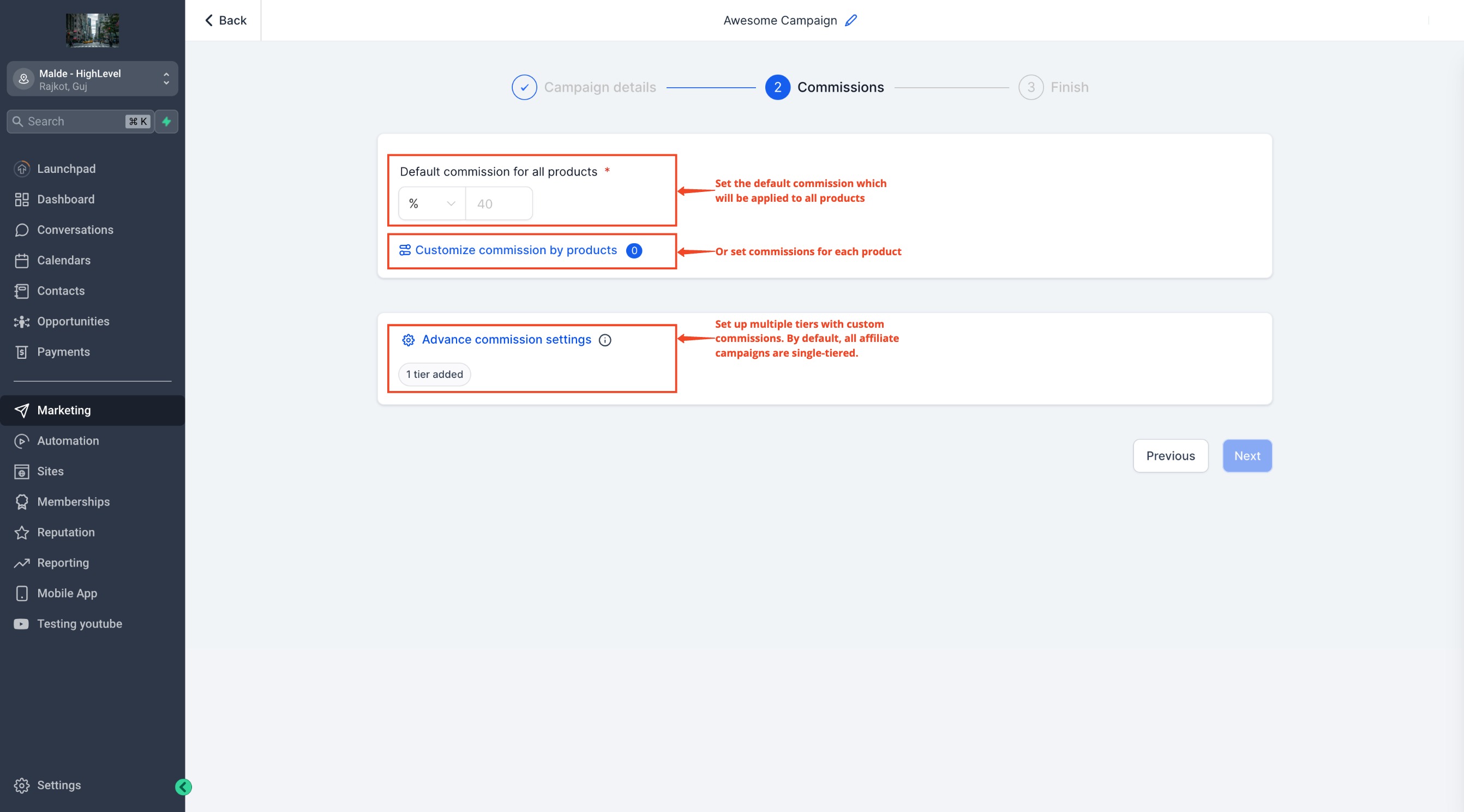
- Enter a default commission amount, selecting either a flat fee or a percentage.
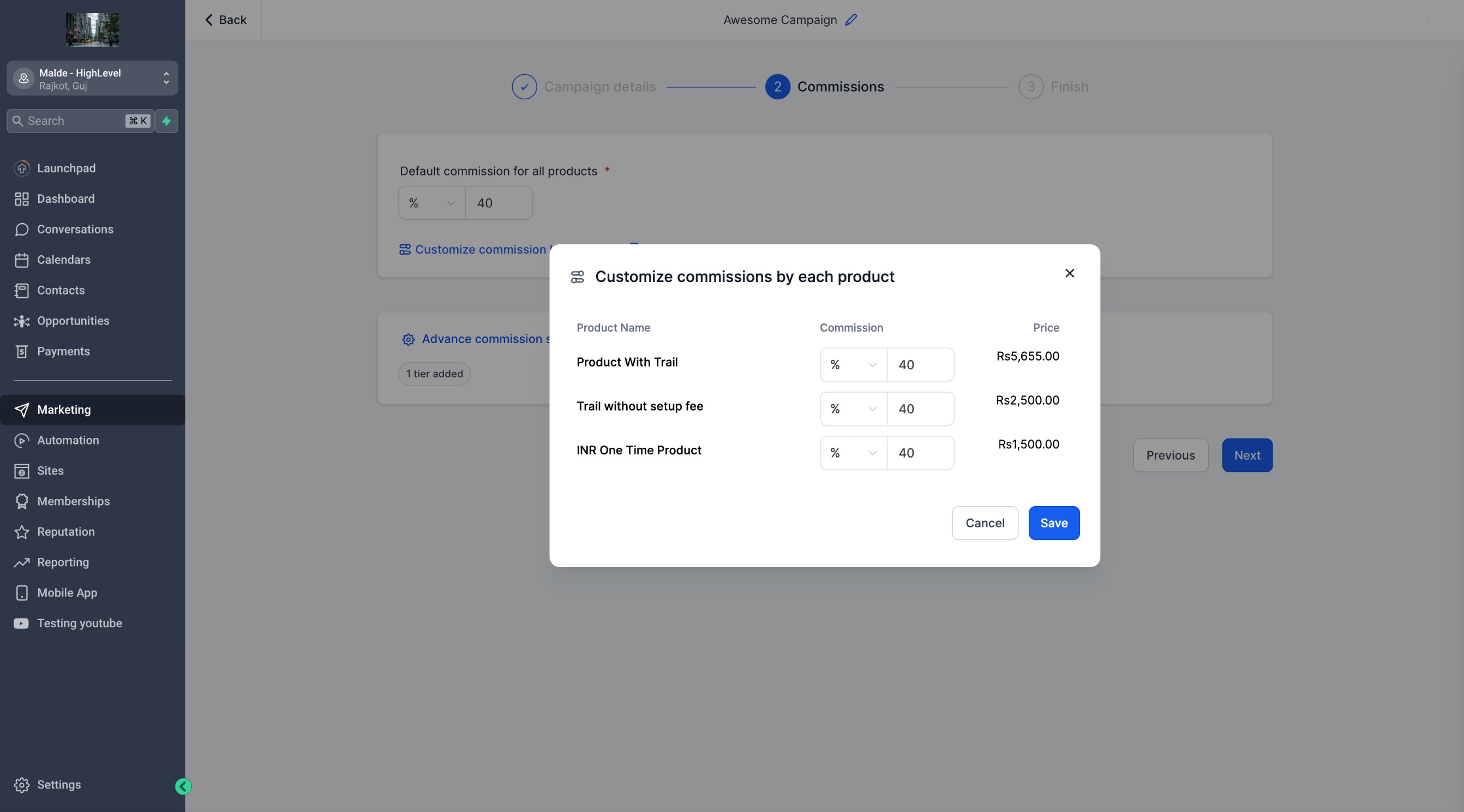
- Optionally, specify commission values for individual products.
- Activate multi tier commissions in the Advanced Commissions area.
- Set commission amounts for each tier, using the default rate or custom values.
- Optionally, write a short description for the campaign.
- Directly assign affiliates, reviewing join dates and total affiliate counts.
- Adjust extra options such as email templates, cookie duration, payout terms, inclusion of setup fees, sub affiliate sign ups and auto enrollment of new customers.
- Choose to Publish the campaign immediately or Save as Draft for later editing.
Change campaign source
- Open the existing campaign and select the option to edit the source.
- Choose a new funnel, website or store as the source.
- Save the change; the platform generates a new referral URL, and the previous URL stops tracking new referrals while keeping all other settings and historical data.
- Notify affiliates to replace their old links and verify the new URL is working.
07What it looks like in HighLevel
08Settings that matter
- Campaign source. Determines which funnel, website or store the campaign tracks for sales or leads.
- Landing destination. Sets the page where prospects land after clicking a referral link.
- Eligible products. Specifies which products are considered for commission payouts.
- Commission structure. Defines the default flat fee or percentage used to calculate affiliate earnings.
- Multi, tier commissions. Enables up to seven commission levels for affiliate hierarchies.
- Assigned affiliates. Lists affiliates linked to the campaign, with join dates and counts.
- Cookie duration. Sets how long a referral cookie remains active for tracking purposes.
- Payout terms. Controls when commissions are paid out based on refund and payment policies.
- Sub, affiliate options. Allows affiliates to sign up sub affiliates and auto enroll customers as sub affiliates.
09Things to know before you rely on it
- Only funnels, websites and stores support product sale tracking; leads can be tracked via forms, surveys and calendars.
- Tracking applies to the entire source, not just the selected landing page.
- A maximum of seven commission tiers can be configured.
- Changing the campaign source creates a new referral URL and stops tracking on the old URL.
10How it connects to the rest of HighLevel
- Learn how to track leads generated by an affiliate campaign. Lead tracking guide
- Set up pay per lead commissions for affiliates in HighLevel. Pay per lead setup
- Read frequently asked questions about affiliate campaigns. Affiliate FAQs
Michael's take

Most people assume the source of an affiliate campaign is locked once they publish it, and then panic when they need to move a funnel or change a website. The system actually lets you edit the source, but it creates a new referral URL and the old one stops working, so affiliates need a heads up.
If I were setting this up, I’d publish the campaign, then immediately send a clear email to every affiliate with the new link and a quick check list to verify it works. That avoids confusion and support tickets later on.