
01Who this is for
- Affiliate managers who need a clear way to pay for leads instead of sales, because it aligns rewards with pipeline growth.
- Businesses that run webinars or consultations and rely on calendar bookings, as they can credit affiliates for each appointment made.
- Marketing teams that use forms or surveys to capture prospects and want to incentivize partners for every completed submission.
02Pay per lead commissions, explained
Pay Per Lead is a commission option inside the Affiliate Manager that assigns a set payment to every qualified lead generated through an affiliate link. A lead counts when a contact submits a form, completes a survey, or books a calendar event that is tied to the campaign.
The feature lives in the Commissions tab of an affiliate campaign. When the Pay Per Lead toggle is active, the system records each eligible lead and adds a line item to the affiliate’s earnings under the Product column labeled Lead Commission.
Leads must originate from forms, surveys or calendars that are placed as components inside a funnel or a webpage. Custom code embeds or iframes cannot be used for this tracking method.
03How businesses use pay per lead commissions
- Real estate brokerage. The brokerage creates a campaign that pays agents a set amount for every buyer who fills out a property inquiry form through an affiliate link. Inside HighLevel the broker selects the form source, enables Pay Per Lead, sets the per lead fee, and publishes the campaign.
- Fitness studio. The studio runs a referral program where partners earn money for each new member who books a trial class via a calendar booking link. The studio adds the booking calendar to a funnel page, turns on Pay Per Lead, defines the commission, and monitors earned leads in Affiliate Manager.
- SaaS startup. The startup rewards affiliates when prospects complete a product interest survey linked to an affiliate URL. In HighLevel the startup selects the survey as the source, activates Pay Per Lead, enters the per lead amount, and watches the lead based commissions appear on the affiliate’s profile.
04The numbers and rules that matter
- Supported lead sources: Forms, Surveys, Calendars.
05Before you start
- Forms, surveys, or calendars must be added as components inside a funnel or webpage before the campaign can track leads.
- Access to the Affiliate Manager under the Marketing section is required.
06How to set up and use pay per lead commissions in HighLevel
Create and configure a pay per lead campaign
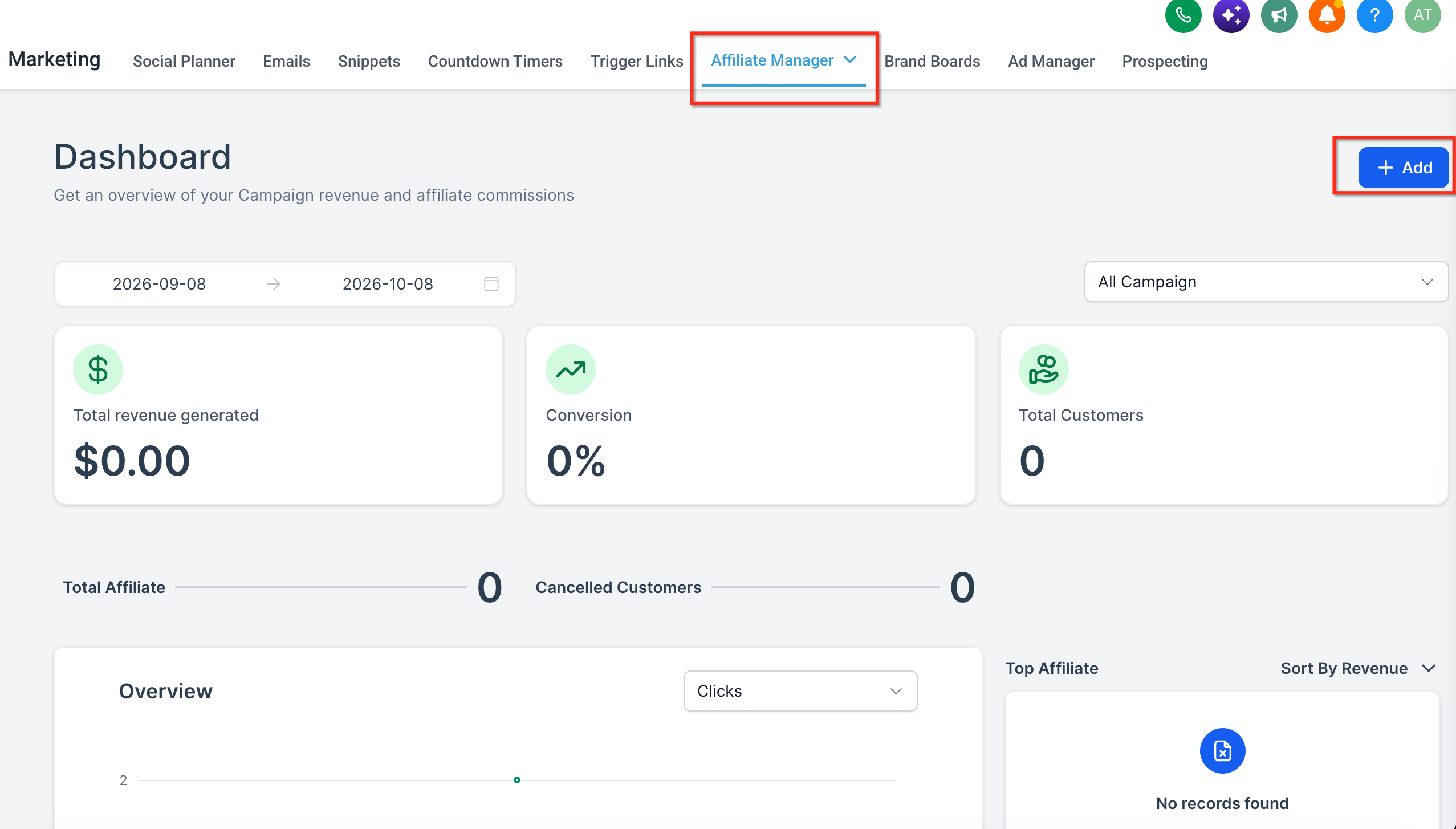
- Open the Affiliate Manager from the Marketing area and click the Campaign page, then select the + Add button to start a new campaign.
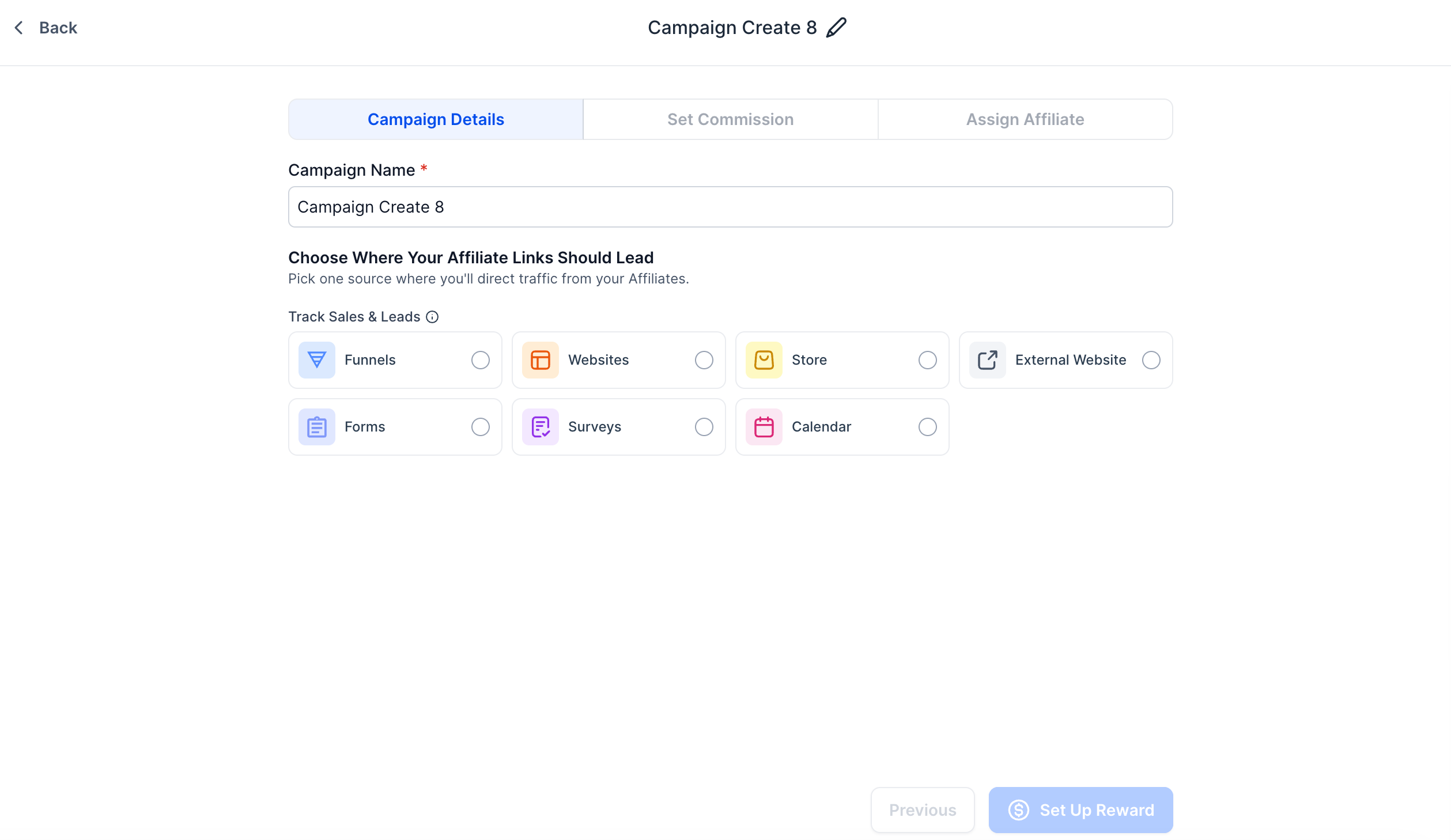
- Pick the source type for the campaign, options include Funnels, Websites, Store, External Website, Forms, Surveys, or Calendar.
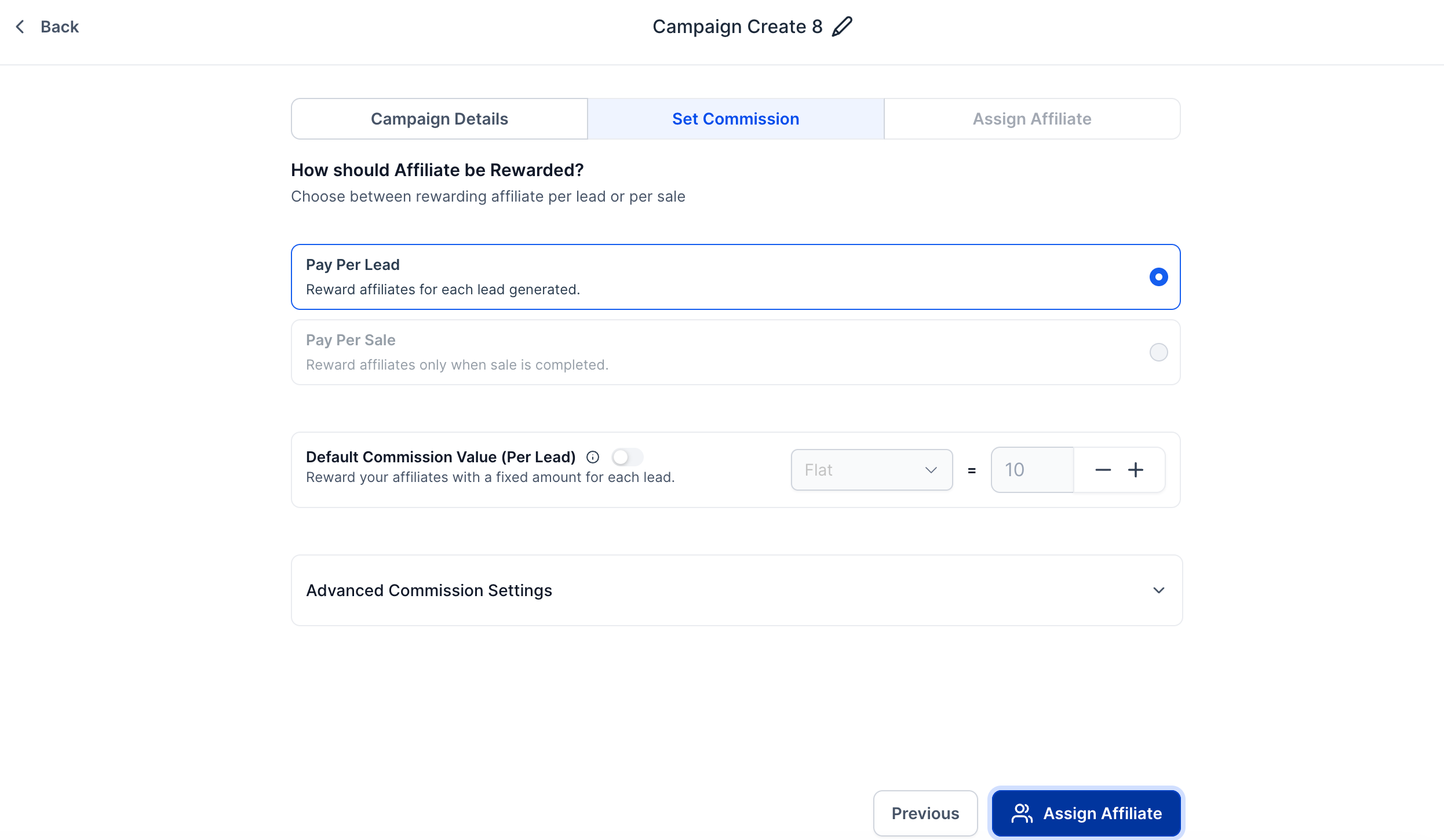
- Switch to the Commissions tab and turn on the Pay Per Lead toggle to enable this payment model.
- Enter the desired amount in the Per Lead Commission field to define what affiliates earn per qualified lead.
- If needed, open Advanced commission settings and add tier levels to reward affiliates and their sub affiliates differently.
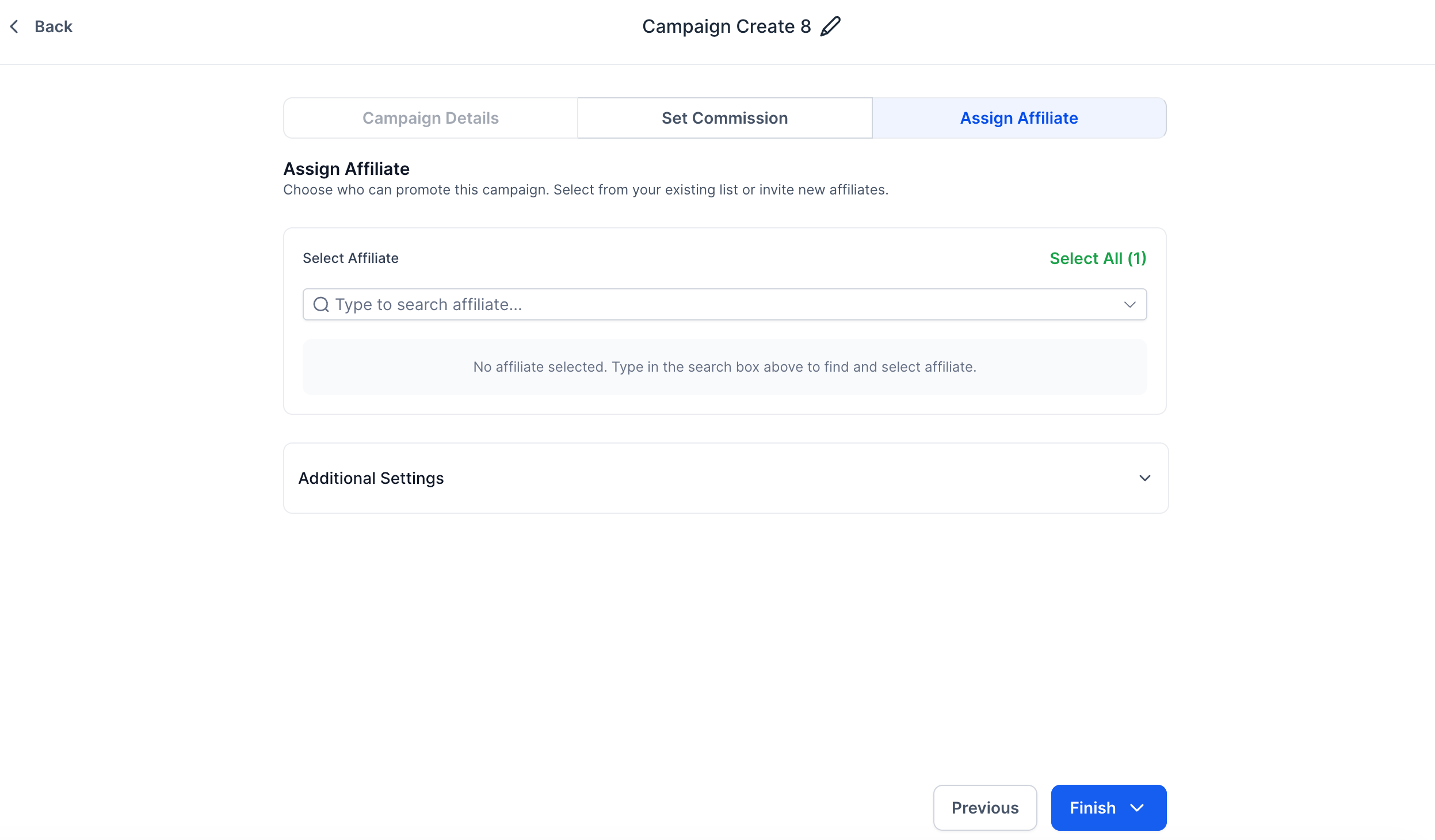
- Provide a clear description of the campaign’s goal and choose which affiliates will participate.
- Review every setting, correct any details, and click Publish to make the campaign live.
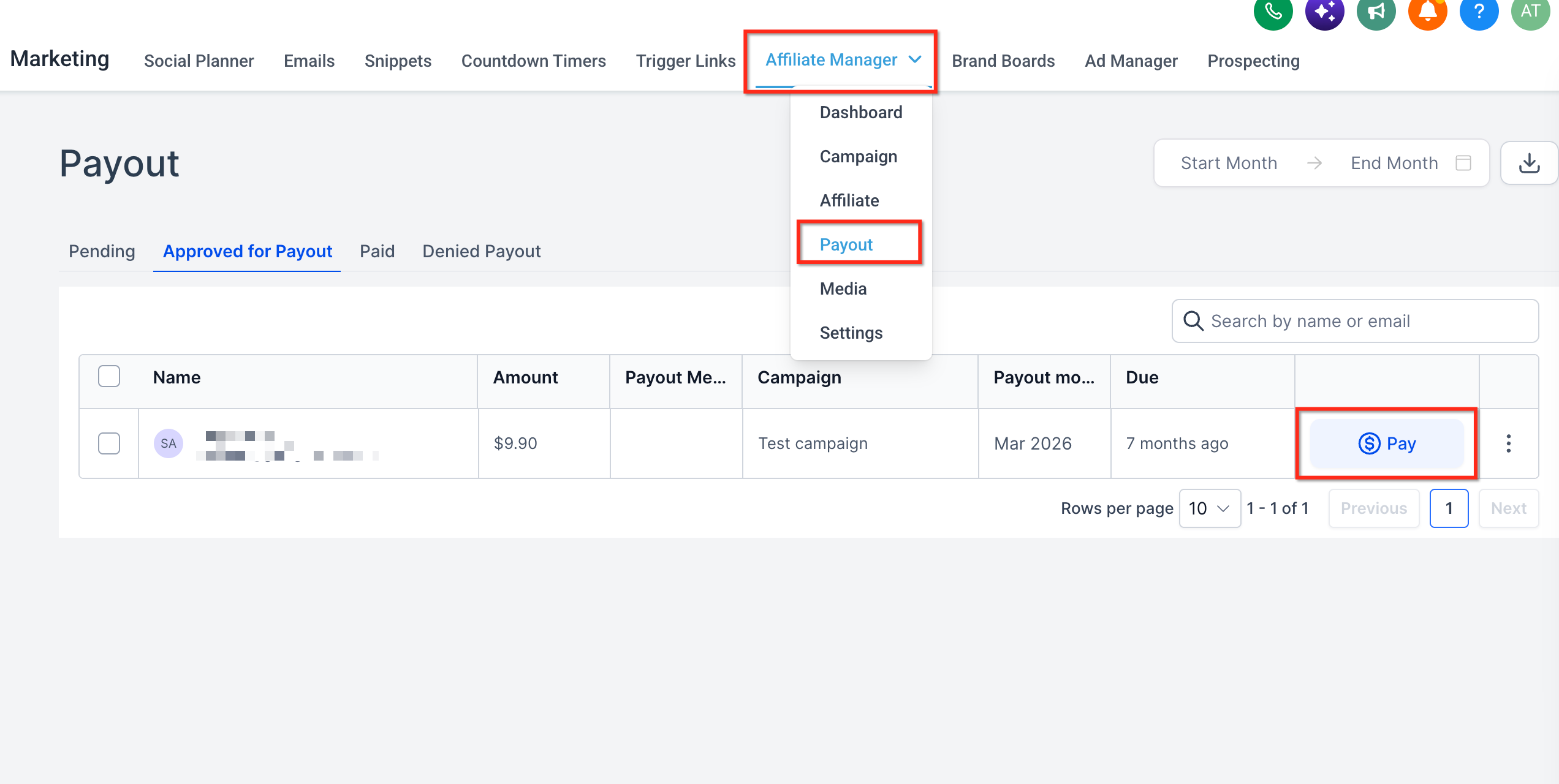
- After publishing, go to the Affiliate Payout tab to watch incoming leads and see the Lead Commission entries for each affiliate.
07What it looks like in HighLevel
08Settings that matter
- Pay, Per, Lead. Activates the commission style that pays a fixed sum for each lead generated by an affiliate.
- Per Lead Commission. Specifies the dollar amount an affiliate receives for every eligible lead.
- Advanced commission settings. Allows the definition of multiple tiers so that affiliates and their downstream partners can earn different amounts.
09Things to know before you rely on it
- Only forms, surveys and calendar components placed inside a funnel or webpage can be used for lead tracking.
- Custom code embeds and iframes are not supported for this tracking workflow.
- The Pay Per Lead option is available for the listed source types and must be enabled in the Commissions tab.
10How it connects to the rest of HighLevel
- Creating and managing affiliate campaigns in HighLevel Create affiliate campaigns
- How to set up lead tracking for affiliate campaigns in HighLevel Lead tracking guide
- Affiliate campaigns in HighLevel: FAQs Affiliate FAQs
Michael's take

Pay per lead commissions can turn every affiliate referral into a predictable budget line, letting small businesses grow their pipeline without guessing how much each sale will cost. It’s a straightforward way to pay for results you can see in your calendar or inbox.
The main mistake is trying to track leads with custom code embeds or iframes; those won’t register and you’ll lose commission data.