
01Who this is for
- Affiliate managers need to see each partner’s distinct URL to monitor performance accurately.
- Marketing teams benefit from a branded domain to align referral links with company branding.
- Founders can ensure campaigns launch correctly by confirming Stripe is connected and affiliates are added.
02Affiliate campaigns, explained
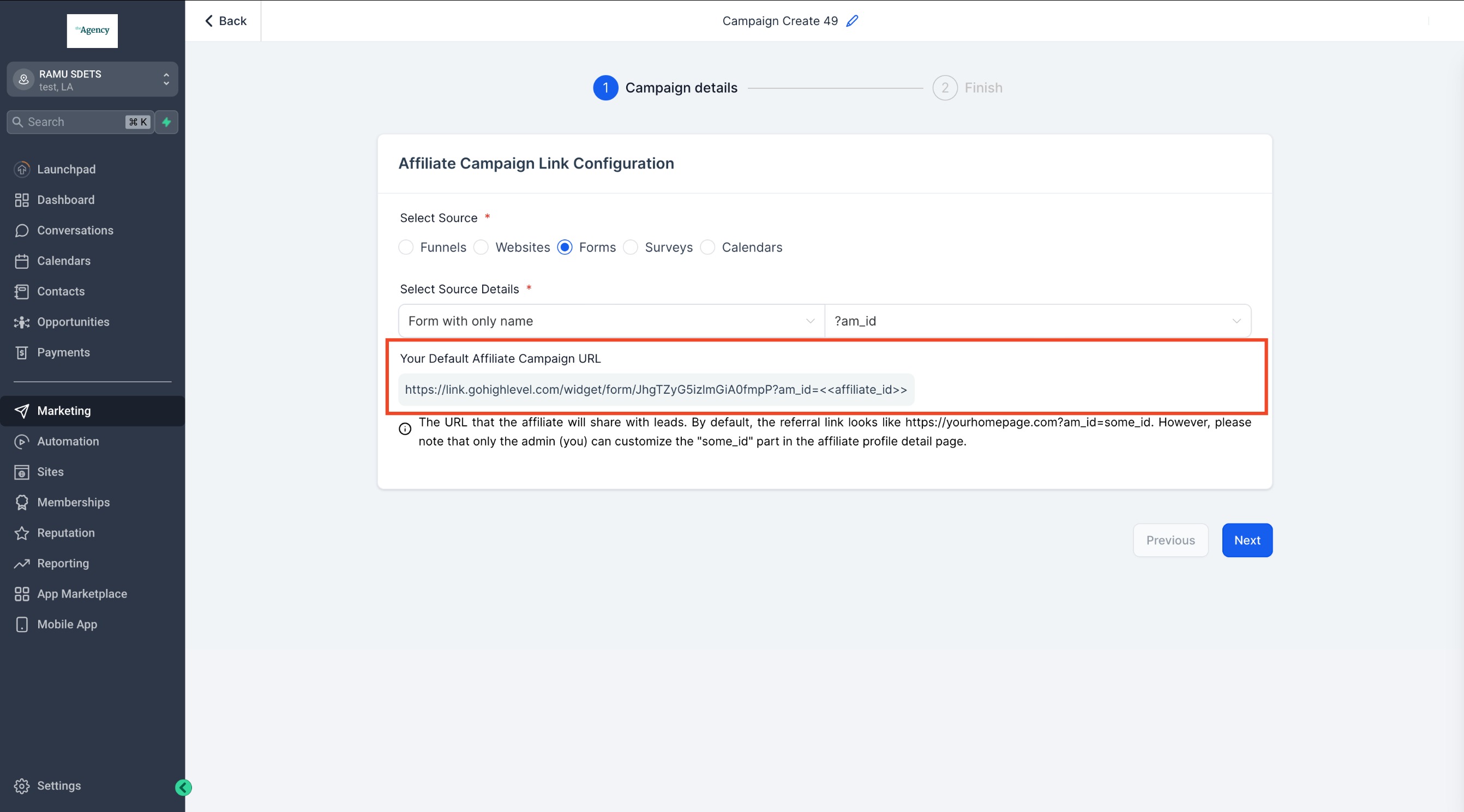
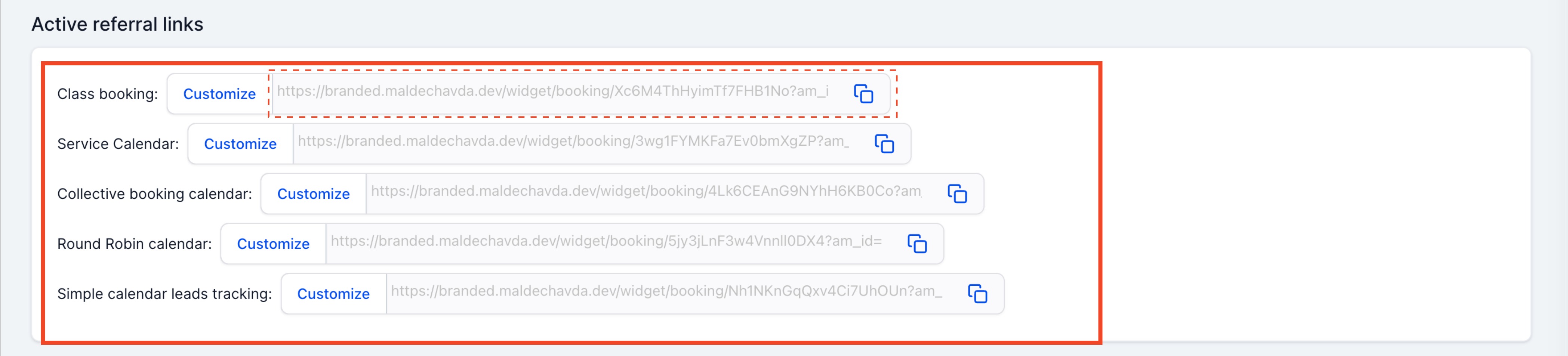
HighLevel assigns a separate referral link to every affiliate for each campaign they join. The links appear in the Affiliate section under an individual affiliate’s profile. A tab called Active Referral Links lists the URLs for all campaigns that involve the affiliate.
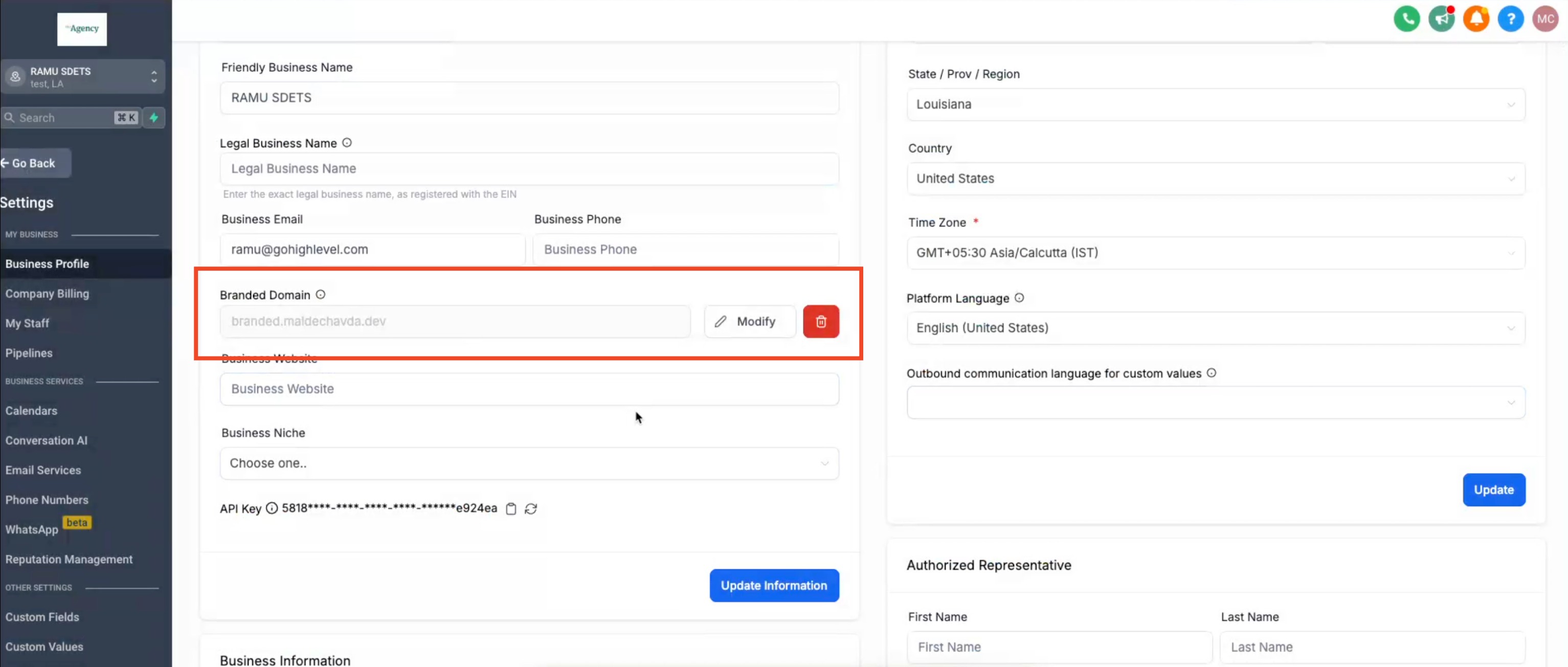
The domain used in each referral link comes from the account’s Branded Domain setting. If no branded domain exists, HighLevel defaults to its own domain. Adding a custom domain updates every existing affiliate link automatically.
These features are accessed from the main navigation: the Affiliate section for link viewing and Settings > Business Profile > Branded Domain for domain changes.
03How businesses use affiliate campaigns
- Ecommerce store. Open the Affiliate section, click the affiliate’s name, and scroll to the Active Referral Links tab to copy the unique URLs for partner promotion. Then add a branded domain in Settings so the links match the store’s brand.
- Online course provider. Locate each instructor’s referral URL by following the same steps in the Affiliate area. Update the Business Profile with a custom domain so students see a familiar website address when clicking affiliate links.
- Software SaaS business. View affiliate campaign links to share with resellers. Change the domain to the company’s primary domain via Settings, ensuring all affiliate traffic lands on the official SaaS landing page.
04Before you start
- Stripe must be connected before a campaign can go live.
- At least one affiliate must be added to the campaign for it to publish.
05How to set up and use affiliate campaigns in HighLevel
View affiliate links
- Open the Affiliate section from the main navigation.
- Select the affiliate’s name to open their profile.
- Scroll down to the Active Referral Links tab to see the URLs.
Change domain for referral links
- Open Settings in the platform menu.
- Choose Business Profile from the Settings options.
- Add or edit the Branded Domain field with your custom domain.
06What it looks like in HighLevel
07Settings that matter
- Branded Domain. Determines which domain appears in all affiliate referral URLs; if left empty, HighLevel uses its default domain.
08Things to know before you rely on it
- If no branded domain is added, affiliate links will use the default HighLevel domain.
- Campaigns start in a paused state when Stripe is not connected or when no affiliates are added.
09If something goes wrong
- Affiliate campaign remains paused and will not publish.. Connect Stripe to the account and add at least one affiliate to the campaign.
10How it connects to the rest of HighLevel
- Creating and managing affiliate campaigns in HighLevel Affiliate campaign setup
- How to set up lead tracking for affiliate campaigns in HighLevel Lead tracking guide
- Affiliate manager external website support in HighLevel External site support
- HighLevel pricing and plans Pricing page
- Start a 30 day HighLevel trial Free trial
Michael's take

Yes, HighLevel lets you give every affiliate a distinct link per campaign, so you can see which promotion is working and let the same person promote several offers without mixing up the data.
My first step would be to add a branded domain so the links match my brand, then connect Stripe and add affiliates.