
01Group hashtags, explained
A group hashtag is a saved collection of individual hashtags that you can apply to a social post with one click. When you create a new post in the Social Planner, you can select the saved group and the system will add all the tags to the post.
02How businesses use group hashtags
- Expand audience. Add a group that contains popular and campaign specific tags. When you publish a post, the group is inserted, making the content searchable under each tag and helping more people discover it.
03The numbers and rules that matter
- Maximum 30 hashtags allowed in each post.
04How to set up and use group hashtags in HighLevel
Create group hashtag
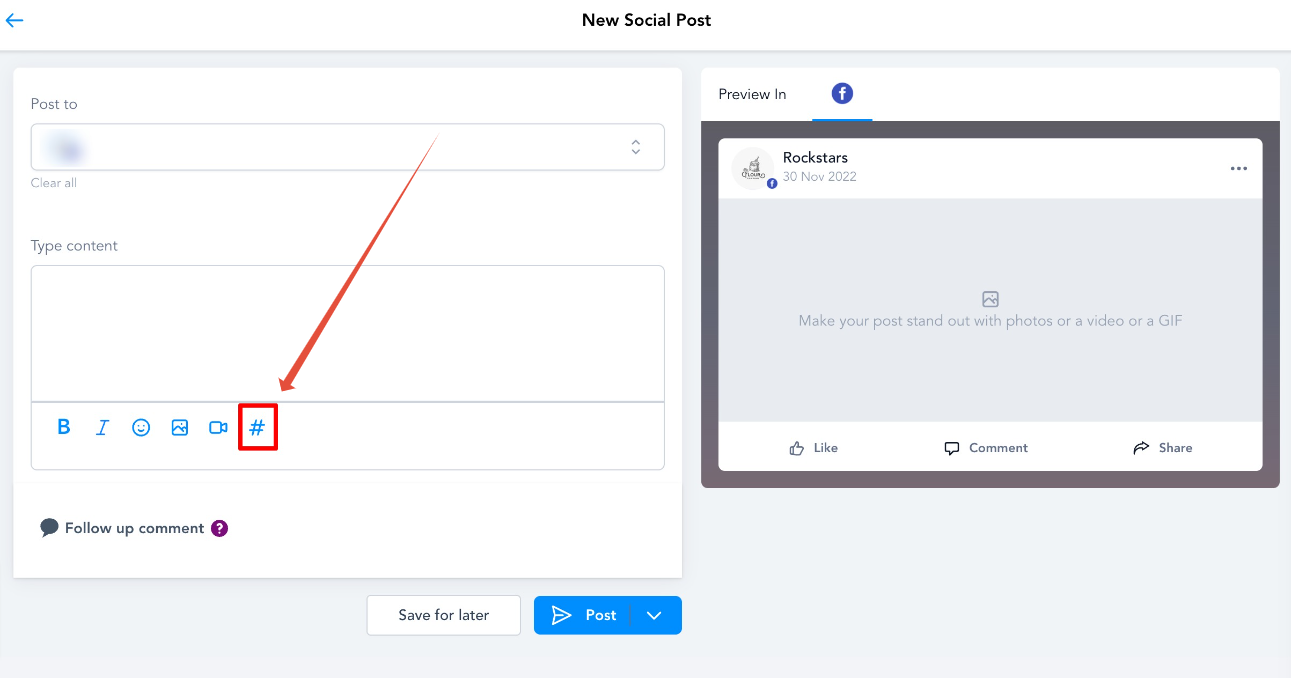
- Go to Marketing > Social Planner > Click on the Create New Post button.
- In Create Post, click the '#' icon.
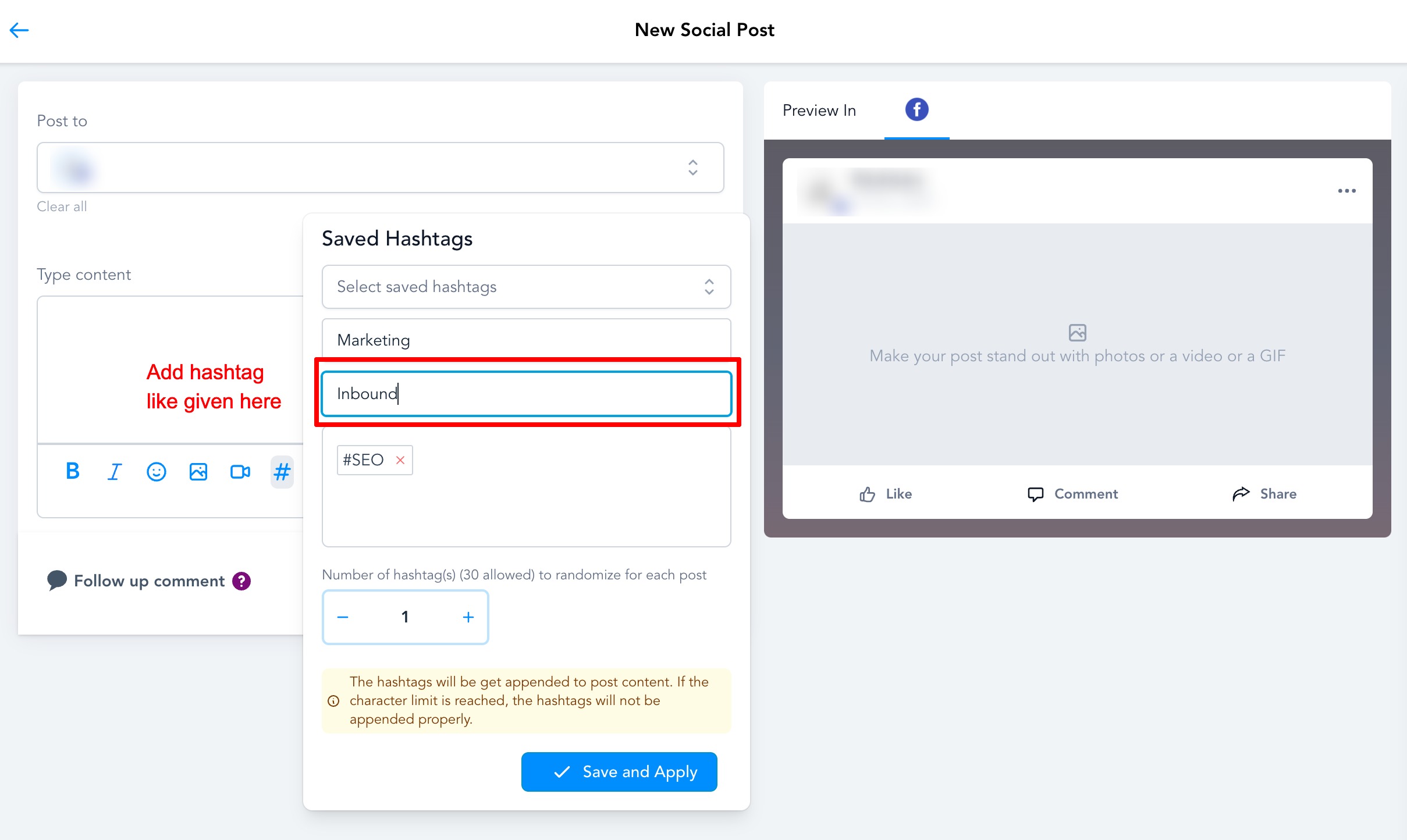
- In the pop up, enter a Name for the set.
- Add the hashtags you want in the set (maximum 30 hashtags per post).
- Click Save and Apply to store the hashtag group.
05What it looks like in HighLevel
06Settings that matter
- Name for the set. Label you give to the saved group so you can recognize it later.
- Hashtags to include. The individual tags that will be added to a post when you select this group.
07Things to know before you rely on it
- Maximum 30 hashtags in each post.
Michael's take

Michael ReimerFounder of CRM Pros, HighLevel Commander and Certified Admin
Having a ready made group of hashtags makes it easier to add tags when posting. The first thing I would get right is the name of the set. A clear label makes it easy to pick the right group when you’re in the flow of posting.
Get More InformationOpens on HighLevelPublished November 2, 2026 · Updated November 3, 2026