
01Who this is for
- Agency owners can remove unnecessary paid subscriptions from subaccounts that no longer need Ad Manager.
- Founders managing multiple subaccounts can control costs by disabling Ad Manager when not in use.
- Marketing managers can ensure that inactive ad accounts do not continue to incur charges.
02Ad Manager subscriptions, explained
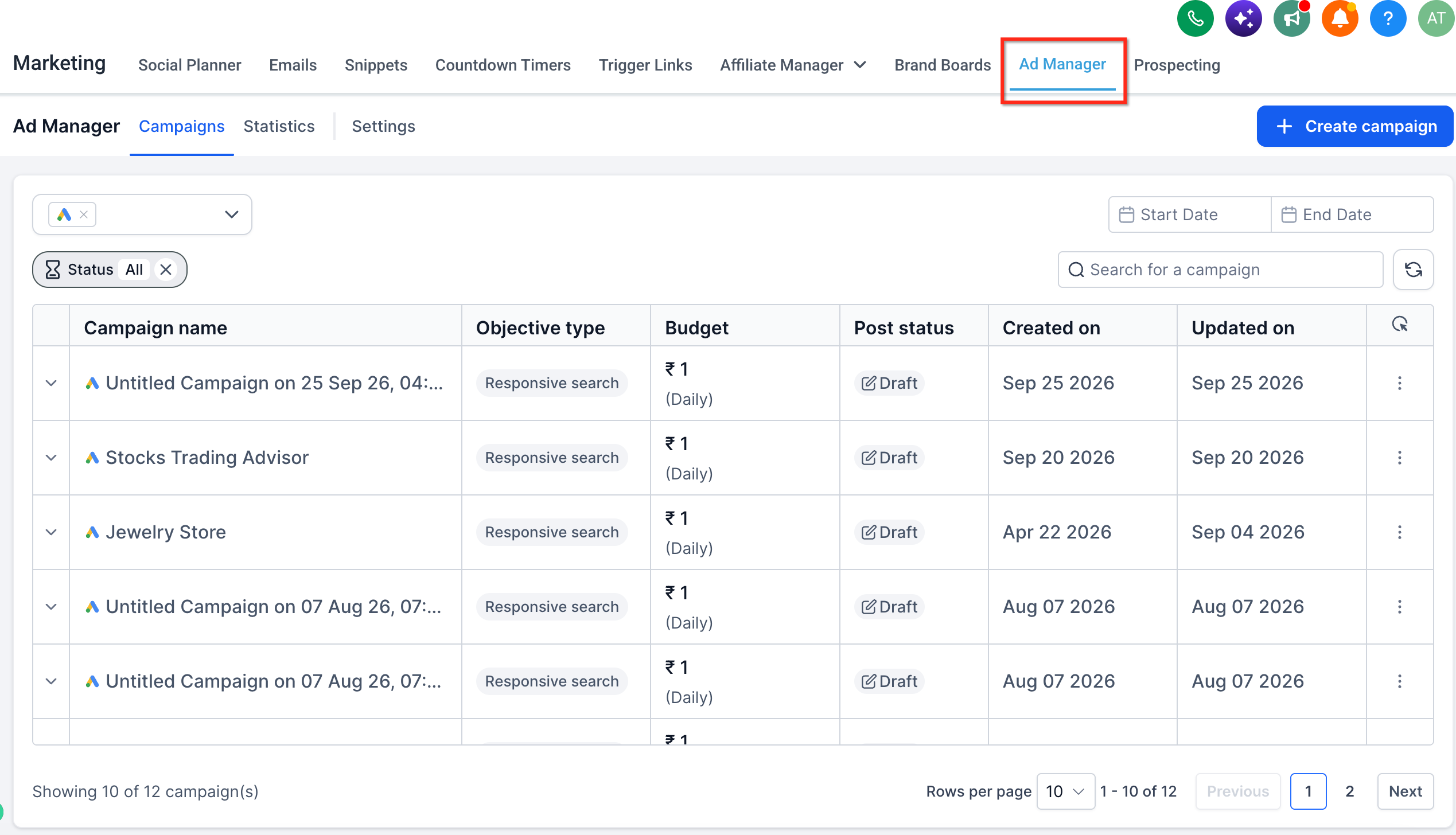
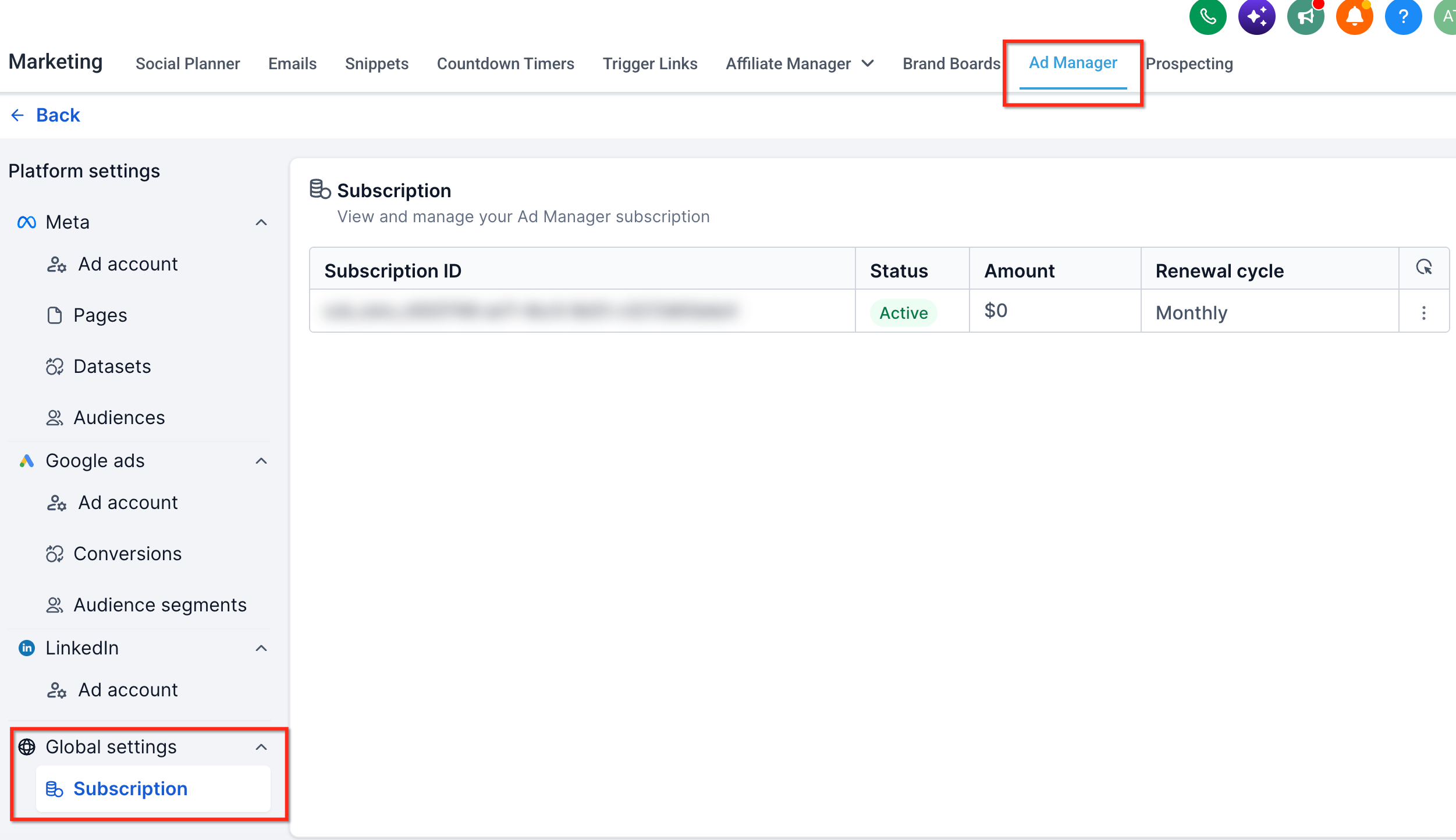
The subscription details appear inside the subaccount under Marketing > Ad Manager > Settings gear > Global Settings > Subscription. The tab shows the monthly charge and a unique subscription ID.
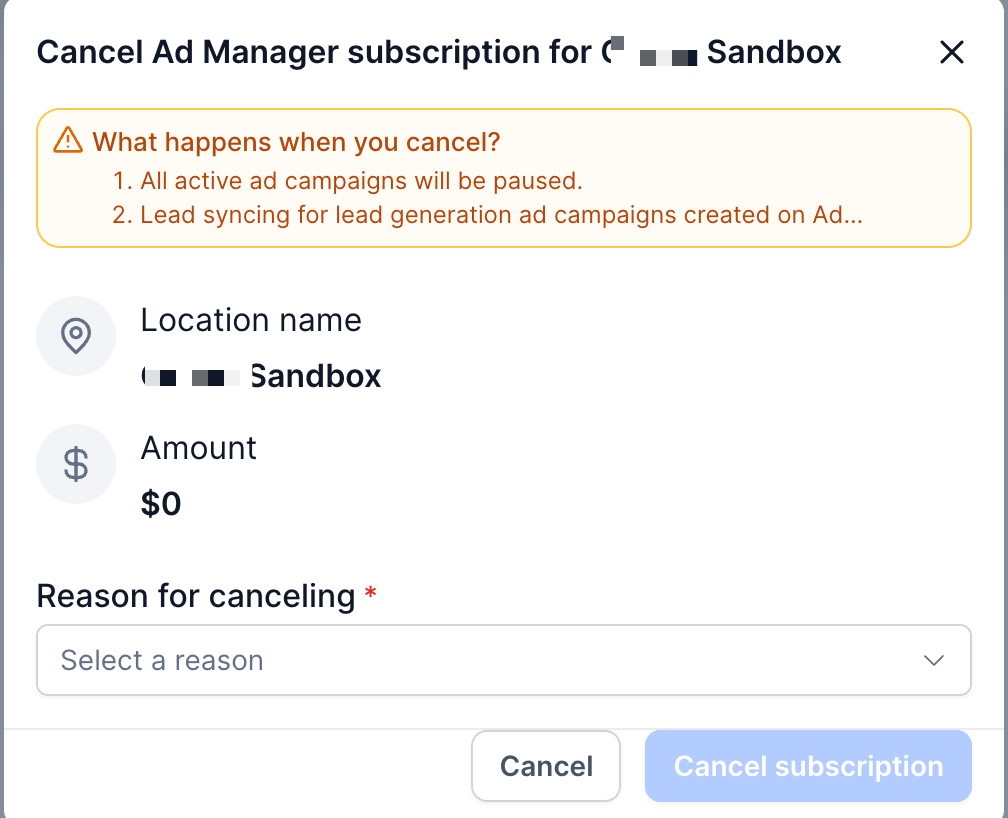
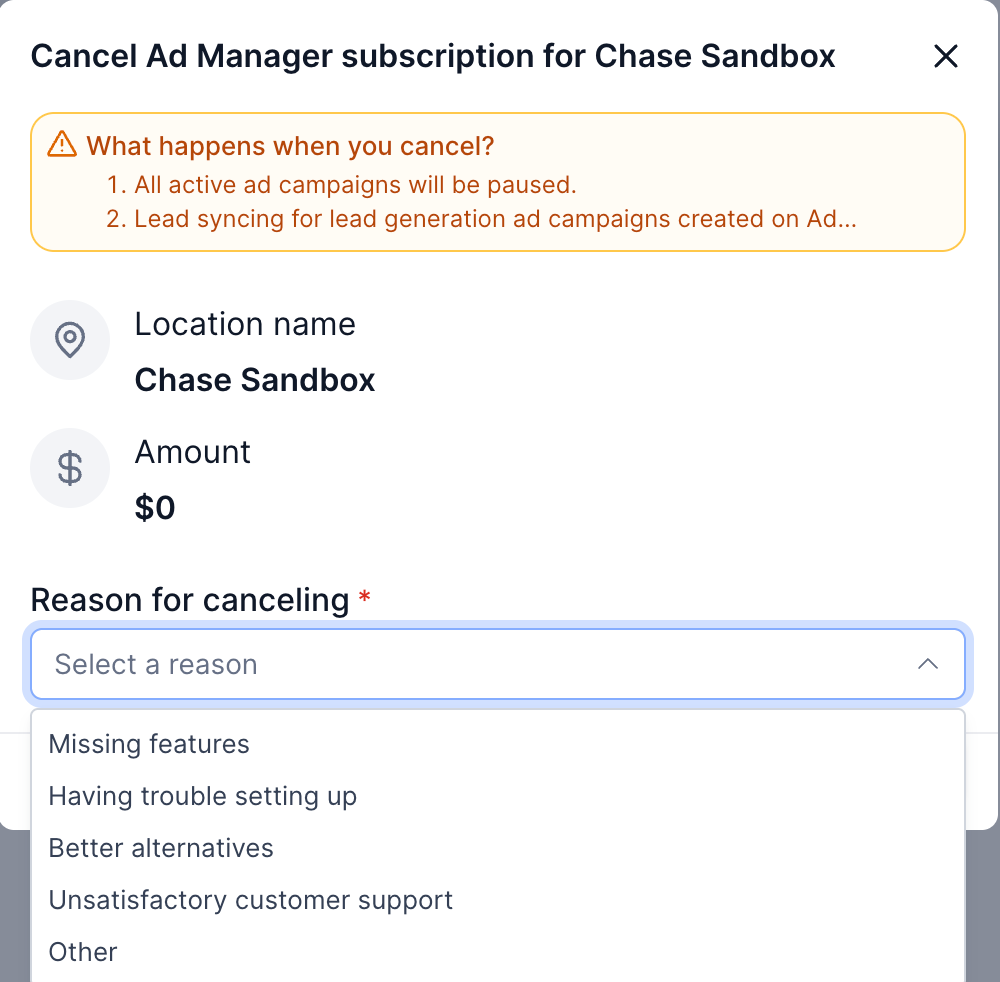
Cancelling the subscription pauses all ads that were published through Ad Manager, stops lead generation syncing, and disconnects any linked ad accounts. Access to the Ad Manager interface is removed until a new subscription is created.
If a newly published ad is still under platform review, the cancel button will be blocked. The cancellation can only proceed after the review finishes.
03How businesses use the Ad Manager subscription
- Digital marketing agency. The agency opens a client subaccount, navigates to the Subscription tab in Ad Manager, selects Cancel Subscription, provides a reason, and confirms the cancellation. This stops all client ad activity on that subaccount.
- Ecommerce store. The store owner accesses the subaccount’s Ad Manager settings, locates the subscription row, clicks the three dot menu, chooses Cancel Subscription, and follows the dialog prompts to end the paid service.
- Local service business. The business representative goes to Marketing > Ad Manager, opens Settings, selects Subscription, picks Cancel Subscription, enters a reason, and confirms, which pauses any ongoing lead gen campaigns.
04Before you start
- The subaccount must have an active paid Ad Manager subscription.
- The user must have permission to access Ad Manager settings in the subaccount.
- No ad campaign should be under platform review at the time of cancellation.
05How to set up and use the Ad Manager subscription in HighLevel
Cancel ad manager subscription
- Open the desired subaccount and go to Marketing > Ad Manager.
- Click the Settings gear icon in the top right corner.
- Select Subscription under the Global Settings section.
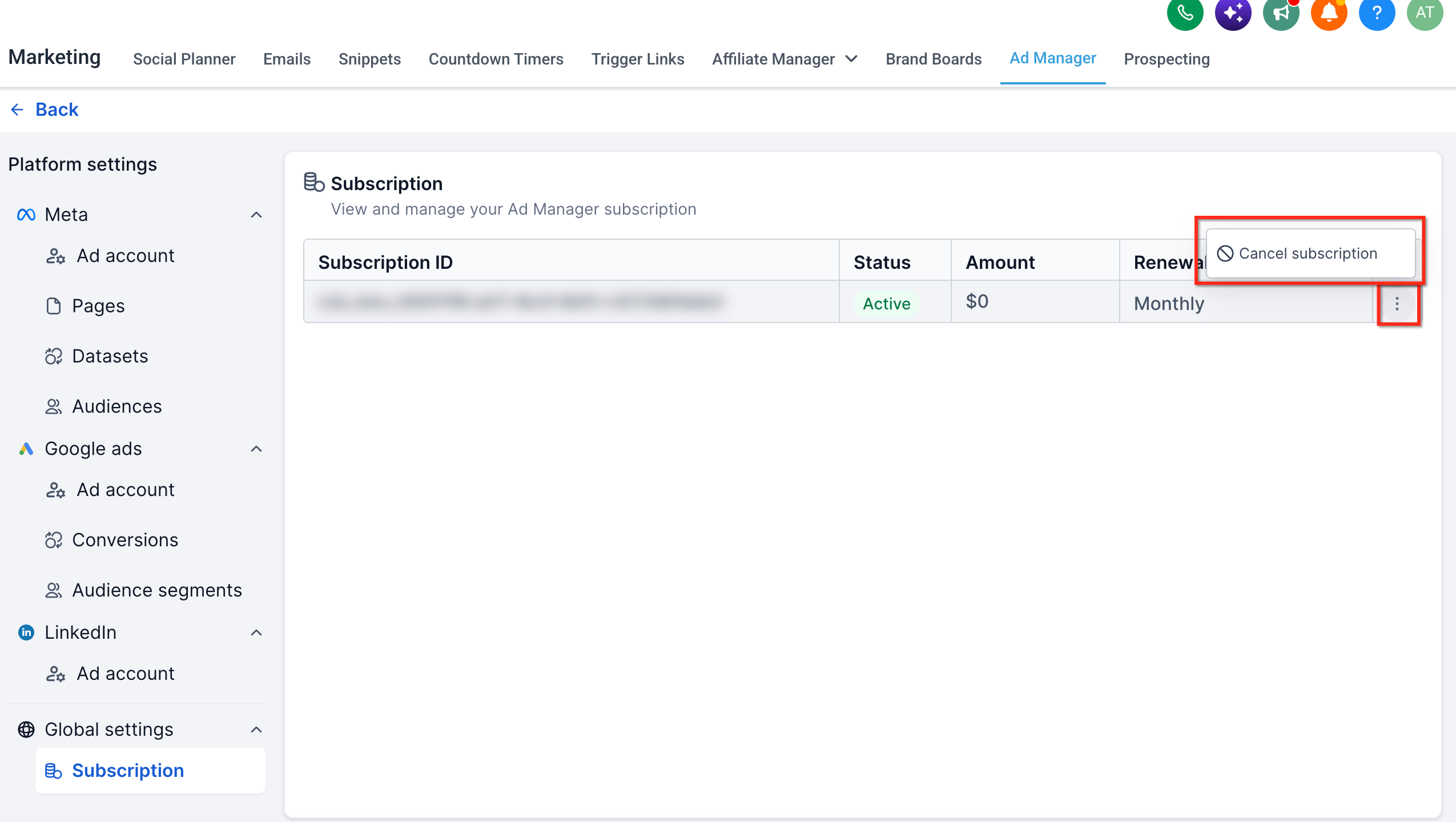
- Find the subscription row and click the three dot (ellipsis) icon.
- Choose Cancel Subscription from the dropdown menu.
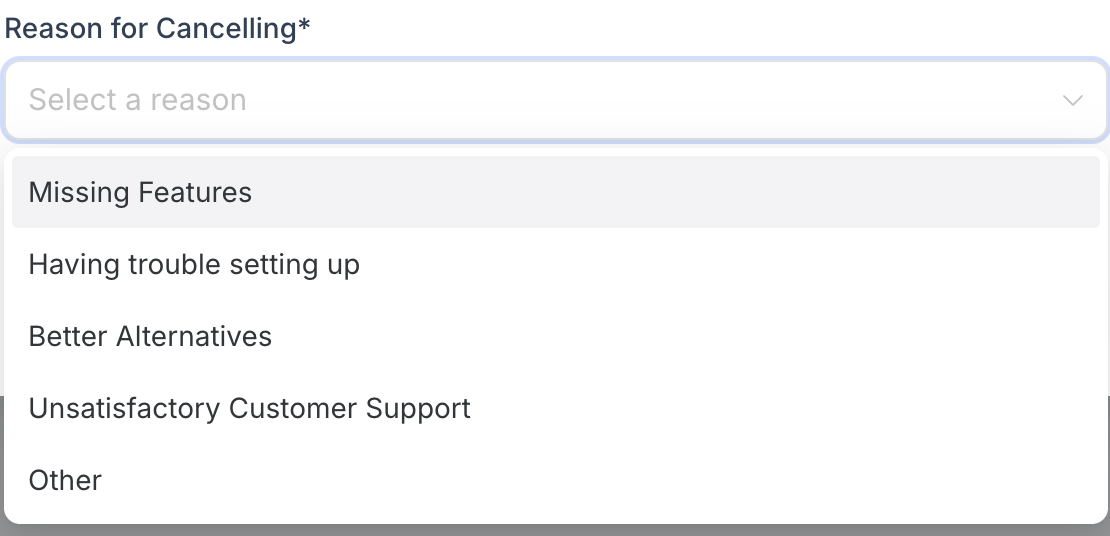
- In the dialog, select a cancellation reason or choose Other and type a note.
- Click the Cancel Subscription button to confirm the action.
- Wait for the confirmation dialog that indicates the subscription is cancelled.
06What it looks like in HighLevel
07Settings that matter
- Subscription. Shows the current paid Ad Manager subscription details and provides the option to cancel the service.
08Things to know before you rely on it
- Ad Manager is offered to agencies at no base cost; the guide applies only to subaccounts with a paid subscription.
- Cancellation is blocked while a recently published campaign remains under review by the advertising platform.
- After cancellation, the subaccount loses access to Ad Manager until a new subscription is added.
09If something goes wrong
- Cannot cancel because a campaign is still under review. Wait until the ad platform finishes reviewing the campaign, then attempt the cancellation again.
- Cancellation error keeps the subscription active. Verify no campaign is under review, retry the cancellation, and if the problem persists, contact HighLevel Support with the subaccount and subscription details.
10How it connects to the rest of HighLevel
- Explore all marketing capabilities in HighLevel All marketing features
- Review HighLevel pricing and plan options HighLevel pricing and plans
- Start a 30 day trial of HighLevel Start trial
Michael's take

Canceling an Ad Manager subscription can feel risky because it pauses campaigns and cuts off lead flow. Make sure you have reviewed any active ads and know that the subaccount will lose access until you renew.
When you’re ready, you stop paying for an add on you no longer need while keeping the option to reactivate later.