
01Who this is for
- Affiliate program managers can automate promotions, cutting manual tracking.
- Marketing directors of SaaS companies can motivate partners by tying campaign upgrades to revenue goals.
- Ecommerce owners can ensure top affiliates move to premium funnel campaigns without extra effort.
02Affiliate manager level up feature, explained
The Subaccount Affiliate Manager Level Up feature lets the platform automatically promote affiliates to a higher tier campaign when they reach a performance milestone. You define the milestone as either a customer count or a revenue amount, and the system moves qualifying affiliates without manual steps.
The feature lives inside the Affiliate Manager. Within a campaign’s Commissions settings you expand the Level Up to another Campaign section, choose the destination campaign, set the trigger metric and threshold, and decide how existing customers’ commissions are handled. Once published, affiliates progress automatically based on the defined criteria.
03How businesses use affiliate manager level up feature
- Online course platform. Create a base affiliate campaign for instructors and set a revenue milestone. When an instructor’s referrals generate the required revenue, the system moves them to a premium campaign that offers higher commissions. Existing student commissions stay in the original campaign or move according to the chosen handling option.
- Fitness studio membership program. Set up an affiliate campaign that tracks the number of new members each partner signs up. Define a customer count milestone, and when a partner reaches it, the platform automatically levels them up to a campaign with better commission rates. You decide whether members already enrolled remain in the original campaign.
- Software SaaS startup. Configure a funnel campaign for affiliate sales and set a revenue trigger. Once an affiliate’s sales hit the revenue threshold, HighLevel moves them to a higher tier funnel campaign that includes additional marketing assets. The startup selects whether commissions from existing customers stay in the first funnel or follow the affiliate to the new one.
04How to set up and use affiliate manager level up feature in HighLevel
Set up automatic affiliate level up
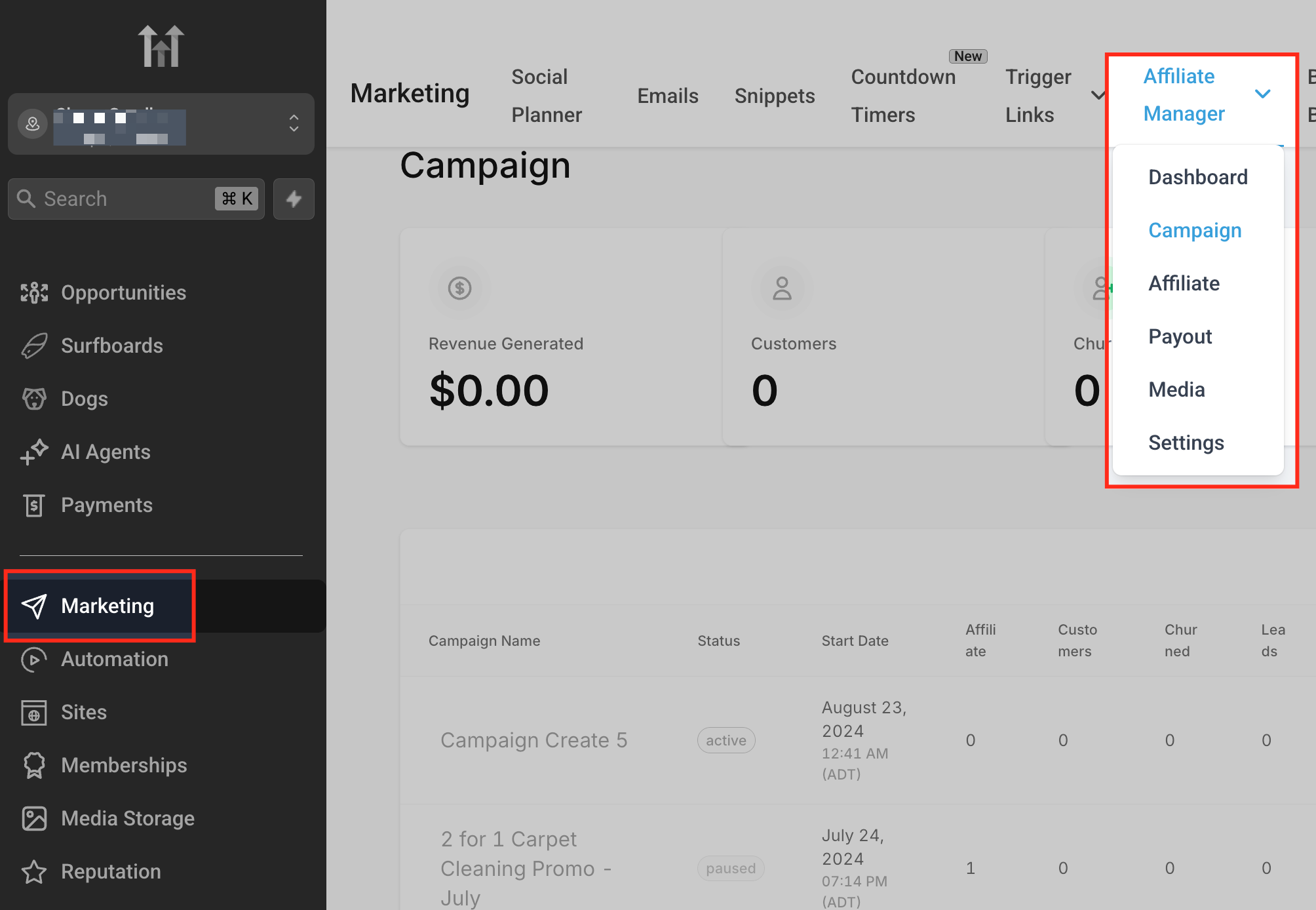
- Open the left sidebar, go to Marketing, open the Affiliate Manager dropdown, and select Campaign.
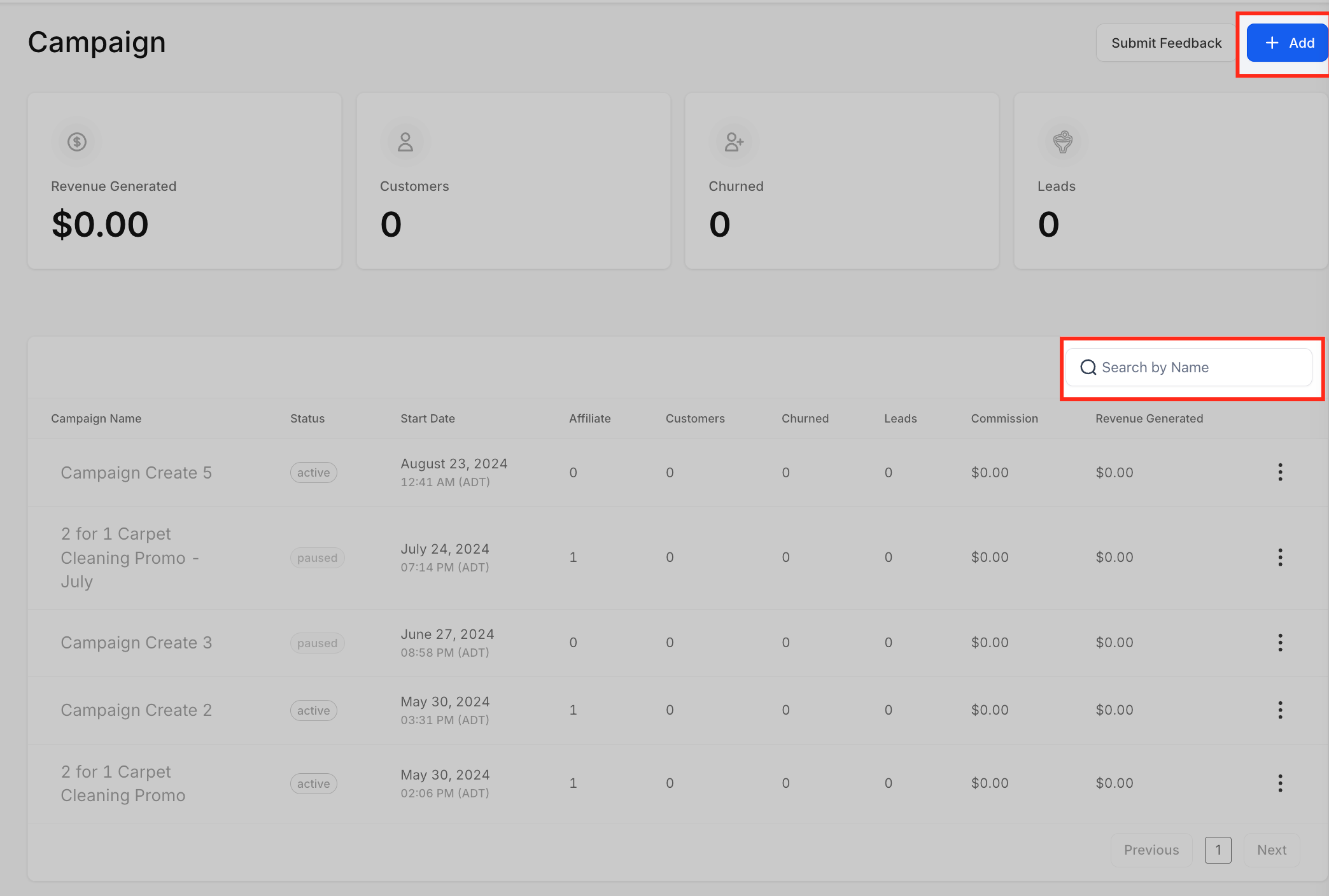
- Click the + Add button to start a new affiliate campaign or use the Search by Name bar to find an existing one.
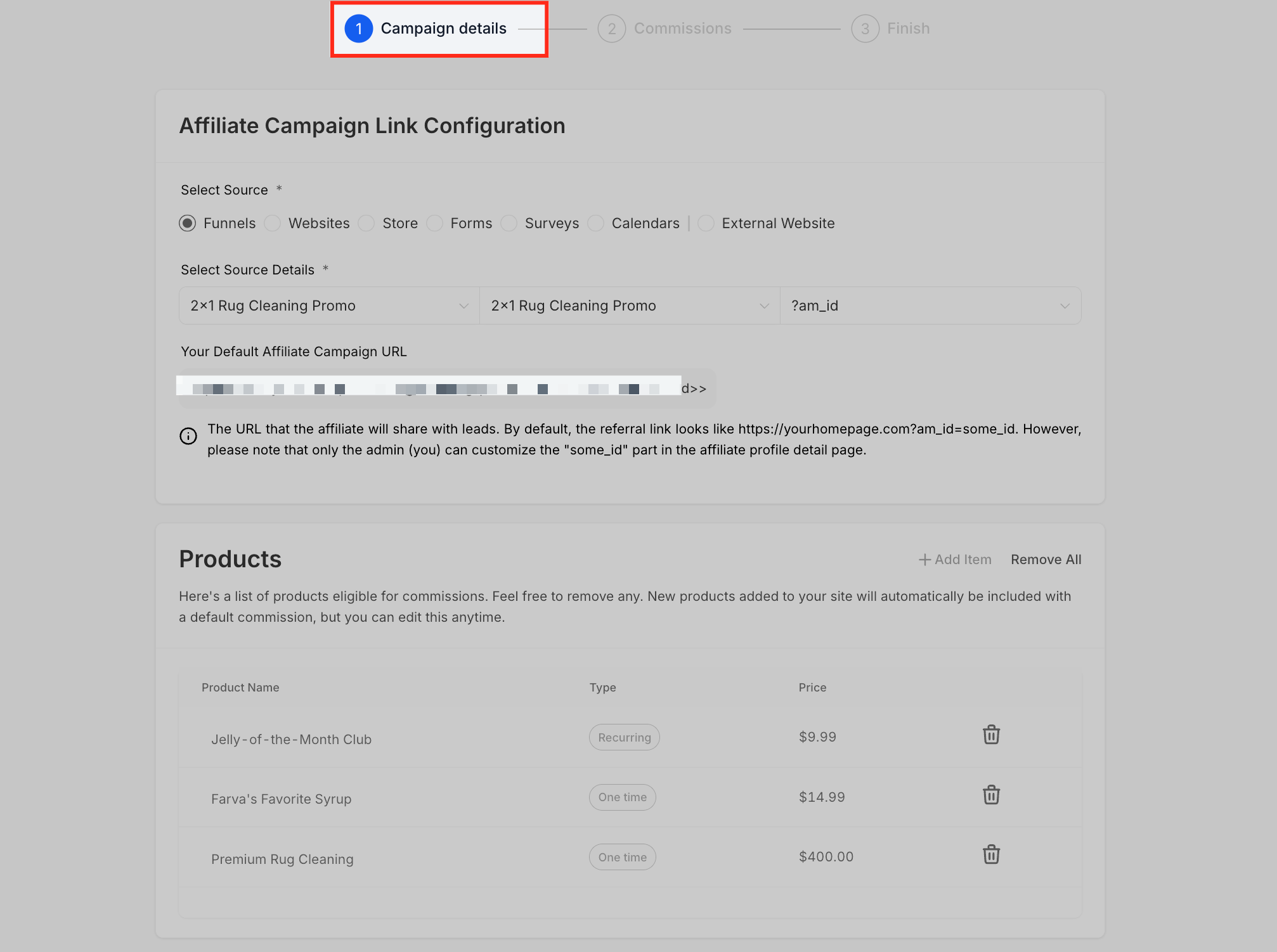
- If creating a new campaign, fill in the campaign details by selecting a traffic source and linking the campaign.
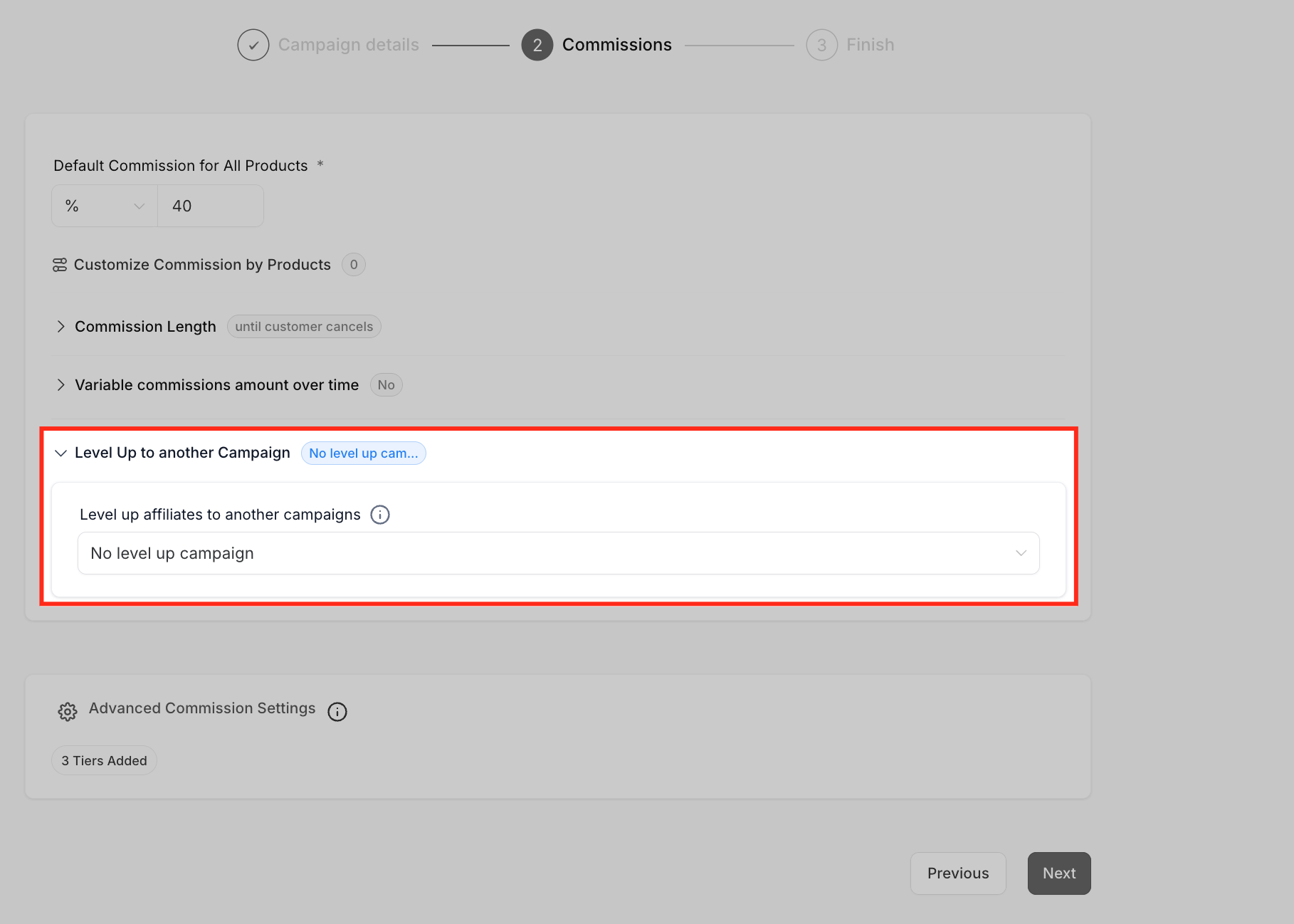
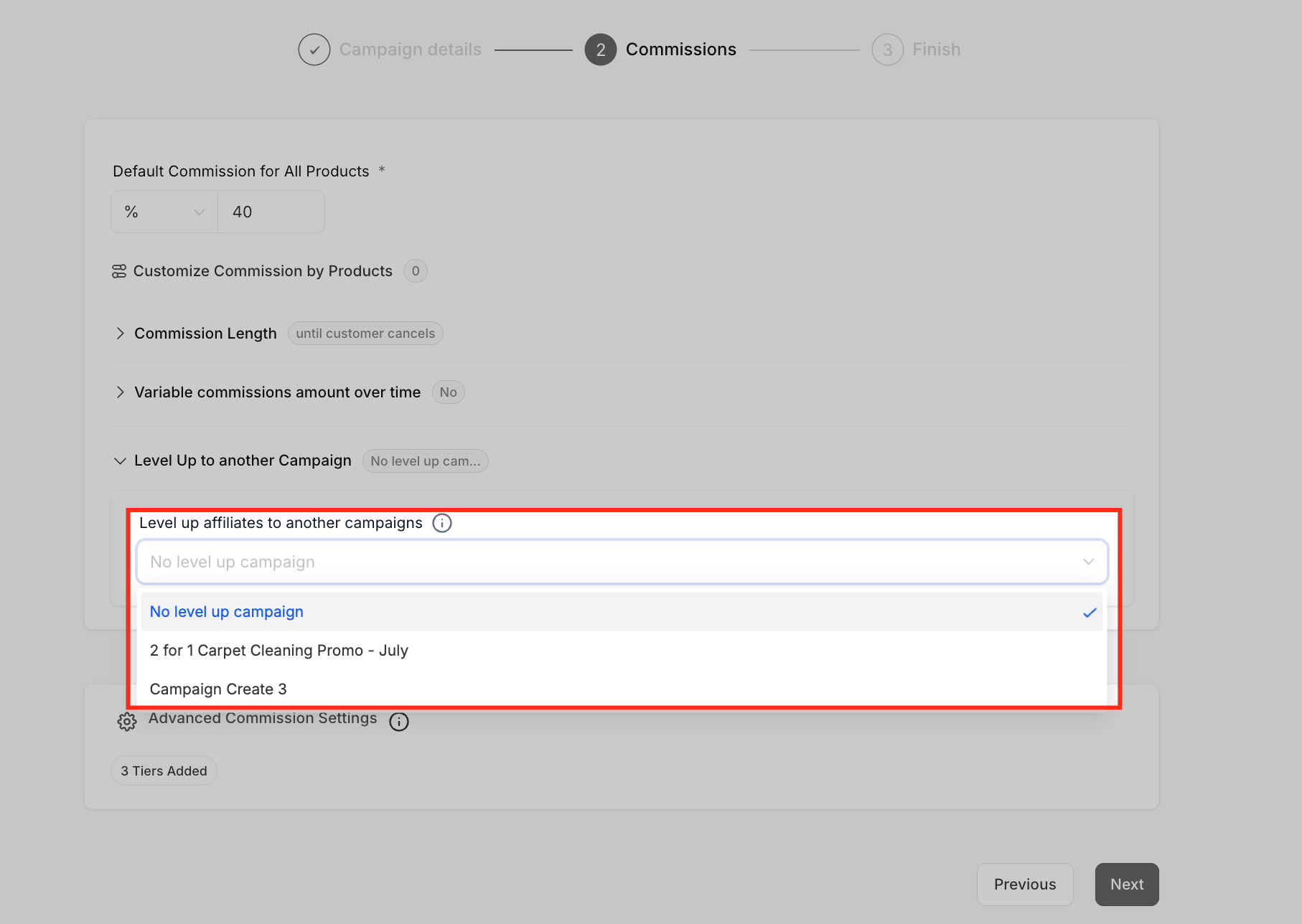
- In the Commissions step, expand the Level Up to another Campaign section.
- Choose the destination campaign from the dropdown menu.
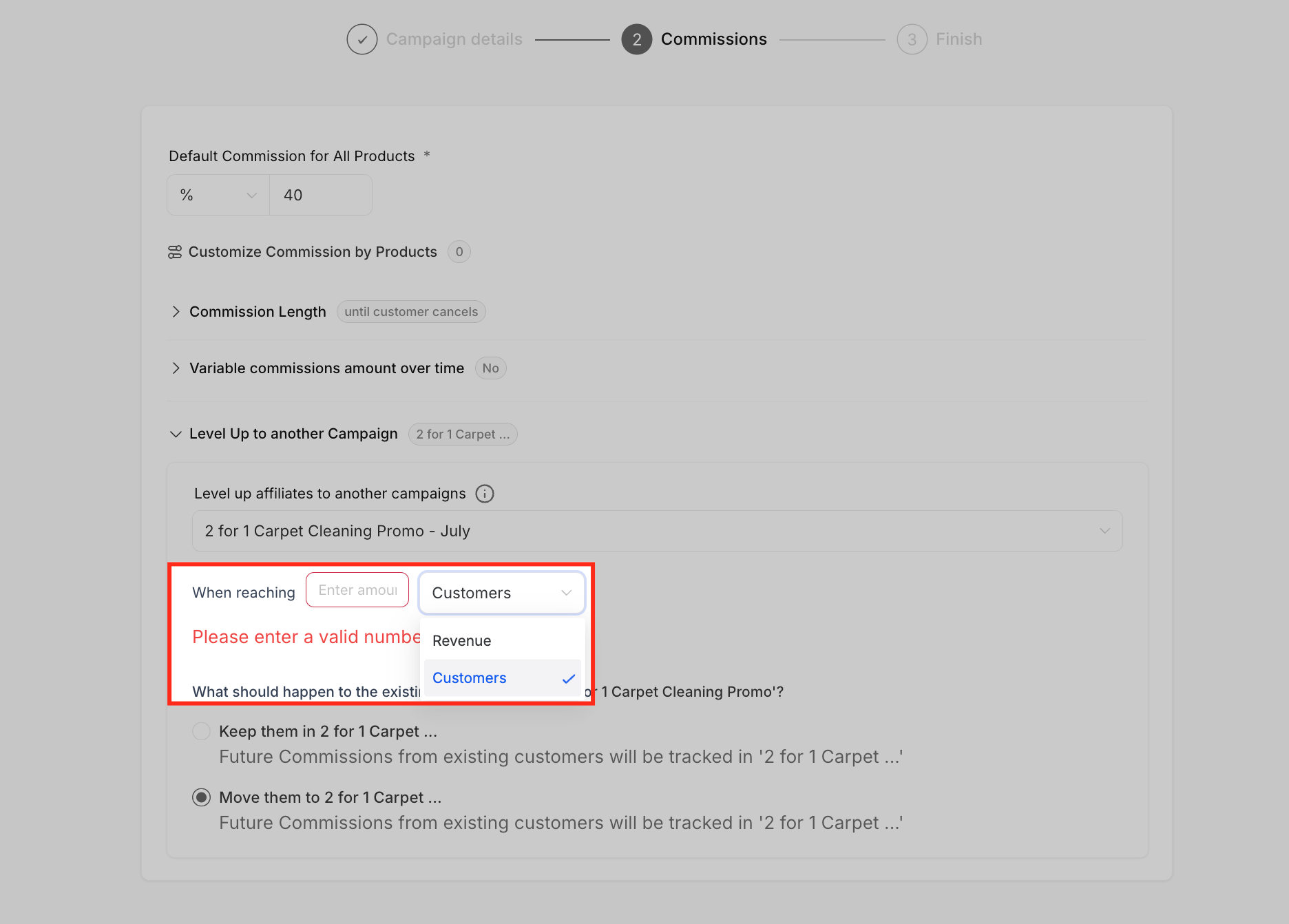
- Select the promotion criteria by picking Customers or Revenue and entering the required number or amount.
- Choose how to handle commissions from existing customers, keep them in the original campaign or move them with the affiliate.
- Review all settings, click Next, and publish the campaign to activate the automatic level up flow.
05What it looks like in HighLevel
06Settings that matter
- Level Up to another Campaign. Enables the automatic promotion of affiliates to a higher tier campaign based on defined performance milestones.
- Destination Campaign. Specifies which campaign affiliates are moved to once they meet the promotion criteria.
- Promotion Criteria. Determines the trigger metric either a customer count or a revenue amount and the threshold that must be reached for level up.
- Customer Handling. Controls whether commissions from existing customers stay in the original campaign or are transferred to the new campaign after level up.
07Things to know before you rely on it
- Level up works only within a single subaccount; affiliates cannot be promoted across different subaccounts.
- Triggers are limited to quantitative metrics Customers or Revenue; tag, attribute, or manual filters are not supported.
- There is no native pause button; to stop automation you must set the dropdown to No level up campaign.
- The feature supports promotion between Website, Store, and Funnel campaign types.
08If something goes wrong
- Need to temporarily stop level up automation. Select No level up campaign in the destination campaign dropdown to disable the automatic promotion.
09How it connects to the rest of HighLevel
- Manage commissions and view affiliate performance in the portal Affiliate portal guide
- Add new affiliates to your Affiliate Manager Add affiliates guide
- Review HighLevel pricing and plan options Pricing page
Michael's take

Most people think they need a complex workflow to reward top affiliates, but the Level Up feature handles that automatically. I’d simply set a clear revenue threshold and let HighLevel do the moving.
If I were rolling this out, I’d start with a low risk campaign, test a modest revenue goal, and watch the promotion happen. Once I see the flow working, I’d expand to multiple campaigns and add postlevel up tag assignments via workflows.