
01Who this is for
- Founders of agencies that run Google Ads campaigns, because they can turn ad leads directly into contacts for follow up.
- Small business owners who use Google Ads for lead generation, as the integration moves leads into HighLevel without manual entry.
02Google lead forms, explained
The feature lets HighLevel pull submissions from Google Lead Forms into its platform. After a Google Ads account is connected, each form that you enable and map creates a new contact when a user submits it. The contact data matches the fields you map from the form to HighLevel fields.
Mapping happens in the form’s edit view, where you pair each Google field with a HighLevel field. Once the mapping is saved, the sync status shows as Active and leads flow in real time. You can then use the Google Lead Form Submitted trigger in a workflow to run any automated actions you need.
All settings live inside the platform: the integration is found under Settings > Integrations, form mapping under the Play or Edit icon, and automation triggers under Automations > Workflows. The connection can be tested from Google Ads Manager by sending test data.
03How businesses use Google Lead Forms
- Digital marketing agency. The agency connects each client’s Google Ads account, maps the lead forms to the agency’s contact fields, and builds a workflow that assigns new leads to a sales rep and sends a welcome email.
- Real estate brokerage. The brokerage enables its Google lead forms, maps the form fields to property interest fields in HighLevel, and creates a workflow that adds the lead to a drip campaign for new listings.
- Home service contractor. The contractor maps the phone number field from the Google form to the contact record, then sets a workflow to schedule a follow up call and add the lead to a text message sequence.
04Before you start
- Have a HighLevel subaccount ready.
- Use a Google account that has access to the Google Ads account containing the lead forms.
05How to set up and use Google Lead Forms in HighLevel
Connect Google Ads account
- Open the desired HighLevel subaccount.
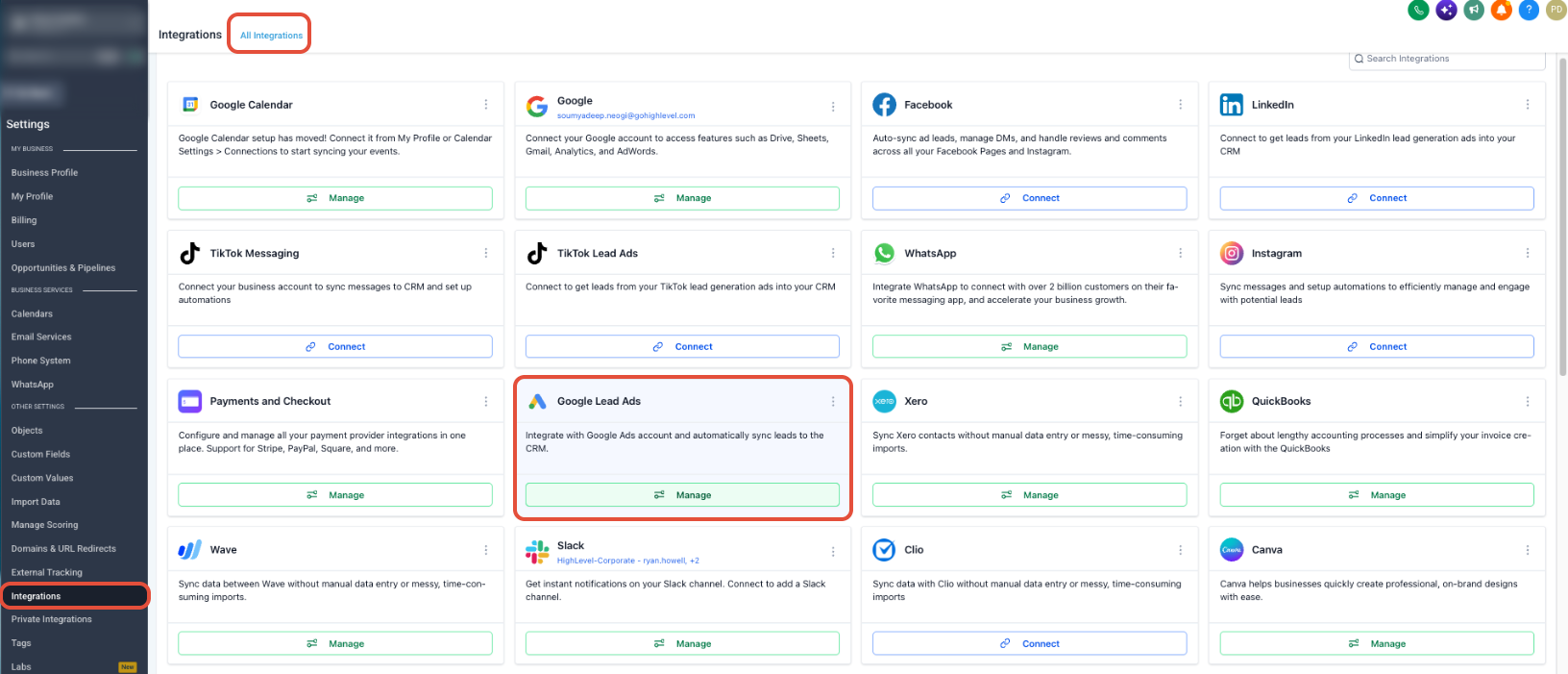
- Go to Settings > Integrations.
- Find Google Ads and click Manage.
- Click Install on the integration page.
- Sign in with a Google account that can access the needed Google Ads account.
- Complete the Google authorization prompts.
- Select the Google Ads account(s) you want to connect.
Map and enable a Google Lead Form
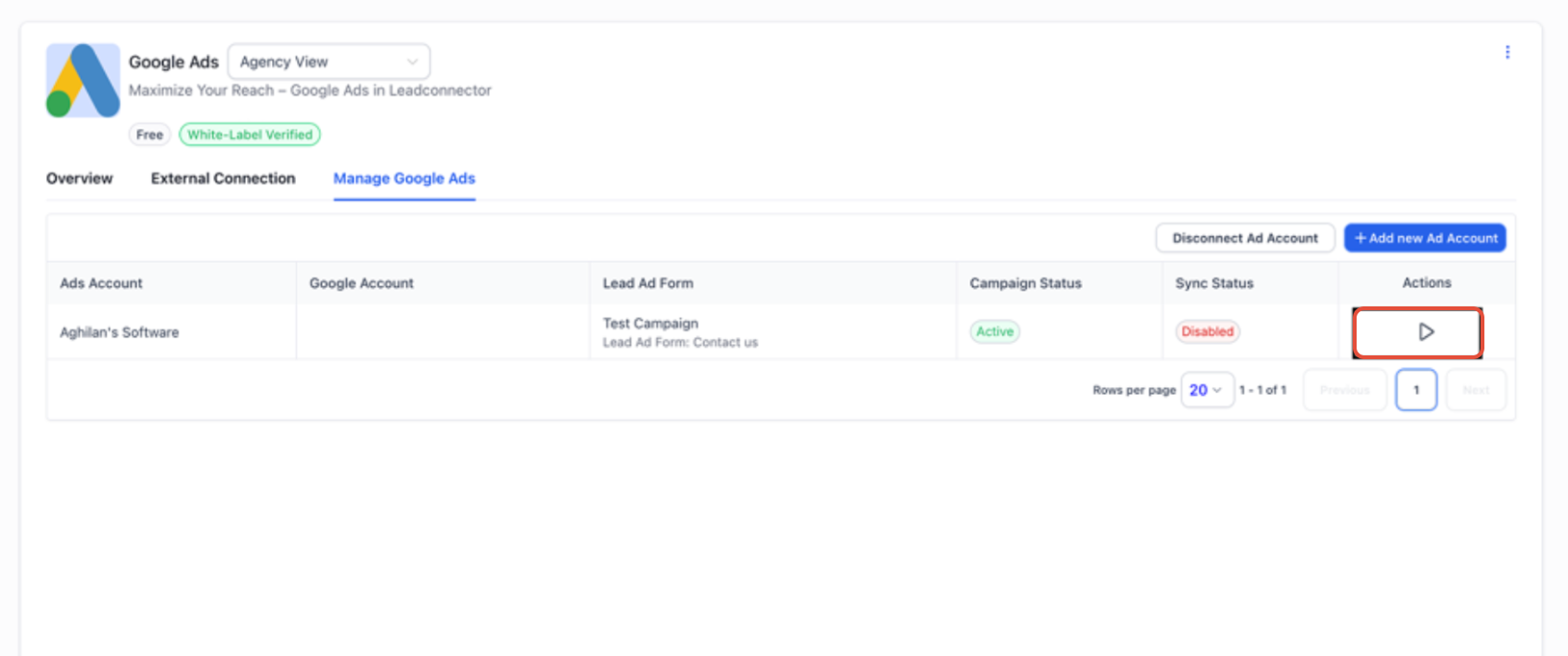
- Locate the lead form you want to sync.
- Click the Play or Edit icon for that form.
- Select Map Fields.
- Match each Google Lead Form field to the appropriate HighLevel field.
- Finish the mapping and turn on lead syncing.
- Verify that the sync status now shows Active.
Automate Google Lead Form submissions
- Go to Automations > Workflows.
- Create a new workflow or open an existing one.
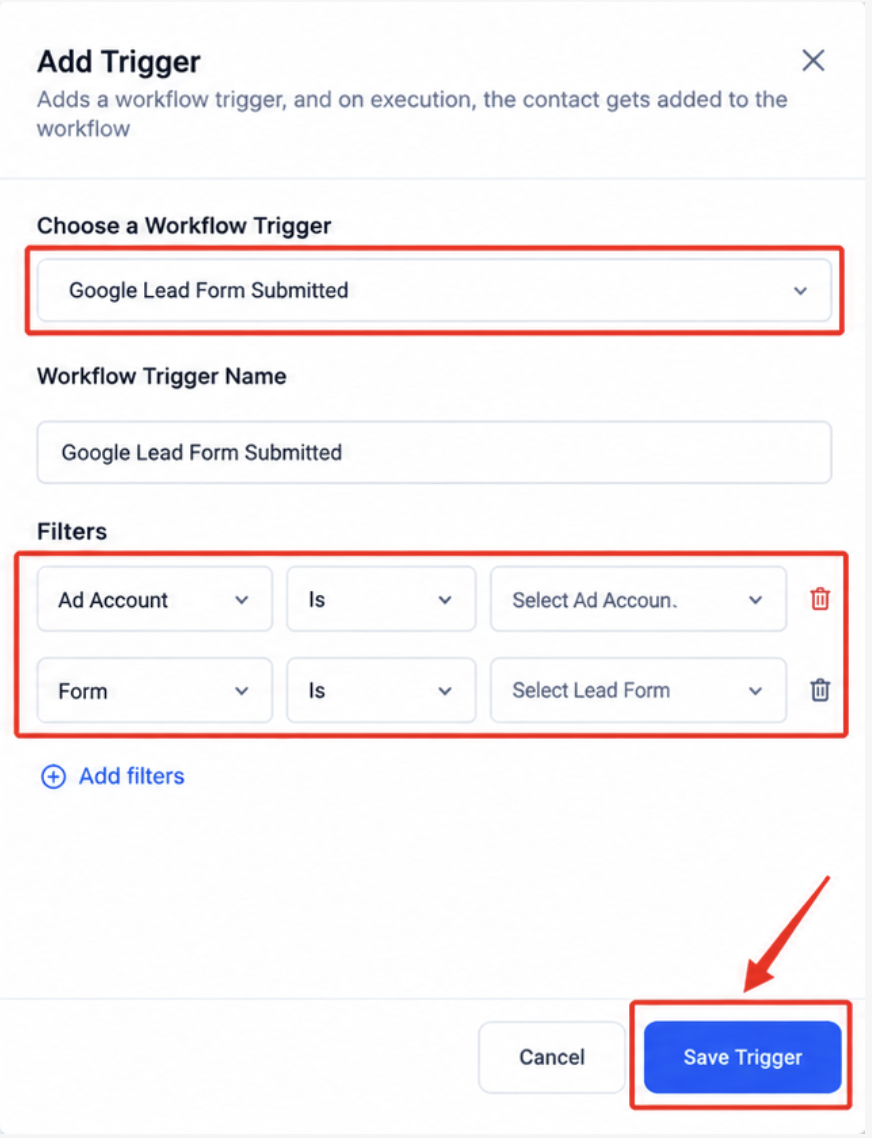
- Add a new workflow trigger.
- Select Google Lead Form Submitted as the trigger.
- Add Ad Account or Lead Form filters if required.
- Define the actions the workflow should perform after a submission.
- Save and publish the workflow.
Test the connection
- Open Google Ads Manager.
- Open the campaign that contains the connected lead form.
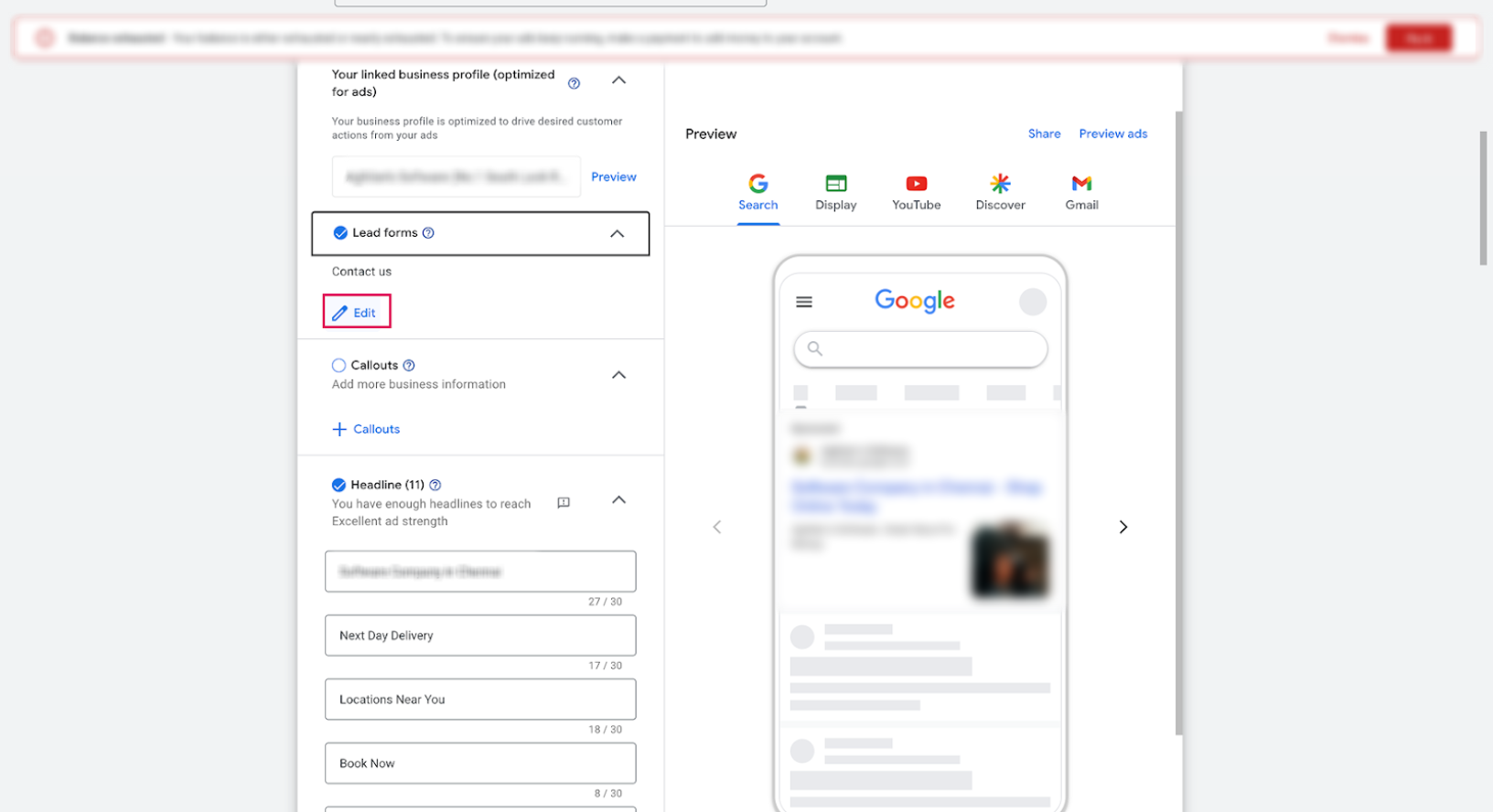
- In the campaign details, go to the Lead Form section and click Edit.
- Open the form linked to the campaign.
- Click Send Data to submit a test lead.
- Check HighLevel to confirm the test lead was received.
- Note that Google Ads may display a warning during this test; the warning can be ignored.
06What it looks like in HighLevel
07Settings that matter
- Map Fields. Lets you pair each field from a Google Lead Form with a specific HighLevel field.
- Google Lead Form Submitted. Serves as a workflow trigger that fires each time a mapped and active Google Lead Form submission is received.
08Things to know before you rely on it
- A warning may appear in Google Ads during the test submission; the warning can be ignored.
- Google Lead Forms are distinct from Google Forms and use a separate integration.
- Multiple Google Ads accounts can be connected as long as the Google login has access to each.
09If something goes wrong
- Google Lead Form submissions are not syncing.. Confirm the correct Google Ads account is connected, ensure the lead form is enabled, verify all required fields are mapped, and check that the sync status shows Active.
10How it connects to the rest of HighLevel
- Leads imported from Google Lead Forms can be used in email campaigns to nurture contacts. Email campaigns
- Managing multiple Google Ads accounts is part of the broader marketing capabilities in HighLevel. All Marketing features
- New users can start a free trial to access the Google Lead Forms integration. Free trial
Michael's take

In my experience, pulling Google Lead Form data into HighLevel keeps the lead flow within the platform.
If you don’t run Google Ads or have very low lead volume, you may prefer a simpler capture method.