
01Who this is for
- Affiliate program managers, they can automate onboarding of new partners without manual entry.
- Digital marketers, they keep affiliate campaign lists current automatically, freeing time for strategy.
- Ecommerce owners, they ensure affiliates are active in product launch campaigns without extra work.
02Affiliate automations, explained
The Affiliate Created trigger lives in the Workflows area of HighLevel. When a new affiliate record appears in a subaccount, the trigger starts the workflow. From there you can add actions that manipulate the affiliate’s record.
Available actions include adding the affiliate to the Affiliate Manager list, setting their status to active or inactive, enrolling them in a specific campaign, or removing them from a campaign. Each action runs right away after the trigger fires, so no manual steps are needed.
03How businesses use affiliate automations
- SaaS startup. Create a workflow with the Affiliate Created trigger. Add the Add to Affiliate Manager action and set the status to active. The new affiliate is automatically recorded and ready for onboarding.
- Online coaching business. Use the Update Affiliate action within a workflow that runs on a schedule. Choose Mark as Inactive to automatically deactivate affiliates that haven’t met activity requirements.
- Physical product retailer. Add the Add to Affiliate Campaign action to a workflow that follows the Affiliate Created trigger. Select the holiday promotion campaign so every new affiliate joins the campaign right away.
04How to set up and use affiliate automations in HighLevel
Set up Affiliate Created workflow trigger
- Go to Add New Workflow Trigger.
- Search for Affiliate Created and select it.
- Click Save Trigger.
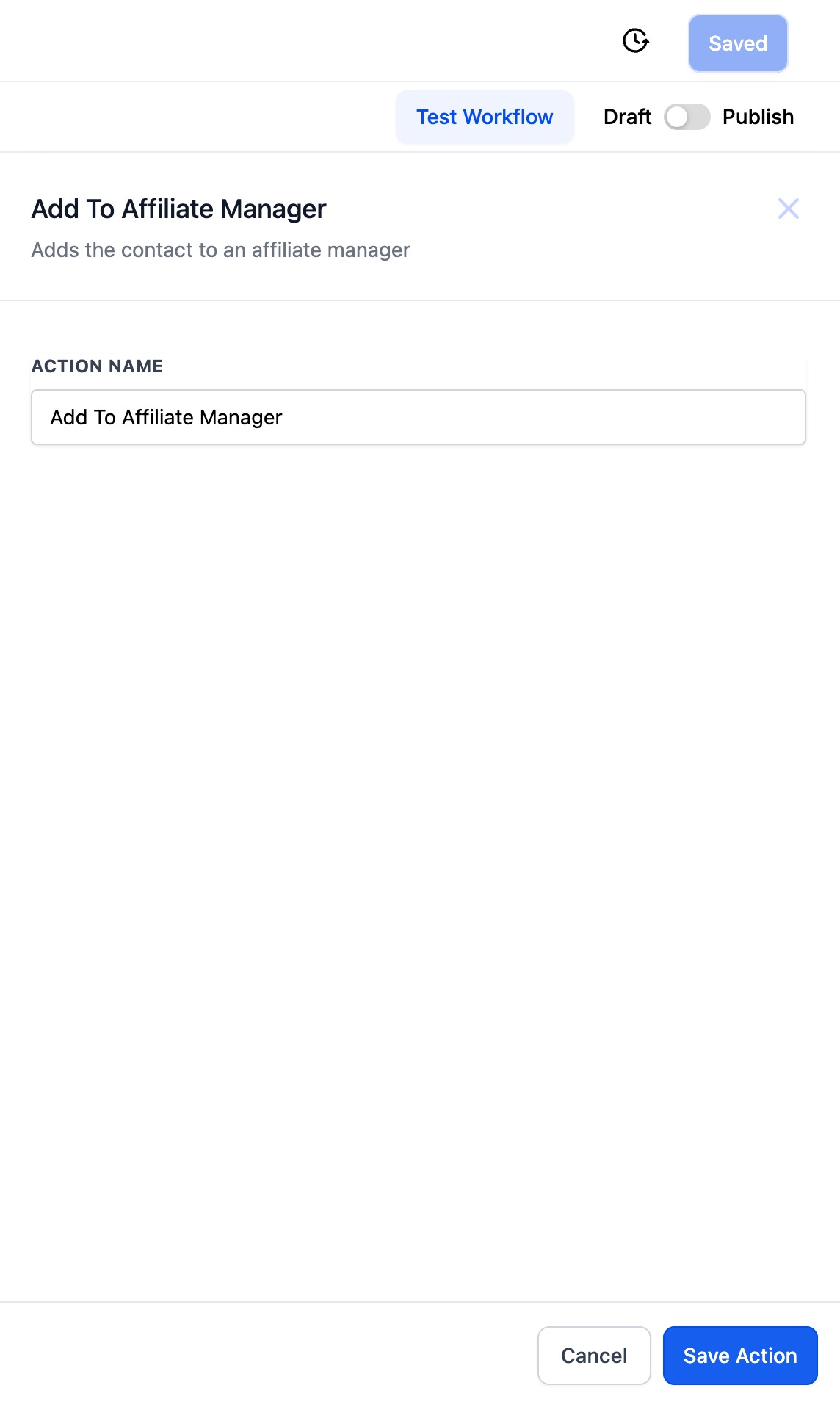
Add contact to Affiliate Manager as active
- In the same workflow, add the "Add to Affiliate Manager" action and set the status field to "active".
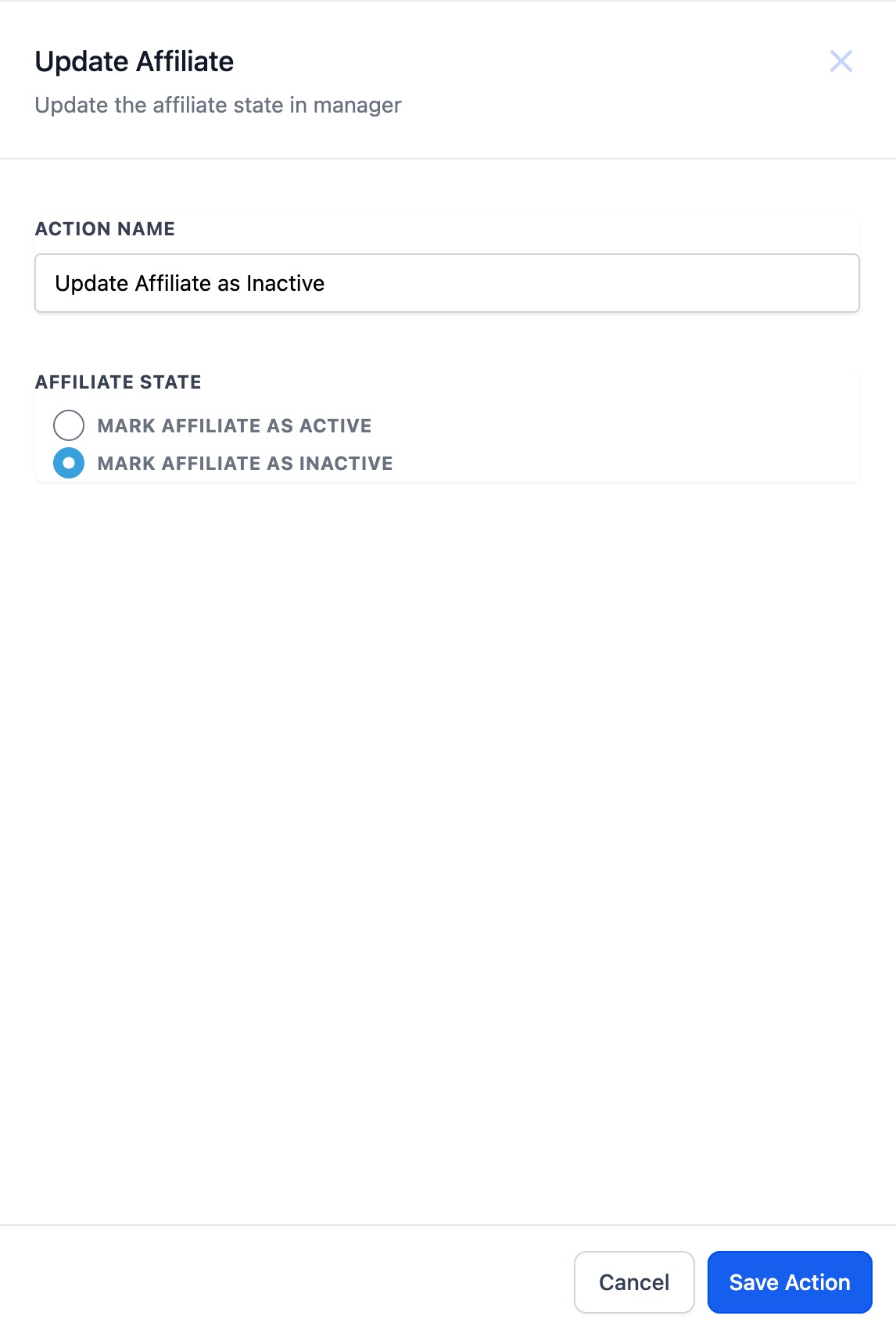
Update affiliate status
- Add the "Update Affiliate" action and choose either "Mark as Active" or "Mark as Inactive" based on your criteria.
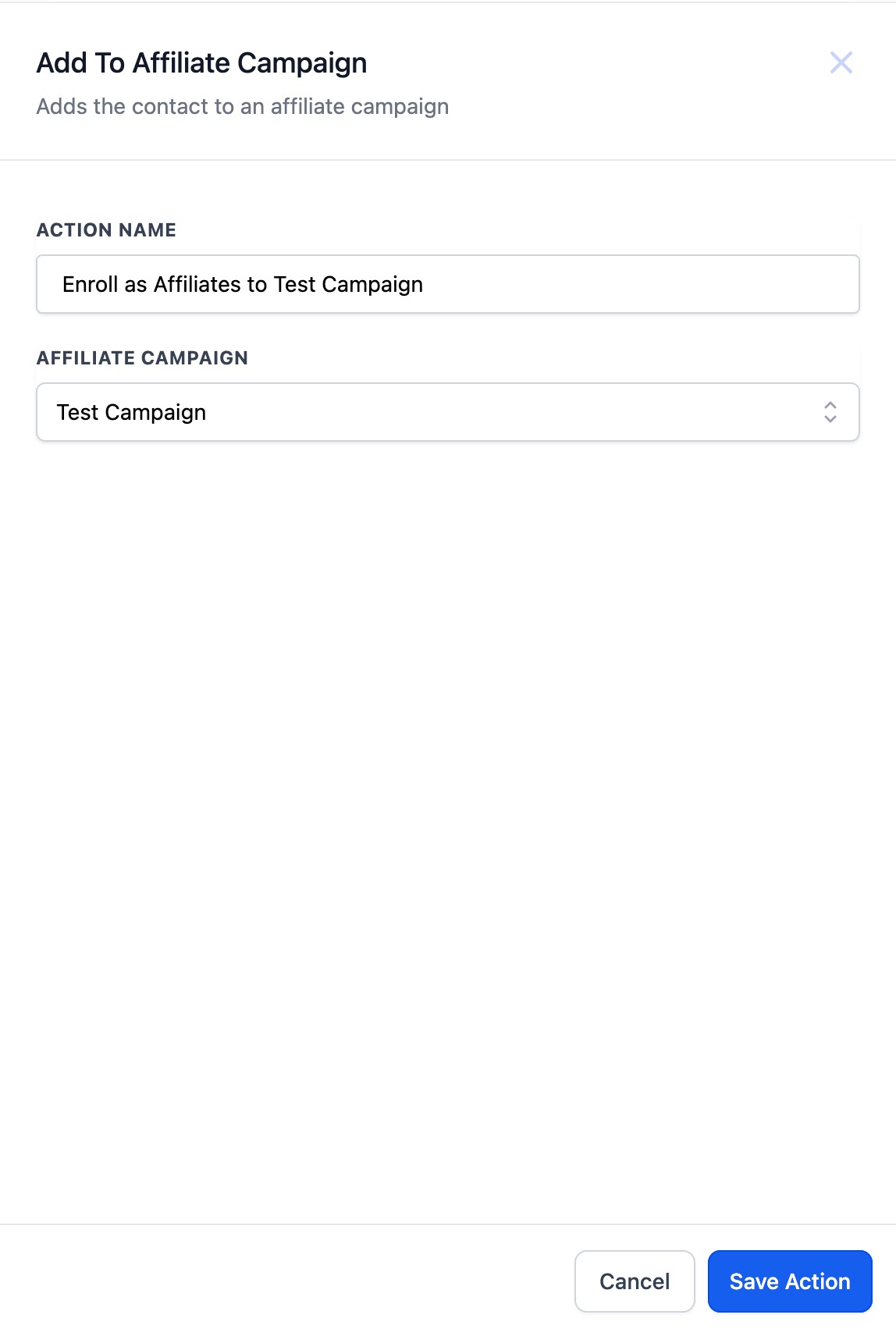
Add affiliate to a campaign
- Add the "Add to Affiliate Campaign" action and pick the desired campaign from the dropdown list.
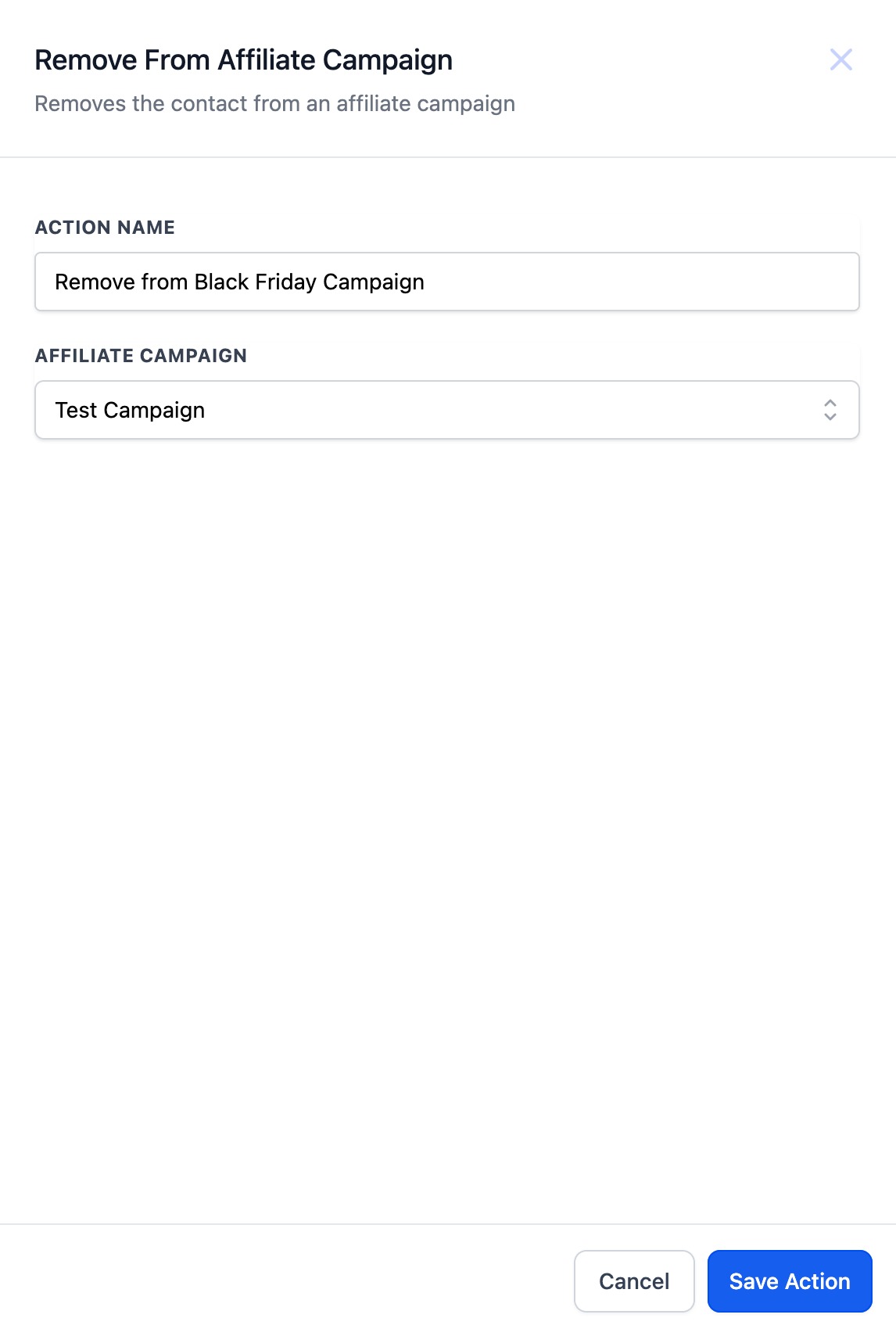
Remove affiliate from a campaign
- Add the "Remove from Affiliate Campaign" action and select the campaign to remove the affiliate from.
05What it looks like in HighLevel
06Settings that matter
- Affiliate Created. Starts the workflow whenever a new affiliate is created in a subaccount.
- Add to Affiliate Manager. Creates a contact in the Affiliates list and assigns the chosen status.
- Update Affiliate. Changes the affiliate’s status to either active or inactive.
- Add to Affiliate Campaign. Enrolls the affiliate in the selected campaign automatically.
- Remove from Affiliate Campaign. Deletes the affiliate from the chosen campaign.
07How it connects to the rest of HighLevel
- Affiliate Enrolled in Campaign trigger details Affiliate Enrolled trigger
- Automate affiliate sales follow ups with the New Affiliate Sale trigger Affiliate sales follow ups
- Automate lead assignment and notifications in Affiliate Manager workflows Lead assignment workflows
Michael's take

Michael ReimerFounder of CRM Pros, HighLevel Commander and Certified Admin
Automating affiliate onboarding, status updates, and campaign assignments lets you concentrate on growing the program rather than handling repetitive data entry.
Get More InformationOpens on HighLevelPublished November 2, 2026 · Updated November 16, 2026