
01Who this is for
- Affiliate managers can record offline transactions and ensure affiliates receive their earned commissions.
- Business owners with subscription models can automate recurring manual commissions for partners.
- Coaches and trainers can reward participants by adding manual sales for non monetary contributions.
02Add manual sales for an affiliate, explained
The action lets you add a sale that the system otherwise would not track and tie it to a specific affiliate within a chosen campaign. When the workflow fires, HighLevel calculates the commission using the campaign’s preset commission rules and credits the affiliate.
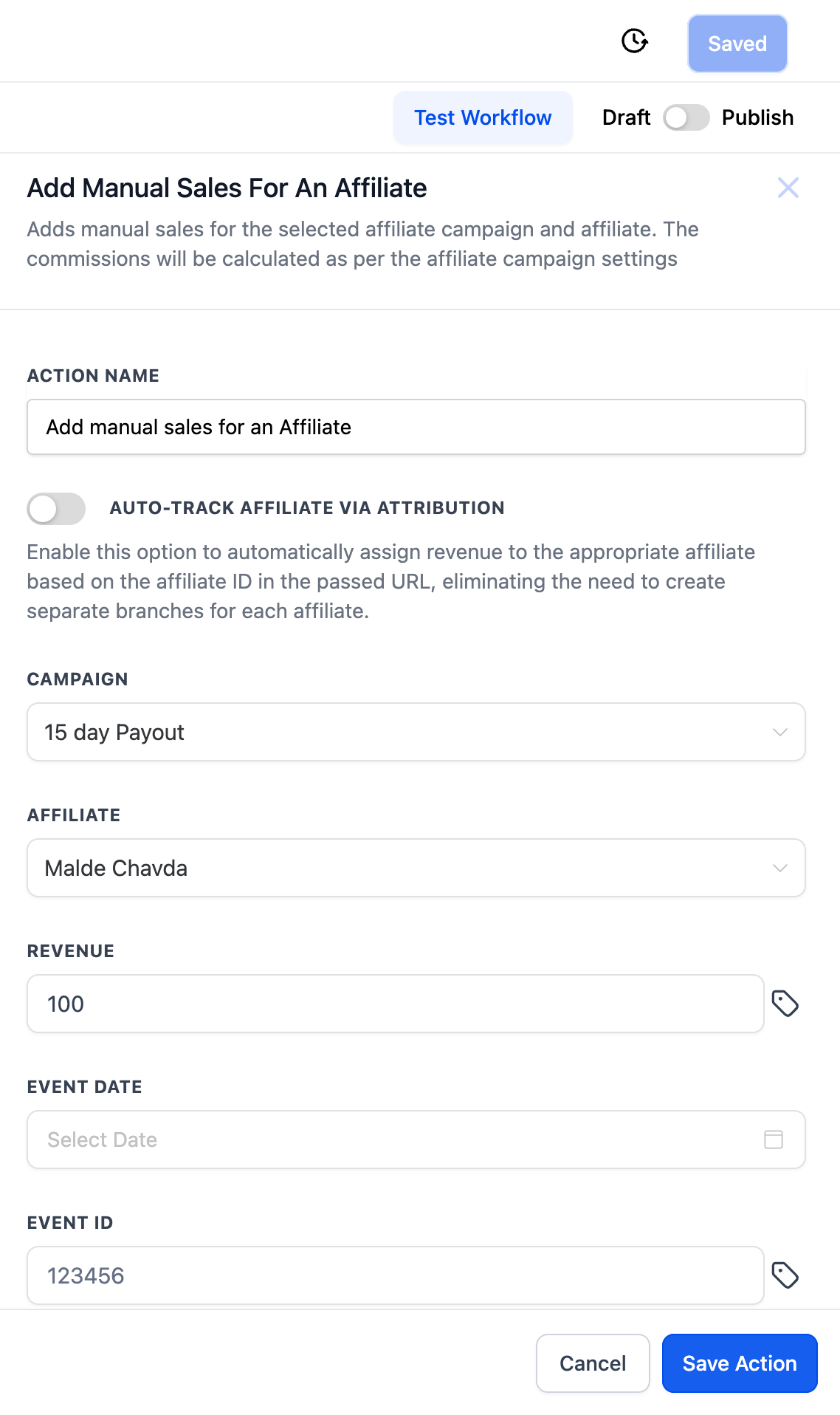
You find the Add Manual Sales For An Affiliate action inside the workflow builder. After selecting the action, you either enable attribution tracking or manually pick the affiliate, then provide revenue details and optional identifiers before saving.
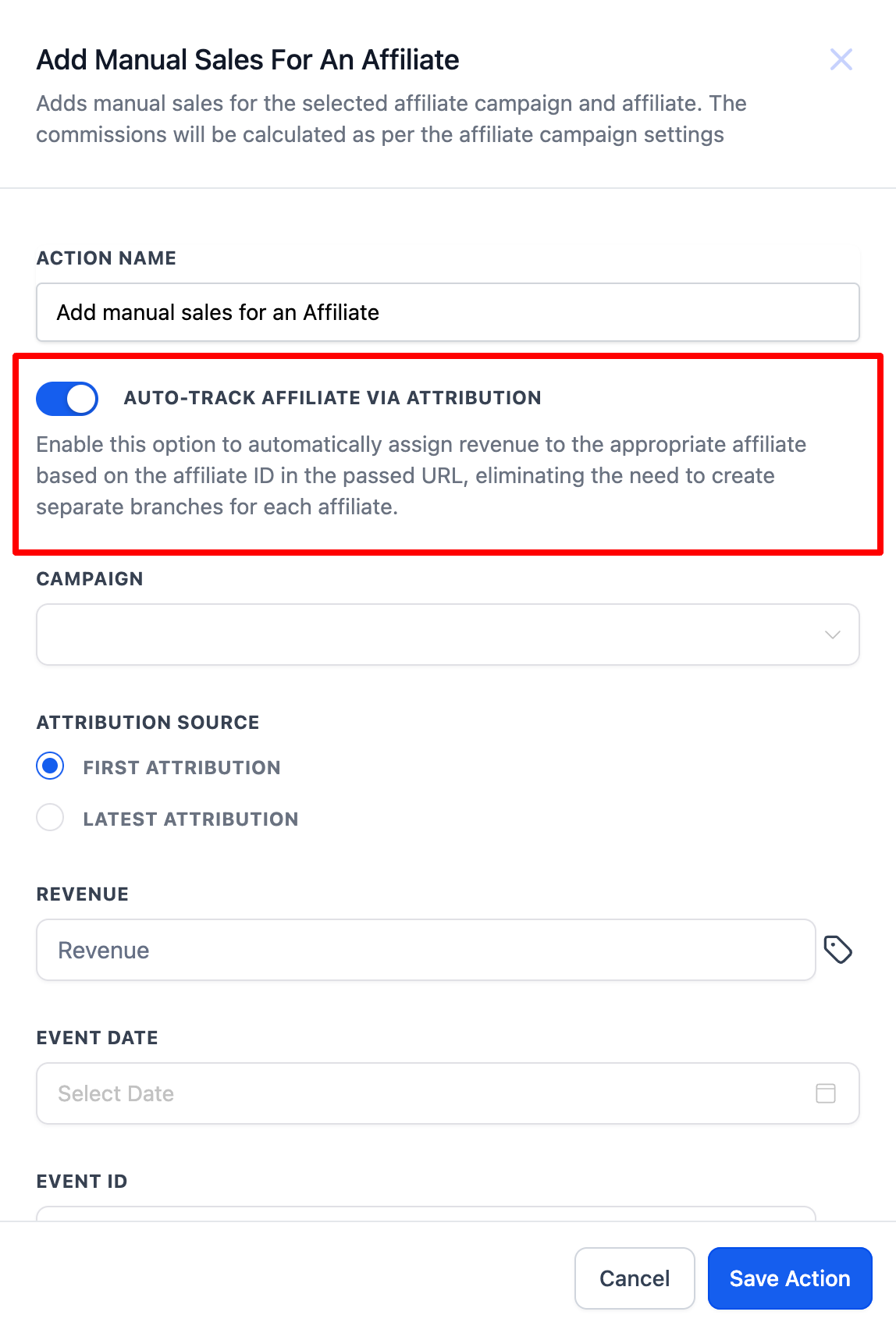
If attribution tracking is turned on, HighLevel looks for an affiliate ID in the URL and assigns the sale based on first or latest attribution, updating the latest attribution with each new session while keeping the first attribution unchanged.
03How businesses use add manual sales for an affiliate
- Gym membership provider. Create a workflow that uses the action to log offline sign ups for new members and automatically credit the referring affiliate’s commission using the campaign’s default rate.
- Real estate agency. Add manual sales for property deals closed in person, selecting the appropriate affiliate campaign and affiliate, then entering the sale amount so the affiliate receives their commission.
- Online course platform. Reward instructors who host webinars by manually adding sales for each session, optionally using attribution tracking when the webinar link contains an affiliate ID.
04How to set up and use add manual sales for an affiliate in HighLevel
Add manual sale with attribution tracking
- Select the Add Manual Sales For An Affiliate action in the workflow editor.
- Toggle the AUTO TRACK AFFILIATE VIA ATTRIBUTION option to on.
- Choose the affiliate campaign from the dropdown list.
- Enter the revenue amount and any optional details such as event date and transaction ID.
- Save the action.
Add manual sale without attribution tracking
- Select the Add Manual Sales For An Affiliate action in the workflow editor.
- Choose the affiliate campaign, then select an affiliate linked to that campaign.
- Enter the revenue amount and any optional details like event date and transaction ID.
- Save the action.
05What it looks like in HighLevel

06Settings that matter
- AUTO TRACK AFFILIATE VIA ATTRIBUTION. When enabled, HighLevel automatically matches the sale to the affiliate whose ID appears in the URL and records attribution based on first and latest interactions.
07Things to know before you rely on it
- Attribution works only when an affiliate ID is passed in the URL.
- First attribution remains fixed while latest attribution updates with each new session.
08How it connects to the rest of HighLevel
- Set up the Affiliate Created trigger to start affiliate automations Affiliate Created trigger
- Use the Affiliate Enrolled in Campaign trigger for campaign specific actions Affiliate Enrolled trigger
- Automate follow up messages after a new affiliate sale New Affiliate Sale trigger
Michael's take

The Add Manual Sales for an Affiliate action lets you add offline or recurring sales and have commissions calculated automatically, helping ensure affiliates receive their due commissions.
The first setting I would get right is the AUTOTRACK AFFILIATE VIA ATTRIBUTION toggle; getting the correct affiliate ID into the URL ensures each manual sale is assigned to the right affiliate.