
01Who this is for
- Digital marketers who manage multiple platforms can keep TikTok content in the same calendar as Facebook and Instagram.
- Small business owners with a TikTok Business profile can answer comments without leaving HighLevel.
02TikTok integrations, explained
The TikTok integration lets you create, schedule, and publish TikTok videos directly from Social Planner. Both Personal and Business accounts can publish and schedule videos; only Business profiles can use Comment Management, which shows supported comments on posts published through Social Planner. You can also enable Post Sync to import previously published TikTok videos into the planner’s library.
03How businesses use TikTok integration
- Boutique clothing retailer. The retailer links its TikTok Business profile, schedules new product showcase videos, and enables post sync to bring earlier runway clips into the planner. Comment management lets the social team answer shopper questions directly in HighLevel.
- Fitness studio. The studio connects a TikTok Personal account, creates workout snippets, and uses the scheduler to line up posts for upcoming classes. Post sync imports past tutorial videos so the studio can reuse them in marketing campaigns.
- Real estate agency. Agents attach a TikTok Business profile, publish property tour videos, and turn on comment management to reply to buyer inquiries that appear on those posts without opening the TikTok app.
04How to set up and use TikTok integration in HighLevel
Connect TikTok account
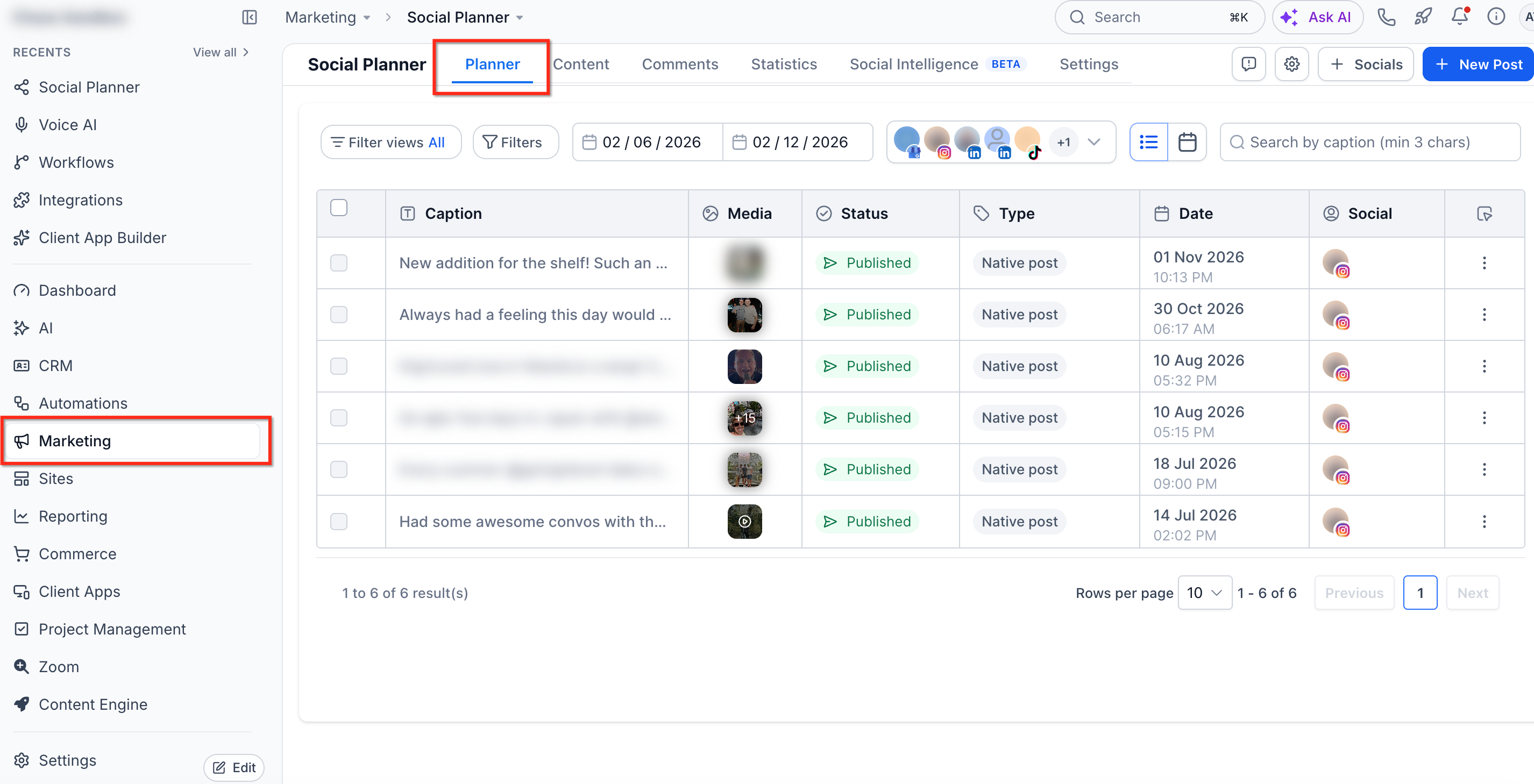
- Open Marketing > Social Planner in the desired subaccount.
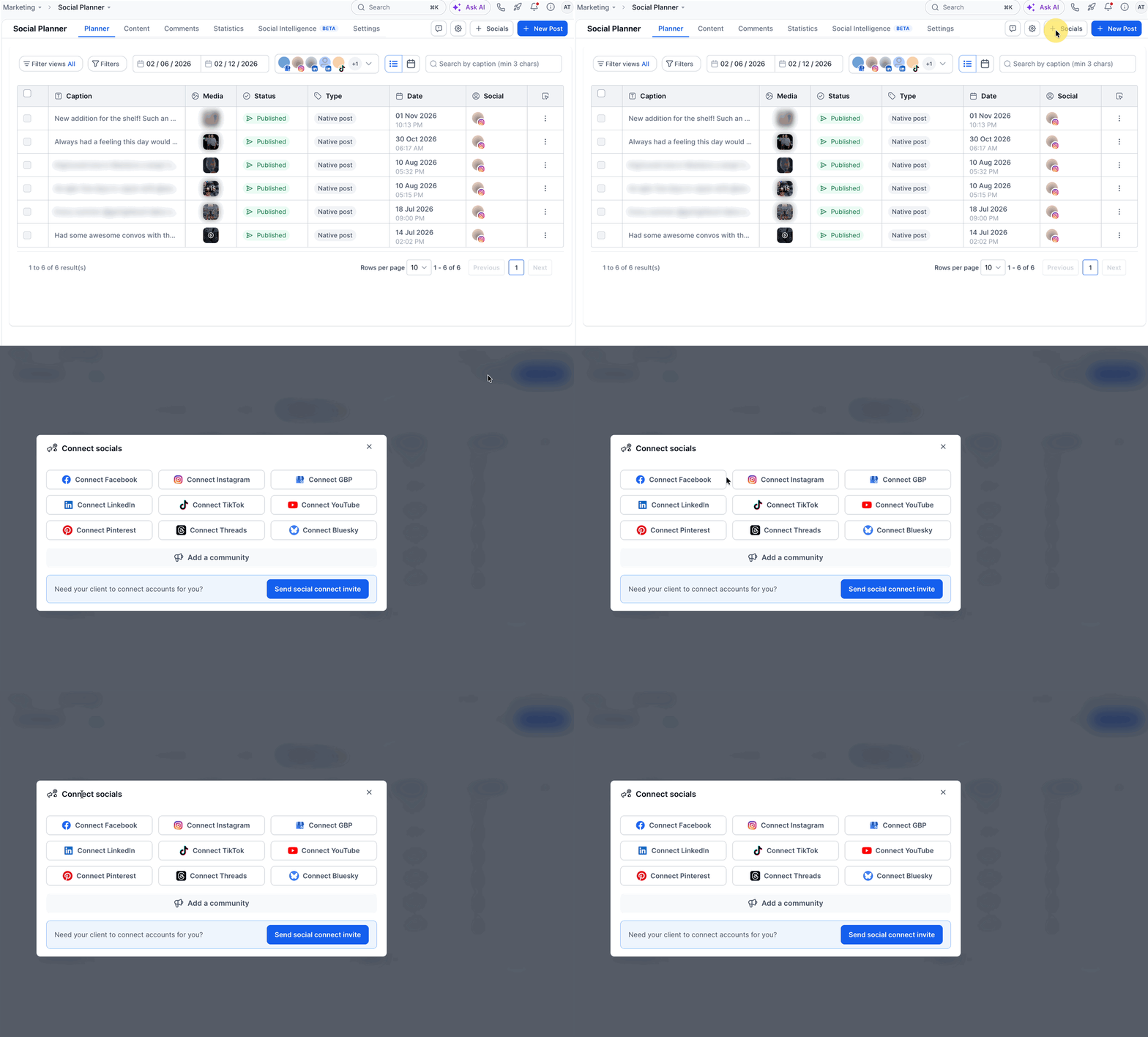
- If this is your first social account, use the initial setup wizard; otherwise go to Socials > + Connect Social and choose Connect TikTok.
- Log into the TikTok account and grant the requested permissions.
- Select the TikTok profile you want to attach and finish the connection process.
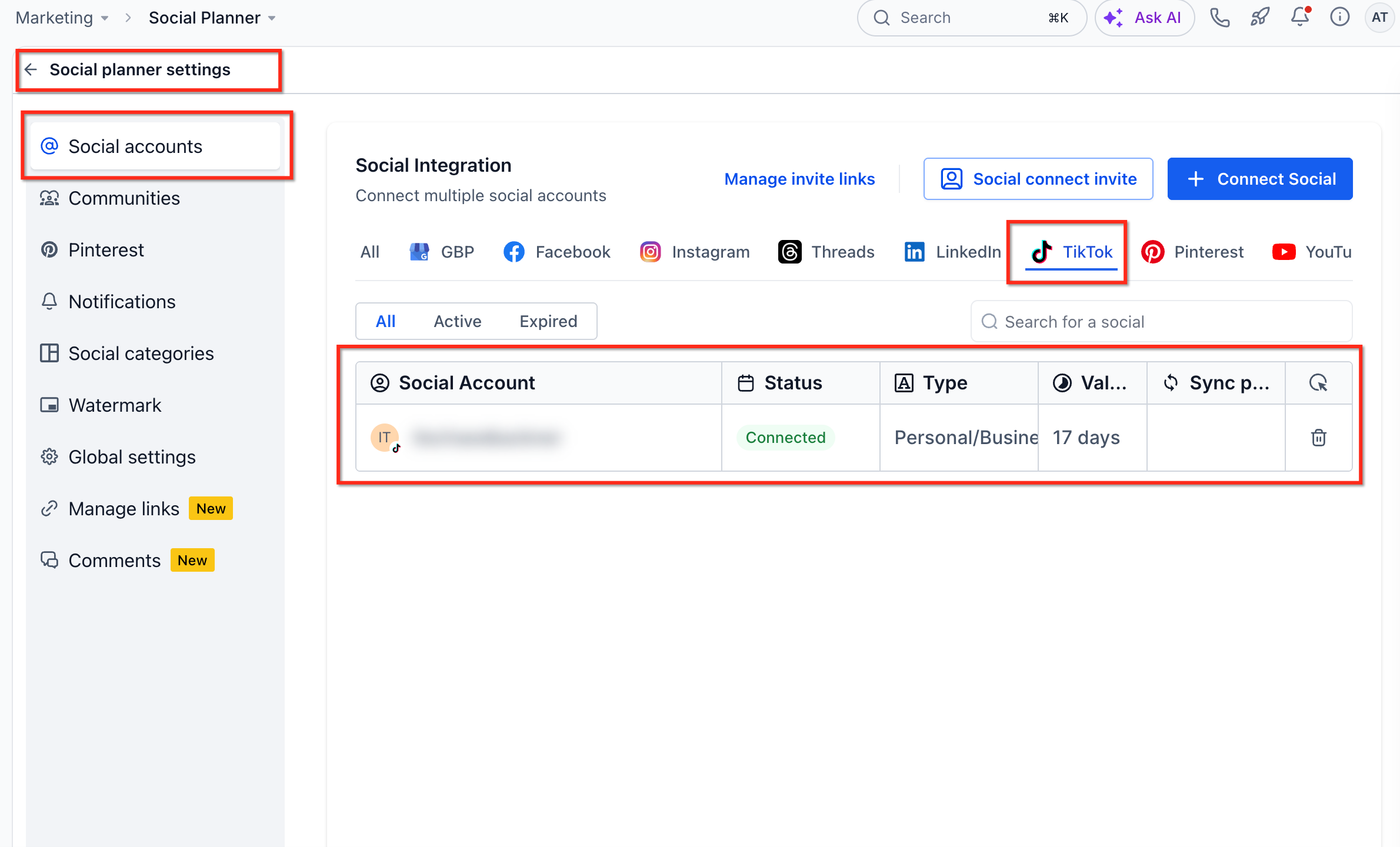
- Return to Social Planner > Settings > Social Accounts to verify the TikTok account appears as connected.
Enable post sync
- Open Social Planner > Settings > Social Accounts.
- Find the connected TikTok entry in the list.
- Toggle the Sync posts option to import previously published TikTok videos.
05What it looks like in HighLevel
06Settings that matter
- Sync posts. When turned on, the planner pulls videos that were already published on the linked TikTok account into the Social Planner library.
07Things to know before you rely on it
- Comment Management works only with TikTok Business profiles and only for posts that were published through Social Planner.
- Personal TikTok accounts cannot use Comment Management.
- If the TikTok link breaks, you must use the Re integrate prompt to restore the connection.
08If something goes wrong
- TikTok account disconnects. Open Social Planner and select the Re integrate option that appears to reconnect the account.
09How it connects to the rest of HighLevel
- How to connect a LinkedIn profile to Social Planner LinkedIn connection
- Connecting Facebook pages in Social Planner Facebook connection
- HighLevel social planner: image and video specifications Content guidelines
Michael's take

Most people try to handle TikTok comments with a Personal account and then wonder why nothing shows up. The integration only lets a Business profile see and reply to comments, and it works just for posts you sent out from Social Planner.
If I were setting this up, I'd connect a Business profile first, enable Sync posts, and then schedule a test video. That way I can confirm the comment pane works before I rely on it for daily engagement.