
01Who this is for
- Marketing managers who need affiliate payouts linked to sales instead of just leads, ensuring commissions reflect revenue.
- Business owners running online courses who want affiliates paid only when a student purchases a course after booking a consultation.
- Ecommerce operators who use HighLevel forms to capture orders and wish to reward affiliates based on the value of each sale.
02Pay Per Sale for Forms, Surveys, and Calendars, explained
Pay Per Sale is a commission model inside the Affiliate Manager. It tracks a contact who arrives via an affiliate link, completes a form, survey, or calendar booking, and then makes a qualifying purchase within a defined window. The system records the sale and issues a commission according to the rules you set.
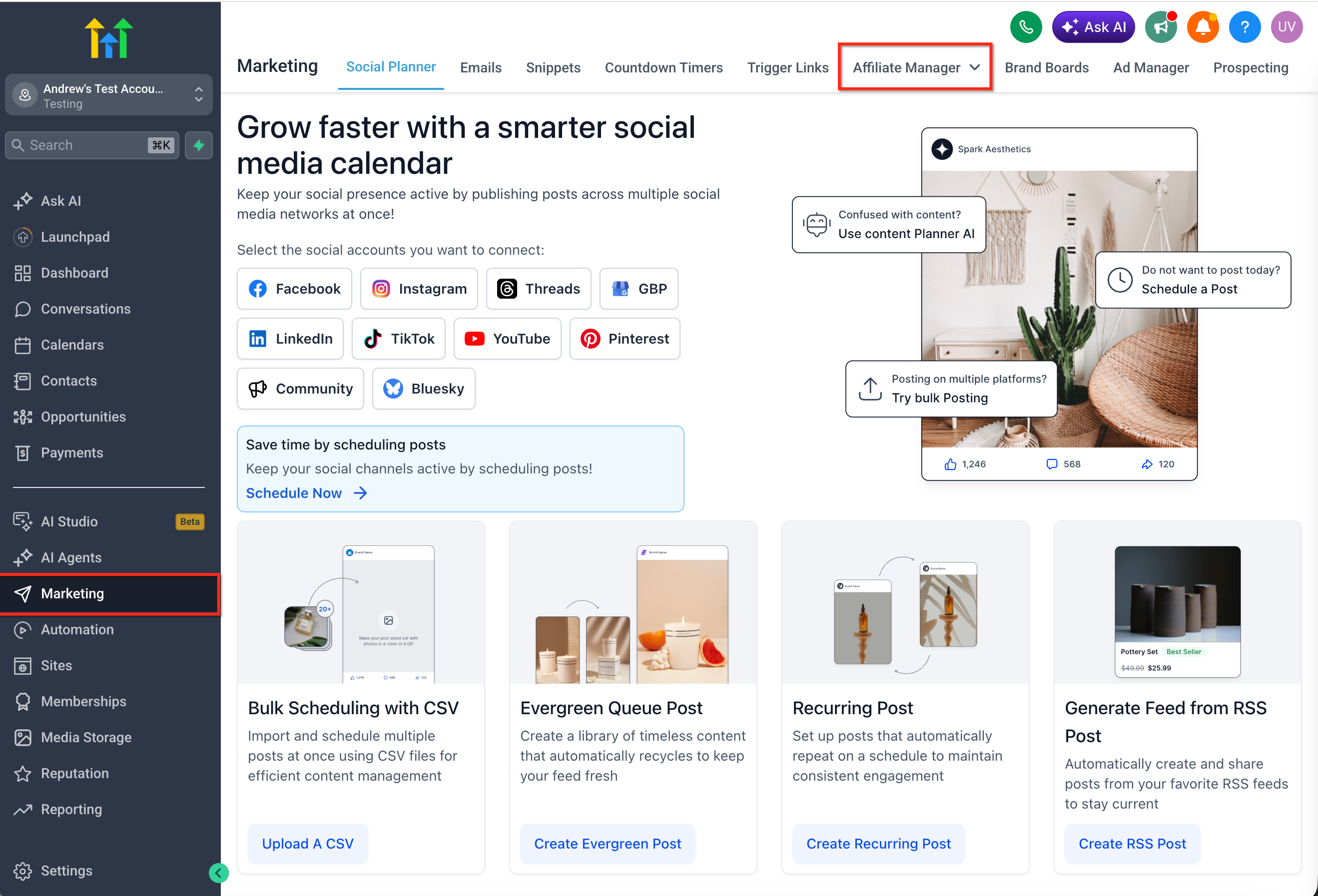
The model lives under Marketing > Affiliate Manager. When you create or edit an affiliate campaign you select Pay Per Sale as the commission type, choose either a flat dollar amount or a percentage of the sale, and optionally associate specific products for product based attribution. The campaign also includes a tracking window that determines how long after the initial action a purchase remains eligible.
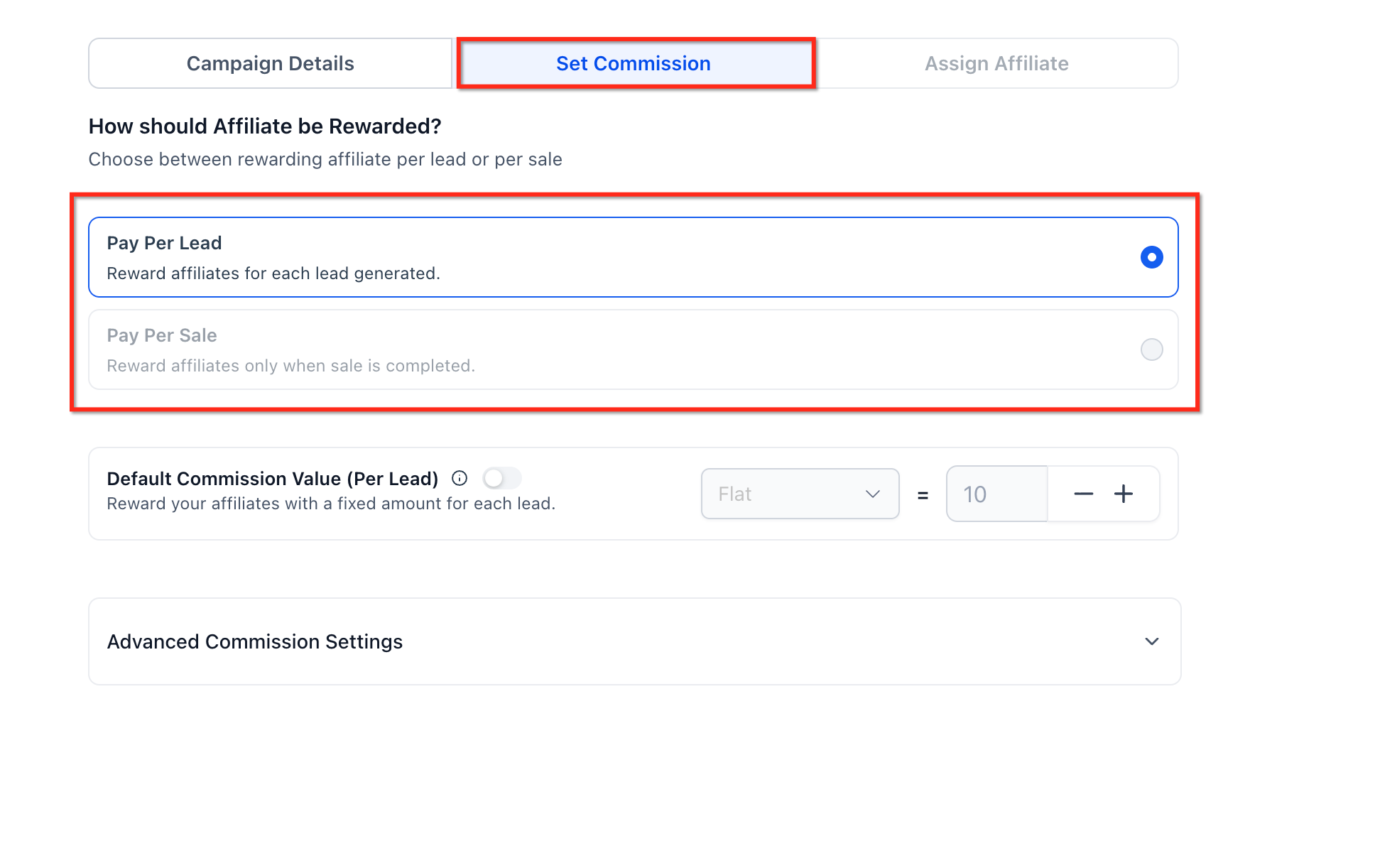
Pay Per Sale cannot be enabled alongside Pay Per Lead for the same form, survey, or calendar. For calendar campaigns, the feature works only when the calendar has payment enabled. Product based attribution applies only to products attached to the selected form, survey, or calendar, or to the funnel or website products when the form or survey is embedded.
03How businesses use Pay Per Sale for Forms, Surveys, and Calendars
- Online course provider. Create a campaign that promotes the enrollment form. Set Pay Per Sale with a percentage commission so affiliates earn a share of each course purchase that follows an enrollment submission.
- Medical clinic. Configure a calendar booking campaign where payment is required for appointments. Enable Pay Per Sale so affiliates are paid only when a patient completes the paid booking through their link.
- Retail store. Build a survey that captures product interest. Attach relevant store products and use Pay Per Sale with a flat commission, rewarding affiliates for each sale of those specific items.
04The numbers and rules that matter
- Pay Per Lead and Pay Per Sale cannot both be enabled for the same Forms, Surveys, or Calendar campaign setup.
- Pay Per Sale applies to Calendars only when payment is enabled.
- Commission types: Flat amount ($) or percentage (%) of the sale value.
- If a Funnel or Website has products, only those products are considered for Pay Per Sale tracking.
05How to set up and use Pay Per Sale for Forms, Surveys, and Calendars in HighLevel
Set up Pay Per Sale for Forms, Surveys, and Calendars
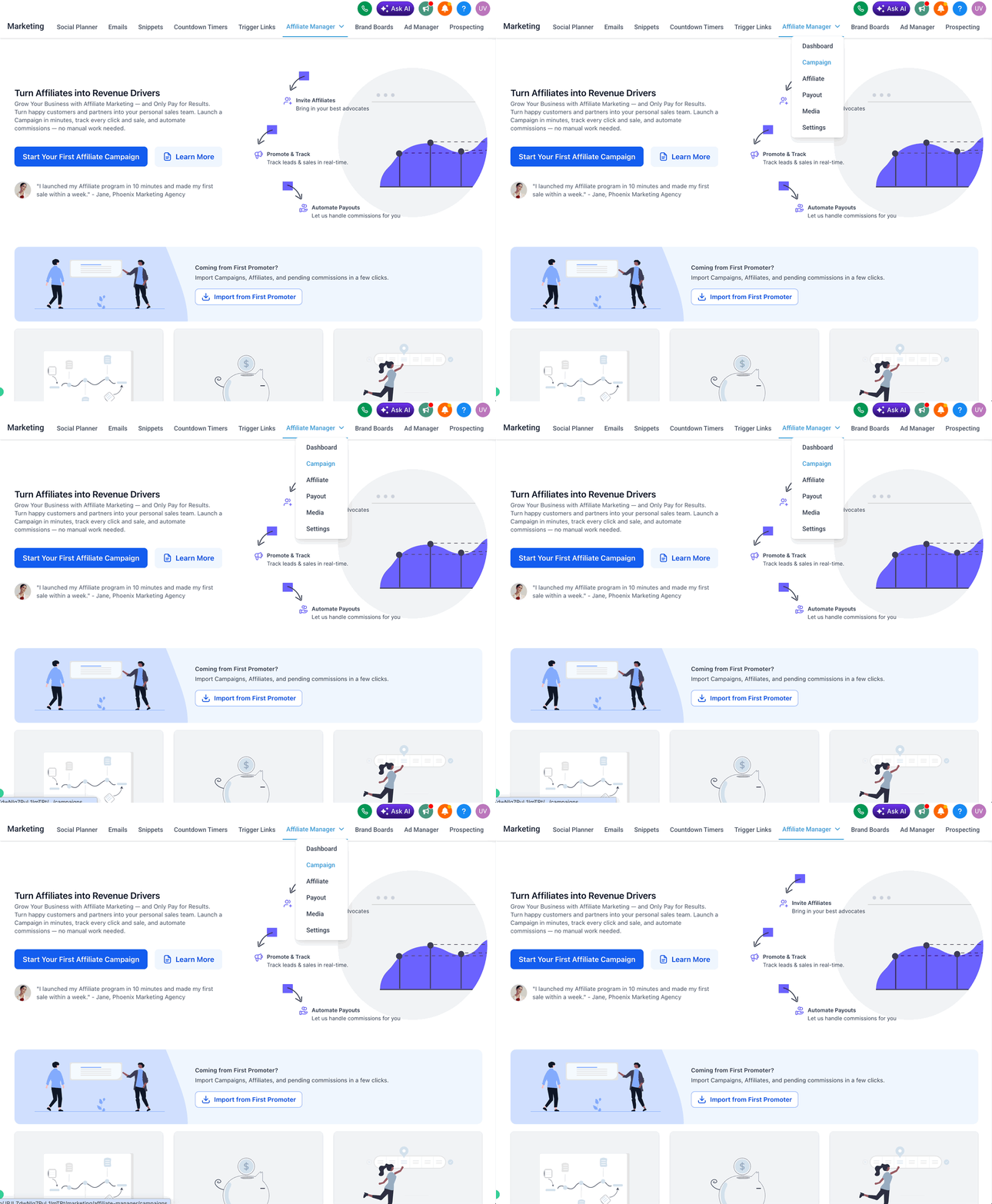
- Navigate to Marketing > Affiliate Manager in HighLevel.
- Open the Campaigns area.
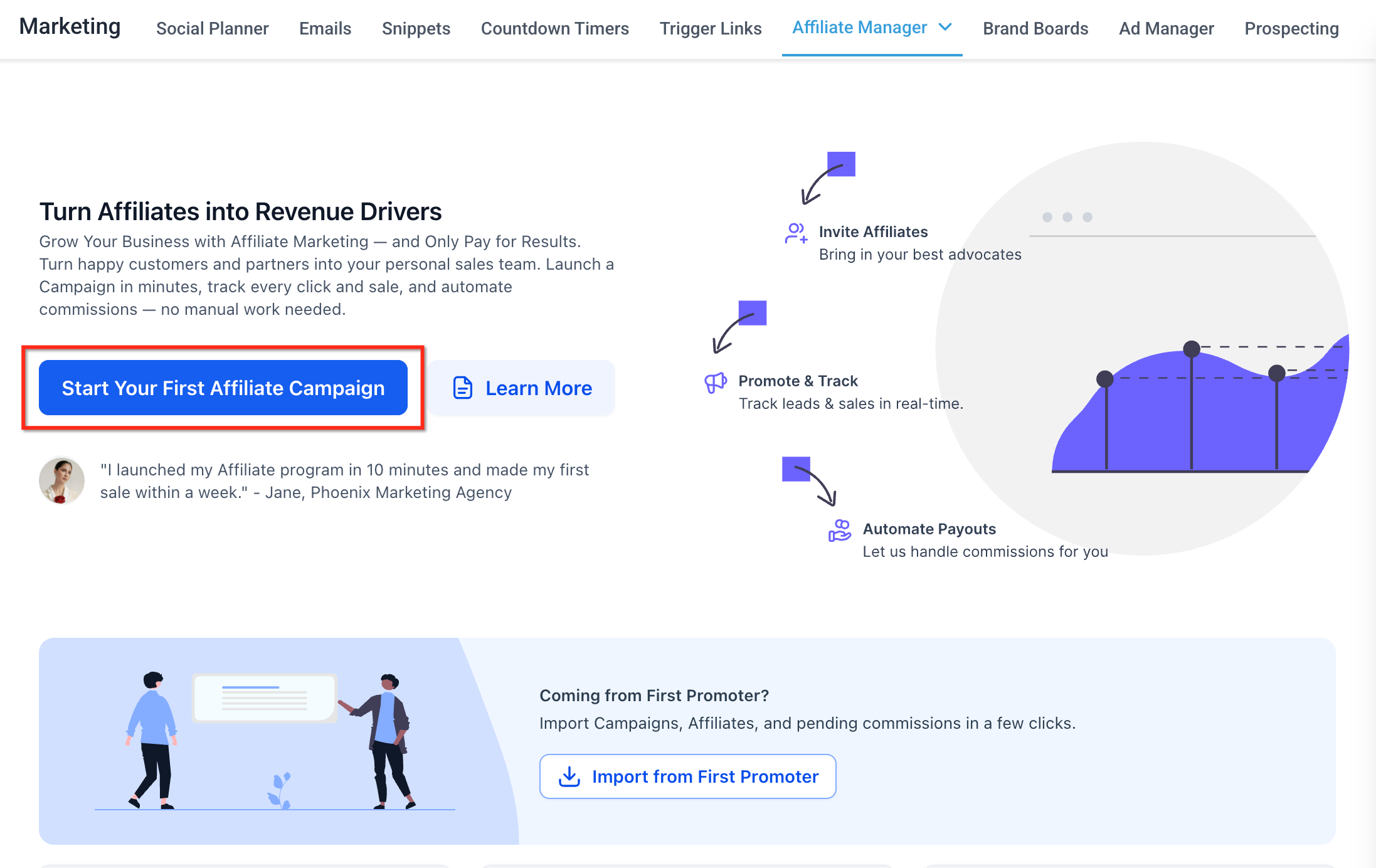
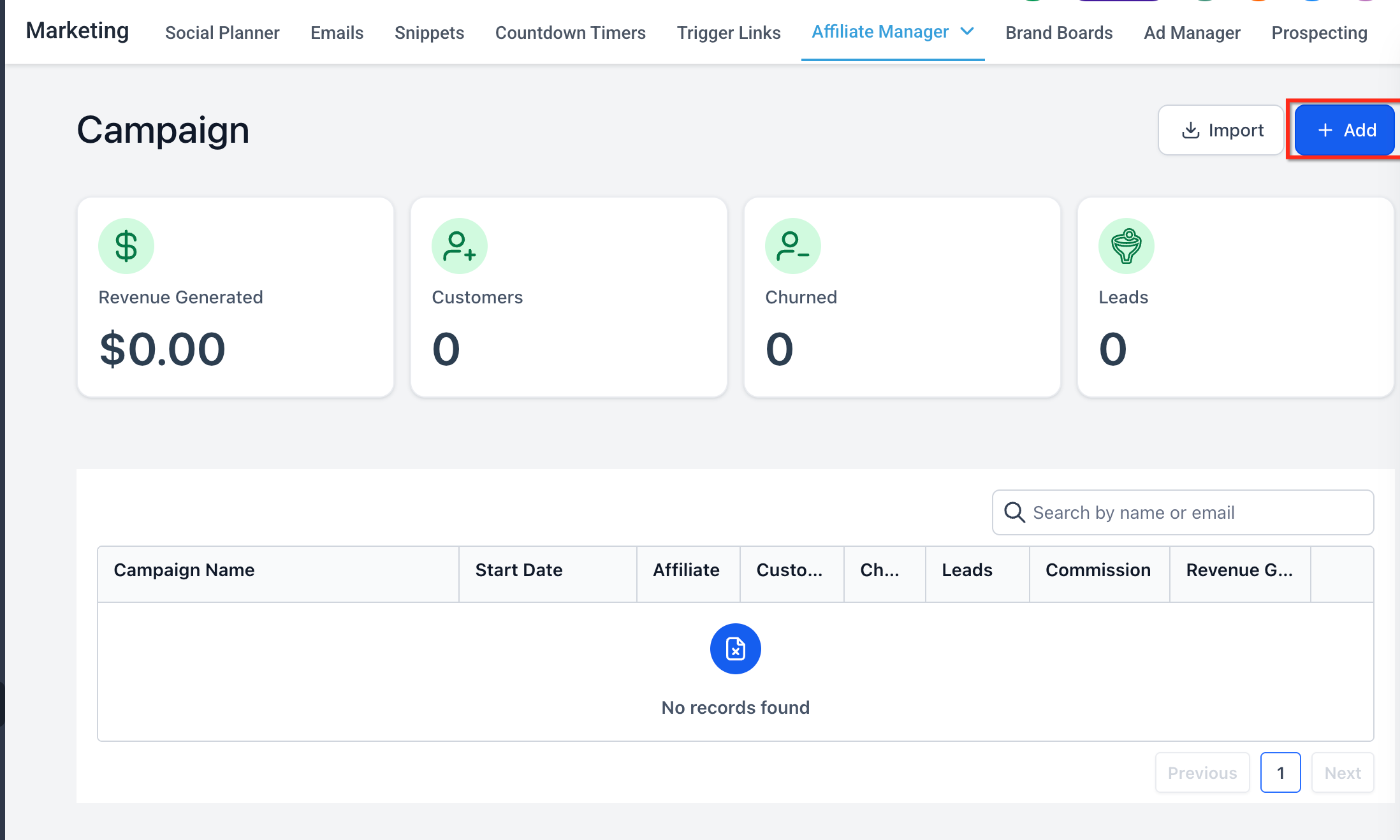
- Create a new affiliate campaign or open an existing campaign for editing.
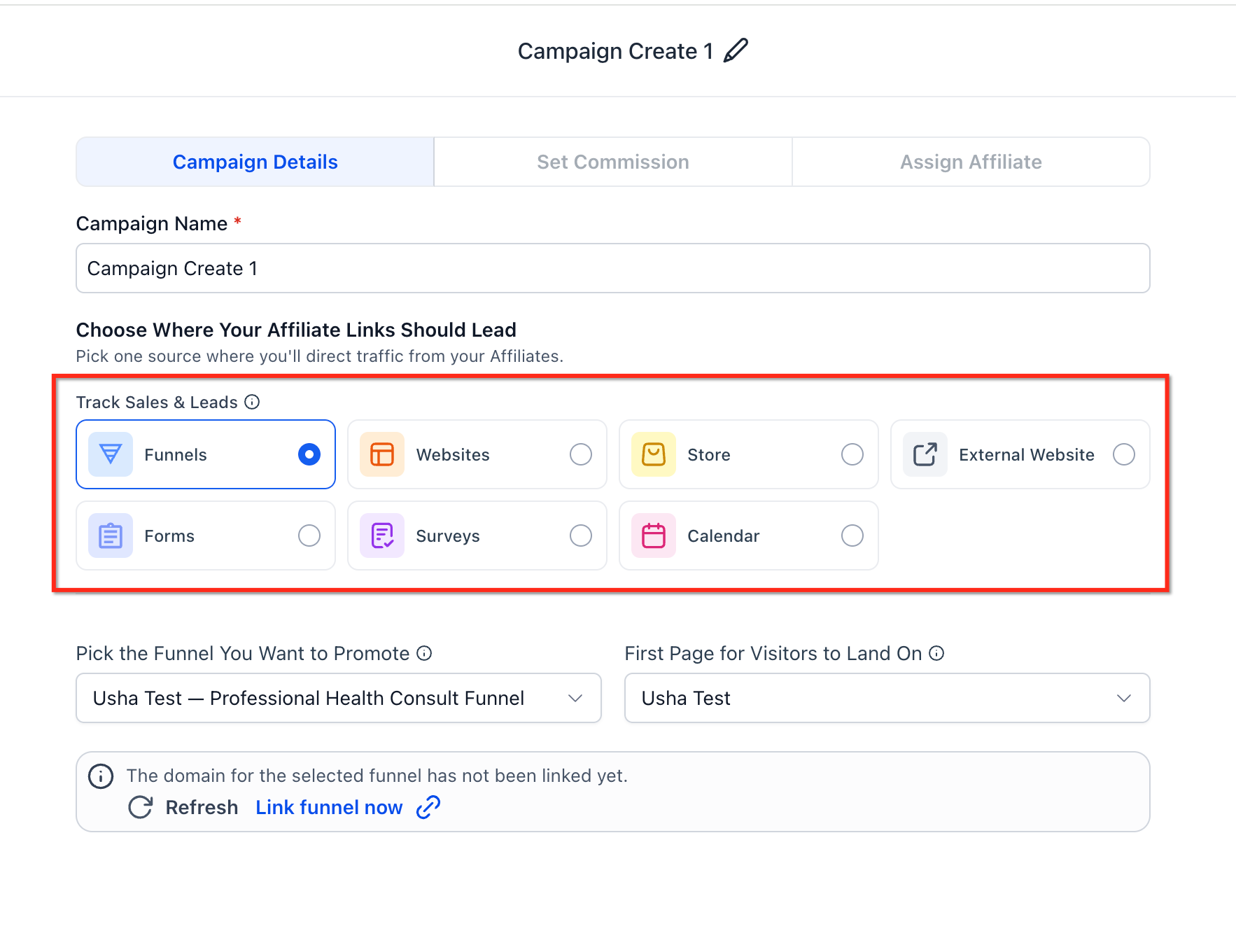
- Select the campaign source type: Forms, Surveys, or Calendars.
- Choose the specific Form, Survey, or Calendar that affiliates will promote.
- In the commission setup, select Pay Per Sale.
- Pick the Pay Per Sale commission type: Flat amount ($) or Percentage (%).
- Enter the commission value according to the chosen type.
- Associate the appropriate products if product based attribution is required.
- Set the tracking window duration for the campaign.
- Confirm that Pay Per Lead is not enabled for this same setup.
- If the campaign uses a Calendar, verify that payment is turned on for the Calendar.
- Save or publish the campaign.
- Assign affiliates to the campaign and share their affiliate links.
06What it looks like in HighLevel
07Settings that matter
- Pay Per Sale. Enables revenue based commission tracking for the selected form, survey, or calendar.
- Pay Per Sale commission type. Determines whether commissions are paid as a fixed dollar amount or as a percentage of the sale value.
- Flat amount ($). Specifies a constant commission amount applied to each qualifying sale.
- Percentage (%). Specifies a commission calculated as a proportion of the total sale value.
- tracking window settings. Controls the time period after the affiliate driven action during which a purchase qualifies for commission.
- Pay Per Lead. When enabled, pays affiliates for the initial form, survey, or calendar submission; must be disabled when using Pay Per Sale for the same asset.
08Things to know before you rely on it
- Pay Per Lead and Pay Per Sale cannot both be active for the same Form, Survey, or Calendar campaign.
- Calendar Pay Per Sale works only when the calendar has payment enabled.
- Product based attribution tracks sales only for products linked to the campaign; unlinked products are ignored.
- Form level products are not automatically considered for Pay Per Sale when the form is embedded in a funnel or website without products.
09How it connects to the rest of HighLevel
- Manage commissions and affiliates in the Affiliate portal Affiliate portal guide
- Review pricing and plan options for Affiliate Manager access HighLevel pricing
- Learn how to add affiliates to campaigns Add affiliates
Michael's take

Pay Per Sale is a clear win for anyone who needs affiliate commissions tied to actual revenue.
If your affiliate program only cares about lead volume or you don’t have a payment step in your calendar, this feature isn’t for you.