
01Who this is for
- Marketing managers who run multiple Facebook ad campaigns need to ensure each ad form routes leads to the correct subaccount.
- Agency owners handling several client Facebook pages must keep tokens active and permissions correct to avoid data loss.
- Social media teams that also manage Instagram Direct Messages require proper integration to capture message leads.
02Facebook multi page, explained
The troubleshooting tools let you check and adjust the connection between HighLevel and Facebook pages. They let you confirm that LeadConnector has the required page and lead permissions, that the correct form is mapped, and that the Instagram account is linked for messaging.
When a Facebook token expires, the integration can be re authorized from the Subaccount settings. Missing permissions are displayed in a diagnostics view, and a direct link lets you enable them. Lead syncing health is verified by confirming user roles and LeadConnector status.
All actions are performed inside the HighLevel UI: Settings > Integrations for mapping and diagnostics, the Facebook Business Tools URLs for external checks, and the Instagram app for message request access.
03How businesses use the Facebook multi page
- Digital marketing agency. The agency opens Settings > Integrations > Facebook form fields mapping to ensure each client’s lead form is enabled. It then runs the Facebook lead testing tool to confirm leads appear in the correct subaccount.
- Ecommerce store. The store checks the Missing permission view in the Facebook card, follows the provided link, and toggles the required permissions so the LeadConnector can pull new purchase leads.
- Local restaurant. The restaurant verifies Instagram messaging access by linking its Instagram account in Facebook Business Settings, enabling message requests in the Instagram app, and turning on Instagram messaging in the Facebook card.
04The numbers and rules that matter
- App ID: 390181264778064.
05Before you start
- User must have full control access to the Facebook page in Business Settings.
- The Instagram account must be linked to the Facebook page before messaging can be enabled.
06How to set up and use the Facebook multi page in HighLevel
Fix lead ads not reaching subaccount
- Confirm you have full access control of the Facebook page and are added to the business portfolio with a business asset assignment.
- In the Subaccount, go to Settings > Integrations > Facebook form fields mapping and verify the form selected in Ads Manager is enabled.
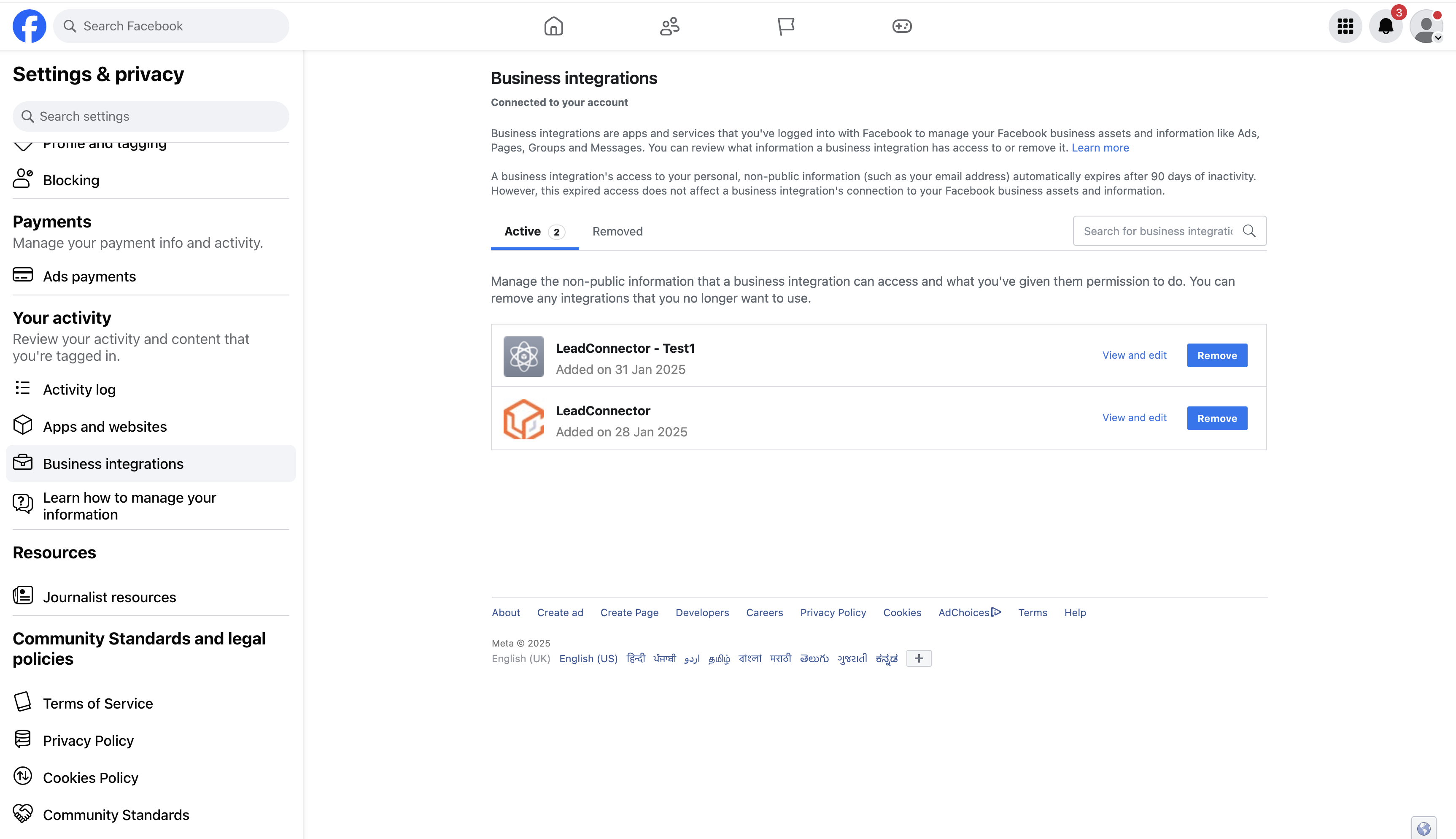
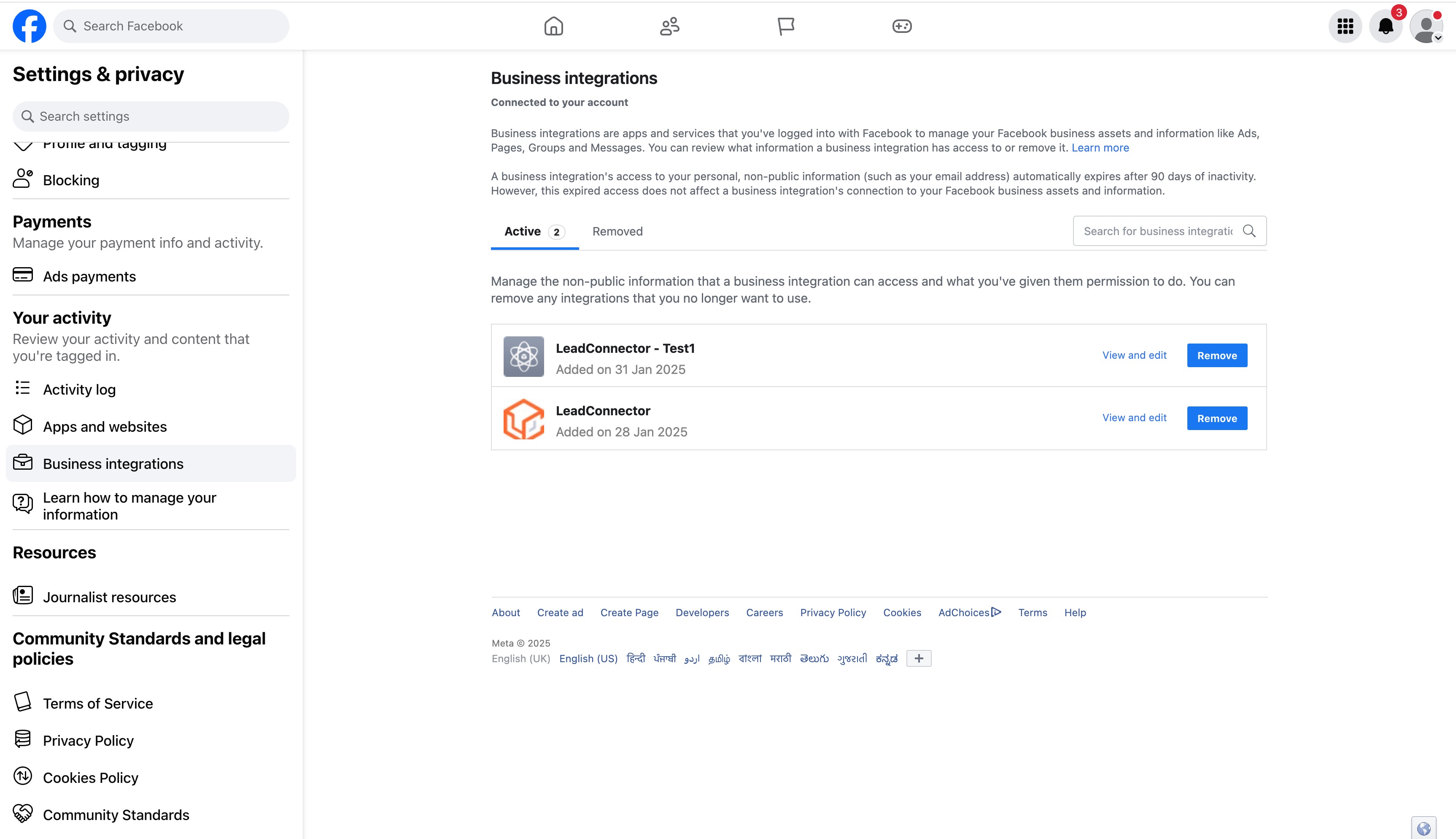
- Open https://www.facebook.com/settings?tab=business_tools&ref=settings and ensure LeadConnector has access to the page.
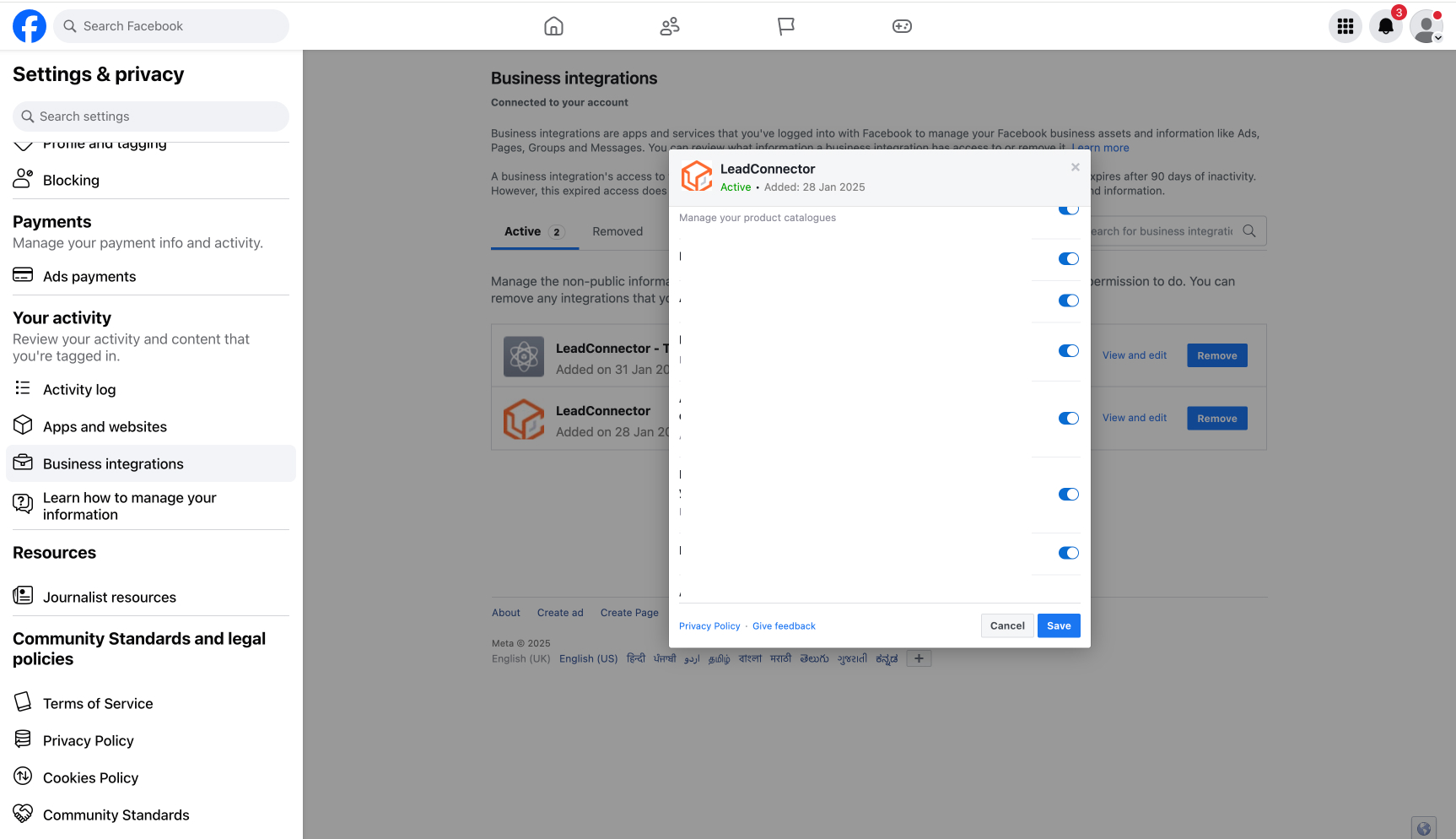
- Check that LeadConnector is connected to the Facebook account and that page and lead permissions are granted.
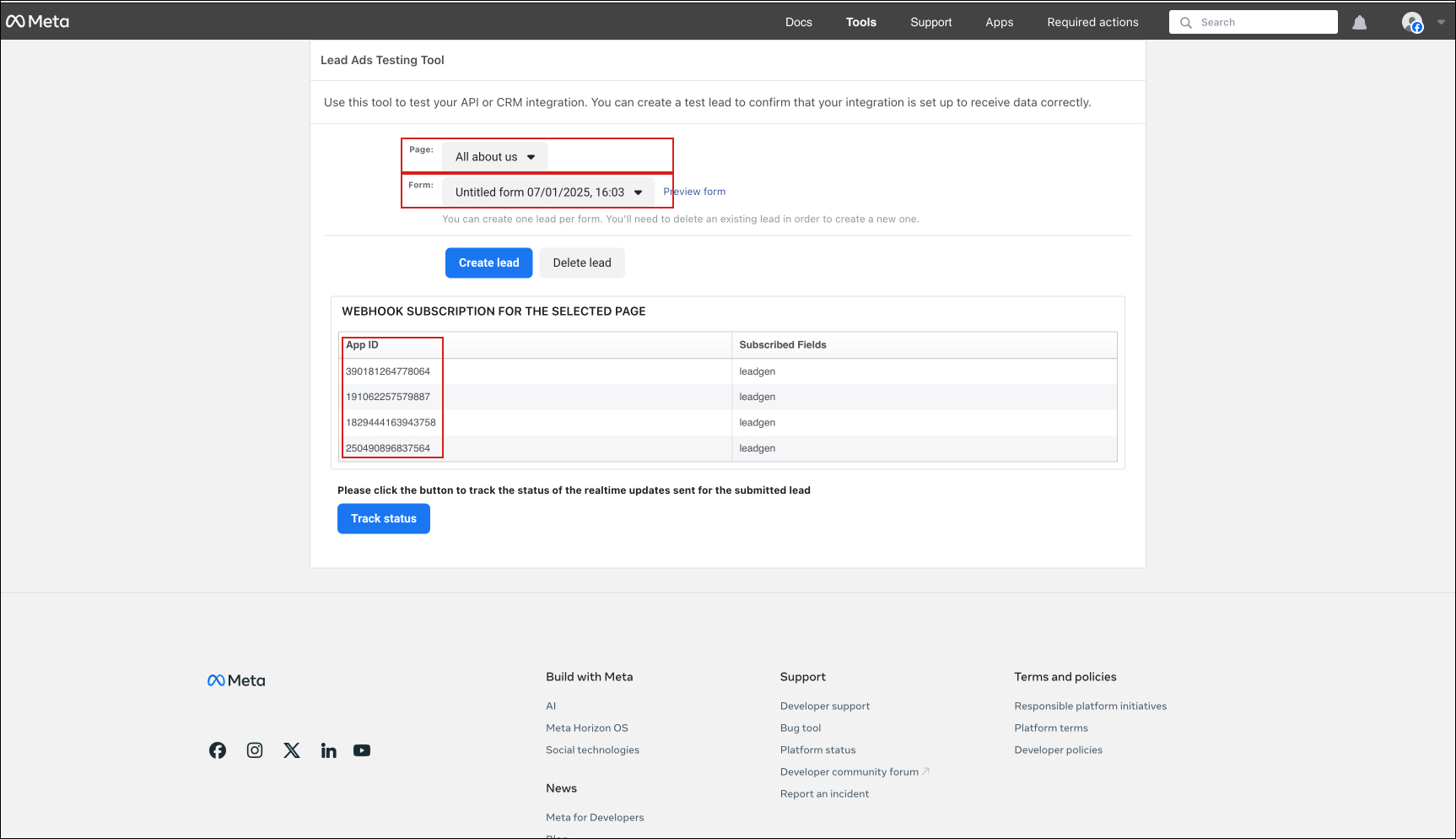
- Use the Facebook lead ads testing tool: select the page, select the form, and confirm the App ID 390181264778064 appears.
- If the App ID is missing, go to Business Suite > Business Settings > More Business Settings > Integrations > Leads Access > Assign CRMs, check LeadConnector, and click Assign.
Reconnect an expired Facebook token
- From the expiration email, select the indicated Subaccount using the "Switch To An Account" dropdown.
- Click Settings in the left hand sidebar.
- Click Integrations in the sidebar.
- Press the Connected button under the Facebook icon to disconnect, then click Connect again.
- In the pop up window, continue as yourself, choose the desired Facebook page, and click Connect Page.
Find and enable missing permissions
- Navigate to Subaccount > Settings > Integration > Troubleshoot in the Facebook card and select Missing permission.
- Review the list of missing permissions and the features they affect.
- Open the link provided in the view and enable each missing permission.
Connect Instagram messages
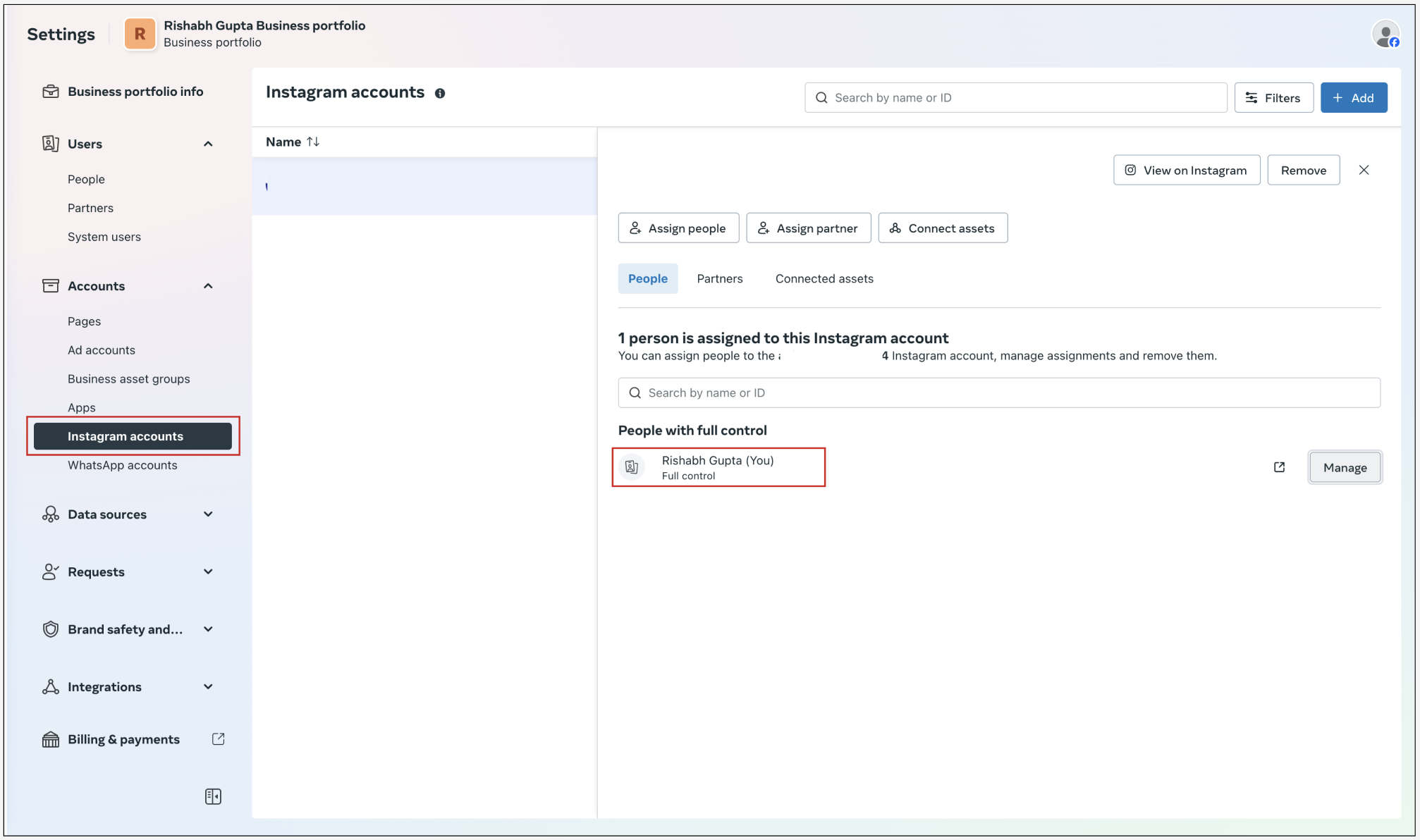
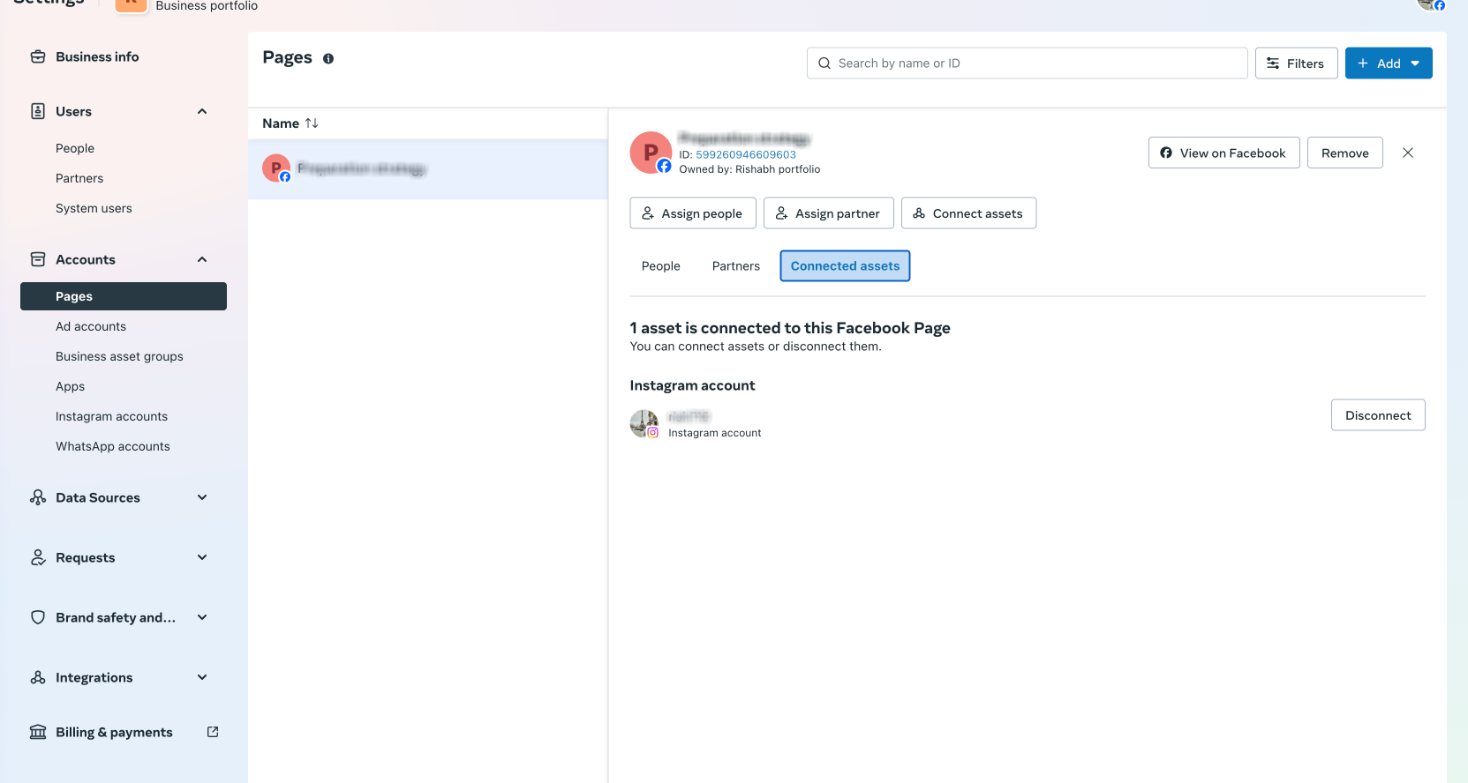
- Visit https://business.facebook.com/latest/settings and link the Instagram account to the Facebook page if it is not already connected.
- Ensure the user is added in People with full control access.
- Confirm the Instagram account appears under Connected assets for the page.
- In the Instagram app, go to Settings > Activity > Messages and Story reply > Message requests and allow access to connected tools.
- In the Subaccount, go to Settings > Integration > Facebook card and enable Instagram and Facebook messaging.
Ensure leads are syncing
- Open https://business.facebook.com/latest/settings to verify overall settings.
- Under Users > People, confirm the user is added and has full control in the business portfolio.
- In Accounts > Pages, verify the user is listed with full control access for the page.
- Navigate to Integrations > Lead access and confirm LeadConnector is connected under CRM.
07What it looks like in HighLevel
08Settings that matter
- Facebook form fields mapping. Selects which Facebook lead form is active for syncing leads to the Subaccount.
- Missing permission. Shows any permissions that LeadConnector lacks and indicates which features are impacted.
- Instagram and FB messaging. Enables the flow of Instagram Direct Messages and Facebook messages into HighLevel.
09Things to know before you rely on it
- If the App ID 390181264778064 does not appear during testing, manual permission assignment is required.
- Facebook tokens expire after a period; they must be reconnected to maintain integration.
10If something goes wrong
- Lead ads are not appearing in the Subaccount. Follow the six step procedure to verify page access, form mapping, LeadConnector connection, and assign missing permissions.
- Facebook token has expired for a Subaccount. Use the five step reconnection process to disconnect and reconnect the Facebook integration.
11How it connects to the rest of HighLevel
- Step by step guide to Facebook integration in HighLevel Facebook integration guide
- HighLevel guide to Facebook conversion leads integration Conversion leads walkthrough
- HighLevel pricing and plans Pricing
Michael's take

Watch out for expired tokens and missing permissions. They can stop leads from flowing into your Subaccount.
When configured, the Facebook multi page integration pulls lead ads, page messages and Instagram conversations into HighLevel.