
01Who this is for
- Course creators who need a public landing page to attract new learners and showcase their offerings.
- Community managers looking to increase exposure of their groups through category based discovery.
- Founders of education platforms who want a single profile that aggregates all courses and communities.
02GoKollab Discover, explained
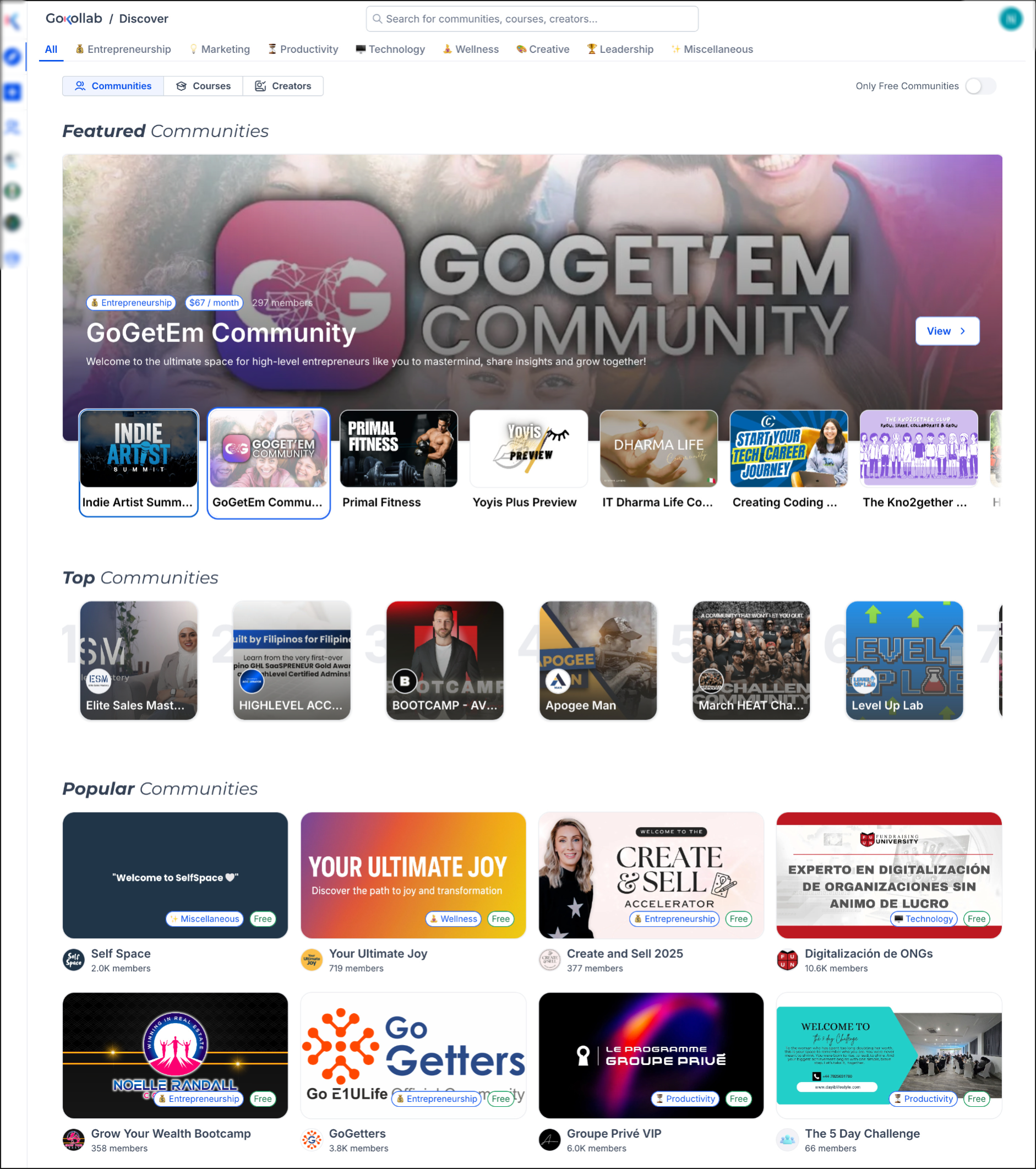
GoKollab Discover is a redesigned browsing experience inside HighLevel that gathers courses, communities and creator profiles in one searchable space. It arranges content into Top, Popular and Featured sections and uses engagement, growth, quality and traction signals to rank offerings.
Each listing receives its own sales page that presents pricing and enrollment options. Smart Categorization automatically examines a course’s title, description and About text to assign the most relevant category, helping visitors find suitable content faster. The feature lives under the Membership area of a HighLevel subaccount.
03How businesses use GoKollab Discover
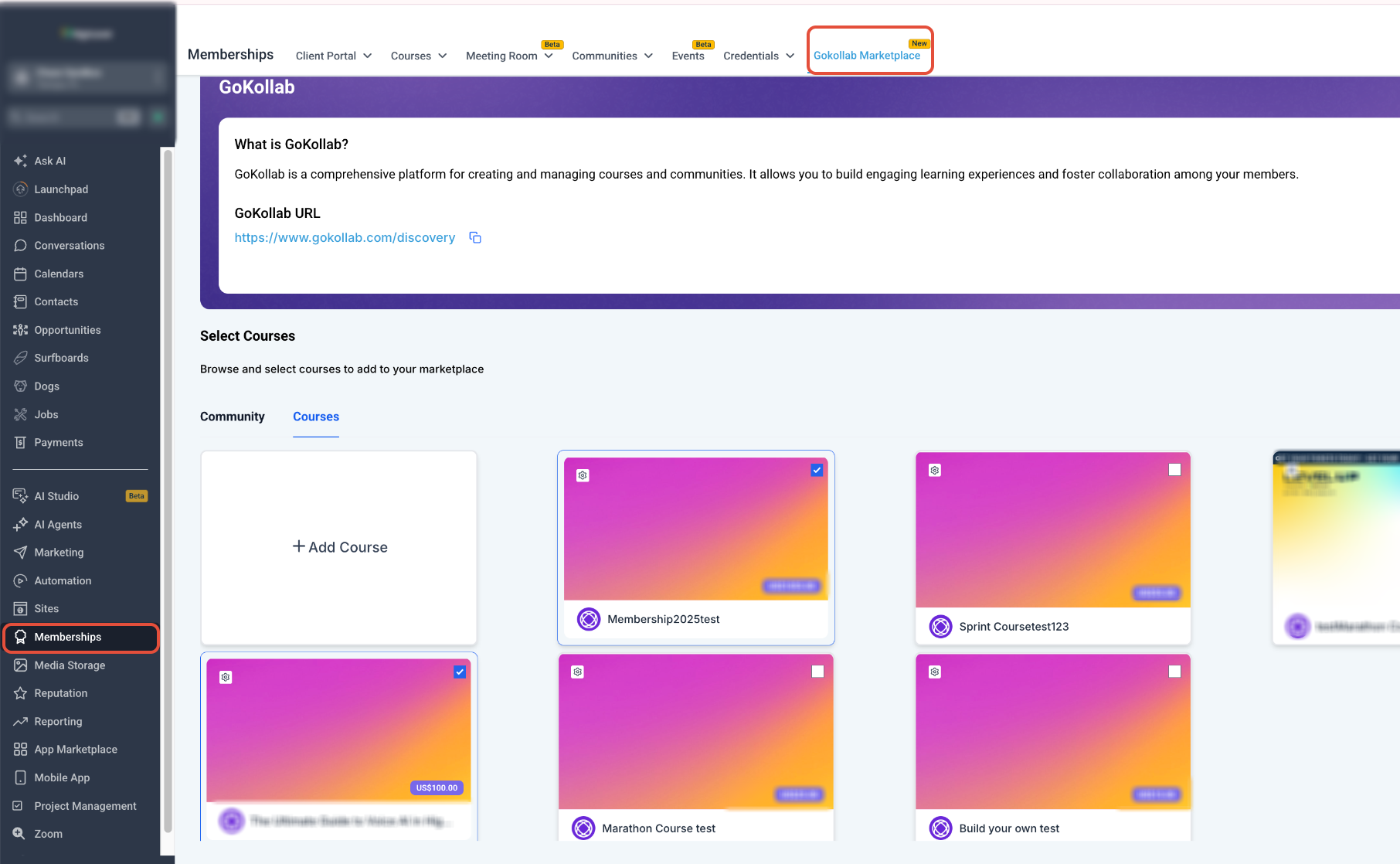
- Online tutoring business. The tutor opens the Subaccount View, navigates to Membership > GoKollab Marketplace, adds a new course, selects a pricing model, enters the required price details and publishes it. This makes the tutoring package searchable for learners across the platform.
- Fitness coaching studio. The studio edits each class offering to include a clear, specific title, a concise description of the target audience and relevant About information. Updating these fields ensures Smart Categorization places the class in the correct health and wellness category.
- Professional association. The association lists its membership only webinars in the GoKollab Marketplace, chooses a free or paid pricing model, and supplies the pricing data. The listing then appears on the association’s creator profile and on discovery sections for members to enroll.
04Before you start
- The Membership course must already exist in the appropriate HighLevel subaccount.
- Clear titles, descriptions and About content are required for accurate Smart Categorization.
05How to set up and use GoKollab Discover in HighLevel
List a Membership course in the GoKollab Marketplace
- Open the Subaccount View.
- Select Membership from the left navigation.
- Choose GoKollab Marketplace.
- Open the Courses tab.
- Press the + Add Course button.
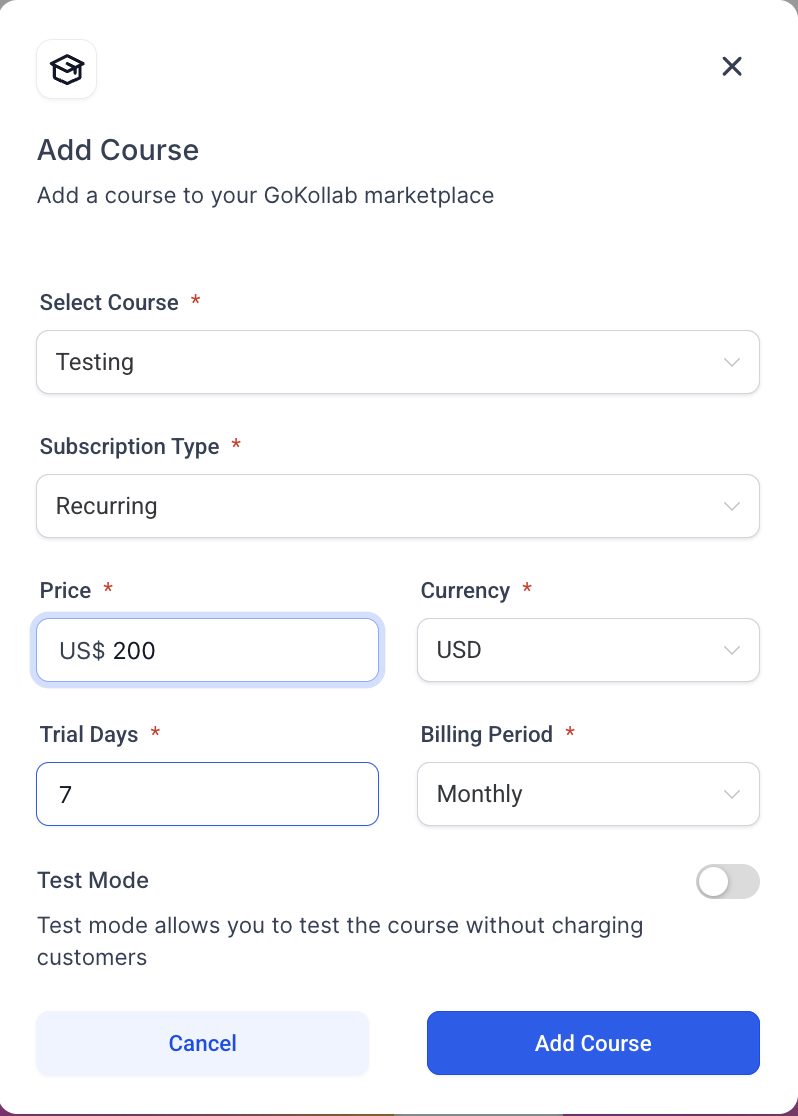
- Open the course dropdown and pick the desired course.
- Select the appropriate Pricing Model.
- Enter the required pricing information and click Add Course.
Optimize content for Smart Categorization
- Create a title that plainly states the course topic.
- Write a focused description that explains the purpose and intended audience.
- Keep the About section relevant to the course’s content.
- Update these fields whenever the course focus changes.
06What it looks like in HighLevel
07Settings that matter
- Pricing Model. Determines which pricing structure (free, one time, subscription, etc.) is applied to the listed Membership course.
08Things to know before you rely on it
- The ranking algorithm's weighting and calculation are not publicly documented.
- Creators cannot manually place a course in the Top, Popular, or Featured sections.
- Rankings are updated regularly, but the exact refresh schedule is not specified.
- Only courses that exist in a HighLevel subaccount can be listed in the marketplace.
09How it connects to the rest of HighLevel
- Learn how Membership courses integrate with GoKollab. Integration of Membership Courses
- Use Smart Categorization to automatically tag courses and communities. Smart Categorization
- Review pricing tiers and trial options for HighLevel. HighLevel pricing
Michael's take

Creators often struggle to get their courses seen among a sea of content. GoKollab Discover tackles that by giving each offering a dedicated landing page and a chance to appear in curated Top, Popular or Featured sections, driven by engagement, growth, quality and traction signals.
The first thing I would get right is the course title and description so Smart Categorization can place the offering in the right category from the start.