
01Who this is for
- Founders of ecommerce brands can sell branded merchandise without buying stock, leveraging on demand production.
- Online educators can offer printed workbooks and apparel, with inventory handled automatically by Printify.
- Fitness studio owners can add custom gear to their HighLevel store, relying on automatic order routing and real time tracking.
02Printify integration, explained
The Printify integration links a HighLevel online store to Printify’s print on demand service. After connecting, products you have created in Printify appear in your store, and every checkout creates a matching Printify order that moves directly to production.
Orders flow from HighLevel to Printify without manual entry, and Printify sends back status changes such as production, shipment, and delivery. The integration lives in a subaccount’s App Marketplace where you install the Printify app and configure the connection.
03How businesses use printify integration
- Clothing brand. A clothing brand imports its custom shirt designs from Printify into the HighLevel store. When a customer buys a shirt, the order is sent automatically to Printify for printing and shipping. The brand watches fulfillment updates inside HighLevel.
- Fitness studio. A fitness studio adds branded water bottles and apparel by syncing them from Printify. Sales generate orders that route to Printify without the studio managing inventory. Real time tracking appears in the studio’s HighLevel dashboard.
- Online course creator. An online educator imports printed workbooks and tote bags created in Printify. Customers purchase these items alongside digital courses in the HighLevel store. Each purchase triggers a Printify order, and the educator sees production and delivery status updates in HighLevel.
04The numbers and rules that matter
- 1,000+ customizable products.
- 85+ global print providers.
05Before you start
- Have an active Printify account.
- Generate a Printify API token as described in the guide.
- Access a HighLevel subaccount with permission to use the App Marketplace.
06How to set up and use printify integration in HighLevel
Generate Printify API token
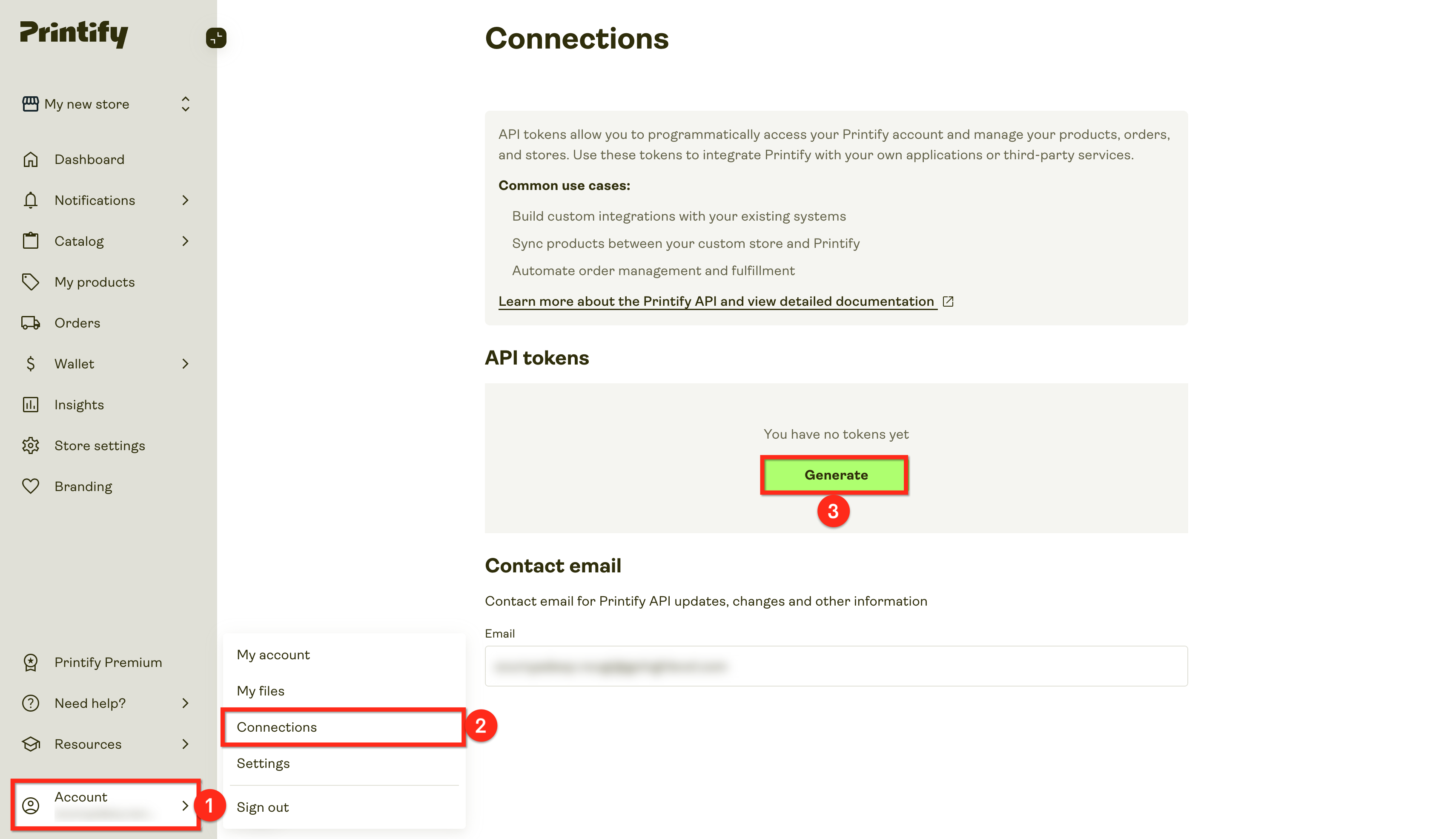
- Log in to Printify and select the Account option.
- Open the Connections section.
- Press the Generate button found under API Tokens.
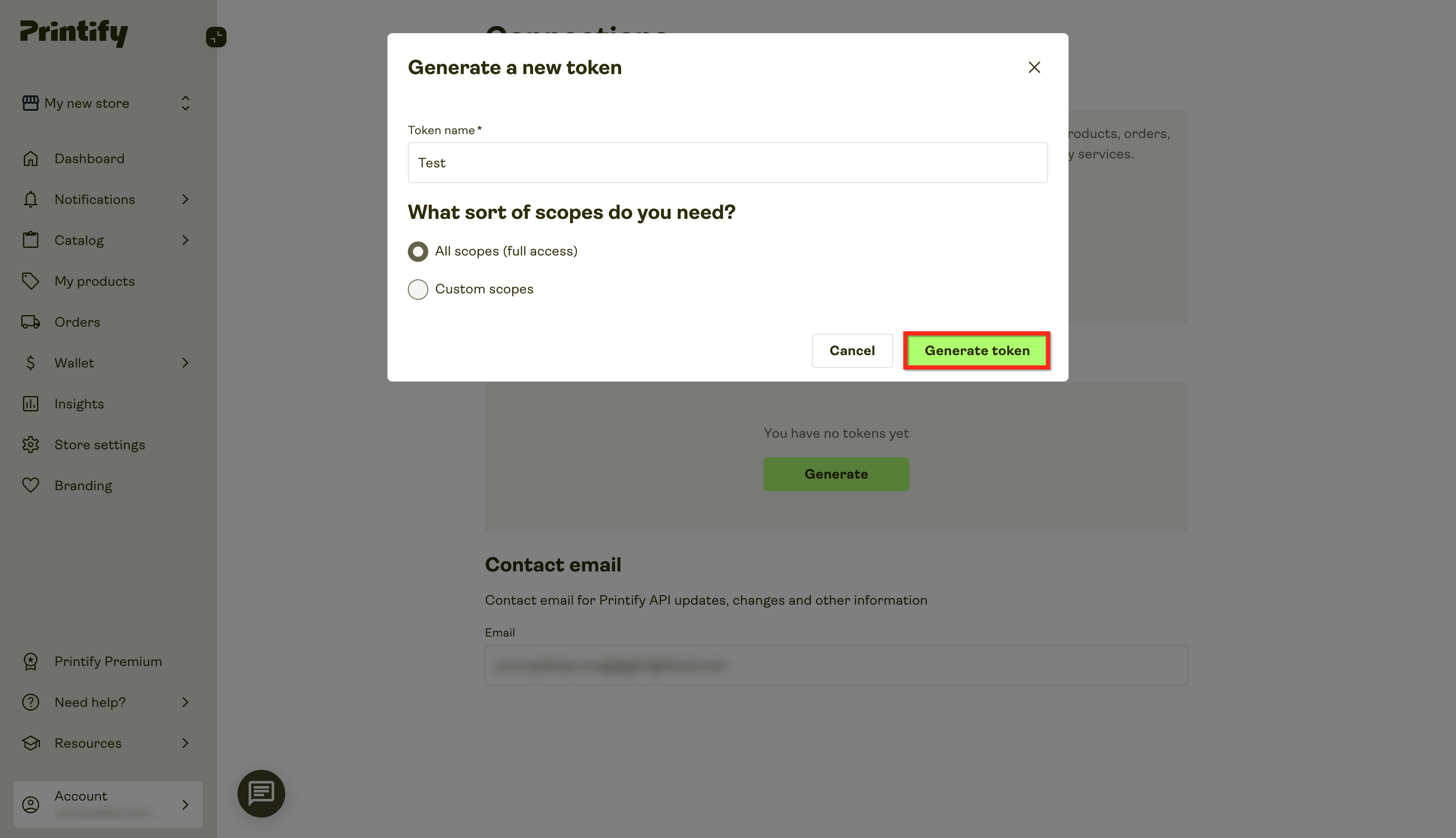
- Give the token a name, choose the required scopes, and confirm by clicking Generate.
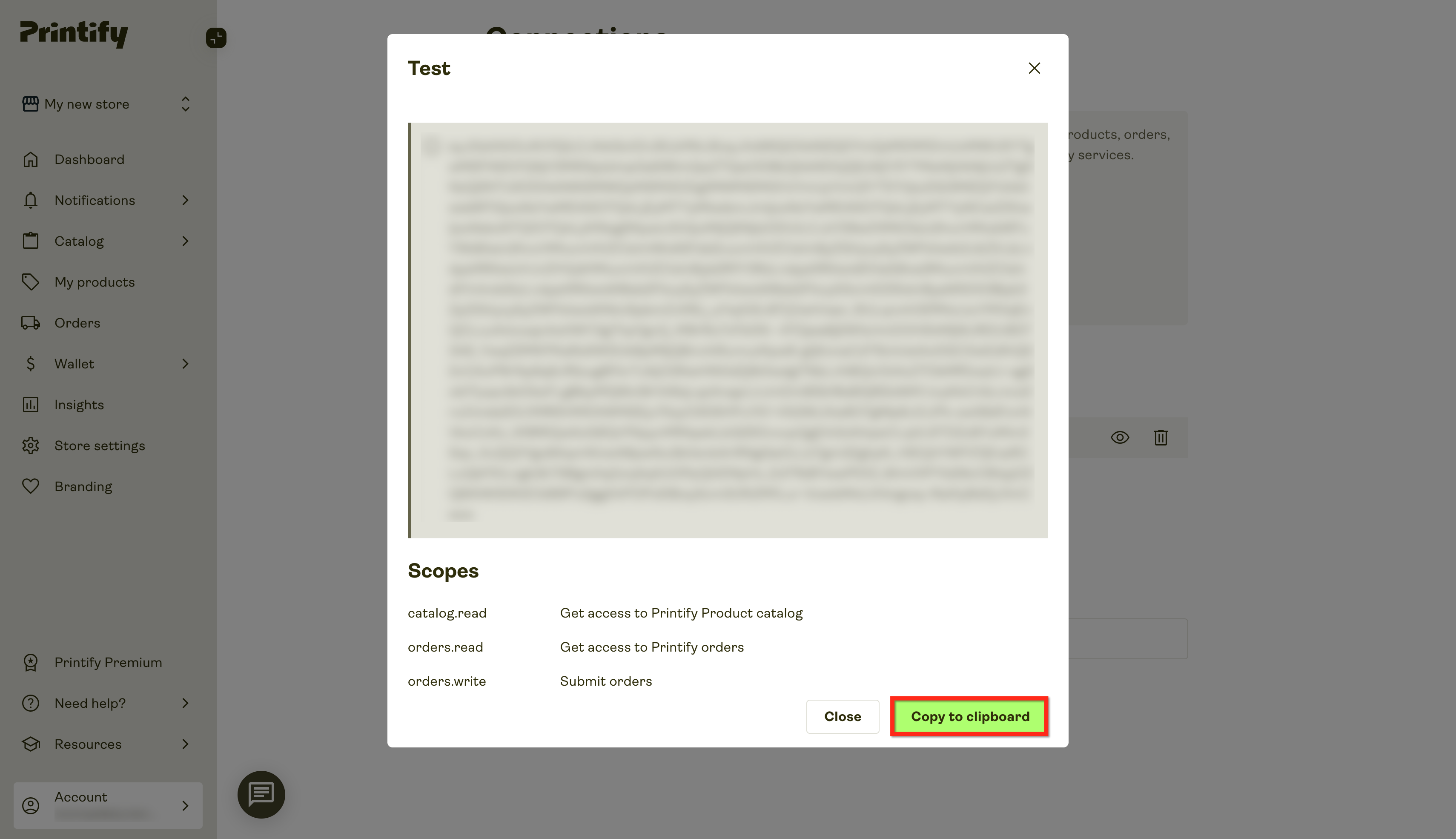
- Copy the newly created key using the Copy to Clipboard button.
Connect Printify with HighLevel
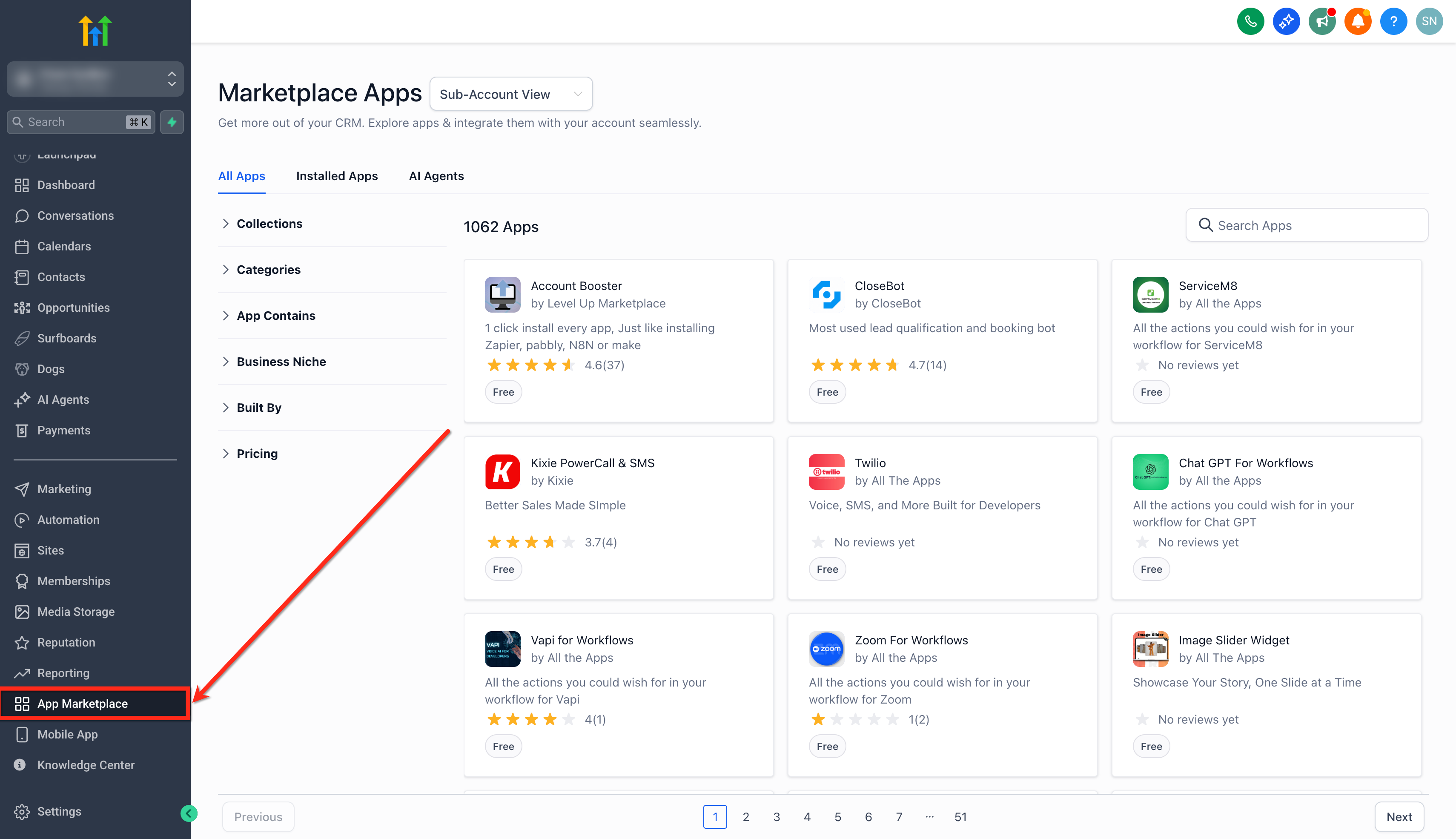
- Within your subaccount, go to the App Marketplace.
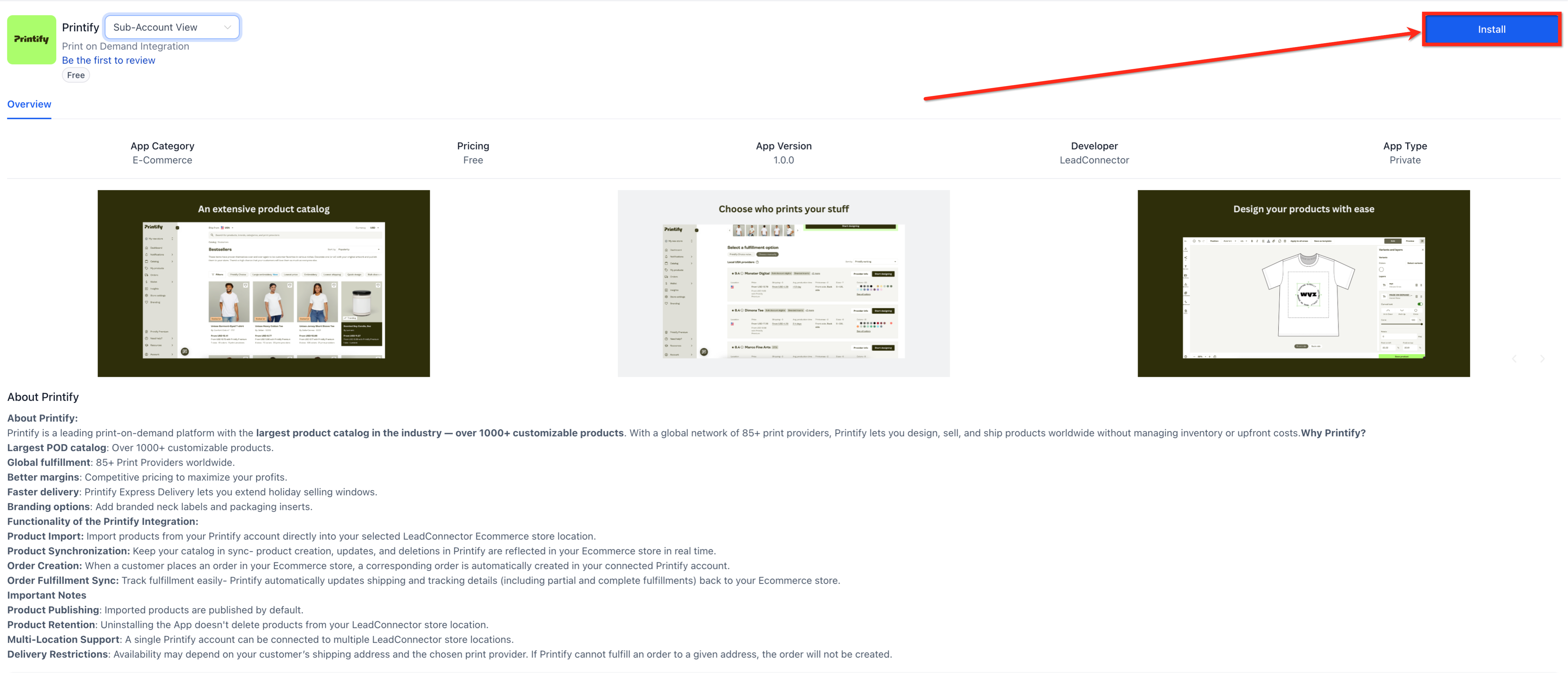
- Search for Printify and click the Install button.
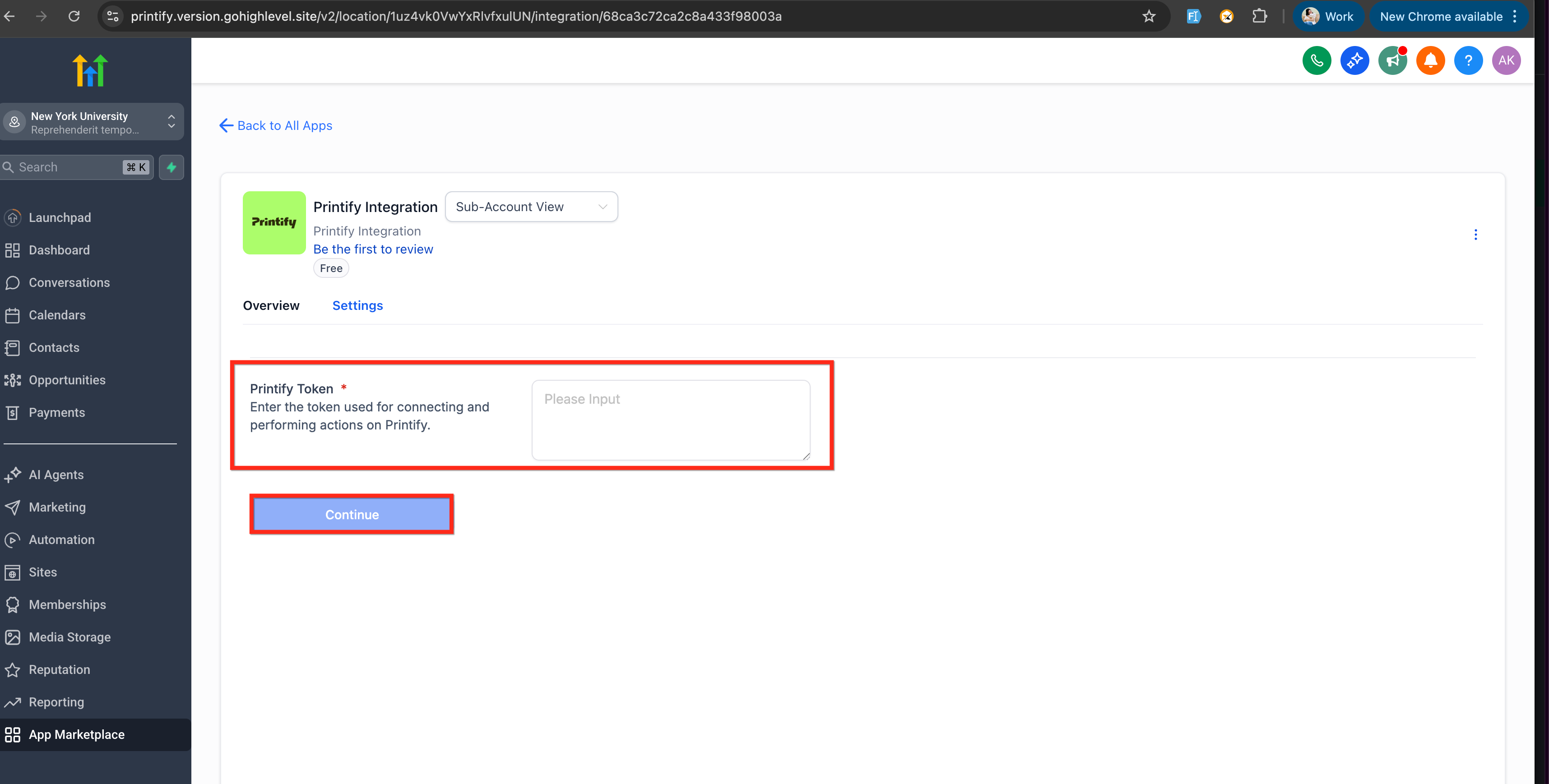
- Paste the copied API token into the Printify Token box, then click Continue.
- Select an existing Printify store or create a new one for the connection.
- Under Convert Product Currency to, pick the currency for imported product prices and click Connect.
- Import the desired Printify products and publish them directly to your store.
- Verify imported products before they go live, because they are published live by default.
- Ensure imported products stay assigned to the Printify shipping profile to retain live shipping rates at checkout.
- Begin selling; orders will automatically sync to Printify for fulfillment.
- Enable automatic fulfillment inside Printify to complete the flow.
07What it looks like in HighLevel
08Settings that matter
- Printify Token box. Holds the API token that authenticates the HighLevel Printify connection.
- Convert Product Currency to. Sets the currency applied to the prices of products imported from Printify.
- Printify shipping profile. Designates the shipping profile used to display live Printify rates at checkout.
09Things to know before you rely on it
- Imported products are published live by default; review them before making them available to customers.
- Removing the integration does not delete products that were already imported.
- Printify creates an order only when a provider can fulfill the chosen country, variant, and shipping method.
- All design work is performed inside Printify; HighLevel only reflects synced items.
- The integration requires a valid Printify API token for authentication.
10How it connects to the rest of HighLevel
- Set up a HighLevel ecommerce store before adding Printify. Ecommerce store setup
- Configure live shipping rates for Printify products at checkout. Shipping rates
- Add manual payment methods if you need alternatives to automatic processing. Manual payments
Michael's take

From my perspective, the Printify integration lets you start a merch line without holding inventory, and the automatic order push saves you from double entry work. If your catalog is small or you already run an in house print operation, the integration may add little value. The reliance on Printify’s provider network can also limit you when a provider can’t ship to a customer’s address, causing order rejections that you’ll need to handle manually.