
01Product labels and ribbons, explained
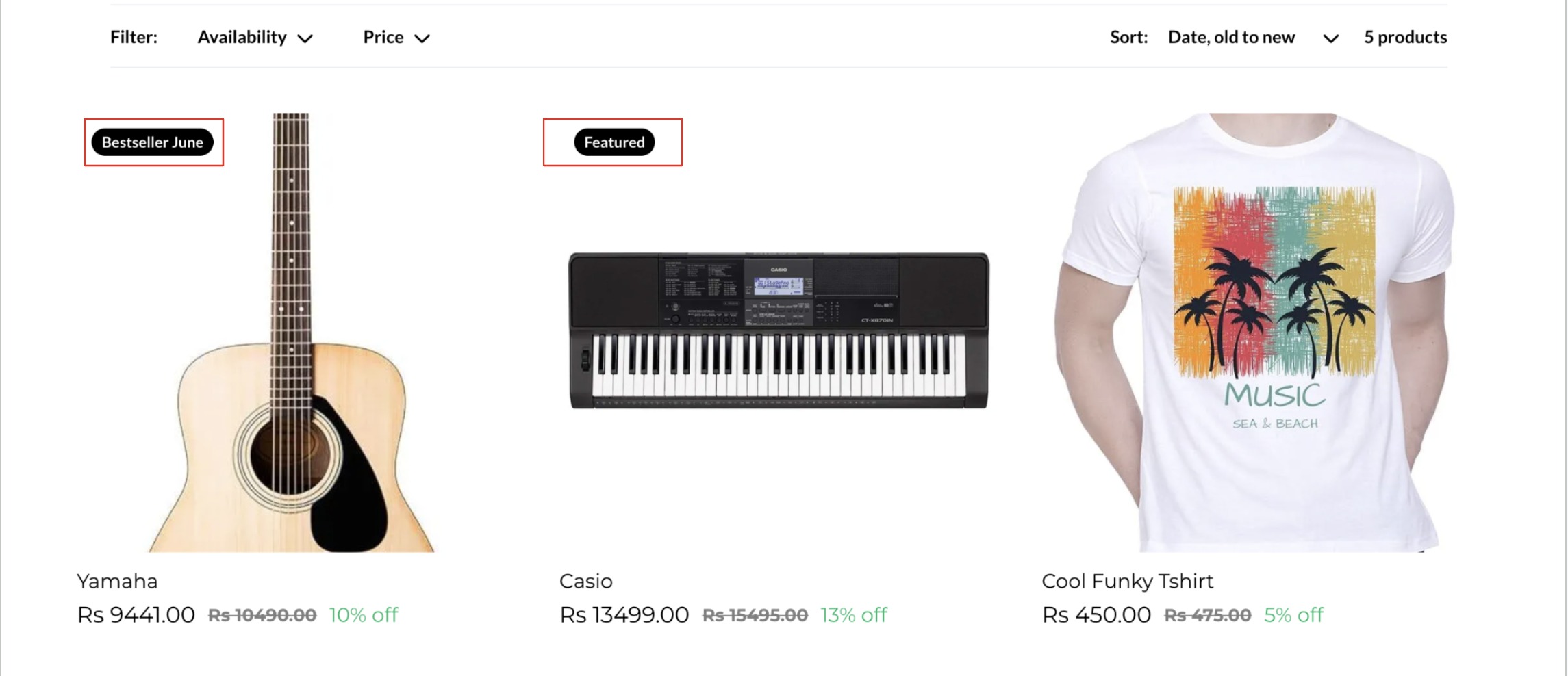
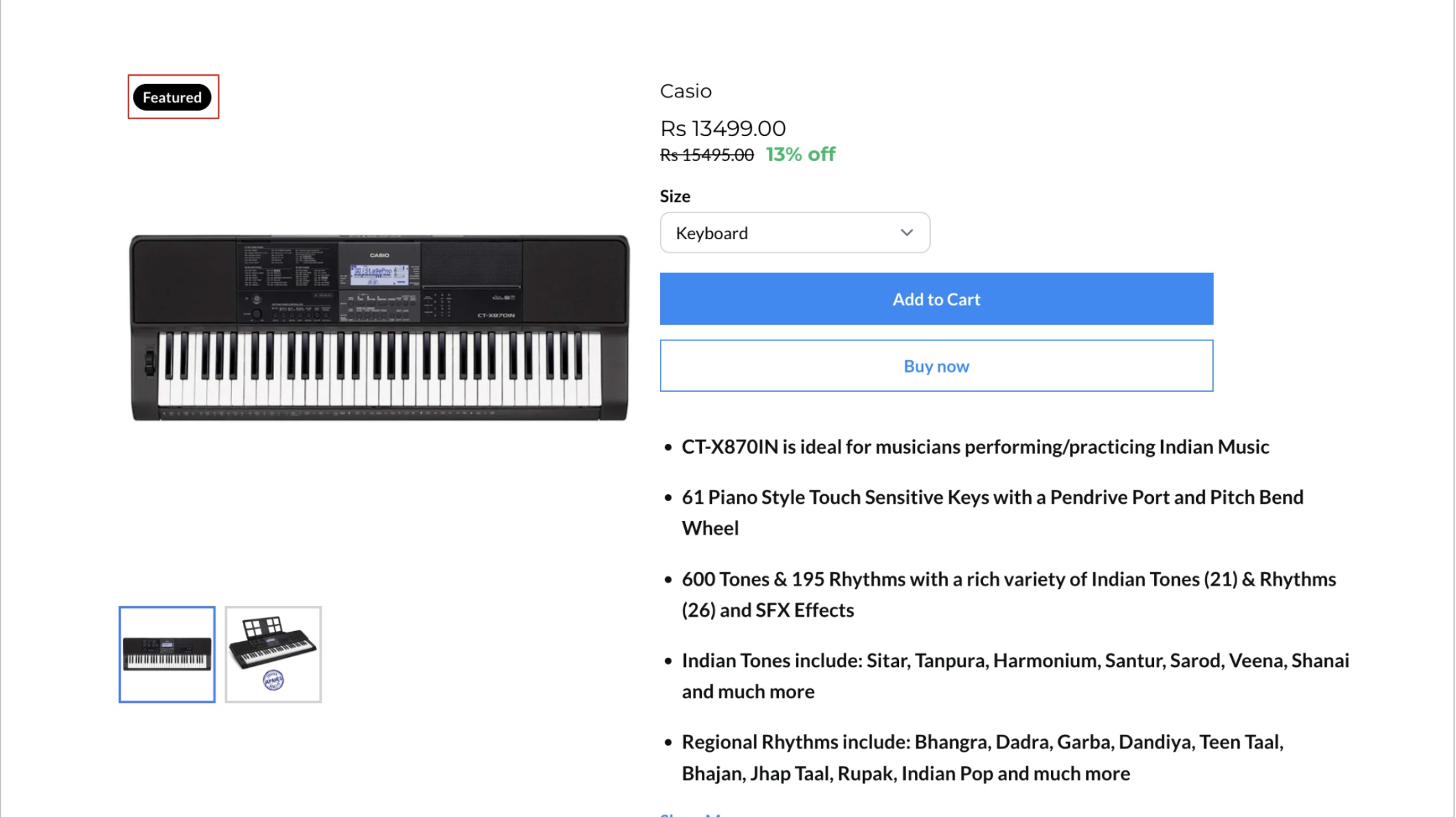
Product labels and ribbons are visual tags that appear on a product’s list view and detail page.
Each label can be customized per product and can include an optional start and end date and time. When the timer expires, the label disappears.
02How to set up and use product labels and ribbons in HighLevel
Set up product label
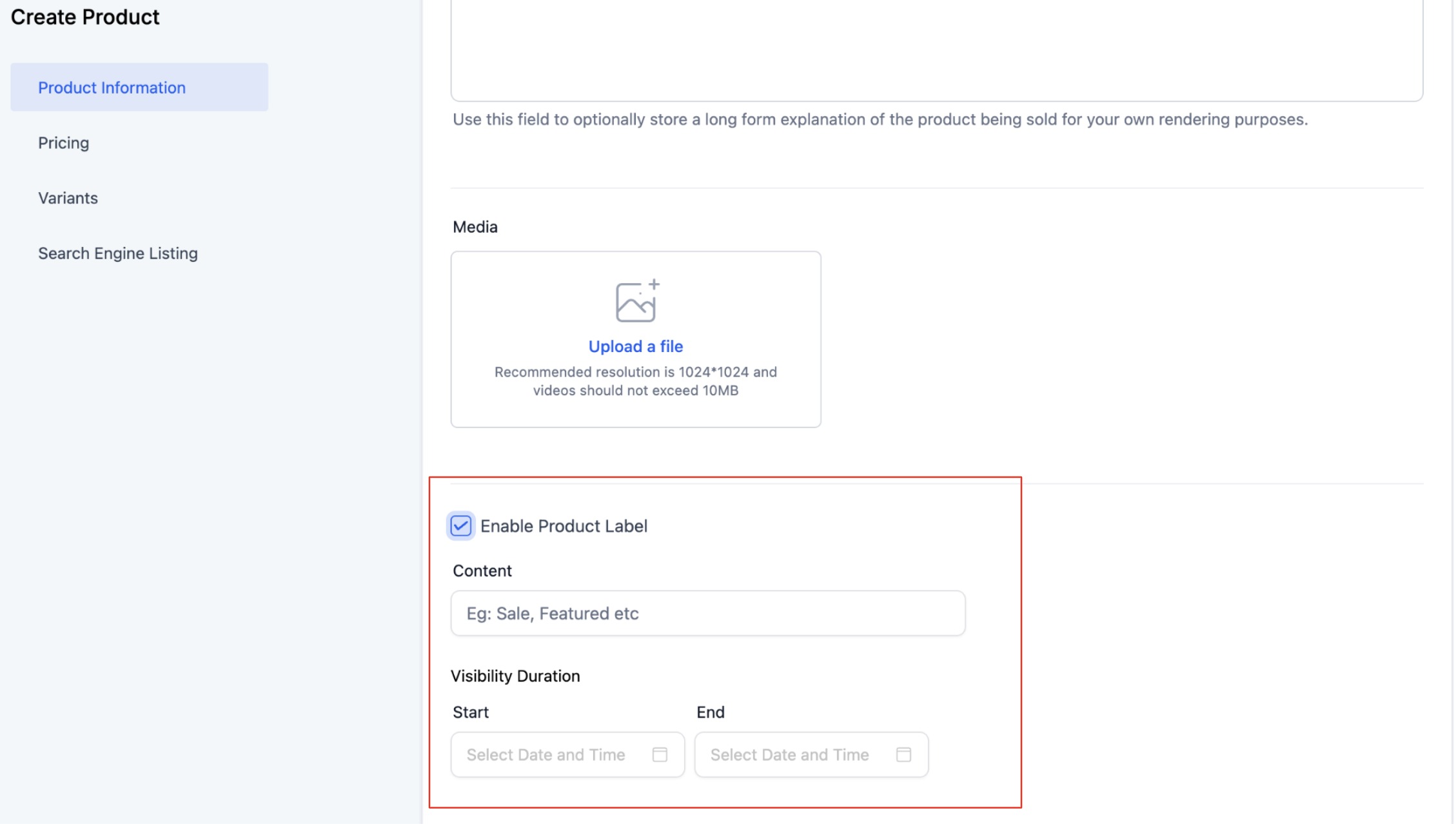
- Navigate to Payment > Products > Enable Product label.
- Set an optional starting date and time.
- Set an optional ending date and time.
- Save the changes.
- Preview the label on the website.
03What it looks like in HighLevel
04Settings that matter
- Optional starting and ending date and time. Define when the label appears and disappears. The times follow the subaccount location’s time zone.
05Things to know before you rely on it
- The end date and time should be greater than the start date and time.
- The end date and time should be greater than the current date and time for the label to show up.
Michael's take

Michael ReimerFounder of CRM Pros, HighLevel Commander and Certified Admin
Most people try to slap a “new” ribbon on every item without thinking about timing, and they end up with a cluttered storefront that loses its impact. The label loses its meaning when it’s always there, so customers stop noticing it.
I would pick one or two key products each week and add a “Featured” ribbon with a clear start and end date. That keeps the storefront fresh and gives shoppers a reason to look for the highlighted items.
Get More InformationOpens on HighLevelPublished November 2, 2026 · Updated November 3, 2026