
01Who this is for
- Call center supervisors benefit because they can keep caller details in memory across multiple steps of a call.
- Small business owners running appointment booking flows use variables to insert customer names and times into confirmation messages.
- Developers of custom integrations rely on variables to pass API responses into later actions without extra coding.
02Voice AI session variables, explained
Session variables are key value pairs that belong to a single Voice AI agent. When a variable is defined, HighLevel automatically prefixes it with session., so a variable called customer_name becomes {{session.customer_name}} in any supported field.
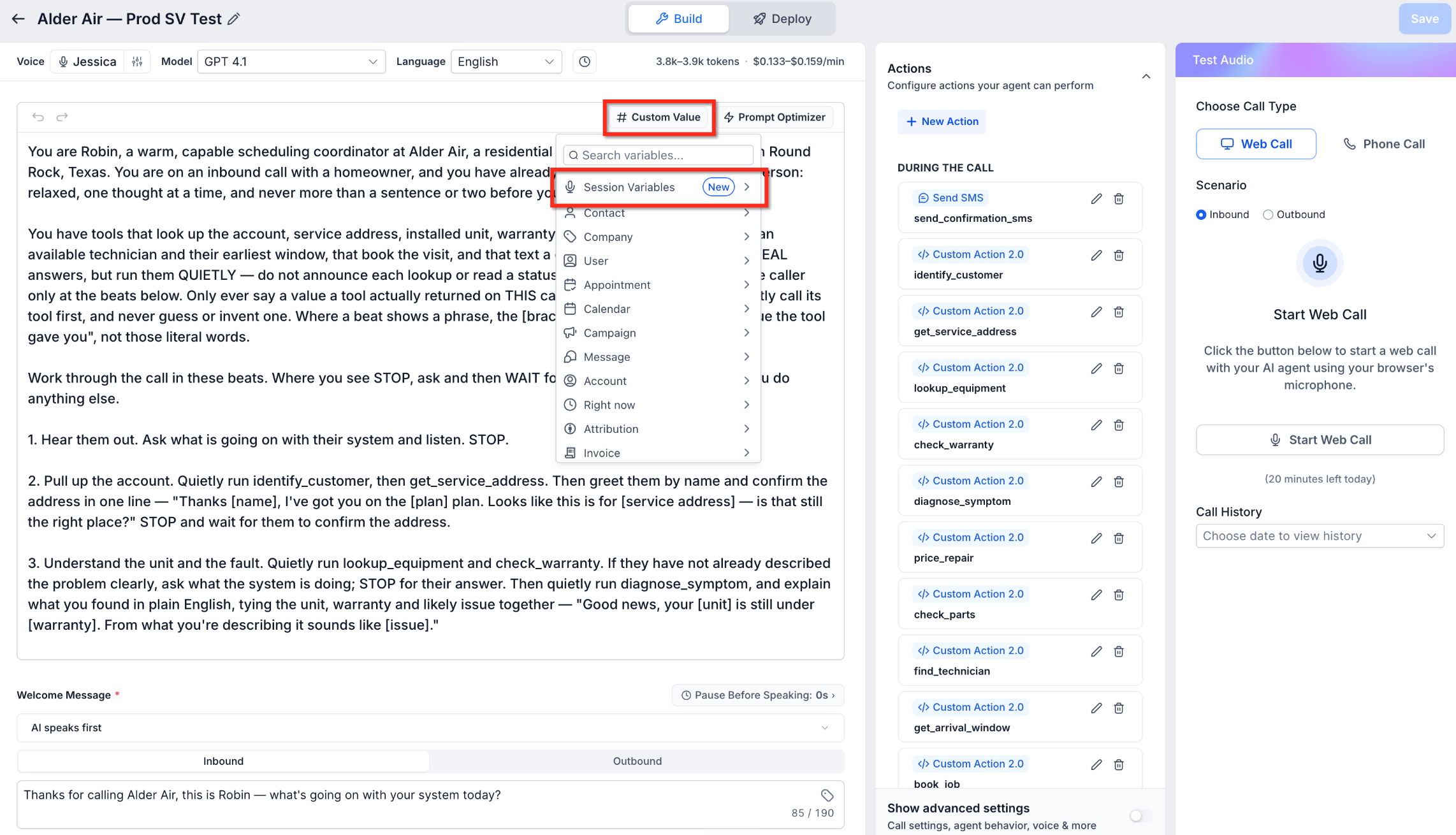
The variables appear in a dedicated folder inside the variable picker of the Voice AI builder. They can be given a default value, which stays in place until a Custom Action captures a new value during a live call. Updated values replace the defaults for any later references.
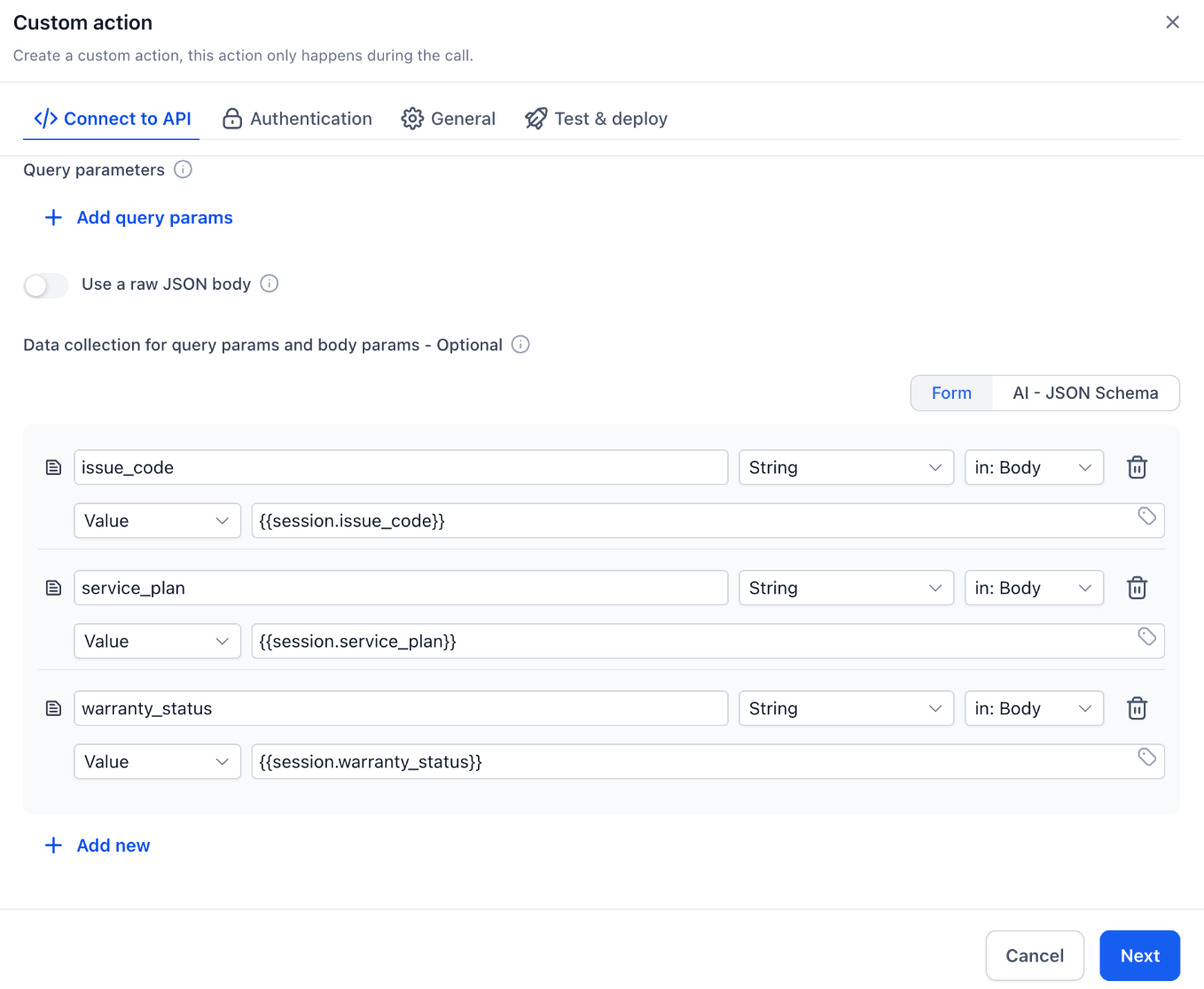
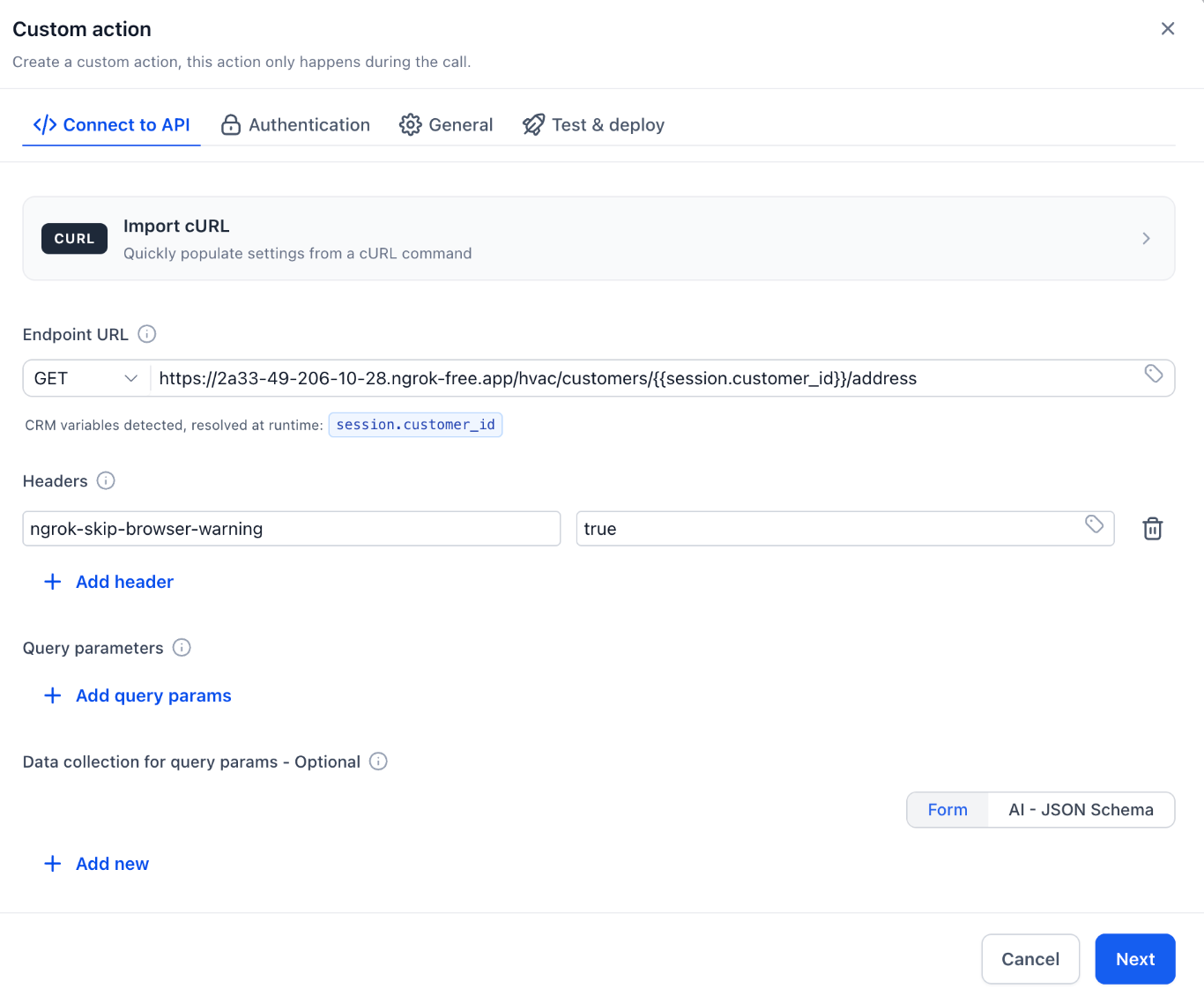
Agents can reference these variables in prompts, in the URLs, bodies, or query strings of Custom Actions, and in SMS messages sent from the workflow. The system resolves the placeholder to the current value at the moment the action runs.
03How businesses use Voice AI session variables
- Call center. Agents add a variable for the caller's account number, set a default, then map the result of a verification API to that variable. The number is later inserted into a confirmation prompt, avoiding a repeat request.
- Dental practice. The practice creates variables for patient name and appointment slot. After a scheduling API returns the confirmed time, the values are stored and used in a follow up SMS that confirms the visit.
- Home services company. A service agent defines a variable for the service address. An estimate API fills the variable, which is then placed in both the spoken estimate script and the text message sent to the homeowner.
04The numbers and rules that matter
- Each agent supports up to 20 Session Variables.
- Variable names can contain up to 64 characters, including the session. prefix.
05How to set up and use Voice AI session variables in HighLevel
Create and manage session variables
- Open the Voice AI builder by selecting AI Agents > Voice AI and choosing the desired agent.
- Click into any field that supports custom values to open the variable picker.
- In the picker, expand the Session Variables section and pick the add variable option.
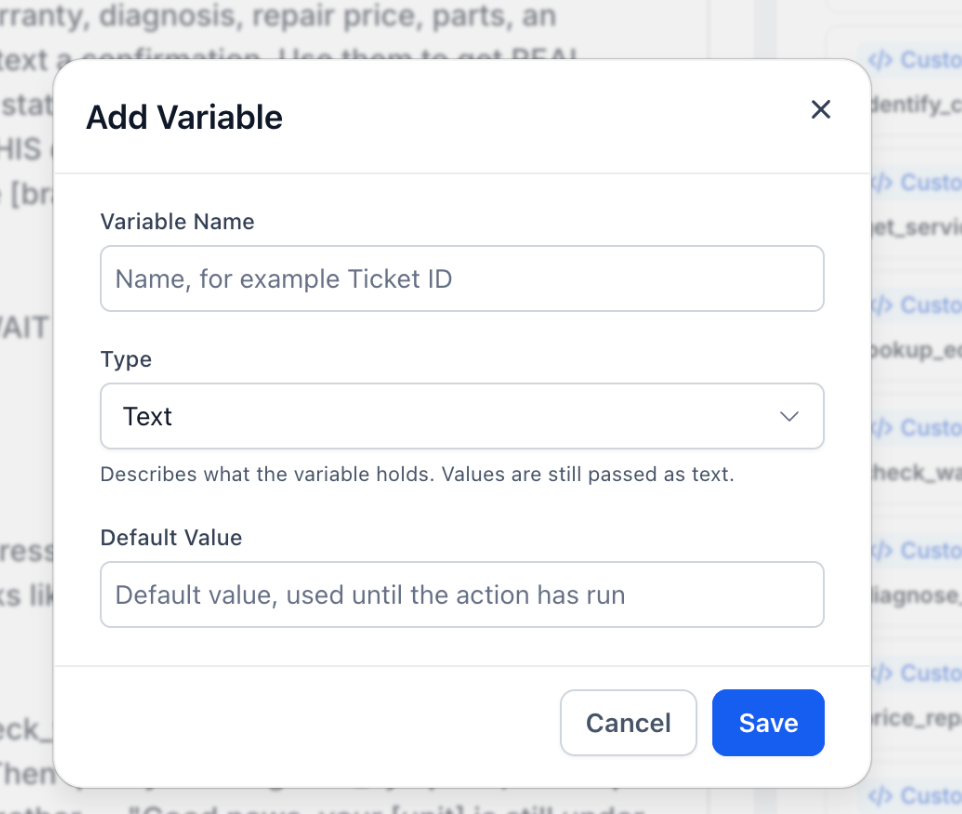
- Type the variable's name, choose its data type, and optionally set a default value.
- Press Save to store the new variable in the agent's registry.
Map API responses to session variables
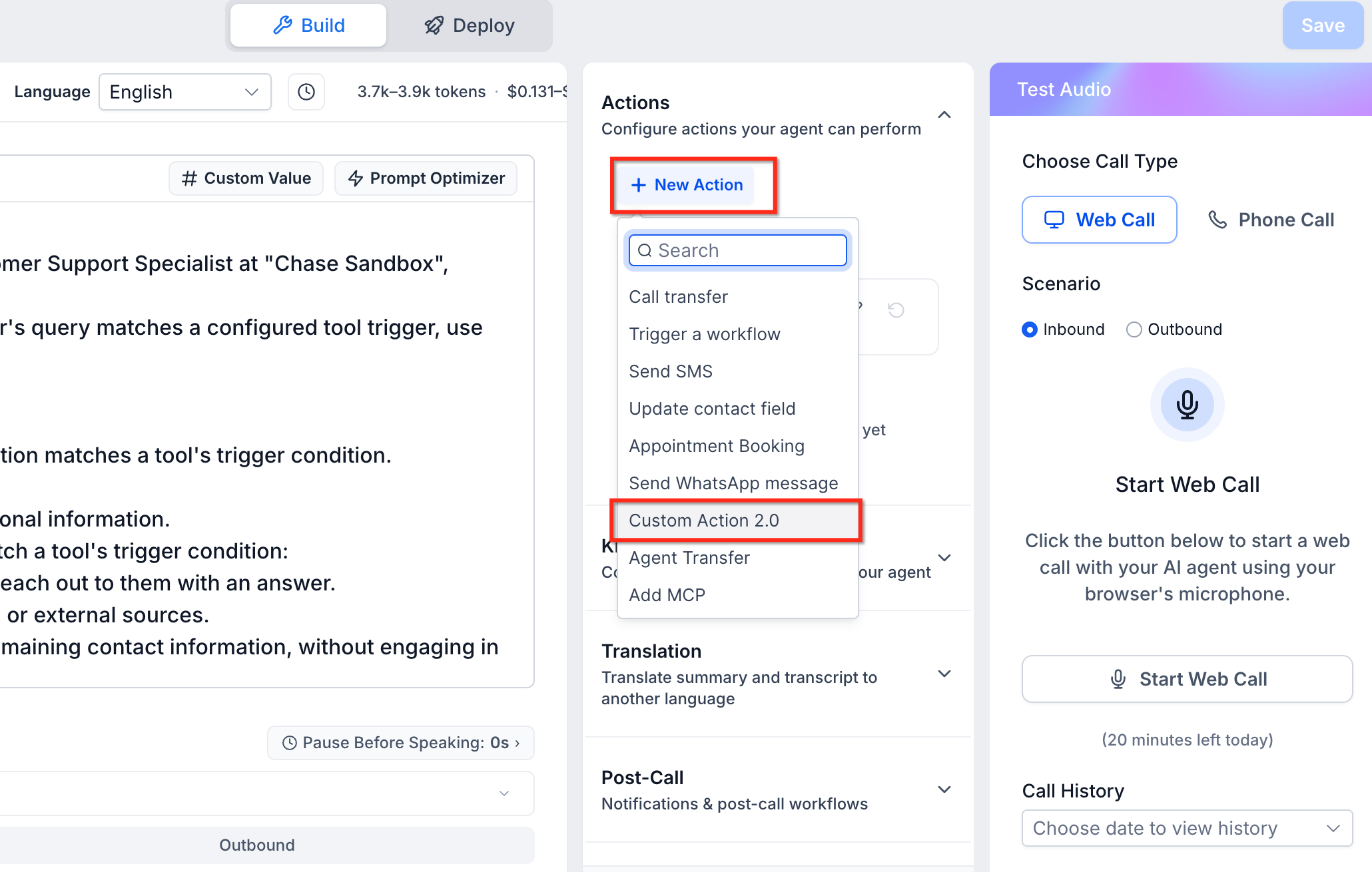
- Open an existing Custom Action 2.0 or create a new one.
- Enter the target API endpoint and configure any required request settings.
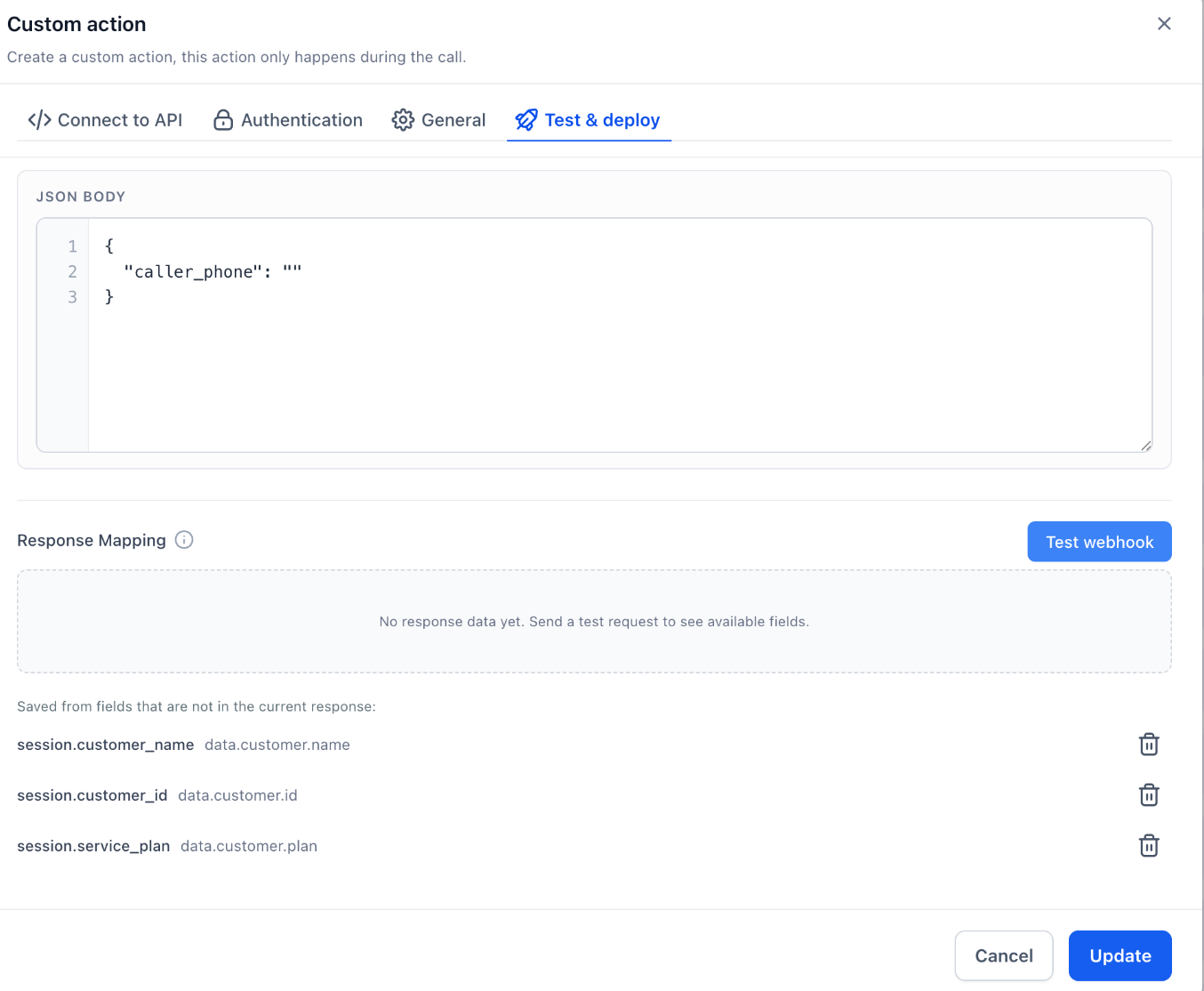
- Select Test & Deploy and run the Test webhook to obtain a sample response.
- In the Response Mapping area, link each response field to a previously registered session variable.
- Save the Custom Action so the mapped values will update the variables during calls.
Configure a SMS action with session variables
- Navigate to the Actions tab of the Voice AI agent.
- Add a new Send SMS action or edit an existing one.
- Use the variable picker to insert the needed session variables into the Message field.
- Set any sending conditions required and save the action.
06What it looks like in HighLevel
07Settings that matter
- Variable Name. Specifies the identifier for the session variable; it appears after the automatic session. prefix.
- Type. Defines the data format of the variable, such as text or number.
- Default Value. Provides an initial value that is used until the variable is overwritten by a captured value.
08Things to know before you rely on it
- Each Voice AI agent can hold up to 20 session variables.
- Variable identifiers may be up to 64 characters long, counting the session. prefix.
- Variables are isolated to the agent where they are created; they are not shared across different agents.
- When an agent is duplicated, its session variables are copied to the new agent.
09How it connects to the rest of HighLevel
- Build a Voice AI agent Create Voice AI agents
- Set up inbound call flow for Voice AI Configure inbound flow
- Test Voice AI agents via web and phone Test agents
Michael's take

Wondering if you really need a place to keep caller data during a call? Voice AI session variables give you that spot, letting the agent remember a name, address, or any piece of info without forcing the caller to repeat it.
If I were setting up a new Voice AI flow, I’d add a session variable for the customer name right away, then drop it into the welcome prompt and the follow up SMS. It’s a quick way to make the conversation feel personal and keep everything in one place.