
01Who this is for
- Customer support teams can verify agent responses early, reducing reliance on live callers during development.
- Product managers can iterate on prompt wording and flow before committing to phone number deployment.
02Web Call, explained
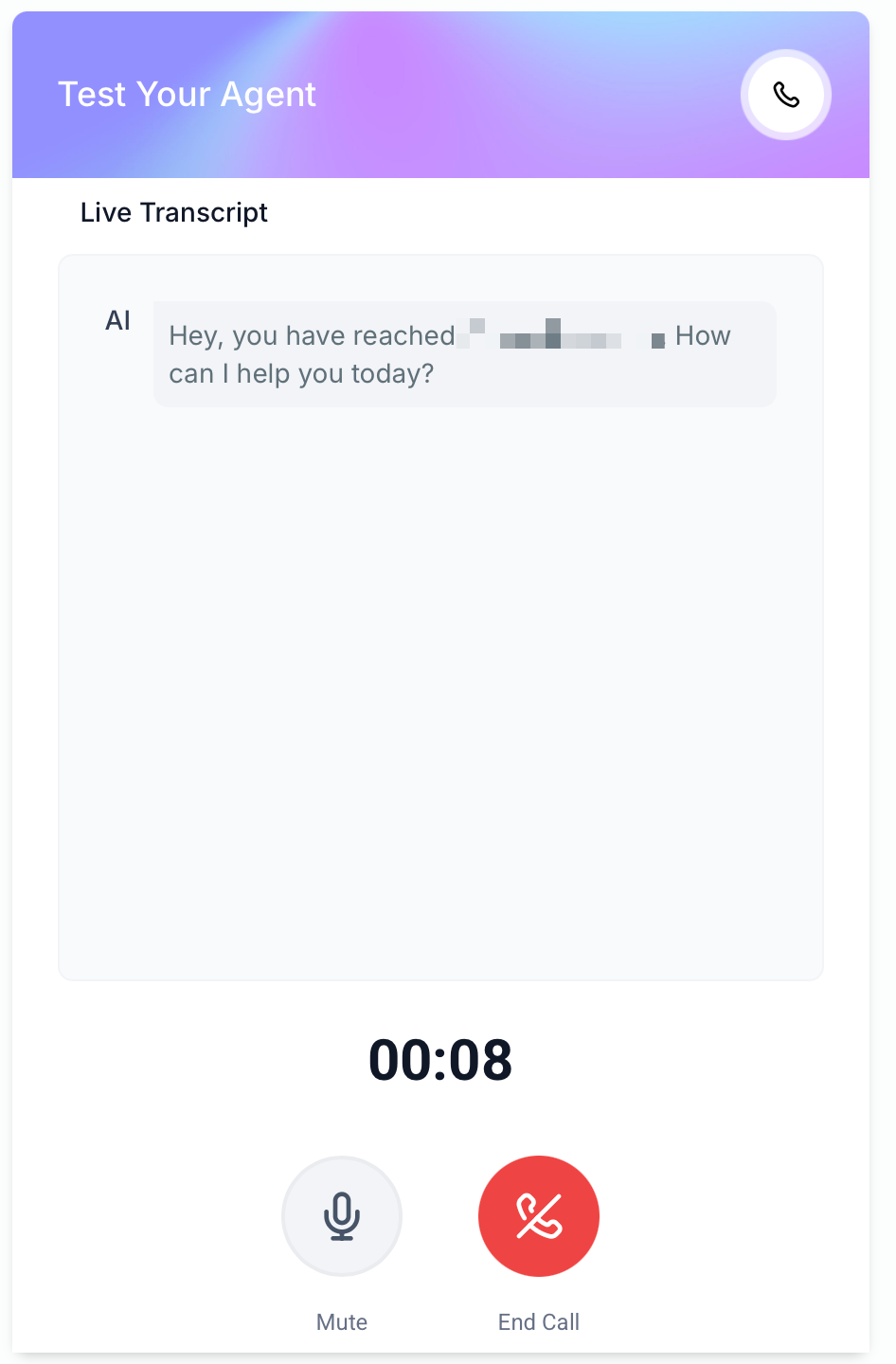
Web Call provides a browser based testing method for Voice AI agents hosted on HighLevel. When you start a test, the platform treats the logged in user’s contact record as the caller, capturing audio through the computer microphone. The session records a transcript and audio file that appear in the Voice AI logs.
The feature mirrors most agent capabilities such as greeting playback, prompt handling, and supported actions, but it does not simulate telephony specific functions like call transfer. Results from a Web Call do not contribute to dashboard analytics or performance metrics, keeping test data separate from production reporting.
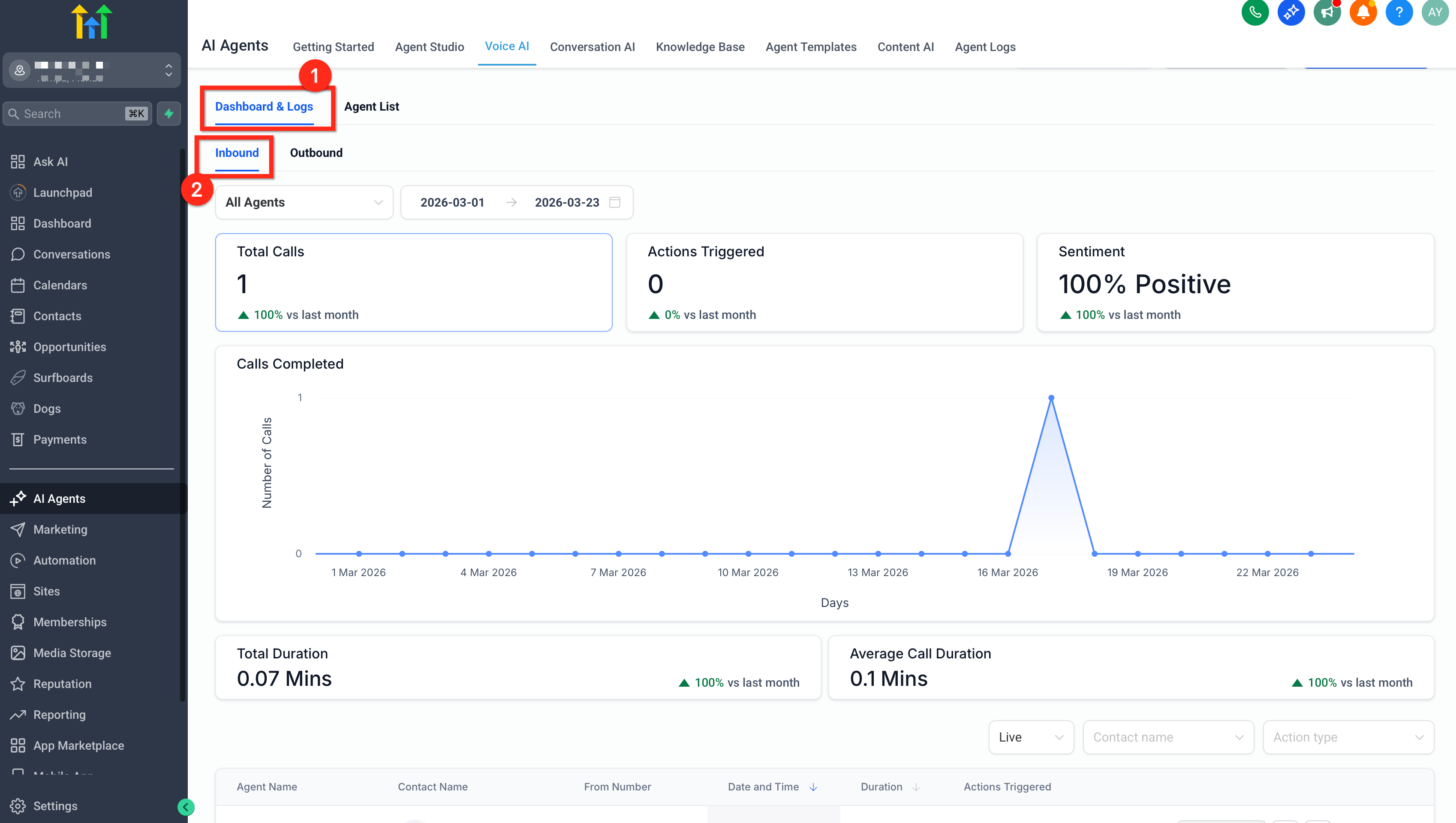
You can access the Web Call option from the Voice AI testing area, choose the method, grant microphone permission when prompted, and then converse with the agent. After the call ends, navigate to the Voice AI Dashboard Logs to review the recording, transcript, and other details.
03How businesses use Web Call
- Prompt validation. Open a Voice AI agent, select Web Call, speak the intended prompts, and review the transcript to ensure the agent responds as expected.
- Conversation flow testing. Run a Web Call, follow a typical dialogue path, and check the logs to confirm the flow matches the designed sequence.
- Action handling verification. During a Web Call, trigger supported actions (e.g., information retrieval) and verify the agent performs them correctly in the test logs.
04The numbers and rules that matter
- Supported features: Prompt testing, conversational flow testing, action testing, transcript review and log visibility.
05Before you start
- User must have permission to the Voice AI testing area.
- The Voice AI agent must already be created in HighLevel.
- The web browser must allow microphone use.
- A functional microphone must be connected and not be used by another application.
06How to set up and use Web Call in HighLevel
Set up a Web Call to test a Voice AI agent
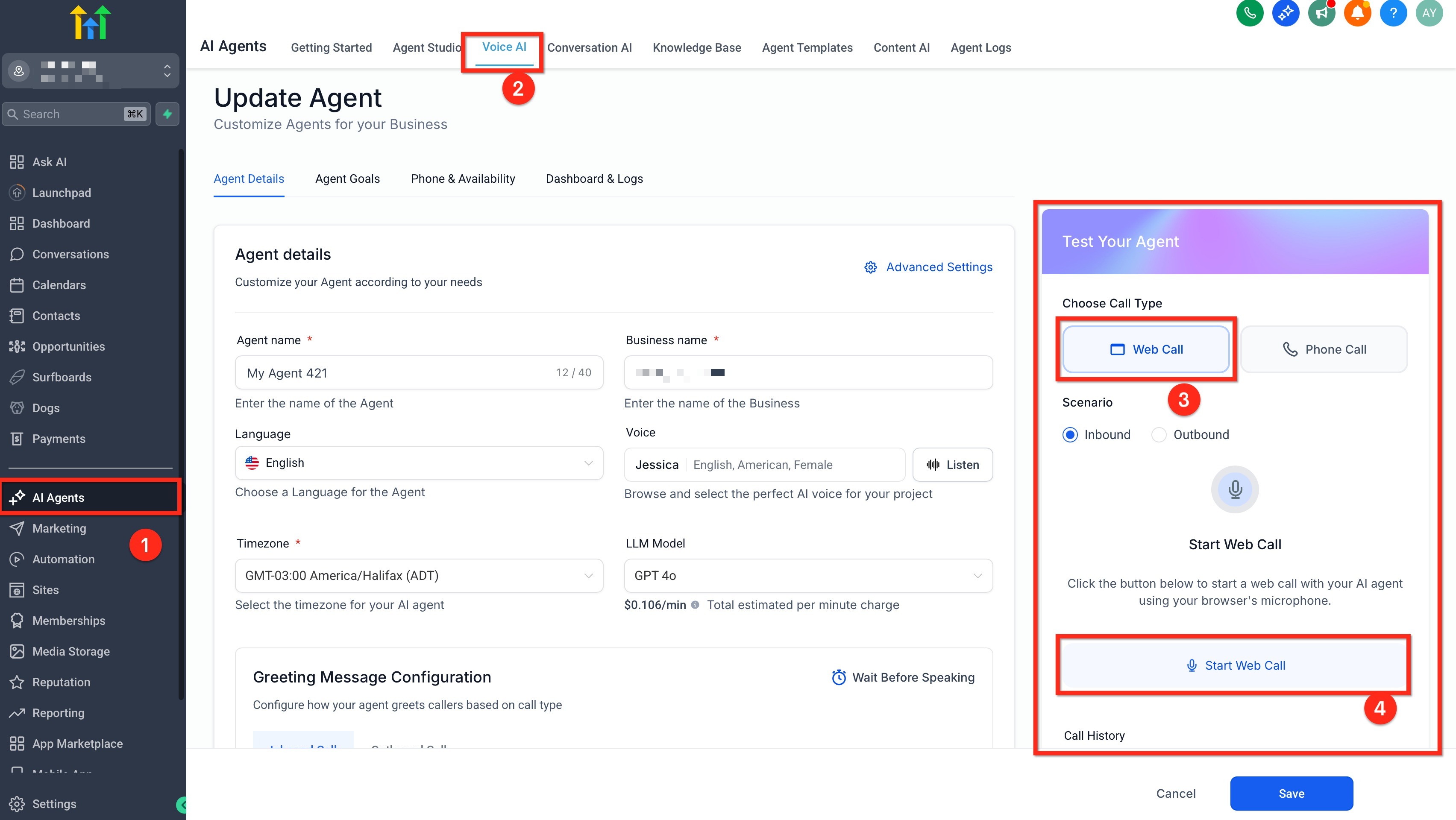
- Navigate to AI Employee > Voice AI in HighLevel.
- Open the specific Voice AI agent you intend to test.
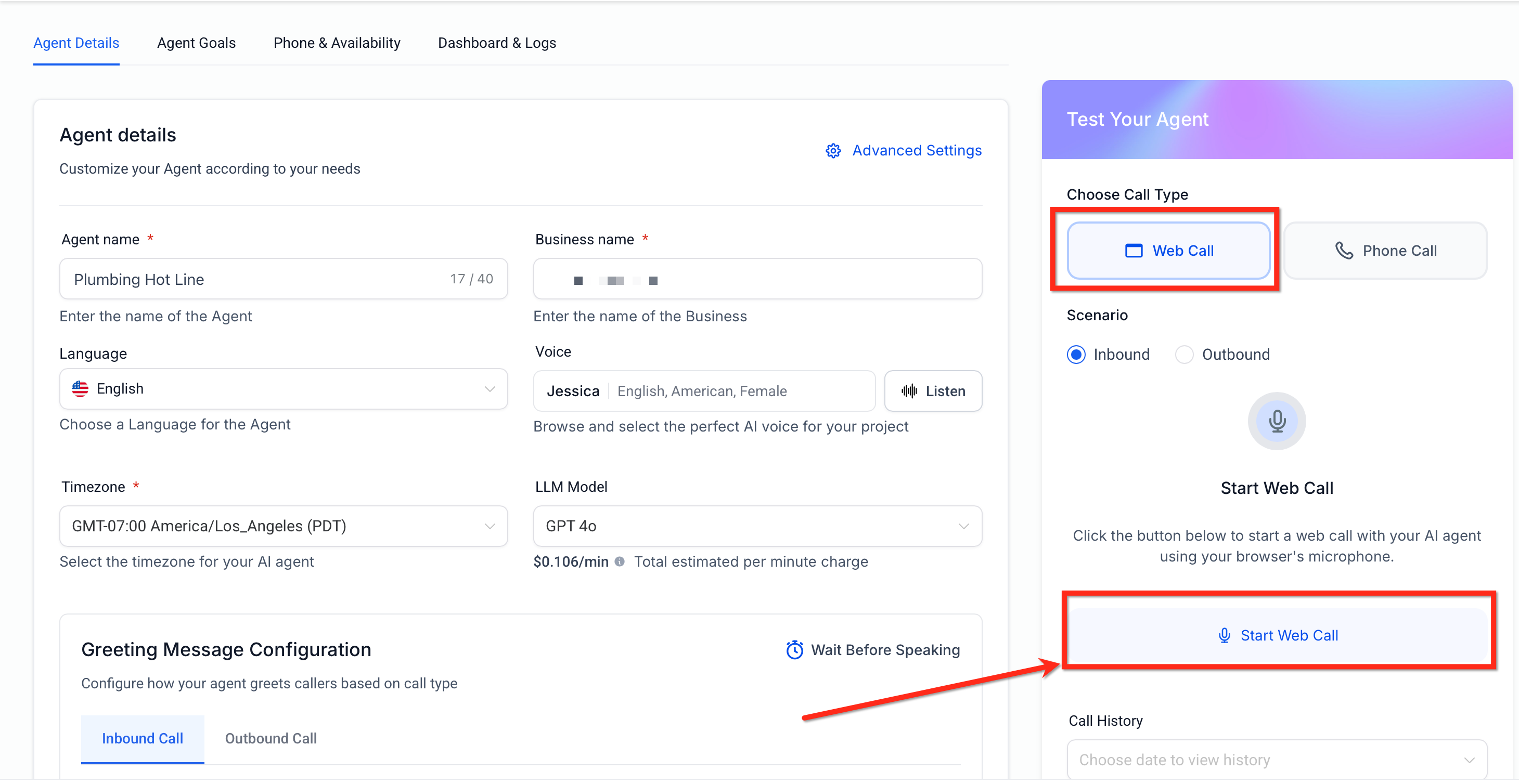
- Find the testing section that offers both Phone Call and Web Call options.
- Choose Web Call, which does not require a phone number entry.
- Approve the browser’s request for microphone access.
- Speak your test phrases to the agent, checking prompts, responses, and actions.
- After the conversation ends, open the Voice AI logs to view the transcript and recording.
07What it looks like in HighLevel
08Things to know before you rely on it
- Web Call cannot validate call transfer behavior.
- Tests performed with Web Call are excluded from dashboard analytics and performance reports.
- The logged in user’s contact is used as the caller, which may differ from an external caller’s context.
- A modern browser with microphone support is required for optimal operation.
09If something goes wrong
- Microphone does not work or Web Call fails to start. Check that the browser and device have granted microphone permission, ensure no other program is using the microphone, and confirm the correct mic is selected.
10How it connects to the rest of HighLevel
- Learn how to create and launch a Voice AI agent in HighLevel Create Voice AI agents
- Configure inbound call flow for Voice AI agents Inbound call flow
- Review pricing and plans for HighLevel AI features HighLevel pricing
Michael's take

When you’re building a Voice AI agent, the biggest headache is finding out a prompt sounds odd only after you’ve paid for a phone number. Web Call helps reduce that delay by letting you speak to the agent right in your browser, so you can catch awkward phrasing or flow gaps early.
The first setting I would get right is microphone permission. Make sure the browser asks for access, grant it, and confirm the correct mic is selected before you launch the test. That way the call actually records and you get useful feedback.