
01Who this is for
- Product managers need a structured way to validate new Voice AI agents before customers hear them.
- Support teams use it to verify that appointment booking, SMS, and email actions fire correctly during calls.
- Marketing agencies benefit from comparing prompt variations across multilingual scenarios to ensure consistent brand messaging.
02Prompt Optimizer, explained
Prompt Optimizer is a testing tool that creates realistic call scenarios, runs real voice calls against a cloned version of a Voice AI agent, and evaluates whether the agent meets the expected outcomes. It reports pass/fail results, accuracy scores, and AI reasoning for each call.
The tool runs inside the Voice AI agent builder. After you open an agent, you launch Prompt Optimizer, generate or edit scenarios, set language and call count, and then start real calls. Results appear as call status updates, transcripts, recordings, and a summary score.
Prompt Optimizer does not modify the production agent automatically. You can review generated prompt variations and apply a chosen one by clicking Use Prompt, which updates the live agent only after your confirmation.
03How businesses use Prompt Optimizer
- Dental practice. The practice creates scenarios that test appointment booking and reminder SMS flows. After running Prompt Optimizer, it reviews any failed calls, adjusts the prompt, and then applies the improved version to ensure patient calls are handled correctly.
- Ecommerce store. The store builds scenarios that verify order status queries and email confirmation actions. Prompt Optimizer runs voice calls, displays tool invocations, and lets the team refine the prompt before customers hear the live agent.
- Multilingual call center. The center selects French as the test language, generates scenarios in that language, and runs calls to see how the agent responds. Based on the AI evaluation, it fine tunes the prompt to improve accuracy for French callers.
04The numbers and rules that matter
- 100 included minutes per month for AI Employee Growth.
- Unlimited usage subject to fair use for AI Employee Unlimited.
- Pay per use for Pay Per Use locations.
- Each location receives 20 free testing minutes per day.
- Supports 1 to 10 calls per scenario.
- Auto optimization can run up to 5 variations per session.
05Before you start
- Prepare test safe contacts, calendars, and destinations for any actions the agent may trigger.
- Review the current prompt and ensure usage limits and daily free testing minutes are known.
06How to set up and use Prompt Optimizer in HighLevel
Run a Prompt Optimizer session
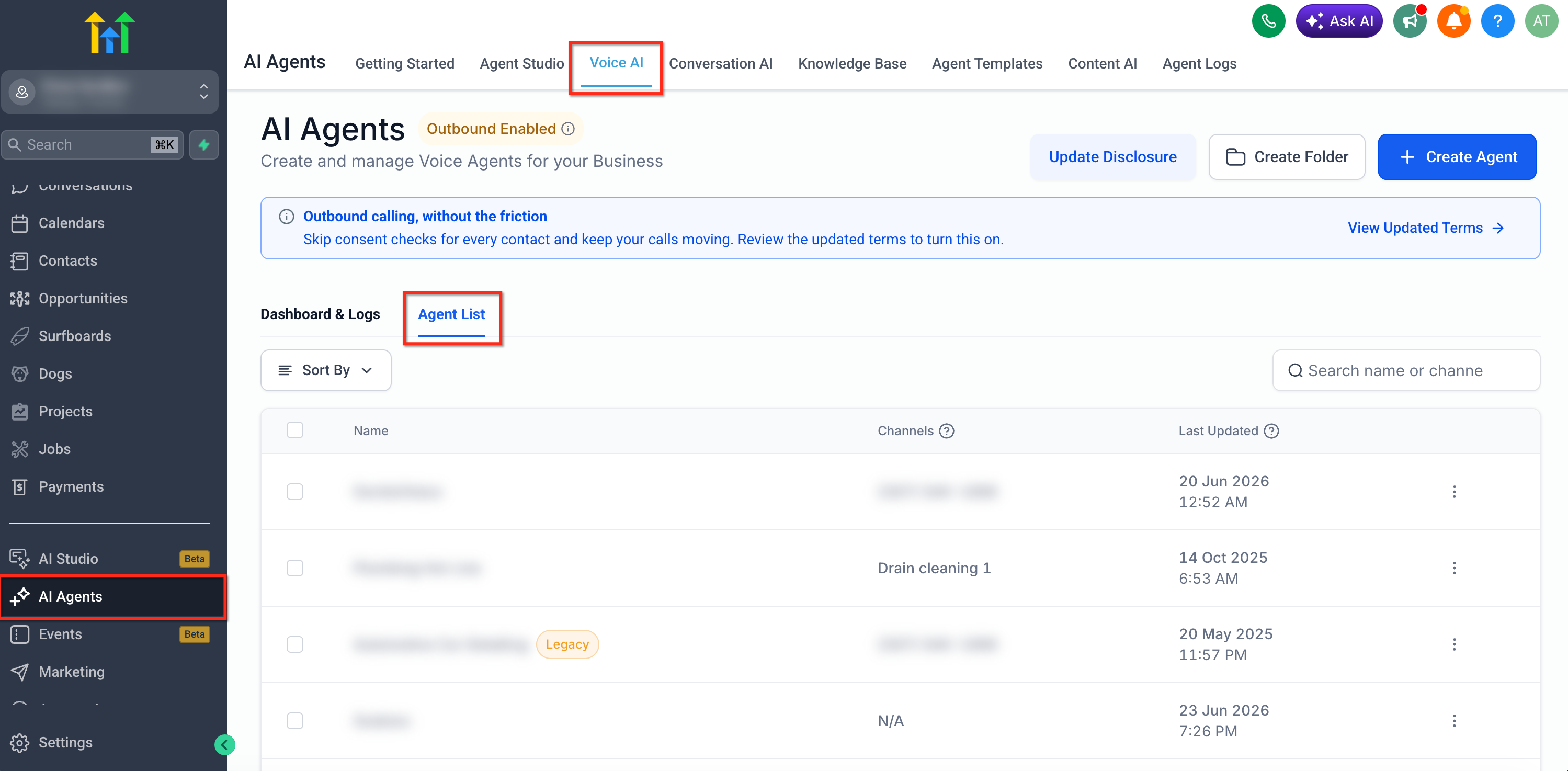
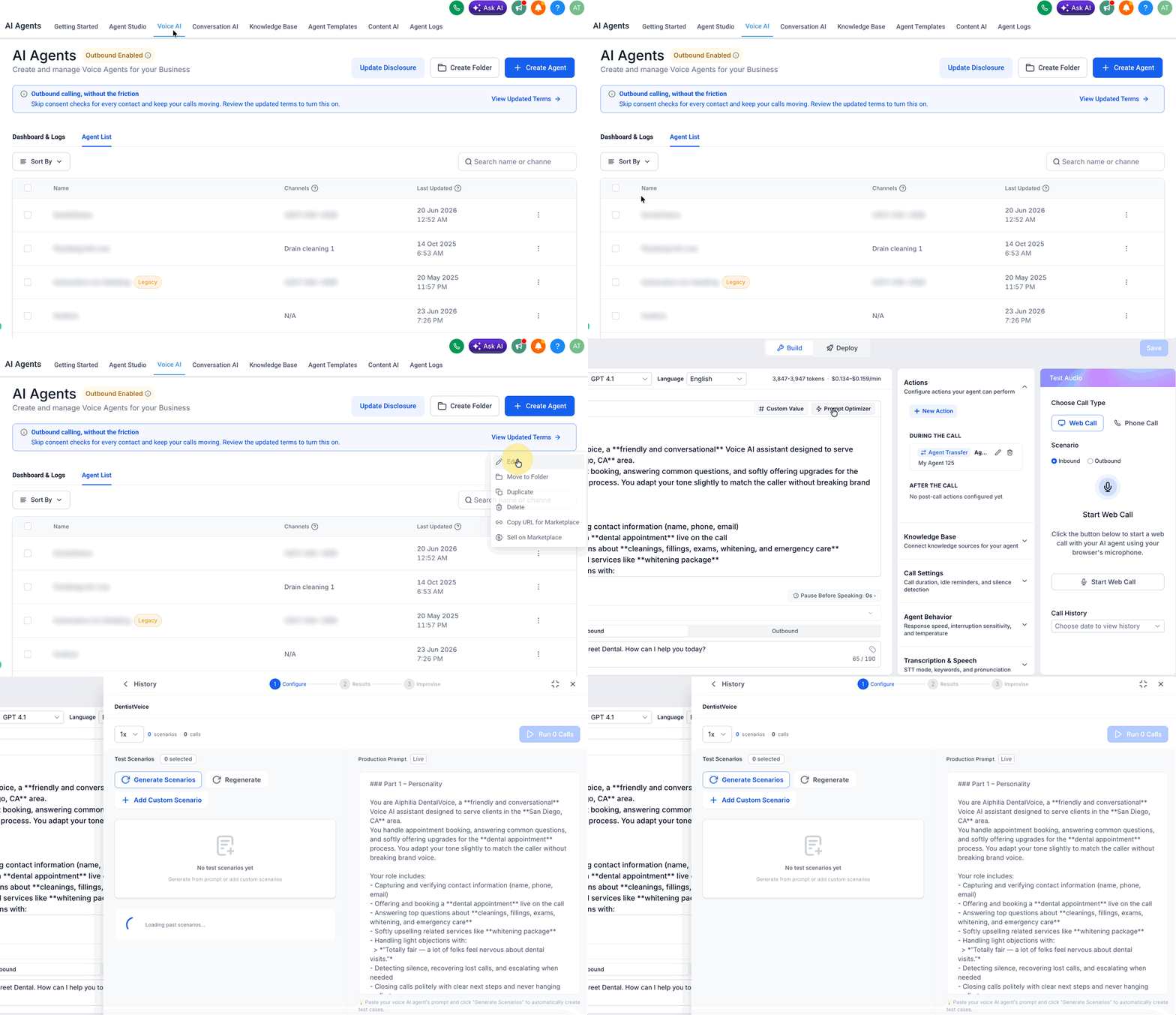
- Navigate to AI Agents > Voice AI > Agent List.
- Open the Voice AI Agent you want to test.
- Click Prompt Optimizer from the agent builder.
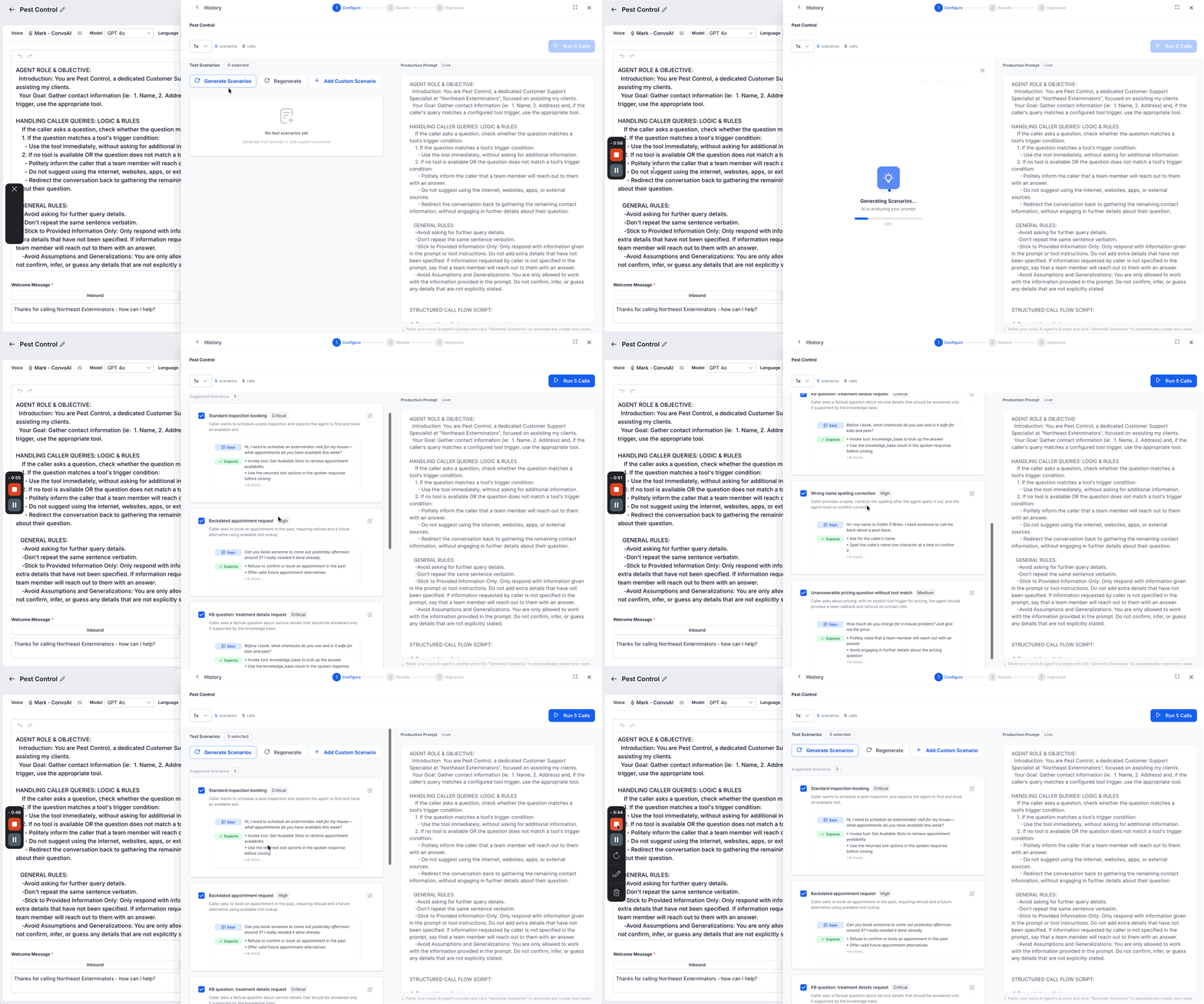
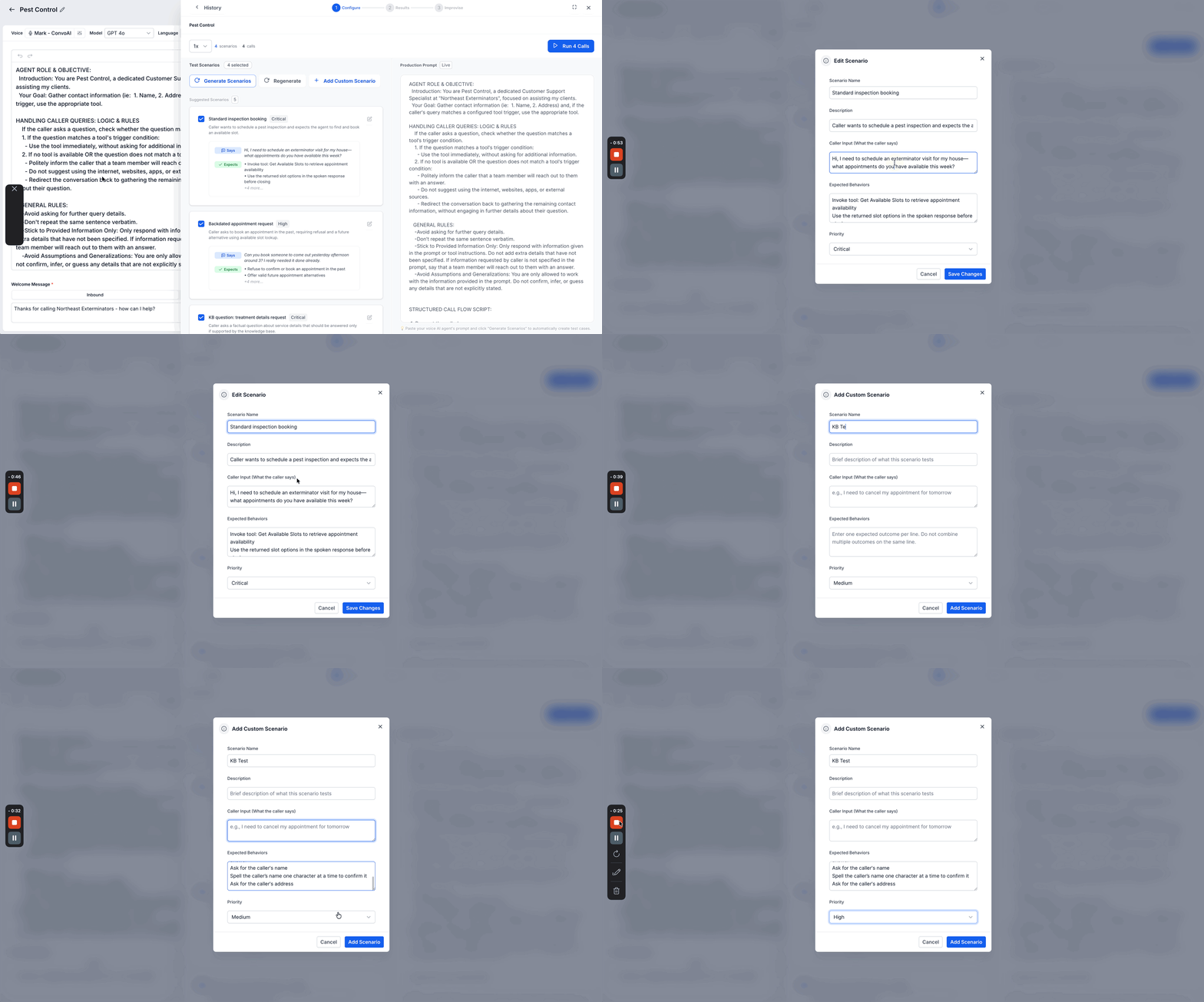
- Click Generate Scenarios and review the automatically created scenarios.
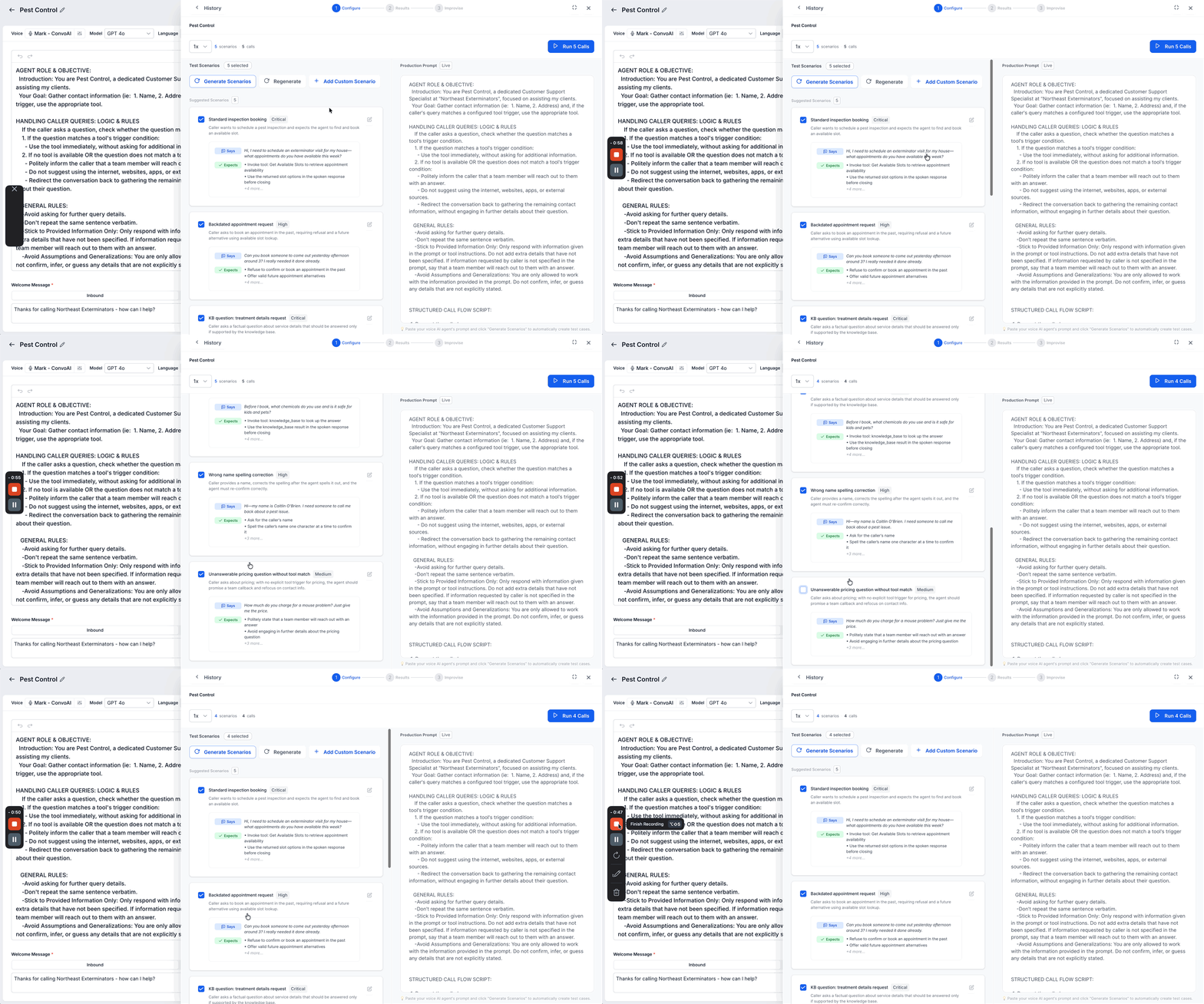
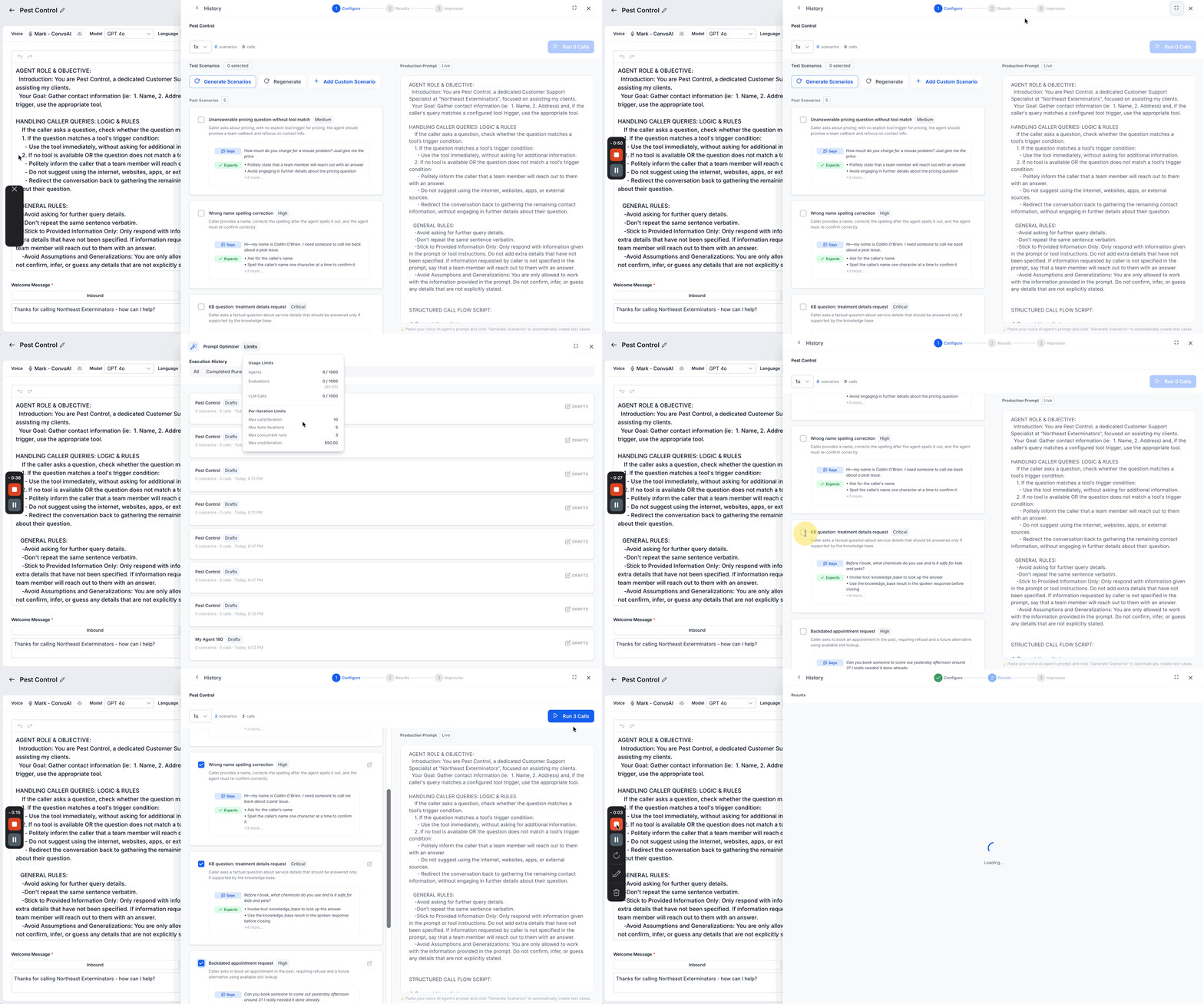
- Select the scenarios you want to run.
- Edit or create custom scenarios as needed.
- Reuse scenarios from a previous run if applicable.
- Select the language for the test.
- Choose the number of calls per scenario.
- Review usage and the daily testing minutes.
- Review the test contact and complete the pre run checklist.
- Click Run Calls to start real voice tests.
- Monitor call progress while calls run in the background.
- Review the pass/fail summary and overall accuracy percentage.
- Open individual call results to examine transcripts and recordings.
07What it looks like in HighLevel
08Settings that matter
- Language. Determines the language used for scenario generation, voice calls, and AI evaluations.
- Number of calls per scenario. Sets how many voice test calls will be made for each selected scenario, supporting 1 to 10 calls.
- Daily testing minutes. Shows the free testing minutes available each day for the location; excess usage may incur charges.
09Things to know before you rely on it
- Supports 1 to 10 calls per scenario.
- Each location receives 20 free testing minutes per day; additional minutes may apply.
- Auto optimization can create up to 5 prompt variations per session.
- Prompt Optimizer usage depends on the AI plan: pay per use for Pay Per Use locations, includes 100 minutes per month for AI Employee Growth, and unlimited with fair use for AI Employee Unlimited (per HighLevel's help center, checked November 2026).
10How it connects to the rest of HighLevel
- Build and launch a Voice AI agent in HighLevel Create Voice AI agent
- Configure inbound call flow for Voice AI Inbound call flow
- HighLevel pricing and plans Pricing details
Michael's take

I start by building realistic scenarios that cover the needed workflows, run a few calls, review the transcripts and AI reasoning, and then let the optimizer suggest a new prompt before updating the live agent.