
01Who this is for
- Operations managers need weekly snapshots to monitor call quality and agent success rates.
- Customer experience teams use the sentiment trends and flagged calls to spot negative experiences quickly.
- External stakeholders or partners can receive custom email copies to stay informed about agent performance.
02Voice AI Performance Reports, explained
Voice AI Performance Reports are automated emails that summarize an agent’s activity for a chosen period. Each report includes total calls, duration stats, success rate, caller sentiment, after hours calls, action counts and a comparison to the prior period. Up to three anomalous calls are highlighted with deep links back into HighLevel for review.
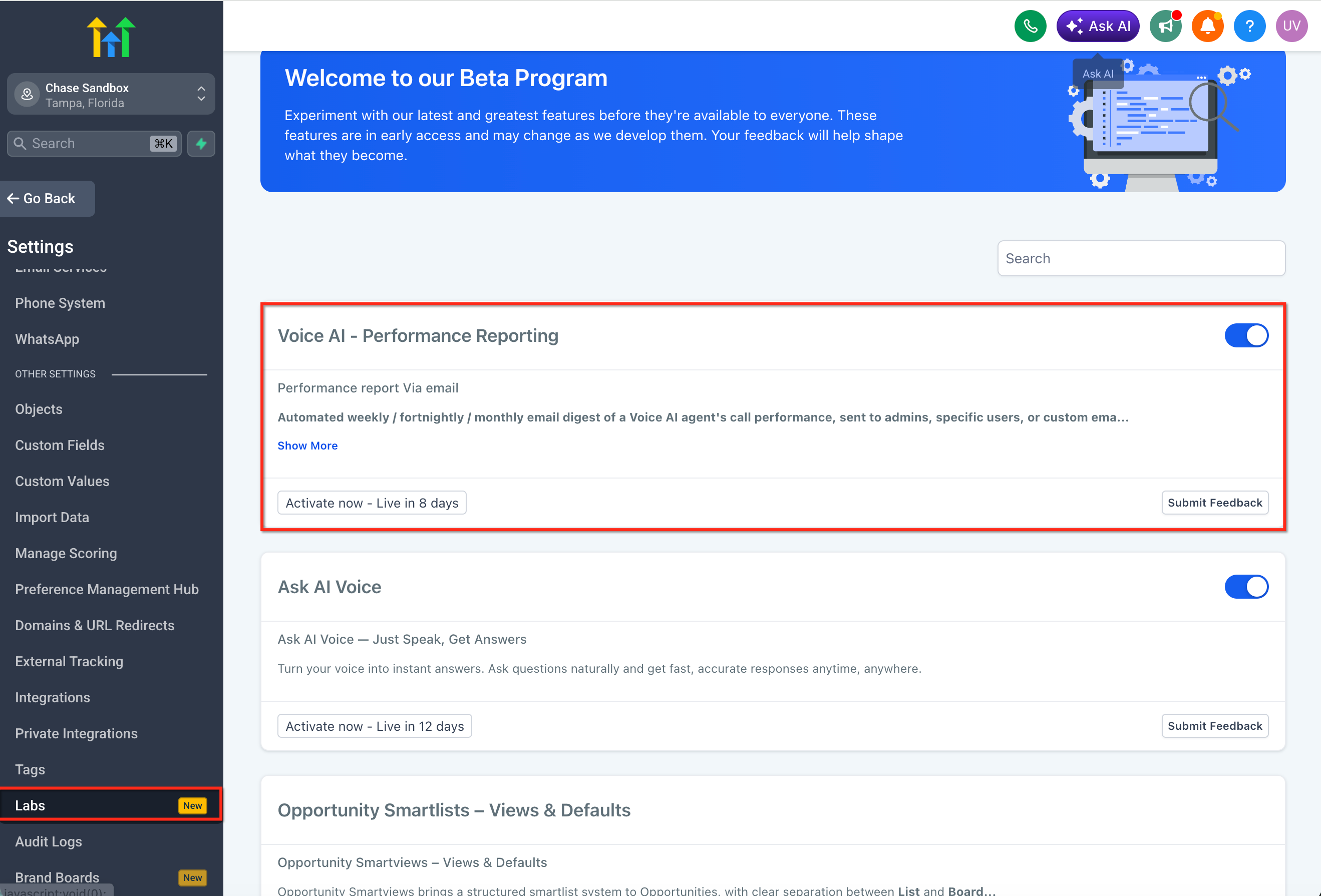
The feature lives in the Labs section of Agency View and is configured per Voice AI agent. After enabling the Labs toggle, you open the specific subaccount, navigate to Voice AI, select the agent, and adjust the Performance Report Settings for frequency and recipients.
03How businesses use Voice AI performance reports
- Real estate brokerage. The brokerage enables weekly reports for its lead generating Voice AI agent. Managers receive the email, review sentiment trends and flagged calls, then adjust scripts or follow up workflows inside HighLevel.
- Dental practice. The practice sets a monthly report for its appointment booking Voice AI. The dentist’s office staff receives the summary, checks after hours call counts and action breakdowns, and modifies scheduling triggers as needed.
- Online education platform. The platform adds a custom email address for a partner agency to receive fortnightly reports of a support Voice AI. The partner can view flagged calls via the deep links, provided they have the necessary HighLevel permissions.
04The numbers and rules that matter
- Up to three flagged calls per report.
05Before you start
- Voice AI Performance Reports must be enabled in Labs from Agency View.
- A Voice AI agent must already exist in the subaccount where the report will be set up.
06How to set up and use Voice AI performance reports in HighLevel
Set up Voice AI performance reports
- In Agency View, open Labs and turn on Voice AI Performance Reports.
- Navigate to the subaccount that contains the desired Voice AI agent.
- Select the Voice AI menu item.
- Click the Voice AI agent you want to configure.
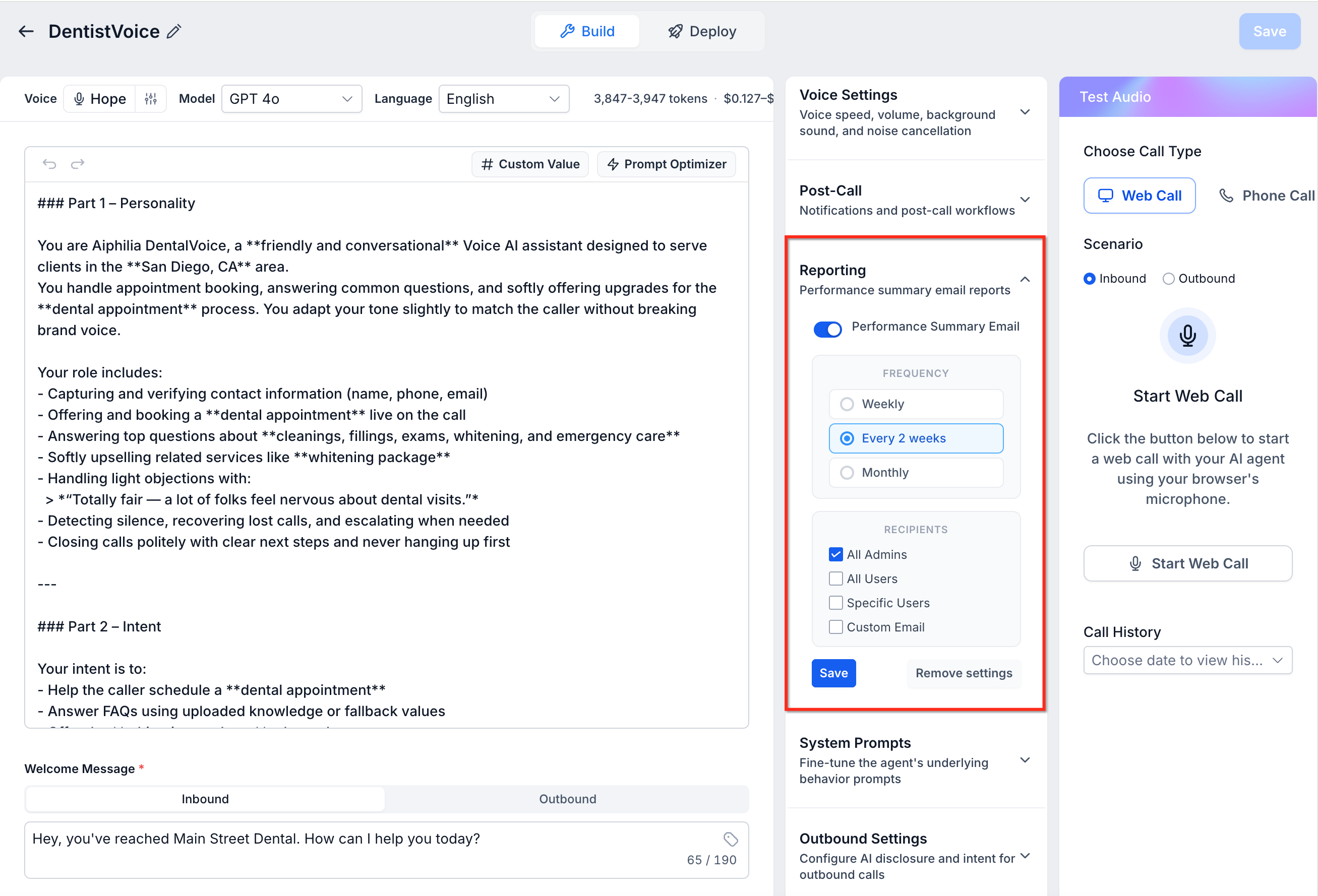
- Open the Performance Report Settings section.
- Pick a report frequency: Weekly, Fortnightly, or Monthly.
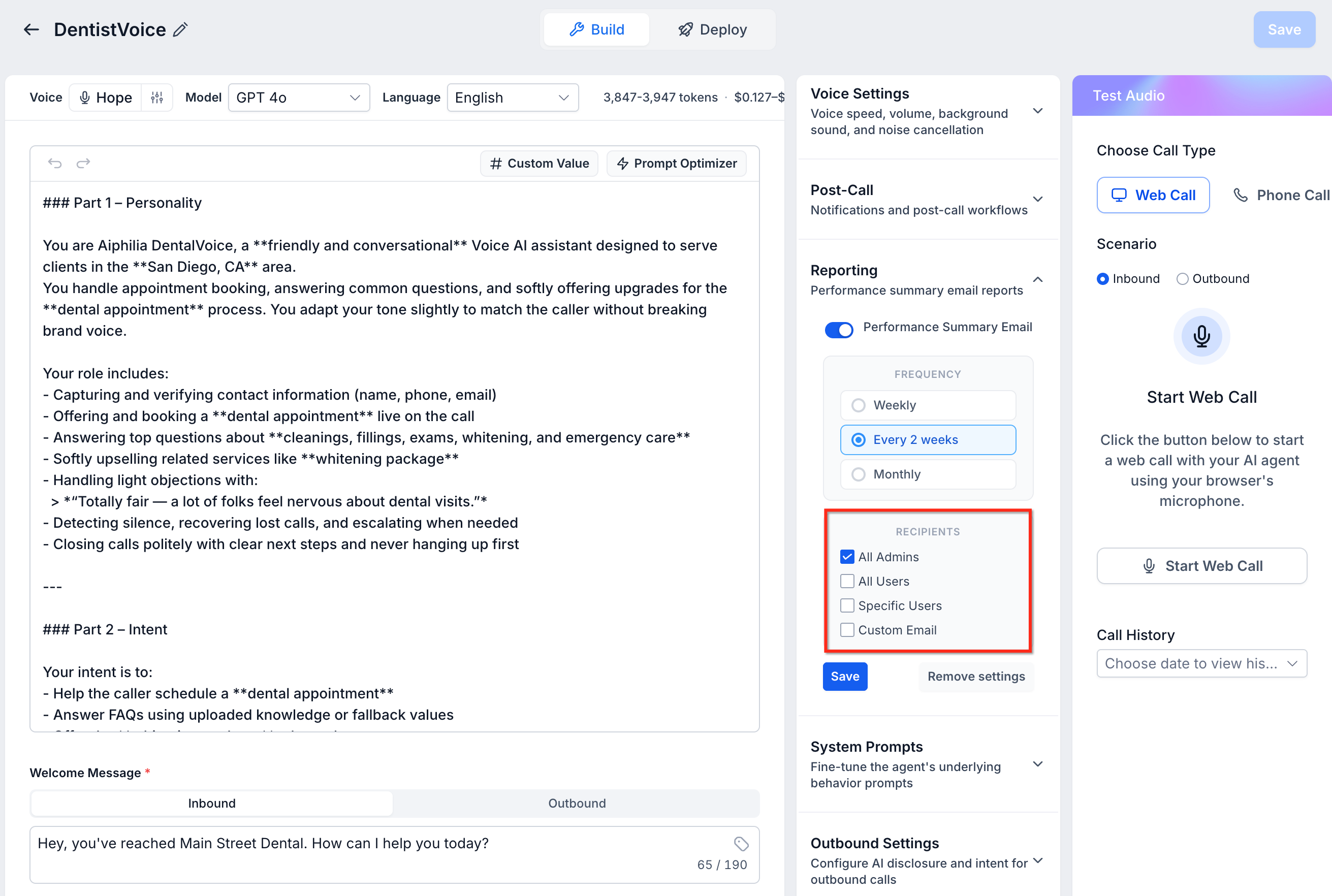
- Choose the report recipients, all admins, all users, specific users, or custom email addresses.
- Click Save to store the report configuration.
- The first report will be sent at the start of the next reporting period; reports are skipped for periods with zero calls.
07What it looks like in HighLevel
08Settings that matter
- Voice AI Performance Reports. A Labs toggle that activates the ability to schedule email performance reports for Voice AI agents.
- Performance Report Settings. The panel where you define the reporting cadence and recipient list for an individual Voice AI agent.
- Report Frequency. Controls how often the email summary is sent, options are Weekly, Fortnightly, or Monthly.
- Report Recipients. Determines who receives the report; choices include all admins, all users, selected users, or any custom email address.
09Things to know before you rely on it
- Only Weekly, Fortnightly, or Monthly frequencies are available.
- Each report can contain up to three flagged calls.
- Reports are not sent for periods when the agent records zero calls.
- The feature is accessible only after enabling it in Labs.
10If something goes wrong
- Did not receive a performance report. Check whether the agent handled any calls during the reporting period; reports are skipped when call volume is zero.
11How it connects to the rest of HighLevel
- How to create a Voice AI agent Create Voice AI agents
- Configure inbound call flow for Voice AI Inbound call flow
- Test Voice AI agents via web and phone Testing Voice AI
Michael's take

For a small business that runs a handful of Voice AI Agents, these email reports are a cheap way to stay on top of call quality and automation results without constantly logging into the dashboard. The ability to route reports to nonusers also helps keep partners informed.
Don’t forget that a report won’t arrive if the agent didn’t handle any calls during the period.