
01Who this is for
- Founders of SaaS platforms that host web based voice assistants, because the safeguard stops bot traffic that could overload resources.
- Small business owners using a website chatbot for support, as the protection preserves a smooth experience for genuine customers.
02Voice AI chat widget reCAPTCHA protection, explained
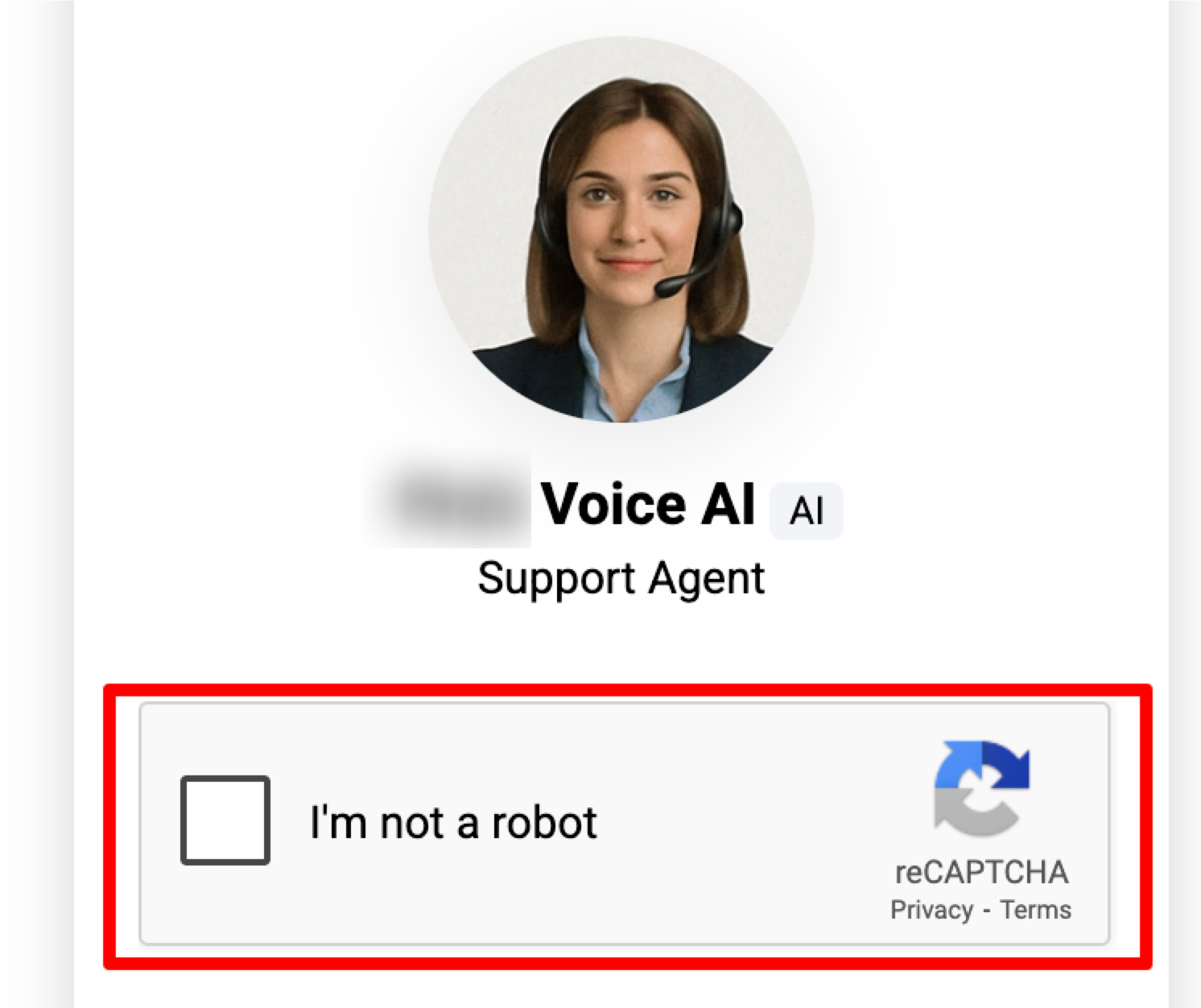
The feature automatically monitors connection attempts on the Voice AI Chat Widget. When a single visitor connects and disconnects ten times within a minute, a reCAPTCHA challenge appears to verify the user is human. After the visitor passes the test, the widget resumes normal operation.
ReCAPTCHA is built into the Voice AI Chat Widget only; it does not affect standard text based chat widgets. No manual activation is required, and the threshold cannot be changed. The protection helps maintain widget reliability and prevents rapid looped calls that could reduce performance.
After creating or editing a widget under Sites > Chat Widgets and selecting a Voice AI Agent, the reCAPTCHA logic is automatically included. The widget script added to a site inherits this behavior without further steps.
03How businesses use Voice AI chat widget reCAPTCHA protection
- Online education platform. The platform embeds a Voice AI Chat Widget on course pages. If a student repeatedly starts and stops the voice chat, reCAPTCHA appears, confirming they are not a bot and allowing the session to continue after completion.
- Real estate lead generation site. Agents place the Voice AI Chat Widget on property listings. When a prospect accidentally triggers rapid connect disconnect cycles, the widget shows reCAPTCHA, preventing automated traffic while still letting the prospect resume the conversation after solving it.
- Health clinic appointment page. The clinic adds the Voice AI Chat Widget for appointment booking. If abusive scripts try to flood the widget, reCAPTCHA challenges block the attempts, ensuring only real patients can finish the booking flow.
04The numbers and rules that matter
- ReCAPTCHA triggers after a visitor rapidly connects and disconnects 10 times within 60 seconds.
05Before you start
- A Voice AI Chat Widget must be created or opened in the HighLevel account.
06How to set up and use Voice AI chat widget reCAPTCHA protection in HighLevel
Set up Voice AI Chat Widget with reCAPTCHA protection
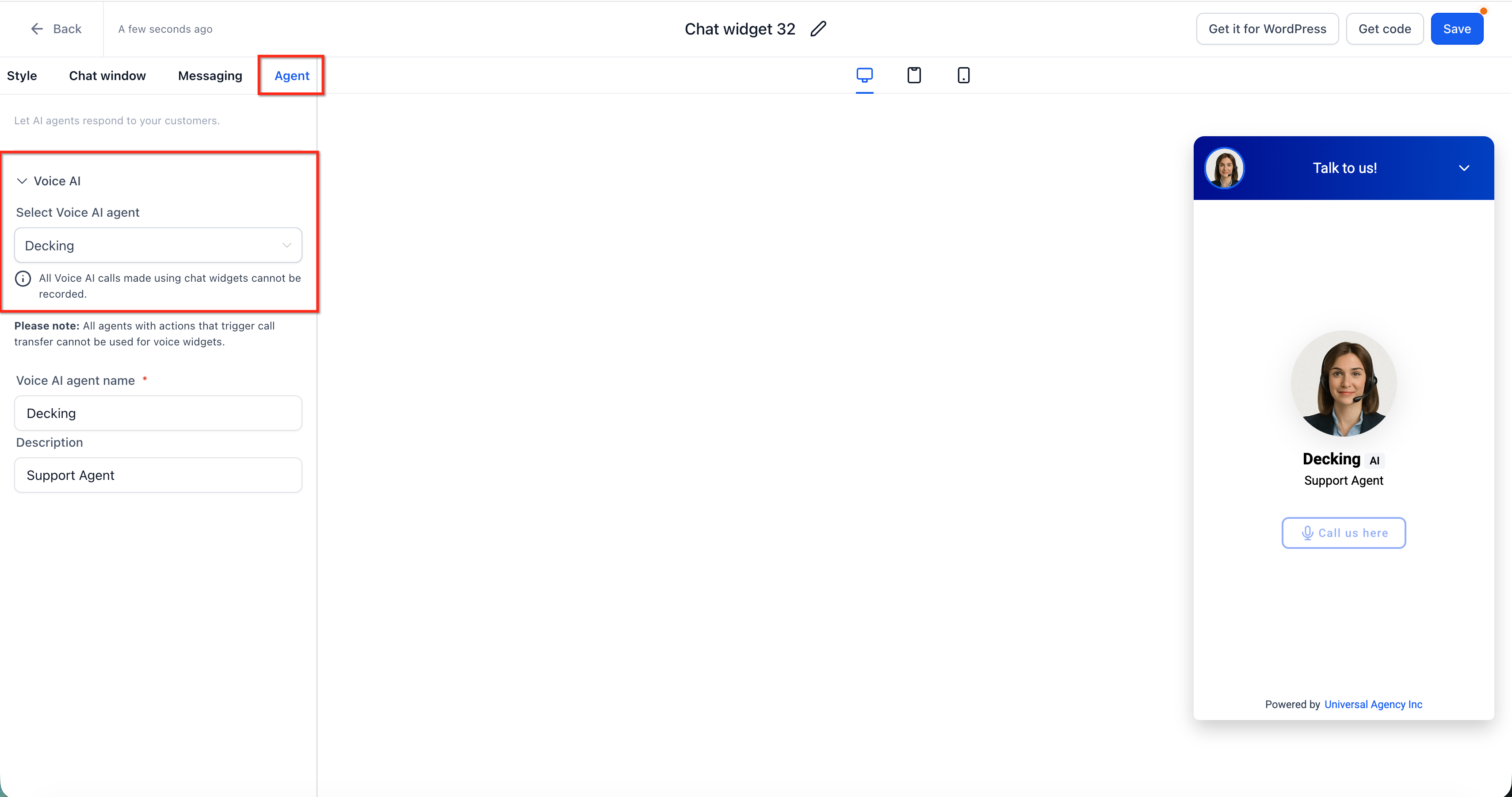
- Navigate to Sites > Chat Widgets.
- Open an existing widget or create a new one.
- Choose Voice AI Agent on the Agent tab.
- Enter the Voice AI agent name and adjust widget settings.
- Click Save.
- Copy the widget script and add it to the website or funnel.
- Publish the page and test the widget from the live site.
07What it looks like in HighLevel
08Settings that matter
- Agent tab. Selects the type of agent for the widget, enabling Voice AI functionality.
- Voice AI agent name. Defines which Voice AI agent will respond to visitor interactions.
09Things to know before you rely on it
- ReCAPTCHA triggers after ten rapid connect disconnect cycles within sixty seconds.
- The threshold is fixed and cannot be adjusted.
- Protection applies only to the Voice AI Chat Widget type and does not affect standard chat widgets.
10If something goes wrong
- reCAPTCHA appears repeatedly during testing. Slow down the rate of starting and ending test calls and allow time between attempts.
11How it connects to the rest of HighLevel
- Build and launch a Voice AI agent Create Voice AI agent
- Configure inbound call flow for Voice AI Inbound call flow
- Test Voice AI agents on web and phone calls Test Voice AI
- HighLevel pricing and plans Pricing
- Start a 30 day HighLevel trial Free trial
Michael's take

ReCAPTCHA adds an extra safety layer for the Voice AI Chat Widget.